Read! Recall! PDF Flashcards
Red sheet & multiple choice
Được thiết kế cho iPhone, iPad
Miễn phí · Mua hàng trong ứng dụng
- Độ tuổi4+
- Danh mụcGiáo Dục
- Nhà phát triểnMasaaki Sasaki
- Ngôn ngữTiếng Anh+ 1 ngôn ngữ khác
- Kích thước8,0 MB
Liên kết đến trang App Store chính thức
Download.org không lưu trữ tệp nào của Read! Recall! PDF Flashcards. Nút này mở trang ứng dụng trên App Store, nơi Masaaki Sasaki phát hành ứng dụng. Trang được kiểm tra lần cuối: 26/11/2026.
Ảnh chụp màn hình


Giới thiệu
Nhà phát triển chưa cung cấp nội dung này bằng ngôn ngữ của bạn.
Read. Hide. Recall.
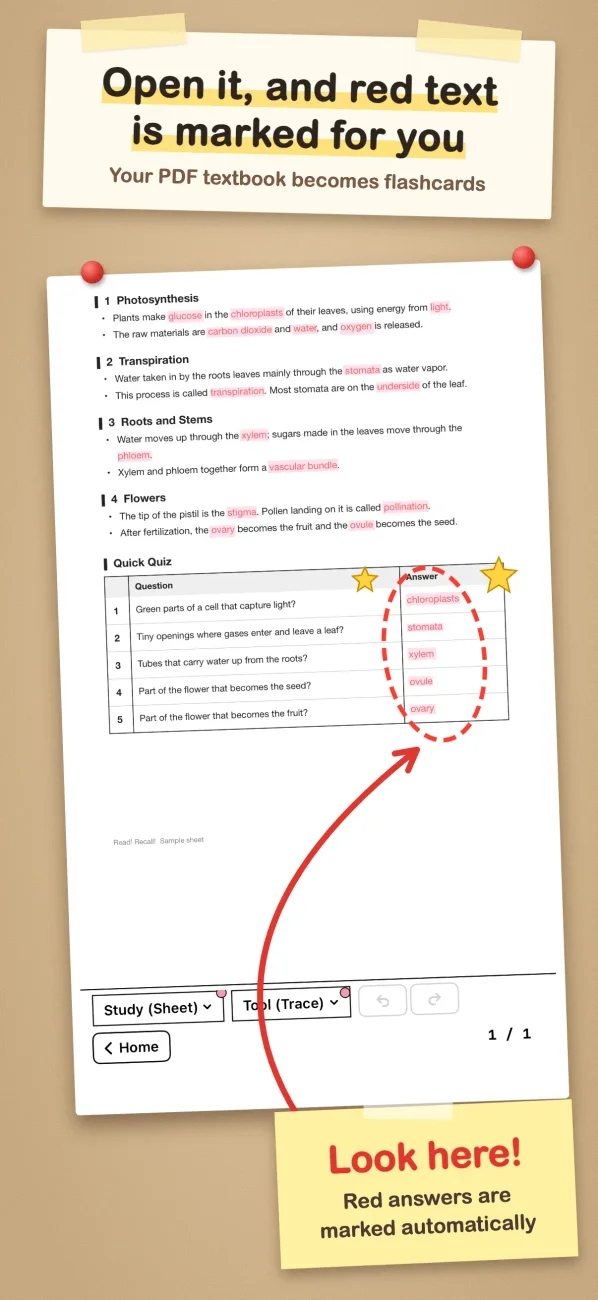
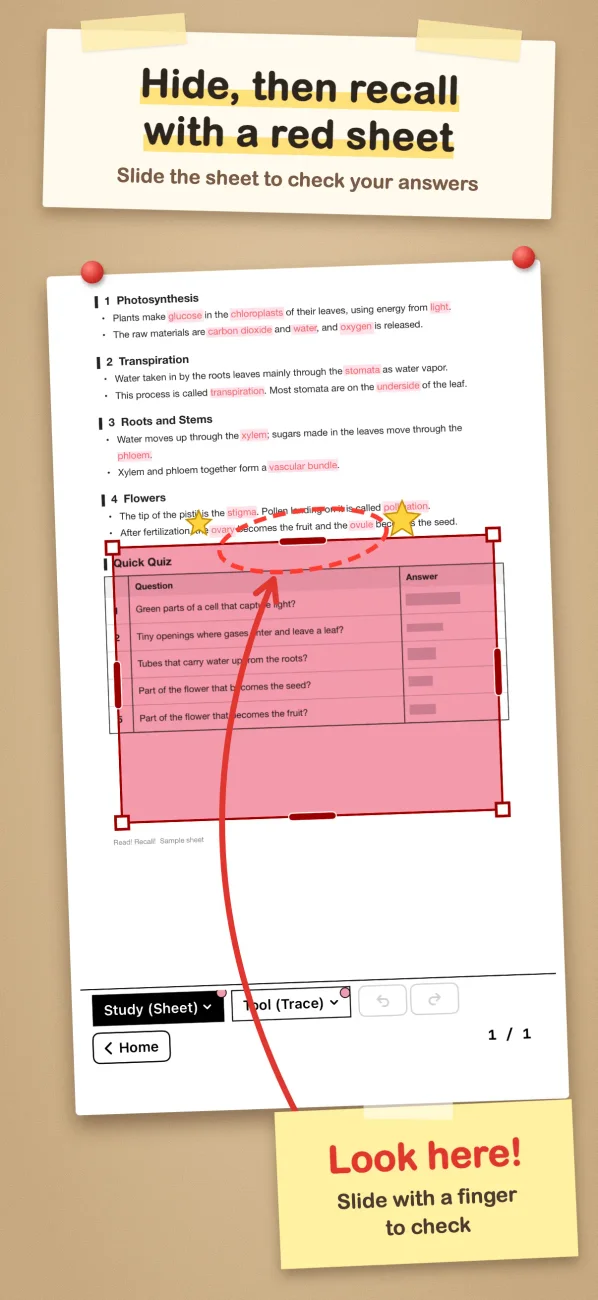
Read! Recall! turns the PDF textbooks and workbooks you already have into a place to practice remembering. Open a page, and the printed red text is found and marked for you, ready to hide under a red sheet. You can also make flashcards just by pasting a table.
WHAT YOU CAN DO
• Red text is marked as soon as you open a page
• Mark more with the Trace, Lasso, Box and Table tools, in five colors
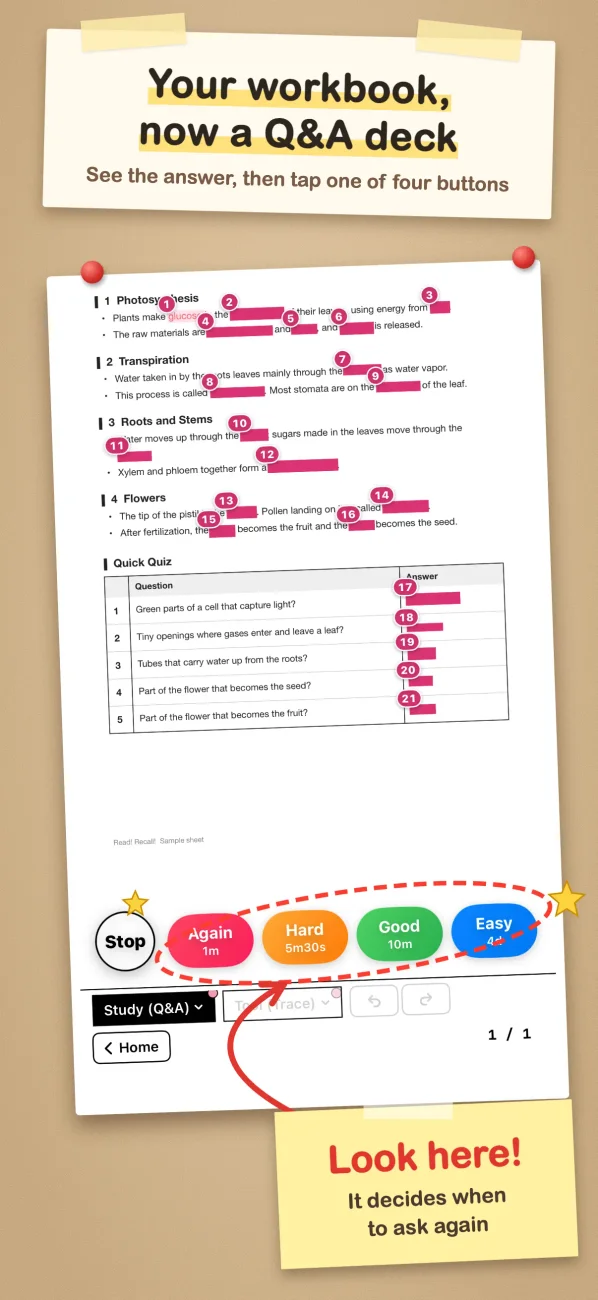
• Your workbook, now a Q&A deck: mark the answer column of a table at once and study it question by question
• Write answers into blank answer spaces, including vertical grids for Japanese
• Make a book from photos or the camera, open PDFs from the Files app, or share them from another app
THREE WAYS TO STUDY
• Sheet: slide a red sheet over the page and recall what is hidden. Choose its color and density.
• Peel: answers are covered like sticky notes. Tap to peel them in any order.
• Q&A: one question at a time. After you see the answer, pick Again, Hard, Good or Easy, and spaced repetition decides when it comes back. Set the order of the questions yourself, or use focus sets to study only some pages.
FLASHCARDS
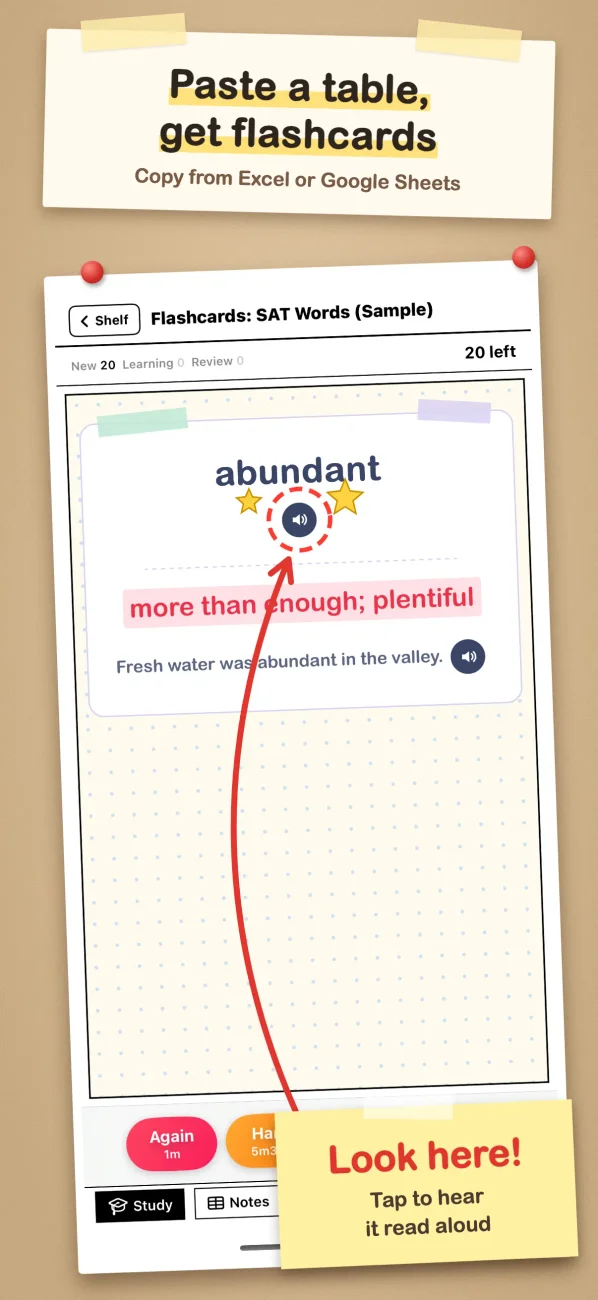
• Paste a table from Excel, Numbers or Google Sheets to make many cards at once
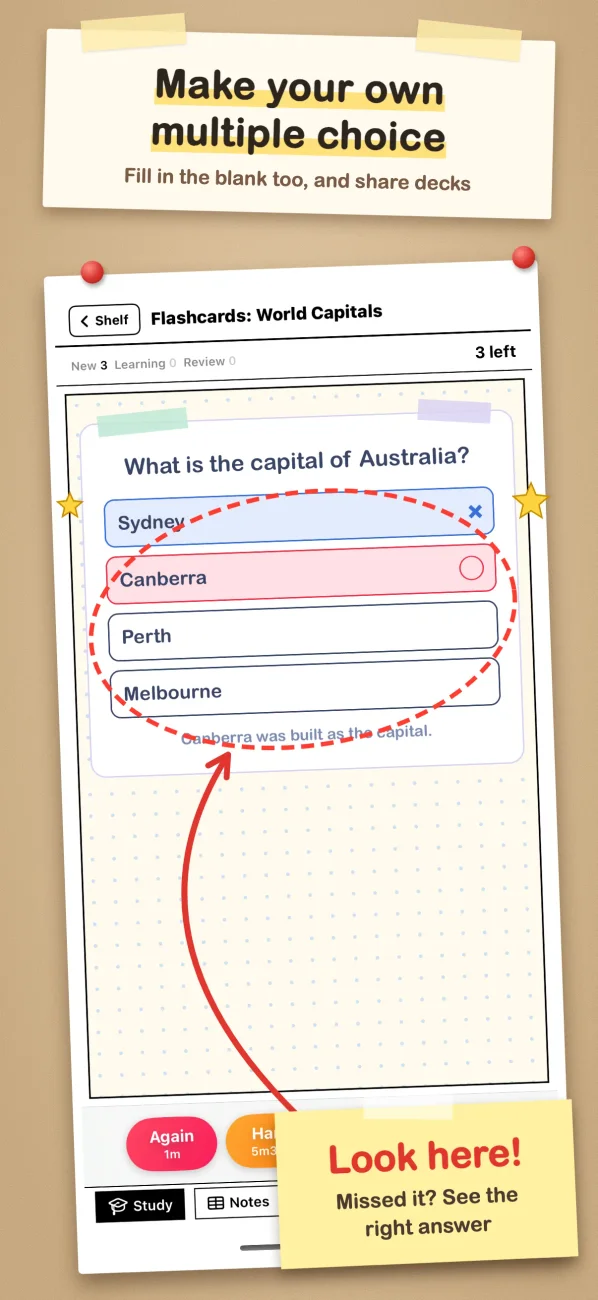
• Six types: Basic, Words & Sentences (with audio), Fill in the Blank, Multiple Choice, Peel and Word Order
• Again, Hard, Good or Easy, and spaced repetition decides when each card comes back
• Design the cards with HTML or the built-in design tool, with a read-aloud button in the device voice
• Share a deck with friends as a .pak file
EASY TO READ
• Pages fill the screen. Swipe to turn; tapping the edge never turns a page by accident.
• Pinch or double-tap to zoom. Single page or two-page spread, left or right binding for vertical Japanese books.
• Each book remembers its page, zoom and settings.
• Tap a link in a PDF, such as a contents entry, to jump to that page.
PRICE
• Reading PDFs is always free.
• Every feature is free in every book for your first 60 days (up to 5 flashcard decks). Nothing is bought automatically.
• After 60 days you can still review your marks and up to 5 decks.
• To mark new pages and make unlimited flashcard decks, make a one-time purchase. No subscription. Family Sharing is supported.
YOUR DATA
• No account, no ads, no tracking. The app does not send your data anywhere.
• Your marks, study data and flashcards stay on your device. Your PDF files are never changed.
The app is in English and Japanese. A Manual in both languages is on the shelf.
Có gì mới
Phiên bản 1.2.0 · 26/11/2026
• Ready for iPhone Duo. Closed, you read one page; open, you get a two-page spread and keep your place.
• When iPhone Duo is open, nothing sits on the fold: flashcards show the question on the left and the answer on the right, and the shelf puts the sidebar on the left and books on the right.
• “Add Books or Folder…” now adds PDFs too, as many as you like.
• Folders in the sidebar start closed; tap > next to a name to open one. The app remembers which ones are open.
• Choosing a study mode (Sheet, Peel or Q&A) starts it right away.
• The Manual explains how the app works on iPhone Duo.
• In Q&A, questions that come back later today now count in “today” and come up right away instead of making you wait.
• Focus sets can be named (up to 20 characters).
• Instead of one free book, every feature is now free for 60 days. After that you can still review your marks and up to 5 flashcard decks.
• Opened from flashcards, the purchase screen is titled “Make Unlimited Flashcard Decks”.
Quyền riêng tư của ứng dụng
Những gì Masaaki Sasaki khai báo trên App Store về cách ứng dụng này xử lý dữ liệu.
-
Dữ liệu không được thu thập
Nhà phát triển không thu thập bất kỳ dữ liệu nào từ ứng dụng này.
Phương thức đảm bảo quyền riêng tư có thể khác nhau, chẳng hạn như tuỳ theo các tính năng bạn sử dụng hoặc độ tuổi của bạn.
Thông tin
- Người bán
- Masaaki Sasaki
- Danh mục
- Giáo Dục
- Phiên bản
- 1.2.0
- Cập nhật
- 26/11/2026
- Phát hành
- 10/11/2026
- Kích thước
- 8,0 MB
- Yêu cầu
- iOS 18.0 trở lên
- Độ tuổi
- 4+
- Giá
- Miễn phí
- Mua hàng trong ứng dụng
- Có
- Ngôn ngữ
- Tiếng Anh, Tiếng Nhật
- Bản quyền
- © 2026 Masaaki Sasaki
Có thể bạn cũng thích
-
 Satr: Bilingual PDF StudyGiáo Dục
-
 Lockin Study BuddyGiáo Dục
-
 シャドニャン~Español~Giáo Dục
-
 Red Sheet - Photo & PDF StudyGiáo Dục
-
 Ngữ pháp Tây Ban Nha - EasyNgữ pháp từ vựng Tây Ban Nha
-
 赤シートで勉強 楽しく学習 - AIシートGiáo Dục
-
 AI Study Sheet - Active RecallGiáo Dục
-
 合格理科クエストGiáo Dục
-
 Scribbly: Giải Toán & Ghi ChúGia sư AI, bài tập & ôn thi
-
 音声でスペイン語勉強 - 単語1250Giáo Dục