Read&Write
Accessible TTS writing/reading
Được thiết kế cho iPhone, iPad
Miễn phí · Mua hàng trong ứng dụng
- Độ tuổi4+
- Danh mụcGiáo Dục
- Nhà phát triểnEverway Opco Ltd.
- Ngôn ngữTiếng Anh+ 11 ngôn ngữ khác
- Kích thước225,3 MB
Liên kết đến trang App Store chính thức
Download.org không lưu trữ tệp nào của Read&Write. Nút này mở trang ứng dụng trên App Store, nơi Everway Opco Ltd. phát hành ứng dụng. Trang được kiểm tra lần cuối: 17/11/2026.
Ảnh chụp màn hình


Giới thiệu
Nhà phát triển chưa cung cấp nội dung này bằng ngôn ngữ của bạn.
Read&Write for iPad is a reading and writing app with high-quality text-to-speech, formatting controls, a wide range of fonts and styles and cloud storage integration.
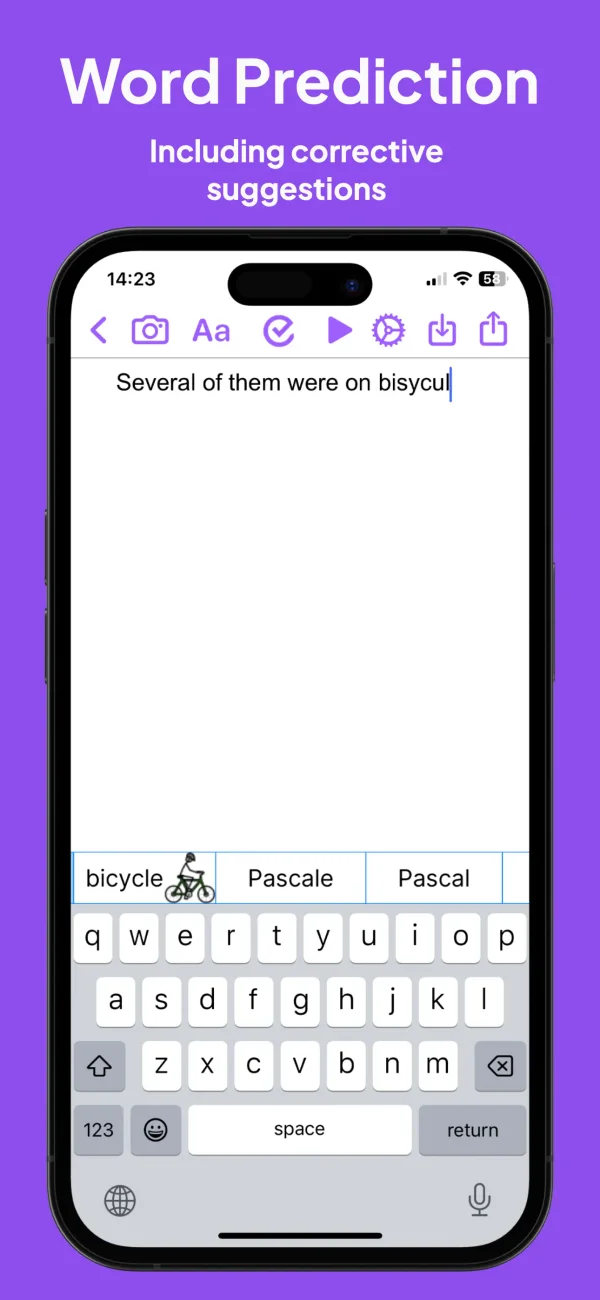
Read&Write provides visual highlighting in-sync with spoken words, a great range of colour and font settings to allow for optimum reading, and word prediction to help with writing. Read&Write is a quality app for proofreading text through listening, helping with reading and literacy development, and creating audio files from any text.
PRODUCT FEATURES
• Text-to-Speech
- Type into Read&Write and have the text read back to you. You can check text and proofread it quickly and easily.
- You can import documents into Read&Write from apps such as Mail, or import directly from Dropbox, Google Drive and OneDrive.. Read&Write can open a range of document formats including Word doc, PDF and epub.
- Text from any app can be copied and pasted into Read&Write ready to be read back.
- Apple's speech recognition can be used to dictate text directly into Read&Write, and can be listened back to ensure it is right.
- The Apple spell check works in Read&Write too, further helping accuracy.
- You can save the text as an audio file using the same high-quality voice.
• Word Prediction
Word prediction helps with writing more quickly and accurately.
• Visual Highlighting
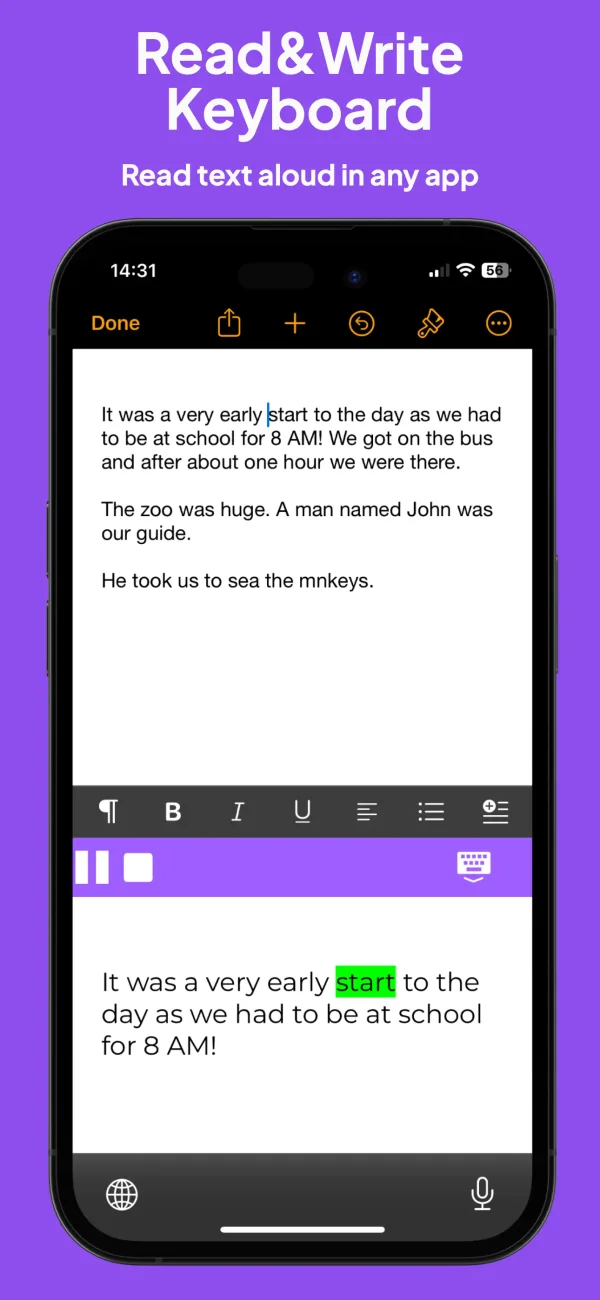
Text is highlighted as the text is read back. Highlighting allows you to coordinate reading and listening. Read&Write lets you pick the colour and style of highlighting required.
There are four highlighting modes to choose from: none, word by word, word trail, or sentence by sentence highlighting.
• Font & Layout
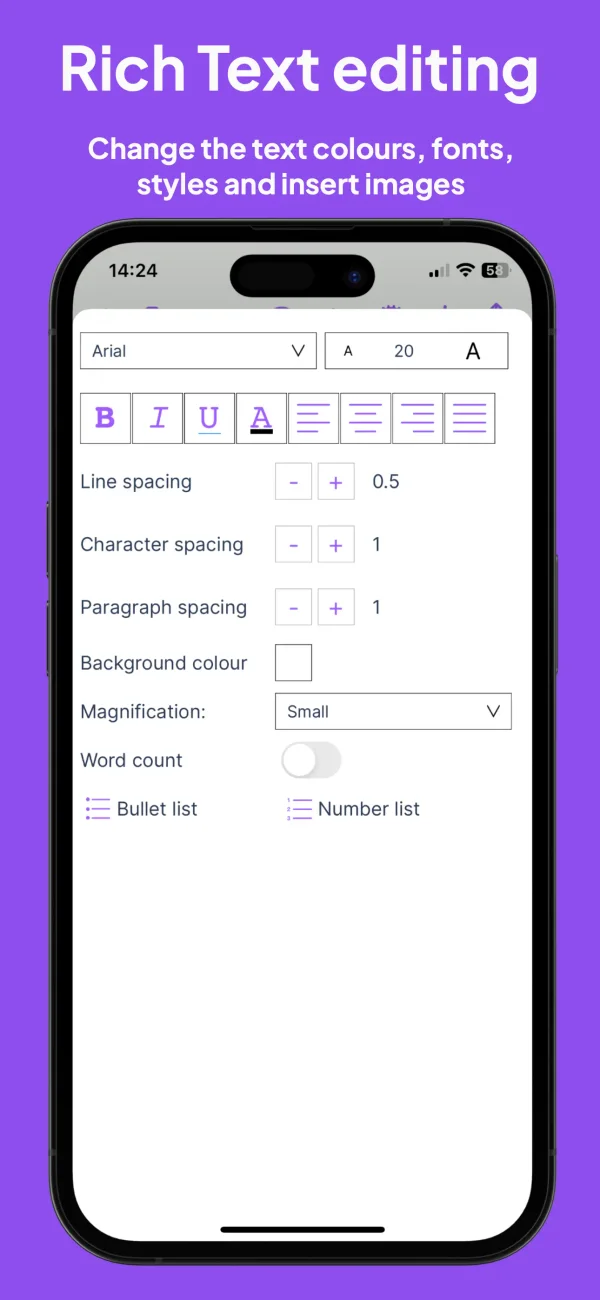
Change the font type, size or colour to suit your needs. Layout the text for easier reading by adjusting the character, line and paragraph spacing and adjusting the page margins. Text can be formatted bold, italic and underlined to emphasise. Images can be inserted into the text from the camera or your library.
• Save to Audio
Convert any text into an audio file using any of the high-quality voices. This is quick and easy, allowing text to be listened to on the move. Great for proofreading on the go.
• Share your text
Text created within Read&Write can be emailed, messaged, printed, opened in another app, or copied and pasted into another app, like Safari.
• Read webpages
You can now read webpages in Safari and other browsers, using the "Read&Write Toolbar" extension from the share menu.
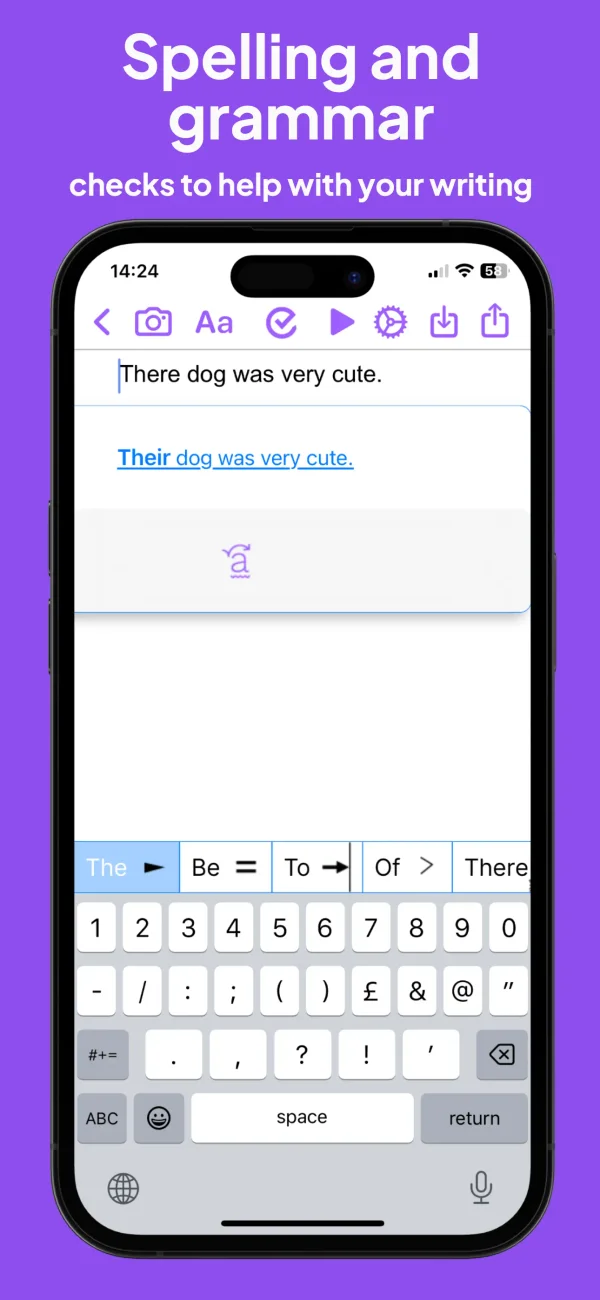
* Spellcheck & Grammar check
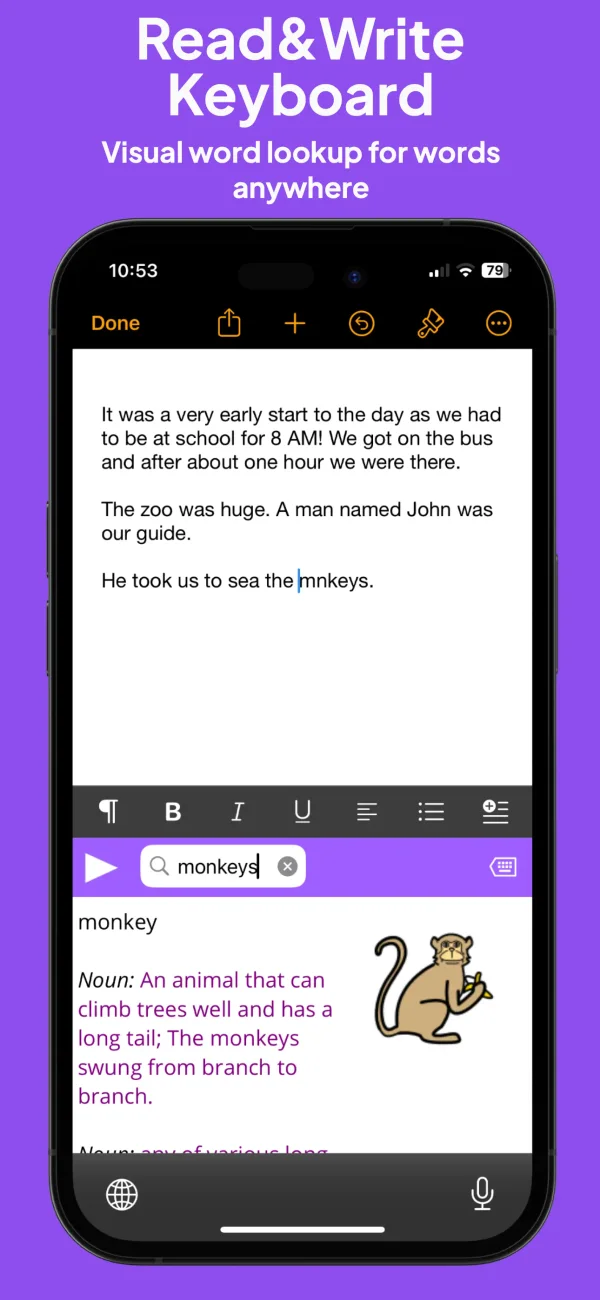
Use the Read&Write spellcheck feature that can provide you with additional word descriptions and pictures to help you find the correct word.
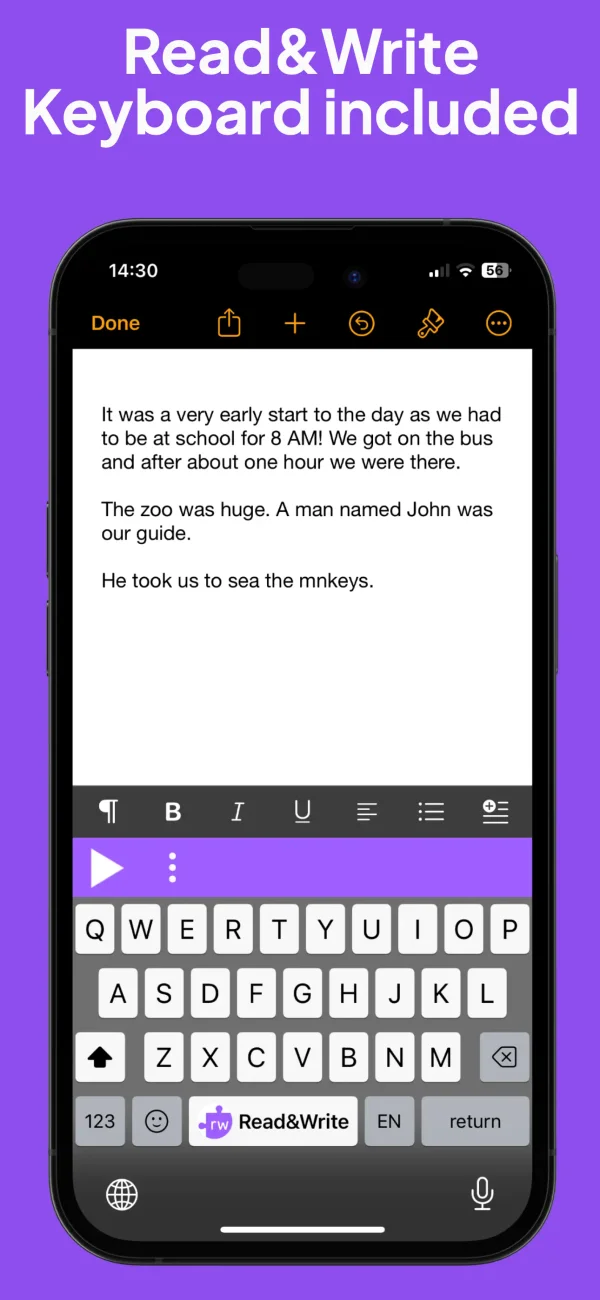
Also included in this app is the Read&Write Keyboard app, which is a powerful keyboard replacement that works in every app. Supporting reading, writing, comprehension and vocabulary development, Read&Write provides a rich set of features which extend accessibility and provide a range of tools to help with literacy including:
• Text to speech
• Prediction
• Dictionary / Talking dictionary
• Picture Dictionary
• Check It
• Talk&Type (available for iOS 10 and above)
• Speak as I type
• OpenDyslexic font support
• Language translation in Safari (French or Spanish, Locale dependent)
• French language localisation
The Read&Write keyboard app provides help everywhere it’s needed whether it’s working on documents, presentations, being creative or just using mail. It’s great for those with individual needs such as Dyslexia and those where English is not their first language, but it’s designed for everyone.
Có gì mới
Phiên bản 7.17.1 · 27/10/2026
Dictation in external keyboards
Previously when using an external keyboard and the onscreen keyboard was minimised, there was no way to perform a dictation without expanding the onscreen keyboard. In 7.17.1, we’ve added a new dictation button that is visible only when an external keyboard is connected so users can quickly use the dictation feature
Improved highlighting in the dictionary window
Text highlighting for speech in the dictionary window has now been updated to support your chosen highlight colours and modes in the app settings.
Export as PDF
The editor app now has a new Export as PDF option, so you can export your work directly to PDF consuming apps and ecosystems.
New link to your Check It dictionary
The keyboard app now has a button to take you directly to your Check It dictionary list - making it quicker and easier to manage your added words.
What’s Fixed?
Fixes a crash that could occur when tapping the keyboard language dropdown when an external keyboard was connected.
Fixes a bug where the minimise button on the R&W keyboard was unresponsive tapping settings button on the minimised R&W keyboard, when using an external keyboard.
Improves prediction when swapping languages; partial words should now update to the new language.
Fixes a crash that could happen when exporting a document from the dashboard that contains images.
Fixes a bug where the prediction dictionary was not being applied until the app was restarted.
Fixes a bug in the editor app where Ignore all could sometimes unignore previously ignored words.
Fixes a bug in Google Drive where not all folders were showing.
Fixes a bug where the changing the keyboard locale was also changing the current language.
Fixes a bug where the font menu in the editor app was transparent on iOS 26+ devices.
Fixes a bug where Ignore all in the editor app was not refreshing content offscreen.
Fixes a bug where Check It treated a wrapped line as a new sentence.
Fixes a bug where the Check It pop up in the editor app was not being resized correctly on keyboard appear/dismiss.
Fixes a bug in the editor app where document content being spoken offscreen was not being automatically scrolled to.
Fixes a bug in the dictionary feature were words being looked up that included punctuation were not returning any results.
Quyền riêng tư của ứng dụng
Những gì Everway Opco Ltd. khai báo trên App Store về cách ứng dụng này xử lý dữ liệu.
-
Dữ liệu không liên kết với bạn
Có thể được thu thập nhưng không liên kết với danh tính của bạn.
- Thông tin liên hệ
- Dữ liệu sử dụng
Phương thức đảm bảo quyền riêng tư có thể khác nhau, chẳng hạn như tuỳ theo các tính năng bạn sử dụng hoặc độ tuổi của bạn.
Thông tin
- Người bán
- Everway Opco Ltd.
- Danh mục
- Giáo Dục
- Phiên bản
- 7.17.1
- Cập nhật
- 27/10/2026
- Phát hành
- 29/01/2015
- Kích thước
- 225,3 MB
- Yêu cầu
- iOS 16.6 trở lên
- Độ tuổi
- 4+
- Giá
- Miễn phí
- Mua hàng trong ứng dụng
- Có
- Ngôn ngữ
- Tiếng Anh, Tiếng Ả Rập, Tiếng Đan Mạch, Tiếng Hà Lan, Tiếng Pháp, Tiếng Đức, Tiếng Ý, Tiếng Bokmål Na Uy, Tiếng Ba Lan, Tiếng Bồ Đào Nha, Tiếng Tây Ban Nha, Tiếng Thụy Điển
- Bản quyền
- © 2022 Texthelp Ltd.