
Real Support
MR技術により遠くにいても隣にいるかのように作業支援が可能に
Được thiết kế cho iPhone, iPad, iPod touch
Miễn phí
- Độ tuổi4+
- Danh mụcHiệu Suất
- Nhà phát triển株式会社NTTドコモ
- Ngôn ngữTiếng Anh
- Kích thước225,3 MB
Liên kết đến trang App Store chính thức
Download.org không lưu trữ tệp nào của Real Support. Nút này mở trang ứng dụng trên App Store, nơi 株式会社NTTドコモ phát hành ứng dụng. Trang được kiểm tra lần cuối: 12/11/2026.
Ảnh chụp màn hình

Giới thiệu
Nhà phát triển chưa cung cấp nội dung này bằng ngôn ngữ của bạn.
Remote work support solutions using MR technology to solve problems such as “technical transfer” ,“manpower shortage” , and “ensuring safety” .
By communicating with the remote side application (web browser) on your iPhone or iPad, you can receive work support as if you were next to the remote side application even if you are far away.
To use this application, the following are required
1 Corporate contract
2 Issuance of a business d-account or Google account (this service is compatible with business d-accounts and Google accounts)
The following functions are available on iPhone and iPad.
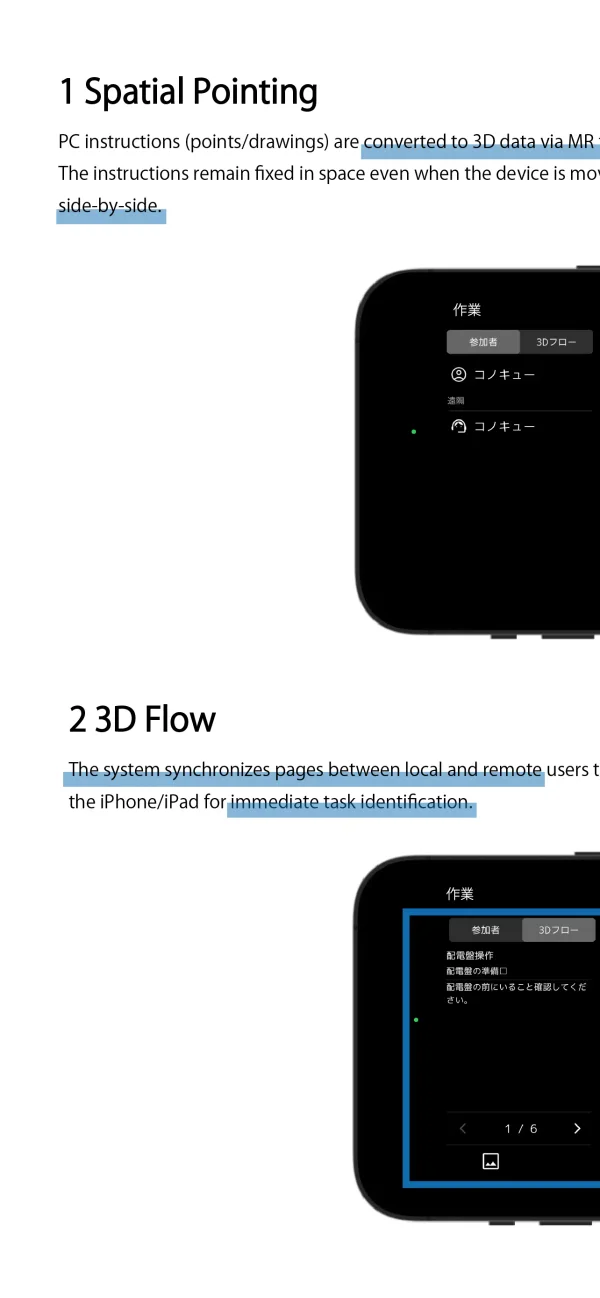
1 Spatial Pointing
Dotting and drawing instructions from a PC are converted into 3D data using MR technology and displayed on the iPhone and iPad screens.
Instructions remain in place even when the iPhone or iPad is moved, making it possible to receive intuitive instructions such as “Look over there,” as if the user were standing next to the device even if he or she is far away.
2 3D Flow
By synchronizing pages at the site and remotely, it is easy to see “what work is being done at the site”.
On iPhones and iPads, this information is displayed in the left frame of the screen, so you can immediately see what work needs to be done.
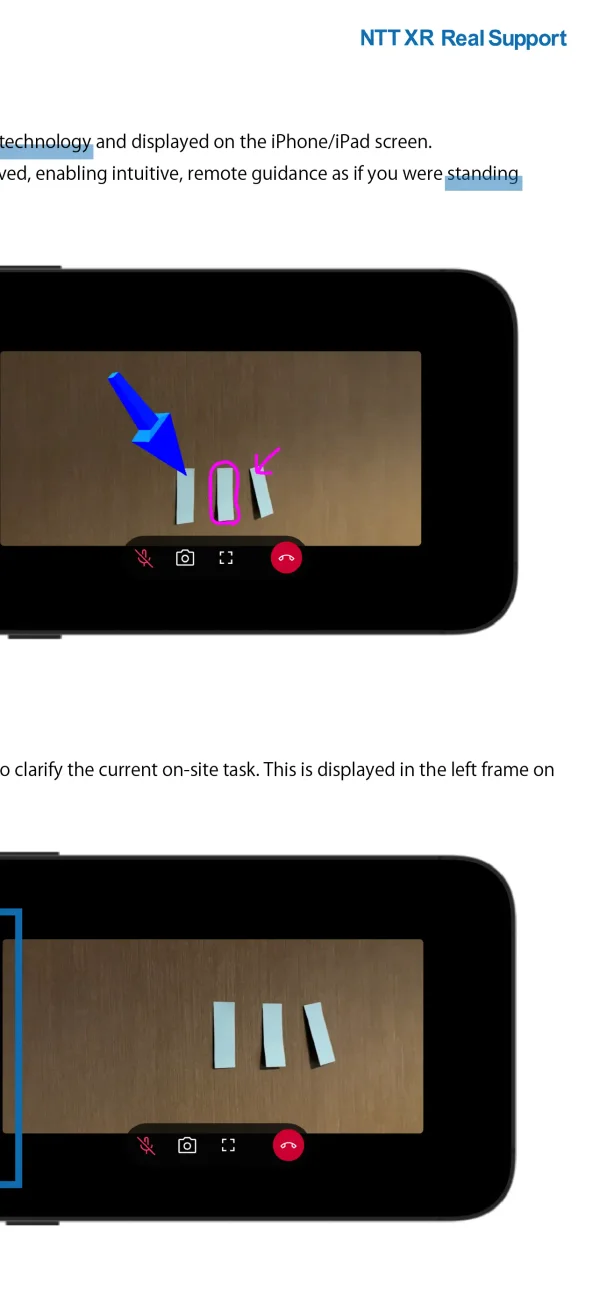
3 Multi-person call
Up to 6 people can be on the phone at the same time, both onsite and remotely, allowing for safe and efficient operations.
・Reduce the number of people working onsite, avoiding a close call / Contactless work guidance is also possible.
・Reduction of travel costs by remote work support
・Improvement of work accuracy by supporting a single on-site operation from multiple remote locations.
・Improved work efficiency by supporting multiple local operations from a single remote location
4 Image Trail Capture Function
Image trails can be saved. If there is information you want to record during the work, you can take a picture of the entire scene and save it.
The image trail can be taken both onsite and remotely, allowing iPhone and iPad users to take pictures remotely if they want to concentrate on their work.
5 Guest Participation
Guest participation is possible both on-site and remotely.
If a guest uses an iPhone or iPad, for example, a customer who has purchased a product can use the iPhone or iPad application and receive an explanation of the product's operation remotely.
6 On-site video transmission
When the iPhone or iPad is connected to the operation, video captured by the camera is sent to the remote app in real time.
This allows the customer to remotely check the status of the work in the field.
7 Voice call
All apps participating in the work, both local and remote, can talk to each other.
This allows you to work smoothly even at a distance.
8 Screen sharing from PC
You can share and view the screen selected in the remote side application.
This allows you to quickly view documents or drawings that you want to show remotely.
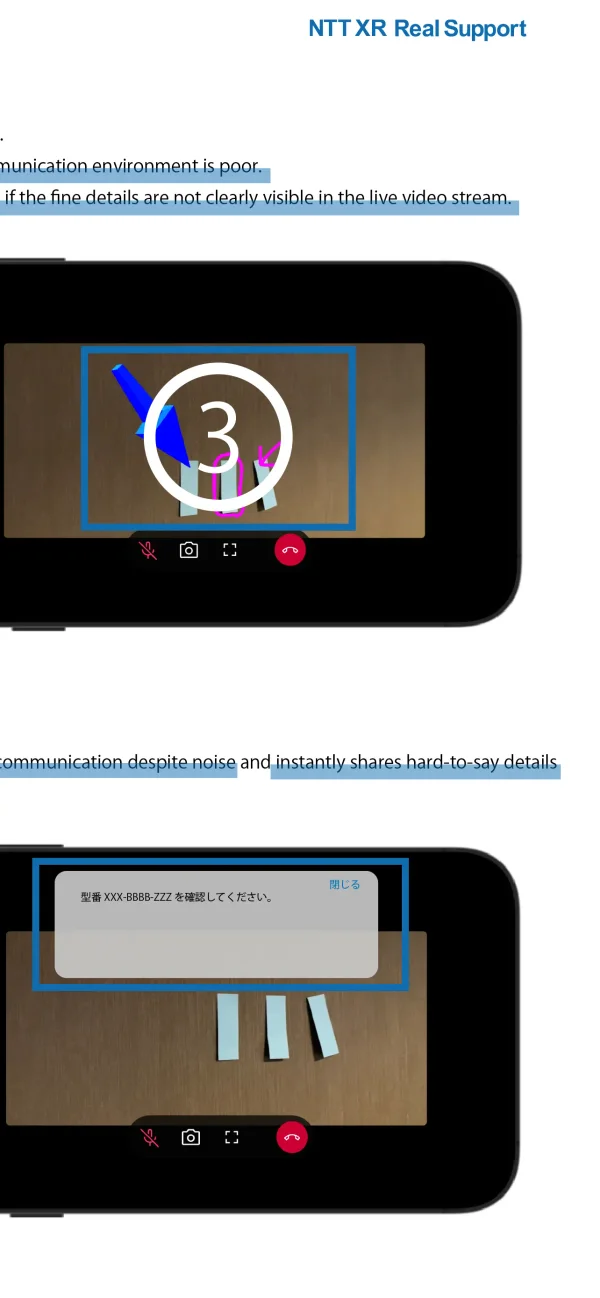
9 Receive text messages
You can receive text messages from the remote application.
This allows you to quickly receive information that is difficult to convey by words or spatial pointing, such as names of equipment or complex tasks.
Có gì mới
Phiên bản 1.12.0 · 10/09/2026
Version 1.12.0 Release
Three new updates have been released.
1. Image Quality Priority Mode: Added a mode to transmit high-quality video frame by frame.
2. Improved Manual Paging: Supported batch paging on the manual selection screen.
3. Audio support for screen sharing.
Quyền riêng tư của ứng dụng
Những gì 株式会社NTTドコモ khai báo trên App Store về cách ứng dụng này xử lý dữ liệu.
-
Dữ liệu không liên kết với bạn
Có thể được thu thập nhưng không liên kết với danh tính của bạn.
- Dữ liệu sử dụng
- Chẩn đoán
Phương thức đảm bảo quyền riêng tư có thể khác nhau, chẳng hạn như tuỳ theo các tính năng bạn sử dụng hoặc độ tuổi của bạn.
Thông tin
- Người bán
- NTT DOCOMO, INC.
- Danh mục
- Hiệu Suất
- Phiên bản
- 1.12.0
- Cập nhật
- 10/09/2026
- Phát hành
- 14/03/2023
- Kích thước
- 225,3 MB
- Yêu cầu
- iOS 15.0 trở lên
- Độ tuổi
- 4+
- Giá
- Miễn phí
- Ngôn ngữ
- Tiếng Anh
- Bản quyền
- © 2023-2026 NTT DOCOMO, INC. All Rights Reserved.