- Độ tuổi4+
- Danh mụcTiện Ích
- Nhà phát triểnMarco Avizzano
- Ngôn ngữTiếng Anh
- Kích thước9,2 MB
Liên kết đến trang App Store chính thức
Download.org không lưu trữ tệp nào của ReeMate. Nút này mở trang ứng dụng trên App Store, nơi Marco Avizzano phát hành ứng dụng. Trang được kiểm tra lần cuối: 13/11/2026.
Ảnh chụp màn hình
Giới thiệu
Nhà phát triển chưa cung cấp nội dung này bằng ngôn ngữ của bạn.
Control your Mac from your iPhone — fast, secure, and always within reach.
ReeMate is built for those moments when your Mac is just out of reach: on the couch, during a presentation, or while you're focused on something else. Pair once, and your iPhone connects to your Mac in seconds, every time.
ReeMate requires the free companion app ReeMate Server installed on your Mac. Instructions to download and install it are provided within the app.
Key features:
- Wireless remote control for your Mac over your local network or a direct Wi-Fi link
- Secure by design: every iPhone–Mac pair gets its own encrypted connection
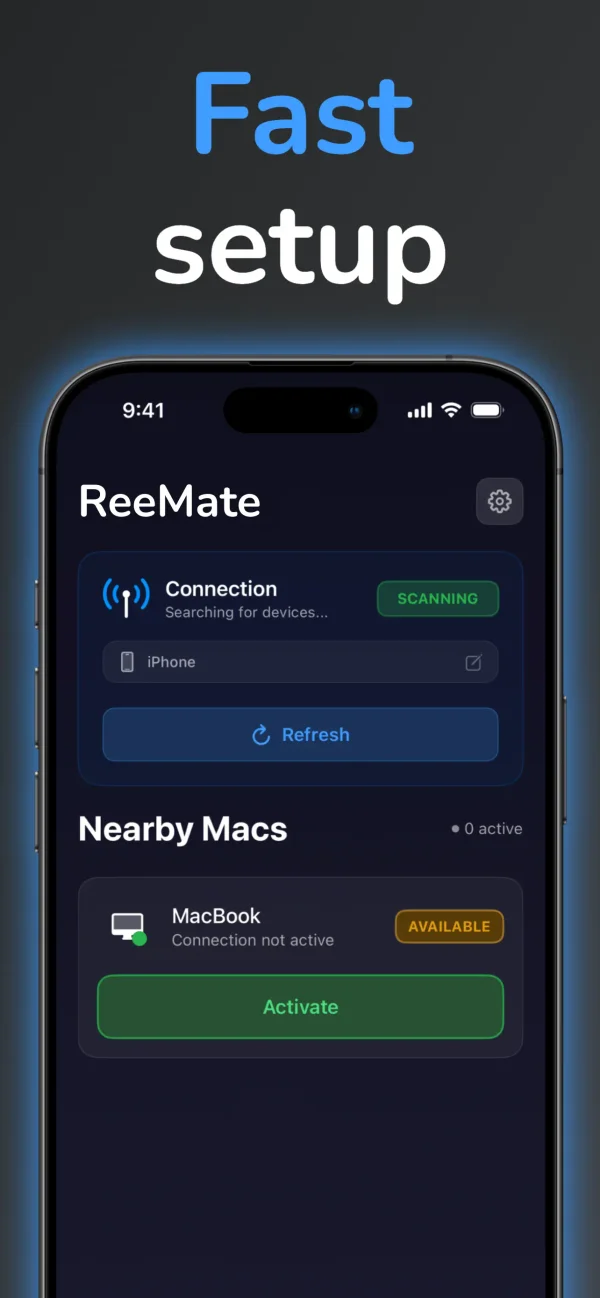
- Quick pairing: scan a QR code or enter a 6-digit code
- Automatic reconnection after your Mac sleeps or your network changes
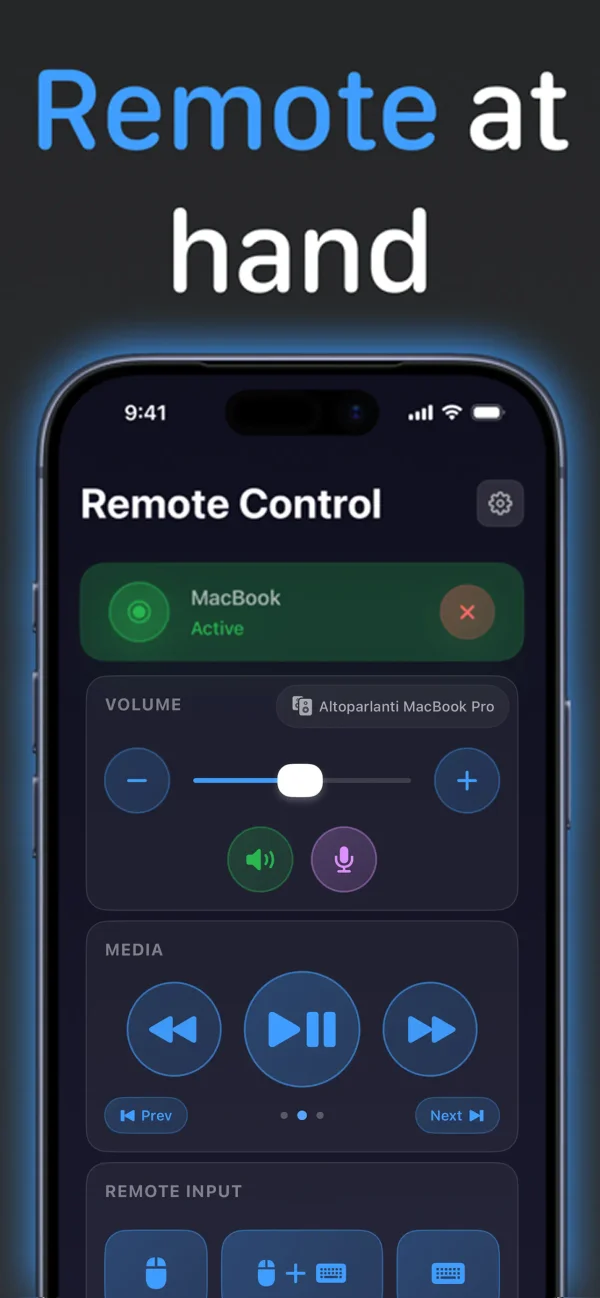
- Volume controls: raise/lower volume and mute instantly
- Microphone controls: mute/unmute without touching your Mac
- Media controls: play/pause, next, previous
- Presentation controls: next slide, previous slide and black screen for Keynote and PowerPoint
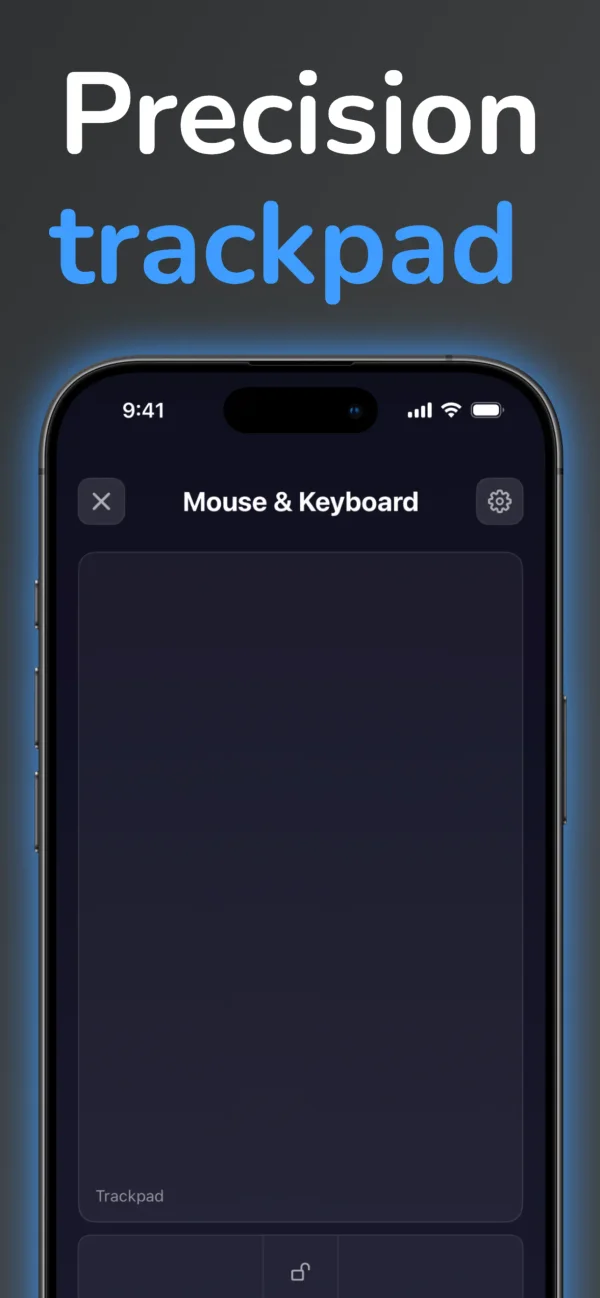
- Mouse control: use your iPhone like a trackpad to move the cursor with precision
- Mouse actions: click, right-click, drag and scroll, with natural momentum
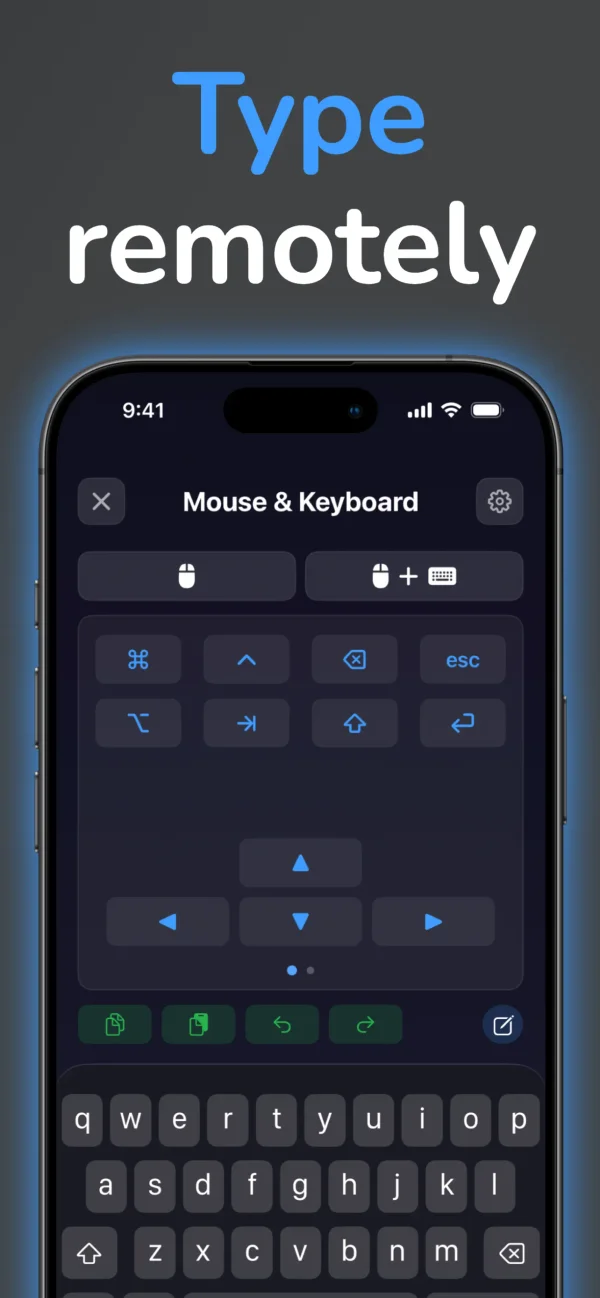
- Remote keyboard: use your iPhone as a wireless Mac keyboard
- Shortcuts: trigger common or custom keyboard shortcuts, with your favourites one tap away on the remote
ReeMate keeps the experience clean and focused: it's a practical remote designed for real life.
Có gì mới
Phiên bản 1.1.1 · 02/10/2026
ReeMate 1.1.1: now you can talk to your Mac.
NEW IN 1.1.1
• Dictation: tap the mic in Mouse & Keyboard and just speak.
• See what you type: a bubble above the keyboard shows the text on its way to your Mac.
• The keyboard now follows the app's light or dark theme, and the Mac keys are easier to read in light mode.
• Better fit on smaller iPhones, plus more fixes.
On your Mac, ReeMate 1.1.1 brings a menu bar redesigned in the style of System Settings, sleek HUD notifications and support for several iPhones connected at the same time.
IN CASE YOU MISSED IT: REEMATE 1.1, OUR BIGGEST UPDATE YET
• All-new connection: faster, more reliable, encrypted end to end. It reconnects on its own after your Mac sleeps, when you switch Wi-Fi or when you come back to the app.
• Pair in seconds with a QR code or a 6-digit code.
• Works on managed work Macs too.
• Presentation controls: next, previous and black screen for Keynote and PowerPoint.
• One-tap keyboard shortcuts right on the remote (Pro).
• Redesigned remote with bigger media controls.
• Momentum scrolling, just like a real trackpad, plus a smoother, more responsive mouse.
• Auto-dim saves battery when you're not touching the screen.
• Bluetooth is no longer needed.
• Lots of fixes and stability improvements.
Important: ReeMate on your Mac must be 1.1 or later. Coming from 1.0? Update your Mac too, then pair your devices again.
Quyền riêng tư của ứng dụng
Những gì Marco Avizzano khai báo trên App Store về cách ứng dụng này xử lý dữ liệu.
-
Dữ liệu không được thu thập
Nhà phát triển không thu thập bất kỳ dữ liệu nào từ ứng dụng này.
Phương thức đảm bảo quyền riêng tư có thể khác nhau, chẳng hạn như tuỳ theo các tính năng bạn sử dụng hoặc độ tuổi của bạn.
Thông tin
- Người bán
- Marco Avizzano
- Danh mục
- Tiện Ích
- Phiên bản
- 1.1.1
- Cập nhật
- 02/10/2026
- Phát hành
- 07/04/2026
- Kích thước
- 9,2 MB
- Yêu cầu
- iOS 18.0 trở lên
- Độ tuổi
- 4+
- Giá
- Miễn phí
- Mua hàng trong ứng dụng
- Có
- Ngôn ngữ
- Tiếng Anh
- Bản quyền
- © Marco Avizzano