
Relm - Workout Tracker
Training, Recovery & Nutrition
Được thiết kế cho iPhone
Miễn phí · Mua hàng trong ứng dụng
- Độ tuổi12+
- Danh mụcSức Khỏe & Thể Dục
- Nhà phát triểnBATU GANIOGLU
- Ngôn ngữTiếng Anh
- Kích thước43,7 MB
Liên kết đến trang App Store chính thức
Download.org không lưu trữ tệp nào của Relm - Workout Tracker. Nút này mở trang ứng dụng trên App Store, nơi BATU GANIOGLU phát hành ứng dụng. Trang được kiểm tra lần cuối: 12/11/2026.
Ảnh chụp màn hình

Giới thiệu
Nhà phát triển chưa cung cấp nội dung này bằng ngôn ngữ của bạn.
Understand weeks of training in one screen.
Relm keeps your workouts, recovery, nutrition, and progress in one place, then turns that data into insights you can actually act on.
TRACK EVERY WORKOUT
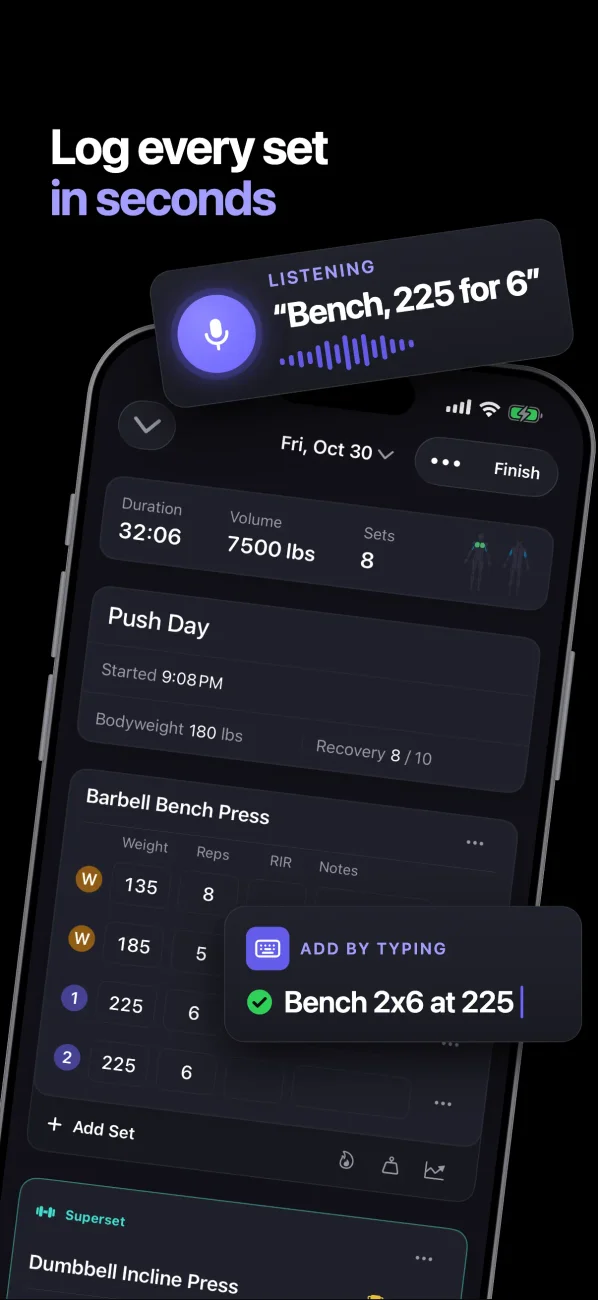
Build unlimited routines, log sets, reps, weight, and effort, and keep your full training history in one place. Logging is built to be fast so you can spend less time on your phone and more time actually training.
ALREADY TRACKING SOMEWHERE ELSE?
Import your Hevy, Strong, RepCount or Fitbod history and pick up where you left off. Your training history and progression come with you.
UNDERSTAND YOUR PROGRESS
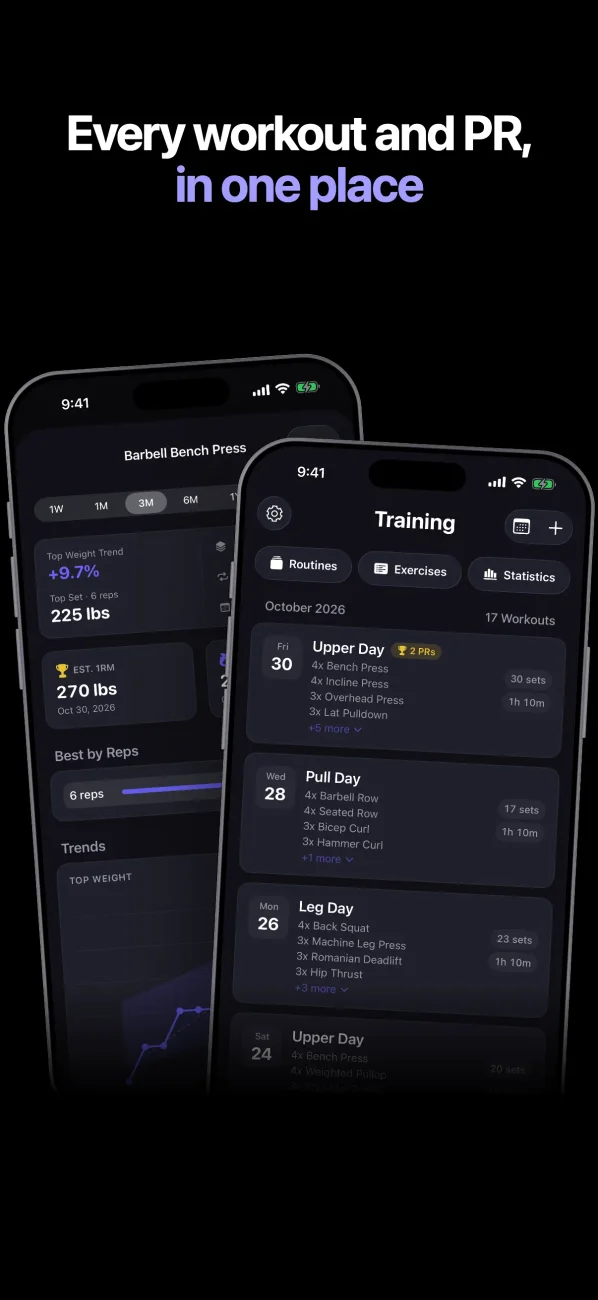
Explore exercise history, personal records, progression trends, and detailed performance for every lift. Relm helps you look beyond a single workout and see how your training is developing over time.
TRAIN WITH CLEARER DIRECTION
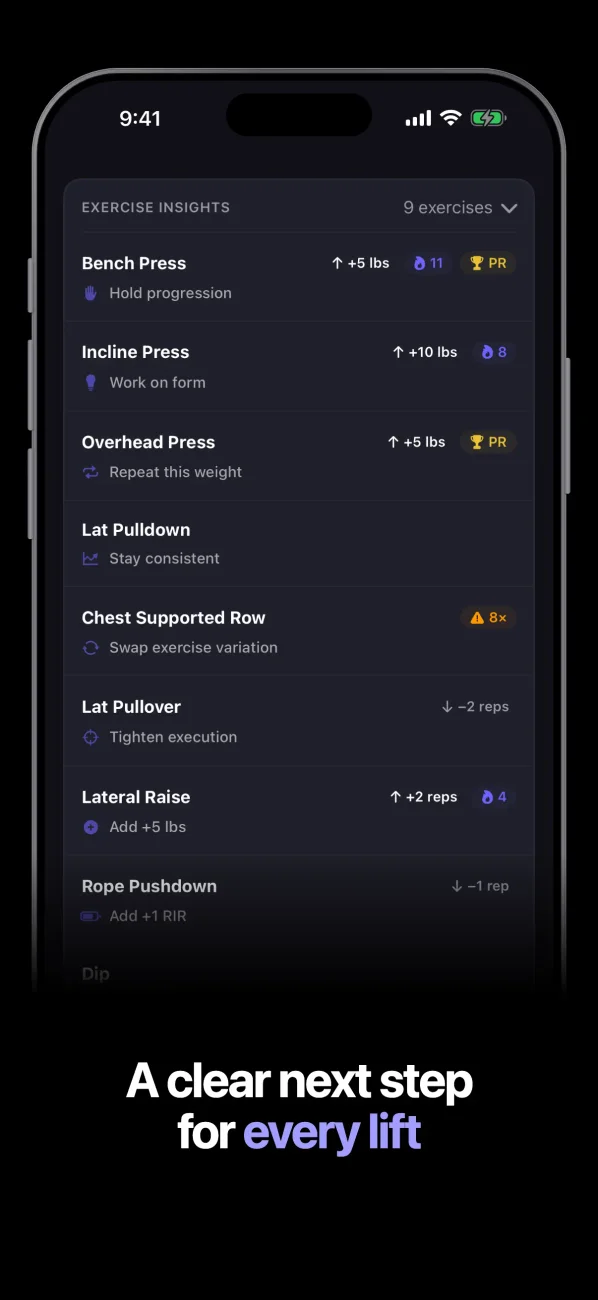
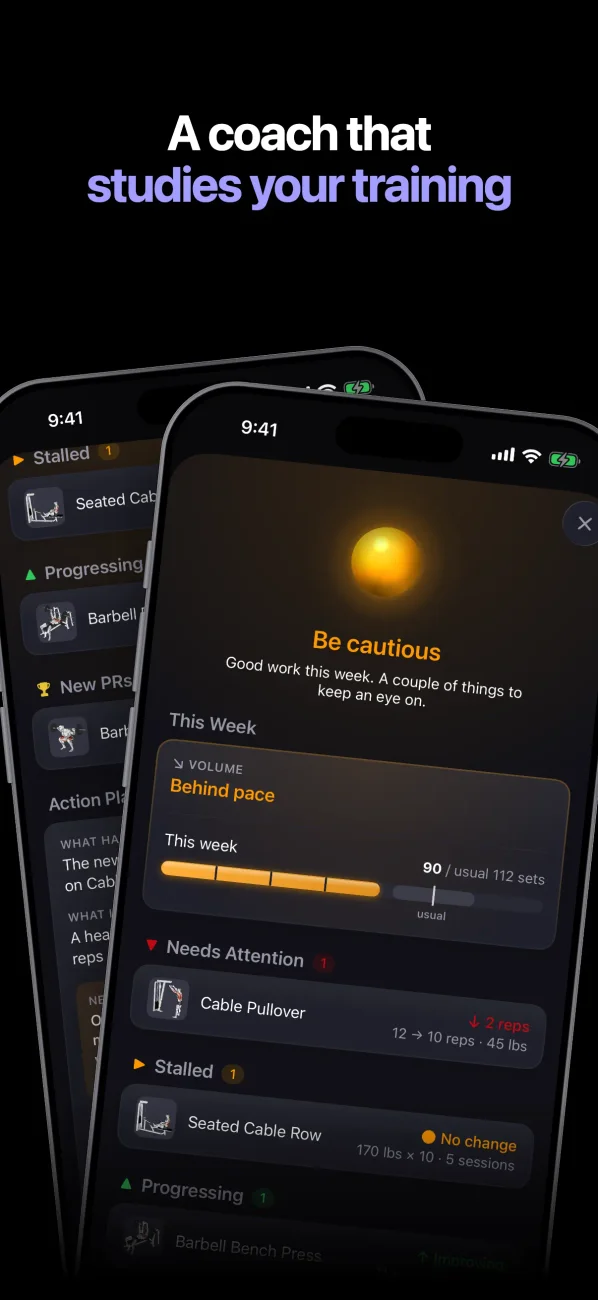
Exercise Insights analyze your recent performance to highlight progression opportunities, repeated weight increases, regressions, and other patterns that are easy to miss in a logbook alone. Your Coach Summary then brings those trends together, giving you a clearer picture of how your training is progressing.
SEE WHERE YOUR VOLUME IS GOING
Visualize weekly training volume across muscle groups with Relm's interactive muscle map. See which muscles you're training most, which you're training least, and how your volume is distributed across your program.
TRACK RECOVERY
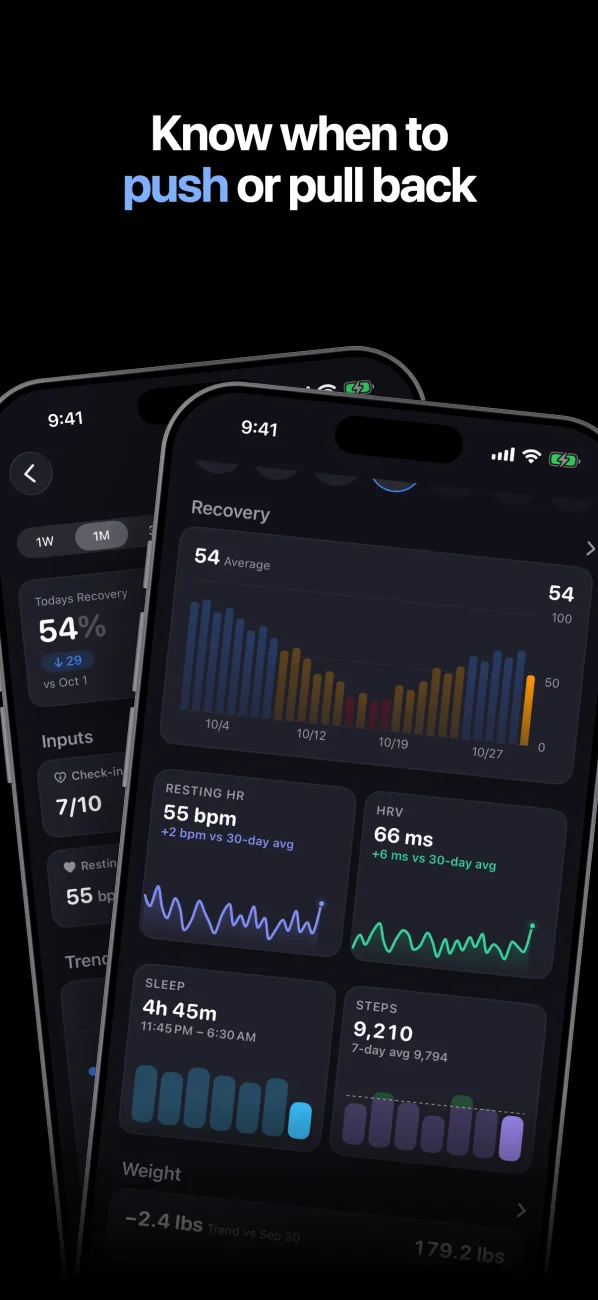
Relm uses available health data to help you gauge how prepared you may be to train and understand how your recovery is trending over time.
LOG NUTRITION
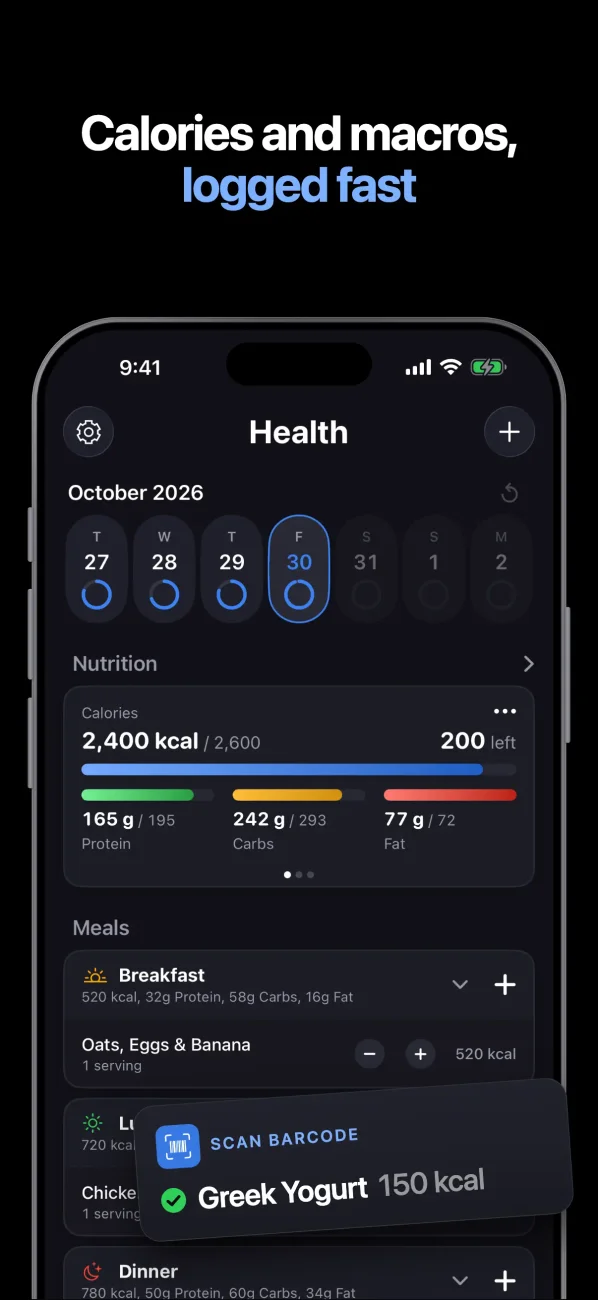
Calories, macros, and bodyweight tracked alongside your training, so you can see more of what's driving your results.
WORKS WITH APPLE HEALTH
Bring supported health and fitness data into one place, and save your workouts back out to Apple Health.
YOURS, AND OFFLINE
Relm works without an account and without a connection. Your training data lives on your device. Cloud backup is optional and off by default.
Whether you're trying to build muscle, get stronger, improve your consistency, or better understand your training, Relm gives you every tool you need to stay on top of your progress.
Some advanced analytics, insights, and coaching features require Relm Premium.
Relm is intended for fitness and wellness tracking and does not provide medical advice.
Privacy Policy: https://getrelm.app/privacy/
Terms of Use: https://getrelm.app/terms/
Terms of Use (EULA): https://www.apple.com/legal/internet-services/itunes/dev/stdeula/
Có gì mới
Phiên bản 1.6 · 04/11/2026
NEW
Add by Typing: Type your exercises in plain English, like "Bench 3 sets of 8 at 225, 2 RIR" or "Lat Pulldown 100 for 10/8/6", and Relm turns them into sets, reps, RIR and notes. It works in live and past workouts and in the routine editor.
Rest countdown in the app: Your rest timer now shows in the exercise card and on the minimized workout bar. Tap it to add 30 seconds or skip the rest. It works even with notifications turned off.
Rest between sides: For single-side exercises, logging one side can start a short switch-sides timer instead of your full rest. Choose 15 seconds to 2 minutes in Settings → Workout → Between Sides, or set it per exercise. It's off by default.
Quick View for Full Programs: Open Quick View on a whole program from its ⋯ menu or by swiping right on it. You get a Total row and a card for each workout day.
Food icons: Give your custom foods and recipes an emoji icon. It shows up in Recents, Most Used and Favorites.
Choose your Quick Actions: Pick any three of six actions for the Quick Actions card, now including View Routines, Track Recovery and View Sleep. Hold any tile to change it, or tap Edit Quick Actions in Customize Home.
Hide categories: Tap the eye in edit mode to hide a routine category from your Routines list, Load Routine and Add to Full Program. The eye now works on custom categories too, in both Routines and the Exercise Library.
IMPROVEMENTS
Add Food now stays open after you log, so you can add several foods in a row. Each one is confirmed with an Added message and Undo, and Done takes you back.
With the Custom chip selected, search now looks only through your custom foods.
Quick View for a single workout day now shows a Total row too.
You can now rate Relm from Settings → Support.
The compact Last Session card has a new design that matches Up Next, so the two sit together cleanly.
Every compact card that opens a screen now has an arrow, and new arrow and expand icons replace the old chevrons across the app.
Compact cards now sit closer together in an even grid on Home and Health, and large cards have rounder corners.
The Start button on Up Next is now grey with a play icon in your program's color, so it looks right with every color.
The Sleep, Resting HR and HRV tiles on the Recovery screen now open their own screens.
Relm now reads Apple Health much less often. Going back to Home or reopening a Sleep, Resting HR, HRV or Steps screen reuses what it already read.
The voice log mic button is larger.
Training days on the week strip now match the color of a logged set.
The Glossary now explains how Compare Within Routine changes what you see in Coach and Insights.
FIXES
Turning off the Smart Rest Timer now also ends a rest that's already counting down.
Rest reminders from a workout you've replaced no longer go off.
Quyền riêng tư của ứng dụng
Những gì BATU GANIOGLU khai báo trên App Store về cách ứng dụng này xử lý dữ liệu.
-
Dữ liệu liên kết với bạn
Có thể được thu thập và liên kết với danh tính của bạn.
- Sức khoẻ và thể chất
- Thông tin liên hệ
- Nội dung của người dùng
- Mã định danh
- Dữ liệu sử dụng
- Chẩn đoán
Phương thức đảm bảo quyền riêng tư có thể khác nhau, chẳng hạn như tuỳ theo các tính năng bạn sử dụng hoặc độ tuổi của bạn.
Thông tin
- Người bán
- BATU GANIOGLU
- Danh mục
- Sức Khỏe & Thể Dục
- Phiên bản
- 1.6
- Cập nhật
- 04/11/2026
- Phát hành
- 24/09/2026
- Kích thước
- 43,7 MB
- Yêu cầu
- iOS 18.5 trở lên
- Độ tuổi
- 12+
- Giá
- Miễn phí
- Mua hàng trong ứng dụng
- Có
- Ngôn ngữ
- Tiếng Anh
- Bản quyền
- © 2026 Batu Ganioglu
Có thể bạn cũng thích
-
 Tracking GainsSức Khỏe & Thể Dục
-
 Physique LabSức Khỏe & Thể Dục
-
 GainLog - Gym Workout TrackerSức Khỏe & Thể Dục
-
 Tracked: Workout & NutritionSức Khỏe & Thể Dục
-
 KinetriqSức Khỏe & Thể Dục
-
 Coach OS: Gym Workout SystemSức Khỏe & Thể Dục
-
 Veins - Workout Tracker & LogSức Khỏe & Thể Dục
-
 ZenfinitySức Khỏe & Thể Dục
-
 4WRD: 4 Week WorkoutsSức Khỏe & Thể Dục
-
 Gym Workout Tracker: GRIPSức Khỏe & Thể Dục