- Độ tuổi4+
- Danh mụcCông Cụ Nhà Phát Triển
- Nhà phát triểnMuhammad Muaaz
- Ngôn ngữTiếng Anh
- Kích thước5,3 MB
Liên kết đến trang App Store chính thức
Download.org không lưu trữ tệp nào của Remote Terminal Pro. Nút này mở trang ứng dụng trên App Store, nơi Muhammad Muaaz phát hành ứng dụng. Trang được kiểm tra lần cuối: 15/11/2026.
Ảnh chụp màn hình

Giới thiệu
Nhà phát triển chưa cung cấp nội dung này bằng ngôn ngữ của bạn.
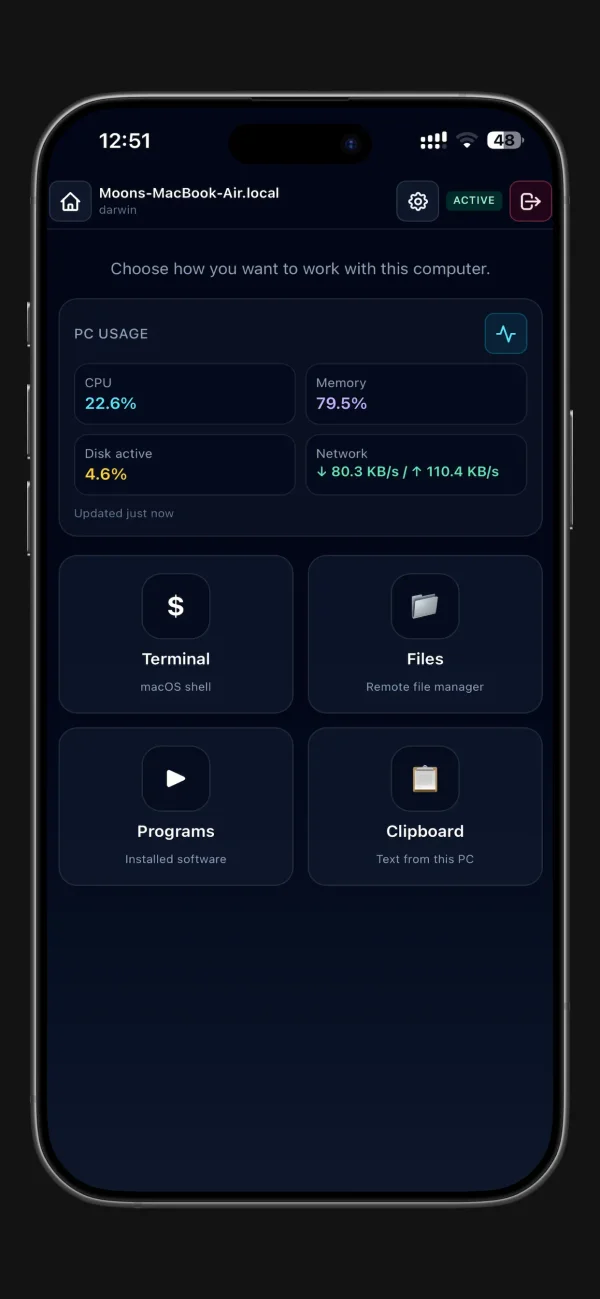
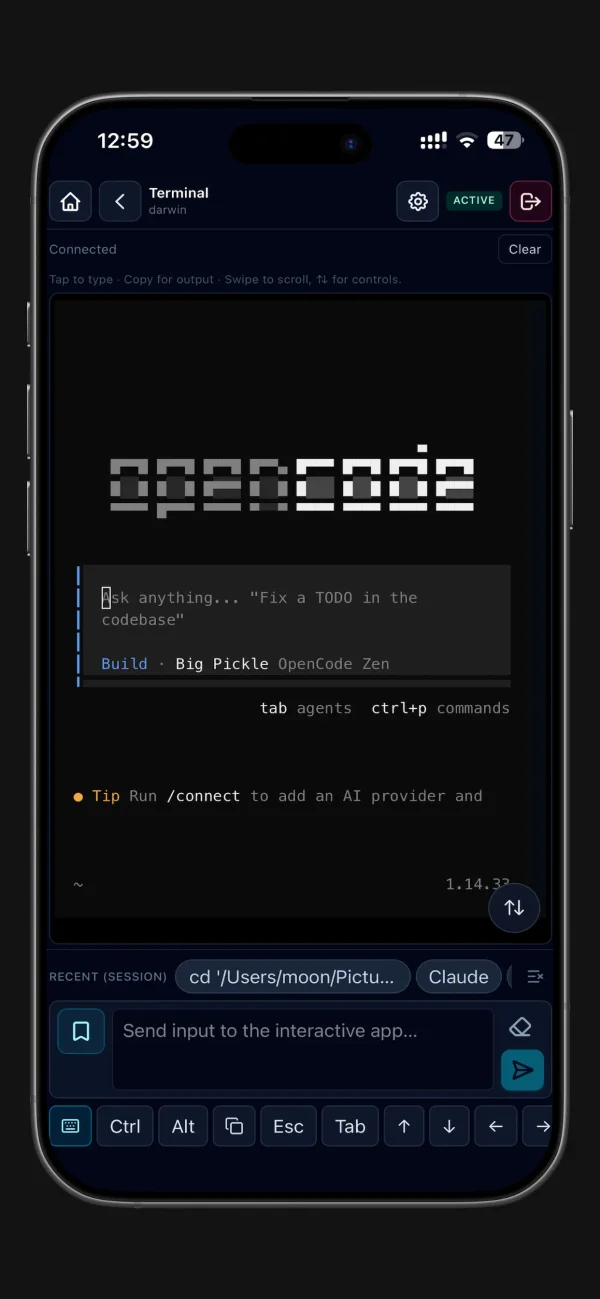
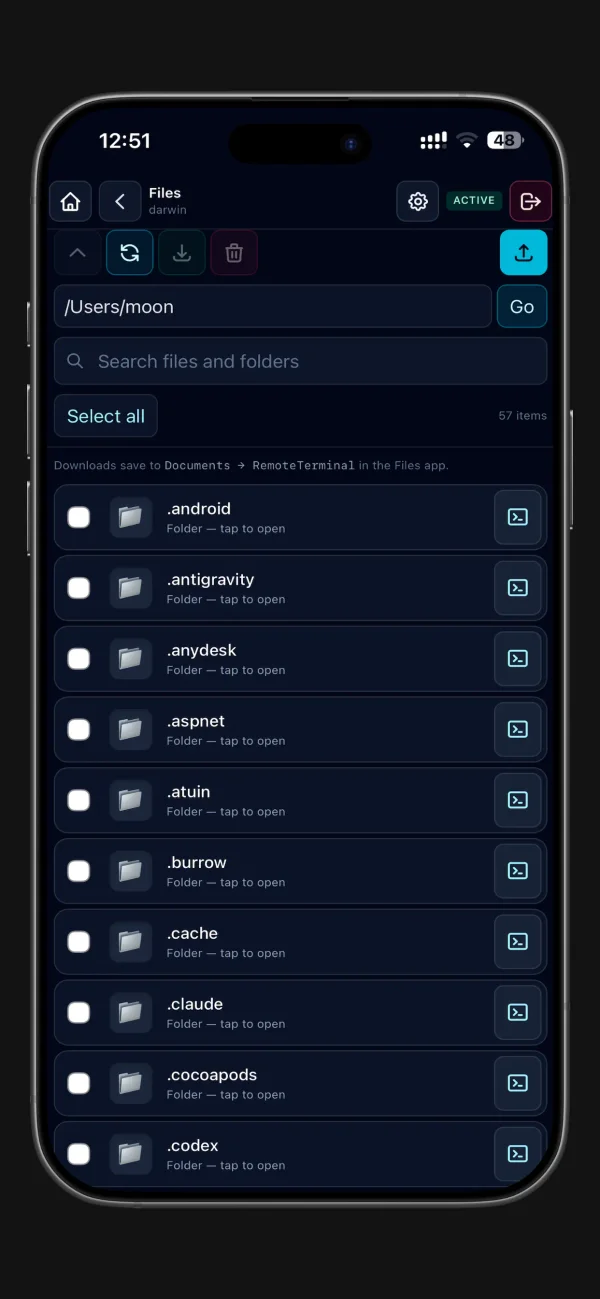
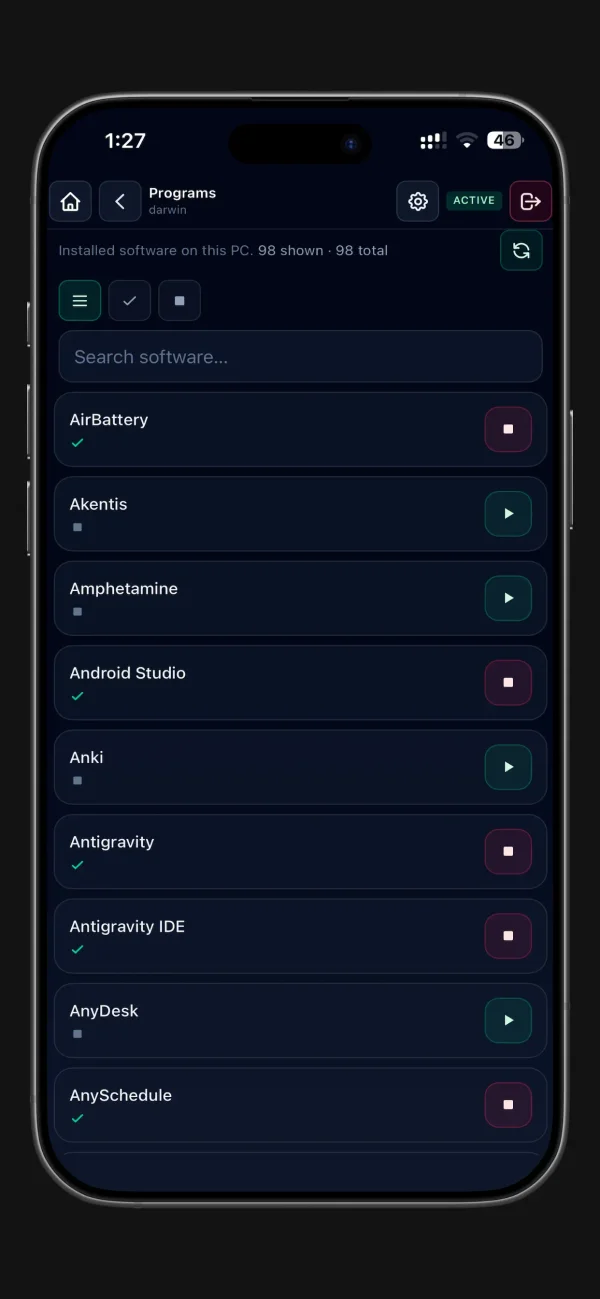
Remote Terminal turns your iPhone or iPad into a remote control for a computer you already own. Pair with a quick QR scan from the desktop agent, then run a full interactive shell, browse folders, and transfer files—without leaving your couch or office.
HOW IT WORKS
• Install the Remote Terminal desktop agent on your computer.
• Open the app on your device and scan the QR code shown on the desktop monitor.
• Choose Terminal to access your system's native shell—or open Files to browse and transfer items on the desktop.
TERMINAL
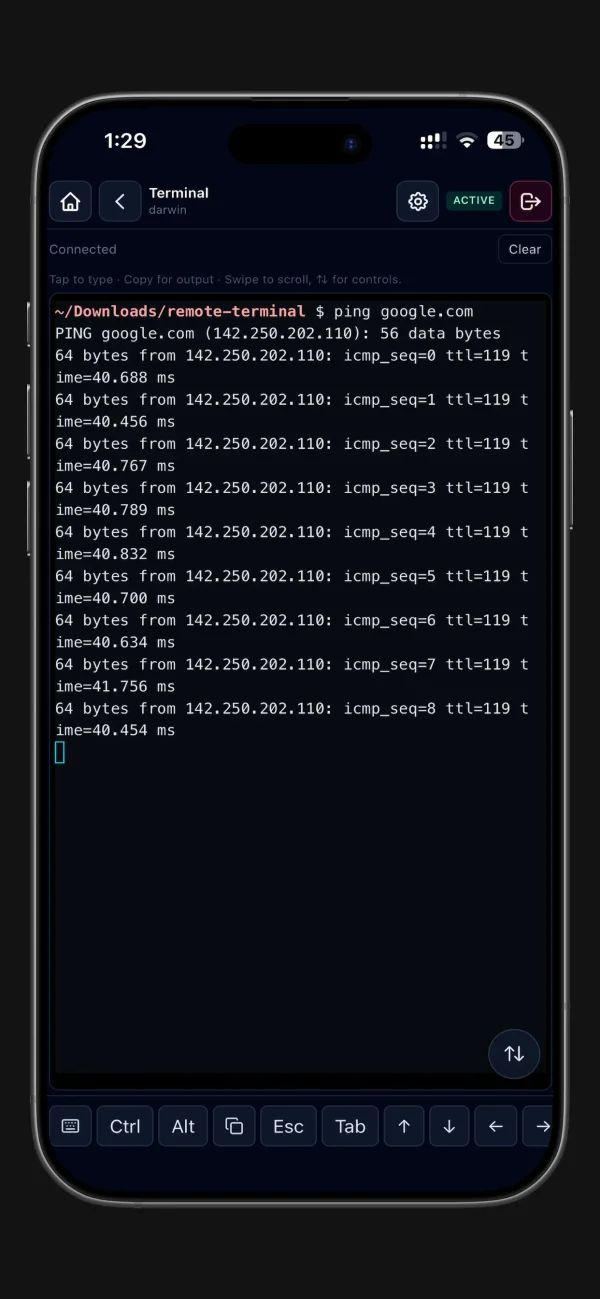
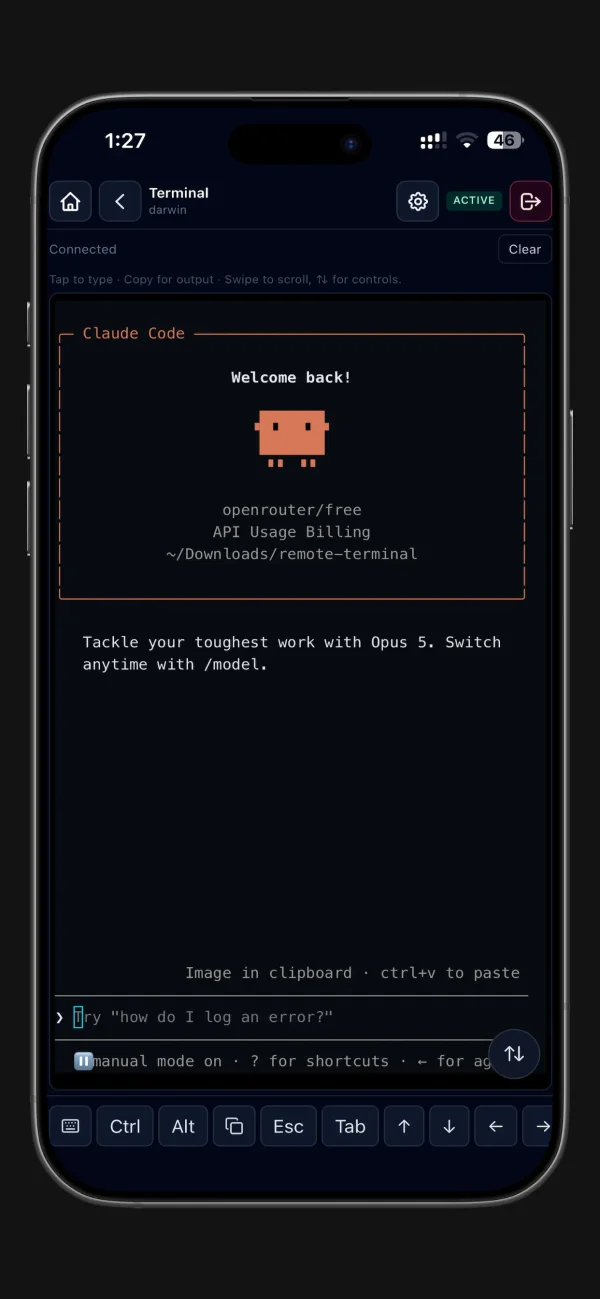
• Live command output with a phone-friendly keyboard and shortcuts.
• Reconnect after sleep, travel, or network changes; your session can stay reserved on the host computer.
• Select your preferred command-line environment before you connect.
FILES
• Browse allowed folders on the desktop (you can configure which folders to share).
• Download files to your phone and upload from your device when the desktop agent allows it.
SECURITY YOU CONTROL
• Optional join password on the desktop—required for session-ID pairing when enabled.
• Pairing uses your own backend or our hosted service; the desktop agent must be running and online.
• Camera access is only used to scan QR codes.
REQUIREMENTS
• A Remote Terminal desktop agent running on the computer you want to control.
• Network access between your device and the pairing server (local network or internet, depending on your setup).
Remote Terminal is built for owners and power users who want real shell access from mobile—not a simplified fake terminal. Download the desktop agent from our site or GitHub releases, then connect with this app.
Có gì mới
Phiên bản 4 · 16/10/2026
This update includes performance optimizations, bug fixes, and improvements to overall app stability and user experience.
Quyền riêng tư của ứng dụng
Những gì Muhammad Muaaz khai báo trên App Store về cách ứng dụng này xử lý dữ liệu.
-
Dữ liệu không được thu thập
Nhà phát triển không thu thập bất kỳ dữ liệu nào từ ứng dụng này.
Phương thức đảm bảo quyền riêng tư có thể khác nhau, chẳng hạn như tuỳ theo các tính năng bạn sử dụng hoặc độ tuổi của bạn.
Thông tin
- Người bán
- Muhammad Muaaz
- Danh mục
- Công Cụ Nhà Phát Triển
- Phiên bản
- 4
- Cập nhật
- 16/10/2026
- Phát hành
- 28/05/2026
- Kích thước
- 5,3 MB
- Yêu cầu
- iOS 15.0 trở lên
- Độ tuổi
- 4+
- Giá
- Miễn phí
- Ngôn ngữ
- Tiếng Anh
- Bản quyền
- © 2026
Có thể bạn cũng thích
-
 TouchQube TerminalCông Cụ Nhà Phát Triển
-
 GorotermCông Cụ Nhà Phát Triển
-
 Kanna MobileCông Cụ Nhà Phát Triển
-
 bonk: push notificationsCông Cụ Nhà Phát Triển
-
 Termixa — Remote AI TerminalCông Cụ Nhà Phát Triển
-
 Page Me: Personal PagerCông Cụ Nhà Phát Triển
-
 SigilTTY: AI SSH TerminalCông Cụ Nhà Phát Triển
-
 Server Monitor for LinuxCông Cụ Nhà Phát Triển
-
 TermBridge Remote Terminal ProCông Cụ Nhà Phát Triển