Repurpose - Screen Time App
Screen time control app
Được thiết kế cho iPhone, iPad
Miễn phí
- Độ tuổi4+
- Danh mụcHiệu Suất
- Nhà phát triểnDefa Sun
- Kích thước7,9 MB
Liên kết đến trang App Store chính thức
Download.org không lưu trữ tệp nào của Repurpose - Screen Time App. Nút này mở trang ứng dụng trên App Store, nơi Defa Sun phát hành ứng dụng. Trang được kiểm tra lần cuối: 16/11/2026.
Ảnh chụp màn hình
Giới thiệu
Nhà phát triển chưa cung cấp nội dung này bằng ngôn ngữ của bạn.
Your phone is a powerful tool, but it can easily be misused in a way that is hurtful instead of helpful. Repurpose allows you to control when, where, and why you use their phone to get you back on track, making your phone a tool that will aid you instead of a distraction that takes away from you.
When?
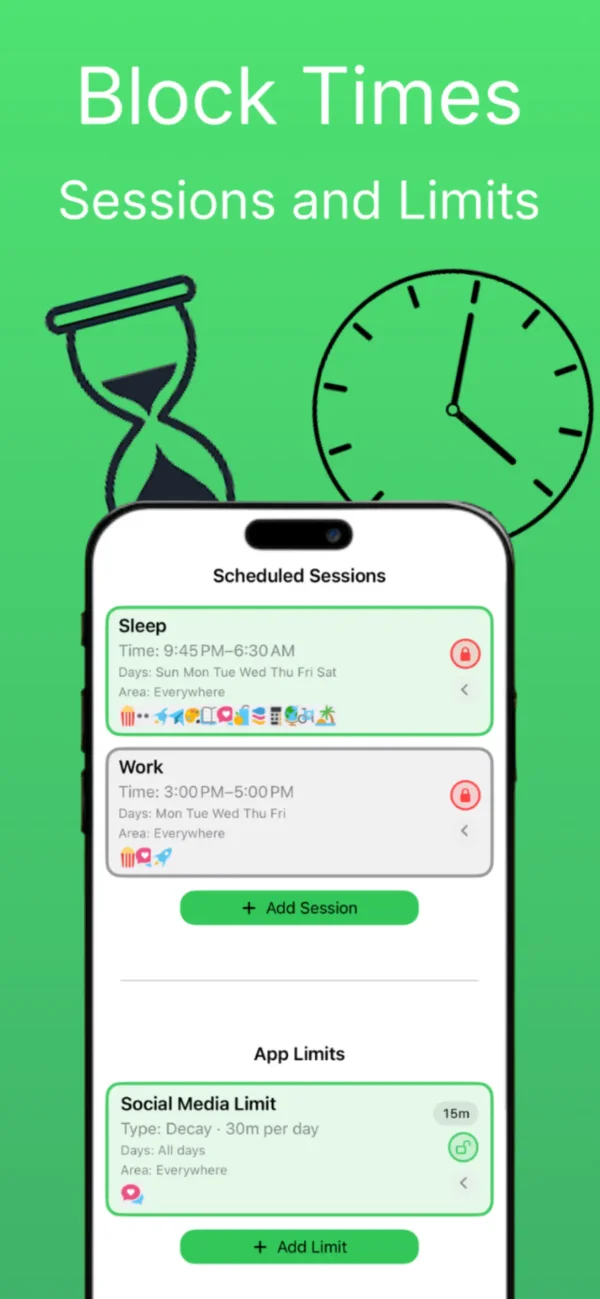
With the use of sessions and limits, you can control what time frames and how much time you are allowed to use each app. This allows you to block out times when you need to focus or limit the usage of a hurtful app. There are a variety of limits, fixed, decay, and soft. Fixed blocks the app after the time allotted. decay has a resettable block when half the time used is halved, ending when all the time is used. Soft limits have a resettable block when the time allotted is used up. Both sessions and limits can be location specific, only block in specific places.
Where?
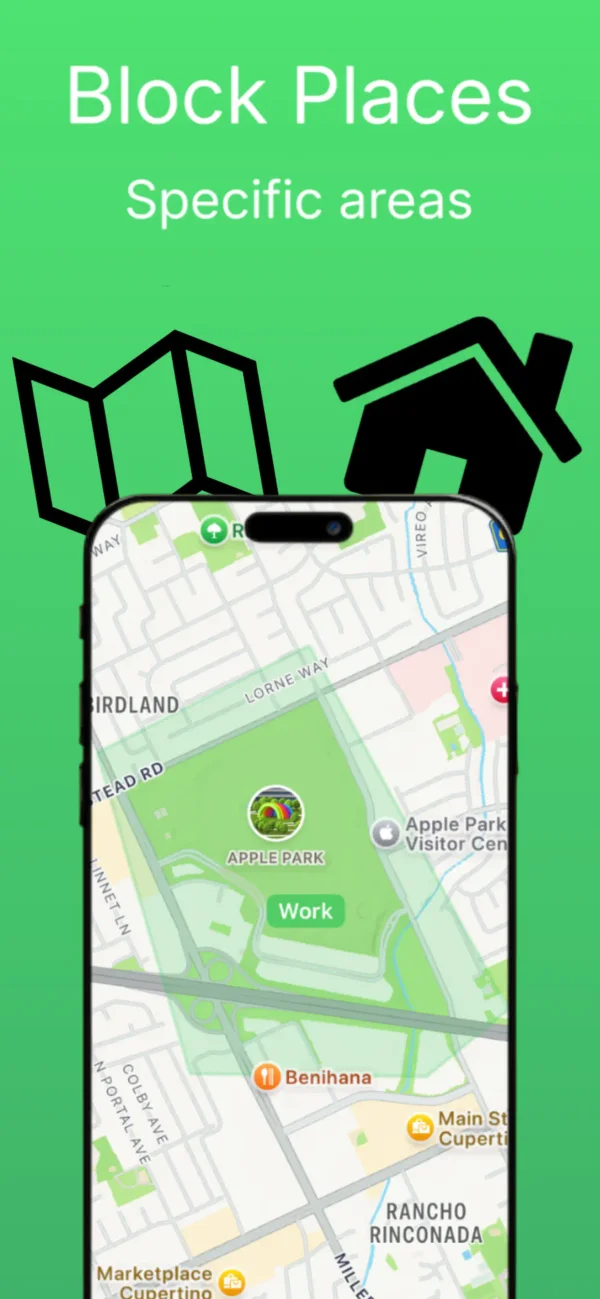
An important factor in your phone usage is where you use your phone. It is much easier to be productive with phone usage in a library than your bedroom for example. Draw areas on a map that, when you enter, block you from using specific apps. As mentioned before and to be expanded upon, the areas have many other use cases than just being blockers themselves.
Why?
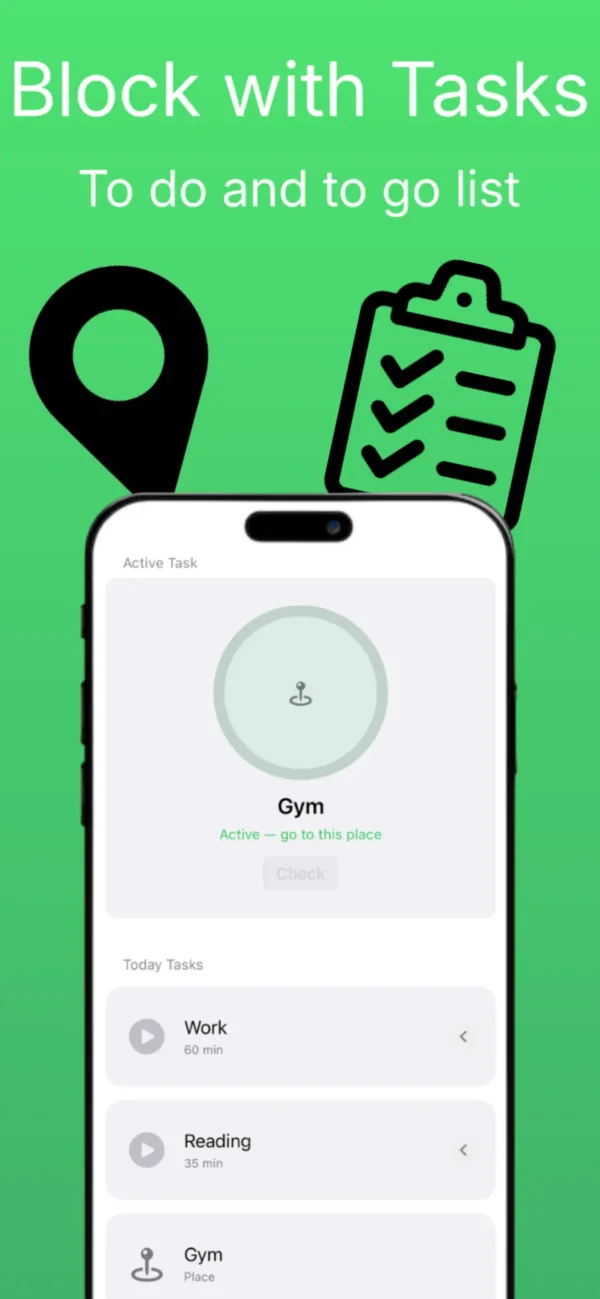
It's easy to fall back into your phone when you don't have a plan to do something beforehand. By setting up tasks to do each day, it allows you to block out a time segment for a specific purpose, making it easier to use your phone for a specific purpose or not use it at all. There are time based tasks and location based tasks. Time based tasks allow you to start off a time segment where you can't use certain apps that you select until the time is up. Location based tasks block your apps as well, but they are unblocked when you enter the specific location of that task.
Phone usage stats.
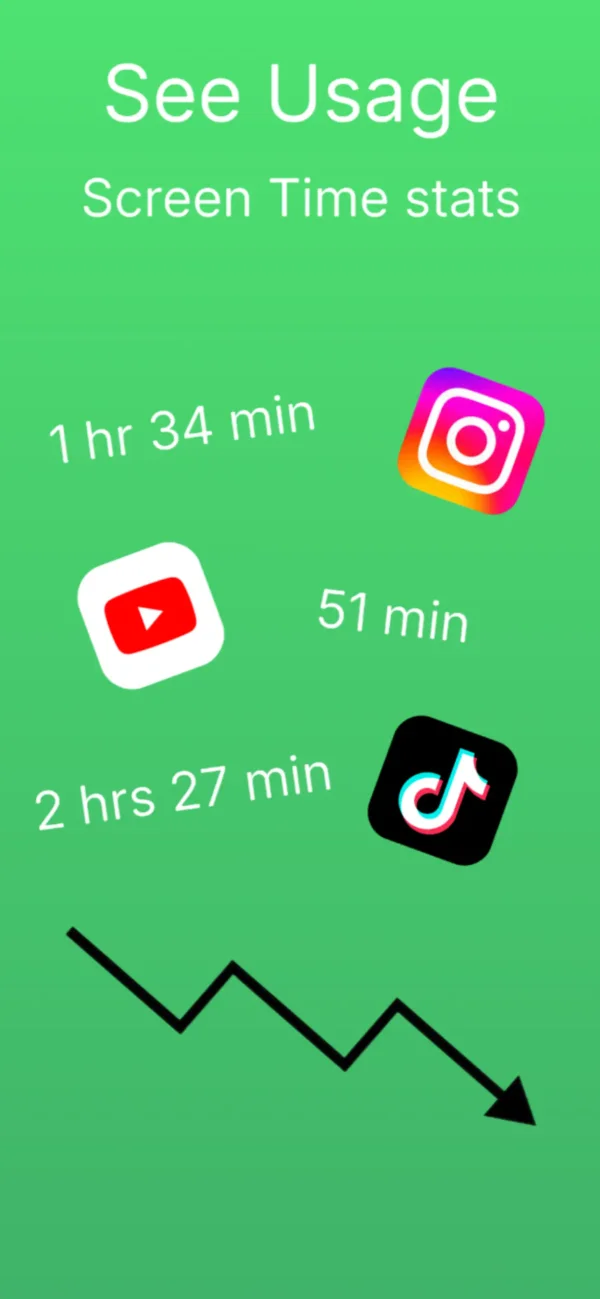
The time spent on your phone aren't always equal. Time spent learning a new skill for example is better than time spent doomscrolling. See the apps you spend the most time on and overall trends throughout days, weeks, and more to see if your phone is helping you or hurting you
Snoozing and locking blocks
Snoozing allows you to temporarily unblock all your apps for a certain amount of time when needed. The user can alter the amount of snoozes per day which starts applying the next day to prevent totally ignoring your blocks today. Locking is a feature for sessions, limits, and areas. Those blocks automatically lock the next day after being created and when locked, it is not possible to instantly delete them. Deletion is the same, but it only gets rid of it the next day, preventing impulsive deletion of blocks.
Quyền riêng tư của ứng dụng
Những gì Defa Sun khai báo trên App Store về cách ứng dụng này xử lý dữ liệu.
-
Dữ liệu không được thu thập
Nhà phát triển không thu thập bất kỳ dữ liệu nào từ ứng dụng này.
Phương thức đảm bảo quyền riêng tư có thể khác nhau, chẳng hạn như tuỳ theo các tính năng bạn sử dụng hoặc độ tuổi của bạn.
Thông tin
- Người bán
- Defa Sun
- Danh mục
- Hiệu Suất
- Phiên bản
- 1.0
- Cập nhật
- 24/05/2026
- Phát hành
- 24/05/2026
- Kích thước
- 7,9 MB
- Yêu cầu
- iOS 18.5 trở lên
- Độ tuổi
- 4+
- Giá
- Miễn phí
- Bản quyền
- © 2026 Defa Sun
Có thể bạn cũng thích
-
 TextLens AiHiệu Suất
-
 Purposely: Your Life PurposesHiệu Suất
-
 Waitsy: Day Counter & WidgetHiệu Suất
-
 Earn Screen Time — UnlockHiệu Suất
-
 DoomScroll: Screen Time LimitHiệu Suất
-
 Afia: Creator ToolHiệu Suất
-
 1AM TalentHiệu Suất
-
 reason - limit screen timeHiệu Suất
-
 90daysChallengeHiệu Suất
-
 Focus Shield-App BlockerControl Your Screen Time