- Độ tuổi4+
- Danh mụcLối Sống
- Nhà phát triểnRODA Srl
- Ngôn ngữTiếng Anh+ 1 ngôn ngữ khác
- Kích thước1,6 GB
Liên kết đến trang App Store chính thức
Download.org không lưu trữ tệp nào của RODA Projects. Nút này mở trang ứng dụng trên App Store, nơi RODA Srl phát hành ứng dụng. Trang được kiểm tra lần cuối: 16/11/2026.
Ảnh chụp màn hình
Giới thiệu
Nhà phát triển chưa cung cấp nội dung này bằng ngôn ngữ của bạn.
The products can be laid out and configured by choosing finishes (metal, wood, stones), a large selection of fabrics and other options. You can work in three different environments:
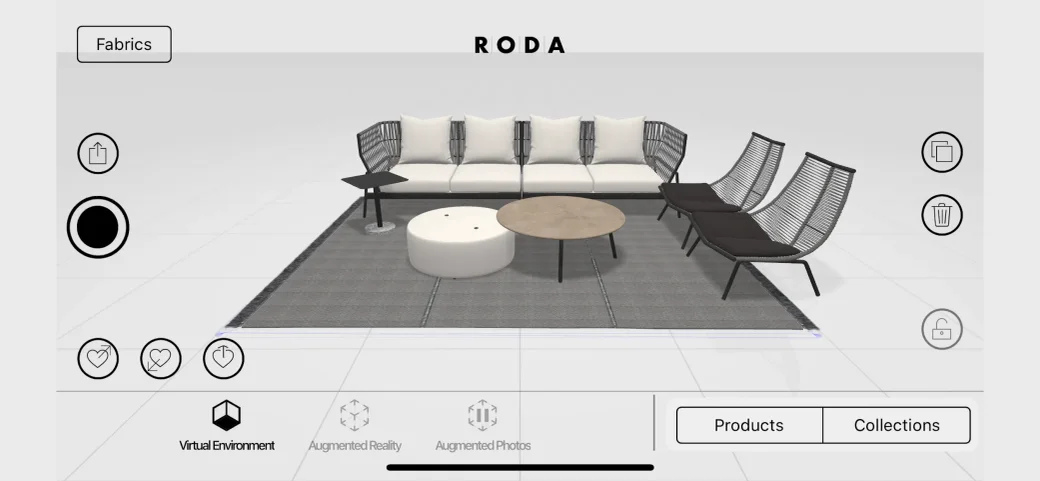
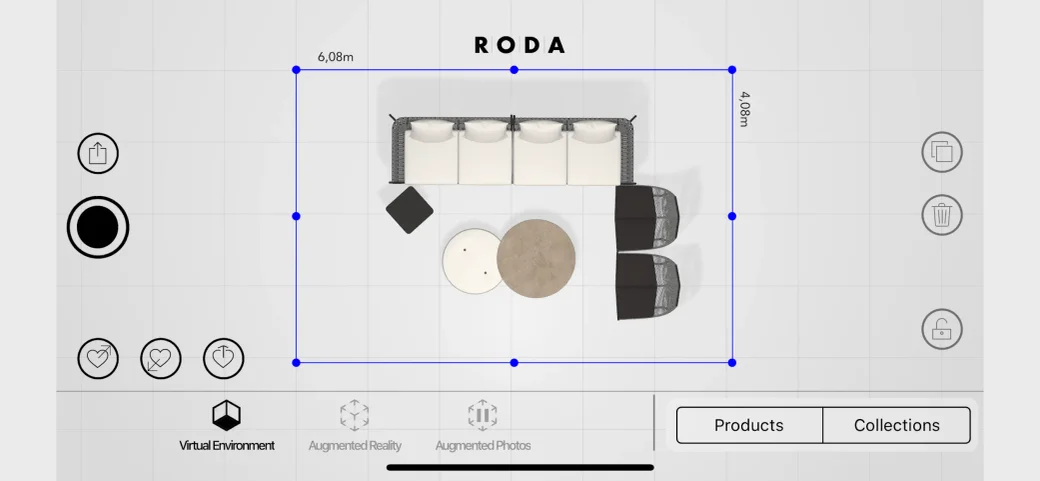
- Virtual Environment. Here you can configure the elements in a neutral space (possibly with the help of a grid and a guide on the virtual floor) looking at the scene with a perspective projection or with an orthographic view from above.
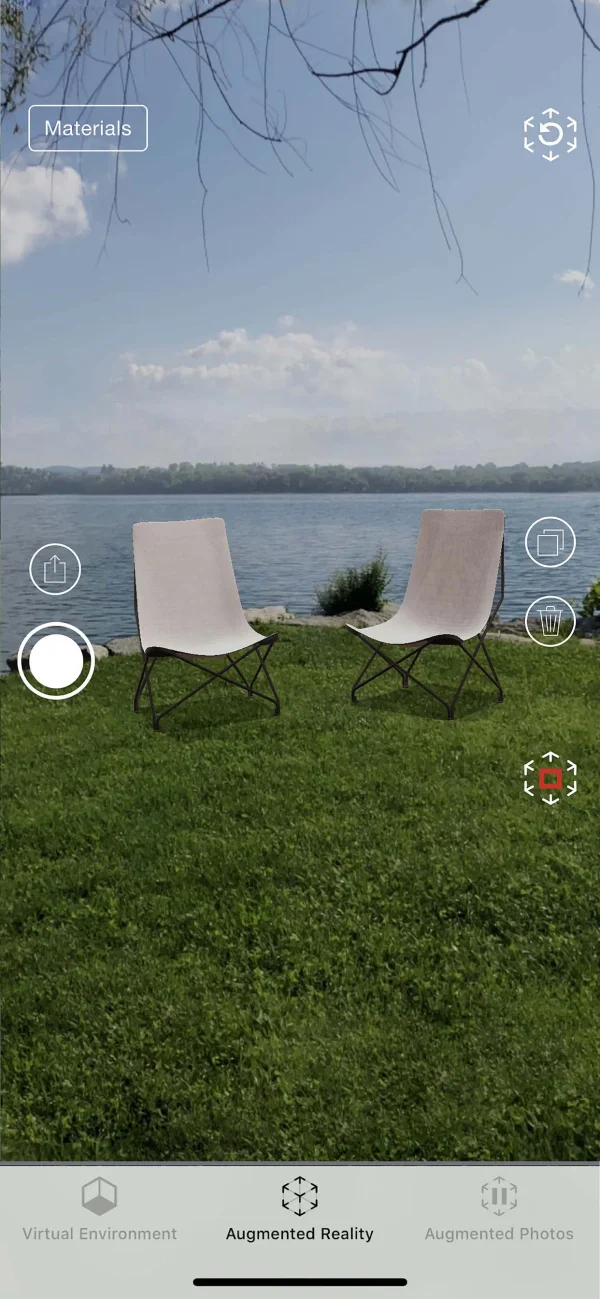
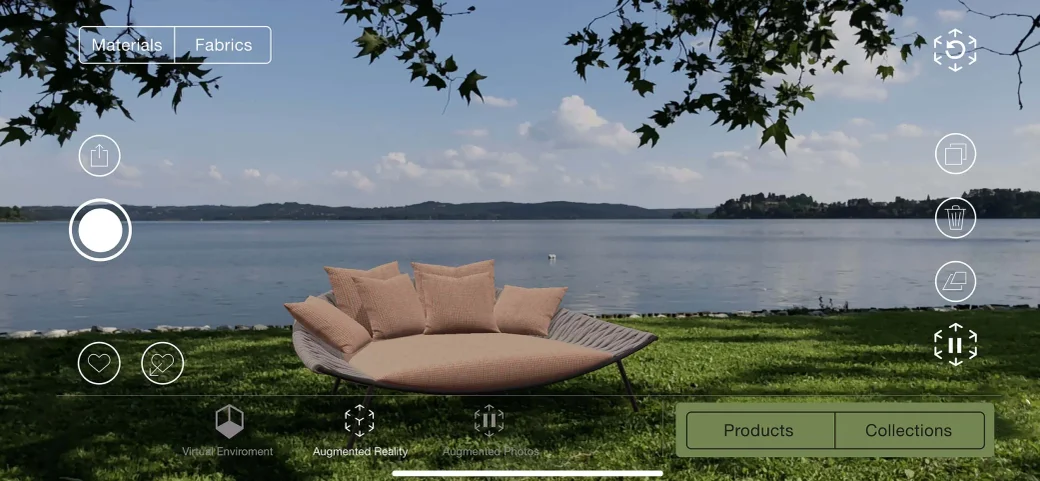
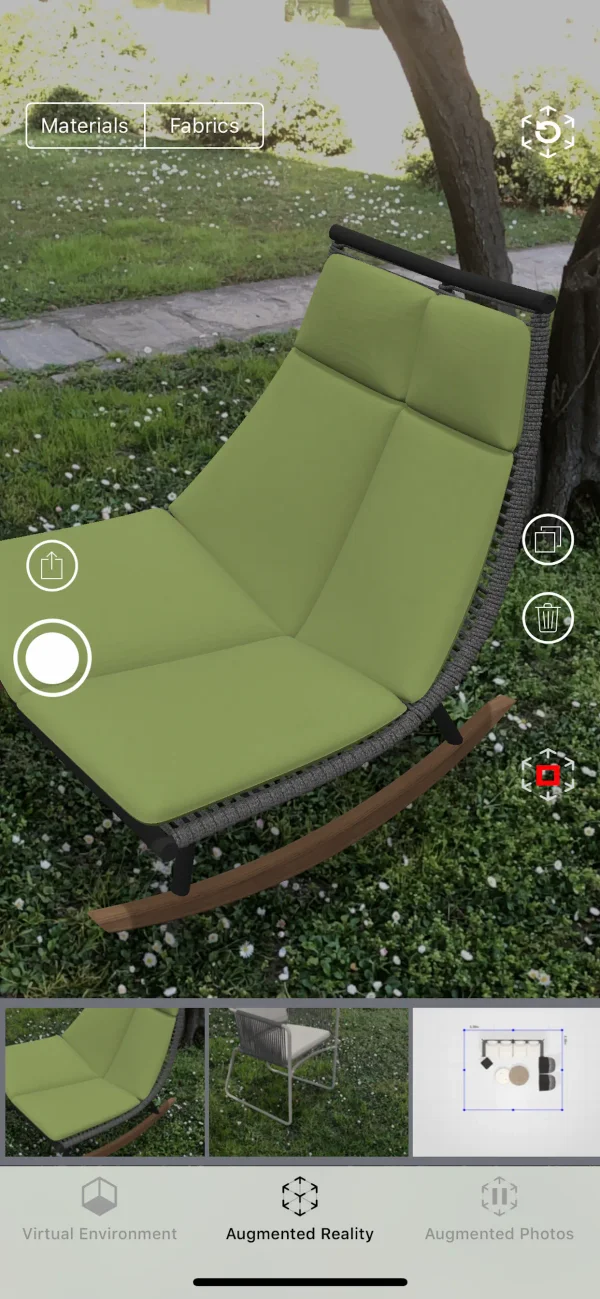
- Augmented Reality. Through your camera, you can see and “almost touch” the elements placed in the real environment, e.g. your garden. You can also “pause” the scene and continue your configuration on the still background.
- Augmented Photo. Here you can restore “paused” scenes (saved in Augmented Reality) and continue their configuration any time (you can also work on scenes shared by other users, provided that device on which they have been saved had a compatible size with yours).
Scenes can be saved any environments and restored any time, also in a different environment. For example, scenes configured and saved in Augmented Reality can be restored in the Virtual Environment, preserving the elements’ layout in space and their configuration.
You can share your scenes with other users with AiDrop, Mail, etc... . For importing a scene, just touch the received file: the App is automatically launched if necessary, the scene is saved and you will be able to restore it and configure it as with any other scene.
You can also share a screenshot of your scene with Mail, Notes, Facebook, Instagram, etc... . In Mail and Notes the picture will have a text description of its elements attached.
The App’s features are easily accessible with buttons and gestures (as described in the guide which appears at first launch, or anytime when touching the “?” button on the top right). For example, you can:
- chose products by category or by collection;
select an element, or more elements at once (in the Virtual Environment);
- configure the selected element, or even multiple elements at once (in the Virtual Environment), if they have common options (e.g. the fabrics for chairs and sofas);
- move and rotate the selected elements; clone them; align them (in the Virtual Environment); group them (in the Virtual Environment), including at multiple levels (subgroups);
- remove an element, all elements or a subset of selected elements (in the Virtual Environment);
- change the point of view (in the Virtual Environment), moving one or two fingers for panning, rotating, zooming in and out (similarly, in Augmented Reality, you change the point if view by moving the camera); you can always go back to the initial point of view with a double touch on the screen;
- frame the scene for an optimal view (in the Virtual Environment);
- save the current scene;
- open the "gallery” of your saved (or imported) scenes and select one to restore (scene saved while in “pause” mode are marked with a “pause” symbol;
- share your configured scene with other users via AirDrop, Mail and File;
- share a screenshot of the scene via Mail, Notes, Facebook, Instagram, etc...;
- export a saved scene (in the Virtual Environment) in the “.dae” format, compatible with many 3D Design tools.
When Entering Augmented Reality, slowly move your camera until it "maps" the flat surphace where you want to place your furniture (the squared "viewfinder" close up and briefly change its color).
Best results are obtained in a well lit environment, after “mapping the surfaces” with the camera for a few seconds from different points. By pressing a button you can visually monitor the mapping status: this helps to better understand where the camera should be aimed for improving it, and deciding when you can start to place your elements.
In Settings you can define some behaviours of the App at the next launch, by requesting to:
- show the user guide at launch;
- remove unused data;
- show the grid and/or the guide on the virtual floor;
- enable the export in ".dae" format.
Có gì mới
Phiên bản 3.4 · 18/06/2025
New ASPIC 160 table. New Missoni fabrics.
Quyền riêng tư của ứng dụng
Những gì RODA Srl khai báo trên App Store về cách ứng dụng này xử lý dữ liệu.
-
Dữ liệu không được thu thập
Nhà phát triển không thu thập bất kỳ dữ liệu nào từ ứng dụng này.
Phương thức đảm bảo quyền riêng tư có thể khác nhau, chẳng hạn như tuỳ theo các tính năng bạn sử dụng hoặc độ tuổi của bạn.
Thông tin
- Người bán
- RODA Srl
- Danh mục
- Lối Sống
- Phiên bản
- 3.4
- Cập nhật
- 18/06/2025
- Phát hành
- 22/04/2018
- Kích thước
- 1,6 GB
- Yêu cầu
- iOS 15.0 trở lên
- Độ tuổi
- 4+
- Giá
- Miễn phí
- Ngôn ngữ
- Tiếng Anh, Tiếng Ý
- Bản quyền
- © 2023 Gianluigi Morganti