
Runway assistant
Daily planner that follows up
Được thiết kế cho iPhone, iPad
119.000đ
- Độ tuổi4+
- Danh mụcHiệu Suất
- Nhà phát triểnMilad Hosseinpour
- Ngôn ngữTiếng Anh
- Kích thước2,5 MB
Liên kết đến trang App Store chính thức
Download.org không lưu trữ tệp nào của Runway assistant. Nút này mở trang ứng dụng trên App Store, nơi Milad Hosseinpour phát hành ứng dụng. Trang được kiểm tra lần cuối: 18/11/2026.
Ảnh chụp màn hình
Giới thiệu
Nhà phát triển chưa cung cấp nội dung này bằng ngôn ngữ của bạn.
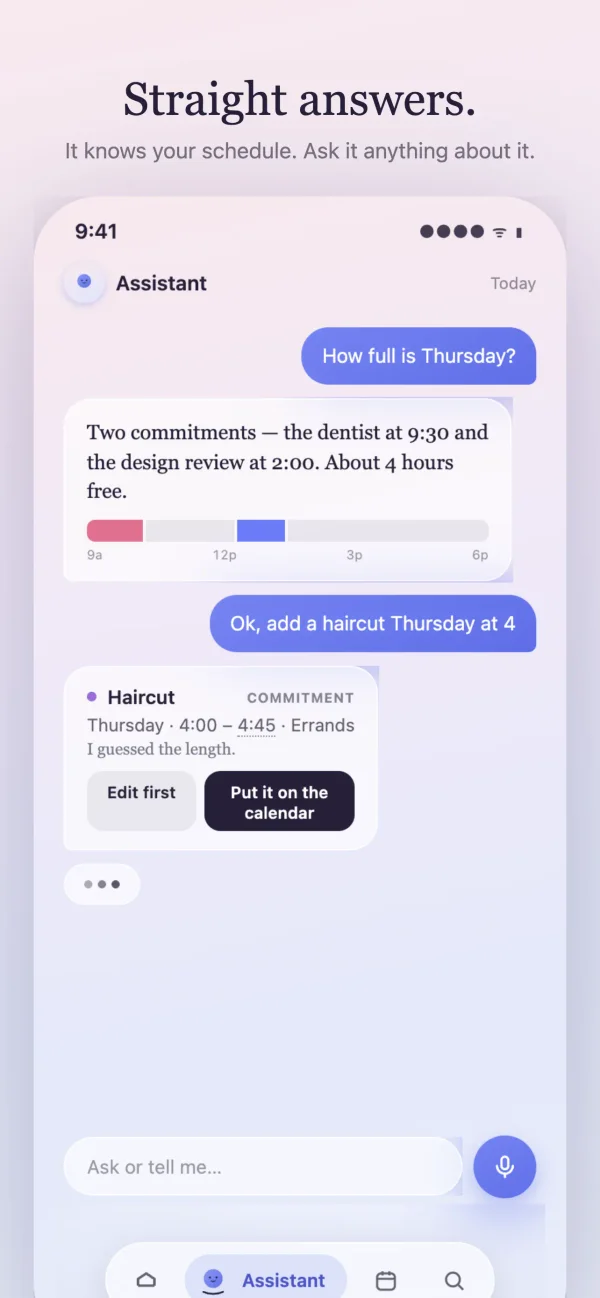
Most task apps wait to be asked. This one speaks first.
It holds your commitments and your todos, works out what deserves your attention
right now, and follows up afterwards to find out what actually happened.
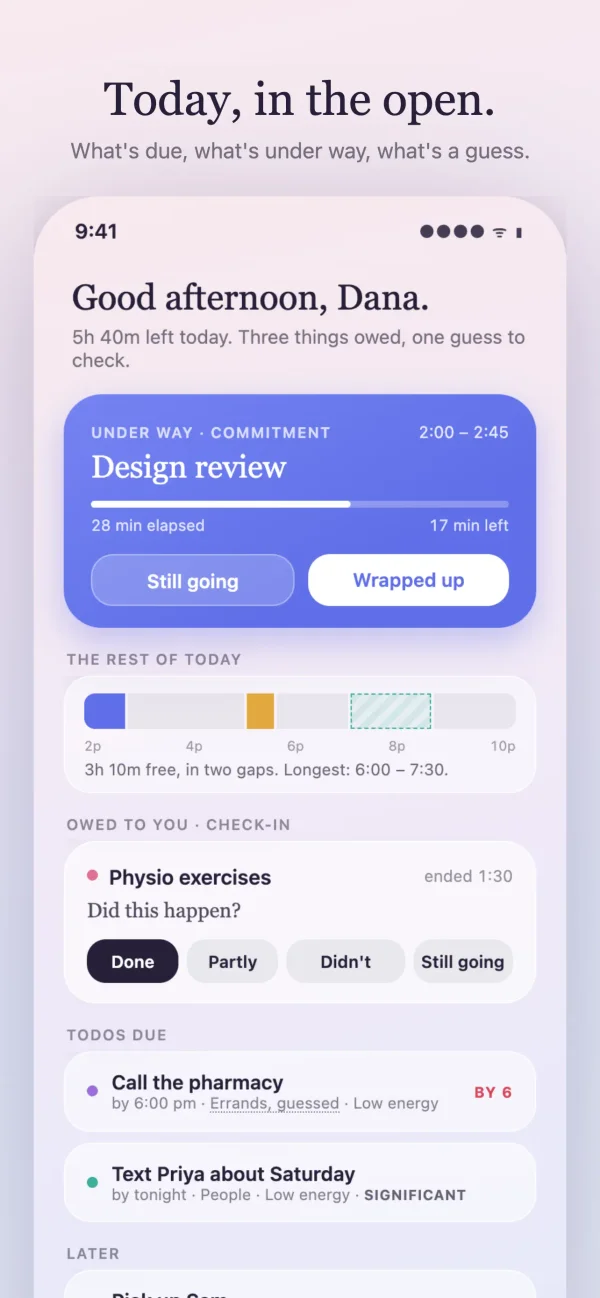
THE DAY, NOT THE LIST
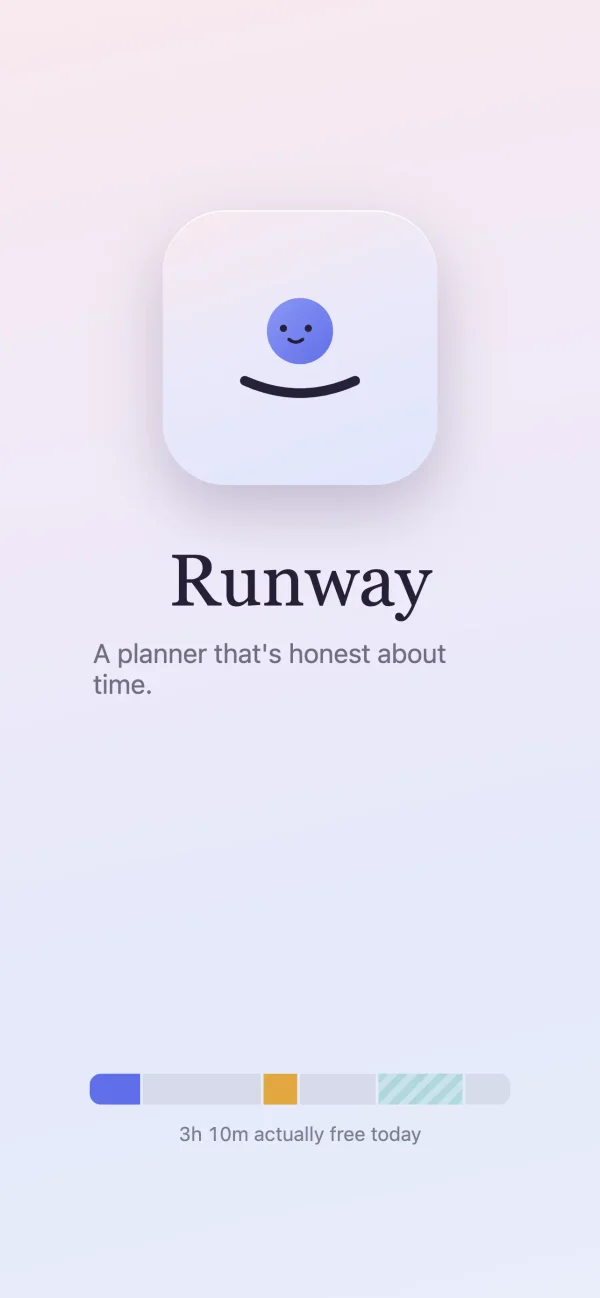
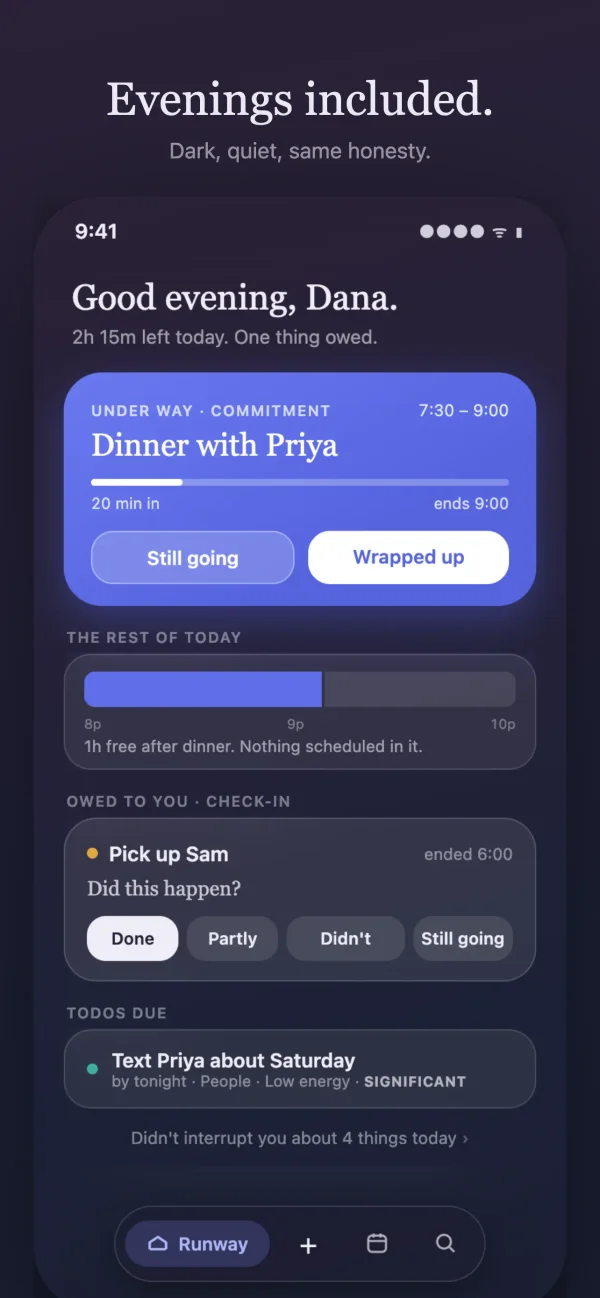
The home screen is what's left of today, drawn to scale: the time you still have,
set against everything you still owe. When a meeting runs long, it recomputes.
When you say you're spent, it surfaces the work that doesn't ask much of you.
COMMITMENTS AND TODOS ARE DIFFERENT THINGS
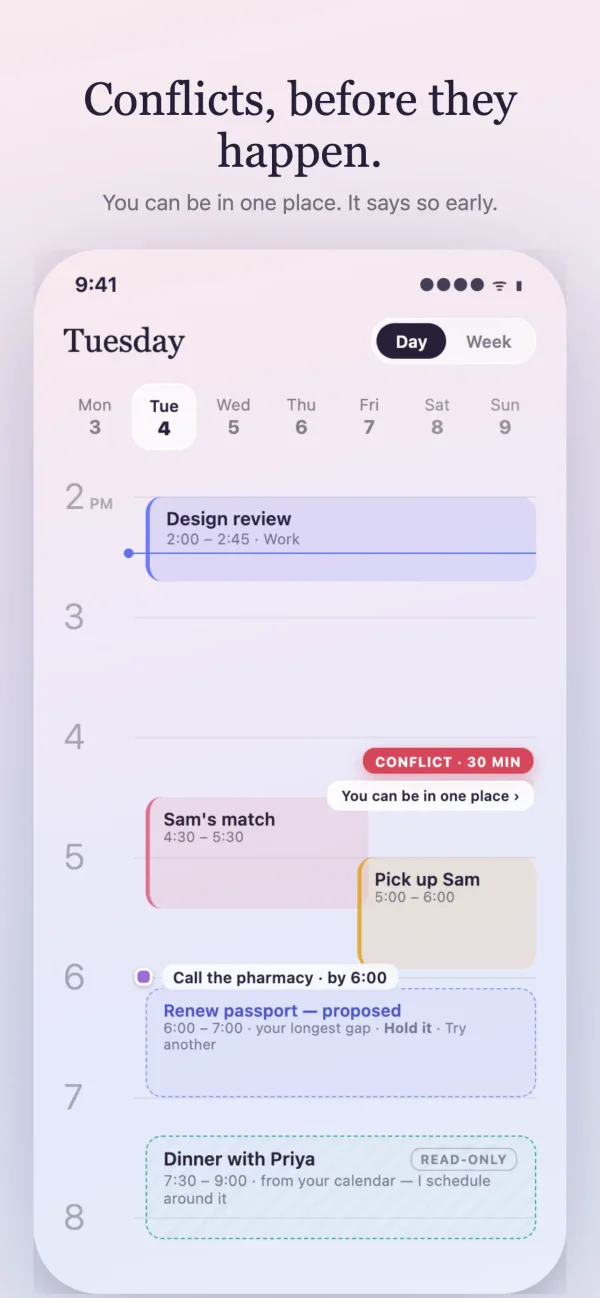
A commitment occupies a block of wall-clock time. You can be in only one at once,
and two of them can conflict. A todo comes due at a moment but reserves no time,
so todos never conflict and can pile up. Calling someone at 8pm is a todo. Dinner
is a commitment. Collapse the two into "tasks" and you lose the ability to say
when a day simply will not fit.
When something has been carried for weeks without moving, promote it — give it
real time on the calendar, with a find-a-time flow that works around what is
already there.
CHECK-INS: WHAT ACTUALLY HAPPENED
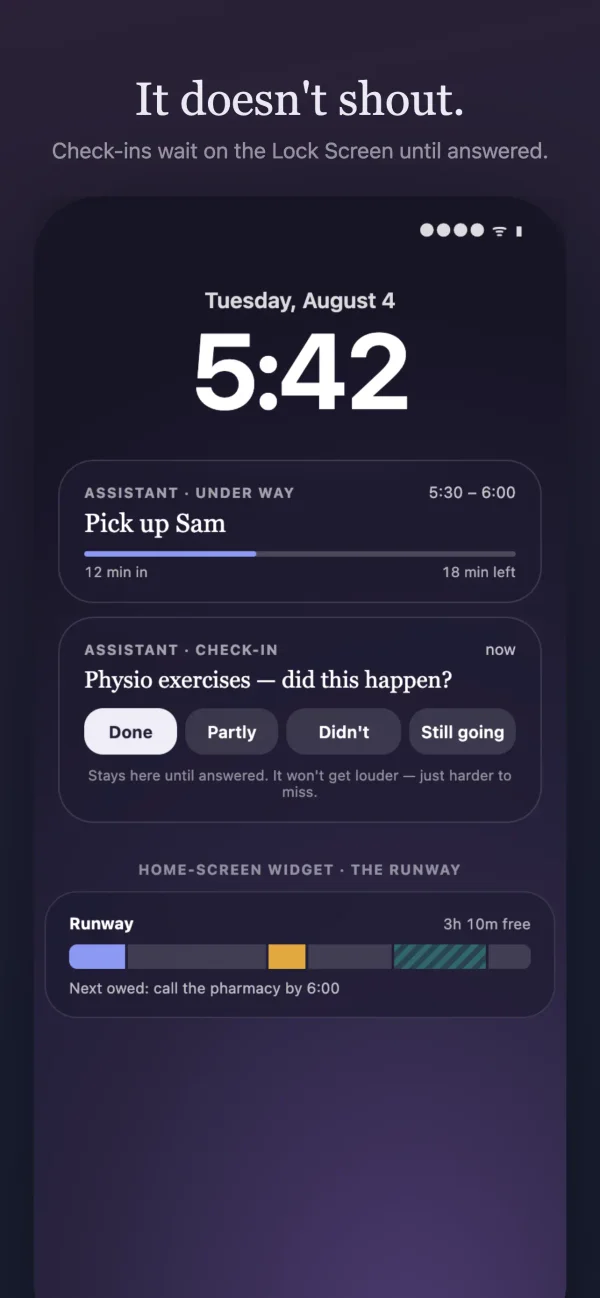
At the end of a commitment or a todo, you get one question. Did this happen?
Done, partly, didn't happen, still going. One tap, answerable from the Lock Screen.
Your answers are the only thing the app treats as fact. Nothing is inferred from
your location, your motion or your Focus mode. And when check-ins go unanswered,
it says so — that today's plan is built from intentions rather than facts —
instead of showing you a stale day and calling it accurate.
IMPORTANCE AND URGENCY ARE NOT ONE AXIS
Importance is how much follows from something not happening. You declare it, and
it holds. Urgency is how close something is to being too late — read from the
clock, never declared, always current. Kept apart, so "quiet but consequential"
and "loud but trivial" never look alike.
Add energy level, place and category, and you can ask the question that actually
comes up: what can I do at my computer, in twenty minutes, while I'm tired?
TWO KINDS OF REPEATING
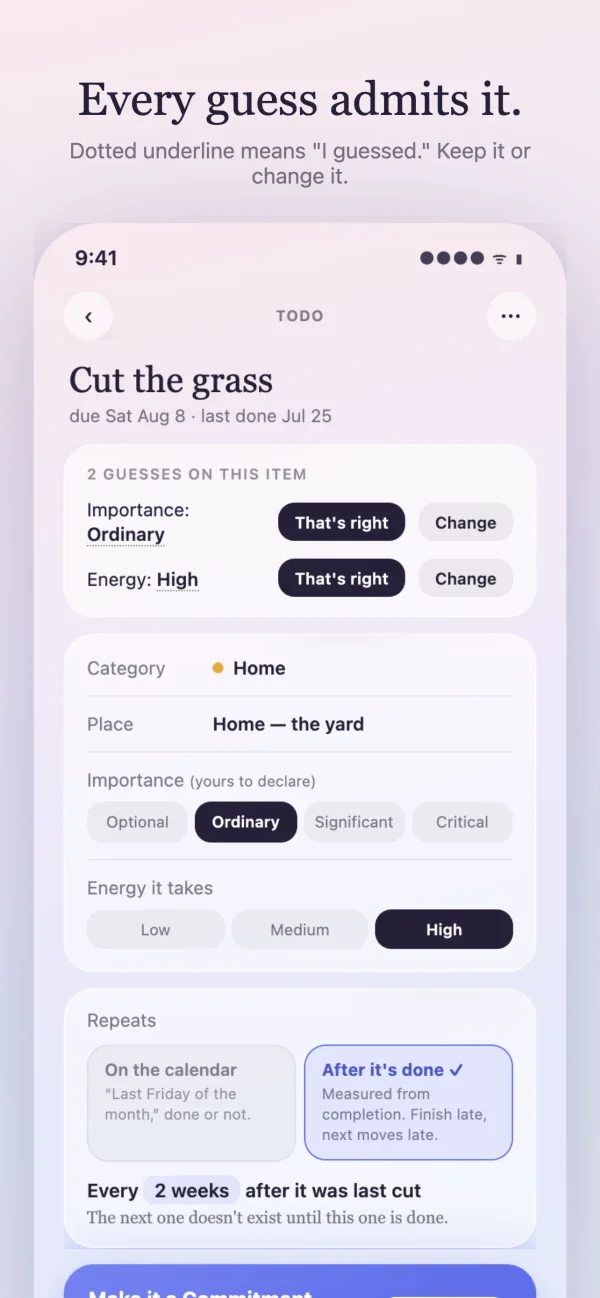
Fixed recurrence comes from the calendar alone — the last Friday of every month,
whether or not you did the last one. Completion recurrence measures from when you
actually finished: two weeks after the grass was last cut. Finish late and the
next one moves late. They are different machines, and they behave differently.
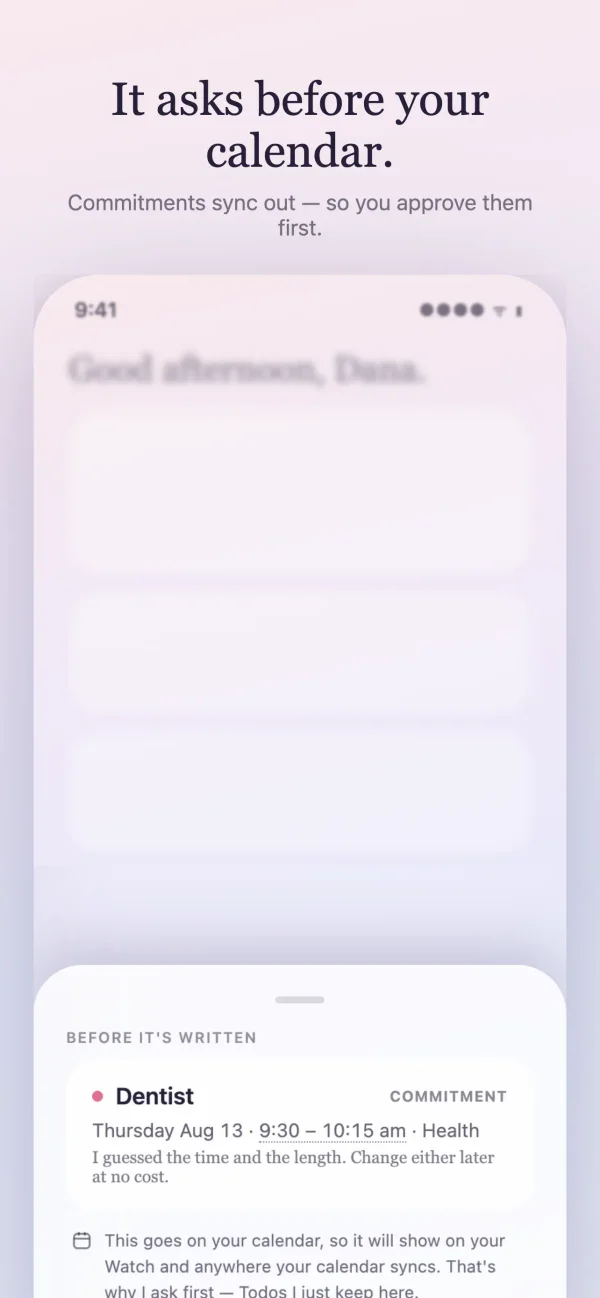
CAPTURE THAT DOESN'T INTERROGATE YOU
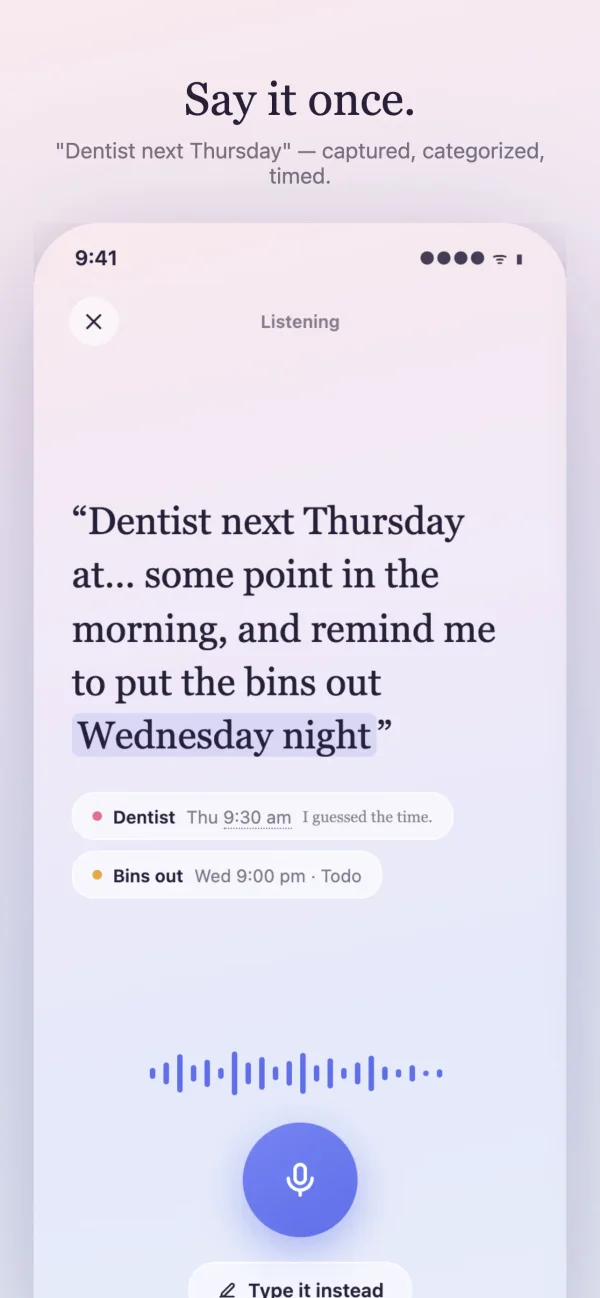
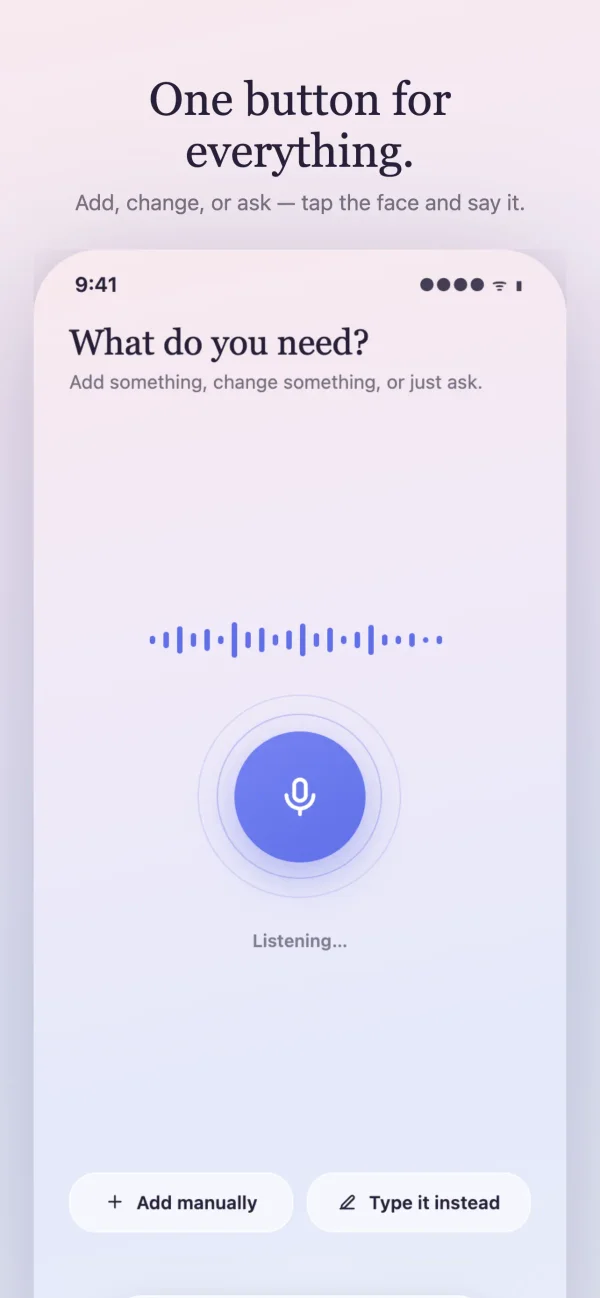
Speak or type. It never stops mid-sentence to ask a clarifying question. It makes
a guess, then shows you the guess, labelled, so you can correct it later at no
cost. "I guessed the time." Nothing reaches your calendar without your
confirmation first.
IT INTERRUPTS ON A BUDGET
There is a limit to how much of your attention it will spend on its own
initiative each day. That budget contracts when you stop responding and expands
when you engage. Nothing it declines to interrupt with is discarded — it waits
somewhere that costs you nothing, and you can always ask why a given thing
didn't fire.
When one prompt goes unanswered, it grows more persistent rather than louder: a
notification, then time-sensitive, then a Live Activity pinned to your Lock
Screen until you answer it.
PRIVATE BY CONSTRUCTION
No account. No login. No server. Your data lives on your device and syncs only
across your own devices. There is no team, no sharing, no collaborators and
nothing to sign up for. Your history is yours to delete at any time, and deleting
it won't break your recurring items.
Commitments are written into your system calendar, so they appear on your Watch,
in CarPlay and anywhere else you already look — always after you've confirmed it,
and always saying why.
Requires iOS 26 or later. iPhone only.
Có gì mới
Phiên bản 11 · 17/10/2026
Fix notification issue
Quyền riêng tư của ứng dụng
Những gì Milad Hosseinpour khai báo trên App Store về cách ứng dụng này xử lý dữ liệu.
-
Dữ liệu không được thu thập
Nhà phát triển không thu thập bất kỳ dữ liệu nào từ ứng dụng này.
Phương thức đảm bảo quyền riêng tư có thể khác nhau, chẳng hạn như tuỳ theo các tính năng bạn sử dụng hoặc độ tuổi của bạn.
Thông tin
- Người bán
- Milad Hosseinpour
- Danh mục
- Hiệu Suất
- Phiên bản
- 11
- Cập nhật
- 17/10/2026
- Phát hành
- 03/09/2026
- Kích thước
- 2,5 MB
- Yêu cầu
- iOS 26.0 trở lên
- Độ tuổi
- 4+
- Giá
- 119.000đ
- Ngôn ngữ
- Tiếng Anh
- Bản quyền
- © 2026 Milad Hosseinpour
Có thể bạn cũng thích
-
 MyQdoHiệu Suất
-
 Nudge Me! Lock Screen ReminderHiệu Suất
-
 Theo Dõi Hạn Chót Đếm NgượcVòng Tiến Độ Đổi Màu Báo Nhắc
-
 iDo - To do list & PlannerHiệu Suất
-
 Task & Goal PlannerHiệu Suất
-
 Tasks: to-dos & placesHiệu Suất
-
 Blooo — Organize Your LifeHiệu Suất
-
 Pending – Follow Up TrackerHiệu Suất
-
 Follow WorkHiệu Suất
-
 Dayno - Countdown CalendarHiệu Suất