SBI Quick
Missed Call / SMS Banking
Được thiết kế cho iPhone, iPod touch
Miễn phí
- Độ tuổi4+
- Danh mụcTài Chính
- Nhà phát triểnState Bank of India
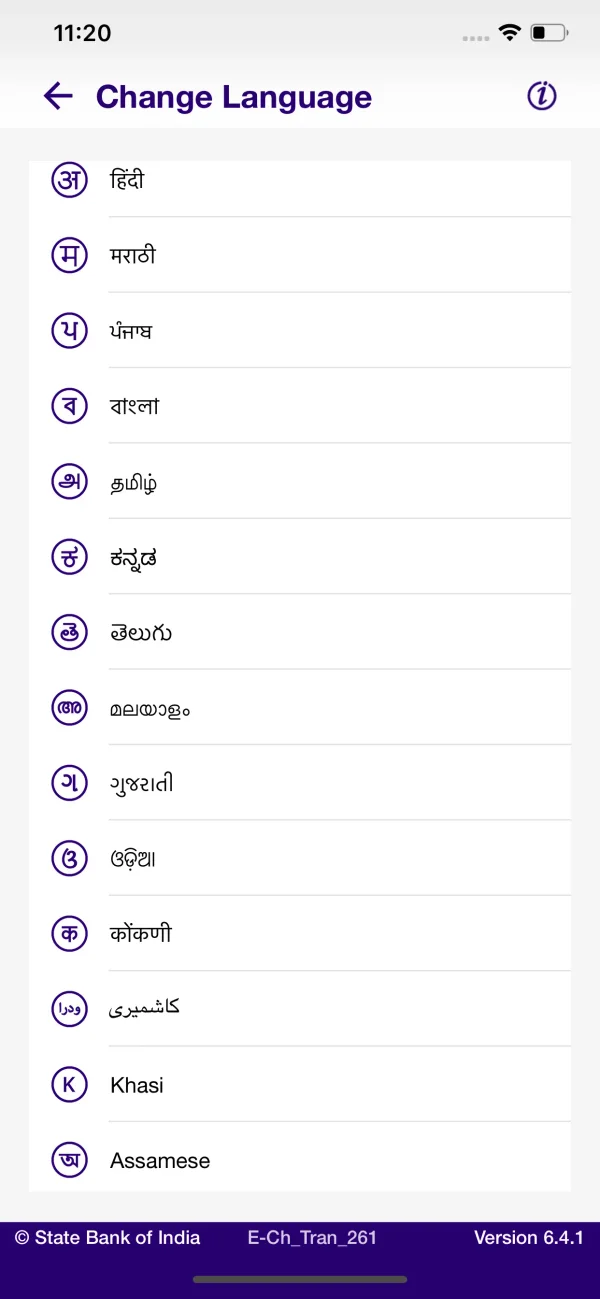
- Ngôn ngữTiếng Anh+ 14 ngôn ngữ khác
- Kích thước71,0 MB
Liên kết đến trang App Store chính thức
Download.org không lưu trữ tệp nào của SBI Quick. Nút này mở trang ứng dụng trên App Store, nơi State Bank of India phát hành ứng dụng. Trang được kiểm tra lần cuối: 17/11/2026.
Ảnh chụp màn hình


Giới thiệu
Nhà phát triển chưa cung cấp nội dung này bằng ngôn ngữ của bạn.
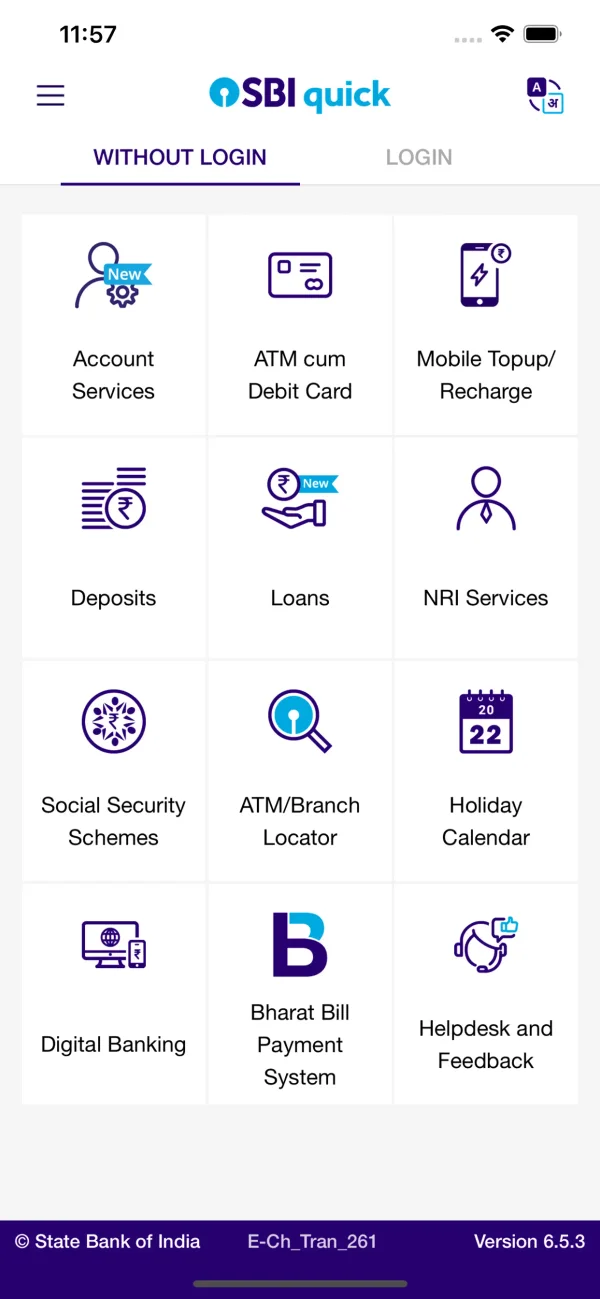
SBI Quick – MISSED CALL BANKING is an app from SBI which provides Banking services by giving a Missed Call or sending an SMS with pre-defined keywords to pre-defined mobile numbers.
This service can only be activated for the mobile number that is registered for a particular account with the Bank.
SBI Quick Services include:
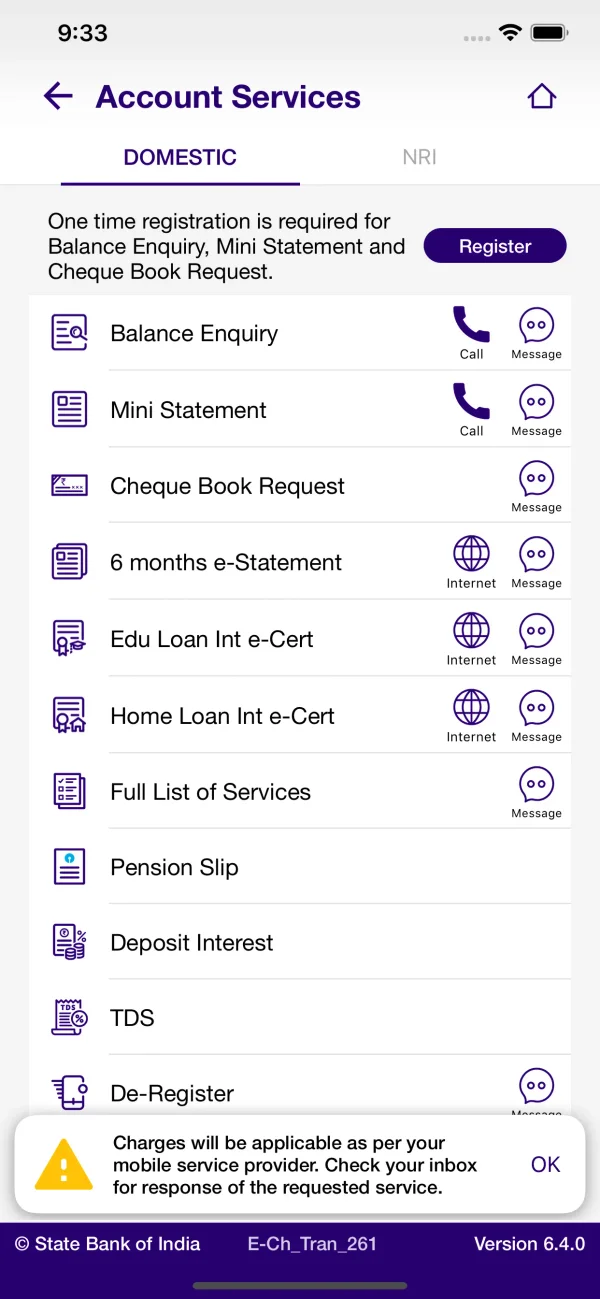
Account Services:
1. Balance Enquiry
2. Mini Statement
3. Cheque book request
4. 6 month's e-Statement of A/c
5. Education Loan Interest e-Certificate
6. Home Loan Interest e-Certificate
ATM Card Management
1. Blocking of ATM Card
2. ATM Card Usage (International / Domestic) ON/OFF
3. ATM Card Channel (ATM/POS/eCommerce) ON/OFF
4. Generate Green PIN for ATM -cum-Debit card
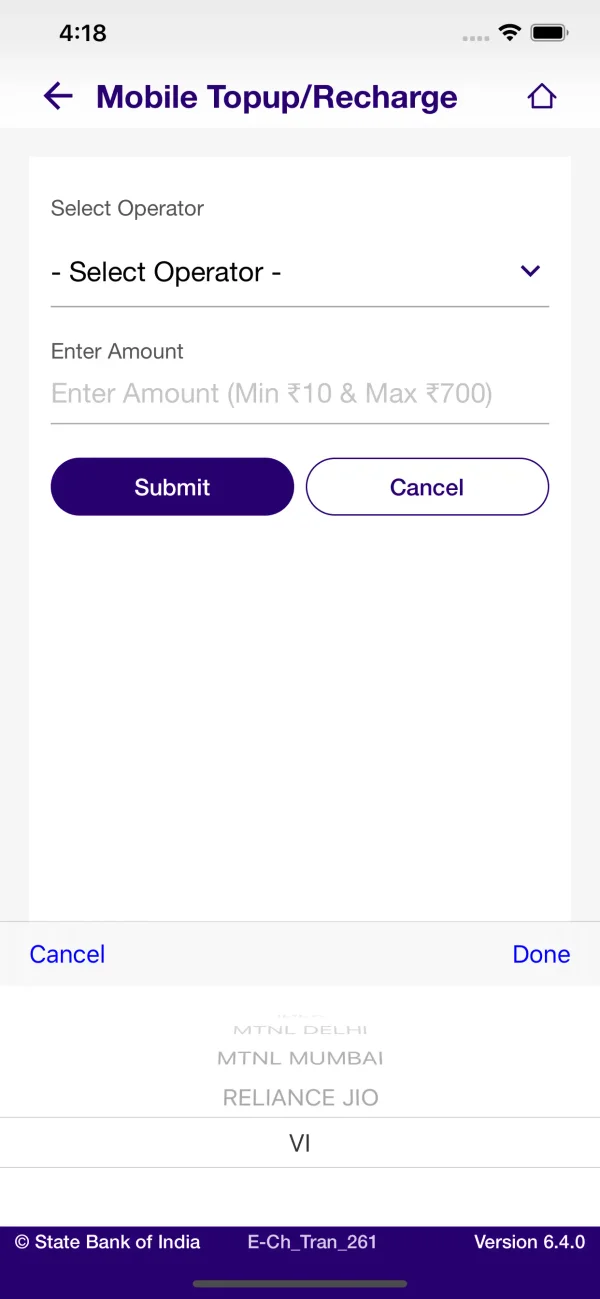
Mobile Top-up / Recharge
- Mobile topup/recharge can be done for your mobile number registered with Bank (MOBRC "first 3 letters of Telco Operator name" denomination)
- Send the activation code received on mobile handset immediately to successfully complete the process
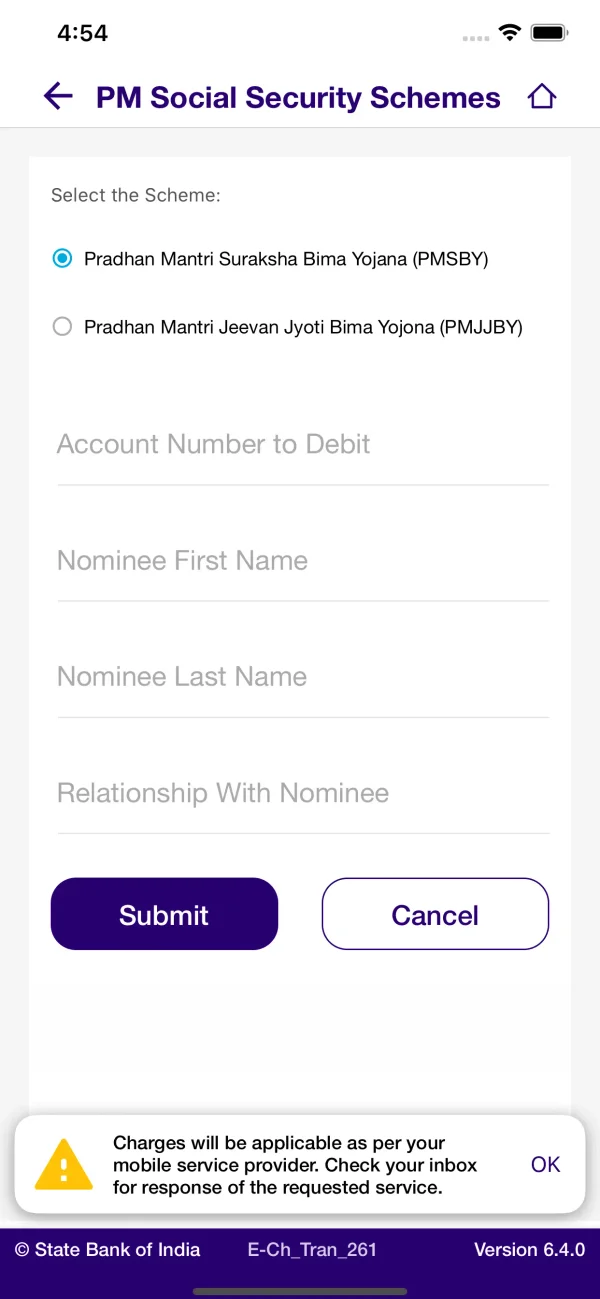
Prime Minister Social Security Schemes
- Subscription to PM’s Social Security Schemes (PMJJBY & PMSBY)
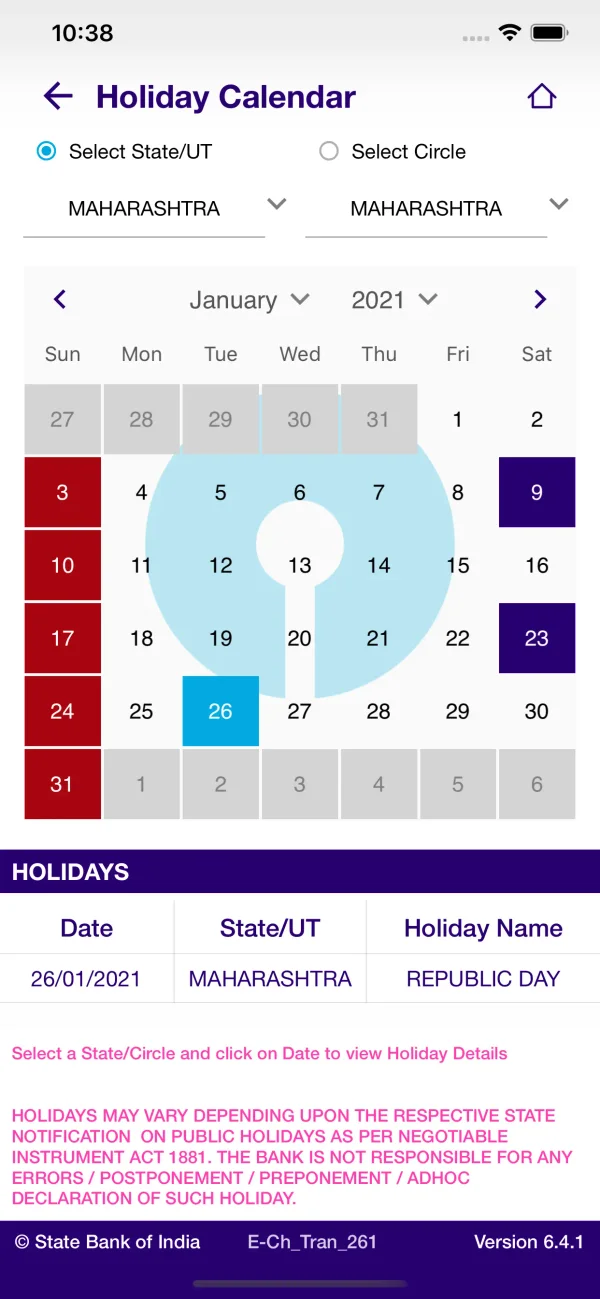
SBI Holiday Calendar
ATM-Branch Locator (SBI Finder - Now find address and location of SBI Branches, ATMs, Cash Deposit Machines and CSP (Customer service point))
Rate Us – Rate us in PlayStore
FAQs
What If I have two account numbers with the Bank with the same mobile number mentioned on both?
You can register 1 mobile number for any one of the accounts. If you want to change the mapped account number, you first need to de-register SBI Quick from the first account and then register for the second one.
Is it mandatory that the mobile number to be used for SBI Quick has to be registered with the Bank for that particular account?
Yes. If not done, visit Home Branch and update mobile number.
Is it available for all types of Accounts?
SBI Quick is currently available for SB/CA/OD/CC accounts.
How is this facility different from Yono Lite or Yono?
1. You don’t need a Login ID, Password to use this facility. Just one time registration from the mobile number recorded with Bank for that particular Account.
2. SBI Quick only provides Enquiry and ATM Block services. Unlike State Bank Anywhere or State Bank Freedom there are no transaction services available.
Is there any limit of the number of enquiries that can be made in a day/month?
As of now there is no such restriction. Unlimited.
What are the Charges for this service?
1. The service is currently free of charge from the Bank.
2. A call for balance inquiry or mini statement will include an IVR message of 4 seconds which will be heard after 3-4 rings.
a. If you disconnect the call while ringing, no charge will be recovered from you by the service provider.
b. If you keep the call active till the IVR is played, you will be charged for these 3-4 seconds as per their mobile tariff plan.
3. Any SMS sent to 567676 e.g. for Blocking ATM Card will be charged at premium rates by your service provider.
4. Similarly, for availing the benefits of this functionality by sending an SMS (as BAL, MSTMT, REG, DREG, CAR, HOME, HELP), you will be charged for SMS as per their mobile tariff plan.
FAQs of ATM-Branch Locator (SBI Finder)
Now find address and location of SBI Branches, ATMs, Cash Deposit Machines and CSP (Customer service point) through SBI Quick.
User can navigate based on the set location, selected Category and radius.
A user can set either his or her current location as captured through GPS or He/She can set location manually.
User can also find the directions to reach SBI Branches, ATM, Cash Deposit Machine and CSP (Customer service point) through this app.
Categories:
1. ATM
2. CDM (Cash Deposit Machine)
3. Recyclers (Both Cash Deposit and dispensing point)
4. Branch
5. Cash@CSP
Result of any search is available in two views:
1. Map View
2. List View
Có gì mới
Phiên bản 9.2.0 · 04/10/2026
Minor Enhancements
Quyền riêng tư của ứng dụng
Những gì State Bank of India khai báo trên App Store về cách ứng dụng này xử lý dữ liệu.
-
Dữ liệu không được thu thập
Nhà phát triển không thu thập bất kỳ dữ liệu nào từ ứng dụng này.
Phương thức đảm bảo quyền riêng tư có thể khác nhau, chẳng hạn như tuỳ theo các tính năng bạn sử dụng hoặc độ tuổi của bạn.
Thông tin
- Người bán
- State Bank of India
- Danh mục
- Tài Chính
- Phiên bản
- 9.2.0
- Cập nhật
- 04/10/2026
- Phát hành
- 15/07/2015
- Kích thước
- 71,0 MB
- Yêu cầu
- iOS 15.0 trở lên
- Độ tuổi
- 4+
- Giá
- Miễn phí
- Ngôn ngữ
- Tiếng Anh, Assamese, Bengali, Cambodian, Gujarati, Hindi, Tiếng Kannada, Kashmiri, Konkani (macrolanguage), Tiếng Malayalam, Tiếng Marathi, Oriya + 3 ngôn ngữ khác
- Bản quyền
- © State Bank of India
Có thể bạn cũng thích
-
 SBI Life Smart CareTài Chính
-
 SBI Mutual Fund-InvesTap NxtTài Chính
-
 SBI Securities: Stocks & IPOTài Chính
-
 Paytm: Secure UPI PaymentsTài Chính
-
 BOI MobileTài Chính
-
 Axis Bank Mobile BankingTài Chính
-
 Kotak Bank (Old)Tài Chính
-
 IndSMART IndianBank Mobile AppTài Chính
-
 HDFC Bank App: Banking & CardsTài Chính
-
 slice: UPI credit card & bankTài Chính