- Độ tuổi4+
- Danh mụcHiệu Suất
- Nhà phát triểnFonden Unges Uddannelsescenter, Stu - Saerligt Tilrettelagt Ungdomsuddannelse
- Ngôn ngữTiếng Anh+ 3 ngôn ngữ khác
- Kích thước16,6 MB
Scan How 2 hiện có thể không có trên App Store
Ở lần kiểm tra gần nhất, chúng tôi không truy cập được trang trên cửa hàng. Liên kết vẫn dẫn đến trang App Store chính thức.
Ảnh chụp màn hình


Giới thiệu
Nhà phát triển chưa cung cấp nội dung này bằng ngôn ngữ của bạn.
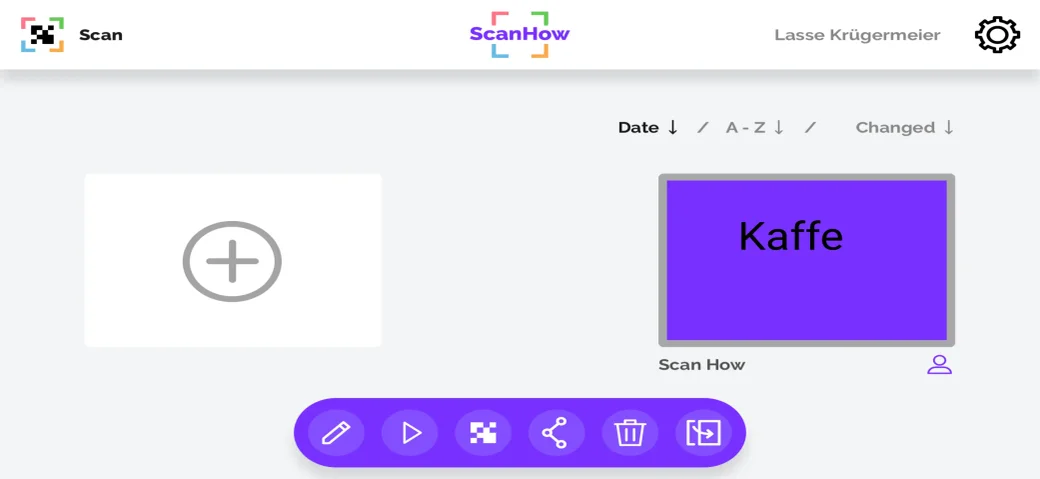
Visualize Workflows with images, video, audio and text - Print QR code - Scan code - Follow the workflow step-by-step!
• Do you work with people with special needs to whom visualization is a big help?
• Are you a schoolteacher wanting increased activity and independence in the classroom, or do you wish to futher Yothe inclusion of students with special needs?
• Do you need to pass information to your colleagues, for example. process descriptions, citizen information etc.
• Are you parents and want your child to do more tasks independently?
With Scan How, you can quickly and easily create a visual and auditory Workflow that enables people with cognitive difficulties like ADHD, Autism, Dementia, etc. to complete the task.
You can create personalized Workflows targeted to the individual's needs. Simply print a QR code and place it where there is a need for support. When the QR code is scanned the tutorial activates and guides them through the process step-by-step.
Special needs care (Autism, ADHD and other cognitive difficulties):
Scan How was designed as a teaching aid to allow individuals with autism, ADHD and other cognitive disorders to have structure in their lives and be visually guided through tasks and everyday routines. Caregivers will find in Scan How a unique tool, which is very easy to operate.
In primary school / Inclusion
Make visualized Workflows in eg woodshop, biology, sports, science, etc. which frees up time to invest directly in actual teaching. You can locate activities, tasks and puzzles outside the Place assignments outside the classroom and thus heighten the genereal level of activity and interactivity in your classes. If you have students with special needs you can use Scan How to create personalized visual tutorials, which allows them to navigate and participate in the classes with much more independence.
Process descriptor - colleague to colleague
Professionals can use Scan How to create workflows that create greater consistency in meeting with the citizens. This could, for example, be descriptions of morning routines, relocation guidelines or drug delivery. All this and much more can easily and safely be shared between the staff of the institution.
Families
Parents can enhance their child's development through visual tutorials like following recipes, operating household appliances or performing household chores. Predictability is significant for many children and young people, and with Scan How, you can create visual visibility in your daily life. For example, create visual forms with picture and sound.
Scan How is developed by professionals with many years of experience in specialized education, and we see increased independence, inclusion and quality of life.
Features:
Insert photos and videos from camera
Insert photos and videos from the gallery
Record and insert audio
Insert text
Determine view time per. page (Can help people with OCD)
Organize Workflows in folders
Generate QR code
Print QR codes in different sizes and colors
Send QR code via mail
Send copy of workflow to other creators
Collaborate on Workflow with other Creators
2 user types in the app - Creator with access to everything - Viewer with access to own workflows and scanner
Scan a generated code to easily and quickly log in
Language
English
Danish
Scan How Subscription
Institutions can be established via the website www.scanhow.com
You can organize between 3 predefined package sizes
Small package - 3 creators, 15 viewers, 1 admin, 5 gb space and 75 workflows
Meduim package - 10 creators, 100 viewers, 1 admin, 10 gb space and 250 workflows
Large package - 30 creators, 400 viewers, 5 admins, 20 gb space and 750 workflows
Enterprice - If you have an organization that does not fit in one of the packages abow, it is possible in cooperation with Scan How to make a customized package
It is also possible to make purchases for its subscription.
Course
Support
Extra space
Có gì mới
Phiên bản 1.2.4 · 21/01/2026
We have updated the app to make it comply with newest Apple guidelines.
Quyền riêng tư của ứng dụng
Những gì Fonden Unges Uddannelsescenter, Stu - Saerligt Tilrettelagt Ungdomsuddannelse khai báo trên App Store về cách ứng dụng này xử lý dữ liệu.
-
Dữ liệu liên kết với bạn
Có thể được thu thập và liên kết với danh tính của bạn.
- Thông tin liên hệ
- Nội dung của người dùng
- Mã định danh
- Dữ liệu sử dụng
- Chẩn đoán
Phương thức đảm bảo quyền riêng tư có thể khác nhau, chẳng hạn như tuỳ theo các tính năng bạn sử dụng hoặc độ tuổi của bạn.
Thông tin
- Người bán
- Fonden Unges Uddannelsescenter, Stu - Saerligt Tilrettelagt Ungdomsuddannelse
- Danh mục
- Hiệu Suất
- Phiên bản
- 1.2.4
- Cập nhật
- 21/01/2026
- Phát hành
- 11/12/2018
- Kích thước
- 16,6 MB
- Yêu cầu
- iOS 13.7 trở lên
- Độ tuổi
- 4+
- Ngôn ngữ
- Tiếng Anh, Tiếng Đan Mạch, Tiếng Bokmål Na Uy, Tiếng Thụy Điển
- Bản quyền
- © 2018 Fonden Unges