
Script Studio AI
Short Video & Hook Writer
Được thiết kế cho iPhone, iPad
Mua hàng trong ứng dụng
- Độ tuổi4+
- Danh mụcHiệu Suất
- Nhà phát triểnAlan Eduardo Cruz Ruiz
- Ngôn ngữTiếng Anh+ 10 ngôn ngữ khác
- Kích thước24,5 MB
Script Studio AI hiện có thể không có trên App Store
Ở lần kiểm tra gần nhất, chúng tôi không truy cập được trang trên cửa hàng. Liên kết vẫn dẫn đến trang App Store chính thức.
Ảnh chụp màn hình
Giới thiệu
Nhà phát triển chưa cung cấp nội dung này bằng ngôn ngữ của bạn.
Write video scripts that sound natural out loud.
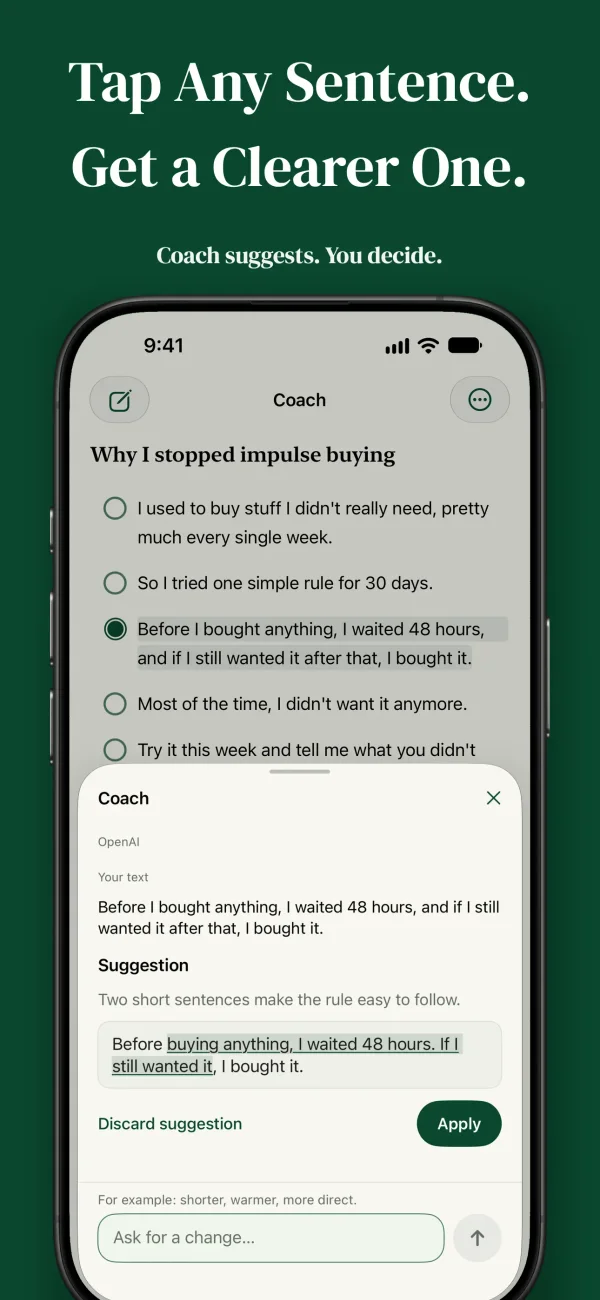
Stuck on a blank page, or a line that sounds stiff on camera? Tap any sentence and Coach suggests a clearer one. You decide what changes.
YOU HAVE THE IDEA. THE WORDS GET IN THE WAY.
The page stays blank. The draft rambles. A line that looked fine on screen sounds stiff the moment you say it. So you record take after take and still don't sound like yourself.
Your ideas deserve to be heard clearly. Script Studio AI helps you say them that way.
A SCRIPT EDITOR BUILT FOR SPEAKING
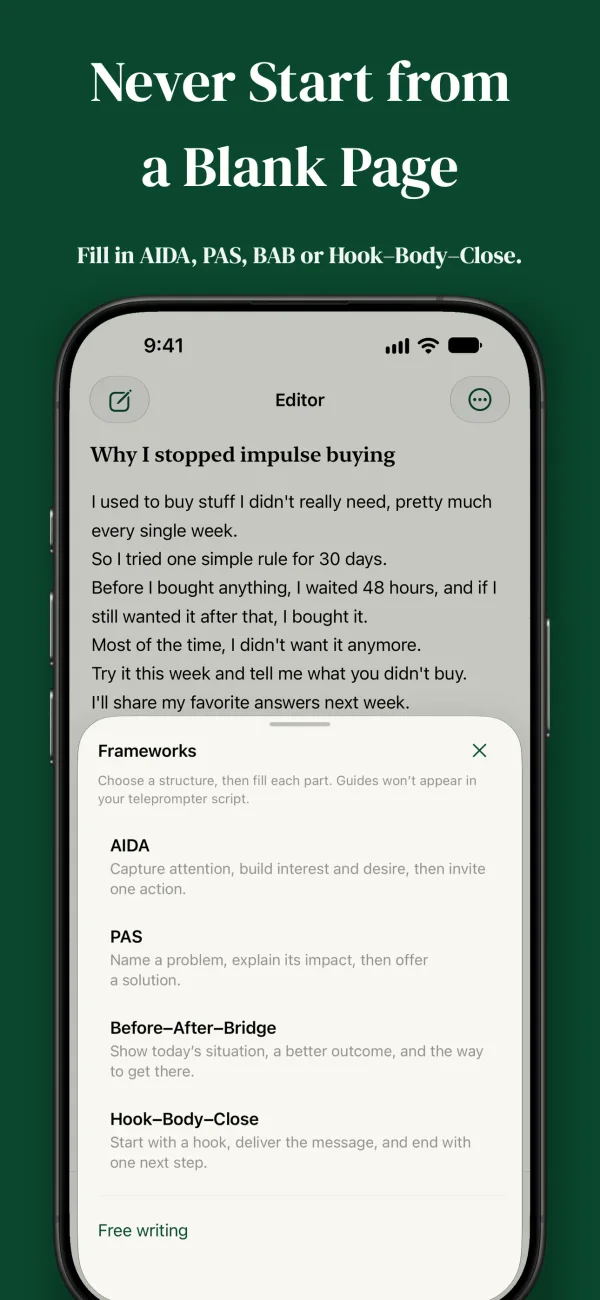
• 4 frameworks to start from: AIDA, PAS, Before–After–Bridge and Hook–Body–Close.
• A Pause button: tap for a standard pause, or touch and hold for short or long.
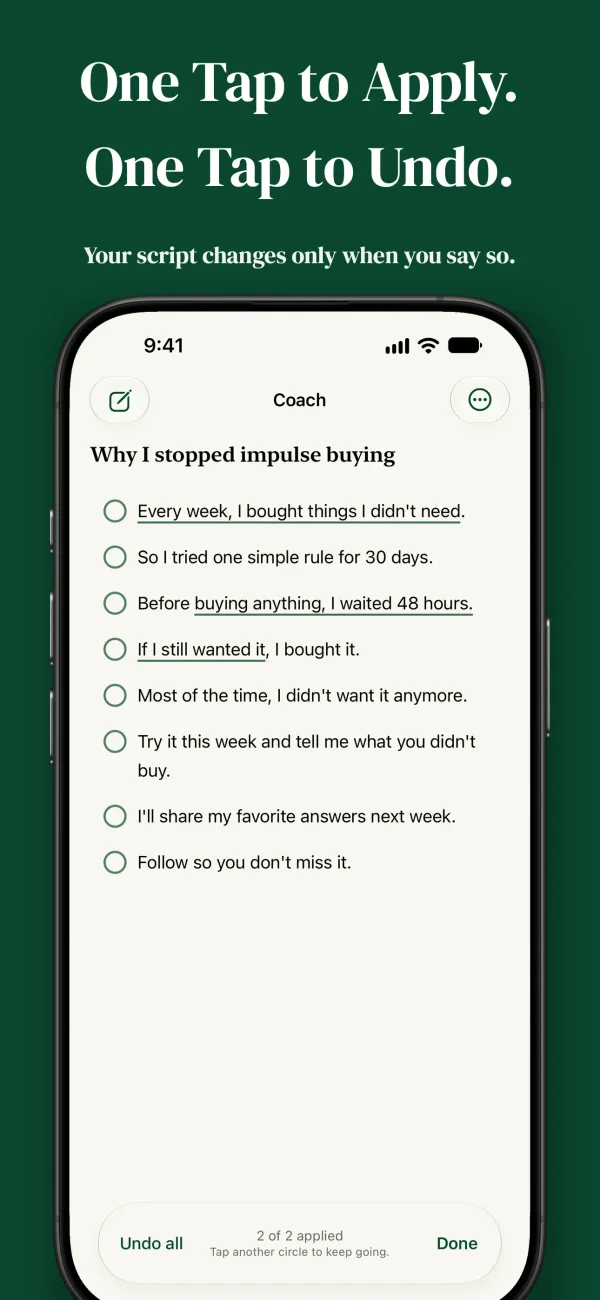
• Coach edits only the sentences you pick. Nothing changes until you apply it.
THREE STEPS TO A SCRIPT YOU CAN RECORD
1. Write freely, or fill in a framework section by section.
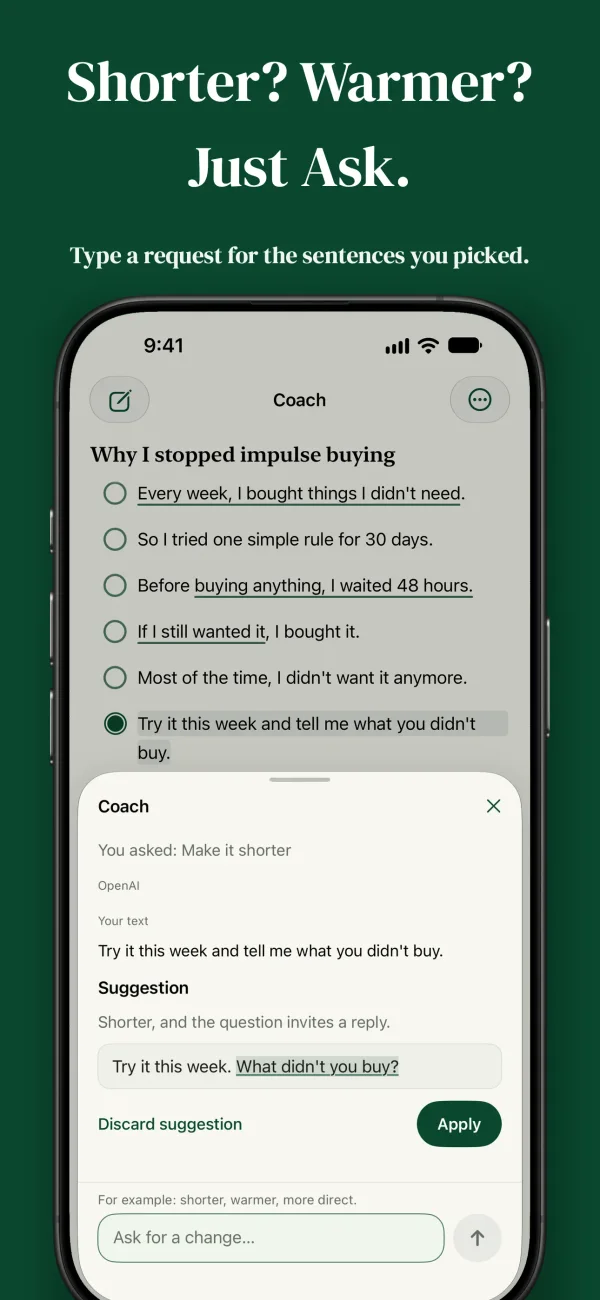
2. Tap a sentence and Coach offers clearer wording or alternatives. Or just ask: "shorter", "warmer", "more direct". Apply with one tap, undo with another, or apply them all at once.
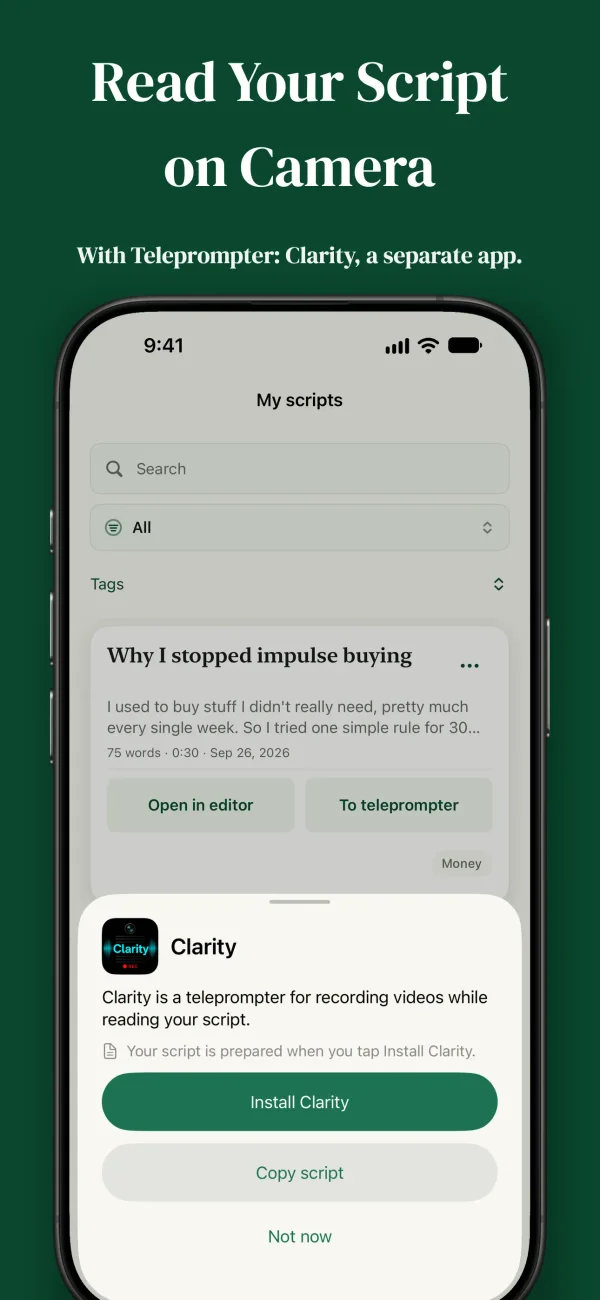
3. Mark your pauses, record a practice take and play it back, then read it on camera. Using Clarity? Send it there in one tap.
SEE THE DIFFERENCE BEFORE YOU WRITE
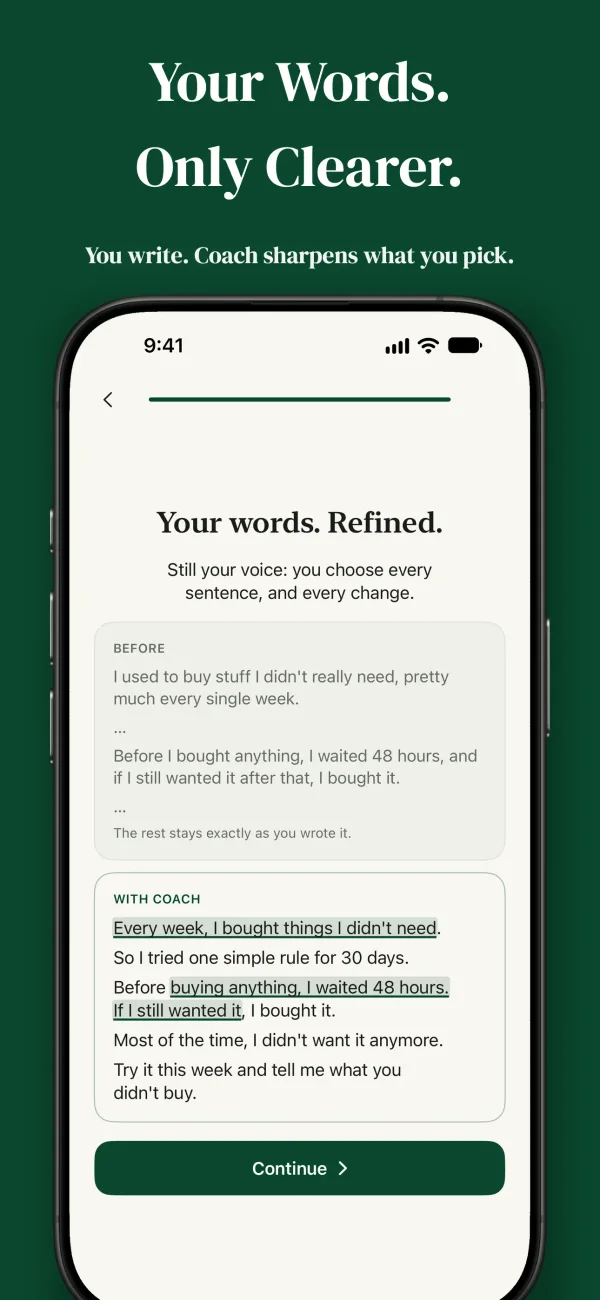
The first time you open the app, a guided demo lets you tap a sentence, let Coach refine it, and compare before and after. The examples use prepared suggestions. Type your own idea instead and you get one live Coach try, after you allow it.
EVERYTHING IN ONE PLACE
• Aa text style: size, alignment and font
• Undo and Redo, version history, find and replace
• Dictation
• Read aloud: record a practice take and play it back. The audio stays on your device.
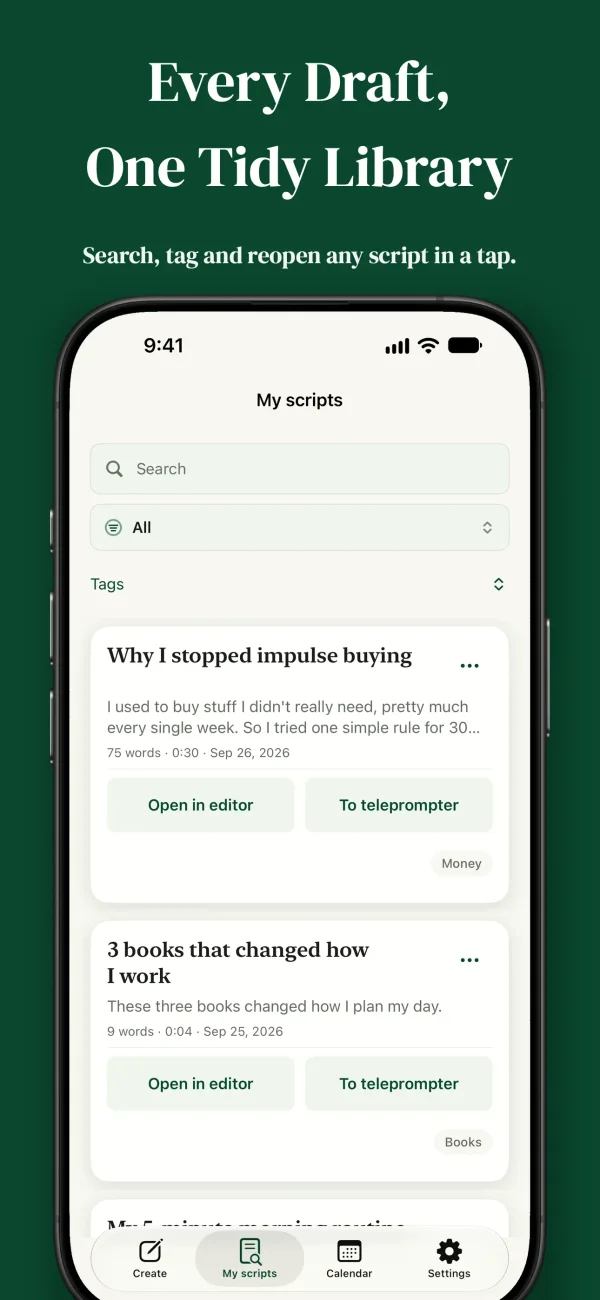
• A library with tags and search
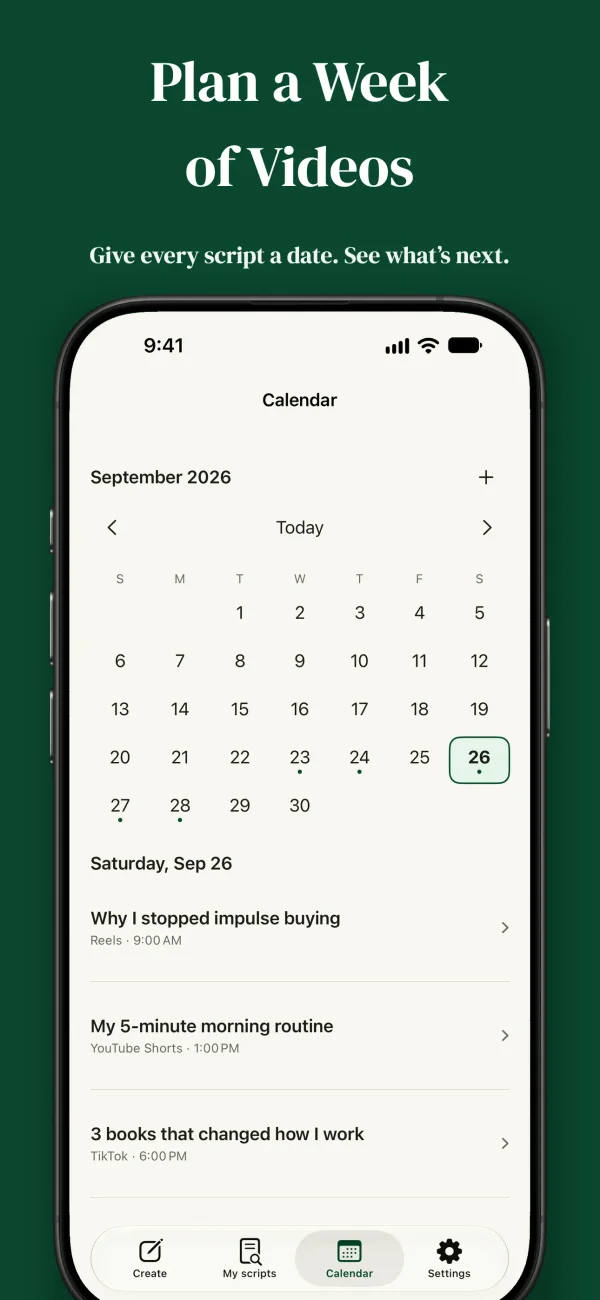
• Calendar to plan your week of videos. It plans; it does not publish.
• Send scripts to Clarity and get them back. Clarity is a separate, optional teleprompter app and is not included in your purchase.
WHAT CHANGES
You start from structure, not a blank page. Every line sounds like you, only clearer. You press record knowing where to pause. An idea that stays in your drafts never reaches anyone: open Script Studio AI, try the Coach demo and write the script for your next video today.
PRO: PLANS AND RENEWAL
After the guided demo, using Script Studio AI requires Pro. Choose a weekly, monthly or annual subscription, or a one-time lifetime purchase. Prices for your region and any trial you're eligible for appear before you pay. Payment is charged to your Apple Account. Subscriptions renew automatically unless canceled at least 24 hours before the current period ends; manage or cancel them in your App Store account settings. Lifetime is a single payment and does not renew.
AI AND YOUR PRIVACY
Coach uses OpenAI through our server, only after you give permission. It sends the sentences you pick, a little nearby text for context, and your request. The demo try sends only the idea you type and any request you add. Coach needs an internet connection, AI usage limits apply, and suggestions can be wrong, so review them before you apply.
Privacy: https://getscriptstudio.app/privacy/
Terms of Use: https://www.apple.com/legal/internet-services/itunes/dev/stdeula/
Có gì mới
Phiên bản 1.0.6 · 24/11/2026
Refined the proportions of the lines in the app icon.
Quyền riêng tư của ứng dụng
Những gì Alan Eduardo Cruz Ruiz khai báo trên App Store về cách ứng dụng này xử lý dữ liệu.
-
Dữ liệu liên kết với bạn
Có thể được thu thập và liên kết với danh tính của bạn.
- Mục mua
- Vị trí
- Nội dung của người dùng
- Mã định danh
- Dữ liệu sử dụng
- Chẩn đoán
-
Dữ liệu không liên kết với bạn
Có thể được thu thập nhưng không liên kết với danh tính của bạn.
- Nội dung của người dùng
Phương thức đảm bảo quyền riêng tư có thể khác nhau, chẳng hạn như tuỳ theo các tính năng bạn sử dụng hoặc độ tuổi của bạn.
Thông tin
- Người bán
- Alan Eduardo Cruz Ruiz
- Danh mục
- Hiệu Suất
- Phiên bản
- 1.0.6
- Cập nhật
- 24/11/2026
- Phát hành
- 15/10/2026
- Kích thước
- 24,5 MB
- Yêu cầu
- iOS 18.0 trở lên
- Độ tuổi
- 4+
- Mua hàng trong ứng dụng
- Có
- Ngôn ngữ
- Tiếng Anh, Tiếng Ả Rập, Tiếng Pháp, Tiếng Đức, Tiếng Ý, Tiếng Nhật, Tiếng Hàn, Tiếng Bồ Đào Nha, Tiếng Nga, Tiếng Trung Giản thể, Tiếng Tây Ban Nha
- Bản quyền
- © 2026 Alan Eduardo Cruz Ruiz
Có thể bạn cũng thích
-
 ReelHook: Studio nội dungReels, Carousels & Stories
-
 Cue: Floating TeleprompterHiệu Suất
-
 Scenarist: Script WriterHiệu Suất
-
 Dotted: Digital PlannerỨng dụng Nhật ký & Ghi chú
-
 Afterform: Tạo video AISửa ảnh, hiệu ứng và nhạc
-
 RouterChat cho OpenRouterTự chọn AI trên thiết bị Apple
-
 Script Pro: Screenplay WriterHiệu Suất
-
 Astria AI: AI Chat AssistantChatbot, Trợ lý, Giọng nói
-
 RemudaHiệu Suất
-
 VoicePrompter: TeleprompterHiệu Suất