- Độ tuổi4+
- Danh mụcSức Khỏe & Thể Dục
- Nhà phát triểnFrequent & Vigorous LLC
- Ngôn ngữTiếng Đức+ 8 ngôn ngữ khác
- Kích thước12,4 MB
Liên kết đến trang App Store chính thức
Download.org không lưu trữ tệp nào của SetDown: Workout Tracker. Nút này mở trang ứng dụng trên App Store, nơi Frequent & Vigorous LLC phát hành ứng dụng. Trang được kiểm tra lần cuối: 12/11/2026.
Ảnh chụp màn hình

Giới thiệu
Nhà phát triển chưa cung cấp nội dung này bằng ngôn ngữ của bạn.
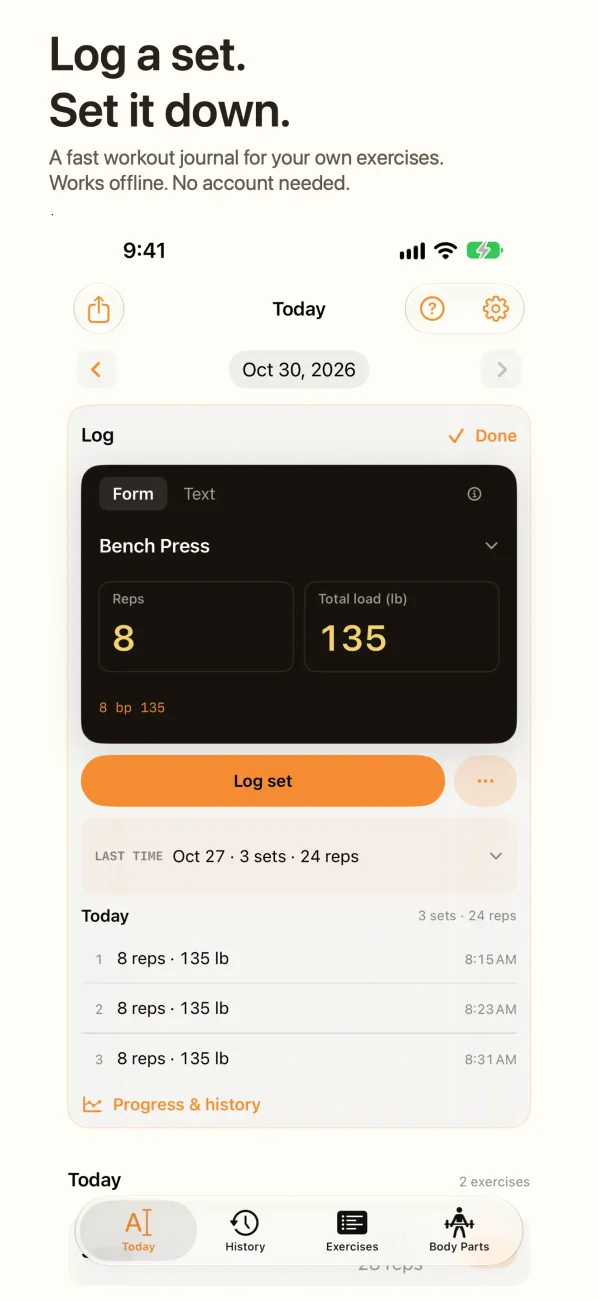
SetDown is a fast workout journal for your own exercises. Log a set with a few taps or your own shorthand, check progress, and get back to training.
Free. No ads, subscriptions, accounts, or logins.
Follow a routine, swap exercises, or spread your sets across the day. There’s no workout plan to build before you start. Your exercise history and daily notes stay together.
EXPLORE EXERCISE GUIDES
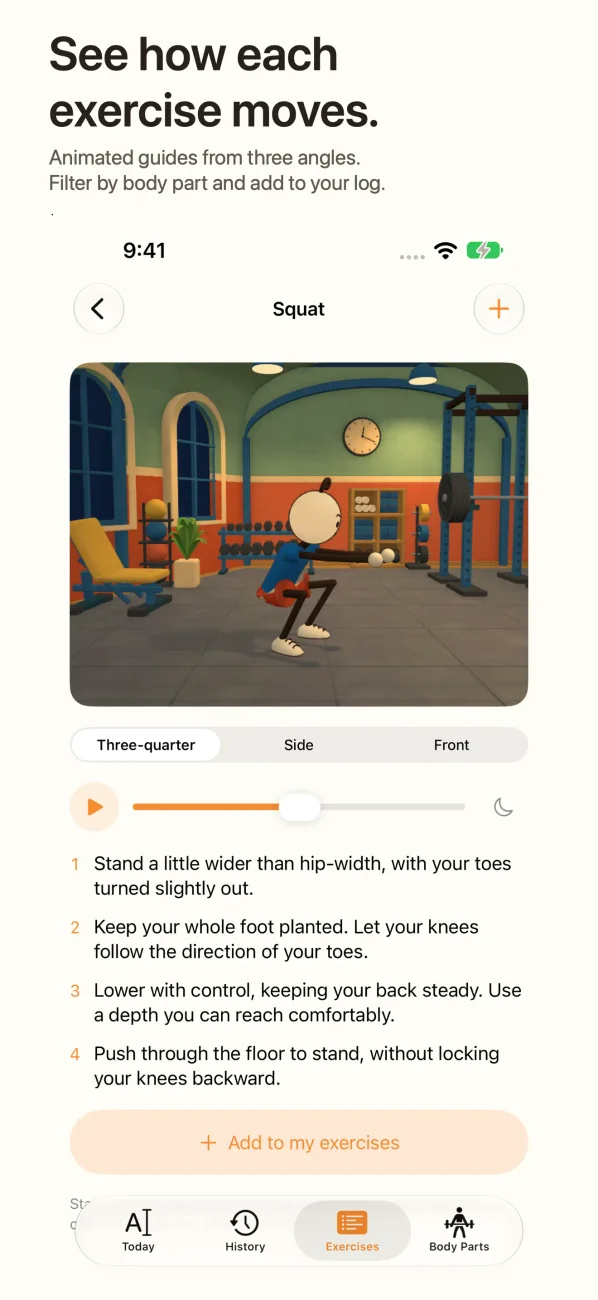
Explore a library of animated exercise guides in a warm, illustrated gym. Filter by body part, view each movement from three angles, and pause or scrub through it alongside clear technique cues. Add exercises from the library to your journal, or keep defining your own. The guides work offline, with lighting that follows your local time.
LOG A SET
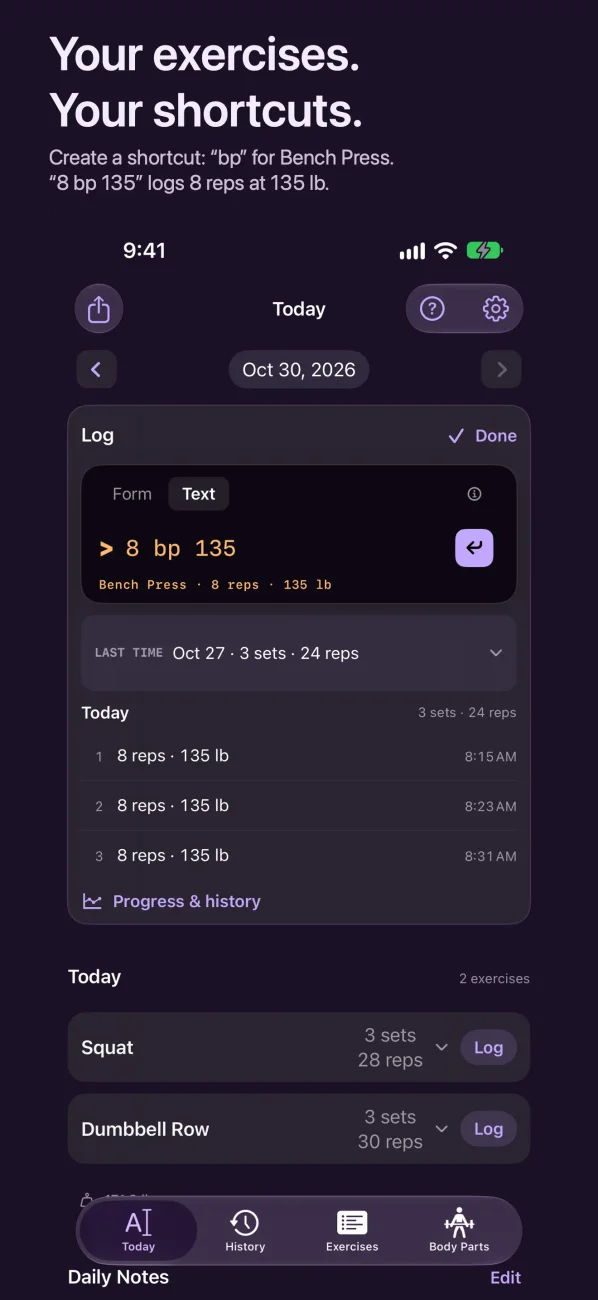
Choose an exercise in Form and enter reps and load, or hours, minutes, and seconds for cardio. Log again with the same numbers, or adjust them first. Create text shortcuts for any exercise. Save “bp” as an alias for Bench Press, then type “8 bp 135” in Text to log 8 reps at 135 lb. Enter 0 when no weight is added. Tap a saved entry to make a correction, or swipe left to delete it with confirmation.
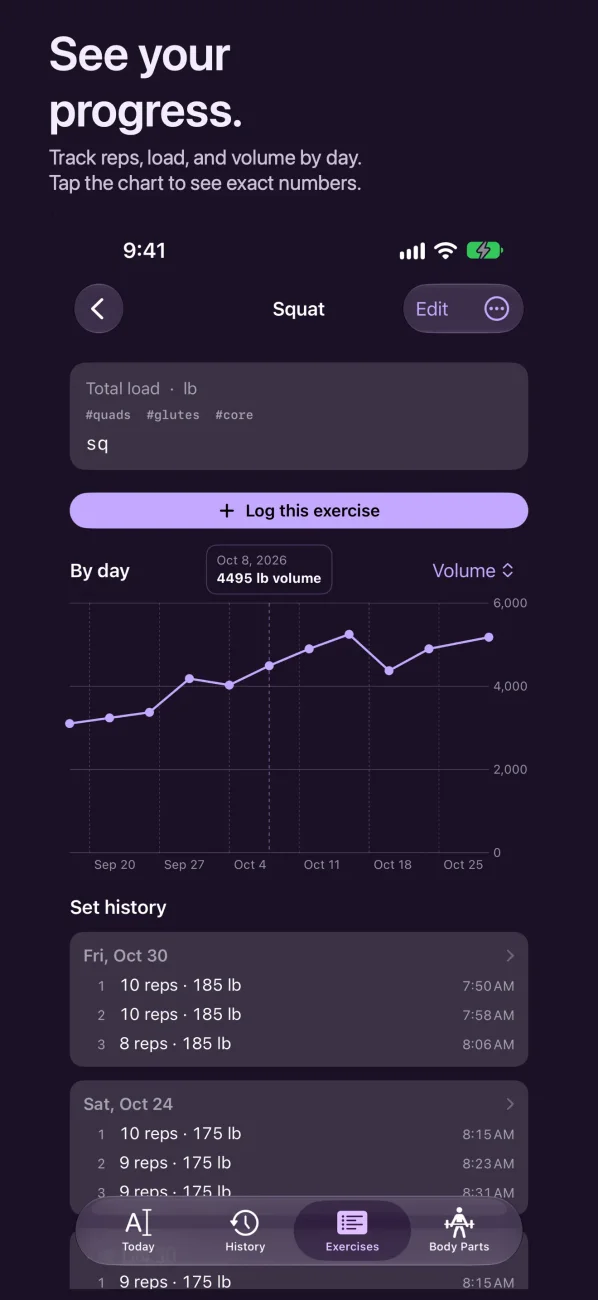
CHECK PROGRESS
Compare your sets with previous entries while you log. Review each exercise by day, with charts for reps, load, volume, and cardio time. Sets stay together even when you spread them across the day.
SEE WHEN YOU TRAINED EACH AREA
The front-and-back body map shows how many days have passed since you logged each body part. Tap a region to see its exercises, or browse oldest or newest first. Add one or more body-part tags to each exercise. The map shows training history, not recovery estimates.
LOOK BACK AND SHARE
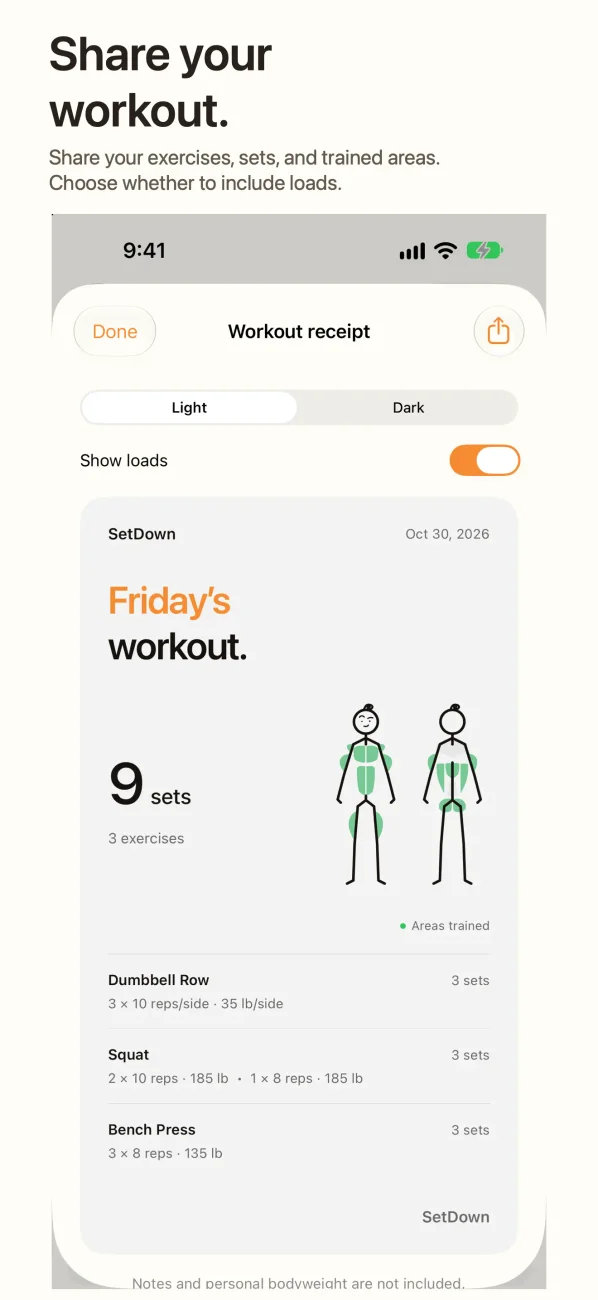
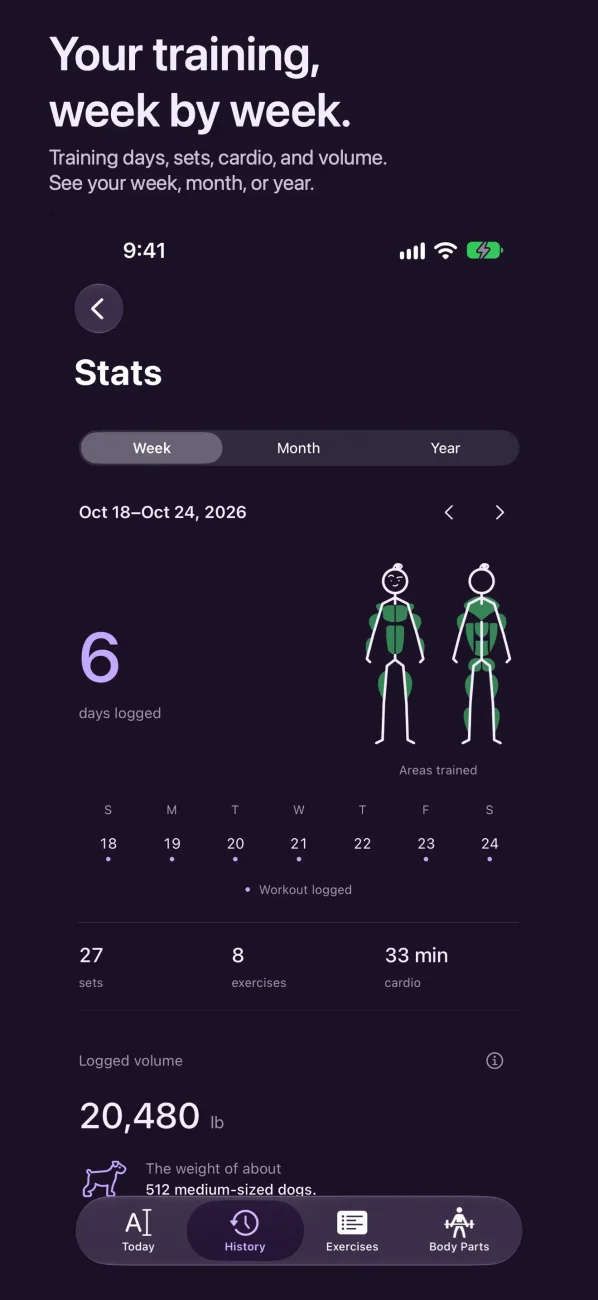
Open Stats from History to see training days, exercises, sets, cardio time, and logged volume by week, month, or year. Share a workout receipt with your exercises, sets, and trained areas. Choose whether to include loads. Notes and personal bodyweight are not included in the receipt.
KEEP A DAILY JOURNAL
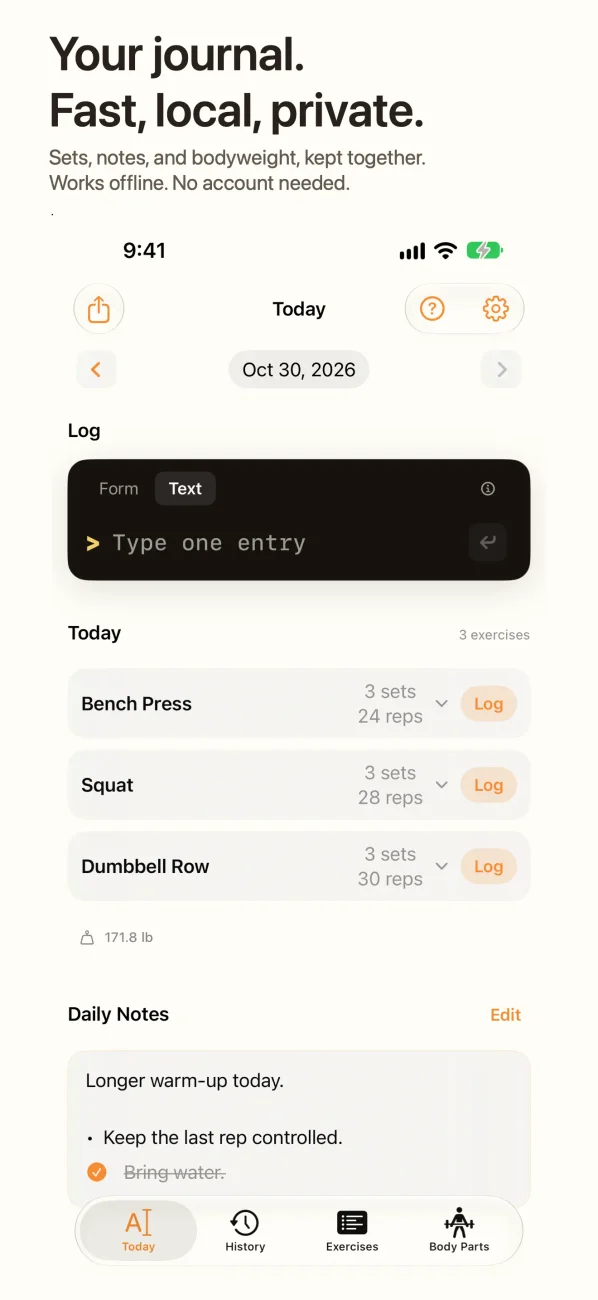
Keep notes, bodyweight, and cardio alongside your sets. Use headings, lists, and checkboxes for whatever you want to remember. Notes save on rest days too, so your journal isn’t limited to workouts.
YOUR DATA STAYS YOURS
Works offline, with no SetDown account. Your journal stays on your iPhone. Restore it on a new phone from an iCloud device backup that includes SetDown, or save and restore your own JSON backup through Files. Export CSV for spreadsheets.
Có gì mới
Phiên bản 1.1.3 · 30/10/2026
• Explore animated exercise guides in an illustrated gym. Filter by body part, switch between three angles, and pause or scrub through each movement. Add exercises from the library to your journal. The guides work offline.
• Swipe left on a set in Today to delete it with confirmation. Undo restores a deleted set.
• Clearer first-set guidance, Text logging examples, and help you can reopen without resetting your journal. Getting started tips no longer reappear for experienced users, and the X dismisses automatic tips permanently.
• Improved Daily Notes checklist alignment and spacing, plus bodyweight display spacing.
Quyền riêng tư của ứng dụng
Những gì Frequent & Vigorous LLC khai báo trên App Store về cách ứng dụng này xử lý dữ liệu.
-
Dữ liệu không được thu thập
Nhà phát triển không thu thập bất kỳ dữ liệu nào từ ứng dụng này.
Phương thức đảm bảo quyền riêng tư có thể khác nhau, chẳng hạn như tuỳ theo các tính năng bạn sử dụng hoặc độ tuổi của bạn.
Thông tin
- Người bán
- Frequent & Vigorous LLC
- Danh mục
- Sức Khỏe & Thể Dục
- Phiên bản
- 1.1.3
- Cập nhật
- 30/10/2026
- Phát hành
- 03/10/2026
- Kích thước
- 12,4 MB
- Yêu cầu
- iOS 17.0 trở lên
- Độ tuổi
- 4+
- Giá
- Miễn phí
- Ngôn ngữ
- Tiếng Đức, Tiếng Anh, Tiếng Pháp, Tiếng Ý, Tiếng Nhật, Tiếng Hàn, Tiếng Bồ Đào Nha, Tiếng Tây Ban Nha, Tiếng Trung Giản thể
- Bản quyền
- © 2026 Frequent & Vigorous LLC
Có thể bạn cũng thích
-
 Fitness Kit - Workout AppSức Khỏe & Thể Dục
-
 Plainlift: Gym Log & TrackerSức Khỏe & Thể Dục
-
 sesh: Simple Workout TrackerSức Khỏe & Thể Dục
-
 GymDidSức Khỏe & Thể Dục
-
 Notch - Gym Workout TrackerSức Khỏe & Thể Dục
-
 Braced: Gym & Run TrackerSức Khỏe & Thể Dục
-
 Hank: Workout Tracker & LogSức Khỏe & Thể Dục
-
 Pantakala workout gym trackerSức Khỏe & Thể Dục
-
 Gym Log: Workout JournalSức Khỏe & Thể Dục
-
 Minlog: Workout TrackerSức Khỏe & Thể Dục