
Shasks: Task Manager
Quick Capture & Daily Planner
Được thiết kế cho iPhone, iPad, Mac
Miễn phí
- Độ tuổi4+
- Danh mụcHiệu Suất
- Nhà phát triểnJoe Lindmeier
- Ngôn ngữTiếng Anh
- Kích thước104,7 MB
Liên kết đến trang App Store chính thức
Download.org không lưu trữ tệp nào của Shasks: Task Manager. Nút này mở trang ứng dụng trên App Store, nơi Joe Lindmeier phát hành ứng dụng. Trang được kiểm tra lần cuối: 18/11/2026.
Ảnh chụp màn hình



Giới thiệu
Nhà phát triển chưa cung cấp nội dung này bằng ngôn ngữ của bạn.
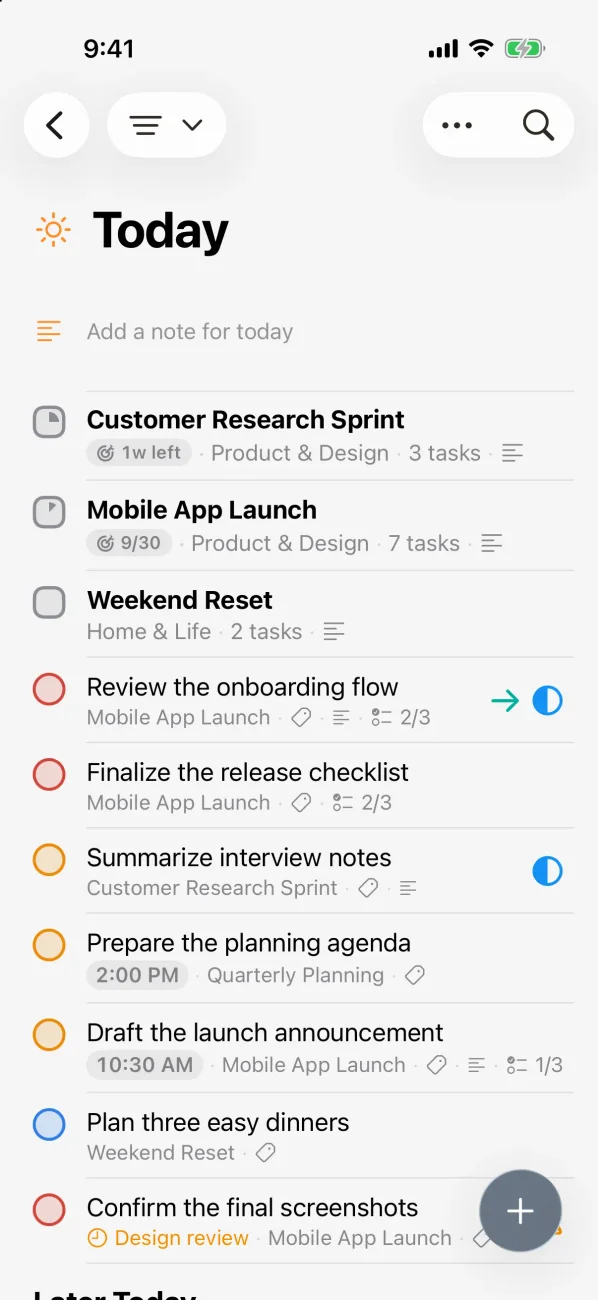
A little structure. A lot more headspace.
Shasks brings tasks and projects together on iPhone and Apple Watch. Capture a thought in natural language, make a plan, and reuse the projects you come back to.
BUILD THE PLAN ONCE. USE IT AGAIN.
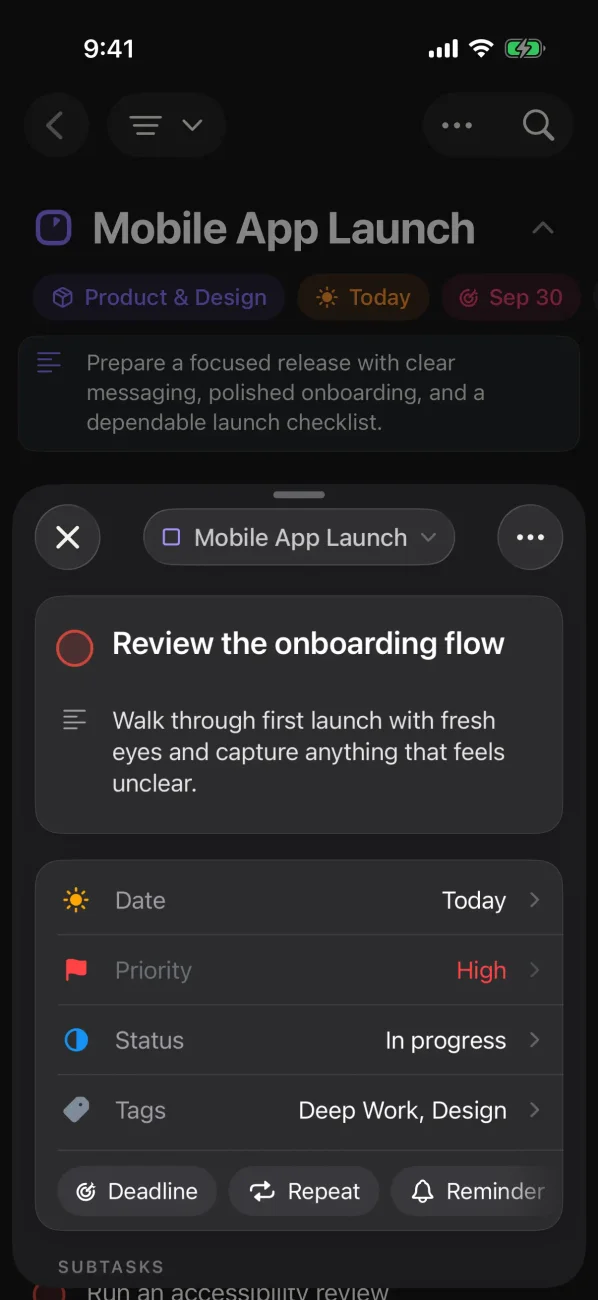
Give a project its tasks, sections, and deadlines. Complete it when the work is done, or set it to repeat for your next weekly review, monthly checklist, or recurring process. Repeating projects carry their template tasks and sections into the next occurrence.
TYPE THE TASK. SET THE DETAILS.
Write “Call Alex tomorrow 3pm p1” and Quick Add recognizes the date, time, and priority. Add deadlines, choose an existing list with #, or an existing tag with @. See the recognized details before you save. You can also dictate a task instead of typing.
REPEAT ON YOUR SCHEDULE.
Choose a regular calendar schedule or repeat after completion. Every Friday and a week after you finish are different plans; Shasks supports both for tasks and projects.
CAPTURE WHAT YOU FIND.
Send links, text, photos, and files to Shasks from the iOS Share sheet. Keep notes, checklists, and attachments with the task so the details are there when you need them.
MAKE ROOM FOR TODAY.
• Focus with Today, Upcoming, Anytime, and Someday
• Organize with areas, projects, headings, and tags
• Set dates, deadlines, time reminders, and optional location reminders
• View read-only calendar events alongside your tasks, or copy a task to Calendar
• Access tasks locally and keep them synchronized through your account
• Check Inbox and Today from Apple Watch
Shasks has no advertising and does not track you across apps or websites.
Có gì mới
Phiên bản 1.8 · 01/11/2026
Version 1.8
Compact bottom bar
• Turn on the new compact bar in Settings › Navigation: a glass pill of tabs with a ⌃⌄ menu for every list, and the + on its own beside it.
• Hold ⌃⌄ to jump straight to Search, or pick your own action in Customize Menu.
• Layouts: give the bar different tabs for different times of day or places.
Search
• Filters work like a row of chips: pick a category, then narrow it down, and keep typing on top. Tap Clear to remove them.
• Filter by Places your tasks use, by list, tag, date, flag, priority or status.
• Search opens with the keyboard down so your quick views show first.
Links
• Copy Link on any task or list, and paste it into a note to link tasks together.
• Web links in notes show a preview with the page title and picture. YouTube and Vimeo links show the video.
Upcoming and dates
• Upcoming has sticky day headers and a week row, like Calendar.
• A new Date sheet, laid out like Reminders, with a calendar, Add Time, Repeat and Someday.
• Type a date shows the current date and selects it when you tap.
Lists
• The list's name moves into the top bar as you scroll.
• New tasks go to the bottom of the list.
• Completed tasks show when they were completed, and empty lists say 0 Tasks.
• Areas show a small Projects label, and project rows stand out with a bold title and a # marker.
• Areas and projects list their repeating tasks in a Repeats section.
• With a row's swipe open, a tap anywhere else just closes it.
Adding tasks
• The inline editor uses the regular keyboard again, with @ for tags and # for lists.
• Drop the + at the top of a section to add a task right there.
• After Quick Add saves, the banner has a Move button.
• The list no longer jumps when the inline editor opens near the bottom.
Calendar
• Long-press an event to hide it or its whole calendar, with Undo.
• Show events grouped or mixed in with your tasks by time.
Look and feel
• Pure Black: true-black backgrounds in dark mode.
• Match Current List colours the + and highlights with the list you're in.
• Cleaner lists, with one divider at the end of each section.
Also
• Projects can have a location, and This Evening.
• Repeating tasks have one way to edit: Edit Future Copies.
• Bigger text in widgets.
Quyền riêng tư của ứng dụng
Những gì Joe Lindmeier khai báo trên App Store về cách ứng dụng này xử lý dữ liệu.
-
Dữ liệu liên kết với bạn
Có thể được thu thập và liên kết với danh tính của bạn.
- Vị trí
- Thông tin liên hệ
- Nội dung của người dùng
- Mã định danh
-
Dữ liệu không liên kết với bạn
Có thể được thu thập nhưng không liên kết với danh tính của bạn.
- Chẩn đoán
Phương thức đảm bảo quyền riêng tư có thể khác nhau, chẳng hạn như tuỳ theo các tính năng bạn sử dụng hoặc độ tuổi của bạn.
Thông tin
- Người bán
- Joe Lindmeier
- Danh mục
- Hiệu Suất
- Phiên bản
- 1.8
- Cập nhật
- 01/11/2026
- Phát hành
- 12/09/2026
- Kích thước
- 104,7 MB
- Yêu cầu
- iOS 26.0 trở lên
- Độ tuổi
- 4+
- Giá
- Miễn phí
- Ngôn ngữ
- Tiếng Anh
- Bản quyền
- © 2026 Joe Lindmeier
Có thể bạn cũng thích
-
 Life Management ProChia khung giờ, kế hoạch năm
-
 Task Manager & To-Do ListHiệu Suất
-
 Voxly - Voice Task ManagerHiệu Suất
-
 KARL Business Day CalculatorHiệu Suất
-
 LifeCycle: Life ManagementHiệu Suất
-
 Task LedgerHiệu Suất
-
 TaskMiny: Task ManagerHiệu Suất
-
 Daily Tasks: Simple & MinimalHiệu Suất
-
 JOT App - Task managerHiệu Suất
-
 Things To do - Task ManagerHiệu Suất