
shells screen time controls
Master your screen time, fully
Được thiết kế cho iPhone
Miễn phí · Mua hàng trong ứng dụng
- Độ tuổi4+
- Danh mụcHiệu Suất
- Nhà phát triểnAndi Yao
- Ngôn ngữTiếng Anh
- Kích thước98,7 MB
Liên kết đến trang App Store chính thức
Download.org không lưu trữ tệp nào của shells screen time controls. Nút này mở trang ứng dụng trên App Store, nơi Andi Yao phát hành ứng dụng. Trang được kiểm tra lần cuối: 08/11/2026.
Ảnh chụp màn hình

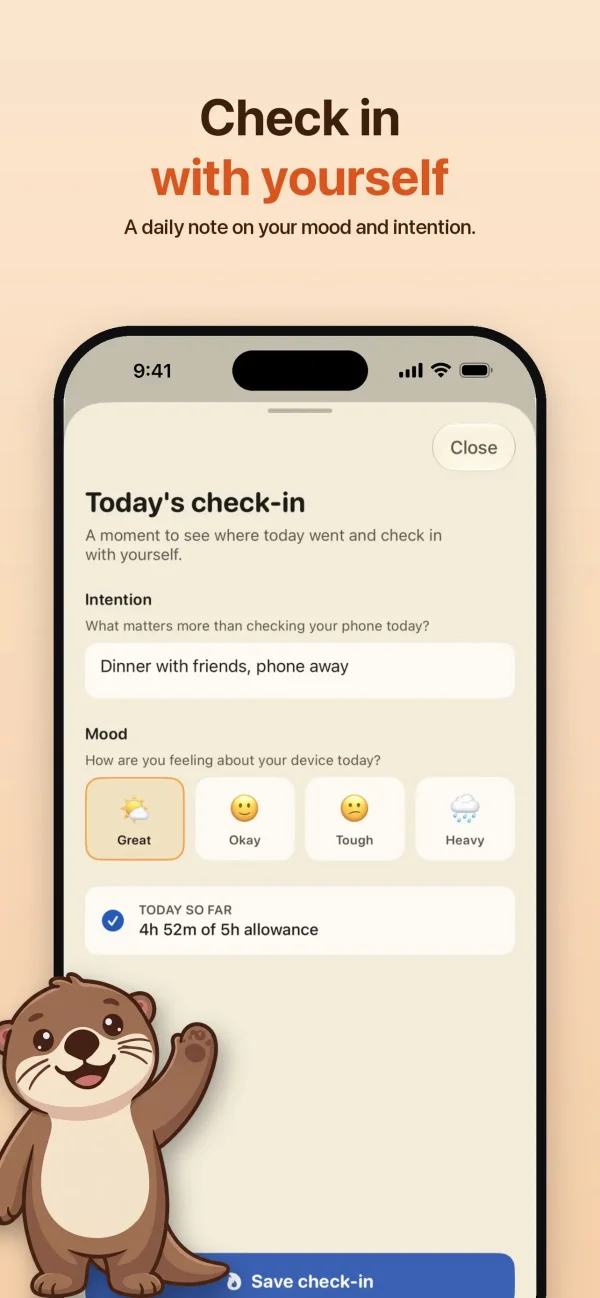
Giới thiệu
Nhà phát triển chưa cung cấp nội dung này bằng ngôn ngữ của bạn.
Take some of your hours back. Shells shows you where your phone time really goes, then helps you use it a little less. It gives you the whole range, from a gentle nudge to a short pause to a firm block, so you can start gentle and only go firmer for the apps that keep pulling you in.
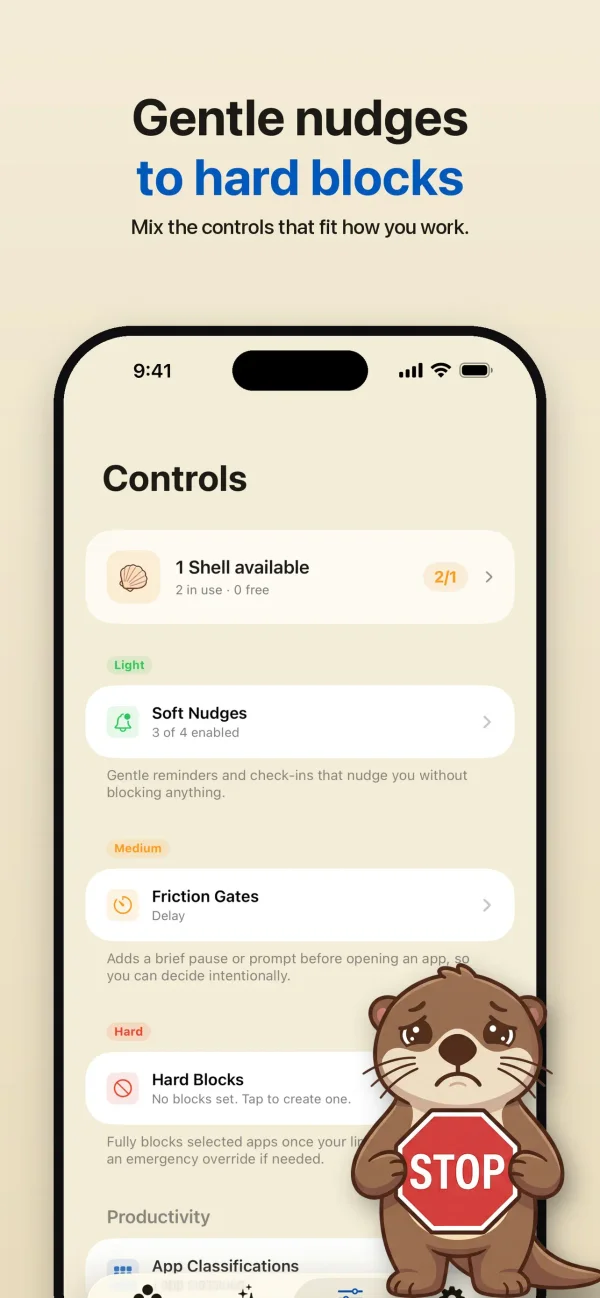
LIGHT: GENTLE NUDGES, NOTHING BLOCKED
• Soft Nudges: a Volume Warning at 90% of your daily goal, Usage Milestones as your day adds up, a Daily Check-in Reminder for your streak, and Reach Alerts when you keep reaching for a paused or blocked app.
MEDIUM: A SHORT PAUSE BEFORE AN APP OPENS
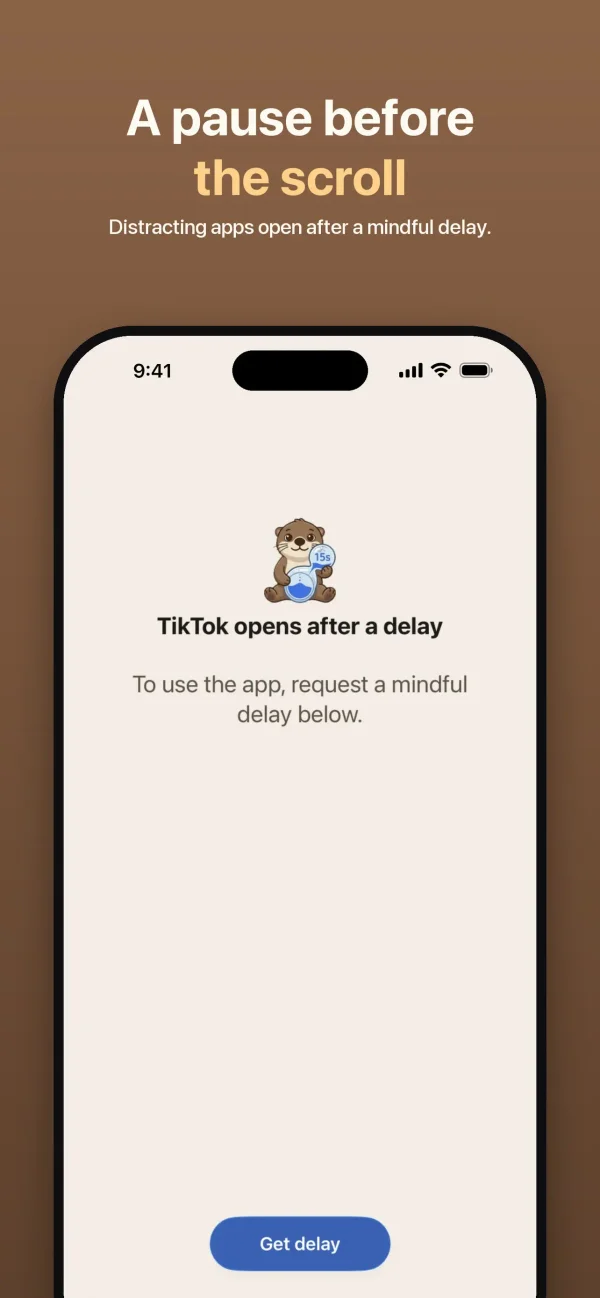
• Mindful Pauses (iOS 26 or later): a Shortcuts automation brings up a calm 15 second breath when you open a chosen app, then you pick how long you'd like it for. Its notifications still come through.
• Mindful Pauses + No Notifications: the Screen Time version. The app stays behind a shield between pauses, which can also keep its notifications out of the way.
• Exercise Unlock: a few squats or a plank first, counted on your iPhone by the camera.
• Steps Unlock: a short walk first.
• Quick Session: an optional 20 second pass for a quick reply.
STRICT: APPS STAY CLOSED WHEN YOU NEED THEM TO
• Morning Block: keep your phone down first thing, apart from the essentials you pick.
• App Limits: a daily allowance. Once it's used up, the app stays blocked until tomorrow, with 5 minutes of Emergency access if you really need it.
• Scheduled Blocks: close apps at set times, like 9 to 5 on weekdays.
• Location Blocks: block apps at the places you choose, or allow them only there.
• NFC Locks: apps stay locked until you tap your own NFC sticker.
AND A FEW EXTRAS
• Holiday Mode: pause or relax any control while you're away. Everything switches back on by itself after the last day you pick.
• Focus Sessions: block apps for a set time, with a Lock Screen countdown.
• Calm browsing: open Instagram, YouTube, X, TikTok, Facebook and Reddit inside Shells with the parts you choose hidden, like the feed, Reels or Shorts.
• Widgets: time left today, trends, the apps you choose, and one-tap Focus Sessions.
SEE YOUR DAY CLEARLY
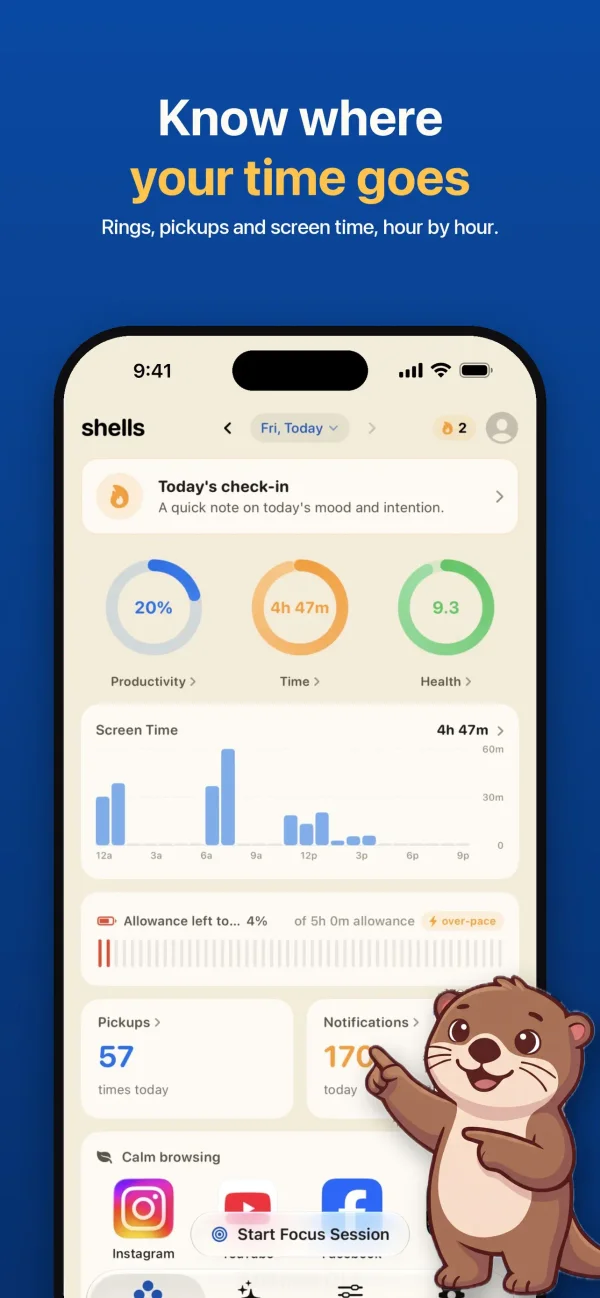
• Three rings for productivity, screen time and a daily health score.
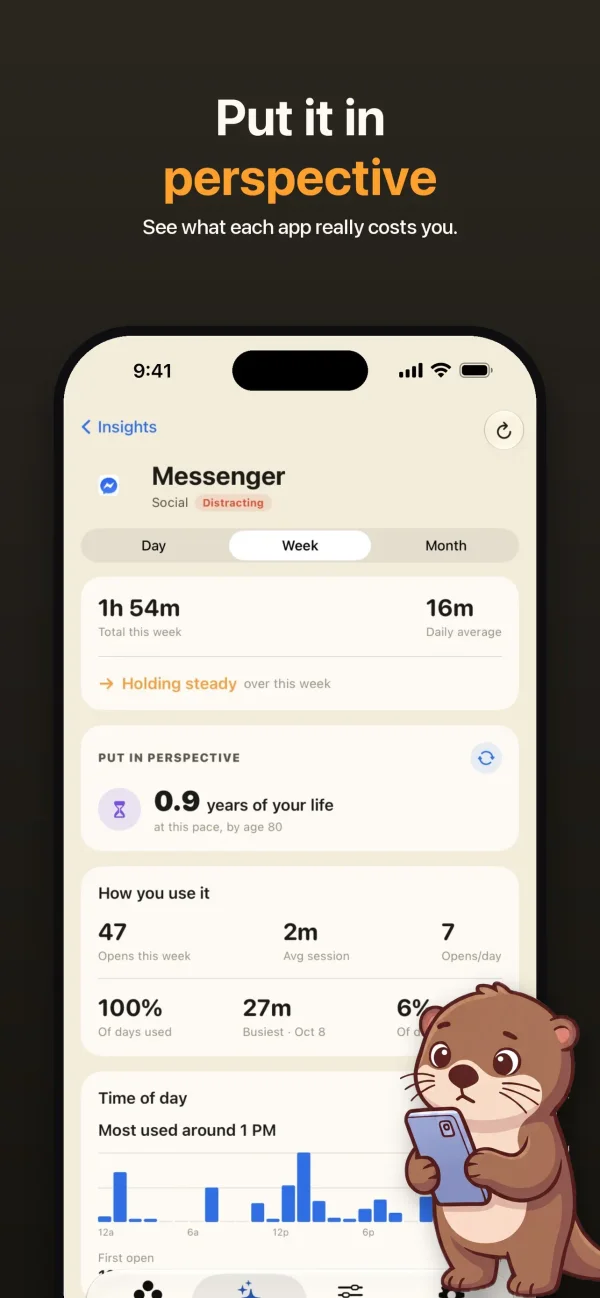
• An hour by hour chart, pickups, a 30-day heatmap and a closer look at any app.
• If you like, a timeline of the places where you use your phone most.
YOUR DATA
Your screen time, places and location history stay on your iPhone. What goes online: your optional Sign in with Apple account, referrals and feedback (Supabase), Pro status (RevenueCat), and product analytics with a device ID and your account ID (Statsig), never your screen time or location. Turn on iCloud backup and your settings, check-in notes, places and recent location history go to your own iCloud. We never sell your data.
SHELLS AND PRO
Each app you pause, each limit or block, each NFC Lock group and each Calm browsing site uses a Shell. Everyone starts with 1, and inviting friends earns up to 2 more. A free account adds basic Insights. Shells Pro gives you unlimited Shells, so every control runs at once, plus every Insights card. Widgets and Holiday Mode are free, and every control works on the free plan using your Shells.
Pro comes as Monthly, Annual or Lifetime (one-time purchase). Annual and Lifetime have launch pricing, and new Monthly and Annual subscribers get a 1-month free trial (eligibility applies), until 31 December 2026 unless changed or extended. Payment is charged to your Apple ID. Subscriptions renew automatically unless cancelled at least 24 hours before the period ends; manage them in your App Store account settings.
WHAT YOU NEED
iOS 18 or later, Screen Time access and notifications (the Screen Time pause opens from a notification). Mindful Pauses via Shortcuts need iOS 26 or later. Location, Motion, Camera and NFC are optional.
Privacy Policy: https://consciousscreentime.netlify.app/privacy.html
Terms of Use (EULA): https://www.apple.com/legal/internet-services/itunes/dev/stdeula/
Có gì mới
Phiên bản 1.4 · 21/10/2026
Conscious is now called Shells. Same app, and everything you set up stays just as it was.
• New Mindful Pauses (iOS 26 or later): a Shortcuts automation brings up your pause the moment you open a chosen app, and its notifications still come through. The Screen Time pause is now called Mindful Pauses + No Notifications.
• Routine Blocks are now called Scheduled Blocks.
• Holiday Mode can now pause or relax any control, including Exercise Unlock, Steps Unlock, Morning Block and NFC Locks. Pick your last day, and everything comes back on by itself at midnight.
• NFC Locks now use one Shell per group, however many apps it holds.
• Volume Warning and Reach Alerts (once Pickup Alerts) have been reworked: a heads-up at 90% of your daily goal, and a gentle note when you keep reaching for a paused or blocked app.
• New widgets: Usage Trends, One App and Four Apps.
• A new Before bed card in Pro Insights shows the apps you reach for before sleep.
• Places & Location History in Settings lets you forget a place or erase your history, and every delete now asks first.
• A used-up App Limit now stays blocked until midnight.
• You stay signed in when you're offline.
• Bug fixes and smoother performance.
Quyền riêng tư của ứng dụng
Những gì Andi Yao khai báo trên App Store về cách ứng dụng này xử lý dữ liệu.
-
Dữ liệu liên kết với bạn
Có thể được thu thập và liên kết với danh tính của bạn.
- Mục mua
- Thông tin liên hệ
- Nội dung của người dùng
- Mã định danh
- Dữ liệu sử dụng
- Chẩn đoán
-
Dữ liệu không liên kết với bạn
Có thể được thu thập nhưng không liên kết với danh tính của bạn.
- Mã định danh
Phương thức đảm bảo quyền riêng tư có thể khác nhau, chẳng hạn như tuỳ theo các tính năng bạn sử dụng hoặc độ tuổi của bạn.
Thông tin
- Người bán
- Andi Yao
- Danh mục
- Hiệu Suất
- Phiên bản
- 1.4
- Cập nhật
- 21/10/2026
- Phát hành
- 21/05/2026
- Kích thước
- 98,7 MB
- Yêu cầu
- iOS 18.0 trở lên
- Độ tuổi
- 4+
- Giá
- Miễn phí
- Mua hàng trong ứng dụng
- Có
- Ngôn ngữ
- Tiếng Anh
- Bản quyền
- © 2026 Andi Yao
Có thể bạn cũng thích
-
 ScreenBrake: Tạm Dừng TậpThời gian màn hình, tập trung
-
 HoldOn: Block Apps & Save TimeTiện Ích
-
 Keelder: Screen Time LimitHiệu Suất
-
 Offscroll: Screen Time ControlHiệu Suất
-
 JustWait - Before You ScrollHiệu Suất
-
 Spinbrek: Cute App BlockerHiệu Suất
-
 Tempo: Screen Time GuardHiệu Suất
-
 HourallyHiệu Suất
-
 Pause: Doom Scrolling BlockerHiệu Suất
-
 Aergia - Thời gian sử dụngTạm dừng trước khi mở app