
- Độ tuổi4+
- Danh mụcTham Khảo
- Nhà phát triểnOmer Lev
- Ngôn ngữTiếng Anh
- Kích thước24,9 MB
Liên kết đến trang App Store chính thức
Download.org không lưu trữ tệp nào của SiddurApp. Nút này mở trang ứng dụng trên App Store, nơi Omer Lev phát hành ứng dụng. Trang được kiểm tra lần cuối: 18/11/2026.
Ảnh chụp màn hình


Giới thiệu
Nhà phát triển chưa cung cấp nội dung này bằng ngôn ngữ của bạn.
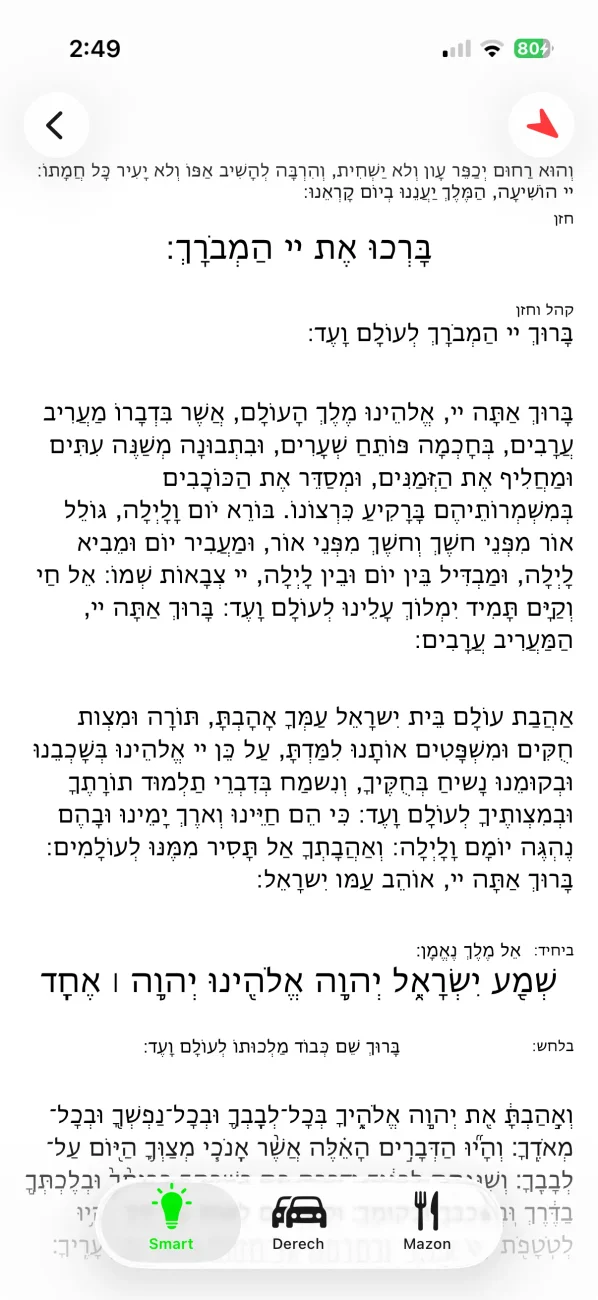
SiddurApp is a siddur application, in which users can view the Jewish prayer book on their iOS device in smart ways, using technology to allow for easier davening. It currently contains the Sephard version ("nusach"), as well as a beta version of "Edot Ha'mizrach".
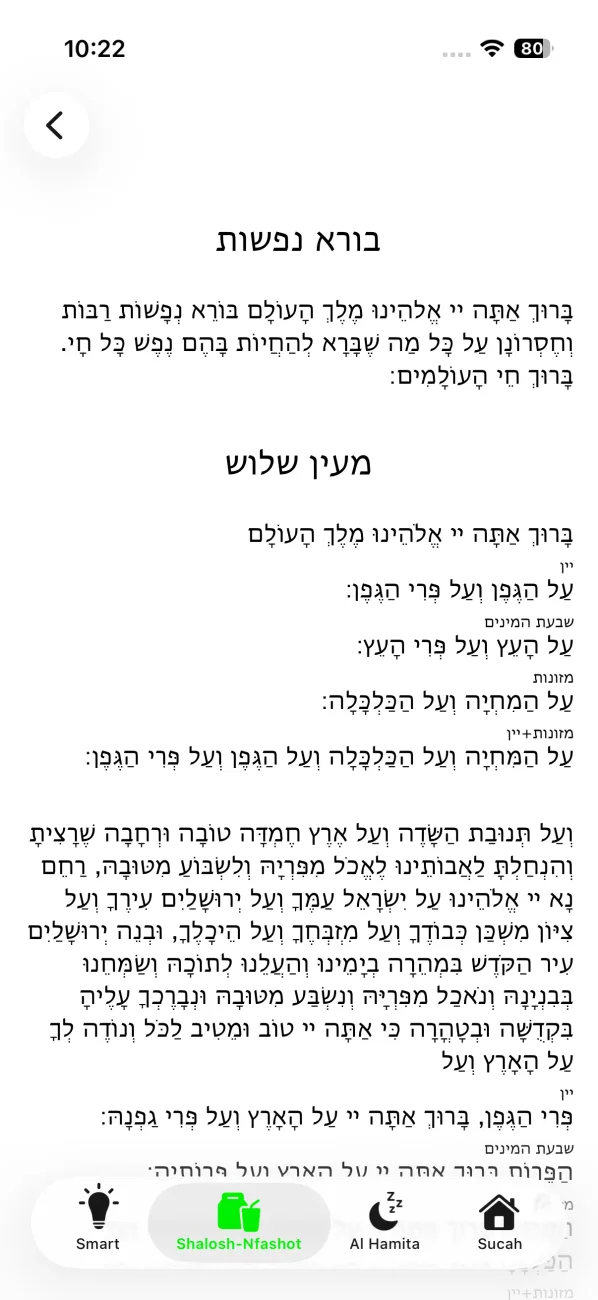
On activation, the "Smart" option shows the relevant prayer for that time of day: If you have allowed the app to be know your location, it will use it to determine local prayer times (it may take a few seconds for it to locate your current location).. The "Smart" view includes:
• showing only parts of prayer relevant for that specific day (e.g., no Chanuka prayers in Nissan).
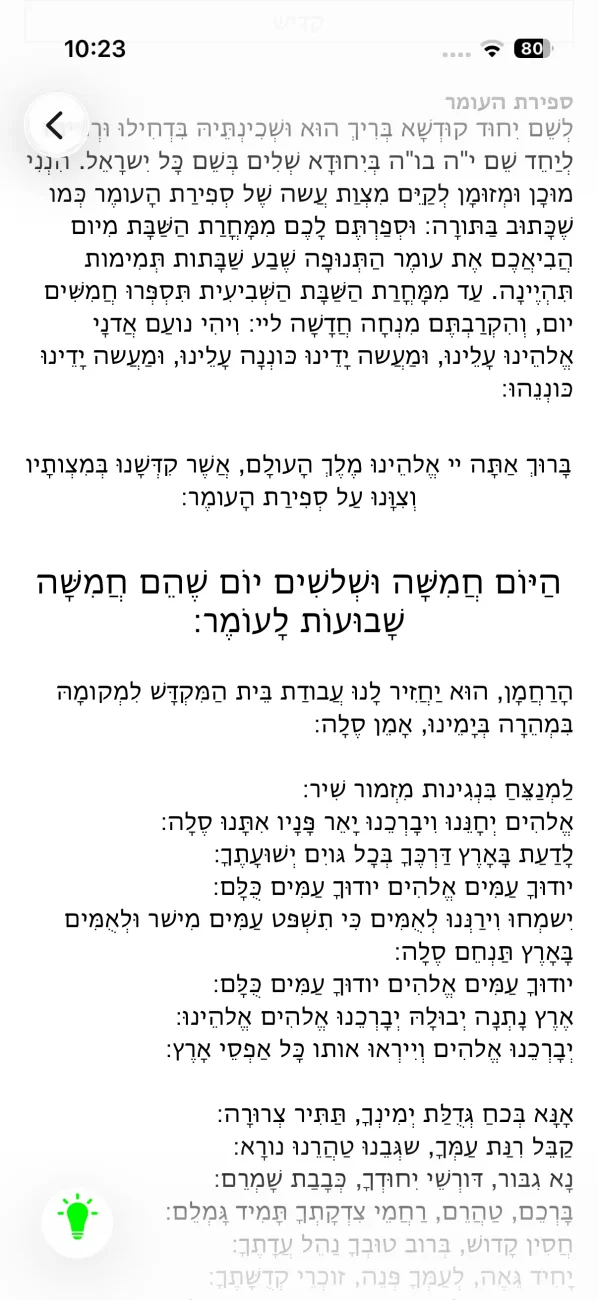
• Short timed additions to prayer ("Aseret ye'mey tshuva", "Rosh chodesh") have partial bold appearance (i.e., some of the new text is bold). 30 days after rain/no-rain change, the changed text appears in bold. If you want to reassure yourself you said them, you can tap the text and the bold becomes highlighted, so you can scroll back later, to verify you said it (it isn't remembered in history, just as long as you're davening that particular prayer)
• Uses GPS to determine if in Jerusalem for Purim, to show relevant prayer.
• Using settings, you can choose to add diaspora-only sections (in Arvit) and prayers for drought.
Upon activating the app, the upper corner shows a small arrow, pointing at the direction of prayer ("beit hamikdash") for several seconds (which you can set in the Settings panel). To see the direction again, you can see a compass in the Jerusalem panel. Note that this works only if the user allowed the app to know your location, and if the app has been able to focus on a location and a direction within 10 seconds of activating the app.
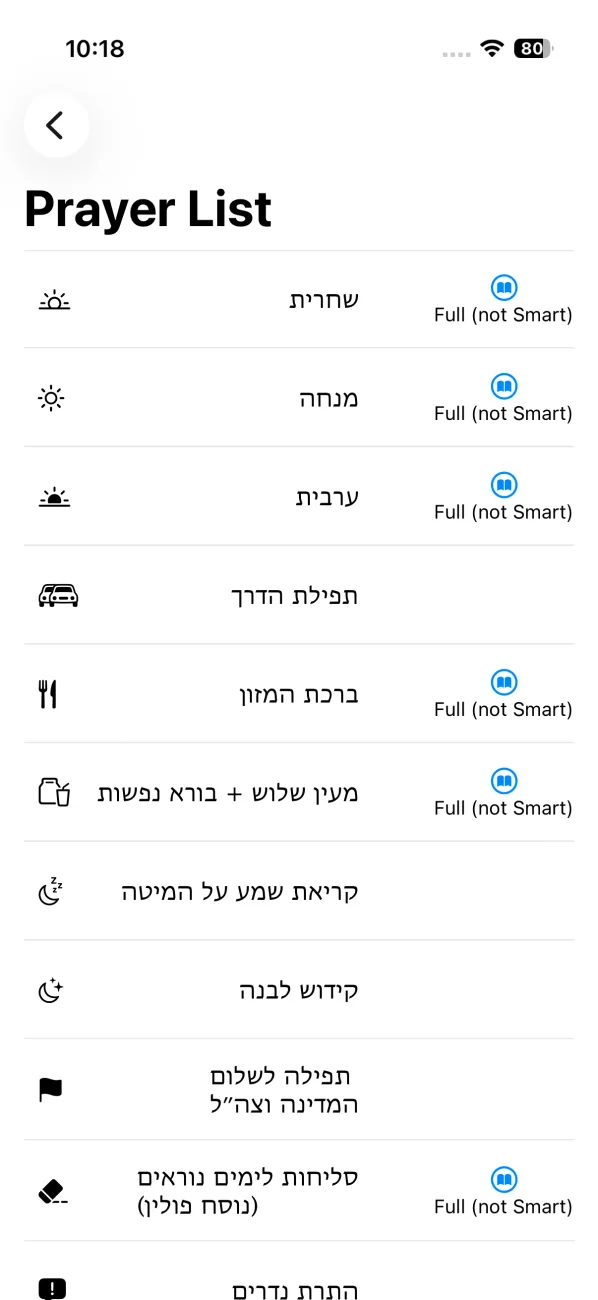
To access any random prayer you want, the app's main menu allows to see a full prayer list, and one and select your option from the list. You can use choose to see the full version (when relevant), so instead of seeing the "Smart" version, e.g., today's Shacharit, one can see the "Full" version, with all the options available for that prayer.
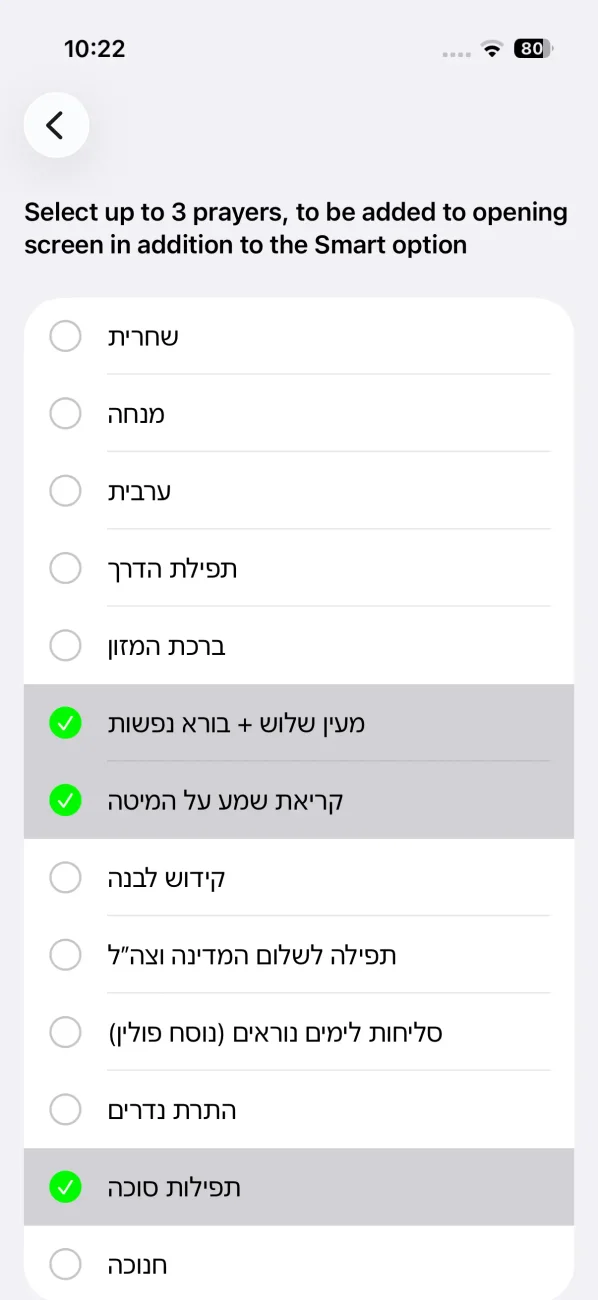
The tab bar (by default, including Birkat Ha'mazon and Tfilat Ha'derech) can be changed to include any prayers one wants (up to 4), using the Settings panel.
The app allow for set alarms for shabat -- they are one time and brief, and thus do not need to be turned of manually. They work using iOS' notifications, thus requiring the device's sound to be turned on in order to work. To replace snooze setting, a long press on the save the alarm button, one can save multiple alarms around that time: at the time itself, and then 3, 5, 7, 10, 13 and 15 minutes following it.
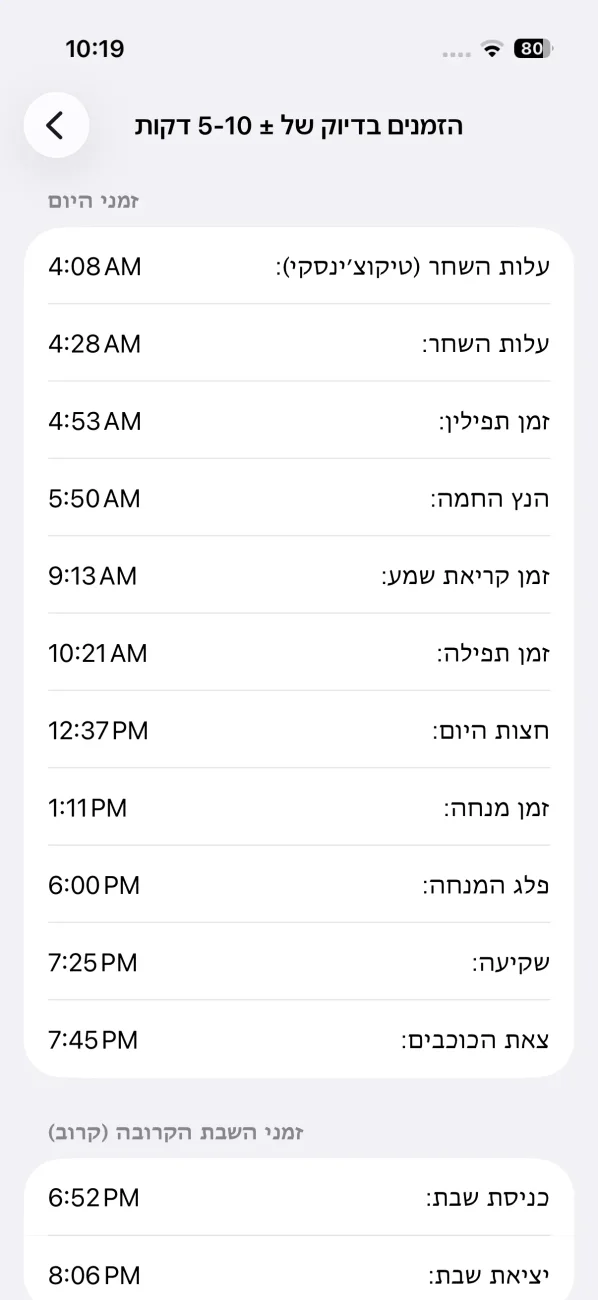
The app's main menu allows to see all the Jewish times of day, including netz, sunset, etc.
Settings allow changing the app's interface to Hebrew, as well as setting whether certain parts of the prayers (e.g., Kadish) should be collapsed or expanded by default. Collapsed parts will show as button that needs to be clicked, and relevant prayer expands inline (this is also the case with chazarat ha'shats parts).
WARNING AND DISCLAIMER: This app is offered "as is", and IT DOES NOT MAKE ANY GUARANTEES ON ANY ISSUE. This includes, but not limited to, not making any halchaic or textual exactness claims. DO NOT USE IT TO DETERMINE HALCHAIC QUESTIONS! Due to compass and GPS imprecision (as well as algorithmic limitations), it may show an inexact direction of prayer, as well as deviations in the times of the days. THIS APPLICATION MAKES NO GUARANTEE REGARDING EXACTNESS OF DIRECTION, TIME, OR PRAYER TEXT. As I do not wish users to err, I reiterate - THIS APP MAKES NO GUARANTEES ON THE INFORMATION IT PRESENTS, AND IF YOU CHOOSE TO USE IT, IT IS NOT LIABLE FOR ANY ERRORS IN PRAYER TEXT, TIMES OF DAY, DIRECTION OF PRAYER, AND ANY OTHER INFORMATION IT PRESENTS.
Có gì mới
Phiên bản 2.0.8 · 27/10/2026
Adding support for iPhone Duo.
Version 2.0 main features:
• New Liquid Glass interface! (including new look, new font, collapsible tab bar, etc.)
• New edot hamizrach nusach (in beta version), and support for diaspora Arvit section + selichot + hosha'not
• Set shabbat alarms — a rather short sound, with no need to snooze or manually turn off. Can even set a series of them automatically, to replace a repeated snooze.
• Sections which appear only occasionally (Ya'ale ve'yavo for Passover, Succot or Rosh Chodesh; rain/no-rain in first 30 days) can be tapped to highlight so you can see you said them (these are not saved — just appear differently while davening that particular time)
With all the rest of the features: smart davening (only showing the parts needed that day, showing the right prayer for a particular time of day), showing the direction of prayer, showing the times of day calculated for your location on-device, etc. still there
Quyền riêng tư của ứng dụng
Những gì Omer Lev khai báo trên App Store về cách ứng dụng này xử lý dữ liệu.
-
Dữ liệu không được thu thập
Nhà phát triển không thu thập bất kỳ dữ liệu nào từ ứng dụng này.
Phương thức đảm bảo quyền riêng tư có thể khác nhau, chẳng hạn như tuỳ theo các tính năng bạn sử dụng hoặc độ tuổi của bạn.
Thông tin
- Người bán
- Omer Lev
- Danh mục
- Tham Khảo
- Phiên bản
- 2.0.8
- Cập nhật
- 27/10/2026
- Phát hành
- 15/11/2012
- Kích thước
- 24,9 MB
- Yêu cầu
- iOS 26.0 trở lên
- Độ tuổi
- 4+
- Giá
- Miễn phí
- Ngôn ngữ
- Tiếng Anh
- Bản quyền
- © 2026 Omer Lev
Có thể bạn cũng thích
-
 Siddur One - Tefillah & ZmanimTham Khảo
-
 YidKit: Smart Siddur, ZmanimTham Khảo
-
 Ultimate ZmanimTham Khảo
-
 Siddur Torah Ohr, ChabadTham Khảo
-
 Real Clear DafGiáo Dục
-
 Hamesivta Siddur with AudioTham Khảo
-
 Zmanim: Siddur & Prayer TimesTham Khảo
-
 Siddur AITham Khảo
-
 Siddur Zmanim Luach MinyanimTham Khảo
-
 Daven: Siddur & ZmanimTham Khảo