Simple Backing Tracks
Multitrack player for bands.
Được thiết kế cho iPhone, iPad
Miễn phí · Mua hàng trong ứng dụng
- Độ tuổi4+
- Danh mụcNhạc
- Nhà phát triểnRutger van Krieken
- Ngôn ngữTiếng Anh
- Kích thước10,9 MB
Liên kết đến trang App Store chính thức
Download.org không lưu trữ tệp nào của Simple Backing Tracks. Nút này mở trang ứng dụng trên App Store, nơi Rutger van Krieken phát hành ứng dụng. Trang được kiểm tra lần cuối: 18/11/2026.
Ảnh chụp màn hình

Giới thiệu
Nhà phát triển chưa cung cấp nội dung này bằng ngôn ngữ của bạn.
Simple Backing Tracks is a backing track player built for one job: getting a band through a gig without fuss. No clutter, no learning curve — your tracks, mixed and ready to play, on your iPad or iPhone.
ORGANIZE BY BAND
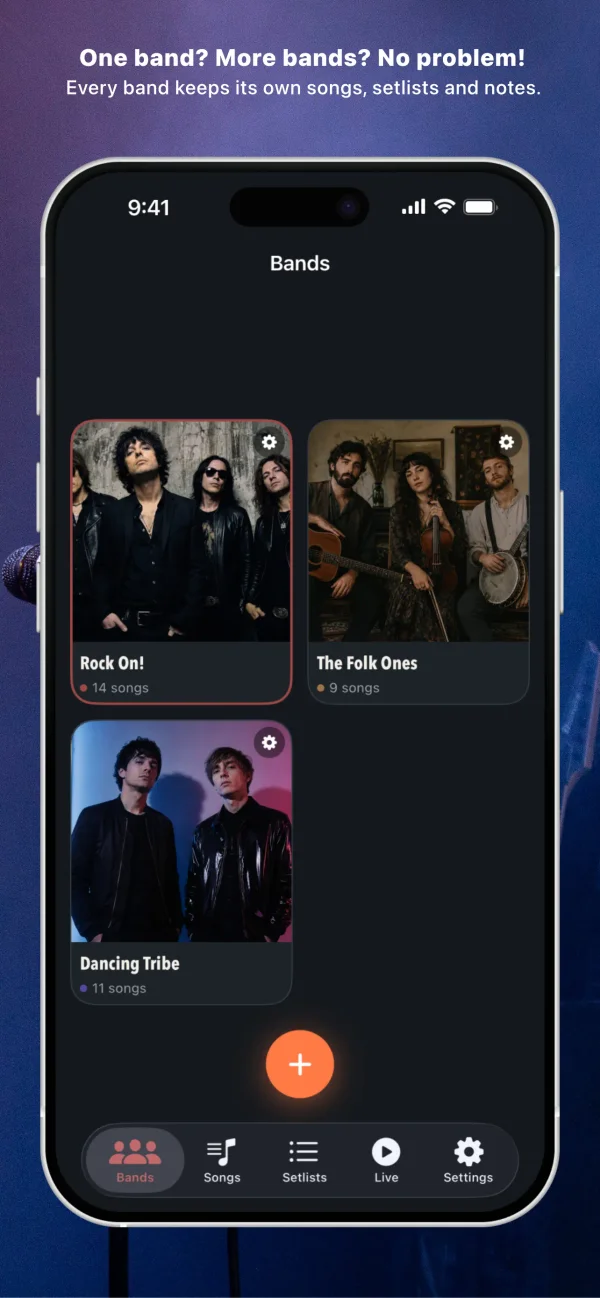
Run more than one project? Every band gets its own songs, setlists and notes, plus its own photo and accent color, so switching between bands never means digging through someone else's set.
BUILD YOUR MIX
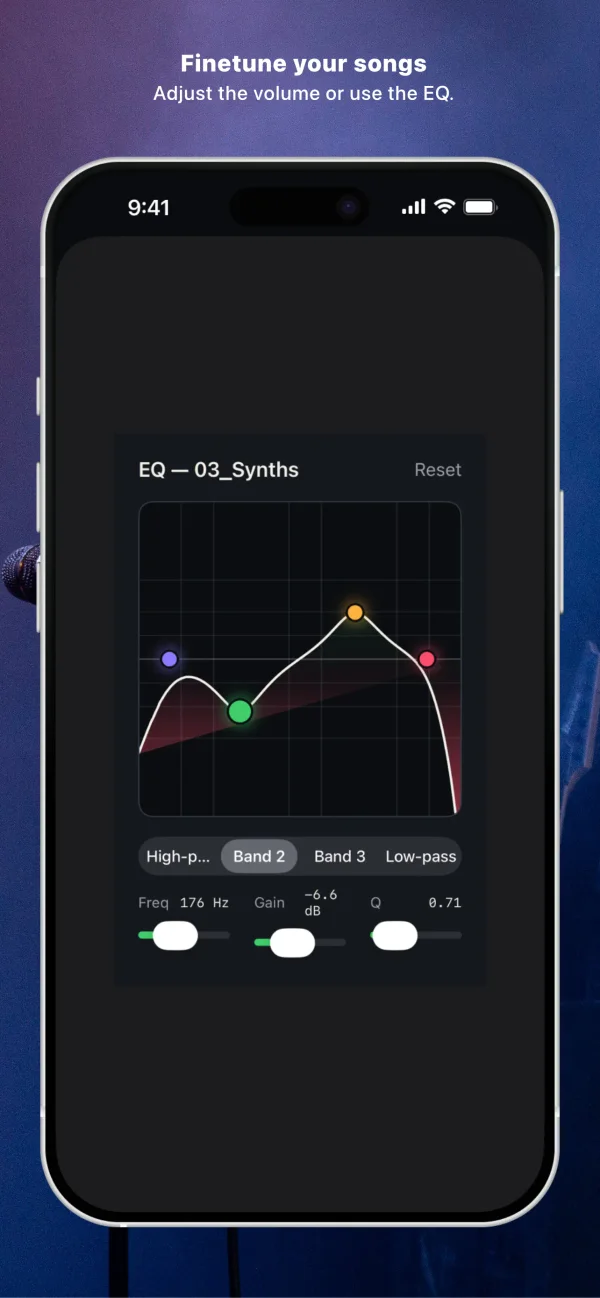
Import your audio tracks — mono or stereo, auto-detected — and send each one to its own output on your audio interface. Mute or solo any track while you soundcheck, set volume and pan, watch the live level meters, and shape the sound with a 4-band parametric EQ on every track. Your mix is saved with the song.
CLICK TRACK
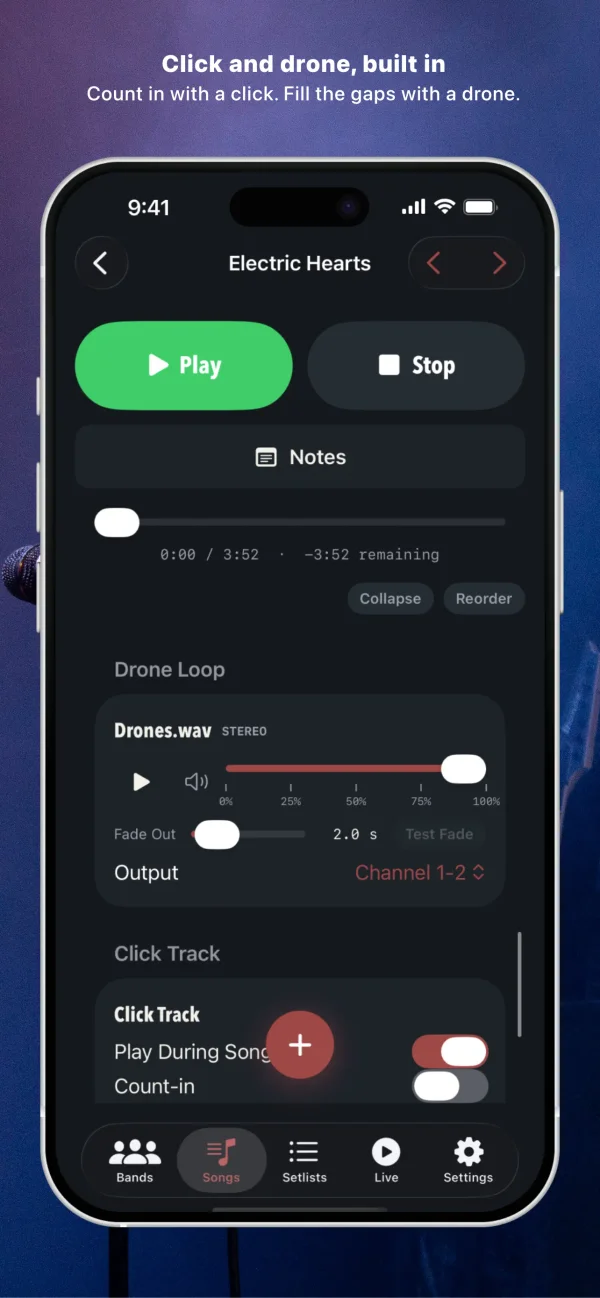
Give a song a tempo and time signature, then play a count-in before the song starts, a click throughout, or both. Choose from five click sounds and preview them before you pick. The click is optional and off by default: switch it on for a band in that band's edit screen.
DRONE LOOP
Cover a retune or a quick break without dead air. Play a looping ambient pad between songs; it fades in, and fades out when you press Play. Set how long each song's drone takes to fade out — handy when an intro starts late — or switch on Auto-play Drone to start it by itself as soon as the next song loads. The drone is optional and off by default: switch it on for a band in that band's edit screen.
WRITE YOUR NOTES
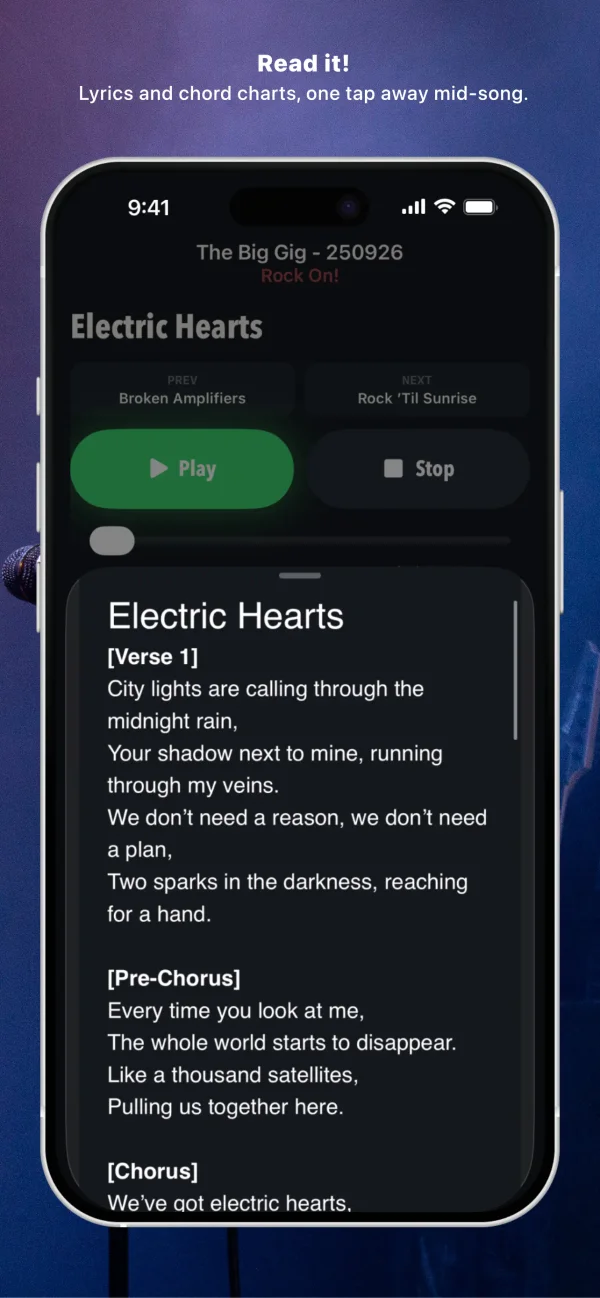
Every song has a built-in rich-text editor for lyrics, chord charts or arrangement notes — bold, italic, bullet lists — one tap away in Live view, mid-song.
BUILD YOUR SETLIST
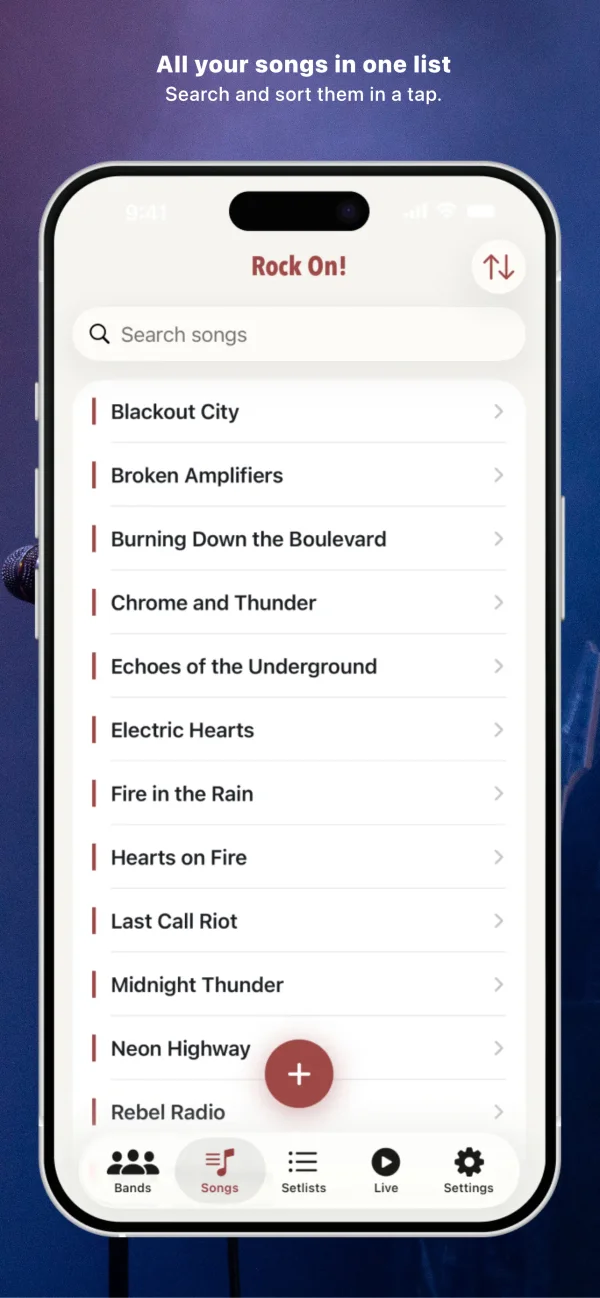
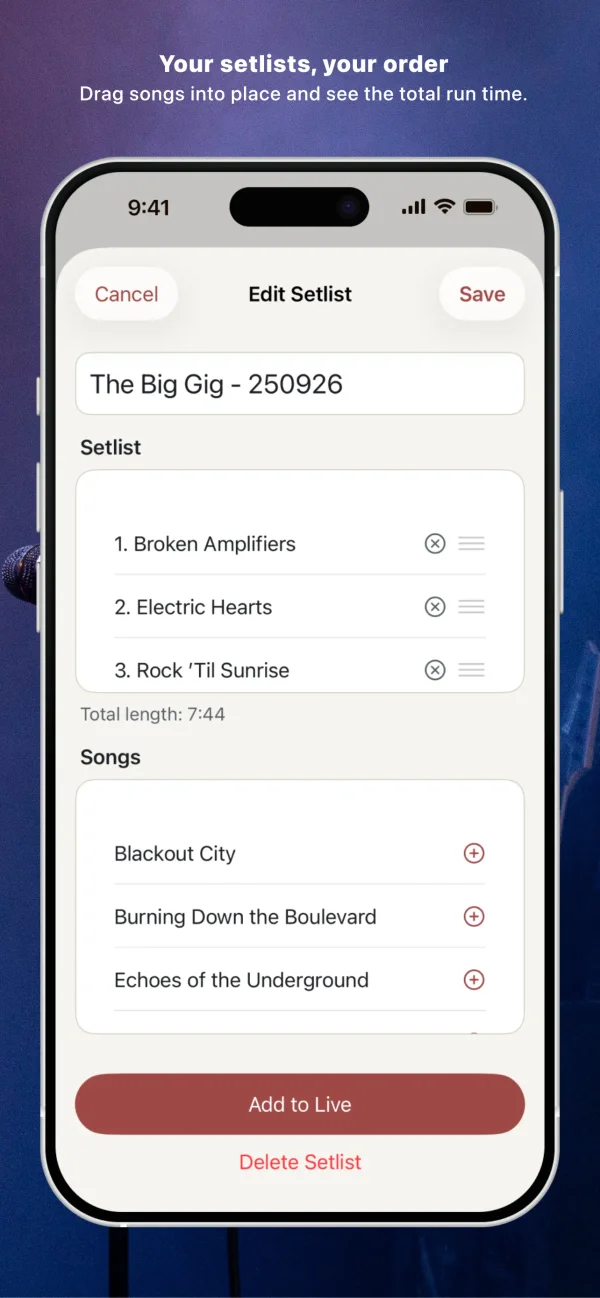
Order your songs into a setlist, see the total run time at a glance, and reorder with a drag.
PLAY LIVE
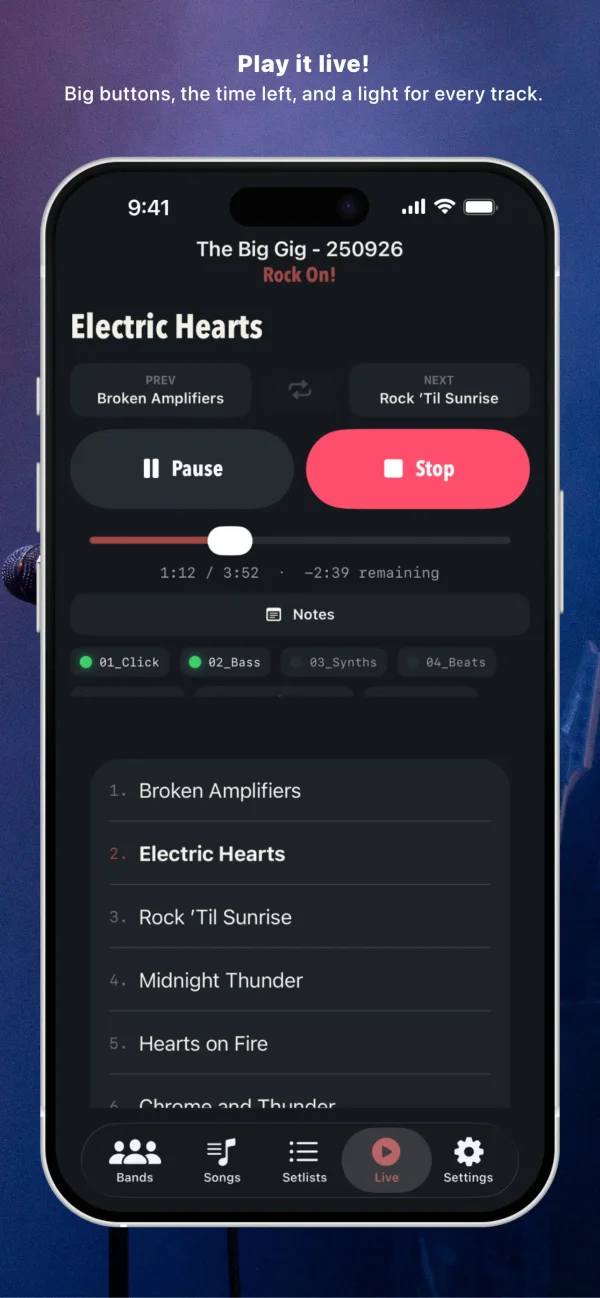
A dedicated Live screen gives you big, unmissable transport controls — play, stop, next, previous — a scrub bar, and the current song's name and remaining time, so you can read it at a glance from across the stage. Optionally, switch on Track Status Lights in a band's edit screen and a light for each track turns green while it's sounding, so you can see everything is playing.
LIGHT AND DARK
Follows your device's appearance, or pick light or dark yourself.
BACK UP YOUR WORK
Export a complete backup of your bands, songs and audio to a single file, and restore it on another device in a couple of taps.
FREE TO TRY, ONE-TIME UNLOCK
Simple Backing Tracks is free to download, with 1 band and up to 5 songs per band. A single one-time purchase, "Unlock Full Version", removes both limits for good: unlimited bands and unlimited songs. No subscription. Already bought it on another device? Tap Restore Purchases.
Simple Backing Tracks works entirely on your device — your tracks, mixes and notes never leave it unless you choose to export them.
Có gì mới
Phiên bản 1.2 · 03/10/2026
Live view (iPad)
- Notes now show inline: the first lines of the song's note appear right in Live view, in landscape and portrait, as many as fit. Tap them to open the full note
Mixing
- Volume sliders use a decibel scale, so movement feels even across the whole range
Drone loop
- Stopping the drone from Live view's Loop button now fades it out, like Play does, instead of cutting it off
Notes
- The Notes sheet in the player now has Cancel and Done: Cancel discards your edits and keeps the original note, Done saves them
Quyền riêng tư của ứng dụng
Những gì Rutger van Krieken khai báo trên App Store về cách ứng dụng này xử lý dữ liệu.
-
Dữ liệu không được thu thập
Nhà phát triển không thu thập bất kỳ dữ liệu nào từ ứng dụng này.
Phương thức đảm bảo quyền riêng tư có thể khác nhau, chẳng hạn như tuỳ theo các tính năng bạn sử dụng hoặc độ tuổi của bạn.
Thông tin
- Người bán
- Rutger van Krieken
- Danh mục
- Nhạc
- Phiên bản
- 1.2
- Cập nhật
- 03/10/2026
- Phát hành
- 16/09/2026
- Kích thước
- 10,9 MB
- Yêu cầu
- iOS 17.0 trở lên
- Độ tuổi
- 4+
- Giá
- Miễn phí
- Mua hàng trong ứng dụng
- Có
- Ngôn ngữ
- Tiếng Anh
- Bản quyền
- © 2026 At Daybreak Studios