Simple Password Vault
No account. KeePass compatible
Được thiết kế cho iPhone, iPad, Mac, iPod touch
Miễn phí · Mua hàng trong ứng dụng
- Độ tuổi4+
- Danh mụcTiện Ích
- Nhà phát triểnKenichi Ando
- Ngôn ngữTiếng Anh+ 9 ngôn ngữ khác
- Kích thước28,0 MB
Liên kết đến trang App Store chính thức
Download.org không lưu trữ tệp nào của Simple Password Vault. Nút này mở trang ứng dụng trên App Store, nơi Kenichi Ando phát hành ứng dụng. Trang được kiểm tra lần cuối: 18/11/2026.
Ảnh chụp màn hình

Giới thiệu
Nhà phát triển chưa cung cấp nội dung này bằng ngôn ngữ của bạn.
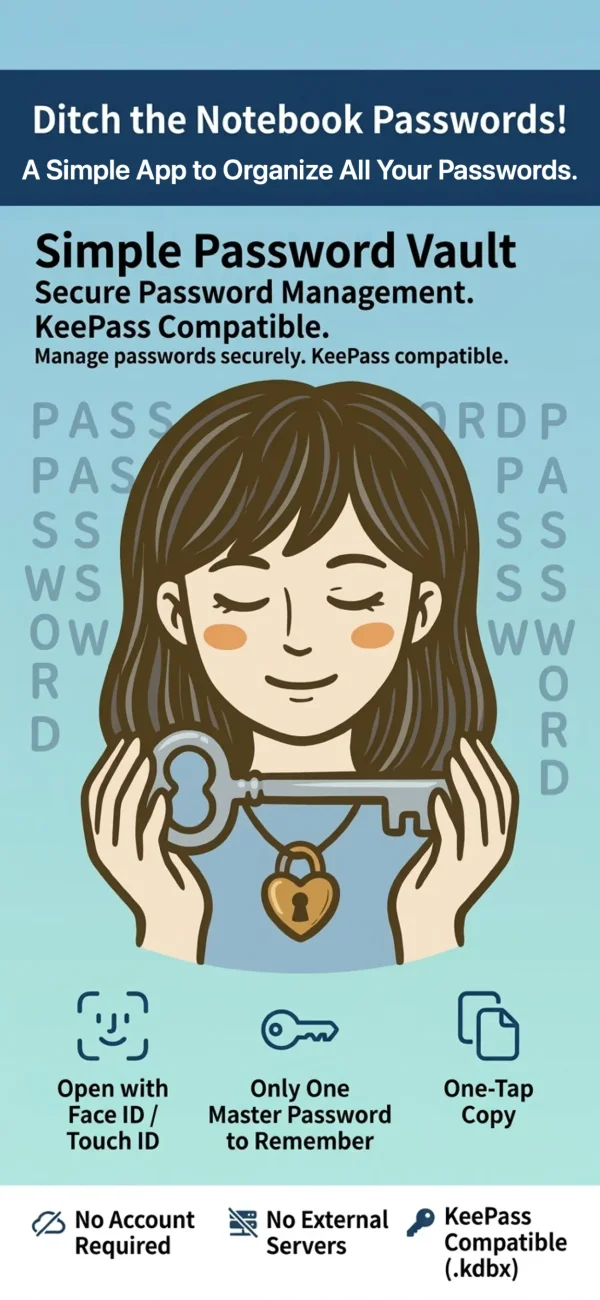
Still keeping passwords in your Notes app, or on a piece of paper?
Still using the same password on every site?
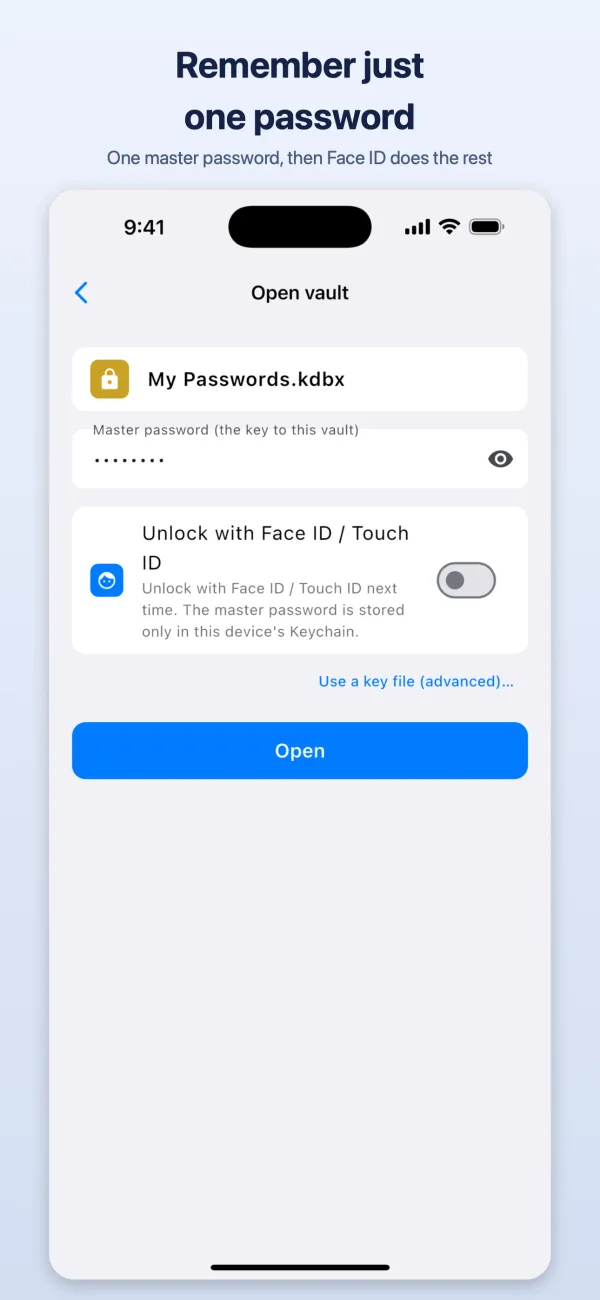
Simple Password Vault keeps them all in one vault. You only have to remember one
master password. After that, open with Face ID and copy with one tap.
No account. No subscription.
■ Why it is safe
- No account. No sign-up, no email address.
- We run no servers. Your passwords are never sent anywhere.
- Passwords are stored only inside your vault (.kdbx file).
- You choose where the file lives. Keep it in iCloud Drive and it survives a new
iPhone or a reinstall, and opens with KeePassXC on your Mac.
- No ads are shown on screens that display passwords.
■ Getting started
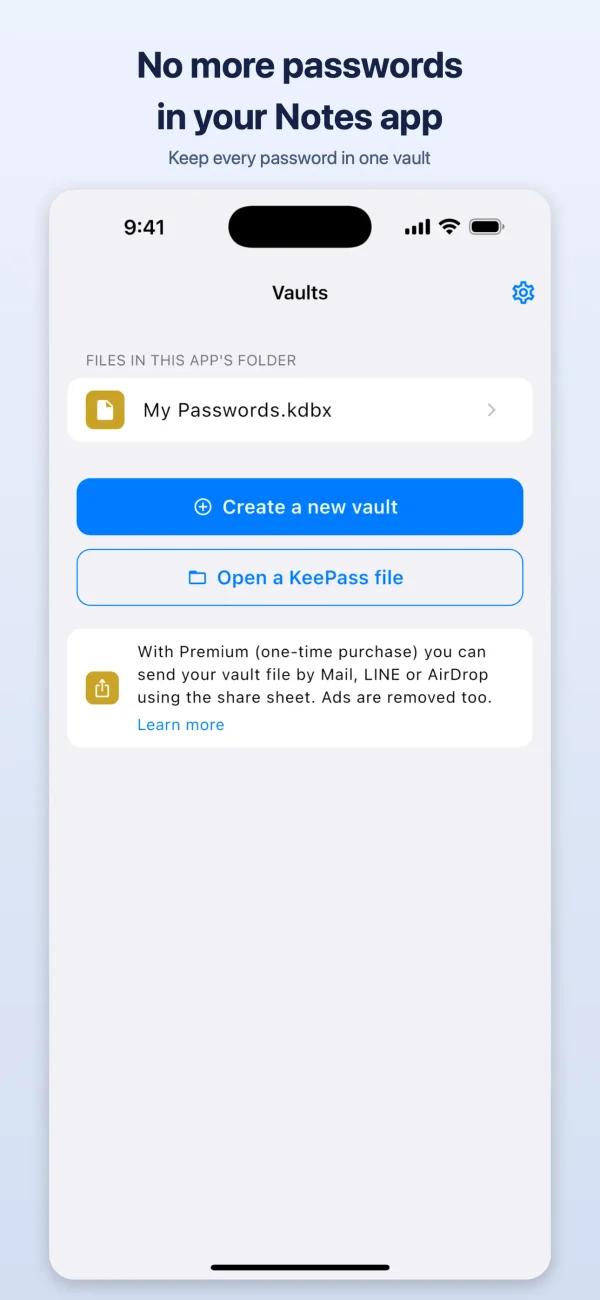
1. Tap "Create a new vault".
2. Choose a name and a master password.
3. Choose where to save it (iCloud Drive is recommended).
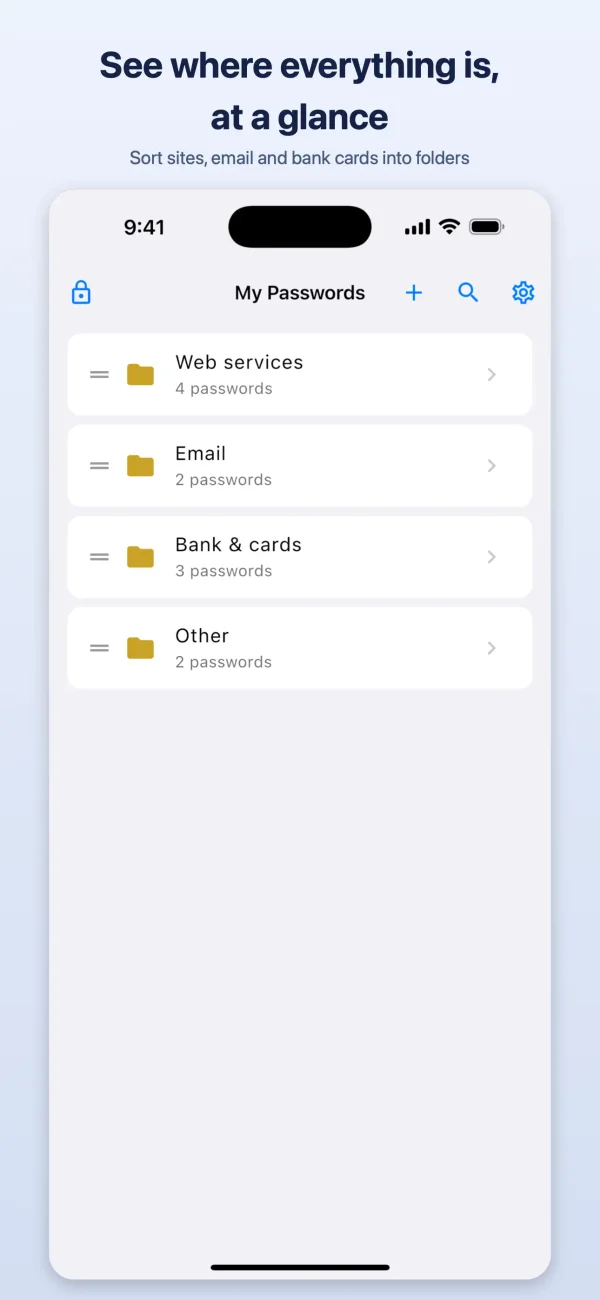
That is all. Starter folders for web services, email, bank cards and other items
are ready for you.
Already using KeePass or KeePassXC? Tap "Open a KeePass file" and use your
existing .kdbx as it is.
■ What you can do
- Organise with folders, including folders inside folders
- Long-press to drag and reorder, swipe right to edit, swipe left to delete
- Search titles, user names, URLs and notes
- Generate strong passwords (20 characters)
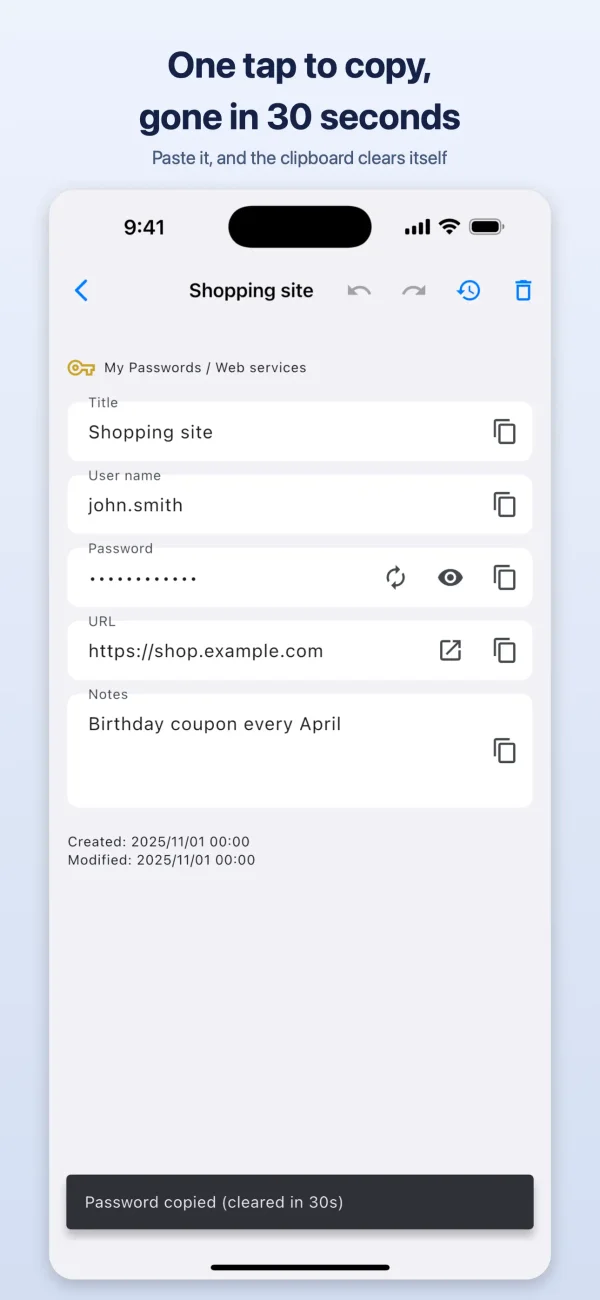
- One tap to copy; the clipboard is cleared automatically (10 seconds to 2 minutes, or off)
- Unlock with Face ID or Touch ID, in the free version too
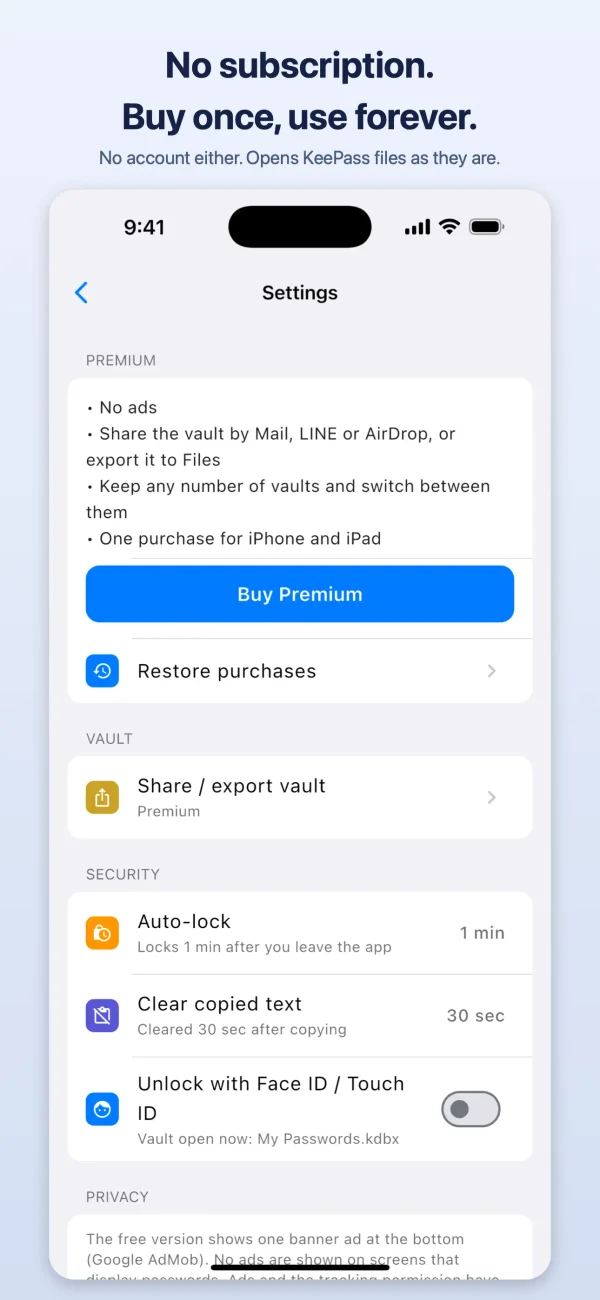
- Auto-lock after you leave the app (30 seconds to 15 minutes, or off)
- Every change is saved automatically, with undo and redo on the record screen
- History: see earlier versions of an entry and restore one (shared with KeePass)
■ KeePass compatibility
- Supports KDBX 3.1 and 4.x (KeePass 2.x, KeePassXC, KeePassX).
- Reading and writing files created with KeePassX has been verified.
- Saving keeps the original format, the folder hierarchy and non-ASCII text.
- KeePass 1.x (.kdb) files are not supported.
- Attachments and custom fields can be viewed and copied.
■ About ads
- The free version shows one banner ad at the bottom (Google AdMob).
- No ads on screens that display passwords.
- Ads and the tracking permission have nothing to do with the confidentiality of
your passwords.
- Your saved passwords are never sent to any server.
- Premium removes ads completely.
■ Premium (one-time purchase, no subscription)
- No ads
- Share the vault by Mail, LINE or AirDrop, or export it to Files
- Keep any number of vaults and switch between them
- One purchase for iPhone and iPad
■ Please remember
The master password is the only key to your vault. If you forget it, the vault can
never be opened again and there is no way to recover it. Choose something long that
you will remember.
This app is independent and not affiliated with the KeePass, KeePassX or KeePassXC
projects.
Có gì mới
Phiên bản 1.2.0 · 28/10/2026
- History: earlier versions of an entry are kept when you edit it. Tap the clock button to see them and restore one (shared with KeePass).
- Choose how soon the app locks (off, or 30 seconds to 15 minutes) and when copied text is cleared (off, or 10 seconds to 2 minutes) in Settings.
- Turn Face ID / Touch ID on or off for each vault in Settings.
- Purchases are now restored only from Settings > "Restore purchases".
Quyền riêng tư của ứng dụng
Những gì Kenichi Ando khai báo trên App Store về cách ứng dụng này xử lý dữ liệu.
-
Dữ liệu được sử dụng để theo dõi bạn
Có thể được sử dụng để theo dõi bạn trên các ứng dụng và trang web do công ty khác sở hữu.
- Vị trí
- Mã định danh
-
Dữ liệu liên kết với bạn
Có thể được thu thập và liên kết với danh tính của bạn.
- Vị trí
- Mã định danh
Phương thức đảm bảo quyền riêng tư có thể khác nhau, chẳng hạn như tuỳ theo các tính năng bạn sử dụng hoặc độ tuổi của bạn.
Thông tin
- Người bán
- Kenichi Ando
- Danh mục
- Tiện Ích
- Phiên bản
- 1.2.0
- Cập nhật
- 28/10/2026
- Phát hành
- 01/10/2026
- Kích thước
- 28,0 MB
- Yêu cầu
- iOS 15.0 trở lên
- Độ tuổi
- 4+
- Giá
- Miễn phí
- Mua hàng trong ứng dụng
- Có
- Ngôn ngữ
- Tiếng Anh, Tiếng Pháp, Tiếng Đức, Tiếng Ý, Tiếng Nhật, Tiếng Hàn, Tiếng Bồ Đào Nha, Tiếng Trung Giản thể, Tiếng Tây Ban Nha, Tiếng Trung Phồn thể
- Bản quyền
- © Kenichi Ando