SmartBreakdown
Screenplay breakdown, offline
Được thiết kế cho iPhone, iPad, Mac
Miễn phí · Mua hàng trong ứng dụng
- Độ tuổi4+
- Danh mụcHiệu Suất
- Nhà phát triểnStefan Hollekamp
- Ngôn ngữTiếng Anh+ 4 ngôn ngữ khác
- Kích thước9,8 MB
Liên kết đến trang App Store chính thức
Download.org không lưu trữ tệp nào của SmartBreakdown. Nút này mở trang ứng dụng trên App Store, nơi Stefan Hollekamp phát hành ứng dụng. Trang được kiểm tra lần cuối: 20/11/2026.
Ảnh chụp màn hình

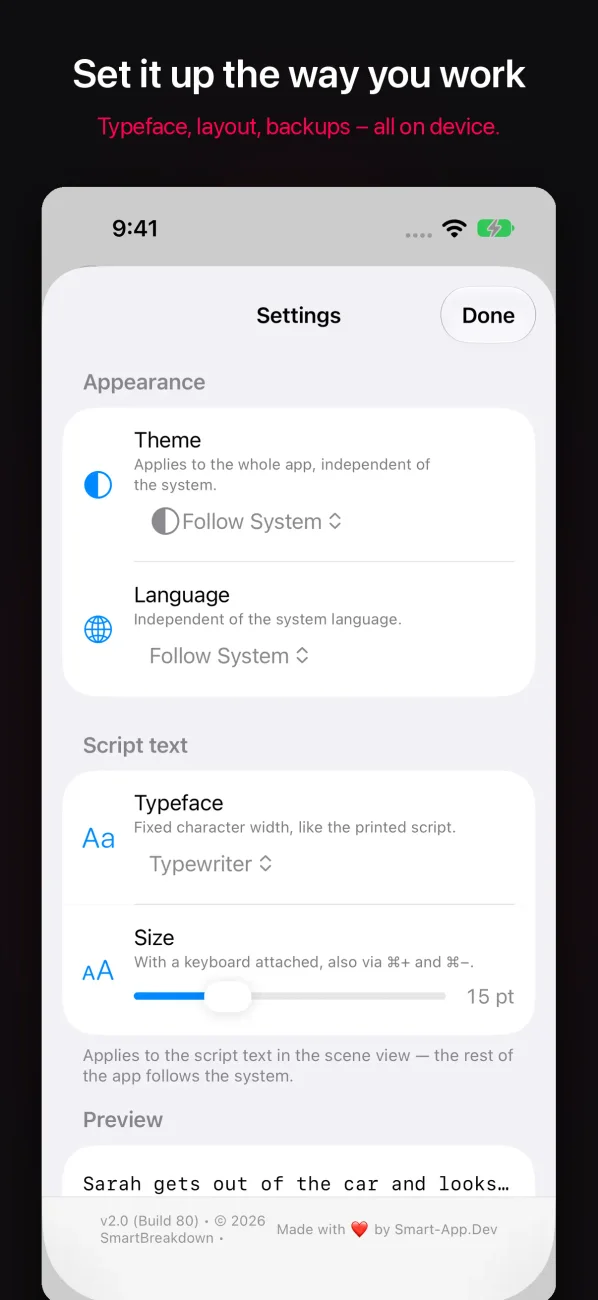
Giới thiệu
Nhà phát triển chưa cung cấp nội dung này bằng ngôn ngữ của bạn.
SmartBreakdown turns a screenplay into a breakdown your department can work from — prepared on Mac, worked on iPad with scenes, script and notes side by side, checked on iPhone between set-ups.
Nothing leaves your device. No account, no cloud, no uploads — even the semantic search runs locally. For unreleased material under NDA, that is not an extra. It is the condition.
NEW: MADE FOR IPHONE DUO
Unfold iPhone Duo and the scene splits at the fold: the screenplay on the left page, departments, notes and costs on the right — like pages beside a notebook. Fold it between set-ups and your scene is still open.
READ THE SCREENPLAY
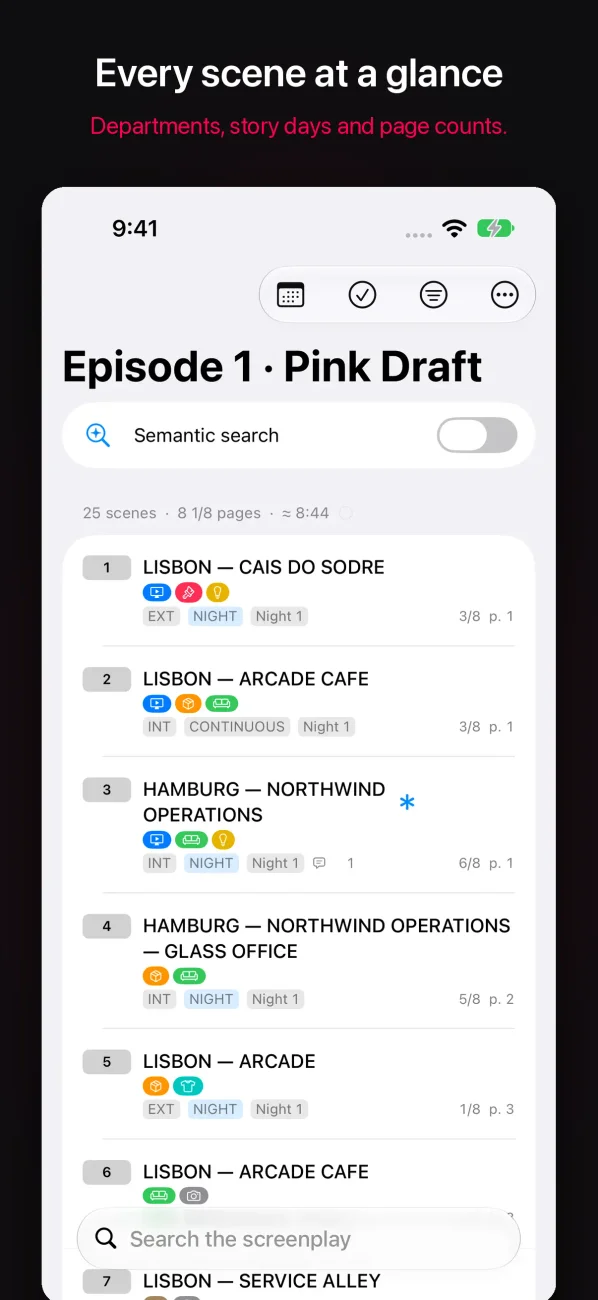
Import a PDF and SmartBreakdown finds the scenes: headings, scene numbers, length in eighths, DAY/NIGHT and INT/EXT. Dialogue stays dialogue and action stays action, so the screenplay reads the way it was written. Scans work too, and any heading the app is unsure of is shown for you to check, not quietly guessed.
BREAK IT DOWN YOUR WAY
Name your own departments, give them your production's colours and a symbol, and assign them to any scene. Write notes per department — with formatting — attach reference images and videos, and highlight passages in the screenplay itself. Each department sees what concerns it, and nothing else.
MARK UP WITH APPLE PENCIL
On iPad, draw across the screenplay with Apple Pencil — a highlighter on paper, except that what it leaves behind can be filtered and exported. Double-tap to switch department; write notes by hand with Scribble.
COST IT
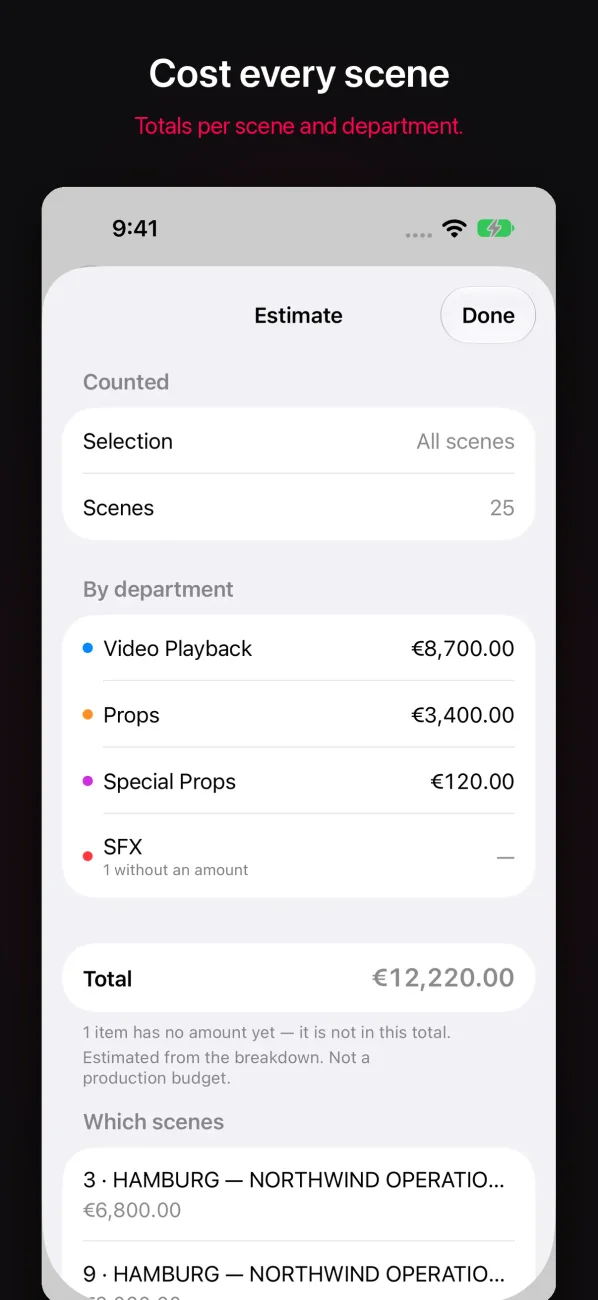
Put an estimate on any note — two phones, a rain bar, three doubles. Totals add up per scene, per department and across any scenes you choose, go into the PDF and Excel exports, and the app always shows what still has no amount.
SCRIPT, STORY DAY AND CONTINUITY
Every scene carries a running time, a story day and the clock time it plays at. Running times start as estimates from the scene's length and give way to the times you measure. See every scene of story day 2 at a tap, and know what the phone in shot or the watch in costume has to show.
A NEW DRAFT KEEPS YOUR WORK
Read in a revision without starting over. Departments, notes and markings hang on scene numbers, not on page positions. Coloured stripes in the margin show what each draft changed — blue pages, pink pages, as on paper — and you mark them as reviewed as you go.
THE SHOOTING SCHEDULE
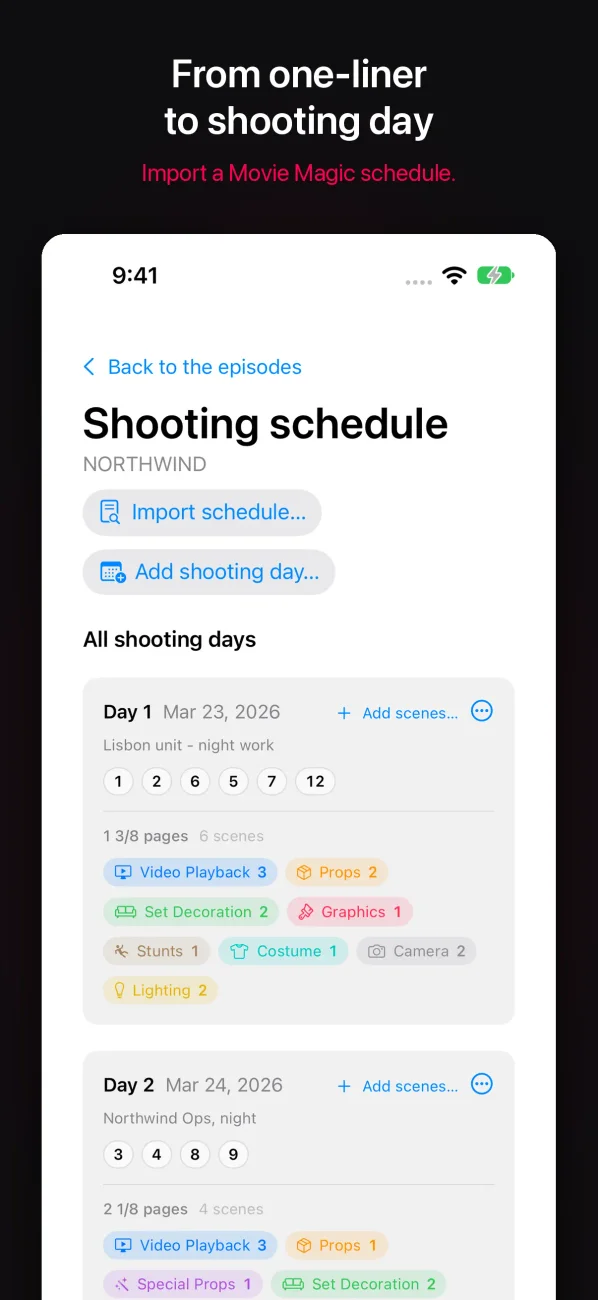
Import a Movie Magic one-line schedule and the shooting days are linked to their scenes. Open a day to see its scenes in shooting order, with page count, running time, story days and your department's workload.
FIND SCENES BY MEANING
Search for "phone screen" or "someone gets a message" and find the scenes, even where the screenplay puts it in other words.
EXPORT WHAT IS NEEDED, NOTHING MORE
PDF and Excel reports filtered by department, scenes, episode or shooting day: the full breakdown, one department, a handful of scenes or a day sheet. Send a production — or one department's work alone — to a colleague as a single file, by AirDrop or any other way, and merge their changes back when it returns.
YOUR WORK STAYS YOURS
A production is a single file: save it, move it between devices, carry on where you left off. Open, read, print and export it — always, with or without a subscription.
TRY IT FREE
No screenplay to hand? Open the demo production: a fictional episode with a finished breakdown. 14 days with every feature unlocked, no account required.
SMARTBREAKDOWN PRO
Auto-renewing subscription: EUR 12.99 per month or EUR 99.99 per year; prices vary by region. A one-off purchase is also available. Payment is charged to your Apple Account at confirmation of purchase. The subscription renews automatically unless cancelled at least 24 hours before the end of the current period. Manage or cancel it in your Apple Account settings.
Terms of Use (EULA): https://www.apple.com/legal/internet-services/itunes/dev/stdeula/
Privacy Policy: https://smart-app.dev/SmartBreakdown/support/privacy.html
Có gì mới
Phiên bản 2.0.0 · 22/10/2026
SmartBreakdown 2.0 is made for iPhone Duo — and for the way a breakdown has always been done: the pages open on one side, the notebook on the other.
THE SCREENPLAY ON ONE SIDE, YOUR BREAKDOWN ON THE OTHER
Unfold iPhone Duo and the scene splits at the fold. The screenplay sits on the left page, departments, notes and costs on the right, each half as wide as an iPhone. No line of script runs across the fold. Stand it half open on a table and it reads like a book.
THE SCENE LIST ON THE LEFT PAGE
Open the scene list while unfolded and it takes the left page, ending exactly at the fold, while the scene keeps its place on the right.
FOLD IT, UNFOLD IT, KEEP YOUR PLACE
Close iPhone Duo between set-ups and the scene you were on is still open on the outside display. Open it again and you are back on both pages.
THE SCENE LIST STAYS WHERE YOU PUT IT
If you open the scene list in portrait on iPad — or unfolded on iPhone Duo — it is there again the next time you open the app. Close it and it stays closed.
Still no account, no cloud, and no networking code of any kind.
Quyền riêng tư của ứng dụng
Những gì Stefan Hollekamp khai báo trên App Store về cách ứng dụng này xử lý dữ liệu.
-
Dữ liệu không được thu thập
Nhà phát triển không thu thập bất kỳ dữ liệu nào từ ứng dụng này.
Phương thức đảm bảo quyền riêng tư có thể khác nhau, chẳng hạn như tuỳ theo các tính năng bạn sử dụng hoặc độ tuổi của bạn.
Thông tin
- Người bán
- Stefan Hollekamp
- Danh mục
- Hiệu Suất
- Phiên bản
- 2.0.0
- Cập nhật
- 22/10/2026
- Phát hành
- 27/08/2026
- Kích thước
- 9,8 MB
- Yêu cầu
- iOS 18.6 trở lên
- Độ tuổi
- 4+
- Giá
- Miễn phí
- Mua hàng trong ứng dụng
- Có
- Ngôn ngữ
- Tiếng Anh, Tiếng Pháp, Tiếng Đức, Tiếng Ý, Tiếng Tây Ban Nha
- Bản quyền
- © 2026 Stefan Hollekamp