SMS Shield
SMS Spam Filter
Được thiết kế cho iPhone, iPad
Miễn phí · Mua hàng trong ứng dụng
- Độ tuổi4+
- Danh mụcTiện Ích
- Nhà phát triểnTaphive GmbH
- Ngôn ngữTiếng Anh+ 8 ngôn ngữ khác
- Kích thước6,4 MB
Liên kết đến trang App Store chính thức
Download.org không lưu trữ tệp nào của SMS Shield. Nút này mở trang ứng dụng trên App Store, nơi Taphive GmbH phát hành ứng dụng. Trang được kiểm tra lần cuối: 25/11/2026.
Ảnh chụp màn hình

Giới thiệu
Nhà phát triển chưa cung cấp nội dung này bằng ngôn ngữ của bạn.
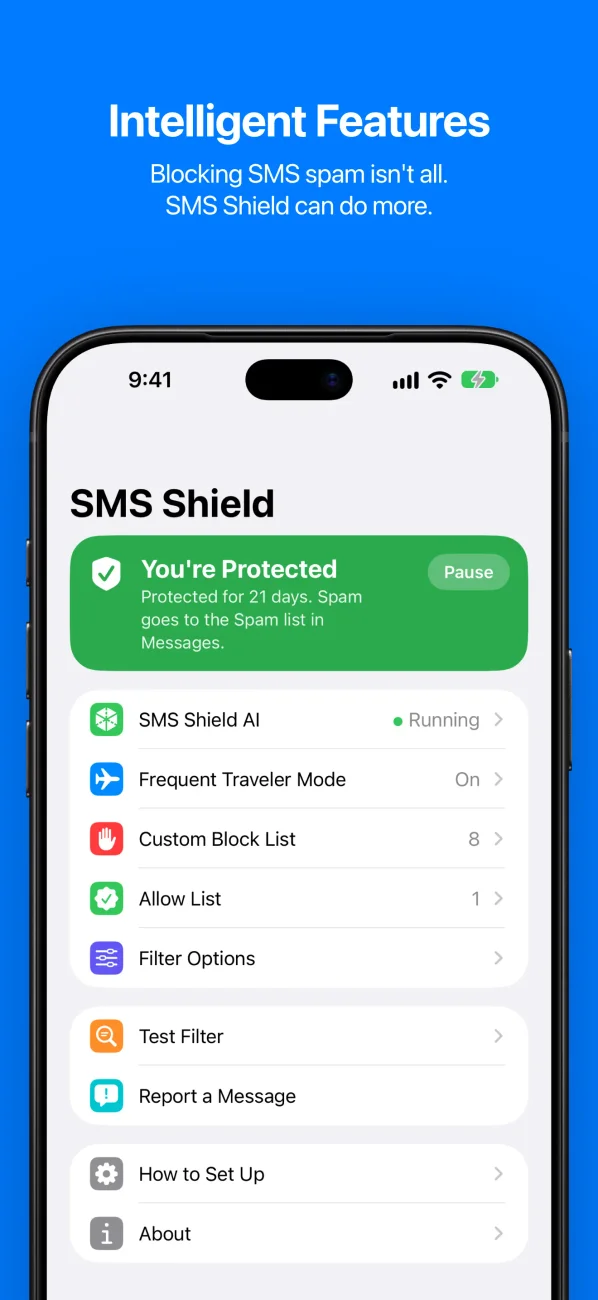
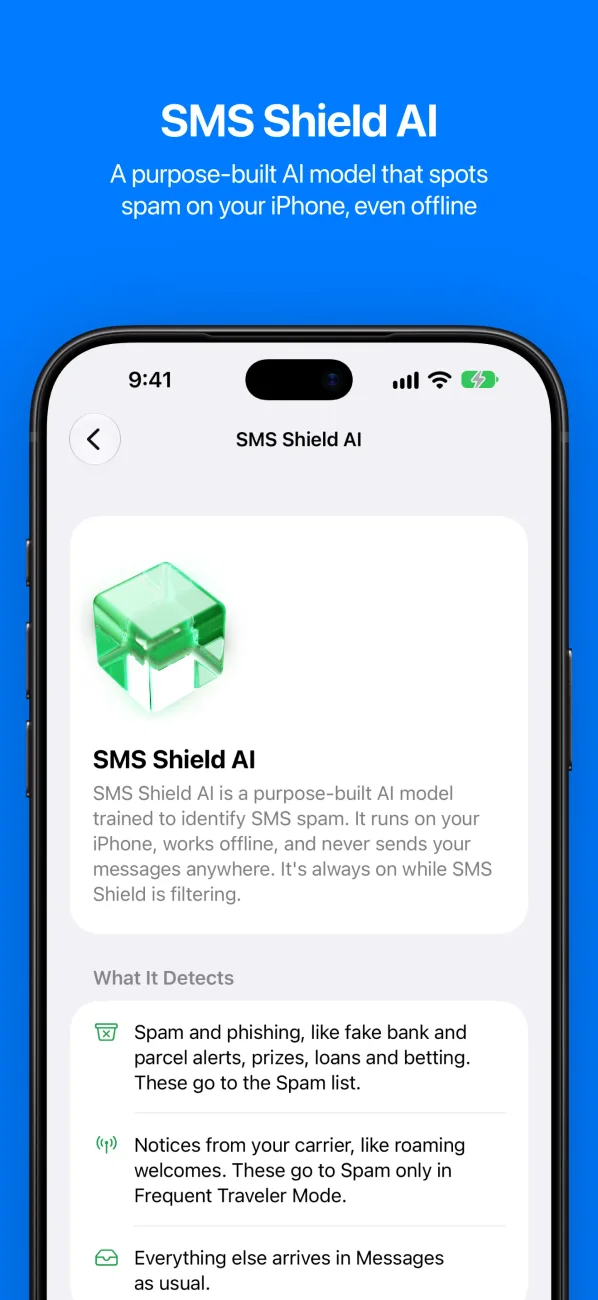
SMS Shield is an SMS spam filter for iPhone. It spots spam, scams and promotions in your text messages and moves them to a separate Spam list in Messages, using SMS Shield AI and your own rules. Texts from your contacts are never touched.
Features:
+ SMS Shield AI
A purpose-built AI model trained on tens of thousands of real text messages. It recognizes spam, phishing and scam texts, even ones it has never seen, in English, Spanish, Portuguese, Italian, Swedish, Arabic, Turkish and Thai. It runs on your iPhone, offline.
+ Codes and bank alerts stay
Verification codes and bank alerts never go to Spam. If you like, SMS Shield sorts them into the Transactions list in Messages.
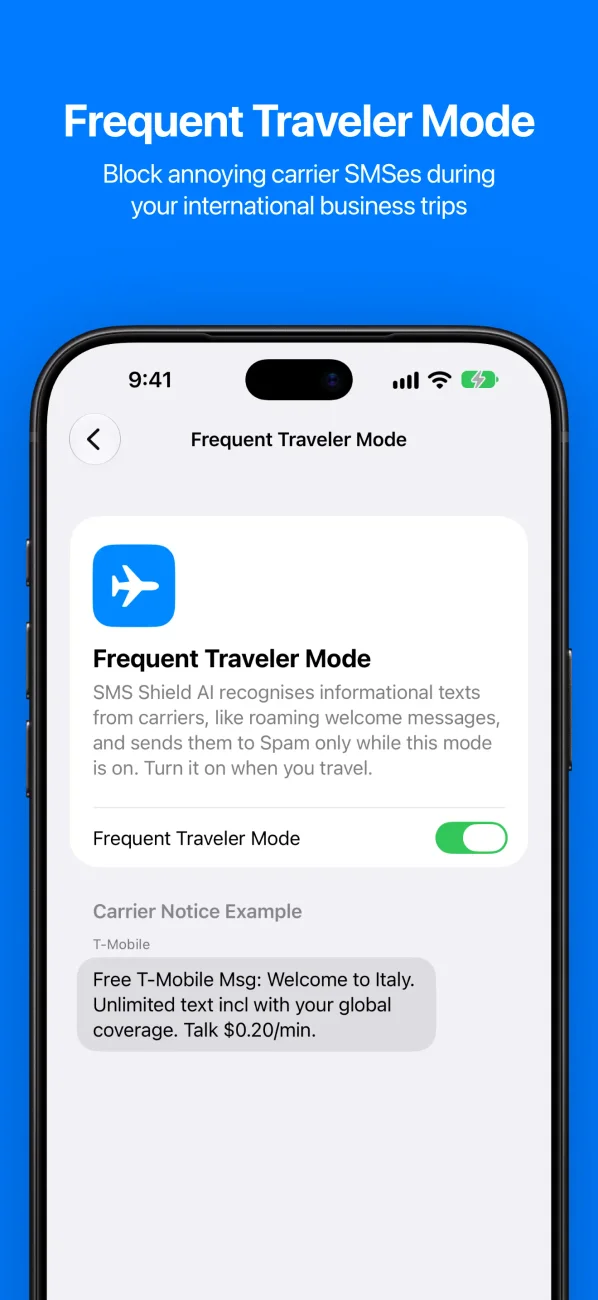
+ Frequent Traveler Mode
Turn it on when you travel to block the often-annoying texts carriers send when you visit other countries (e.g. "Welcome to country X...").
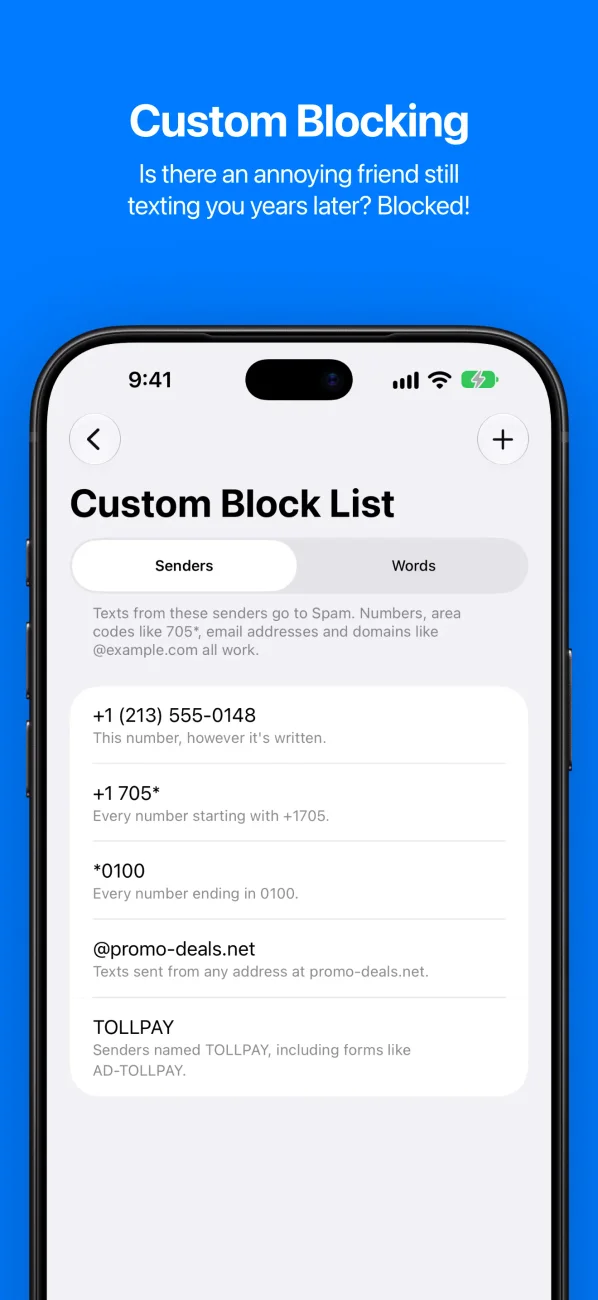
+ Custom Block List
Block a number, a whole area code (705*), a country (+44*), an email sender or domain, a sender name, or any word. Words match whatever the capitals or accents.
+ Allow List
Senders and words you allow always get through, before any other rule.
+ Suspicious and shortened links
Texts with a link that imitates a company's address (like a fake parcel or bank site), or with a shortened link, go to Spam.
+ Test Filter
Type or paste any text and see right away where SMS Shield would send it, and why.
+ Siri and Shortcuts
Ask Siri to check a text, block a number or a word, or pause filtering. It all works in the Shortcuts app and with the Action button too.
+ Report a Message
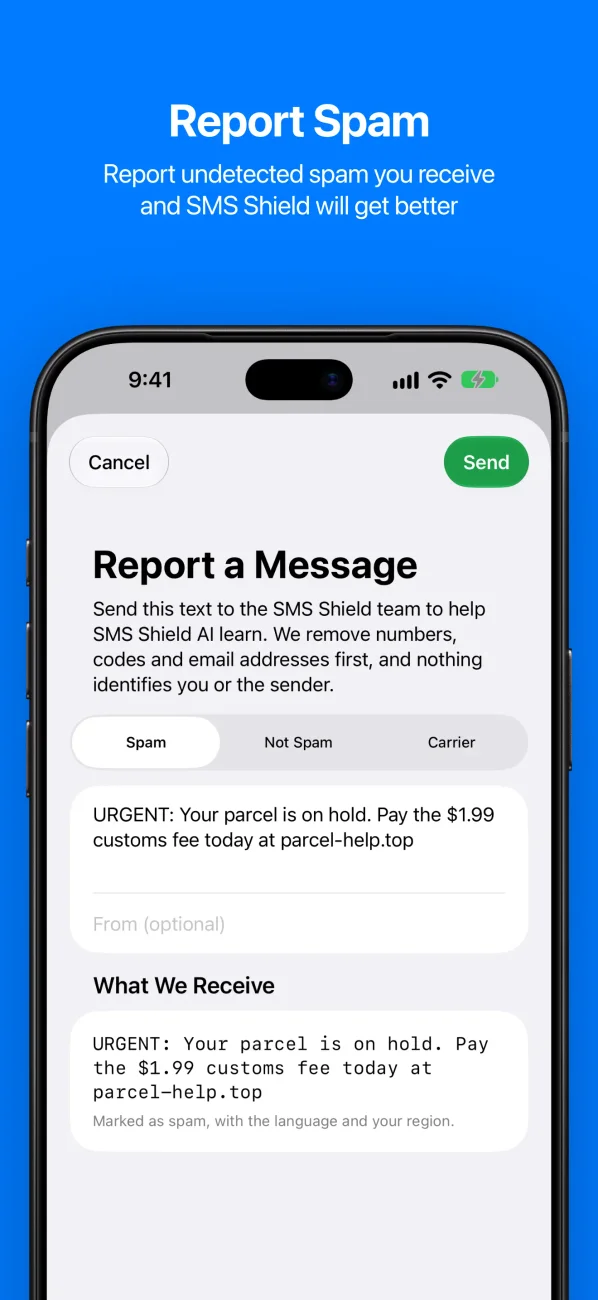
Got a spam text SMS Shield missed? Report it and help SMS Shield get better.
+ 100% privacy
SMS Shield filters offline, on your device. iOS only shows it texts from senders who aren't in your contacts, and your texts never leave your iPhone unless you report one.
+ iPhone, iPad and iPhone Duo
Your lists sync through iCloud across your devices.
Would you like SMS Shield AI in your language? Ask for it in the app: SMS Shield AI › Ask for a Language.
------------------------------
Available Subscriptions:
GOLD: 1 year spam filtering subscription
SILVER: ½ year spam filtering subscription
CLASSIC: 1 month spam filtering subscription
Payment will be charged to your Apple Account at confirmation of purchase. Subscription automatically renews unless auto-renew is turned off at least 24 hours before the end of the current period. Your account will be charged for renewal within 24 hours prior to the end of the current period. To manage subscriptions or turn off auto-renewal, go to your Apple Account settings after the purchase. Any unused portion of a free trial period will be forfeited when you purchase a subscription.
Privacy Policy: https://www.smsshield.app/privacy
Terms: https://www.smsshield.app/terms
Có gì mới
Phiên bản 2.1 · 24/11/2026
NEW IN 2.1
• Siri and Shortcuts: check a text, block a number or a word, pause filtering or turn on Frequent Traveler Mode by asking Siri, in the Shortcuts app or with the Action button
• SMS Shield AI now spots spam in Turkish and Thai
IN 2.0: SMS SHIELD WAS REBUILT FROM THE GROUND UP
Fixed
• Filtering could stop for members even though their membership was active
• Numbers didn't match when written differently, for example with or without the country code
• Blocked words weren't checked against the sender's name
• Reported messages didn't always reach us
• The filter no longer depends on iCloud
• Asking for a new language opened an empty email
• Testing a message could show a different result from Messages
New
• Designed for iPhone Duo and iPad
• SMS Shield AI models retrained and updated
• New SMS Shield AI model for Spanish
• See what SMS Shield AI knows in each language: words, version and when it was trained
• Block whole area codes and number ranges, like 705*
• Block texts sent from email addresses, or from every address at a domain like @outlook.com
• Block sender names, like AD-PROMO
• Allow List for senders and words, which always wins
• Texts with links that imitate a company's address, like a fake parcel or bank site, go to Spam
• Verification codes and bank alerts are never sent to Spam, and can be sorted into Transactions
• Test Filter shows where a text would go, and why
• Pause filtering for an hour, until tomorrow morning, or until you turn it back on
• Report a message: numbers, codes and email addresses are removed first, and you see what's sent
• New setup guide for iOS 18 and later
• Now also in German, Spanish, French and Turkish
Your lists and membership carry over.
Quyền riêng tư của ứng dụng
Những gì Taphive GmbH khai báo trên App Store về cách ứng dụng này xử lý dữ liệu.
-
Dữ liệu không liên kết với bạn
Có thể được thu thập nhưng không liên kết với danh tính của bạn.
- Nội dung của người dùng
Phương thức đảm bảo quyền riêng tư có thể khác nhau, chẳng hạn như tuỳ theo các tính năng bạn sử dụng hoặc độ tuổi của bạn.
Thông tin
- Người bán
- Taphive GmbH
- Danh mục
- Tiện Ích
- Phiên bản
- 2.1
- Cập nhật
- 24/11/2026
- Phát hành
- 19/09/2017
- Kích thước
- 6,4 MB
- Yêu cầu
- iOS 18.0 trở lên
- Độ tuổi
- 4+
- Giá
- Miễn phí
- Mua hàng trong ứng dụng
- Có
- Ngôn ngữ
- Tiếng Anh, Tiếng Ả Rập, Tiếng Pháp, Tiếng Đức, Tiếng Ý, Tiếng Bồ Đào Nha, Tiếng Tây Ban Nha, Tiếng Thái, Tiếng Thổ Nhĩ Kỳ
- Bản quyền
- © Taphive GmbH
Có thể bạn cũng thích
-
 GandalfoneTiện Ích
-
 VeroSMSTiện Ích
-
 Spam Text Blocker - TextShieldTiện Ích
-
 WideProtect SMS BlockerTiện Ích
-
 MsgGuard: Spam Text BlockerTiện Ích
-
 SMS Filter ProTiện Ích
-
 Text Spam BlockTiện Ích
-
 My Call Filter Digital SecureApp to free up your phone
-
 Bouncer: Spam Text BlockerTiện Ích
-
 Simply Filter SMSTiện Ích