SnapStop - Train & Bus Widget
Countdown to your usual ride
Được thiết kế cho iPhone
Miễn phí · Mua hàng trong ứng dụng
- Độ tuổi4+
- Danh mụcDẫn Đường
- Nhà phát triểnTomohiro Kawase
- Ngôn ngữTiếng Anh+ 1 ngôn ngữ khác
- Kích thước10,1 MB
Liên kết đến trang App Store chính thức
Download.org không lưu trữ tệp nào của SnapStop - Train & Bus Widget. Nút này mở trang ứng dụng trên App Store, nơi Tomohiro Kawase phát hành ứng dụng. Trang được kiểm tra lần cuối: 26/11/2026.
Ảnh chụp màn hình
Giới thiệu
Nhà phát triển chưa cung cấp nội dung này bằng ngôn ngữ của bạn.
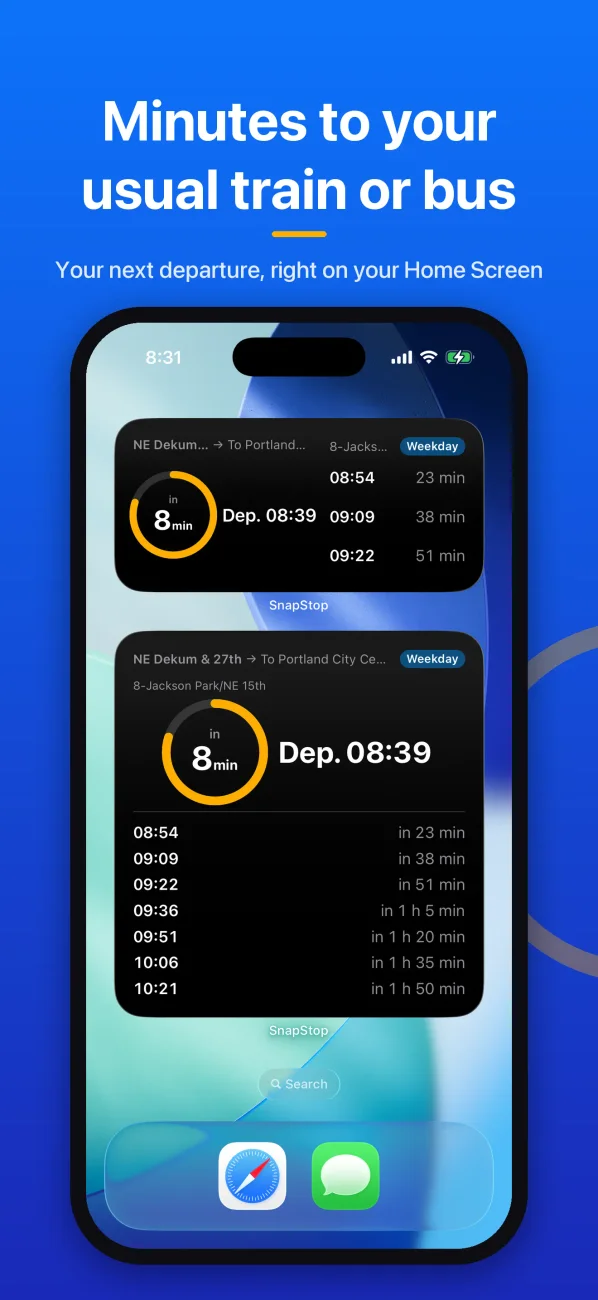
Minutes to your usual train or bus — right on your Home Screen.
You take the same train or bus almost every day.
Why open a transit app every time just to check the next one?
Register your usual line once, and SnapStop's widgets keep showing
your next departure and how many minutes are left — on your Home Screen and Lock Screen.
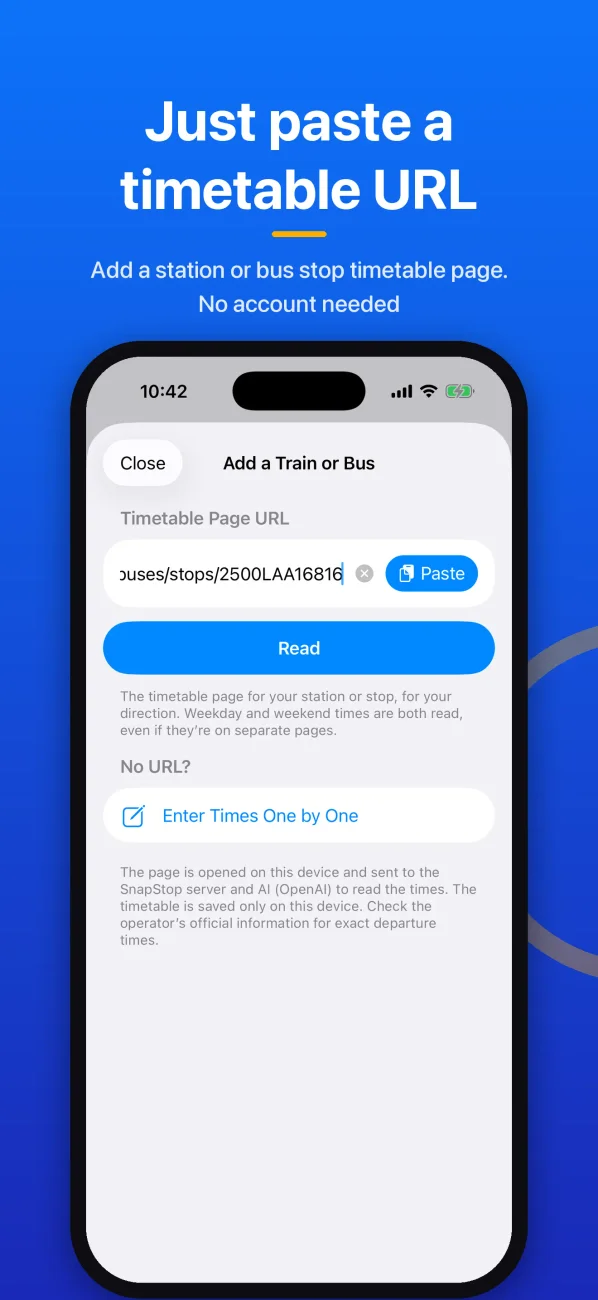
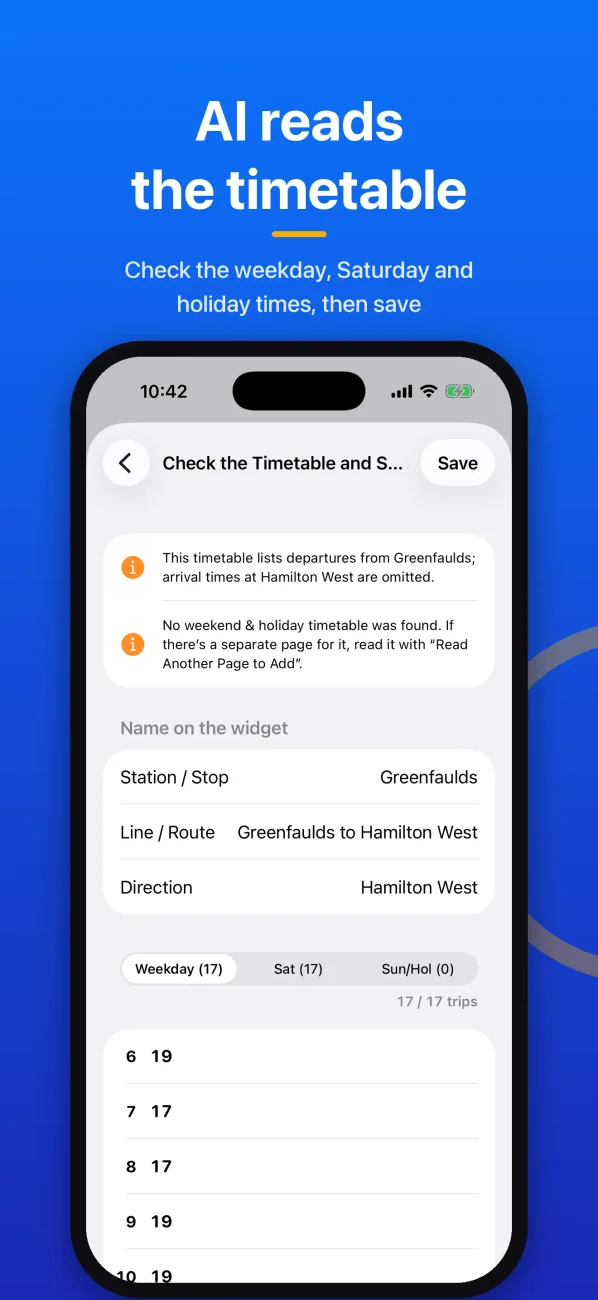
▸ Paste a URL: paste the URL of a station or bus stop timetable page. AI reads the times, train types, destinations and schedules (weekday / Saturday / Sunday & holiday). Check the result, then save.
▸ Or add departures one by one, if you only take a few.
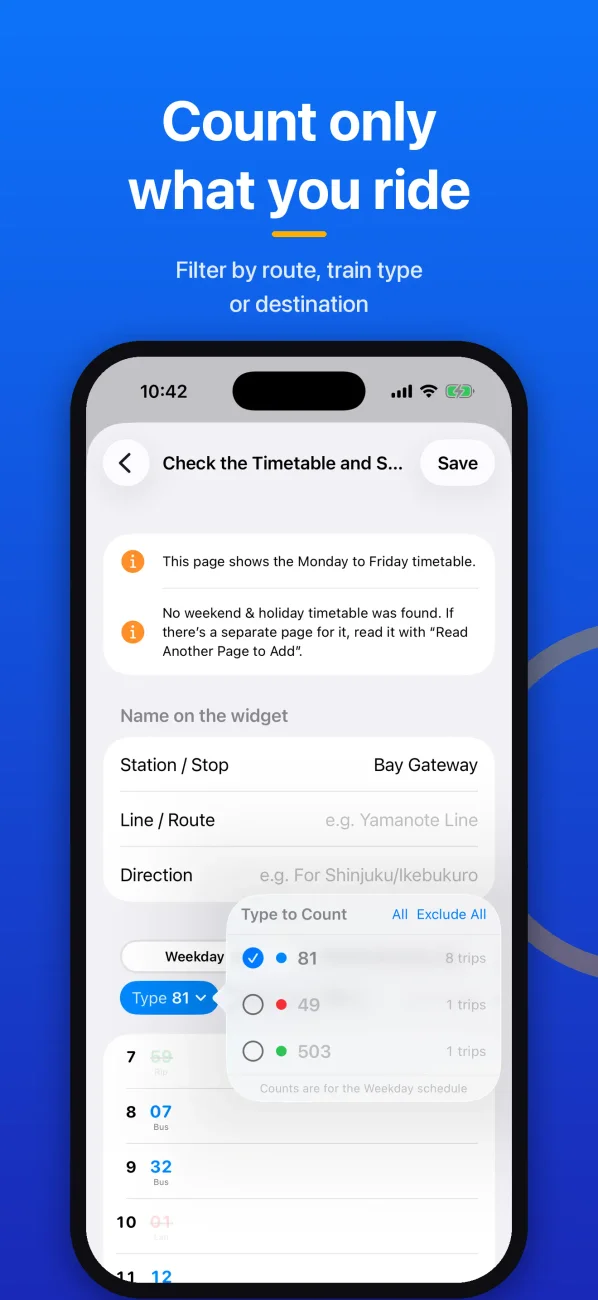
▸ Count only what you ride: filter by train type and destination.
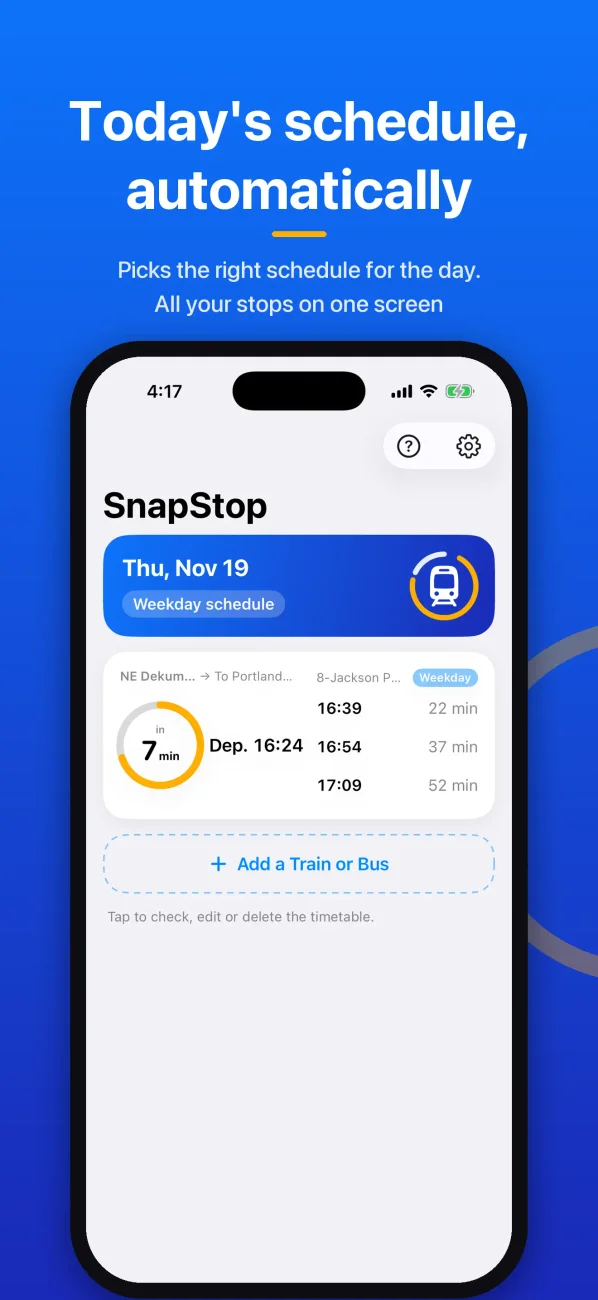
▸ Weekday, Saturday and Sunday/holiday schedules switch automatically. Japanese public holidays are used when the device is set to Japan time.
▸ Small, medium and large widgets, plus three Lock Screen widgets.
▸ Your timetables stay on your device. No account. No location access.
Please note
▸ Times follow the published timetable. Delays and cancellations are not shown.
▸ Timetables published only as images or PDFs, or built by scripts after the page loads, can't be read. Add departures one by one instead.
Plans
▸ Free: 1 train or bus line, 3 URL imports (with ads)
▸ Premium (one-time purchase): unlimited lines and imports, no ads
Terms of Use:
https://www.apple.com/legal/internet-services/itunes/dev/stdeula/
Có gì mới
Phiên bản 1.0.4 · 25/11/2026
• Timetable pages that take a while to load are now read after the timetable appears (such as some transit agency websites)
• For whole-line timetables, choose your stop first and SnapStop reads the times for that stop (you can change it before saving)
• Timetables with no weekday/weekend split are now used for every day, including weekends
• If only weekday times are found, you can tap “Use Weekday Times” on the weekend tab
Quyền riêng tư của ứng dụng
Những gì Tomohiro Kawase khai báo trên App Store về cách ứng dụng này xử lý dữ liệu.
-
Dữ liệu không liên kết với bạn
Có thể được thu thập nhưng không liên kết với danh tính của bạn.
- Mục mua
- Vị trí
- Mã định danh
- Dữ liệu sử dụng
- Chẩn đoán
Phương thức đảm bảo quyền riêng tư có thể khác nhau, chẳng hạn như tuỳ theo các tính năng bạn sử dụng hoặc độ tuổi của bạn.
Thông tin
- Người bán
- Tomohiro Kawase
- Danh mục
- Dẫn Đường
- Phiên bản
- 1.0.4
- Cập nhật
- 25/11/2026
- Phát hành
- 09/11/2026
- Kích thước
- 10,1 MB
- Yêu cầu
- iOS 18.4 trở lên
- Độ tuổi
- 4+
- Giá
- Miễn phí
- Mua hàng trong ứng dụng
- Có
- Ngôn ngữ
- Tiếng Anh, Tiếng Nhật
- Bản quyền
- © 2026 Neusight Systems