
Sollus: Expense Tracker
Budget Planner & Money Manager
Được thiết kế cho iPhone, iPad
Miễn phí · Mua hàng trong ứng dụng
- Độ tuổi4+
- Danh mụcTài Chính
- Nhà phát triểnIvan Kelesh
- Ngôn ngữTiếng Đức+ 12 ngôn ngữ khác
- Kích thước34,8 MB
Liên kết đến trang App Store chính thức
Download.org không lưu trữ tệp nào của Sollus: Expense Tracker. Nút này mở trang ứng dụng trên App Store, nơi Ivan Kelesh phát hành ứng dụng. Trang được kiểm tra lần cuối: 29/11/2026.
Ảnh chụp màn hình
Giới thiệu
Nhà phát triển chưa cung cấp nội dung này bằng ngôn ngữ của bạn.
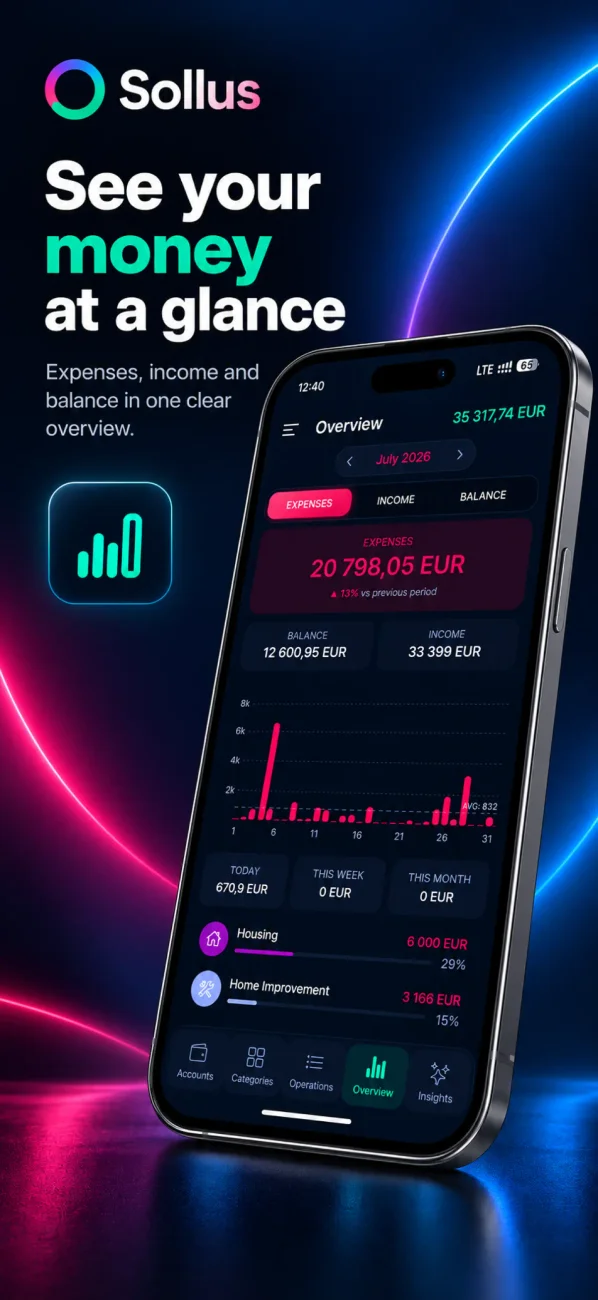
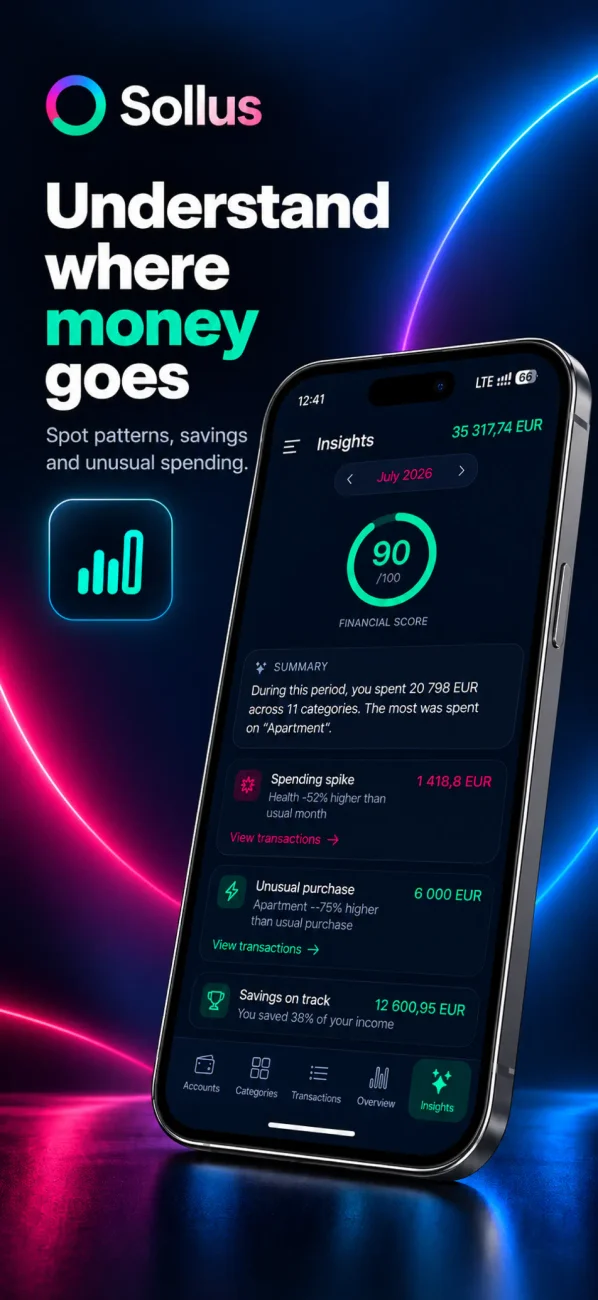
See where your money goes, plan upcoming bills, and keep your financial records in sync across your devices. Sollus makes everyday money management clear and organized.
SEE YOUR FINANCES AT A GLANCE
Explore charts, category breakdowns and spending insights. Compare income and expenses, spot patterns and understand how your habits shape your balance.
MAKE EVERYDAY TRACKING SIMPLE
• Record income and expenses in a few taps.
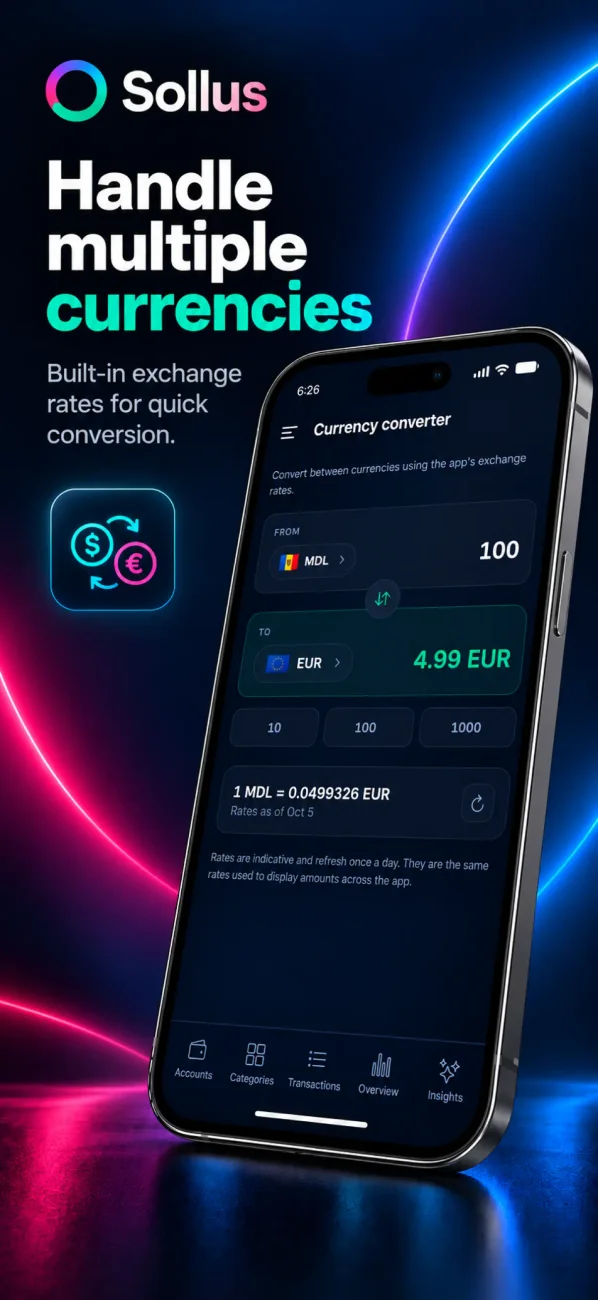
• Organize your records across multiple accounts and currencies.
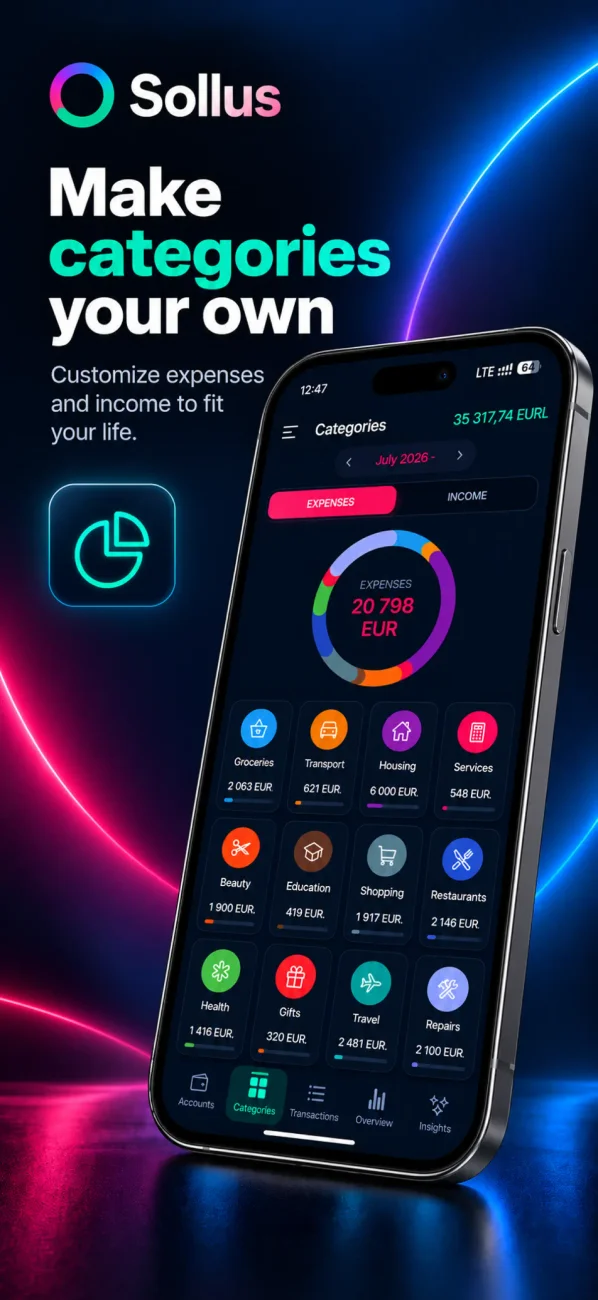
• Create categories and subcategories that fit your life.
• Scan supported receipt QR codes and check the details before saving.
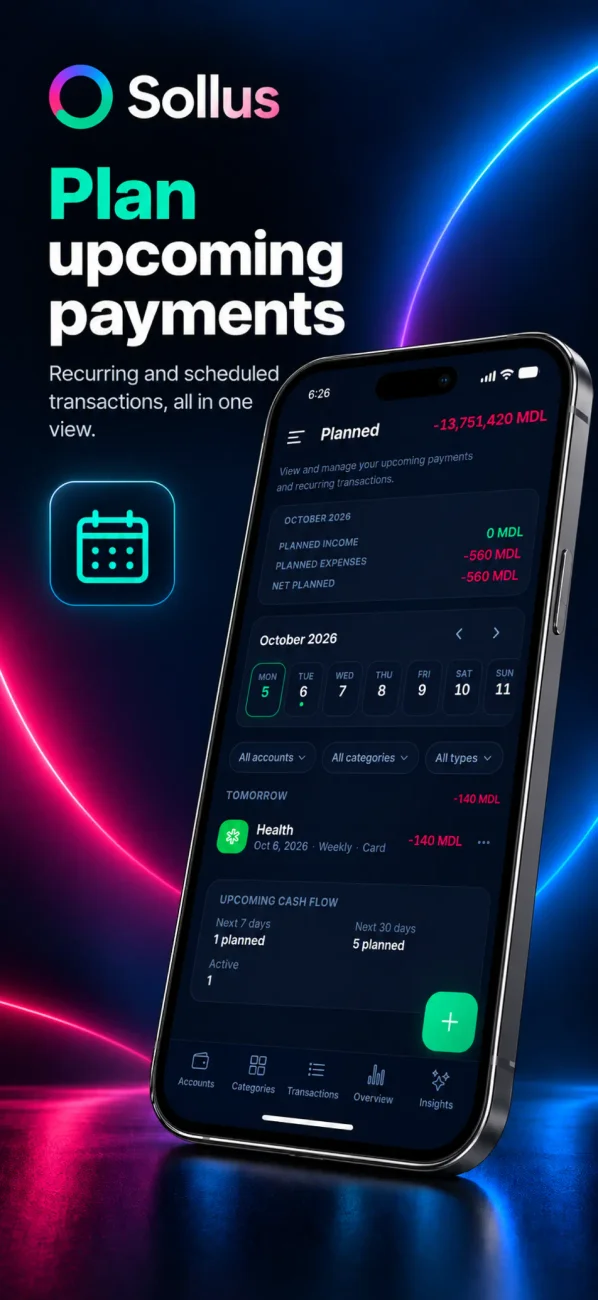
PLAN AHEAD
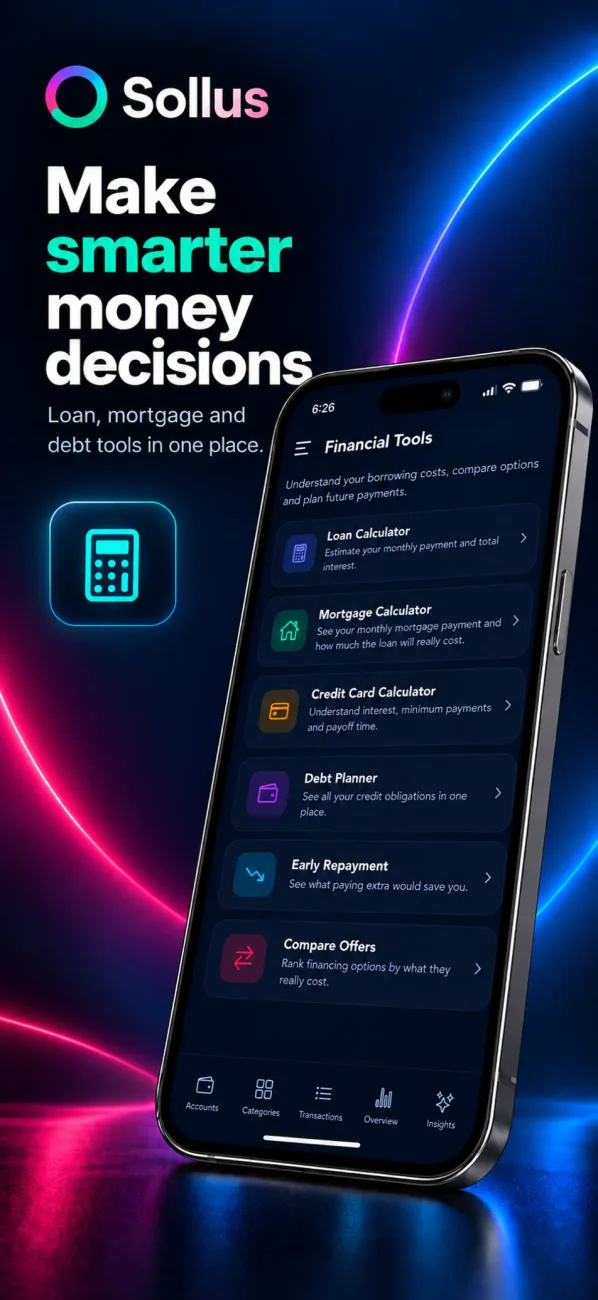
Keep upcoming and recurring transactions in view. Set reminders for planned payments, convert currencies and explore loan, mortgage and debt tools before making a decision.
KEEP YOUR DEVICES IN SYNC
Create a Sollus account, sign in and enable Cloud Sync to synchronize your financial records across your devices. Manage synchronization and delete your cloud account from the app.
KEEP CONTROL OF YOUR RECORDS
Export your transactions, keep a backup or import supported files. Choose a light or dark theme and use Sollus in English, Russian, Romanian, German, French, Spanish, Italian, Turkish, Ukrainian, Polish, Dutch or Portuguese.
Start with your first account and transaction. Build a clearer picture of your money, one entry at a time.
An internet connection is required for sign-in, cloud synchronization and online exchange rates. Financial tools provide informational estimates. Sollus does not hold funds, execute payments or provide loans.
Terms of Use (EULA): https://www.apple.com/legal/internet-services/itunes/dev/stdeula/
Có gì mới
Phiên bản 1.7.4 · 28/11/2026
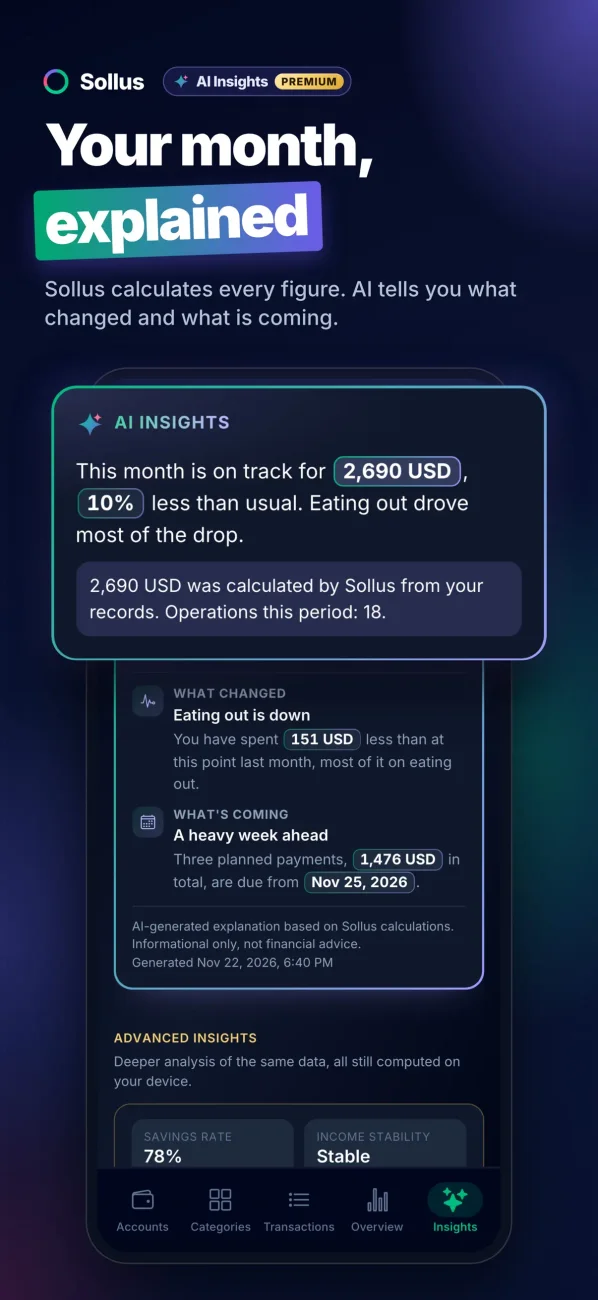
• AI Insights (Premium): ask for a plain-language explanation of a month: what changed, what stands out and what is coming. Sollus calculates every figure, and nothing is sent until you ask
• Offers and news: turn them on in Settings, and Sollus can tell you about Premium offers, at most twice a month. Off unless you turn them on
• Clearer wording across the app, in every language
• Fixes and improvements
Quyền riêng tư của ứng dụng
Những gì Ivan Kelesh khai báo trên App Store về cách ứng dụng này xử lý dữ liệu.
-
Dữ liệu liên kết với bạn
Có thể được thu thập và liên kết với danh tính của bạn.
- Mục mua
- Thông tin tài chính
- Thông tin liên hệ
- Nội dung của người dùng
- Mã định danh
-
Dữ liệu không liên kết với bạn
Có thể được thu thập nhưng không liên kết với danh tính của bạn.
- Mục mua
- Vị trí
- Mã định danh
- Dữ liệu sử dụng
Phương thức đảm bảo quyền riêng tư có thể khác nhau, chẳng hạn như tuỳ theo các tính năng bạn sử dụng hoặc độ tuổi của bạn.
Thông tin
- Người bán
- Ivan Kelesh
- Danh mục
- Tài Chính
- Phiên bản
- 1.7.4
- Cập nhật
- 28/11/2026
- Phát hành
- 10/10/2026
- Kích thước
- 34,8 MB
- Yêu cầu
- iOS 17.0 trở lên
- Độ tuổi
- 4+
- Giá
- Miễn phí
- Mua hàng trong ứng dụng
- Có
- Ngôn ngữ
- Tiếng Đức, Tiếng Anh, Tiếng Pháp, Tiếng Ý, Tiếng Nhật, Tiếng Hà Lan, Tiếng Ba Lan, Tiếng Bồ Đào Nha, Tiếng Rumani, Tiếng Nga, Tiếng Tây Ban Nha, Tiếng Thổ Nhĩ Kỳ + 1 ngôn ngữ khác
- Bản quyền
- © 2026 Ivan Kelesh
Có thể bạn cũng thích
-
 Finara: Expense TrackerTài Chính
-
 YoBudgetTheo doi chi tieu
-
 TraMon - Track your moneyTài Chính
-
 CleverNote FinanceTài Chính
-
 Finanças: Expense TrackerTài Chính
-
 Buddget: Expense TrackerTài Chính
-
 Saveliny: AI Expense TrackerTài Chính
-
 PrintCash: Controle FinanceiroTài Chính
-
 Fluxo - Controle FinanceiroTài Chính