- Độ tuổi4+
- Danh mụcHành Động
- Nhà phát triểnHologram Co.,Ltd.
- Ngôn ngữTiếng Anh
- Kích thước112,3 MB
Liên kết đến trang App Store chính thức
Download.org không lưu trữ tệp nào của SpatialShooting. Nút này mở trang ứng dụng trên App Store, nơi Hologram Co.,Ltd. phát hành ứng dụng. Trang được kiểm tra lần cuối: 23/11/2026.
Ảnh chụp màn hình




Giới thiệu
Nhà phát triển chưa cung cấp nội dung này bằng ngôn ngữ của bạn.
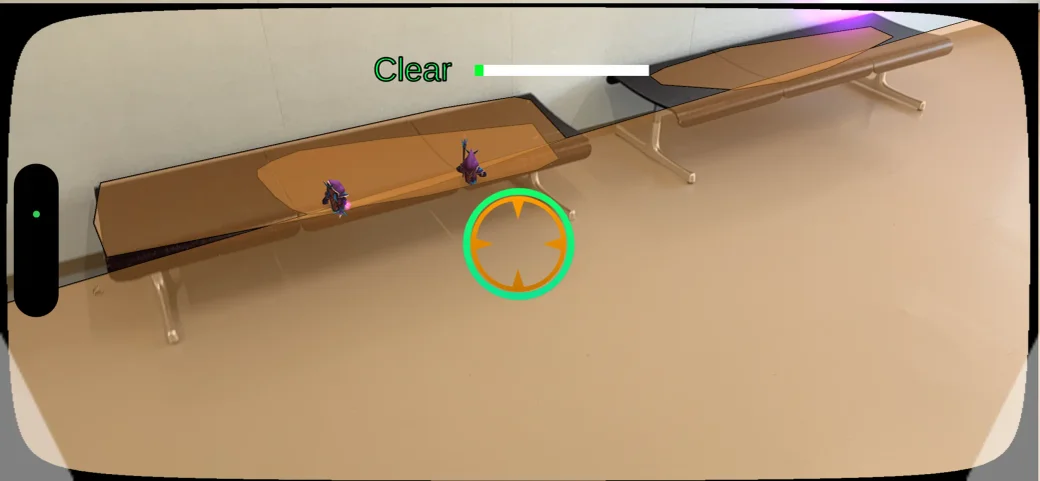
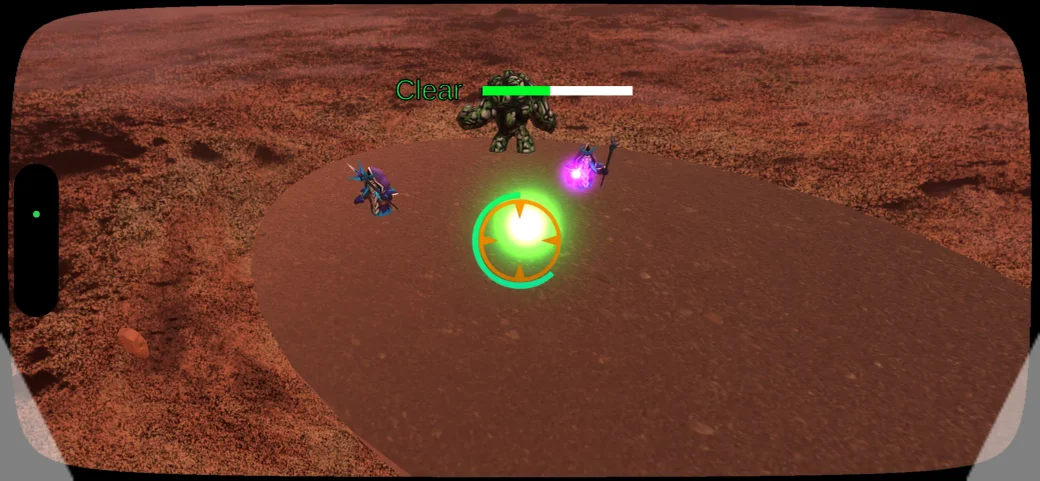
This app lets you play a shooting game using AR/MR/VR in your own space.
After scanning your space and starting the game, enemies will appear based on the detected environment.
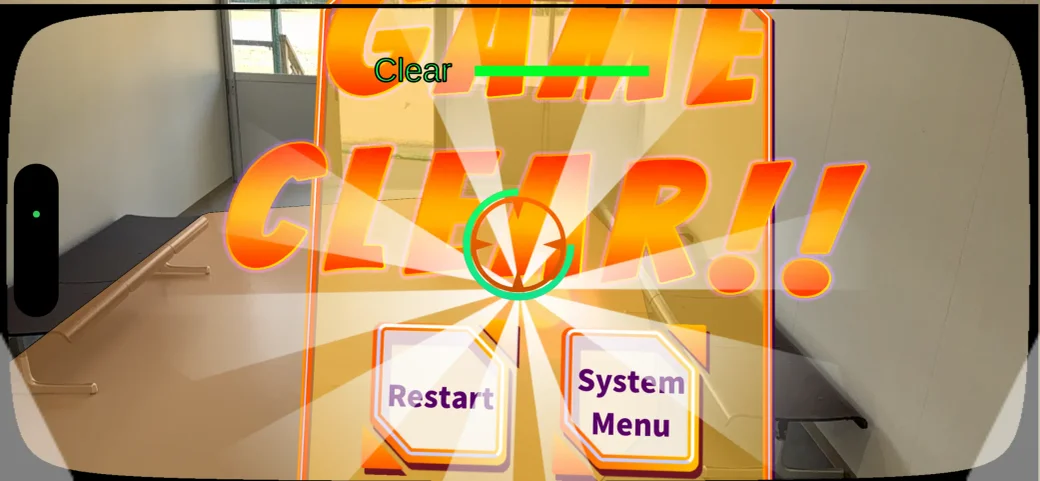
Move to dodge enemy attacks while shooting bullets at them to defeat them. Clear the game by destroying a set number of enemies.
Using Hologlass or Danlass enables a more immersive experience as an MR or VR app.
(You can also play as an AR app using just your smartphone.)
https://ho-lo.jp/lp-duo/
https://ho-lo.jp/lp-mono/
https://ho-lo.jp/lp-dangla/
※This app uses the camera. Please be aware that covering the camera with your finger or other objects during use may cause unexpected behavior.
―――――――――――――――――――――――――――――――
【Controls】
On Dangla, press the right button. On a standalone smartphone, press near the ▲ button at the bottom right to select options in menus.
On Dangla, press the left button. On a standalone smartphone, press near the ▲ button at the bottom left to open menus.
(Pressing it while the menu is open will bring the menu back to the front.)
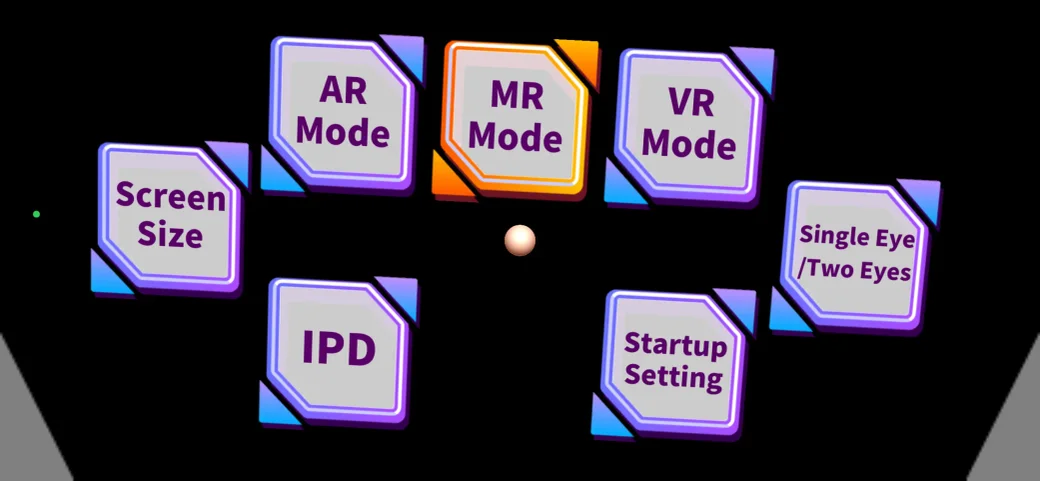
From the System menu, you can switch between AR/MR/VR modes, toggle between monocular/binocular view, adjust screen size, and more.
Once the game starts, press the right button on Dangla or near the ▲ button at the bottom right on a standalone smartphone to fire bullets toward the crosshair in the center of the screen.
For Hologlass or Dangla, please enjoy the game set to MR or VR mode.
For standalone smartphones, please set it to AR mode (single-eye).
Regarding screen size, adjusting the size to match your smartphone's dimensions will optimize the appearance when using Dangla.
Generally, adjusting the screen size to match whether your smartphone screen is large or small will result in a clean display.
【About In-App Settings】
“Startup setting” allows you to configure the initial screen displayed when launching the app.
Setting it to “Game” skips the System Menu screen on the next launch, directly displaying the game's menu screen.
Setting it to “Menu” displays the System Menu first on the next launch.
“Two eyes/Single eye” configures the display settings according to your device (Dangla/Hologlass).
When using only a smartphone, set it to “Single eye”.
“Screen Size” allows you to set the display size according to the size of the smartphone you are using.
Setting the correct size ensures proper display when using Dangla or Hologlass.
When using only a smartphone, we recommend setting it to “Minimum” regardless of the smartphone's size.
“IPD” allows you to set the interpupillary distance.
If you experience focus issues or cannot achieve stereoscopic vision when using Dangla or Hologlass in binocular mode with the “Screen Size” set, please consider adjusting this setting.
【Important Notice】
・Do not use this app in crowded areas such as public roads.
・Children under 13 must be accompanied by a guardian and used only under constant supervision to ensure safety.
・Do not point the device toward the sun.
・Individuals under 13 years of age, who are in a critical period of visual development, should not use binocular mode.
・We will not compensate for any damages, direct or indirect, arising from the use of this app.
【Publisher】
https://ho-lo.jp/
Có gì mới
Phiên bản 1.1.0 · 18/11/2026
We've adjusted some effects and sounds.
We've fixed an issue where the CG floor would appear when launching the game in AR or MR mode with the startup setting set to “Game.”
Quyền riêng tư của ứng dụng
Những gì Hologram Co.,Ltd. khai báo trên App Store về cách ứng dụng này xử lý dữ liệu.
-
Dữ liệu không được thu thập
Nhà phát triển không thu thập bất kỳ dữ liệu nào từ ứng dụng này.
Phương thức đảm bảo quyền riêng tư có thể khác nhau, chẳng hạn như tuỳ theo các tính năng bạn sử dụng hoặc độ tuổi của bạn.
Thông tin
- Người bán
- Hologram Co.,Ltd.
- Danh mục
- Hành Động
- Phiên bản
- 1.1.0
- Cập nhật
- 18/11/2026
- Phát hành
- 12/11/2025
- Kích thước
- 112,3 MB
- Yêu cầu
- iOS 15.0 trở lên
- Độ tuổi
- 4+
- Giá
- Miễn phí
- Ngôn ngữ
- Tiếng Anh
- Bản quyền
- © 2025 Hologram Co Ltd