Speaker Positioning
Place your speakers perfectly
Được thiết kế cho iPhone
Miễn phí · Mua hàng trong ứng dụng
- Độ tuổi4+
- Danh mụcNhạc
- Nhà phát triểnMarcel Knop
- Ngôn ngữTiếng Anh+ 1 ngôn ngữ khác
- Kích thước2,2 MB
Liên kết đến trang App Store chính thức
Download.org không lưu trữ tệp nào của Speaker Positioning. Nút này mở trang ứng dụng trên App Store, nơi Marcel Knop phát hành ứng dụng. Trang được kiểm tra lần cuối: 12/11/2026.
Ảnh chụp màn hình
Giới thiệu
Nhà phát triển chưa cung cấp nội dung này bằng ngôn ngữ của bạn.
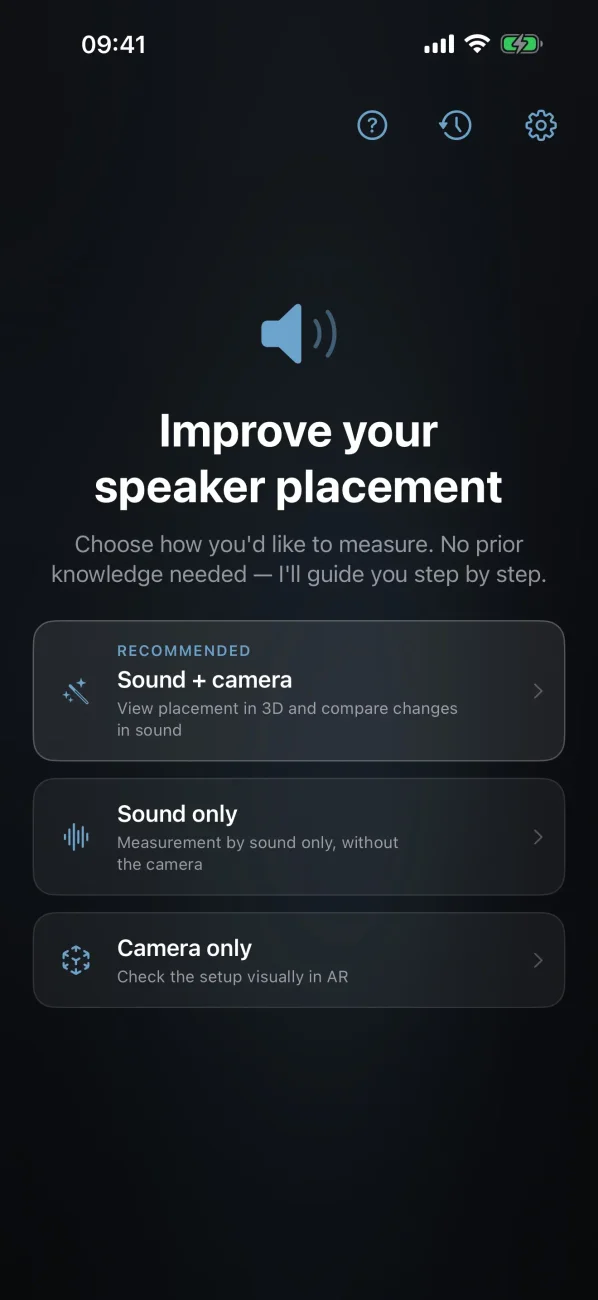
Find a more useful speaker position by testing one change at a time. Speaker Positioning combines a measured 3D room view with acoustic measurements and a before-and-after comparison.
SEE YOUR SETUP
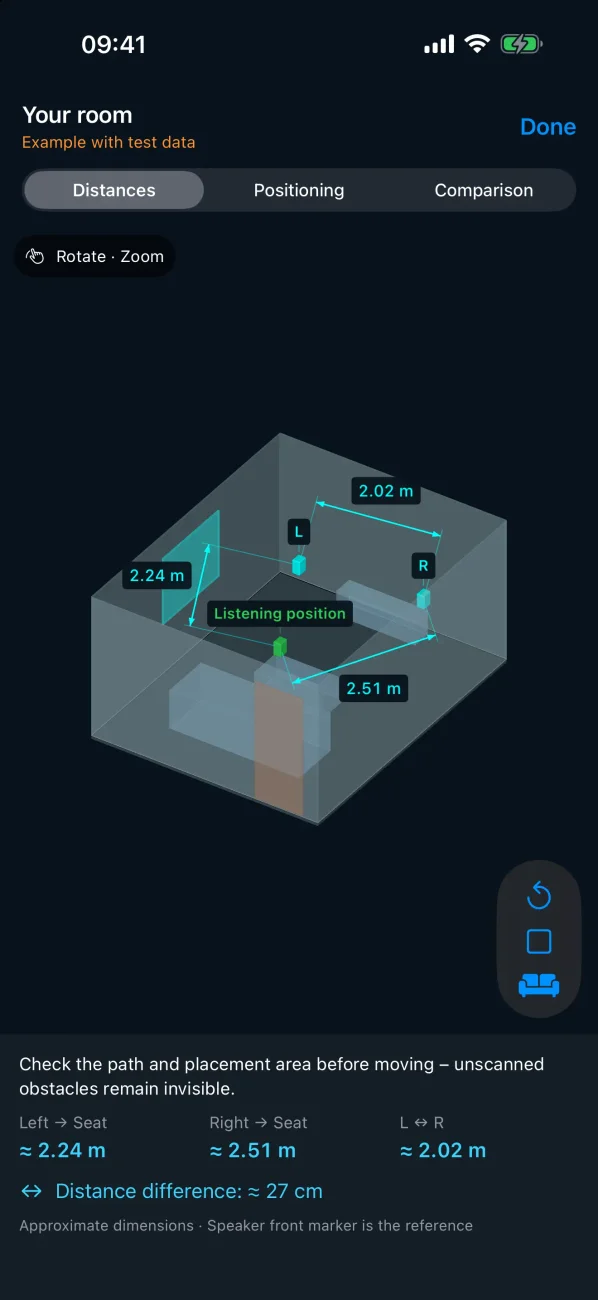
Mark both speakers and your listening position with the camera. View the room in 3D, rotate it, zoom in and switch to a top view. Read listening distances, wall clearances and proposed test moves directly in the scene.
On a compatible LiDAR iPhone, scan walls, openings and simplified furniture. An optional second pass captures coloured surfaces. Switch between the clean measurement view and room colours. Without LiDAR, define the room footprint manually.
PLAN VIRTUALLY
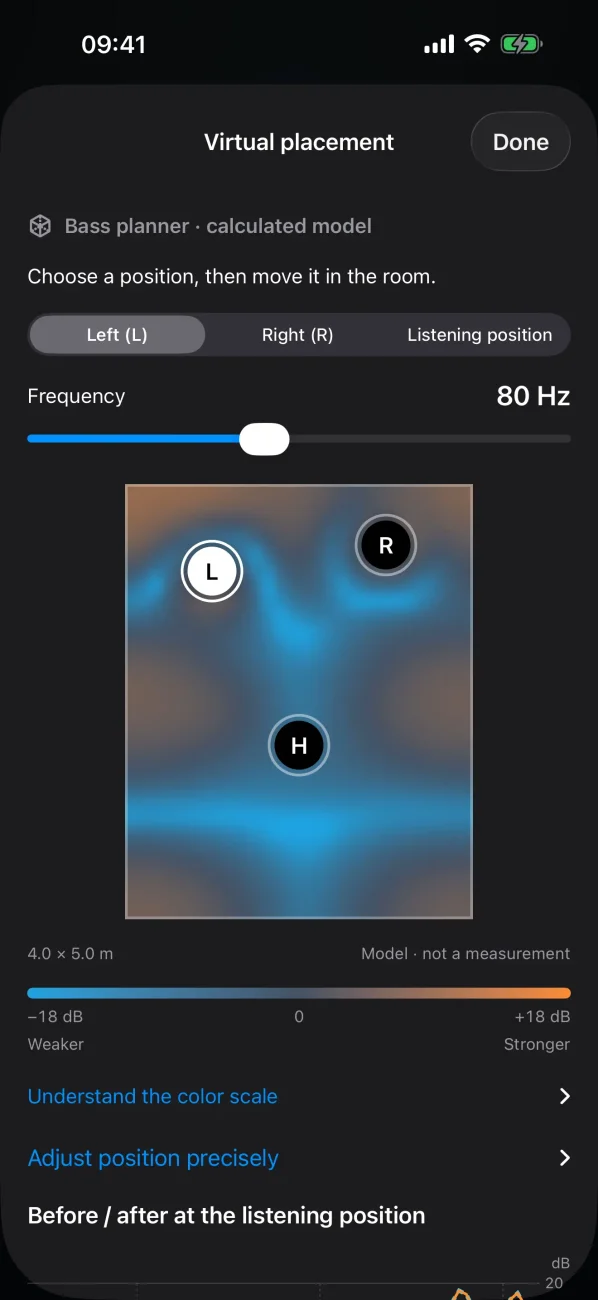
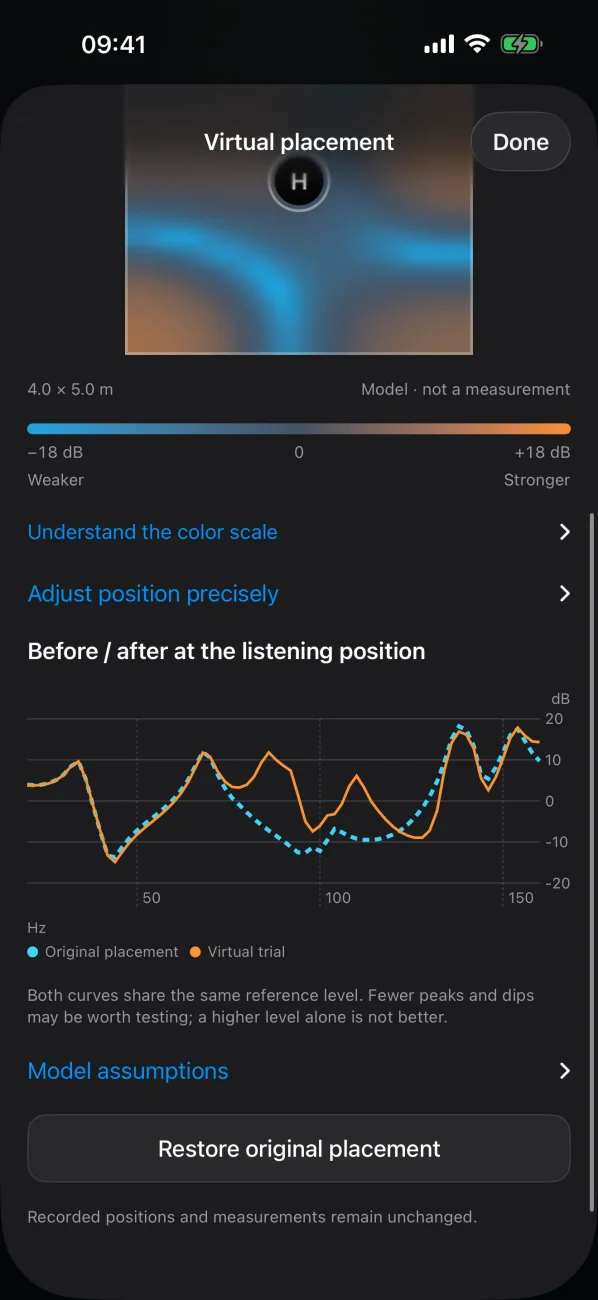
Move speakers and the listening position in the model first. A color bass map from 20 to 160 Hz and before-and-after curves show the calculated change. The bass planner assumes a closed rectangular room, uniform damping and ideal speakers. LiDAR captures geometry, not acoustic material properties.
SEE MODELS IN AR
Overlay calculated wavefronts or a bass map at listening height in the camera view. These AR models are not a measured sound field. Check the actual effect by measuring again and listening.
TEST A CHANGE
Connect your stereo system, measure at the listening position, then try one change. Measure again with the same volume, microphone position and signal path. Compare the left/right arrival-time difference, both bass-response shapes and changes in position. The app explains when two measurements cannot safely be compared.
KEEP THE RESULT
Successful measurements and their room views are saved locally. Mark useful results as favorites. Revisit the comparison before deciding whether to keep the change. Speaker-model and subwoofer guidance help you plan further tests.
FREE FEATURES
• Guided sound, camera and combined workflows
• 3D room view with useful dimensions and test positions
• LiDAR room and colour capture on supported iPhones
• Acoustic measurement, saved results and before-and-after comparison
PRO — ONE-TIME PURCHASE
• External measurement microphone with calibration-file import
• Wired line output and loopback latency calibration
• Impulse-response WAV and frequency-response export for REW
IMPORTANT
Camera dimensions and test positions are approximate. Coloured surfaces are not a photorealistic digital twin; hidden areas, glass and mirrors can leave gaps. Acoustic arrival times can include channel-processing delays. A smaller left/right difference alone does not guarantee better sound. Use repeat measurements and your listening impression to decide. Absolute acoustic distances require a valid latency calibration.
An iPhone and a connected stereo system are needed for acoustic assessment. The iPhone-only playback option is a function test. Start at a moderate volume. No account, advertising or tracking. Measurement and room data are processed and saved on your device; you choose whether to share exports.
Có gì mới
Phiên bản 1.3 · 03/11/2026
• Virtual bass planner: move speakers and the listening position, then compare a color bass map and before-and-after curves. Approximate model for closed rectangular rooms.
• Live AR: display calculated wavefronts and a bass map in the room.
• Two measurement passes check repeatability. Ambiguous results are rejected; stable relative phase readings can be inspected.
• Successful measurements are saved locally and can be marked as favorites.
• Compact results overview, refined color scale and clearer comparison curves.
Simulations are labeled and do not replace a verification measurement.
Quyền riêng tư của ứng dụng
Những gì Marcel Knop khai báo trên App Store về cách ứng dụng này xử lý dữ liệu.
-
Dữ liệu không được thu thập
Nhà phát triển không thu thập bất kỳ dữ liệu nào từ ứng dụng này.
Phương thức đảm bảo quyền riêng tư có thể khác nhau, chẳng hạn như tuỳ theo các tính năng bạn sử dụng hoặc độ tuổi của bạn.
Thông tin
- Người bán
- Marcel Knop
- Danh mục
- Nhạc
- Phiên bản
- 1.3
- Cập nhật
- 03/11/2026
- Phát hành
- 17/09/2026
- Kích thước
- 2,2 MB
- Yêu cầu
- iOS 18.0 trở lên
- Độ tuổi
- 4+
- Giá
- Miễn phí
- Mua hàng trong ứng dụng
- Có
- Ngôn ngữ
- Tiếng Anh, Tiếng Đức
- Bản quyền
- © 2026 Lightspeed Consulting