SpikerBot
Brain Designer & Spiking Sim!
Được thiết kế cho iPhone, iPad, Mac, iPod touch
Miễn phí
- Độ tuổi4+
- Danh mụcGiáo Dục
- Nhà phát triểnBackyard Brains
- Ngôn ngữTiếng Anh
- Kích thước106,4 MB
Liên kết đến trang App Store chính thức
Download.org không lưu trữ tệp nào của SpikerBot. Nút này mở trang ứng dụng trên App Store, nơi Backyard Brains phát hành ứng dụng. Trang được kiểm tra lần cuối: 13/11/2026.
Ảnh chụp màn hình

Giới thiệu
Nhà phát triển chưa cung cấp nội dung này bằng ngôn ngữ của bạn.
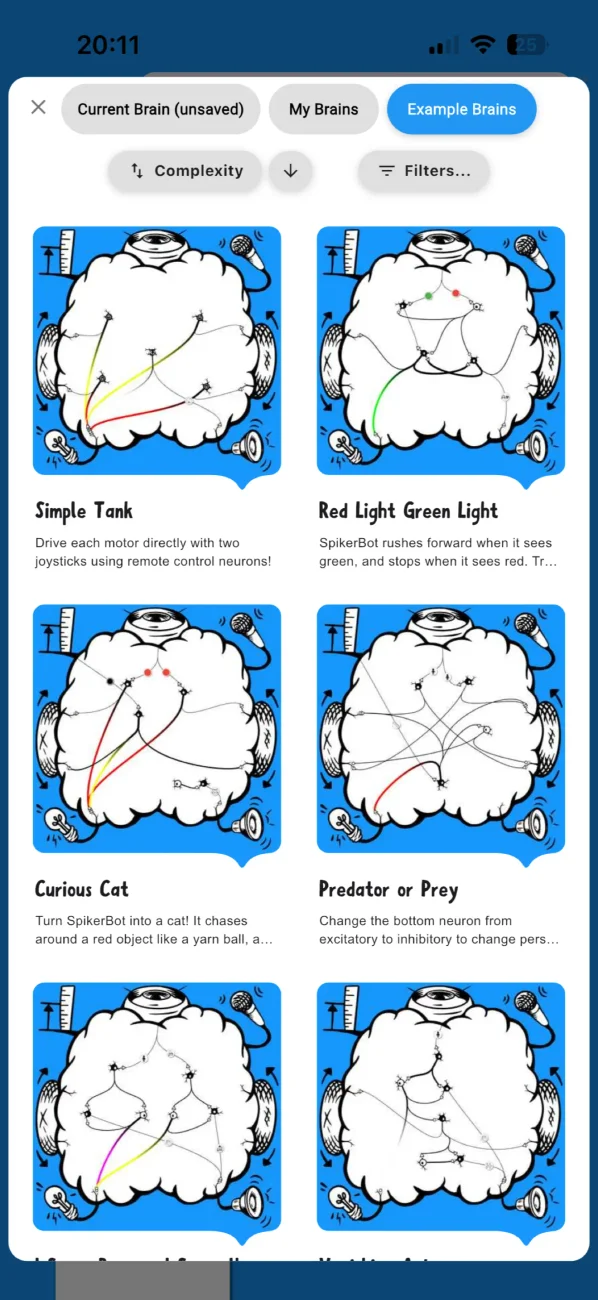
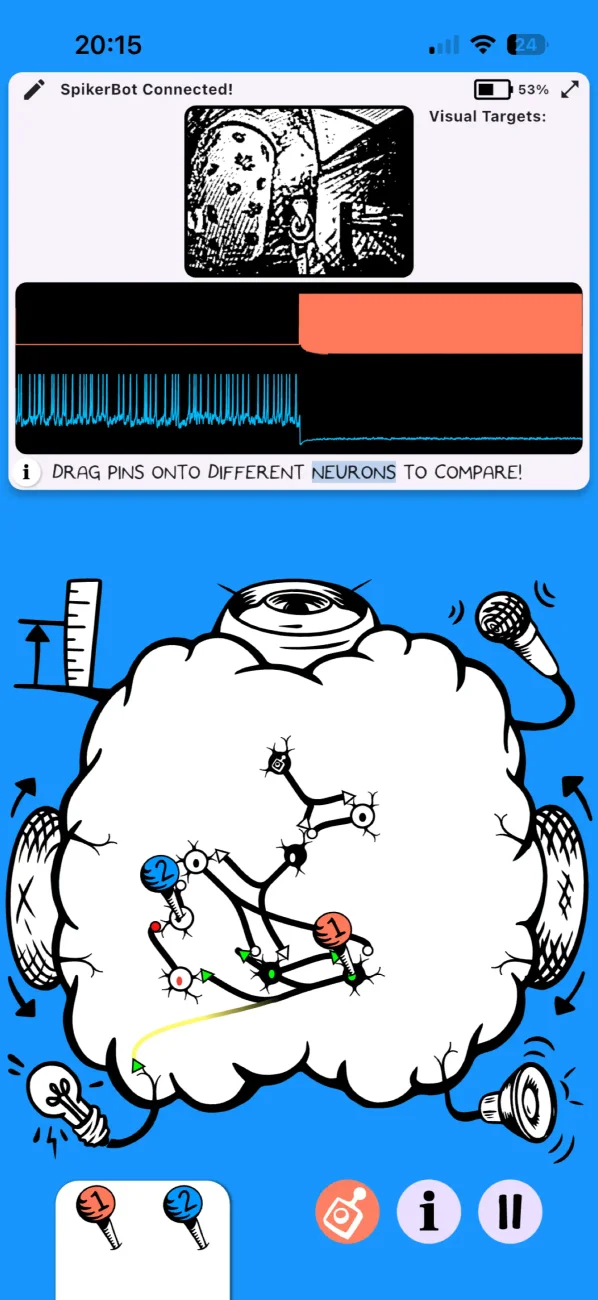
SpikerBot is a neuroscience and robotics learning app from Backyard Brains. Build brain-inspired circuits, connect neurons into behaviors, run simulations, and control a SpikerBot robot when hardware is available.
Students can start with bundled example brains, inspect how sensor inputs affect a neural circuit, tune motors, LEDs, speakers, and robot reactions, and save their own designs as shareable .brain files. The Lab Notebook keeps notes and annotations close to each brain so experiments can be revisited, explained, and improved.
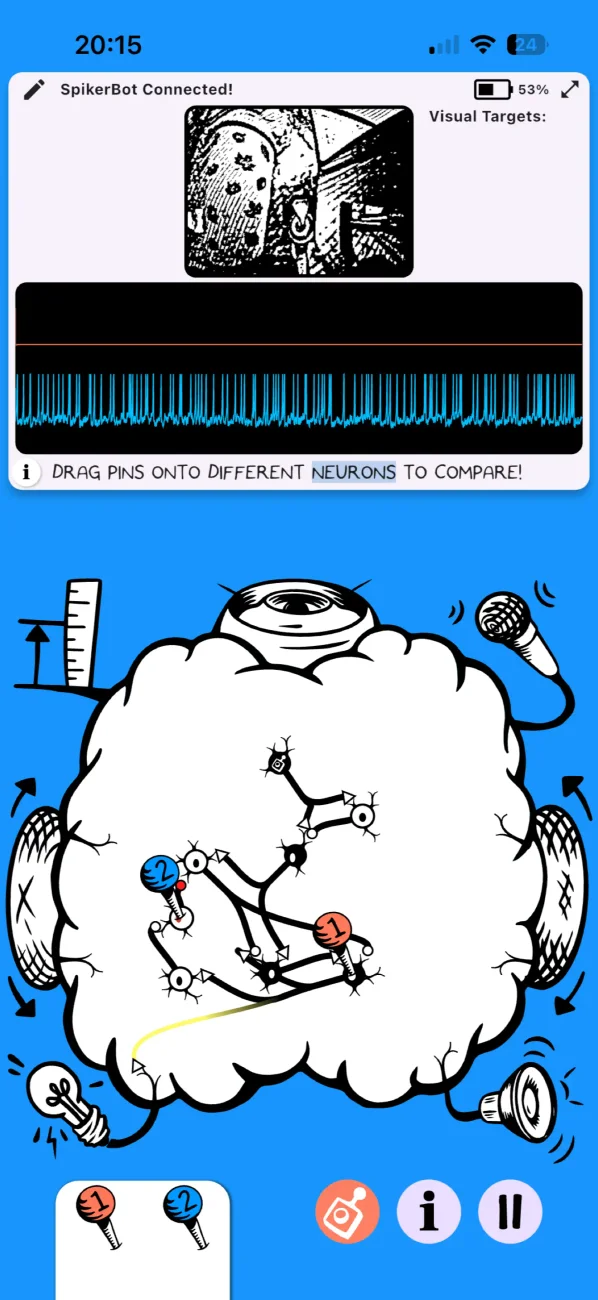
SpikerBot works as a simulator on its own, so learners and reviewers can explore the core experience without external hardware. When paired with a SpikerBot robot over local Wi-Fi, the same brain designs can drive live robot behavior using distance, camera, microphone, motor, light, and sound signals.
Features:
- Visual brain-design canvas for neuron and axon networks
- Built-in example brains for quick classroom demos
- Live simulation mode with sensor and output readouts
- Lab Notebook annotations for documenting experiments
- Save, import, and share .brain files
- Optional local Wi-Fi robot connection for hands-on robotics
Có gì mới
Phiên bản 1.7.7 · 11/10/2026
With SpikerBot 1.7.7, your robot can get new firmware over its own Wi-Fi. No cable, no computer.
UPDATE YOUR ROBOT OVER WI-FI
This version of the app carries robot firmware V1.2.0 and can install it straight onto your robot. Connect to your SpikerBot, open robot settings, and tap Update firmware. Keep the batteries above 25% and leave the app open until the robot restarts.
Robots still on V1.0.0 or V1.1.0 need one last update over USB, from SpikerBot on a Mac or Windows computer. After that, Wi-Fi handles every update.
A STEADIER ROBOT
- Fixed a firmware bug that could make the robot restart or shut off during Play.
- If the app loses its connection, the wheels stop. They no longer keep running on the last command.
- When a phone walks away, the robot notices sooner and its lights and motors go back to idle on their own.
- The green "connected" light is a soft glow again, not nearly invisible.
- Battery readings recover faster after power-on and when you connect.
BRAINS AND THE DESIGN SCREEN
- Side color targets (like Side Color Red) now drive the neurons wired to them. Before, the camera saw the color and nothing happened.
- Pause holds the brain exactly where it is, and Play picks up from there instead of starting over. The Pause and Play animation is back too.
- Saved brains reopen exactly as you saved them, every neuron setting included.
- Opening or importing a .brain file on a new install works again.
- Thin connections are easier to tap.
- Camera, microphone, and distance settings keep your edits, and your camera choice survives a reconnect.
- Tapping certain empty corners of the design area could close the app. Not anymore.
- Fixed crashes while drawing some brains.
DON'T FREAK OUT (KNOWN ISSUES)
- After a firmware update the app may say it could not confirm the install. Check the firmware version in robot settings. If it still shows the old version, run the update again.
- After an update the robot may need a press of its power button to start.
- A custom robot name may go back to the default after an update.
- Battery percentage can read low for the first moments after power-on.
- If the robot won't turn back on from its button after a shutdown, take the batteries out and put them back.
Quyền riêng tư của ứng dụng
Những gì Backyard Brains khai báo trên App Store về cách ứng dụng này xử lý dữ liệu.
-
Dữ liệu không liên kết với bạn
Có thể được thu thập nhưng không liên kết với danh tính của bạn.
- Chẩn đoán
Phương thức đảm bảo quyền riêng tư có thể khác nhau, chẳng hạn như tuỳ theo các tính năng bạn sử dụng hoặc độ tuổi của bạn.
Thông tin
- Người bán
- Backyard Brains
- Danh mục
- Giáo Dục
- Phiên bản
- 1.7.7
- Cập nhật
- 11/10/2026
- Phát hành
- 26/07/2026
- Kích thước
- 106,4 MB
- Yêu cầu
- iOS 13.0 trở lên
- Độ tuổi
- 4+
- Giá
- Miễn phí
- Ngôn ngữ
- Tiếng Anh
- Bản quyền
- © Copyright 2026 Backyard Brains