Màn hình tách cho đa tác vụ
Xem hai điều cùng một lúc
Được thiết kế cho iPhone, iPad
299.000đ
- Độ tuổi17+
- Danh mụcHiệu Suất
- Nhà phát triểnvishnu rao
- Ngôn ngữTiếng Anh+ 3 ngôn ngữ khác
- Kích thước70,6 MB
Liên kết đến trang App Store chính thức
Download.org không lưu trữ tệp nào của Màn hình tách cho đa tác vụ. Nút này mở trang ứng dụng trên App Store, nơi vishnu rao phát hành ứng dụng. Trang được kiểm tra lần cuối: 07/11/2026.
Ảnh chụp màn hình




Giới thiệu
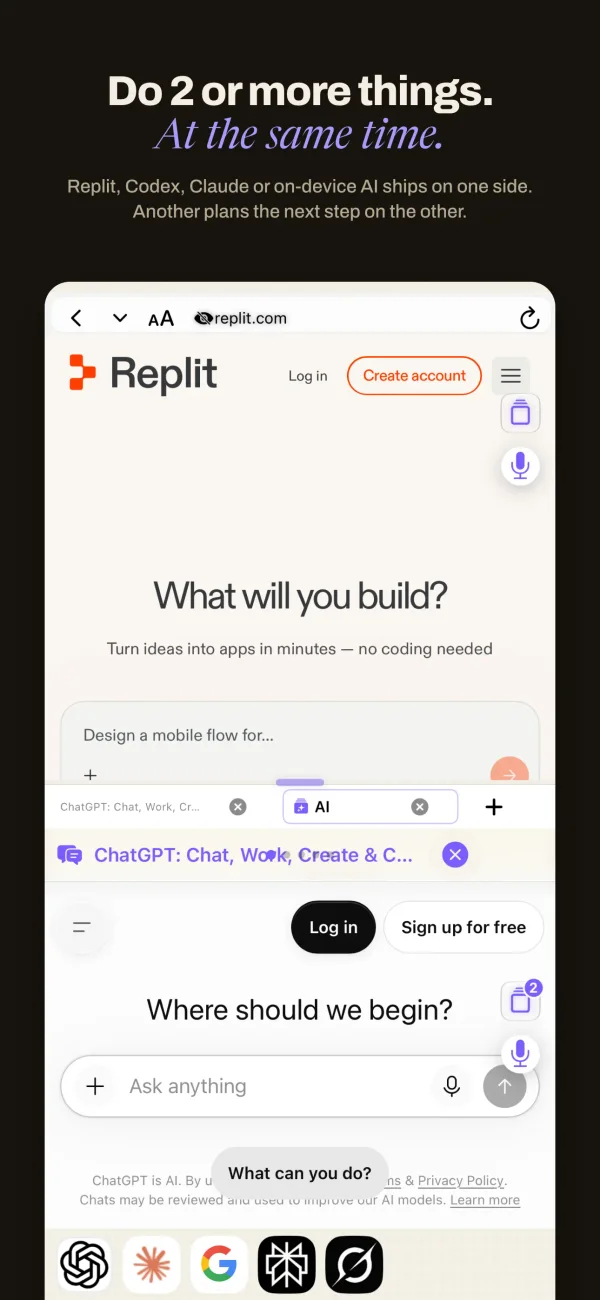
Ứng dụng tiện ích iPhone & iPad số 1 tại 46 quốc gia, ứng dụng đa nhiệm chia màn hình DuMore cũng được xếp hạng Top 10 tại 78 quốc gia bao gồm Mỹ, Trung Quốc & Nhật Bản, Top 25 tại 84 quốc gia và Top 26-100 ở một số quốc gia khác. Split View cho phép bạn làm hai việc cùng một lúc. Tải xuống DuMore để ngừng chuyển đổi liên tục giữa các ứng dụng hoặc tab trình duyệt cho tất cả các tác vụ trực tuyến của bạn và bắt đầu xem hai thứ cùng một lúc trong màn hình chia nhỏ trên iPhone và iPad.
Chúng tôi thích làm hai việc trên đa nhiệm iPad và iPhone, nhưng để mắt đến cả hai cùng một lúc là điều không thể .. Cho đến bây giờ, bạn có muốn mở 2 thứ trên iPhone và iPad không? Bây giờ bạn có thể!
DuMore Split Screen Multitasker is designed for your new large screen iPhone and iPads that do not have the native iOS Split Screen, Split View and Slide Over features. The DuMore Split Screen App offers an alt experience similar to using two apps at the same time with web apps, browsers, inbuilt plugins and extensions.
► Download Now! ◄
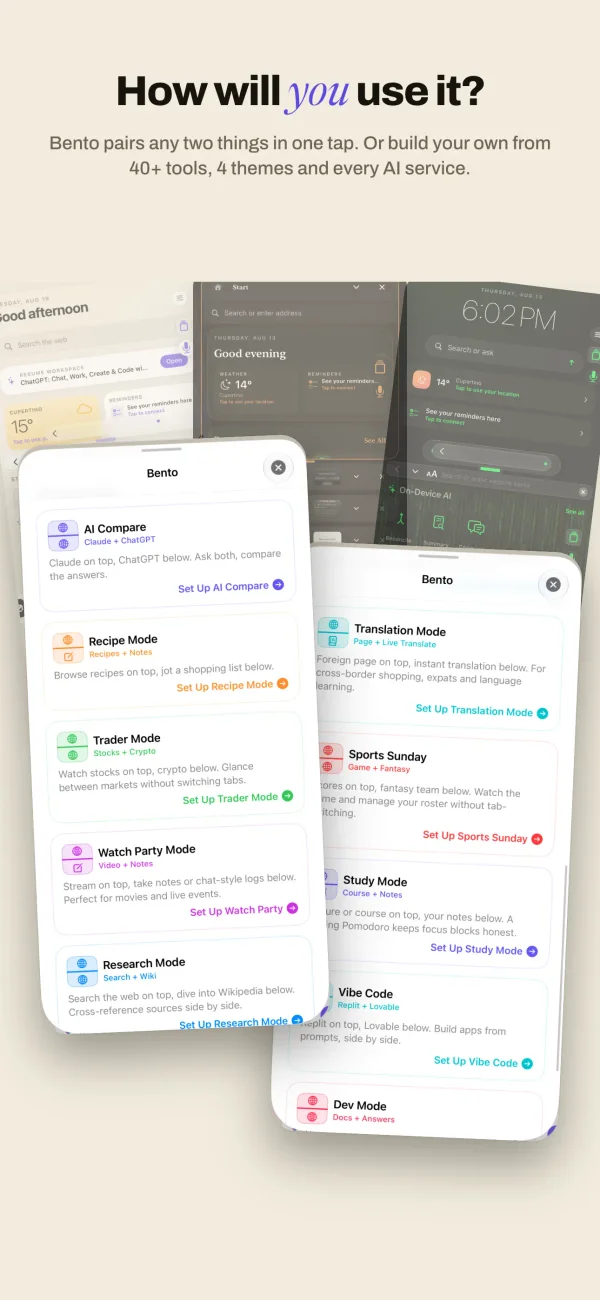
How will you DuMore with Split Screen View?
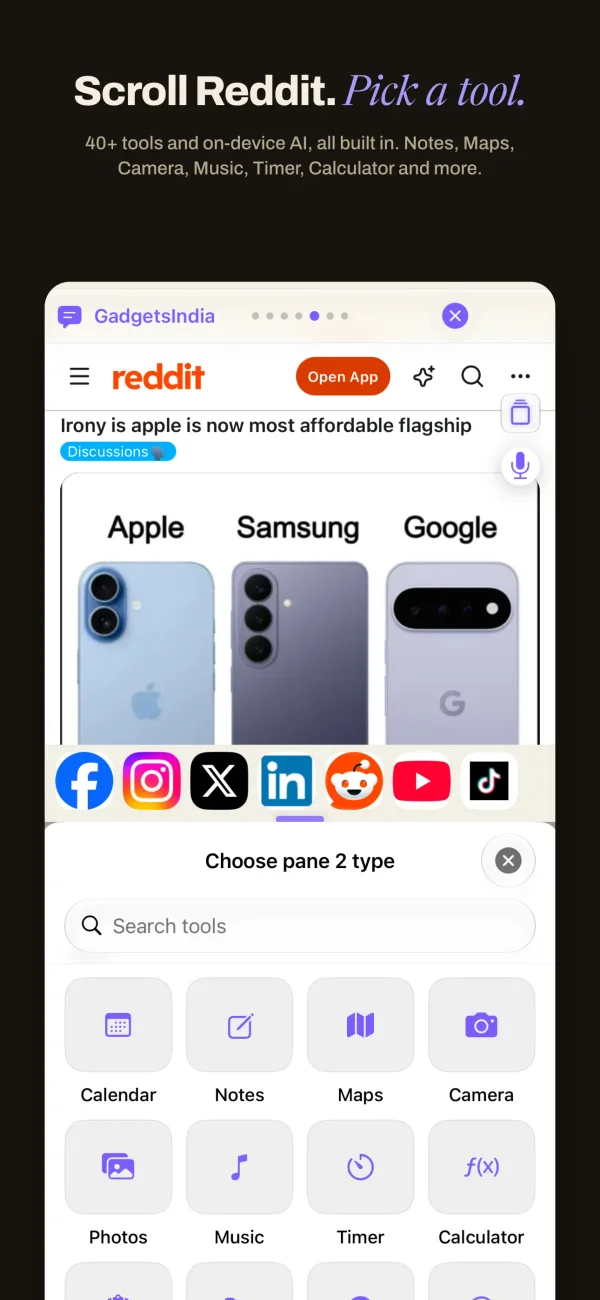
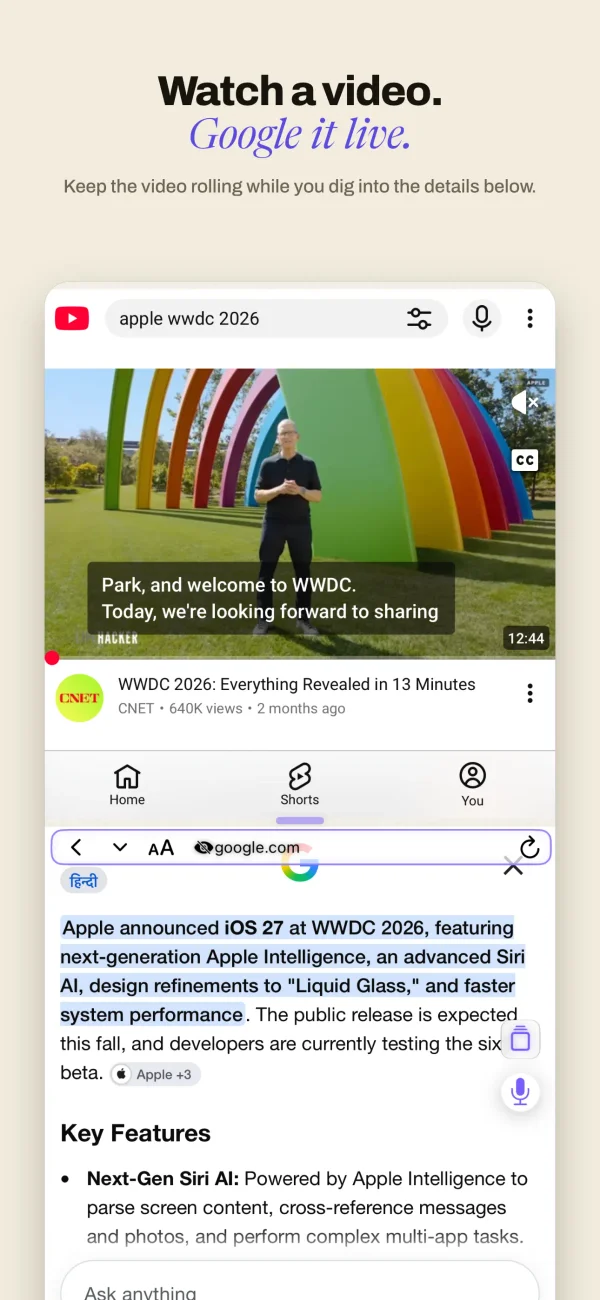
- Watch a TV show while you check all your social network accounts - flip left/right in social plugin to easily manage all your social network accounts in a split screen
- Or play Music and check Facebook while checking routes with Google Maps on a road trip!
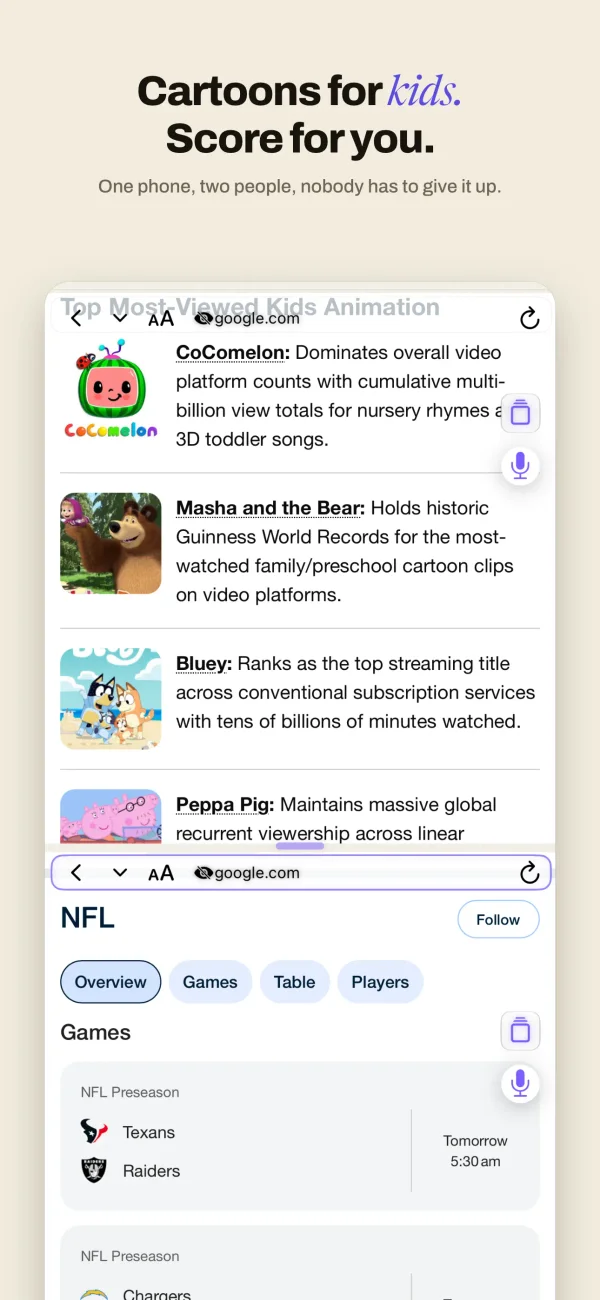
- How about having the superpower to play your little one’s favorite cartoon while tracking the score
- Imagine keeping one eye on the market, news or data while responding to an email at work
» There are millions of possibilities!
►Download Now!◄
Get most out of the large screen of your iPhone, iPhone Plus or iPad with split screen multitasking.
DuMore comes equipped with all the tools you need for multitasking:
» Social Plugin: Instantly switch between social networks with left/right swipe in a cool cube animation. Access all your social media accounts in one app.
» Child Lock: Control and limit access to web pages, social networks, videos and more.
» File Manager: Download and save files or screenshots in the file manager.
» Download Manager: Desktop-class download manager coming soon.
» Split View Management: Resize, Maximize, Minimize, Add, and Remove Split Tabs.
» Plugins: Full featured mini apps for split screen multitasking experience.
» Extensions: support for Evernote, 1Password, Translate and more apps coming soon.
» Support for Left Handed User: First and only iOS app to support left handed users on iOS. Toggle interface for left-hand or right-hand users in settings.
» Page shot: Full Page screen capture now allows you to turn a full web page into an image. View it in the app or your Apple Photos app.
» And more!
► DuMore has a desktop class screen split browser that includes:
- Smart address box.
- Private Browsing.
- Translator.
- Customizable Home Page.
-Parental Controls.
- Maximize, Minimize, Add or Remove a Tab in split screen view.
- Edge-to-edge full-screen.
- Customizable search box: 1 click access to your favorite search engine.
- Bookmark, History, Reading List.
- Share Link
- Save a complete web page as a pdf.
- And more.
DuMore also helps you recover several GB disk space on your iPhone and iPad by allowing you to remove Facebook, Instagram and other bulky apps that store content you can't delete.
This is the perfect iPhone split screen app with split screen multitasking browser for your large screen iPhone 7, 6S and iPhone Plus. DuMore brings split screen multi tasking and split view for all iPads, old and new. You don't have to switch between two apps when you can view two things simultaneously. This is limited to apps that have a website like facebook and twitter. You can also resize the two split view windows or close one split screen tab for an edge-to-edge full screen view of your favorite websites and videos.
Tell us how you use this app and how it can be improved for you, we're listening.
Có gì mới
Phiên bản 27.0.1 · 26/10/2026
Medley, your private on-device AI assistant, gets smoother in 27.0.1.
Ask any question about the pages you're reading. Medley reads both panes and answers in one box, no account, no cloud.
New in 27.0.1:
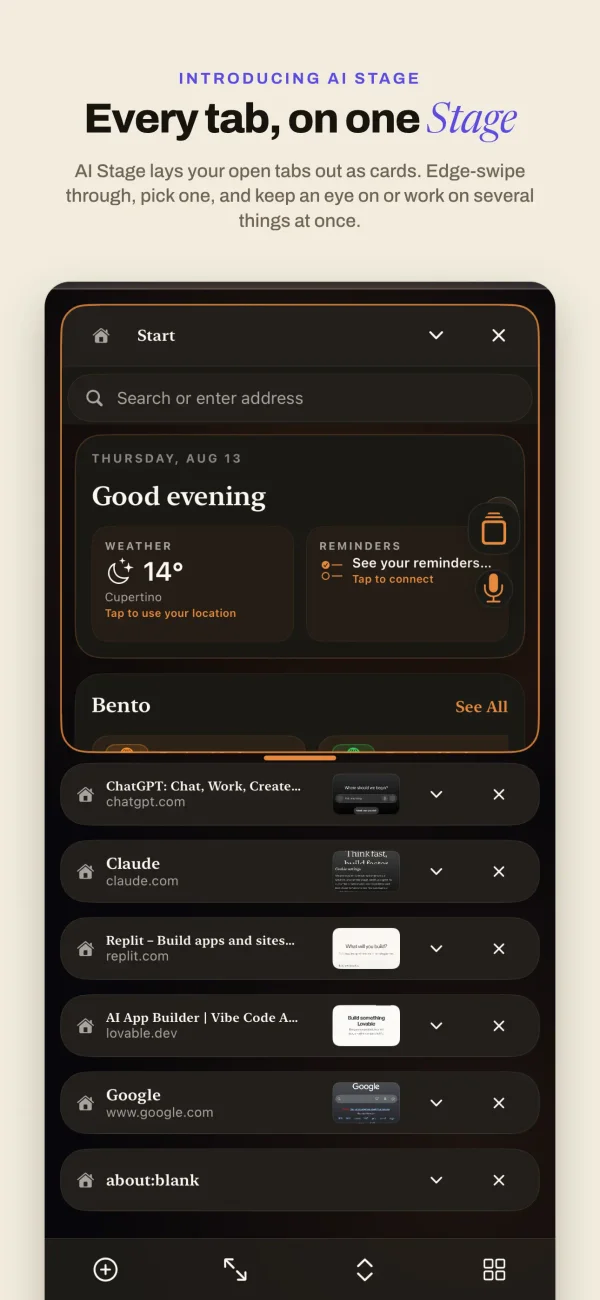
• Polish and stability fixes across both panes, AI Stage and the Medley box, building on everything that arrived in 27.0.
• Faster, more reliable pane loading and layout on rotation and resize.
• Small fixes to search, Stage focus mode and Medley replies.
Still here from 27.0: the unified Medley box, one-tap Reconcile, Compare, Summary, Companion and Synapse, voice-first asking, and long-press Copy, Share or Translate on any reply.
Privacy:
• All on-device AI runs on Apple's FoundationModels framework, where your device and language support it.
• No account, no tracking, no telemetry. Every reply stays on your iPhone.
Made in India by your one man army.
Quyền riêng tư của ứng dụng
Những gì vishnu rao khai báo trên App Store về cách ứng dụng này xử lý dữ liệu.
-
Dữ liệu không được thu thập
Nhà phát triển không thu thập bất kỳ dữ liệu nào từ ứng dụng này.
Phương thức đảm bảo quyền riêng tư có thể khác nhau, chẳng hạn như tuỳ theo các tính năng bạn sử dụng hoặc độ tuổi của bạn.
Thông tin
- Người bán
- vishnu rao
- Danh mục
- Hiệu Suất
- Phiên bản
- 27.0.1
- Cập nhật
- 26/10/2026
- Phát hành
- 10/10/2015
- Kích thước
- 70,6 MB
- Yêu cầu
- iOS 18.0 trở lên
- Độ tuổi
- 17+
- Giá
- 299.000đ
- Ngôn ngữ
- Tiếng Anh, Tiếng Nhật, Tiếng Trung Giản thể, Tiếng Trung Phồn thể
- Bản quyền
- © 2014-26 Vishnu Rao