Spread Planner
Weekly & monthly paper planner
Được thiết kế cho iPhone, iPad
Miễn phí · Mua hàng trong ứng dụng
- Độ tuổi4+
- Danh mụcHiệu Suất
- Nhà phát triểnSANWA Inc.
- Ngôn ngữTiếng Anh+ 1 ngôn ngữ khác
- Kích thước1,8 MB
Liên kết đến trang App Store chính thức
Download.org không lưu trữ tệp nào của Spread Planner. Nút này mở trang ứng dụng trên App Store, nơi SANWA Inc. phát hành ứng dụng. Trang được kiểm tra lần cuối: 23/11/2026.
Ảnh chụp màn hình


Giới thiệu
Nhà phát triển chưa cung cấp nội dung này bằng ngôn ngữ của bạn.
Spread Planner is a planner that shows your week and your handwritten notes as a two-page spread. With week, month and year spreads, you can see all the way to next year.
- Opens like an A6 planner
The inner display of iPhone Duo has almost the same proportions as A-series paper. Open it and your week sits on the left page and your notes on the right, just like an open A6 planner. Half-open it and the fold becomes the spine. Close it to see just today's page.
- Your week on the left, handwriting on the right
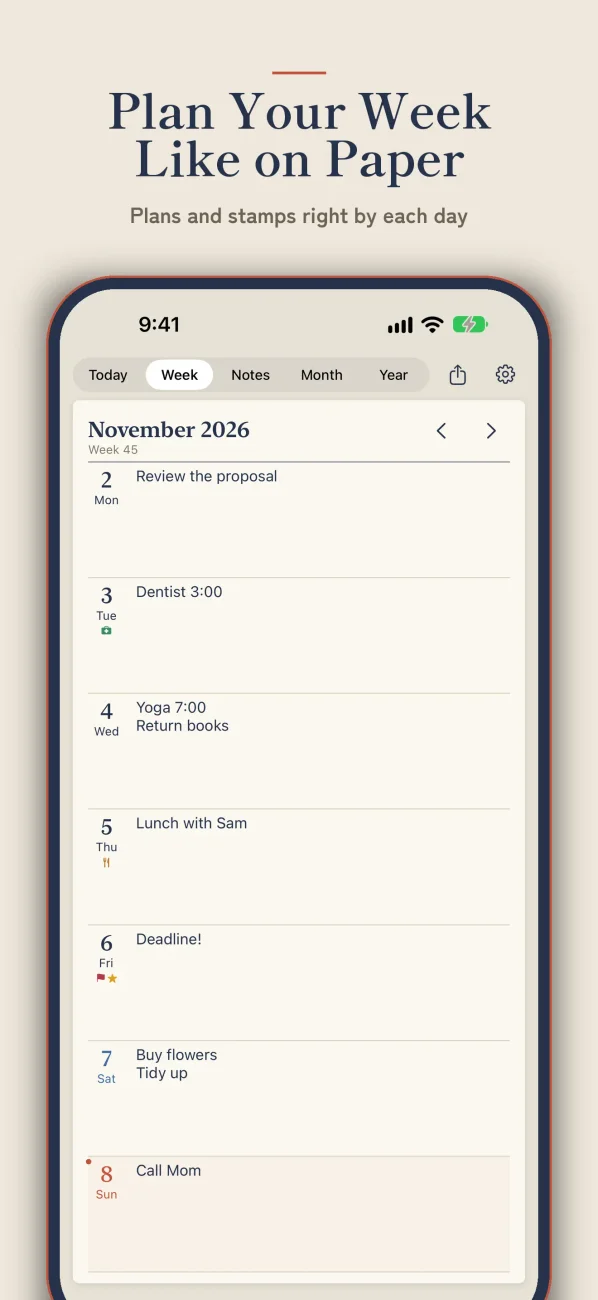
Type your plans for each day on the week page. Events from your iOS Calendar appear right on the lines (read only, never changed). Japanese public holidays can be shown on the dates. Write by hand on the note page.
- Choose your paper
Lined, grid and checklist paper are free. On checklist paper, write your to-dos, tick them off and move anything unfinished to next week. Pro adds dot, blank, timeline and two-column paper, and you can pick a different paper for every week.
- Monthly and yearly spreads (Pro)
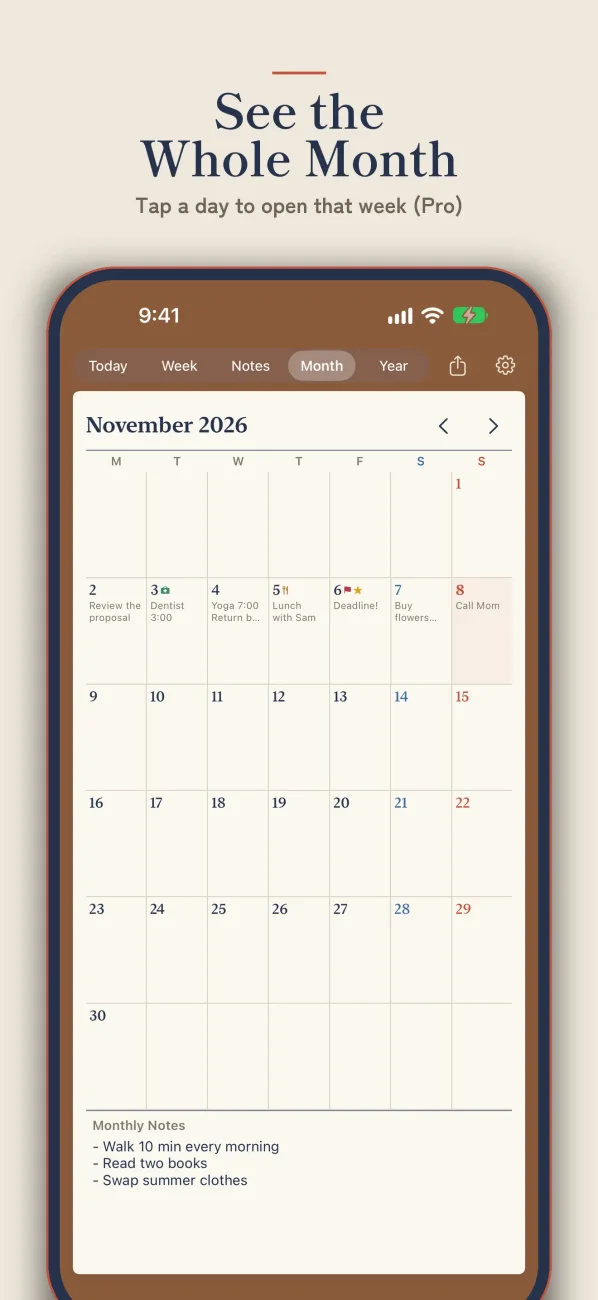
See the whole month across two pages. Like a paper planner, the seven days span both pages, with monthly notes at the far right. Each day shows as many entries as fit; tap it to see everything and jump to that week. Without Pro, you can preview this month's spread.
The yearly spread shows January to June on the left and July to December on the right. Days you wrote on and stamped stand out, and tapping a month opens it.
- Planner stamps (Pro)
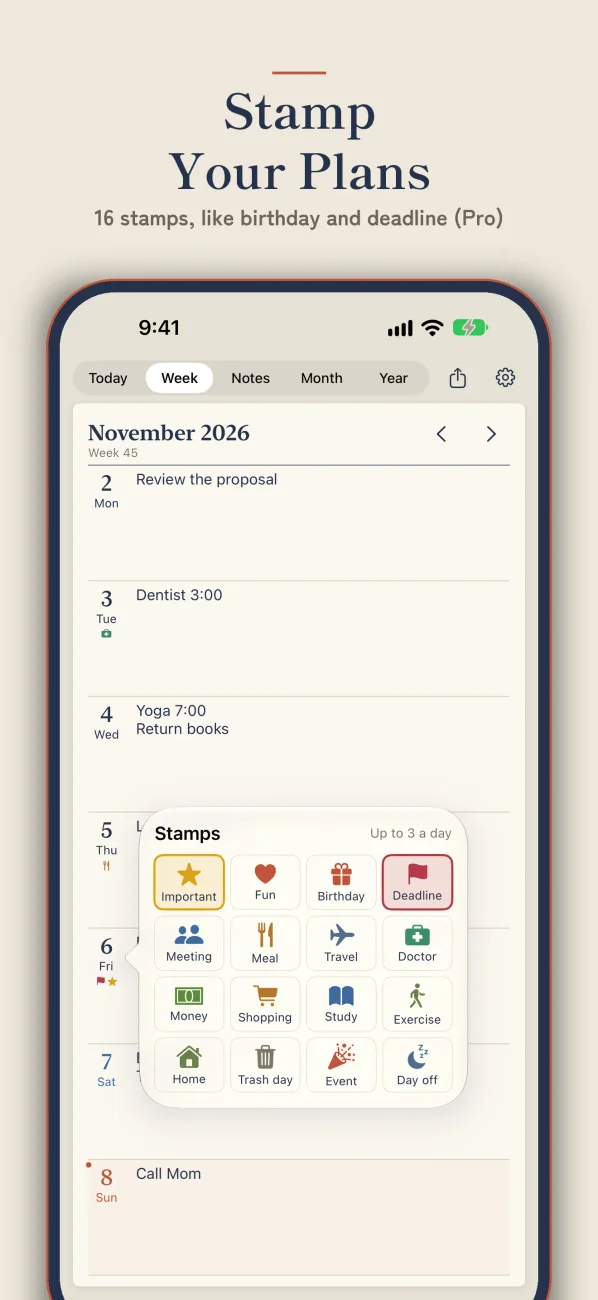
Mark days with 16 stamps such as birthday, deadline, travel and doctor (up to 3 a day). They show on the monthly and yearly pages too.
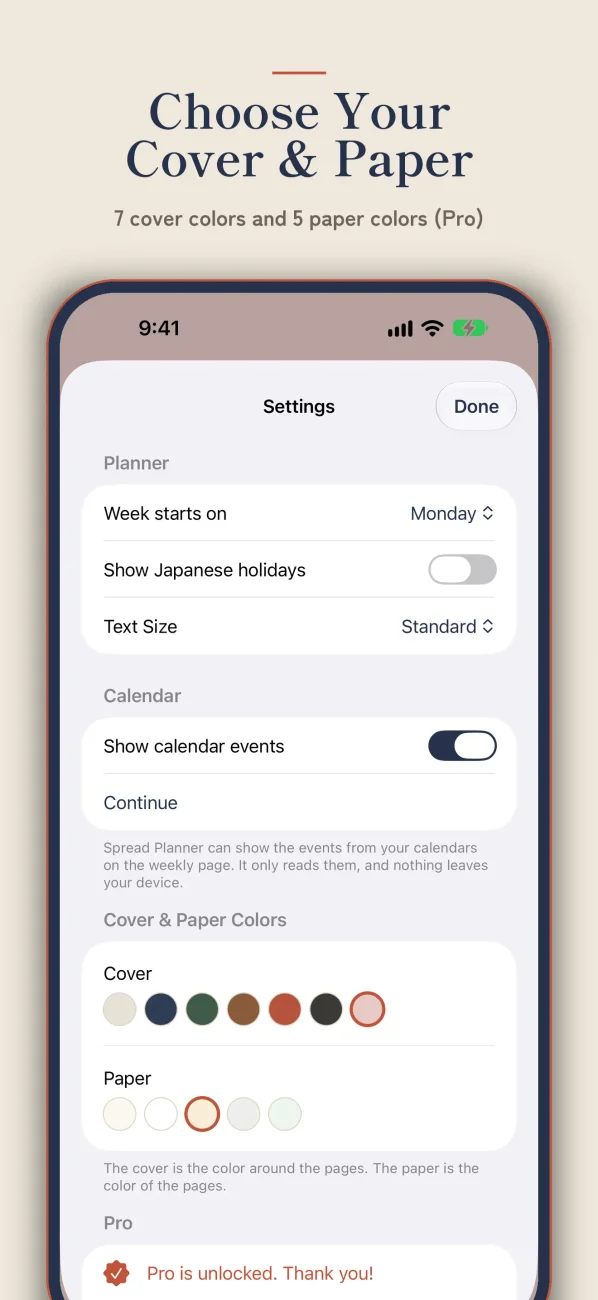
- Cover and paper colors (Pro)
Choose from 7 cover colors, including navy, forest, leather and sakura, and 5 paper colors.
- Export and print (Pro)
Export any week, month or year spread as an A4 landscape image or PDF, then print it or save it to Files.
- Home Screen widgets (Pro)
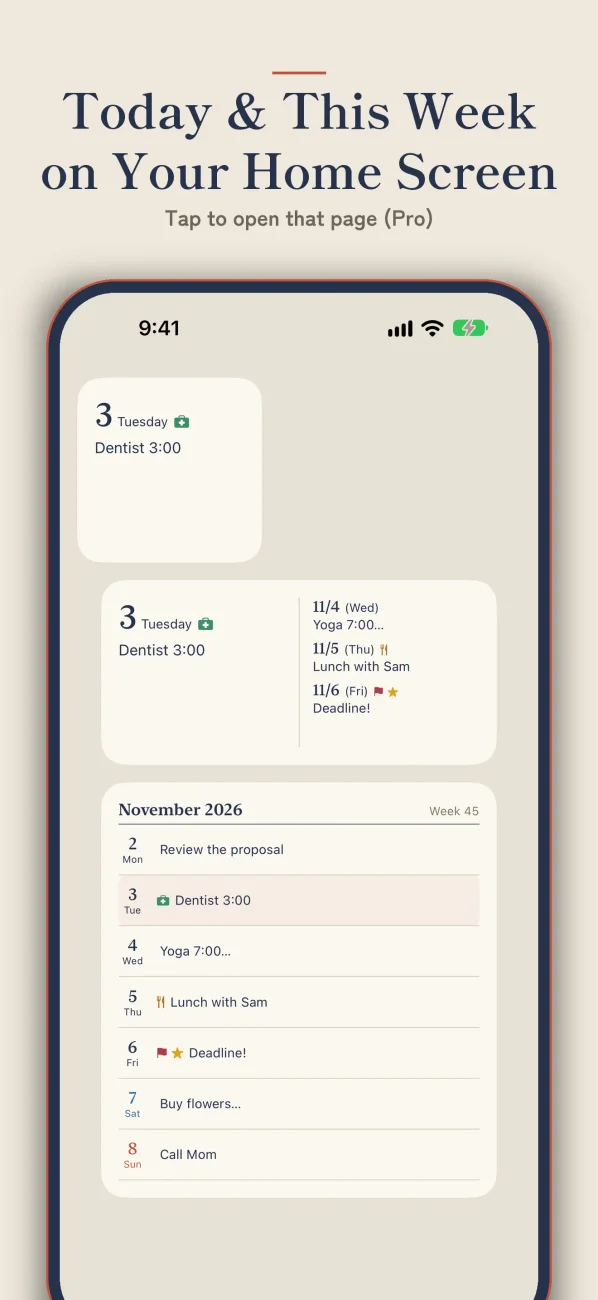
Put today's plans and this week's seven lines on your Home Screen. Tap to open that page of your planner.
- Works on regular iPhone and iPad
On iPhone, flip between Today, Week, Notes, Month and Year with the switcher at the top. Turn iPad sideways for the spread.
- Night paper
In Dark Mode the page turns to a softer "night paper".
- Your writing stays on your device
No account needed. Everything you write is stored only on your device and never sent anywhere. No ads.
- Pricing
Week pages, handwritten notes, lined, grid and checklist paper, calendar events, Japanese public holidays and text size settings are free. Spread Planner Pro (one-time purchase) unlocks monthly and yearly spreads, stamps, cover and paper colors, export and print, Home Screen widgets, and every paper type.
Có gì mới
Phiên bản 1.2.0 · 19/11/2026
Easier to write in every day, thanks to your emails and reviews.
- Checklist paper (free): write your to-dos and tick them off. Move anything unfinished to next week in one tap
- Month spreads now show as many entries as fit in each day. Busy days show a count like "+3"; tap to see everything
- Empty days now show a faint "Write" hint
- Text size now follows your device's text size by default (you can still choose in Settings)
- Without Pro, you can now preview this month's spread under Month. Tap Hide to shrink the note to a small badge
Fixes
- The top buttons are easier to tap when iPhone Duo is closed
- On iPad, resizing the window or rotating no longer jumps from Month or Year back to Today
- On iPad, the top buttons no longer sit under the window controls in a small window
- On iPhone in landscape, the top buttons no longer slip off screen on the Week and Year pages
- Fixed a freeze while typing with iPhone in landscape
Quyền riêng tư của ứng dụng
Những gì SANWA Inc. khai báo trên App Store về cách ứng dụng này xử lý dữ liệu.
-
Dữ liệu không được thu thập
Nhà phát triển không thu thập bất kỳ dữ liệu nào từ ứng dụng này.
Phương thức đảm bảo quyền riêng tư có thể khác nhau, chẳng hạn như tuỳ theo các tính năng bạn sử dụng hoặc độ tuổi của bạn.
Thông tin
- Người bán
- SANWA Inc.
- Danh mục
- Hiệu Suất
- Phiên bản
- 1.2.0
- Cập nhật
- 19/11/2026
- Phát hành
- 08/10/2026
- Kích thước
- 1,8 MB
- Yêu cầu
- iOS 18.0 trở lên
- Độ tuổi
- 4+
- Giá
- Miễn phí
- Mua hàng trong ứng dụng
- Có
- Ngôn ngữ
- Tiếng Anh, Tiếng Nhật
- Bản quyền
- © 2026 Sanwa
Có thể bạn cũng thích
-
 CalNote: Paper PlannerHiệu Suất
-
 DeskCalendarHiệu Suất
-
 GoodPlanner - Daily PlannerHiệu Suất
-
 KanKan: AI Weekly PlannerHiệu Suất
-
 Haru Danim: Time TrackerHiệu Suất
-
 env: Focus Timer & BlockerHiệu Suất
-
 Todoリスト−カンタンチェックリストHiệu Suất
-
 Planory:AI手帳・スケジュール・タスク管理Hiệu Suất
-
 CheckBuyHiệu Suất
-
 Acto|Handwritten PlannerHiệu Suất