SQL Studio by IT Service
Administer SQL Server anywhere
Được thiết kế cho iPhone, iPad, Mac
Miễn phí
- Độ tuổi4+
- Danh mụcCông Cụ Nhà Phát Triển
- Nhà phát triểnDario Bondi
- Ngôn ngữTiếng Anh+ 1 ngôn ngữ khác
- Kích thước13,6 MB
Liên kết đến trang App Store chính thức
Download.org không lưu trữ tệp nào của SQL Studio by IT Service. Nút này mở trang ứng dụng trên App Store, nơi Dario Bondi phát hành ứng dụng. Trang được kiểm tra lần cuối: 18/11/2026.
Ảnh chụp màn hình

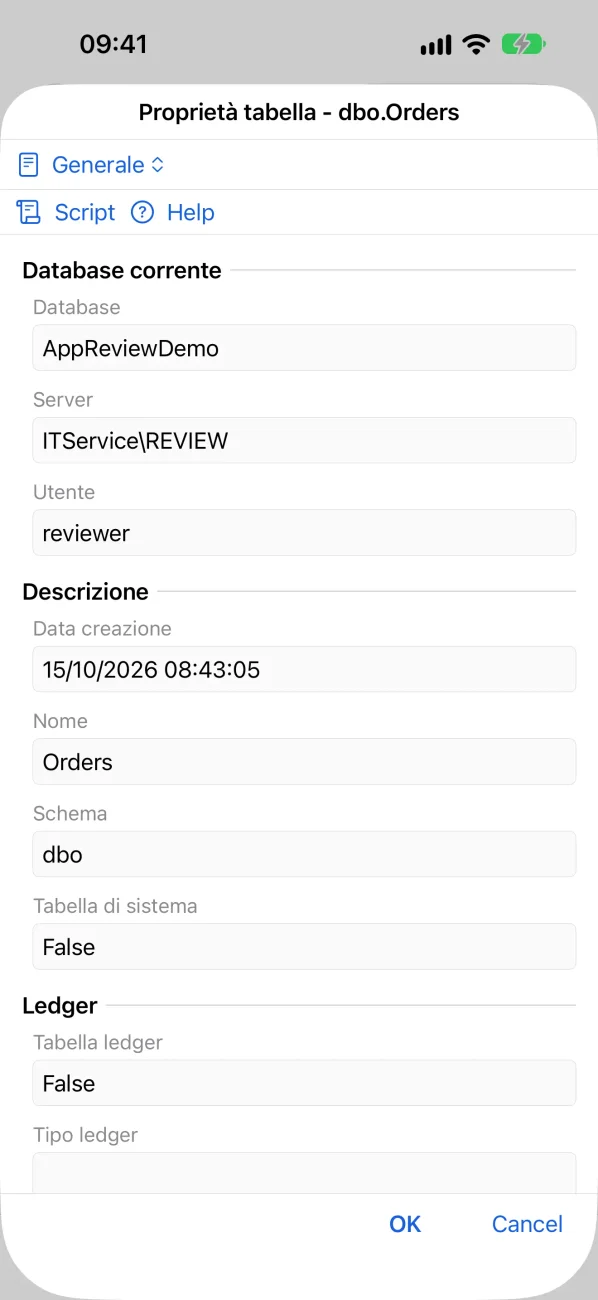
Giới thiệu
Nhà phát triển chưa cung cấp nội dung này bằng ngôn ngữ của bạn.
SQL Studio brings the complete SQL Server Management Studio experience to Mac, iPhone and iPad, so you can administer and develop Microsoft SQL Server, Azure SQL Database and Azure SQL Managed Instance databases.
SQL Studio works together with the SQL Studio gateway, a connector you install once on your own Windows or Linux server, or in Docker. The app talks to the gateway over HTTPS, and the gateway connects to your databases. It is not an online service: the gateway runs on your infrastructure, under your control. It uses the official Microsoft libraries (SMO, DacFx, ScriptDom, XELite) to give you every SSMS feature.
REQUIREMENTS
• The SQL Studio gateway installed on a server in your network: Windows Server 2019 or later, Windows 10 or later, Linux x64/arm64 or Docker
• Network: the gateway reaches SQL Server, your devices reach the gateway over HTTPS (port 8443)
• A gateway user account, created by your administrator
• Installation instructions are on the support page
WHAT THE GATEWAY GIVES YOU
• Every enterprise sign-in: Windows Authentication, Microsoft Entra ID with MFA, password, integrated, service principal, managed identity and access token
• Always Encrypted for encrypted columns
• Data-tier applications: extract, deploy, export and import .dacpac and .bacpac files, including to Azure
• SMO scripting just like SSMS, T-SQL parsing with ScriptDom, live Extended Events with XELite
• Backups, restores, scripts and imports keep running on the gateway even if you close the app
• Your SQL servers stay protected: users only reach the gateway
QUERY EDITOR
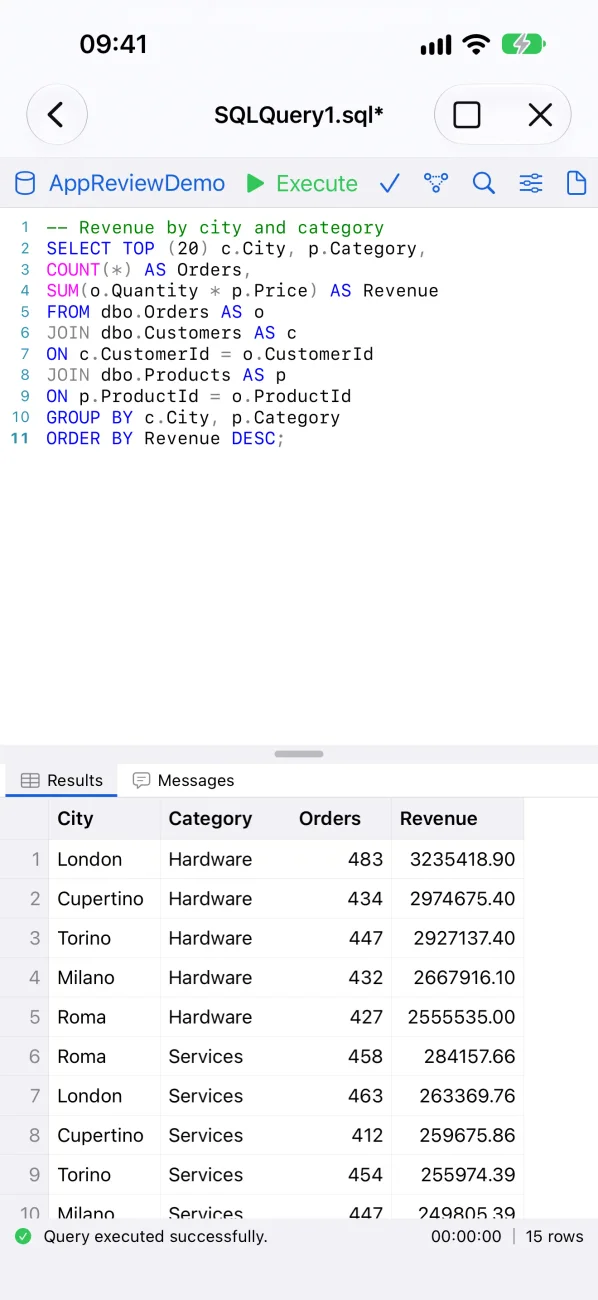
• SSMS-style syntax colors and IntelliSense: keywords, databases, schemas, tables, columns with aliases, procedures and parameters
• Scripts with GO and SQLCMD mode; results to grid, text or file
• Estimated and actual execution plans with a graphical viewer, Live Query Statistics and client statistics
• Live error checking, formatting, more than 300 templates and snippets, per-window transactions
OBJECT EXPLORER
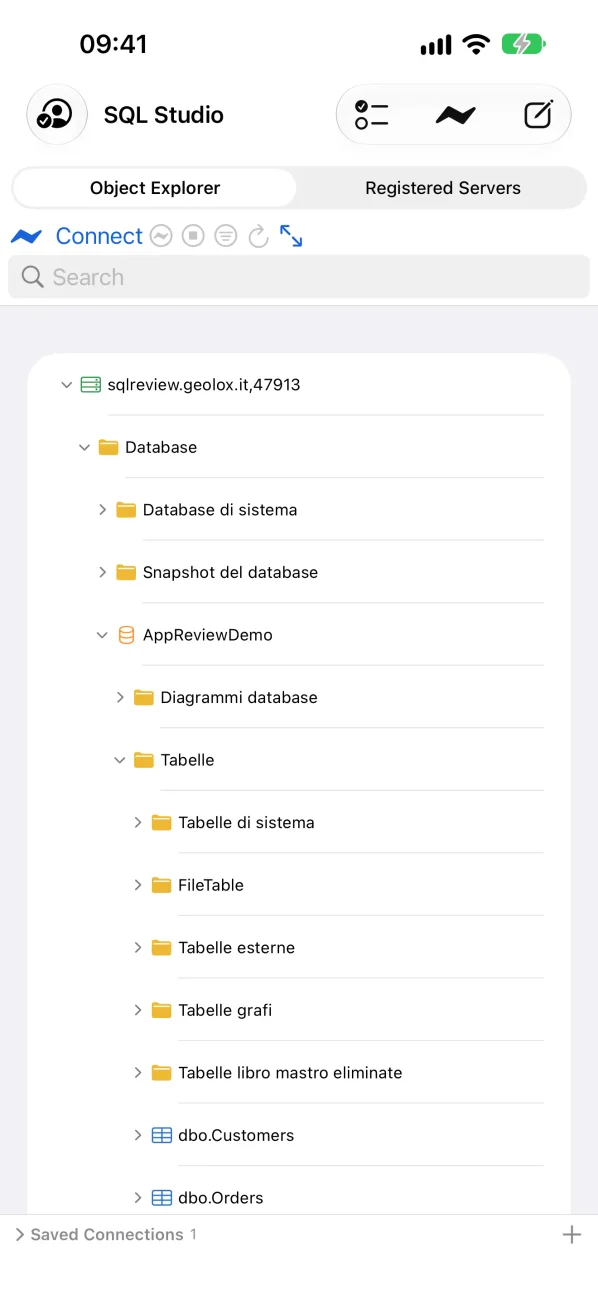
• More than 200 node types: databases, tables, views, programmability, Query Store, Service Broker, security, replication, Always On, Integration Services, SQL Server Agent, XEvent Profiler
• Every SSMS context menu, filters, search, Object Explorer Details and dependencies
• CREATE, ALTER, DROP, SELECT and INSERT scripts, plus the Generate Scripts wizard
ADMINISTRATION
• More than 130 dialogs and wizards, each with a Script button: server and database properties, backup and restore, security, indexes, partitioning, compression, full-text, Always On, replication, Policy-Based Management, Resource Governor, Database Mail, maintenance plans, the Integration Services catalog, SQL Server Agent jobs
• Table designer, database diagrams, data editing, flat file import, data import and export
REPORTS AND MONITORING
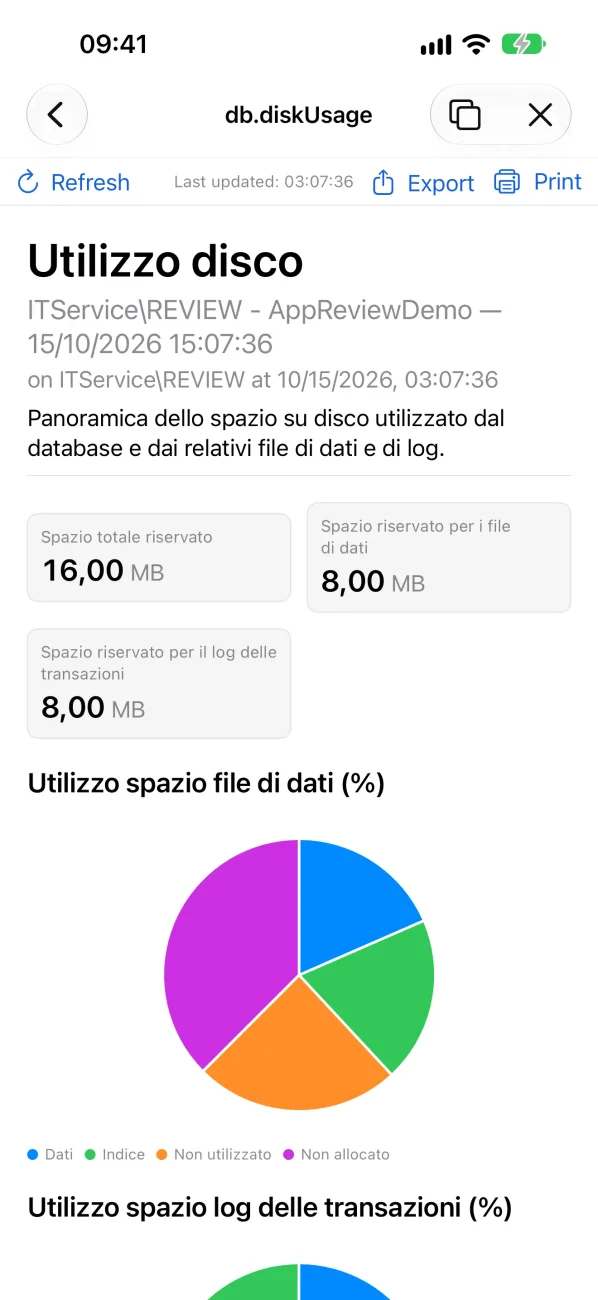
• 63 standard server and database reports, plus Query Store reports
• Activity Monitor, Job Activity Monitor, Always On Dashboard
• Log File Viewer, vulnerability assessment, missing indexes, live Extended Events
SECURITY FOR YOUR TEAM
• Personal gateway accounts with strong passwords and two-step verification (TOTP)
• Audit log: who connected, to which server, and which tasks they started
• Allowed-server list set by your administrator
• HTTPS with certificate pinning and expiring sessions
• Passwords and tokens only in the device Keychain, with Touch ID or Face ID and automatic locking
FREE
SQL Studio is free, with no in-app purchases and no account with us. The app sends no data to the developer.
Prefer to connect directly to your servers, without a gateway? Try SQLStudio Light.
Available in English and Italian.
SQL Studio is an independent product by IT Service, not affiliated with or endorsed by Microsoft. SQL Server, Azure and SQL Server Management Studio are trademarks of Microsoft Corporation.
Quyền riêng tư của ứng dụng
Những gì Dario Bondi khai báo trên App Store về cách ứng dụng này xử lý dữ liệu.
-
Dữ liệu không được thu thập
Nhà phát triển không thu thập bất kỳ dữ liệu nào từ ứng dụng này.
Phương thức đảm bảo quyền riêng tư có thể khác nhau, chẳng hạn như tuỳ theo các tính năng bạn sử dụng hoặc độ tuổi của bạn.
Thông tin
- Người bán
- Dario Bondi
- Danh mục
- Công Cụ Nhà Phát Triển
- Phiên bản
- 1.1.4
- Cập nhật
- 20/10/2026
- Phát hành
- 20/10/2026
- Kích thước
- 13,6 MB
- Yêu cầu
- iOS 26.0 trở lên
- Độ tuổi
- 4+
- Giá
- Miễn phí
- Ngôn ngữ
- Tiếng Anh, Tiếng Ý
- Bản quyền
- © 2026 IT Service
Có thể bạn cũng thích
-
 Pocketflare DNSCông Cụ Nhà Phát Triển
-
 SQL Mob ClientCông Cụ Nhà Phát Triển
-
 SQL Multi Studio: SQL ClientCông Cụ Nhà Phát Triển
-
 MySQL Helper - DB ClientCông Cụ Nhà Phát Triển
-
 IonSharp - .NET & C# IDECông Cụ Nhà Phát Triển
-
 Walnut: Webview Debug & TestGỡ lỗi WebView bằng agent
-
 Index - SQL ClientCông Cụ Nhà Phát Triển
-
 GLview ProCông Cụ Nhà Phát Triển
-
 TableProQuản lý CSDL SQL và Redis
-
 Base64 Image ConverterCông Cụ Nhà Phát Triển