
SSHHIP: SSH Client & Terminal
Mosh, tmux & herdr on the go
Được thiết kế cho iPhone, iPad
Miễn phí · Mua hàng trong ứng dụng
- Độ tuổi4+
- Danh mụcCông Cụ Nhà Phát Triển
- Nhà phát triểnKun Chen
- Ngôn ngữTiếng Anh
- Kích thước16,7 MB
Liên kết đến trang App Store chính thức
Download.org không lưu trữ tệp nào của SSHHIP: SSH Client & Terminal. Nút này mở trang ứng dụng trên App Store, nơi Kun Chen phát hành ứng dụng. Trang được kiểm tra lần cuối: 24/11/2026.
Ảnh chụp màn hình

Giới thiệu
Nhà phát triển chưa cung cấp nội dung này bằng ngôn ngữ của bạn.
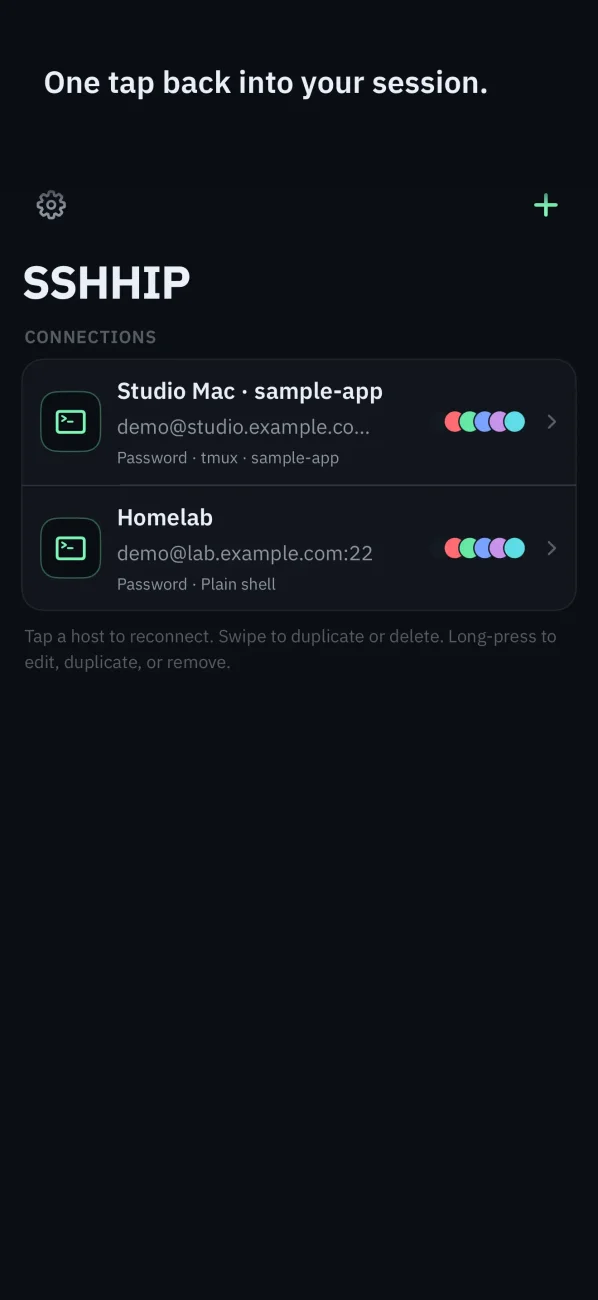
SSHHIP is a focused iPhone and iPad terminal client for developers who keep real work running on their own machines.
Add your Mac mini, workstation, or homelab host, connect with Automatic or direct SSH, and jump back into the tmux or herdr session you already use.
SSHHIP is built for the small moments when you need to check a build, guide a coding agent, restart a process, or send one careful command while away from your desk.
SSHHIP keeps the workflow familiar:
- Save hosts you own or administer.
- Connect directly, without a SSHHIP account or hosted relay.
- Choose Automatic, direct SSH, or Mosh per host; Automatic uses Mosh when available and falls back to SSH.
- Use Automatic authentication for Tailscale SSH or other hosts that accept keyless SSH, import an unencrypted or passphrase-encrypted OpenSSH Ed25519 or ECDSA private key, or generate a non-exportable Secure Enclave P-256 key.
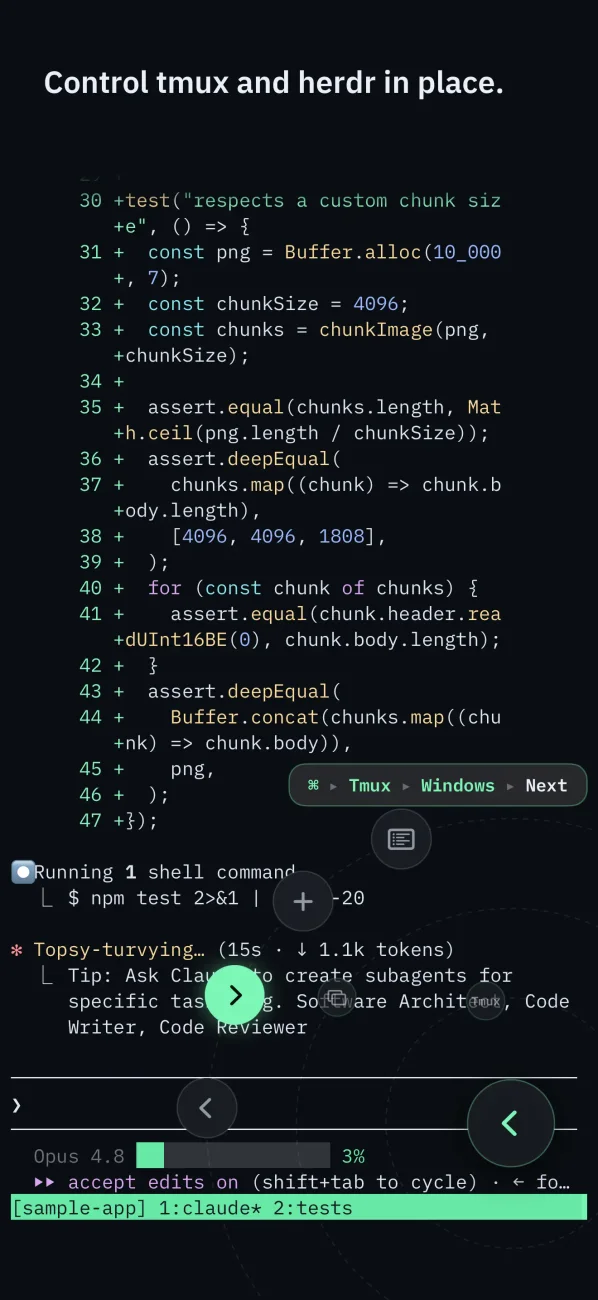
- Attach to existing tmux or herdr sessions with one tap.
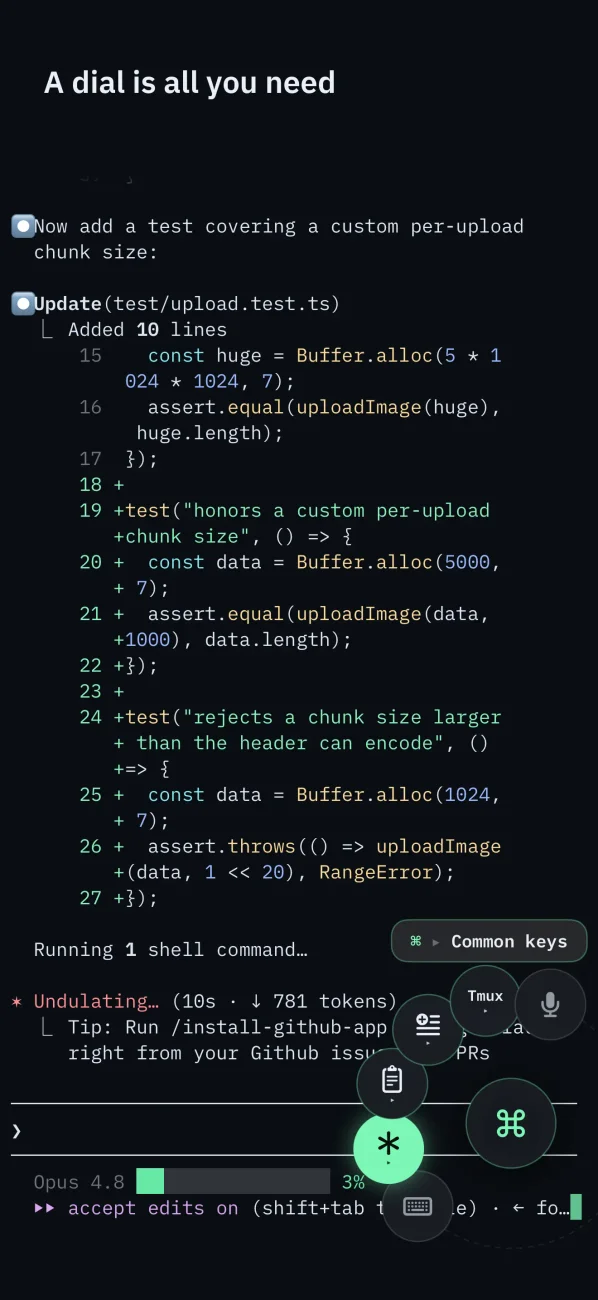
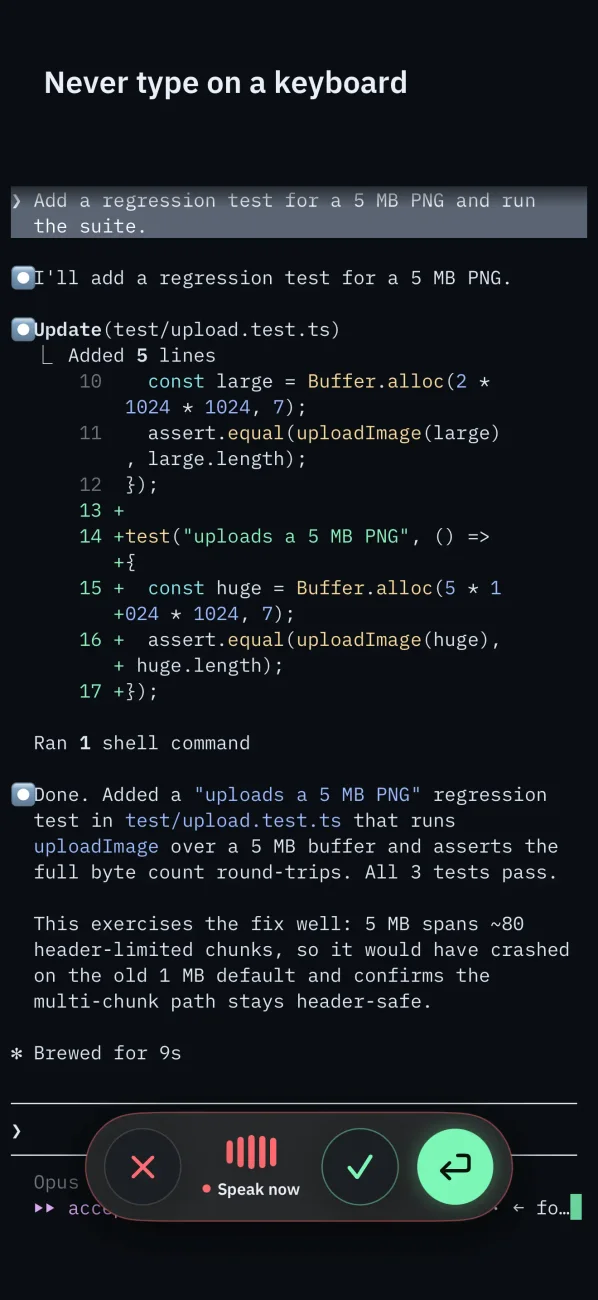
- Use the CommandDial for saved command snippets, common keys, sticky arrow D-pad navigation, directional pane focus in tmux or herdr, paste, selection, voice, keyboard control, and contextual multiplexer actions, with a resting-puck tap fallback to an organized full command menu where frequently used commands can be pinned.
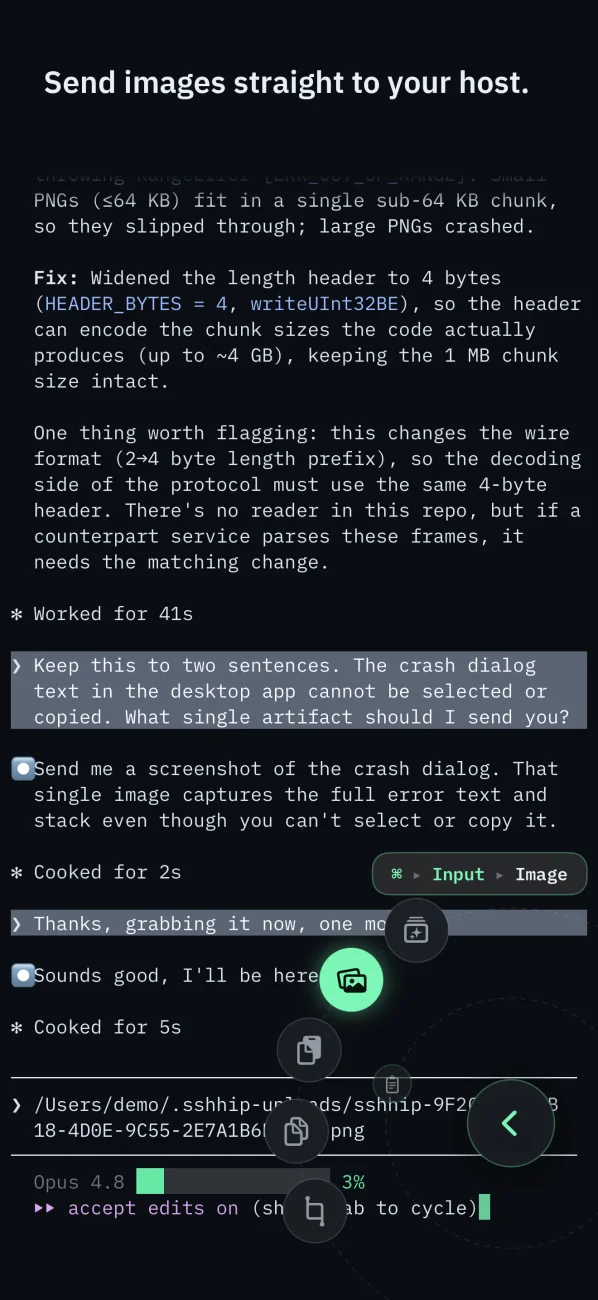
- Send a clipboard image or selected photos to your connected host over SFTP and insert their remote paths.
- Optionally sync saved-host metadata across your Apple devices through your private iCloud database.
- Keep imported credentials in the iOS Keychain and hardware-backed keys in the Secure Enclave.
- Use a polished dark interface designed for terminal work.
SSHHIP is local-first by design.
There is no SSHHIP backend, no cloud vault, no analytics SDK, no advertising, and no tracking.
Command snippets and command-menu pins stay on your device. Your host list also stays on your device unless you turn on saved-host iCloud sync.
When enabled, saved-host metadata syncs through your private iCloud database; passwords, imported private keys, passphrases, and Secure Enclave key references still stay out of CloudKit.
Automatic hosts can connect without a saved password when the SSH server allows it.
Passwords and imported private keys that you save stay in Keychain.
Secure Enclave private keys are non-exportable and never leave the hardware.
Terminal traffic goes between your iOS device and the hosts you configure over SSH.
When you choose Send Image, each selected image goes directly from your iOS device to that connected host over SFTP, and SSHHIP inserts the remote path into your terminal input line.
SSHHIP is a one-time purchase.
Every feature is free for one month, then you can buy the lifetime unlock once to keep using SSH, multiplexer shortcuts, themes, saved hosts, and client-side features.
SSHHIP is narrow on purpose: a calm, native way to get back to your own terminal.
Có gì mới
Phiên bản 1.38.1 · 16/11/2026
- Hide the session bar for more terminal space.
- Open the Herdr App and choose a named herdr-core session.
- Run a command after login on plain-shell hosts.
- Reconnect now rechecks Mosh and explains SSH fallback.
- Find keyboard combinations in the renamed Key Combos library.
- Get clearer errors when a .local name cannot be reached.
- Fix a launch crash on iOS 17 and 18.
Quyền riêng tư của ứng dụng
Những gì Kun Chen khai báo trên App Store về cách ứng dụng này xử lý dữ liệu.
-
Dữ liệu không được thu thập
Nhà phát triển không thu thập bất kỳ dữ liệu nào từ ứng dụng này.
Phương thức đảm bảo quyền riêng tư có thể khác nhau, chẳng hạn như tuỳ theo các tính năng bạn sử dụng hoặc độ tuổi của bạn.
Thông tin
- Người bán
- Kun Chen
- Danh mục
- Công Cụ Nhà Phát Triển
- Phiên bản
- 1.38.1
- Cập nhật
- 16/11/2026
- Phát hành
- 03/07/2026
- Kích thước
- 16,7 MB
- Yêu cầu
- iOS 17.0 trở lên
- Độ tuổi
- 4+
- Giá
- Miễn phí
- Mua hàng trong ứng dụng
- Có
- Ngôn ngữ
- Tiếng Anh
- Bản quyền
- © 2026 Kun Chen
Có thể bạn cũng thích
-
 TermRover - SSH TerminalCông Cụ Nhà Phát Triển
-
 herdrup: agents in your pocketCông Cụ Nhà Phát Triển
-
 Heeler: Agent ConsoleCông Cụ Nhà Phát Triển
-
 Drover: Steer AI Coding AgentsCông Cụ Nhà Phát Triển
-
 ShadowTerm ssh & mosh TerminalCông Cụ Nhà Phát Triển
-
 HerdrChatCông Cụ Nhà Phát Triển
-
 VVTerm: Ứng dụng SSHTerminal SSH, SFTP, Mosh
-
 HerdrCông Cụ Nhà Phát Triển
-
 Echo - SSH + Mosh ClientCông Cụ Nhà Phát Triển
-
 Remote Pi - Coding AgentCông Cụ Nhà Phát Triển