Stage Effects – Lighting Rig
MVR Viewer, Art-Net & RDM
Được thiết kế cho iPhone, iPad, iPod touch
Miễn phí · Mua hàng trong ứng dụng
- Độ tuổi4+
- Danh mụcGiải Trí
- Nhà phát triểnCONCEPTLABS (PTY) LTD
- Ngôn ngữTiếng Anh
- Kích thước78,9 MB
Liên kết đến trang App Store chính thức
Download.org không lưu trữ tệp nào của Stage Effects – Lighting Rig. Nút này mở trang ứng dụng trên App Store, nơi CONCEPTLABS (PTY) LTD phát hành ứng dụng. Trang được kiểm tra lần cuối: 29/11/2026.
Ảnh chụp màn hình
Giới thiệu
Nhà phát triển chưa cung cấp nội dung này bằng ngôn ngữ của bạn.
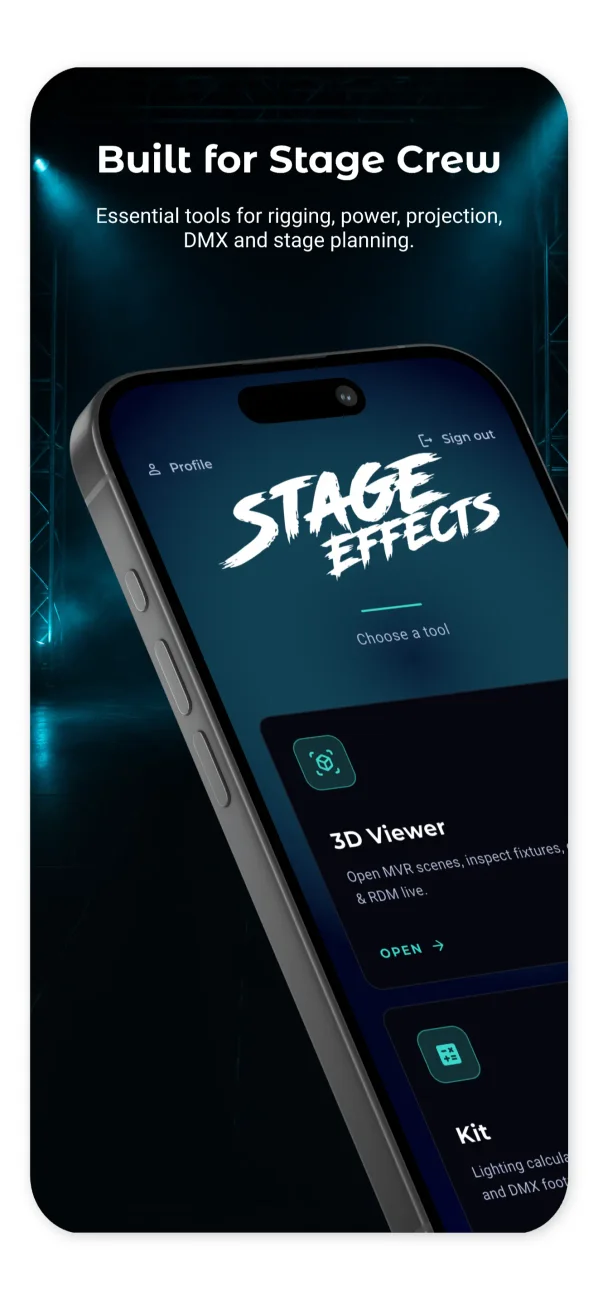
Stage Effects is a toolkit for lighting crews. Open an MVR file and walk the rig in 3D, patch and address real fixtures over Art-Net and RDM, and work out cable runs, power and DMX addresses in the Kit.
Your Rig in 3D
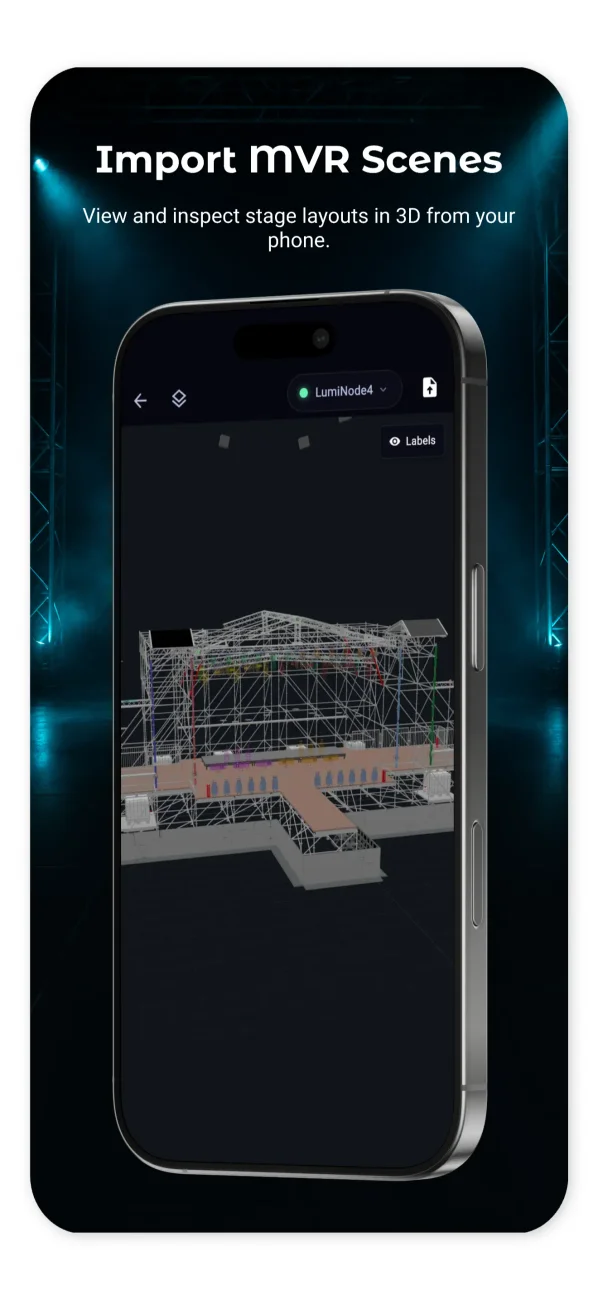
Open an MVR file in the 3D MVR Viewer to see the rig's fixtures and truss where the plot puts them, each fixture drawn from its GDTF. Orbit and zoom, show or hide layers, and turn on labels for each fixture's channel and patch, with every universe in its own colour. Tap a fixture for its Fixture ID, unit number and DMX address. Two demo shows come with the app.
Art-Net and RDM (Stage Effects Pro)
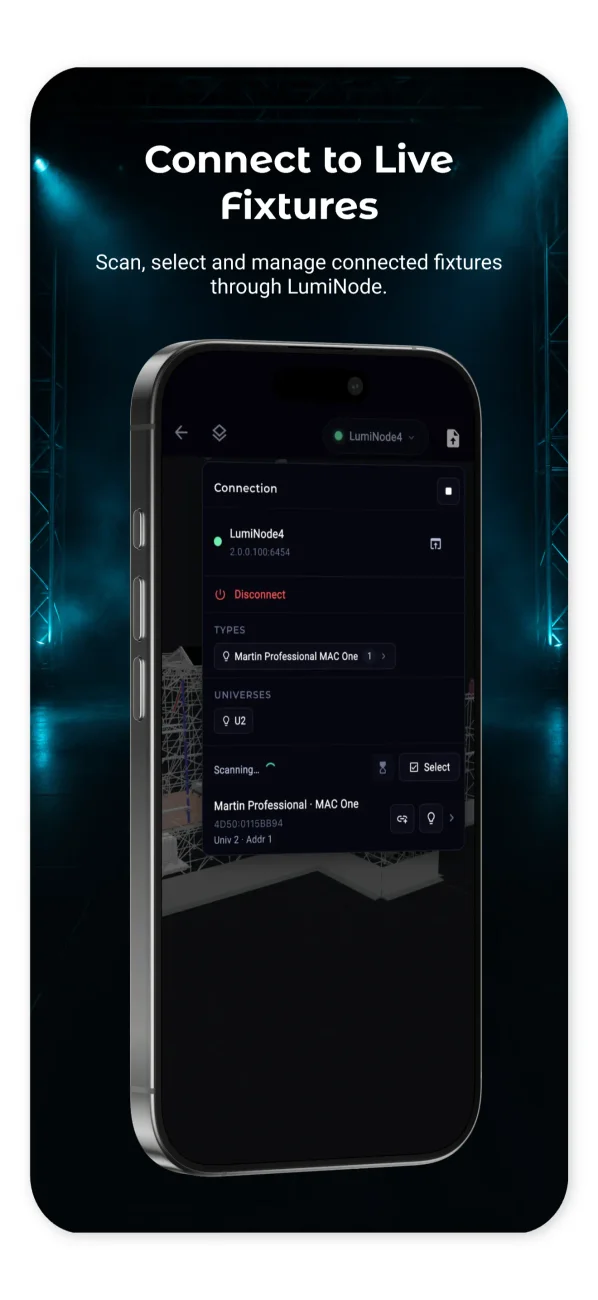
Connect the viewer to an Art-Net node, scan the line, and work with the RDM devices it finds:
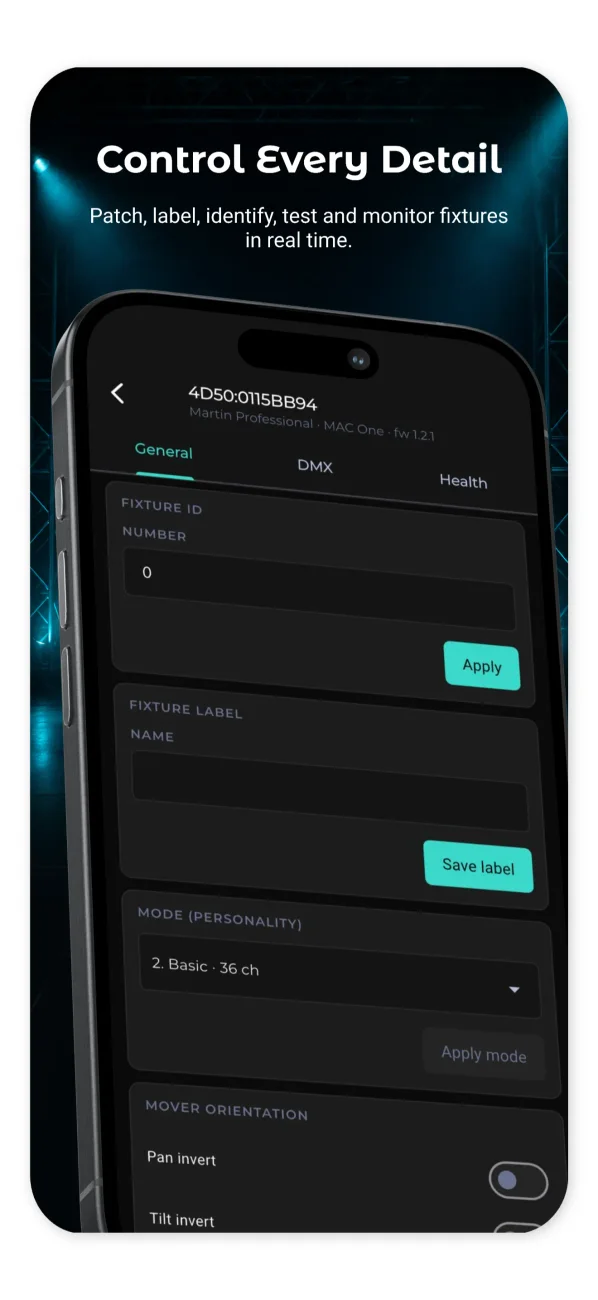
• Set a fixture's DMX start address, read back from the fixture to confirm it
• Change its mode (personality) and set a device label
• Identify a fixture, a selection, a fixture type or a whole universe
• Read and change the dimmer curve
• Invert pan or tilt on moving heads
• Read sensors, device hours, lamp hours, lamp strikes and lamp state
• Send a warm reset, or a factory reset
• Link a fixture in your MVR to the device found on the line
On a rig with several Art-Net nodes, each RDM command goes to the node that reported that fixture.
Channel Command
A console-style command line ("1 thru 20 @ Full", Out or a level) that sets DMX channels 1 to 512 of a universe over Art-Net. It keeps streaming that universe until you change universe or close it, so use it at prep, before the desk is on the line.
Cable Runs and Run Sheets
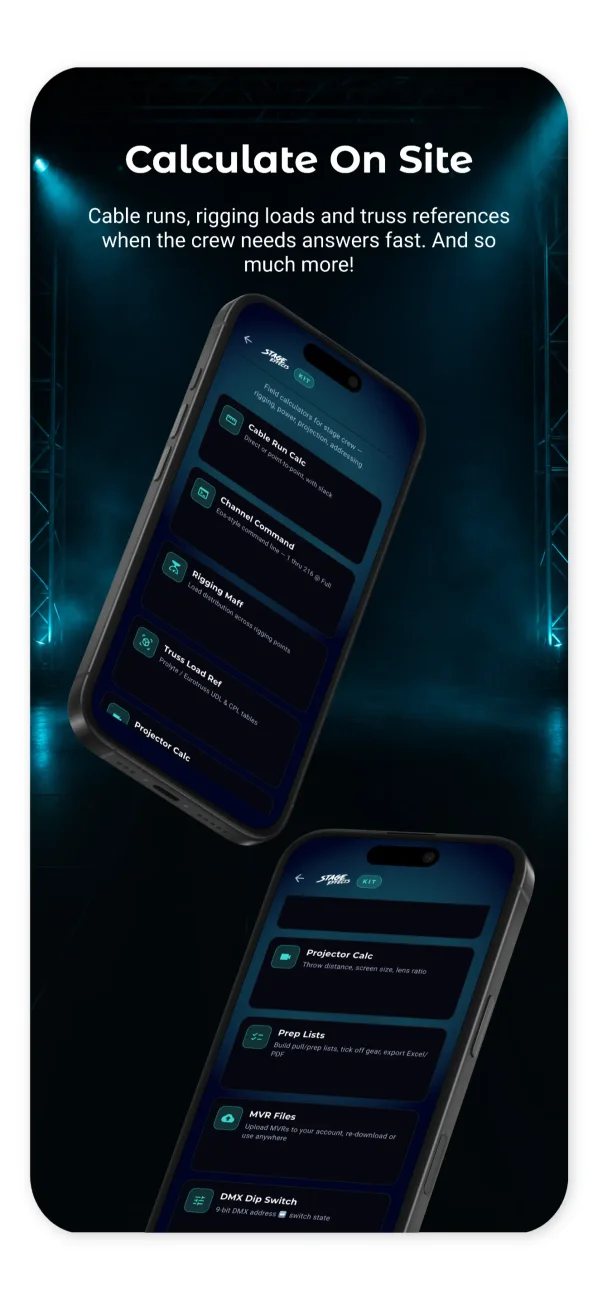
Cable Run Calc works out a direct or point-to-point run with slack, rounded up to the next whole metre. From an MVR it builds a run sheet: fixtures patched, universes, circuits, multicore zones, 63A distros and an estimated total load in kW and kVA. Export it as a PDF or an Excel workbook, keep it in Run Sheets, or save it as a prep list.
The Kit
• DMX Address Tool: the range a fixture takes and the next free address
• DMX Dip Switch: a DMX address to switch positions and back
• DMX → Art-Net: universe and address to Net, Sub-net and Universe
• Power Draw: total watts and amps, and fixtures per 15A or 16A breaker at 80%
• Voltage Drop: the percentage drop over a run from its length, current and cable size
• Rigging Maff: a total load split across 2 to 8 rigging points
• Truss Load Ref: manufacturers' published UDL and CPL tables
• Projector Calc: throw distance, screen size and lens ratio
• LED Calculator and LED Curved Dimensions for LED walls
The figures are a planning aid; a qualified person signs off power and rigging loads.
Prep Lists and MVR Files
Build pull and prep lists, tick gear off as it goes in the case, and export them as Excel or PDF for the truck pack. Upload MVR files to your account to download them again, or use them in Cable Run Calc on another device signed in to it.
Stage Manager
A running order with cue lengths and total runtime, a show timer, messages to stage on an extended display, SMPTE LTC timecode out of the audio output, and running orders saved as Excel or JSON. With Stage Effects Pro, broadcast the show to viewer and crew links over the internet, with crew chat (photos included) and Crew Talk push-to-talk.
Stage Effects Pro
Stage Effects Pro unlocks opening your own MVR files in the 3D viewer, opening .mvr files from other apps, connecting the viewer to Art-Net and RDM, broadcasting from Stage Manager and printing the crew chat. Choose monthly, yearly or lifetime. Everything else, from the demo shows and Channel Command to the Kit's tools, comes with the app.
Sign in once and your MVR files, prep lists and run sheets stay with your account.
Spend less time on paperwork and more on the show.
Terms of Use (EULA): https://www.apple.com/legal/internet-services/itunes/dev/stdeula/
Privacy Policy: https://stageeffects.co.za/privacy-policy/
Có gì mới
Phiên bản 1.2.0 · 28/11/2026
Stage Effects Pro now goes by one name everywhere. Subscriptions are more reliable: a subscriber is no longer asked to buy again straight after launch, and on a shared phone each account keeps its own subscription. Also includes updated components and bug fixes.
Quyền riêng tư của ứng dụng
Những gì CONCEPTLABS (PTY) LTD khai báo trên App Store về cách ứng dụng này xử lý dữ liệu.
-
Dữ liệu liên kết với bạn
Có thể được thu thập và liên kết với danh tính của bạn.
- Thông tin liên hệ
- Nội dung của người dùng
- Mã định danh
Phương thức đảm bảo quyền riêng tư có thể khác nhau, chẳng hạn như tuỳ theo các tính năng bạn sử dụng hoặc độ tuổi của bạn.
Thông tin
- Người bán
- CONCEPTLABS (PTY) LTD
- Danh mục
- Giải Trí
- Phiên bản
- 1.2.0
- Cập nhật
- 28/11/2026
- Phát hành
- 08/07/2026
- Kích thước
- 78,9 MB
- Yêu cầu
- iOS 15.6 trở lên
- Độ tuổi
- 4+
- Giá
- Miễn phí
- Mua hàng trong ứng dụng
- Có
- Ngôn ngữ
- Tiếng Anh
- Bản quyền
- 2026 © STAGE EFFECTS