Stashed - Wardrobe
Your closet, beautifully kept.
Được thiết kế cho iPhone
Miễn phí
- Độ tuổi4+
- Danh mụcLối Sống
- Nhà phát triểnTim Johansson
- Ngôn ngữTiếng Anh+ 11 ngôn ngữ khác
- Kích thước165,7 MB
Liên kết đến trang App Store chính thức
Download.org không lưu trữ tệp nào của Stashed - Wardrobe. Nút này mở trang ứng dụng trên App Store, nơi Tim Johansson phát hành ứng dụng. Trang được kiểm tra lần cuối: 23/11/2026.
Ảnh chụp màn hình

Giới thiệu
Nhà phát triển chưa cung cấp nội dung này bằng ngôn ngữ của bạn.
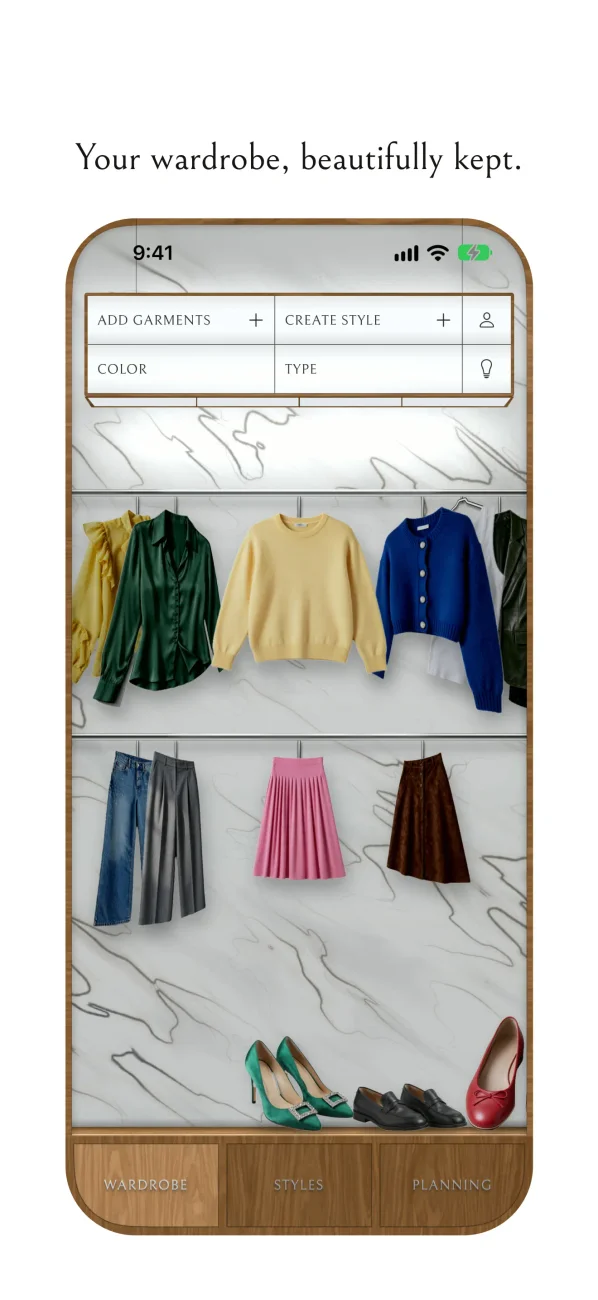
Your own clothes on lit rails, beautifully kept. With Stashed you see everything you own, put outfits together and plan what you'll wear next.
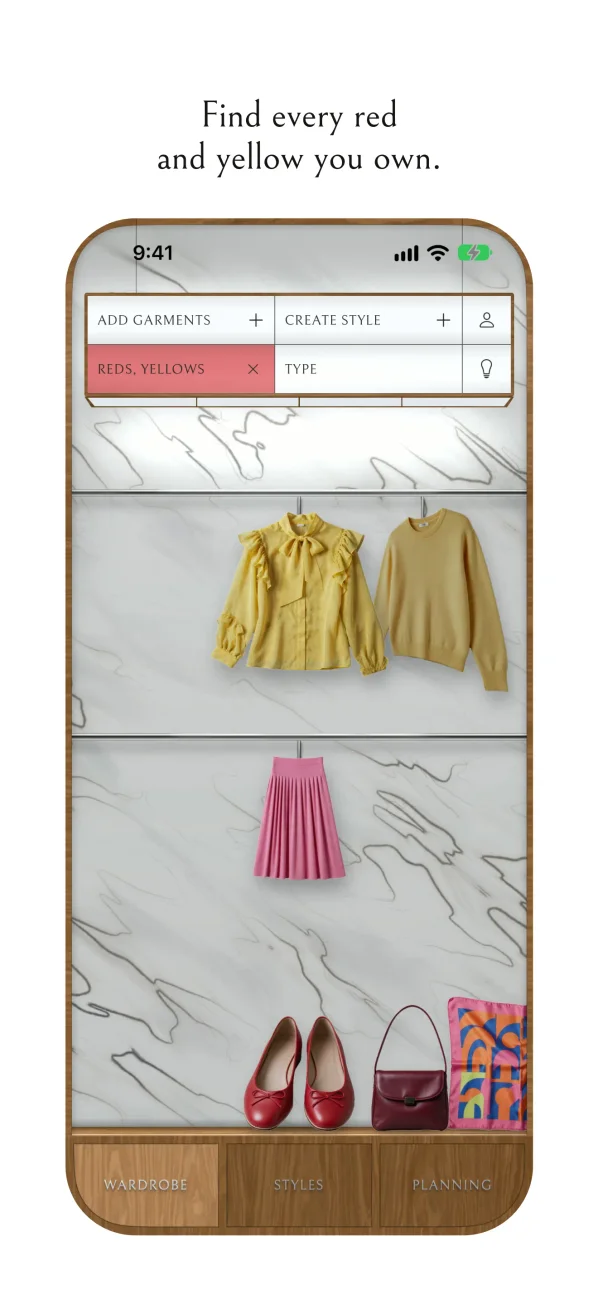
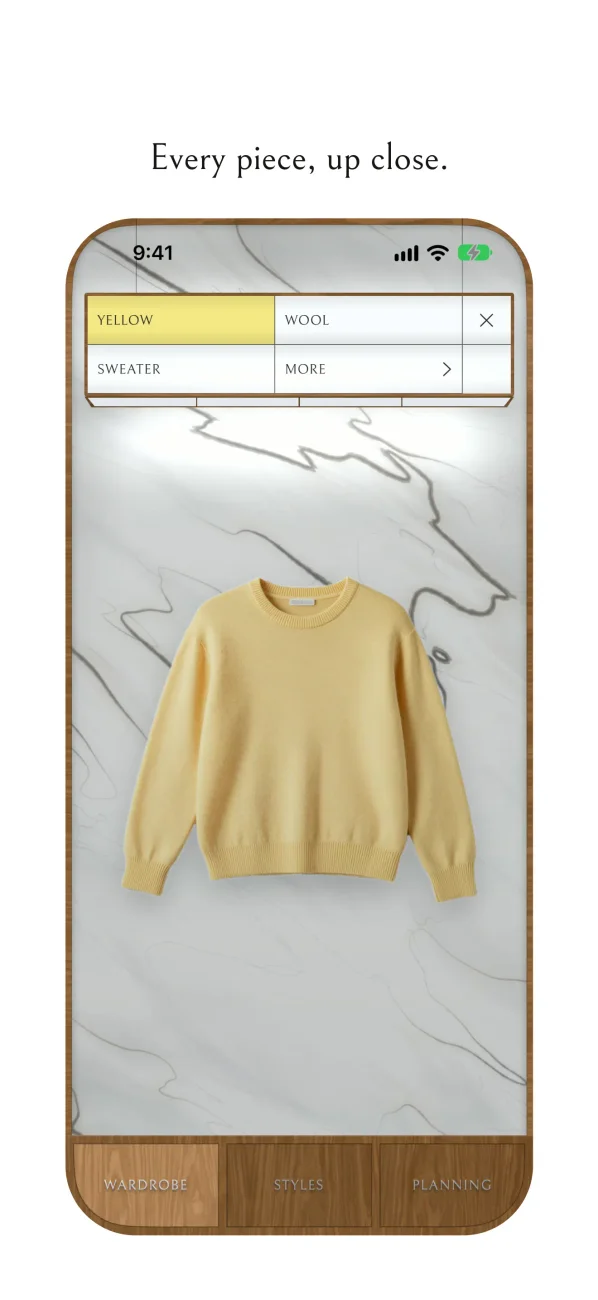
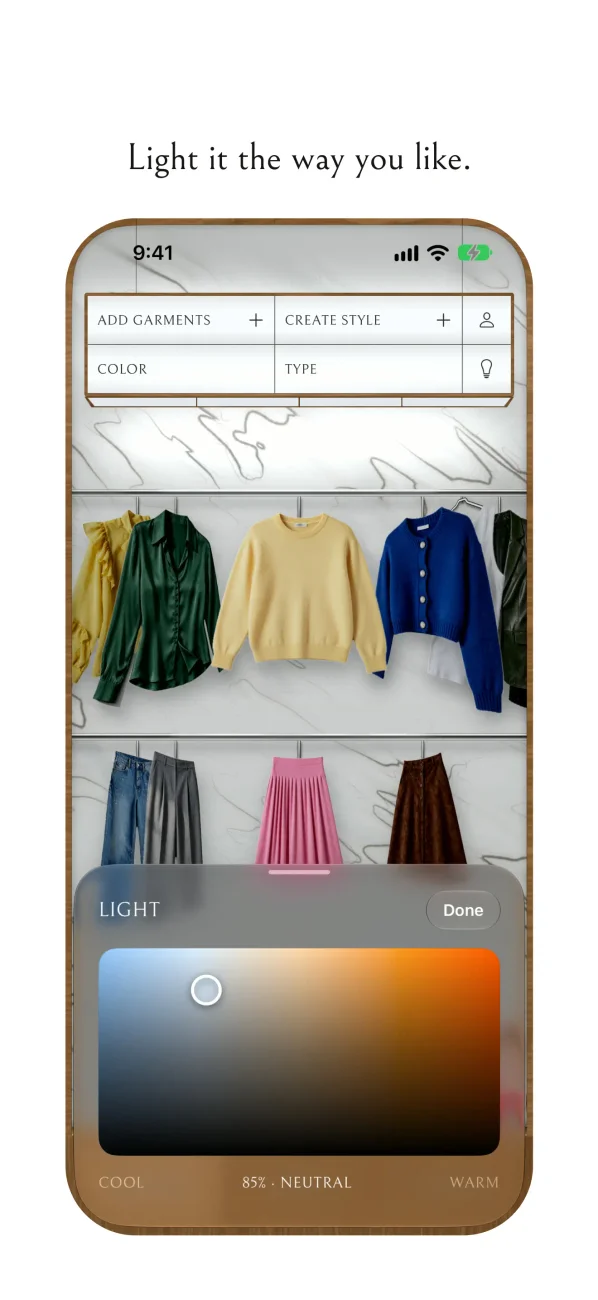
Your garments hang on lit rails in front of a marble or tiled wall, like with like. Slide a rail to browse, and tap a garment to open it: its type, colors, material, season, occasion, brand and a note. Pinch or double-tap an open garment to see it up close.
ADD YOUR CLOTHES
Point the camera at a garment, or choose photos. Stashed finds the garment, cuts it out and suggests its type, colors, pattern and material. Have a quick look at everything, then save. If a cut-out keeps a piece of the background, press and hold it to remove it. Every garment has room for more photos: the back, a detail or a better shot.
SAVE STYLES
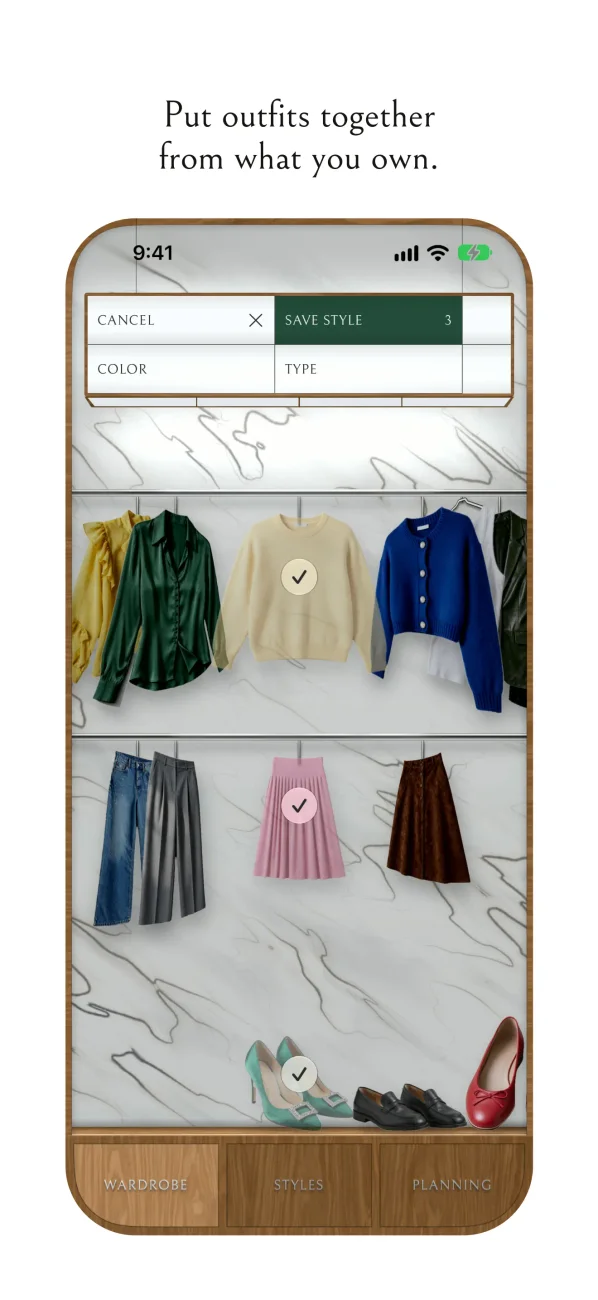
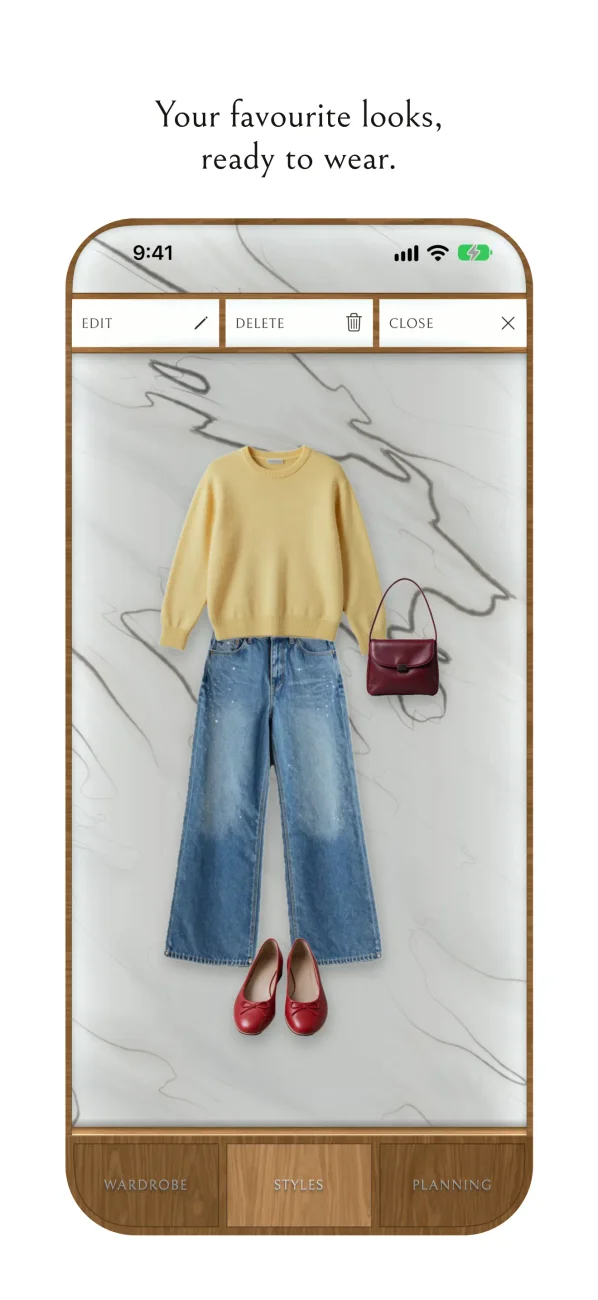
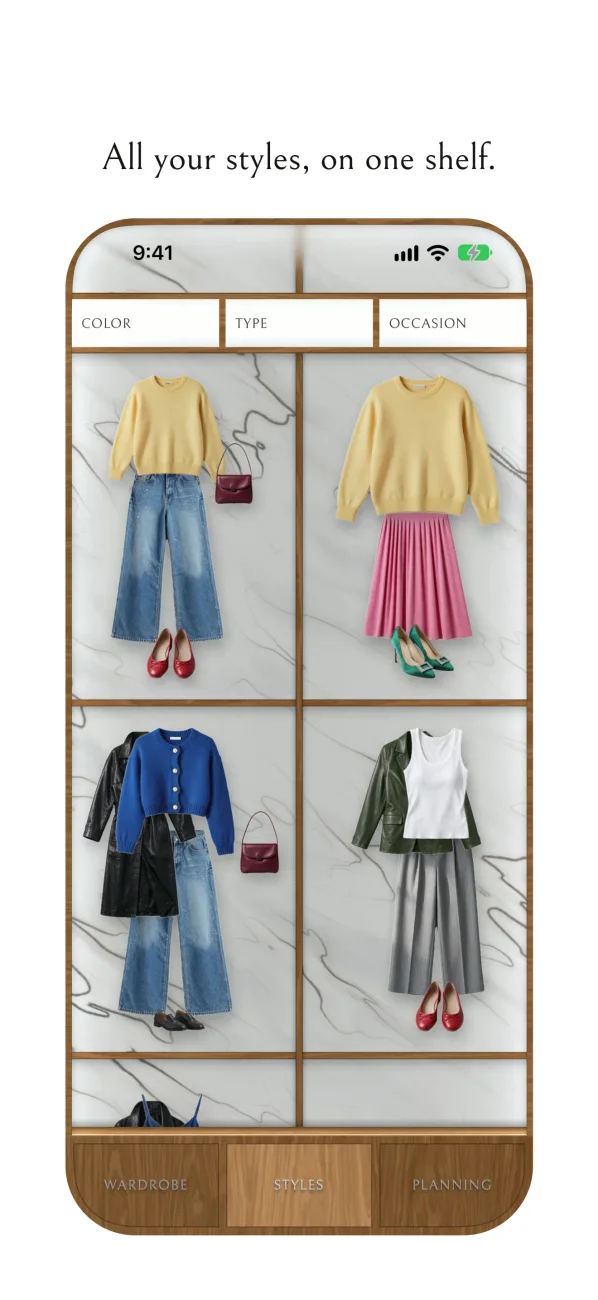
Slide the rails until the garments you want are in the middle, and save them as a style. Your styles sit on oak shelves in their own tab.
PLAN WHAT YOU'LL WEAR
Put an outfit on any day, from your styles or straight from your garments. A busy day can have more than one. Out of ideas? Surprise me picks one of your styles.
PACK FOR A TRIP
Give a trip its days, and its packing list is everything planned on them, plus whatever you add. Fill the empty days from your styles, and tick pieces off as you pack.
FILTER WITH THE SIGN
The sign over the rails filters by type, color and occasion.
CARE
Mark a garment as dirty or as needing repair, and it shows on the rail. Read a care label with the camera to store its materials.
TODAY'S WEATHER
Today's weather sits on your wardrobe. Tap it for the day.
A TIP NOW AND THEN
A short note with something worth doing in your wardrobe. Never more than one a day, and you can turn tips off in your profile.
TRY IT FIRST
Choose Womenswear or Menswear, and try a demo wardrobe before you add your own clothes.
WHAT STAYS ON YOUR iPhone
Your clothes and photos stay on your iPhone, and there is no account. Finding garments, cutting them out and Apple Intelligence's suggestions all happen on your iPhone. Photos come only from the camera or the photos you pick. The weather uses your approximate location, which goes to Apple for the forecast. Anonymous use of the app helps make Stashed better; you can turn that off in your profile. Moving to a new iPhone? Export your garments to Photos.
Stashed needs iOS 26. Apple Intelligence suggestions need iOS 27 and an iPhone that supports Apple Intelligence; everything else works without them.
Có gì mới
Phiên bản 2.1 · 20/11/2026
Plan what you'll wear this week, and let the packing list write itself.
• Planning, a new tab: put an outfit on any day, from your styles or straight from your garments. A busy day can have more than one. Out of ideas? Surprise me picks one of your styles.
• Trips: give a trip its days, and its packing list is everything planned on them, plus whatever you add. Fill the empty days from your styles, and tick pieces off as you pack.
• Adding garments is one screen now: camera or library, then a quick look at everything before you save it.
• Every garment has a Photos tab for more photos. Use any of them as the main one and it's cut out for you. The extra photos from the old Stashed are back there too.
• Pinch or double-tap an open garment to see it up close.
• Today's weather on your wardrobe: tap it for the day. It uses your approximate location, which goes to Apple for the forecast; your photos and clothes stay on your iPhone.
• Now and then, a quiet tip to help your wardrobe take shape. Turn tips off in your profile.
• Prefer it plain? Simple grid, in your profile, shows your wardrobe in two columns.
• New walls in your profile: Pink tiles, with oak or pale birch, and Dark, matte near-black with dark-stained wood.
• The Type filter is now split into Top rail, Bottom rail and Shelf, and a choice narrows only its own.
• Flicking through your rails and switching tabs feel smoother.
• VoiceOver names every garment, and with Reduce Motion the rails hang still and the tabs fade instead of sliding.
Quyền riêng tư của ứng dụng
Những gì Tim Johansson khai báo trên App Store về cách ứng dụng này xử lý dữ liệu.
-
Dữ liệu không liên kết với bạn
Có thể được thu thập nhưng không liên kết với danh tính của bạn.
- Vị trí
- Mã định danh
- Dữ liệu sử dụng
Phương thức đảm bảo quyền riêng tư có thể khác nhau, chẳng hạn như tuỳ theo các tính năng bạn sử dụng hoặc độ tuổi của bạn.
Thông tin
- Người bán
- Tim Johansson
- Danh mục
- Lối Sống
- Phiên bản
- 2.1
- Cập nhật
- 20/11/2026
- Phát hành
- 24/03/2025
- Kích thước
- 165,7 MB
- Yêu cầu
- iOS 26.0 trở lên
- Độ tuổi
- 4+
- Giá
- Miễn phí
- Ngôn ngữ
- Tiếng Anh, Tiếng Pháp, Tiếng Đức, Tiếng Ý, Tiếng Nhật, Tiếng Hàn, Tiếng Bồ Đào Nha, Tiếng Nga, Tiếng Trung Giản thể, Tiếng Tây Ban Nha, Tiếng Thụy Điển, Tiếng Trung Phồn thể
- Bản quyền
- © 2026 Tim Johansson
Có thể bạn cũng thích
-
 Fabric - Wardrobe VisualizerLối Sống
-
 My AI WardrobeLối Sống
-
 Simple Closet - manage clothesLối Sống
-
 CLOSETLối Sống
-
 Vloset Healthy WearingLối Sống
-
 OpenWardrobeLối Sống
-
 Outfit Planner LookscopeLối Sống
-
 SimpleCloset: Digital WardrobeLối Sống
-
 Digital Closet Organizer-ShkafLối Sống
-
 Cladwell: AI Stylist & OutfitsLối Sống