Status Bar Studio: Screenshots
Clean 9:41 Time, Battery, WiFi
Được thiết kế cho iPhone, Mac
Miễn phí · Mua hàng trong ứng dụng
- Độ tuổi4+
- Danh mụcCông Cụ Nhà Phát Triển
- Nhà phát triểnJIAJUN ZHANG
- Ngôn ngữTiếng Anh+ 7 ngôn ngữ khác
- Kích thước84,9 MB
Liên kết đến trang App Store chính thức
Download.org không lưu trữ tệp nào của Status Bar Studio: Screenshots. Nút này mở trang ứng dụng trên App Store, nơi JIAJUN ZHANG phát hành ứng dụng. Trang được kiểm tra lần cuối: 20/11/2026.
Ảnh chụp màn hình
Giới thiệu
Nhà phát triển chưa cung cấp nội dung này bằng ngôn ngữ của bạn.
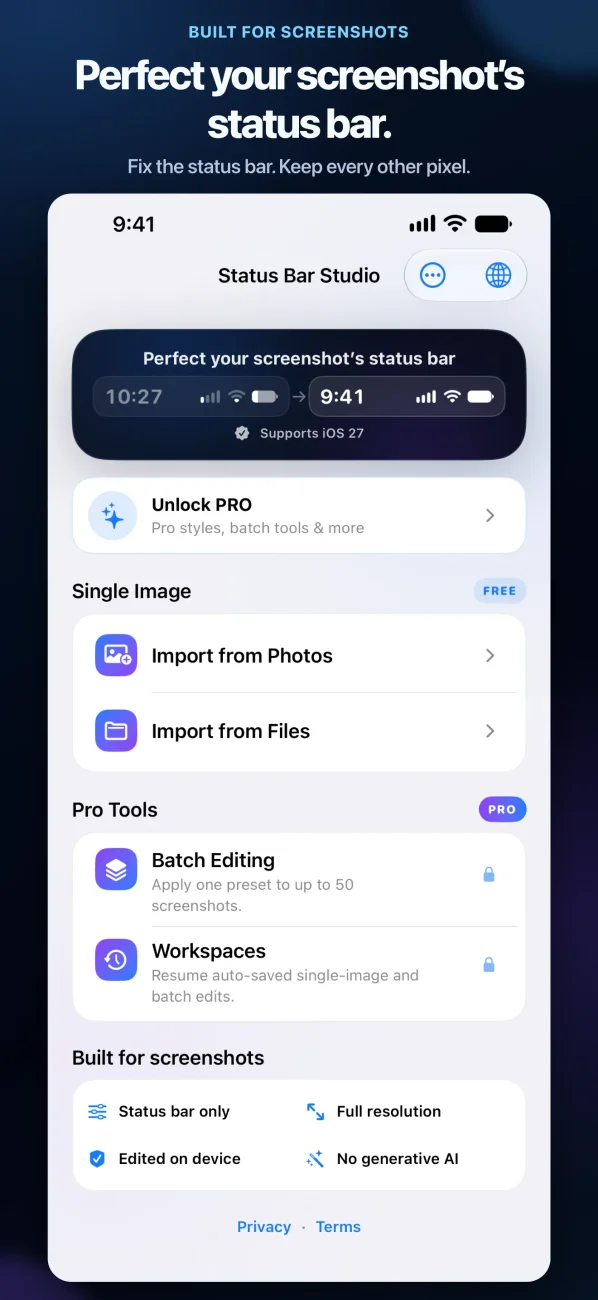
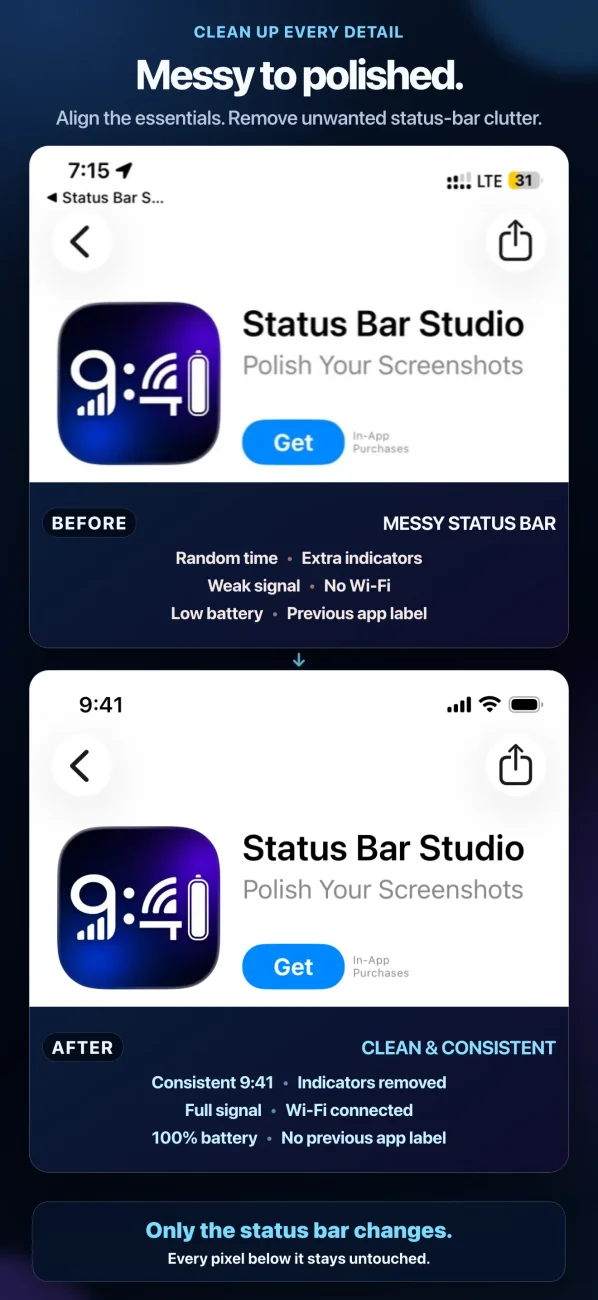
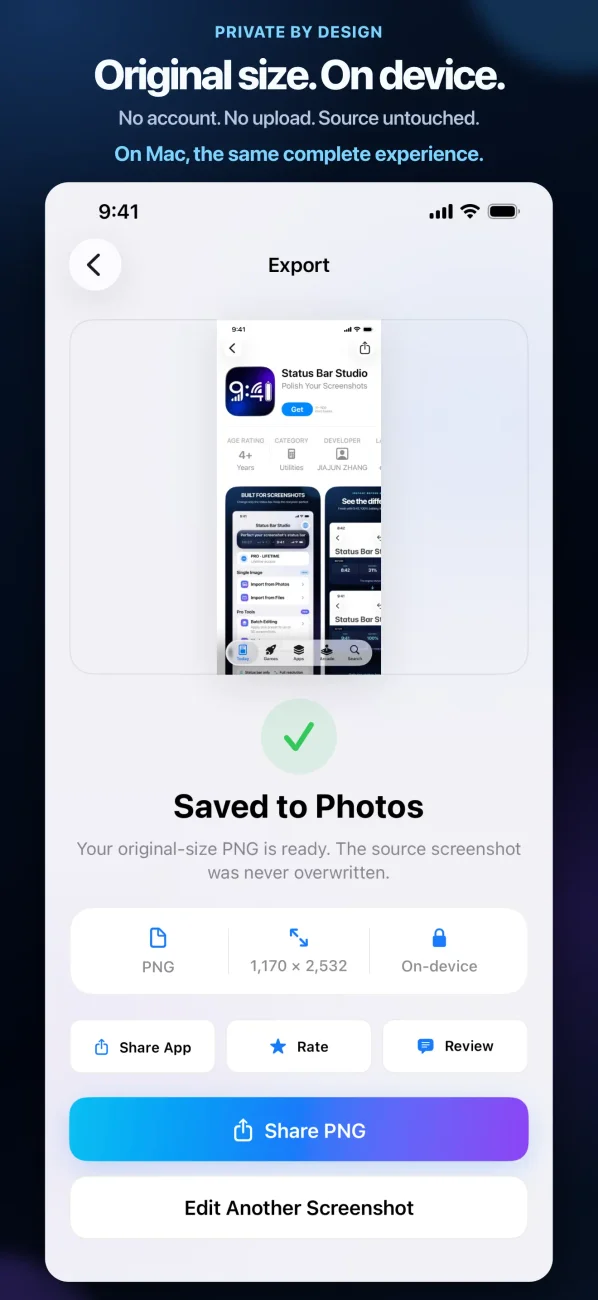
Give iPhone screenshots you’ve already taken a consistent 9:41, full signal, and a full battery. Export a single image as an original-size PNG with a White or Black status bar for free, without a watermark. Pro lets you apply one preset to a batch and review individual results. Pixels below the status bar stay intact. Remove location indicators and return-to-app labels. Import from Photos or Files and process on your iPhone.
SUPPORTED IPHONE SCREENSHOTS
The app supports full-size PNG and JPEG screenshots with these exact model families and pixel dimensions:
- 1170 × 2532 — iPhone 12, 12 Pro, 13, 13 Pro, 14, and 17e
- 1284 × 2778 — iPhone 12 Pro Max, 13 Pro Max, and 14 Plus
- 1179 × 2556 — iPhone 14 Pro, 15, 15 Pro, and 16
- 1206 × 2622 — iPhone 16 Pro, 17, 17 Pro, and 18 Pro
- 1260 × 2736 — iPhone Air
- 1290 × 2796 — iPhone 14 Pro Max, 15 Plus, 15 Pro Max, and 16 Plus
- 1320 × 2868 — iPhone 16 Pro Max, 17 Pro Max, and 18 Pro Max
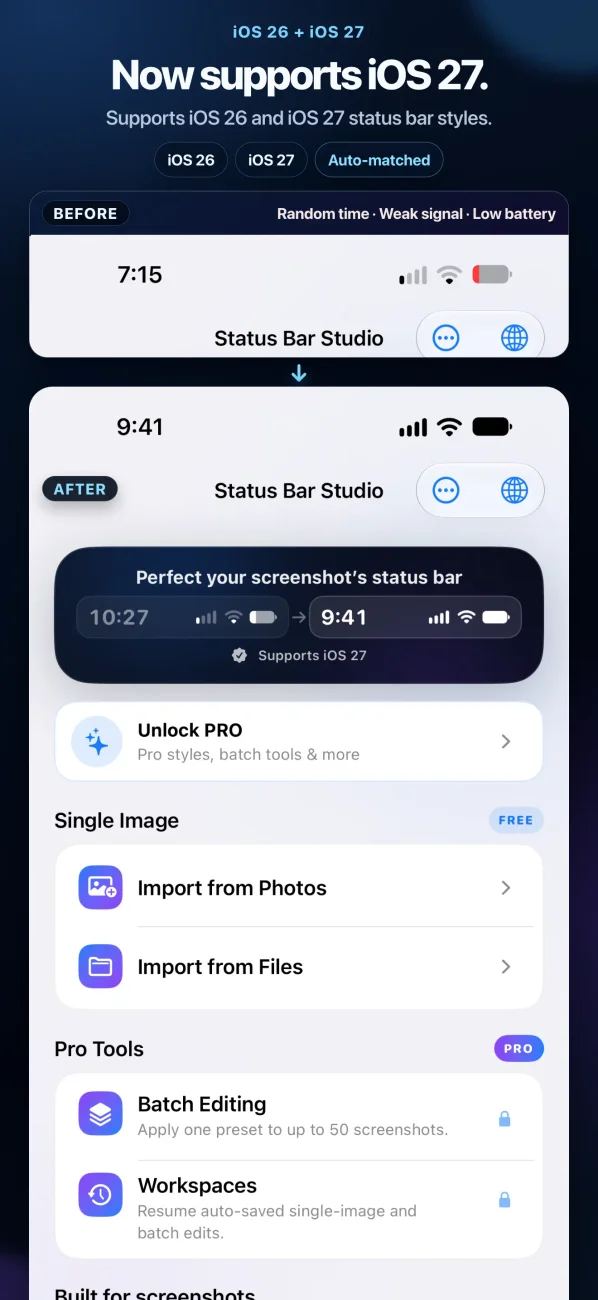
Compatible dimensions are recognized automatically. iPhone 18 Pro and Pro Max share screenshot sizes with earlier models; the app reads the status-bar layout to tell them apart and asks only when unsure. Some supported models support iOS 26 and iOS 27 styles: Auto matches each screenshot (iOS 27 when unsure), or choose one yourself. iPhone 18 Pro and Pro Max use iOS 27. Unmodified, full-size screenshots work best; Display Zoom, cropping, or resizing can produce unsupported dimensions.
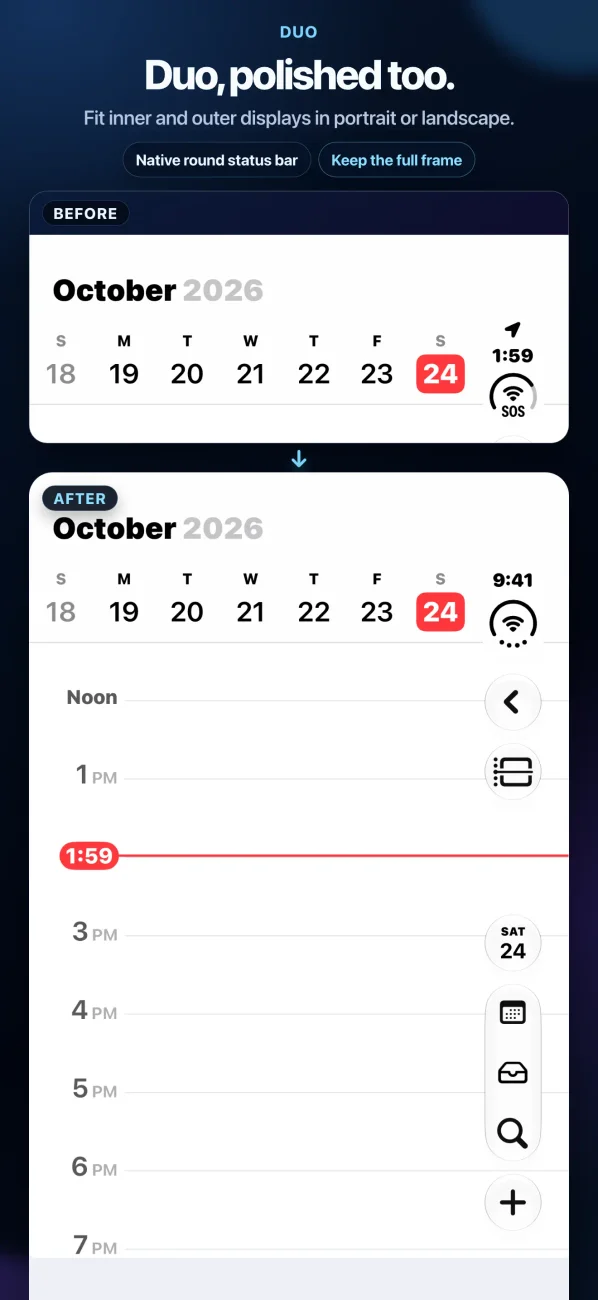
Duo supports inner and outer screens in portrait and landscape. Layouts match by size; missing or uncertain status bars are kept or flagged. Custom controls depend on layout.
START FREE
- Preview every style before export
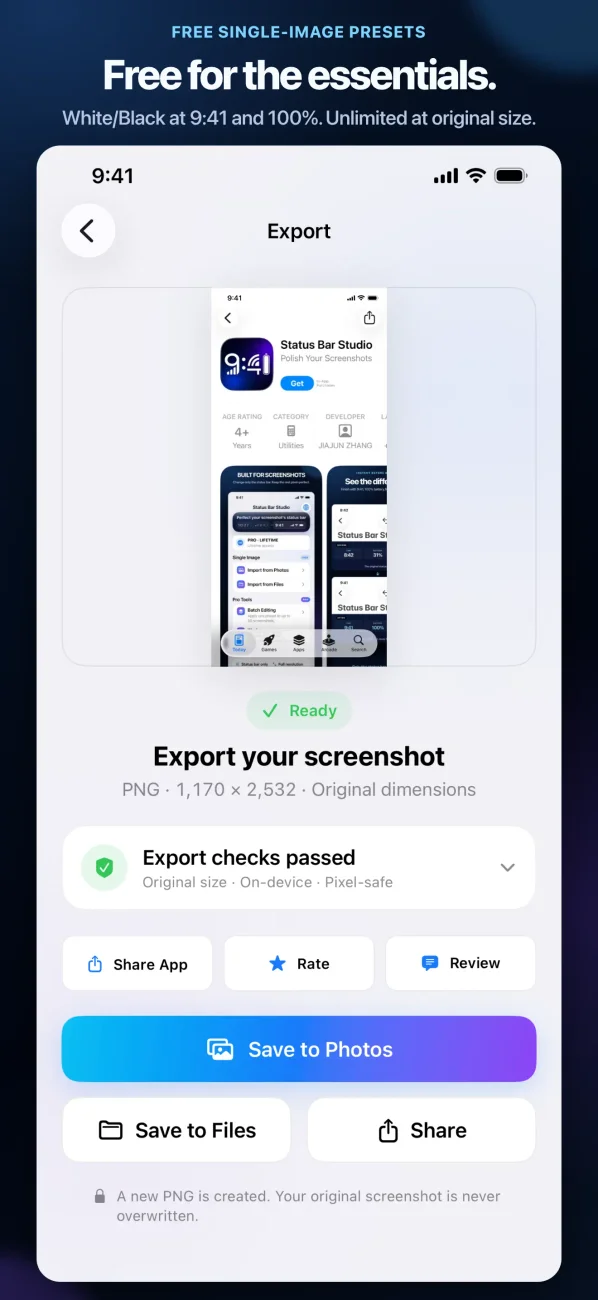
- Export White or Black status bars with the free 9:41, 100% battery preset
- Keep exporting the free preset without a watermark or size reduction
CONTROL THE DETAILS
- Normalize the displayed signal and Wi-Fi
- Set a custom time and choose 12-hour or 24-hour format with Pro
- Adjust battery level, glyph tone, color, and style
- Review complex backgrounds and keep the original status bar when needed
WORK FASTER WITH PRO
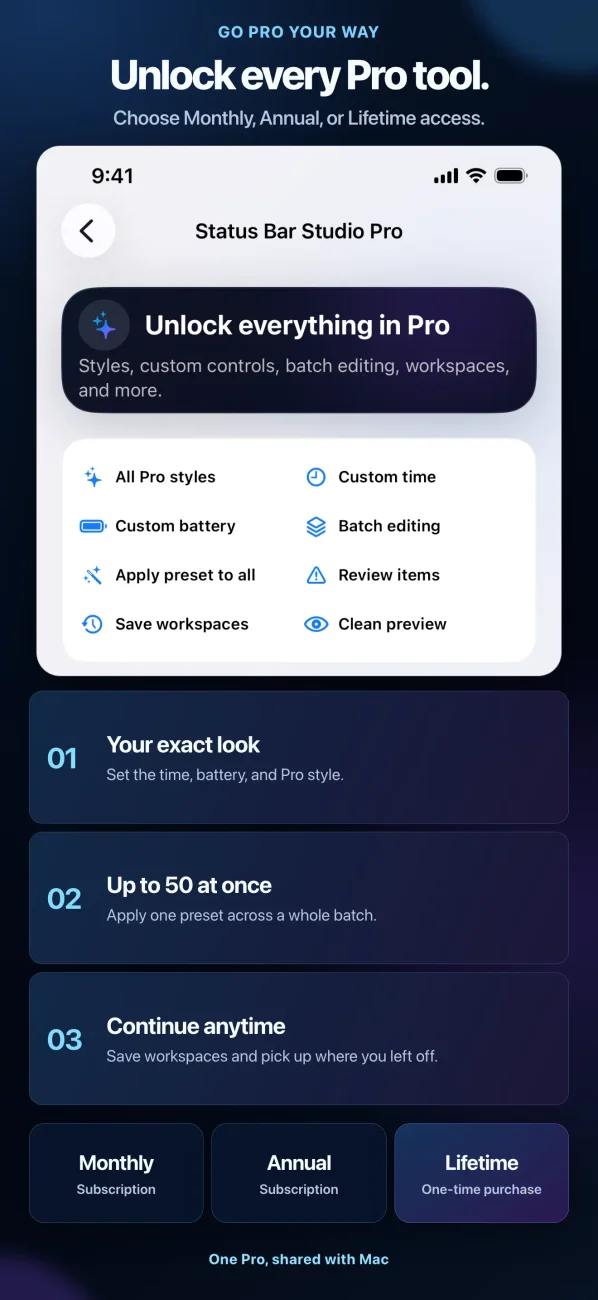
- Export with Seamless, Frosted, Gradient, and Color styles
- Set any supported time, clock format, and battery level
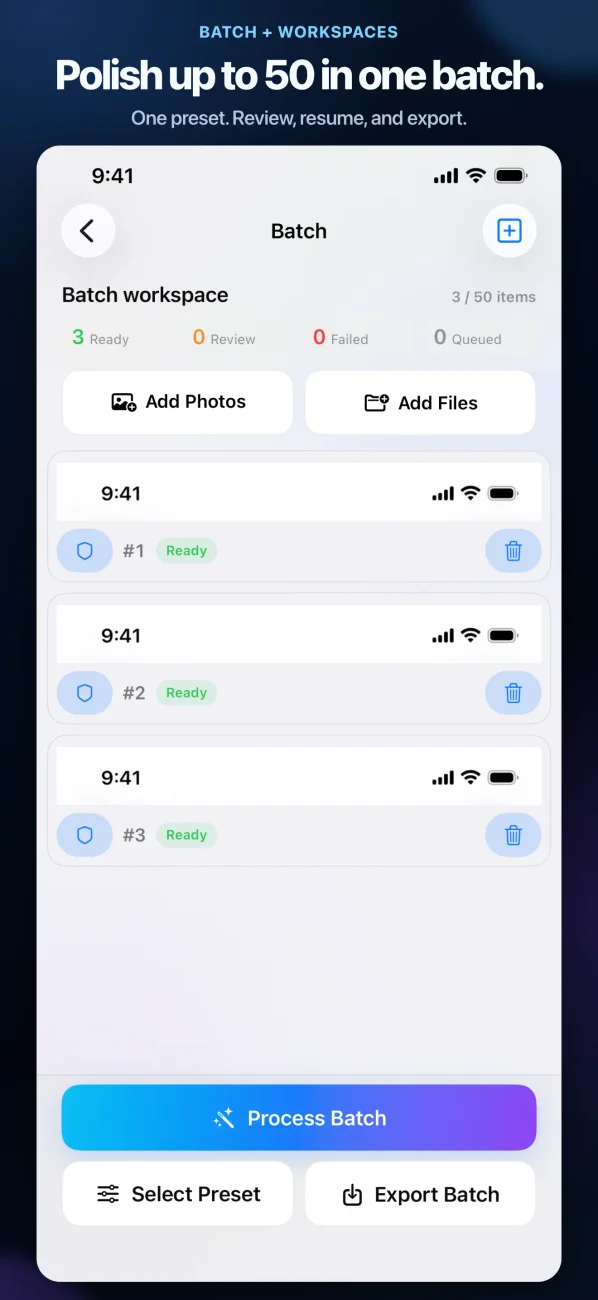
- Apply one preset to batches of up to 50 screenshots
- Batch presets skip locked items
- Review flagged items individually
- Save and resume single-image edits and batch workspaces on your device
CHOOSE HOW TO GO PRO
- Pro Monthly is an auto-renewable monthly subscription
- Pro Annual is an auto-renewable annual subscription
- Pro Lifetime is a one-time purchase with no recurring subscription charge
Same Apple Account: Pro works on iPhone and Mac. Images and workspaces stay local and do not sync automatically. Monthly and Annual renew automatically unless canceled. Pro Lifetime permanently unlocks Pro for a one-time charge. Prices and eligible offers for Monthly and Annual subscriptions are shown by the App Store before purchase. Manage or cancel subscriptions in your Apple Account, and use Restore Purchases in the app to recover an eligible purchase.
EXPORT YOUR WAY
Save the finished PNG to Photos or Files, or send it through the iOS share sheet. Your source screenshot is never overwritten.
PRIVATE BY DESIGN
Screenshots are processed on your device. Status Bar Studio has no account, image upload, ads, analytics, tracking, or generative AI. Subscription and Lifetime purchases are handled by Apple through the App Store.
Status Bar Studio edits imported image files only. It does not change your iPhone's live system status bar or capture the screen in the background.
TERMS & PRIVACY
Terms of Use (EULA): https://www.apple.com/legal/internet-services/itunes/dev/stdeula/
Privacy Policy: https://peterjiajunzhang.github.io/StatusBarStudioCom/privacy/
Có gì mới
Phiên bản 1.2.1 · 19/11/2026
Import from Photos right from the home screen. After previewing Seamless, switch to the free White style in one tap, check the result, and save a full-size PNG.
Buying or restoring Pro from Workspaces now opens your library. Unlocking from the editor resumes your export. If a batch archive fails, your current workspace is kept. Before sharing, you can see how many files are ready.
Quyền riêng tư của ứng dụng
Những gì JIAJUN ZHANG khai báo trên App Store về cách ứng dụng này xử lý dữ liệu.
-
Dữ liệu không được thu thập
Nhà phát triển không thu thập bất kỳ dữ liệu nào từ ứng dụng này.
Phương thức đảm bảo quyền riêng tư có thể khác nhau, chẳng hạn như tuỳ theo các tính năng bạn sử dụng hoặc độ tuổi của bạn.
Thông tin
- Người bán
- JIAJUN ZHANG
- Danh mục
- Công Cụ Nhà Phát Triển
- Phiên bản
- 1.2.1
- Cập nhật
- 19/11/2026
- Phát hành
- 29/08/2026
- Kích thước
- 84,9 MB
- Yêu cầu
- iOS 17.0 trở lên
- Độ tuổi
- 4+
- Giá
- Miễn phí
- Mua hàng trong ứng dụng
- Có
- Ngôn ngữ
- Tiếng Anh, Tiếng Pháp, Tiếng Đức, Tiếng Nhật, Tiếng Hàn, Tiếng Trung Giản thể, Tiếng Tây Ban Nha, Tiếng Trung Phồn thể
- Bản quyền
- © 2026 Status Bar Studio
Có thể bạn cũng thích
-
 Status Bar Tidy - Bar941Công Cụ Nhà Phát Triển
-
 Status Bar: Thanh trạng tháiChỉnh ảnh chụp màn hình 9:41
-
 Bezelist: Screenshot StudioCông Cụ Nhà Phát Triển
-
 PureTerm: SSH & Telnet ClientCông Cụ Nhà Phát Triển
-
 BuildFlow DevOps: QL FlutterQuản lý build và workflows
-
 Coucou — Notch CompanionCông Cụ Nhà Phát Triển
-
 ComponentsKit: develop fasterCông Cụ Nhà Phát Triển
-
 Redock - SSH / Mosh TerminalCông Cụ Nhà Phát Triển
-
 GLab — Client for GitLabCông Cụ Nhà Phát Triển
-
 Toplify: App RankingsCông Cụ Nhà Phát Triển