STIL.RECEIPT
Receipts into expenses
Được thiết kế cho iPhone
Miễn phí · Mua hàng trong ứng dụng
- Độ tuổi4+
- Danh mụcTài Chính
- Nhà phát triểnTatsuro Higuchi
- Ngôn ngữTiếng Anh+ 1 ngôn ngữ khác
- Kích thước3,3 MB
Liên kết đến trang App Store chính thức
Download.org không lưu trữ tệp nào của STIL.RECEIPT. Nút này mở trang ứng dụng trên App Store, nơi Tatsuro Higuchi phát hành ứng dụng. Trang được kiểm tra lần cuối: 17/11/2026.
Ảnh chụp màn hình


Giới thiệu
Nhà phát triển chưa cung cấp nội dung này bằng ngôn ngữ của bạn.
Receipts into expenses.
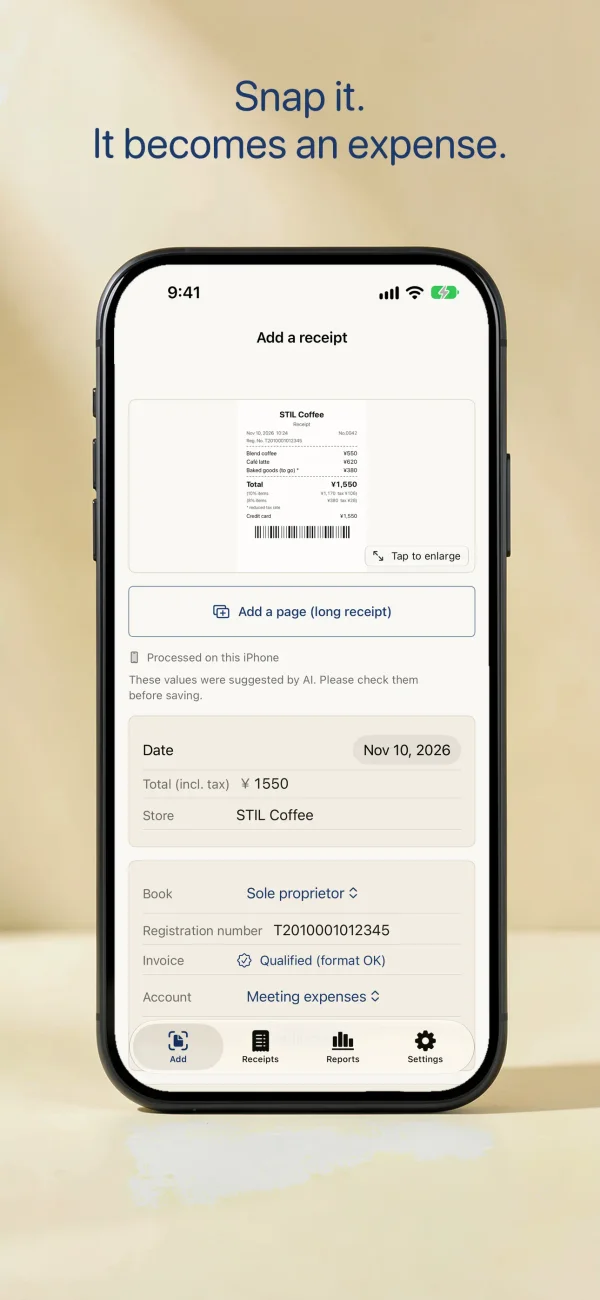
STIL.RECEIPT scans, reads, and files receipts and invoices as expenses. Capture, text recognition, field sorting, and storage happen on this iPhone.
Scan, and it is organized
Hold a receipt up to the camera and STIL.RECEIPT corrects the skew and distortion. AI on this iPhone sorts the recognized text into date, amount, store, tax breakdown, line items, and the invoice registration number. A long receipt that does not fit in one shot can be merged into a single record across pages. A multi-page PDF can be read as one document.
Built for expense and tax filing
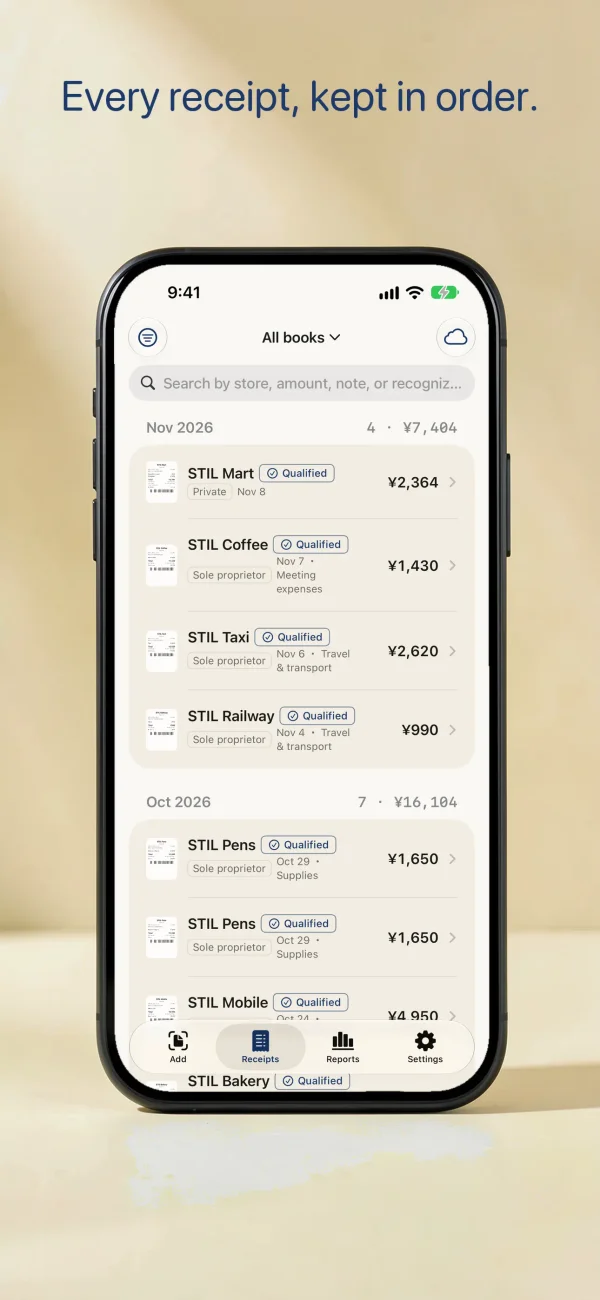
- Search by date, amount, and payee (the fields required for electronic bookkeeping)
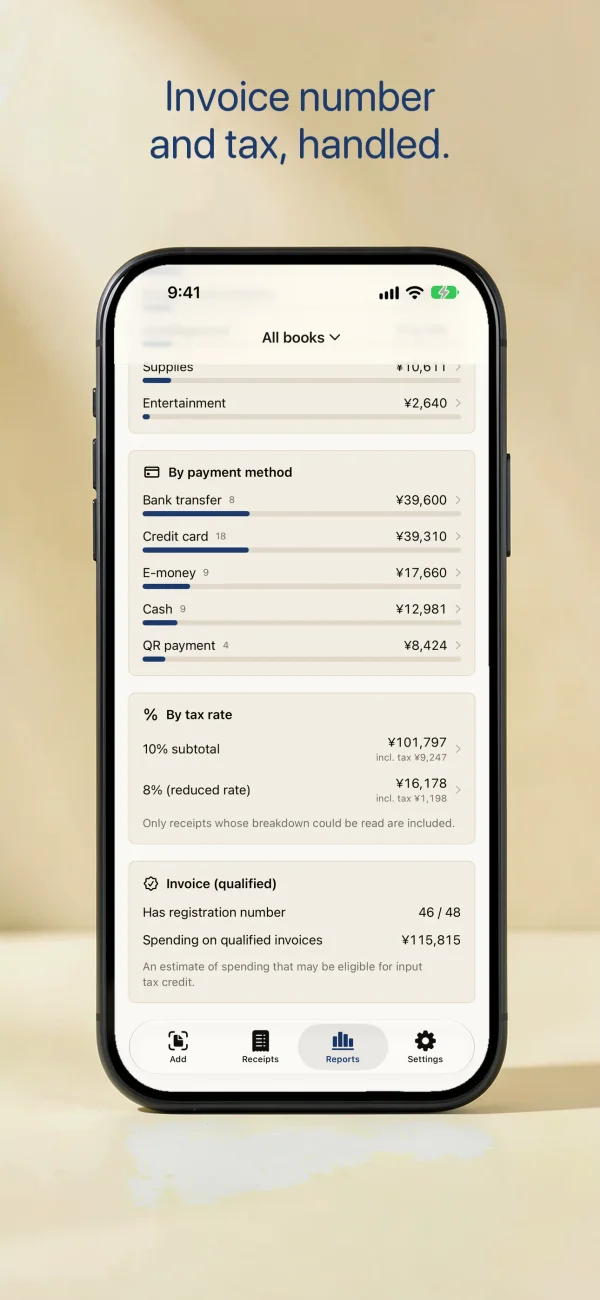
- Reads and format-checks the invoice registration number (T + 13 digits)
- 8% / 10% tax breakdown, reduced-rate detection, and discount capture
- Handles the addressee and note fields on formal receipts
- Keep books separate: Private, Sole Proprietor, Company, and more
Ask, and get the total
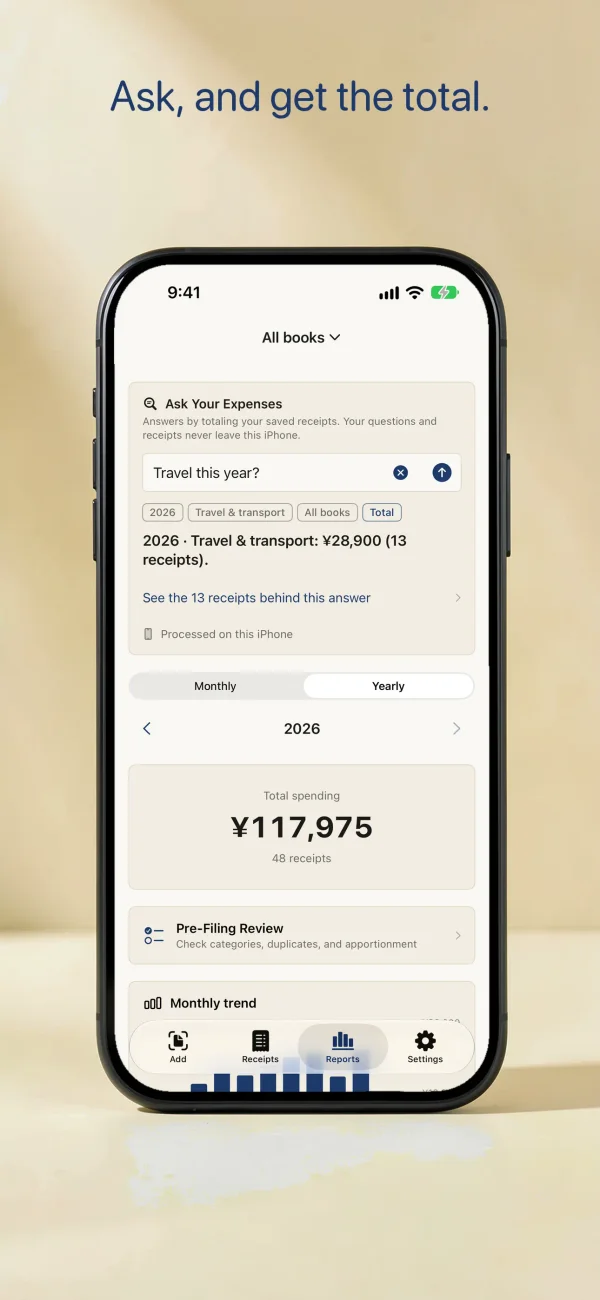
Type a question such as "How much did I spend on travel this year?" into Ask Expenses in Reports, and the app totals your saved receipts and answers. The app computes the numbers; AI only reads the question. You can also ask for this month's expenses from Siri and Shortcuts.
STIL.RECEIPT Pro
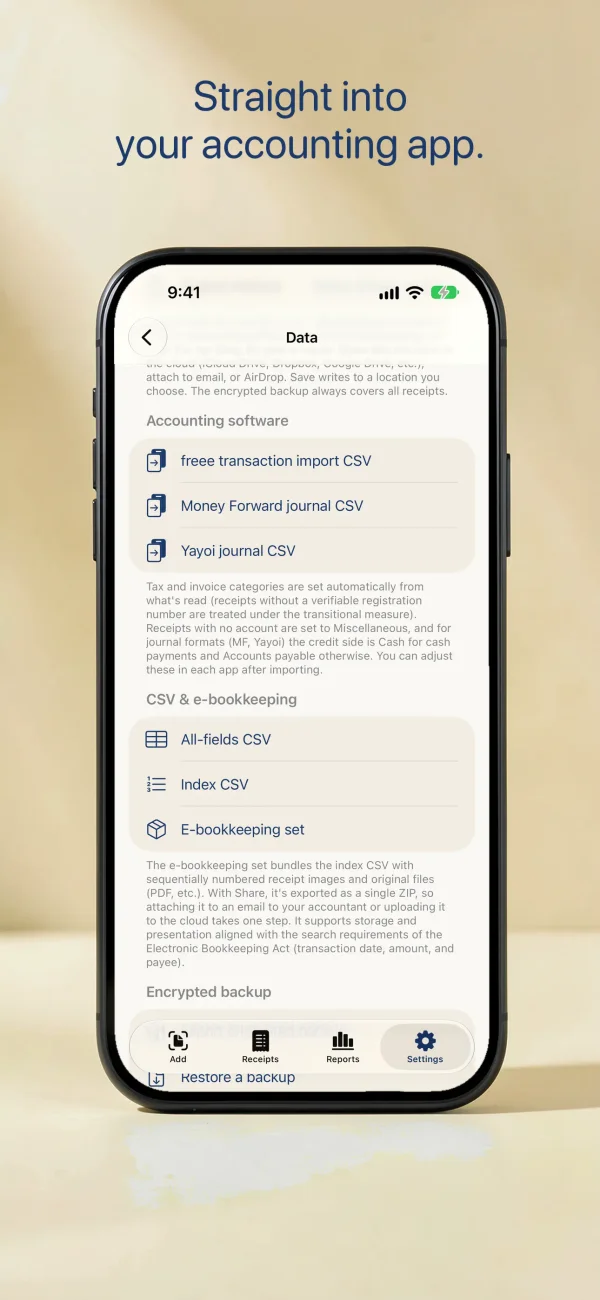
- CSV for accounting software — freee / Money Forward / Yayoi
- Electronic-bookkeeping set — index, sequentially numbered images, and originals, exported together (shareable as a ZIP)
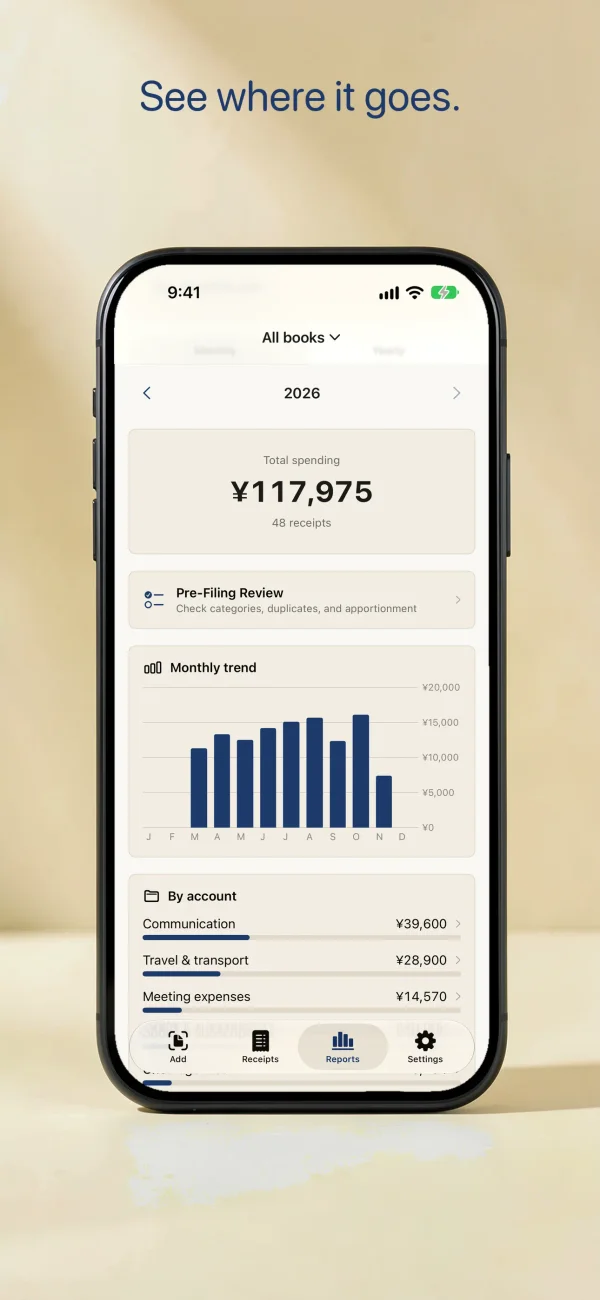
- Detailed reports — by account, tax rate, payment method, and monthly trend
- Pre-filing review — inconsistent accounts, duplicates, missing apportionment, missing registration numbers, and monthly swings in one list
- iCloud sync and encrypted backup
- Share to the cloud (iCloud Drive, Dropbox, Google Drive, and more) or by email
Privacy
Reading, organizing, and storing happen on this iPhone.
On supported iPhones, and only when the setting is on, long receipts, receipts that could not be read well, and receipts you choose to re-read are sent — the image and the recognized text — to Apple's Private Cloud Compute for reading. When you use AI suggestions in the pre-filing review (Pro), the list of dates, stores, amounts, accounts, and notes for the period you choose is sent after you confirm it each time.
You can turn Private Cloud Compute off in Settings. Only the store name, date, amount, and account are added to iPhone search, and that can be turned off in Settings. No account is required, and no data is sent to STIL servers.
Note: Receipt reading and field sorting work on every supported iPhone. Apple Intelligence capable devices (iPhone 15 Pro or later) use AI-powered sorting; other devices use rule-based sorting. Reading with Private Cloud Compute requires iOS 27 and an iPhone that supports Apple Intelligence.
Terms of Use (EULA): https://www.apple.com/legal/internet-services/itunes/dev/stdeula/
Có gì mới
Phiên bản 1.1 · 11/11/2026
- Added Ask Expenses to Reports. Ask something like "How much did I spend on travel this year?" and the app totals your saved receipts and answers. The totaling happens on this iPhone.
- From Siri and Shortcuts you can now ask for this month's expenses and open a receipt. Receipts can be found from iPhone search (you can turn this off in Settings).
- Broader reading of long receipts and multi-page invoices. When the setting is on, receipts too long to read on this iPhone are read with Apple's Private Cloud Compute (iOS 27, iPhones that support Apple Intelligence). A multi-page PDF can be read as one document.
- Added a pre-filing review to the yearly report (Pro): inconsistent accounts, duplicates, missing apportionment, missing registration numbers, and monthly swings in one list.
- Improved reading of totals and line items. Fixed cases where the included tax was read as the total, two-row line items were dropped, and an address was read as a line item.
- A new design and a new icon. You can now stop a scan partway.
Quyền riêng tư của ứng dụng
Những gì Tatsuro Higuchi khai báo trên App Store về cách ứng dụng này xử lý dữ liệu.
-
Dữ liệu không được thu thập
Nhà phát triển không thu thập bất kỳ dữ liệu nào từ ứng dụng này.
Phương thức đảm bảo quyền riêng tư có thể khác nhau, chẳng hạn như tuỳ theo các tính năng bạn sử dụng hoặc độ tuổi của bạn.
Thông tin
- Người bán
- Tatsuro Higuchi
- Danh mục
- Tài Chính
- Phiên bản
- 1.1
- Cập nhật
- 11/11/2026
- Phát hành
- 17/06/2026
- Kích thước
- 3,3 MB
- Yêu cầu
- iOS 26.4 trở lên
- Độ tuổi
- 4+
- Giá
- Miễn phí
- Mua hàng trong ứng dụng
- Có
- Ngôn ngữ
- Tiếng Anh, Tiếng Nhật
- Bản quyền
- © TATSURO HIGUCHI