Study Airlines: Flight Timer
Pomodoro focus for deep work
Được thiết kế cho iPhone, iPad, iPod touch
Miễn phí
- Độ tuổi4+
- Danh mụcGiáo Dục
- Nhà phát triểnYaser Abu Shaqra
- Ngôn ngữTiếng Anh+ 3 ngôn ngữ khác
- Kích thước25,9 MB
Liên kết đến trang App Store chính thức
Download.org không lưu trữ tệp nào của Study Airlines: Flight Timer. Nút này mở trang ứng dụng trên App Store, nơi Yaser Abu Shaqra phát hành ứng dụng. Trang được kiểm tra lần cuối: 24/11/2026.
Ảnh chụp màn hình
Giới thiệu
Nhà phát triển chưa cung cấp nội dung này bằng ngôn ngữ của bạn.
Study Airlines turns a study session into a flight.
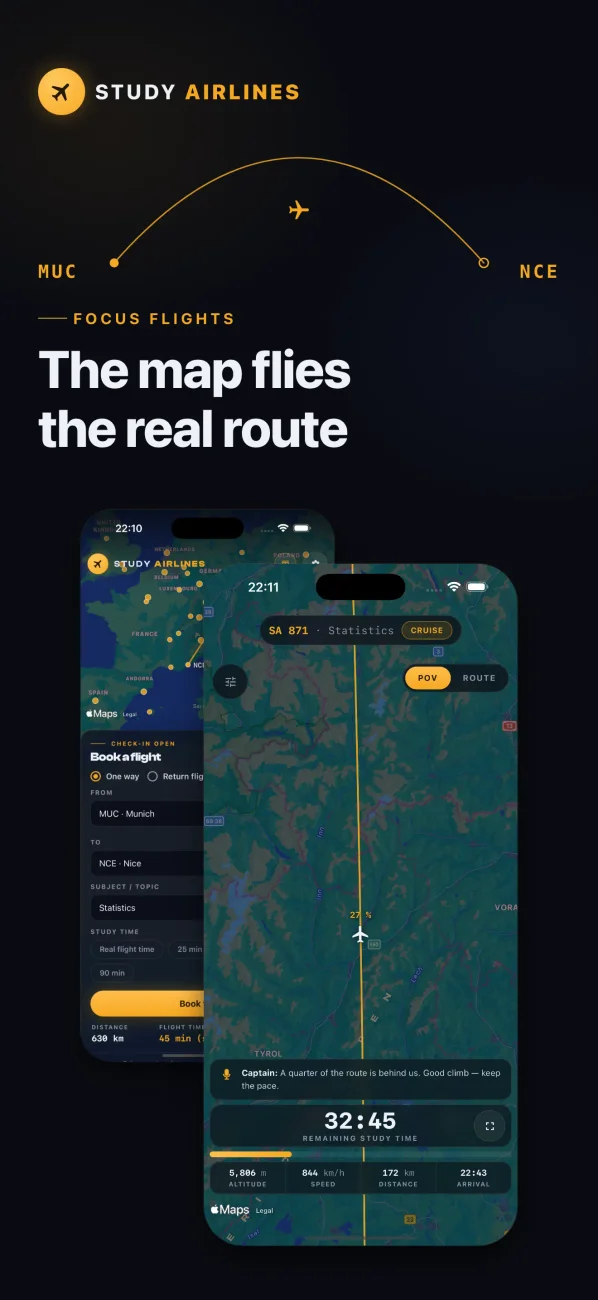
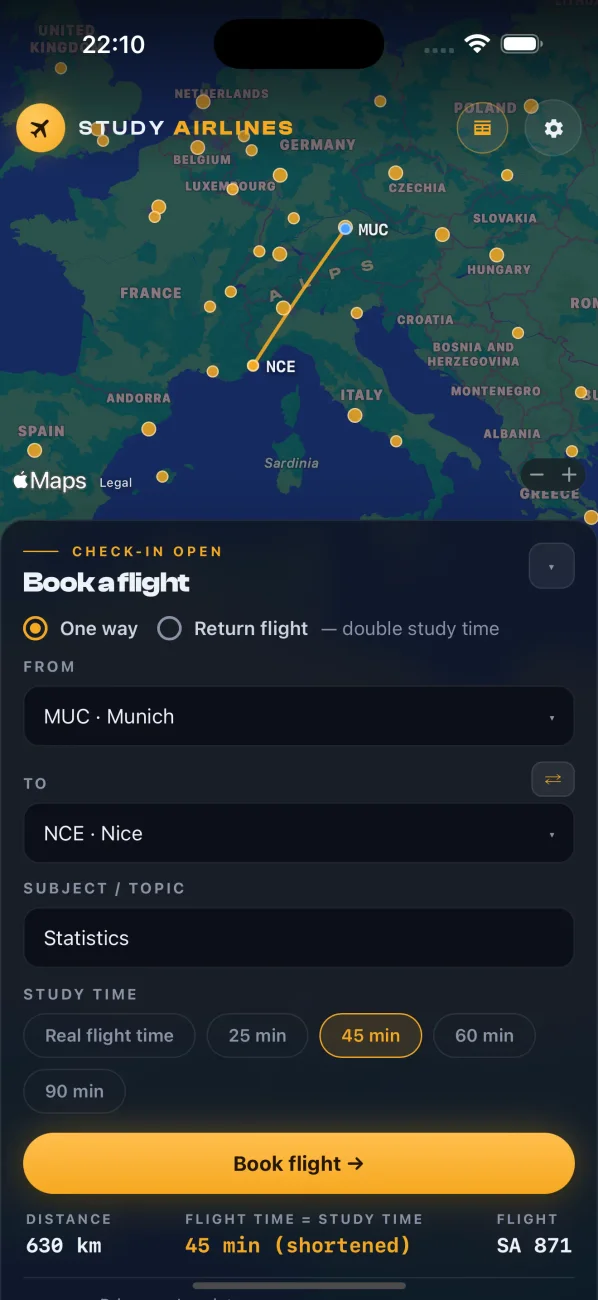
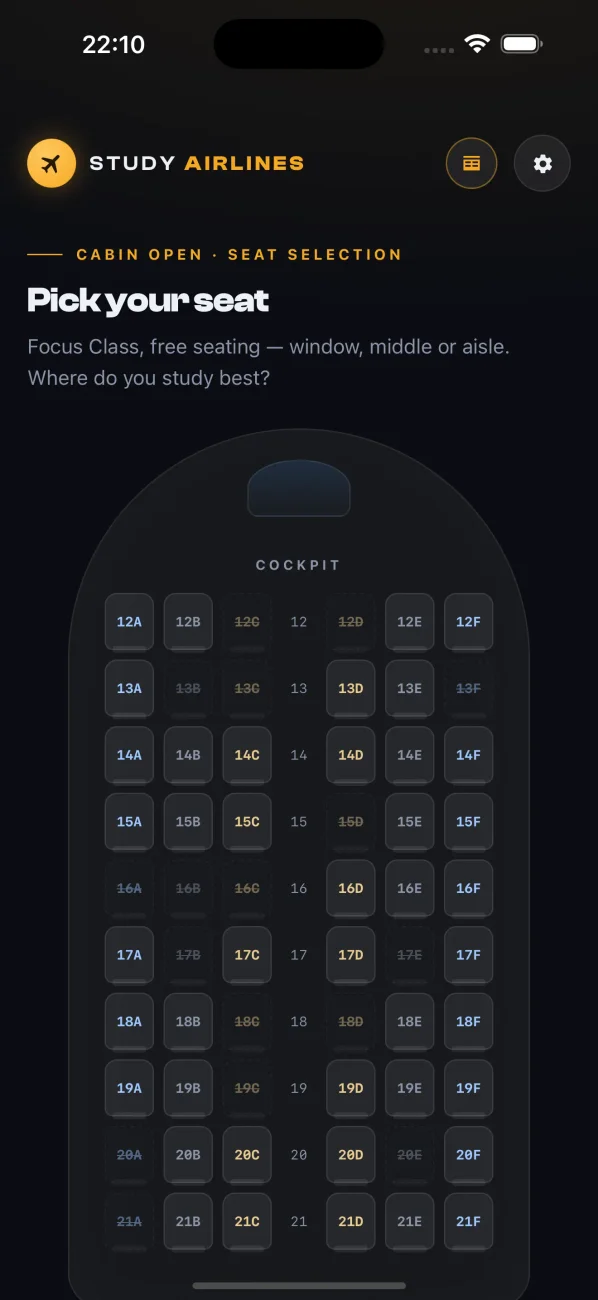
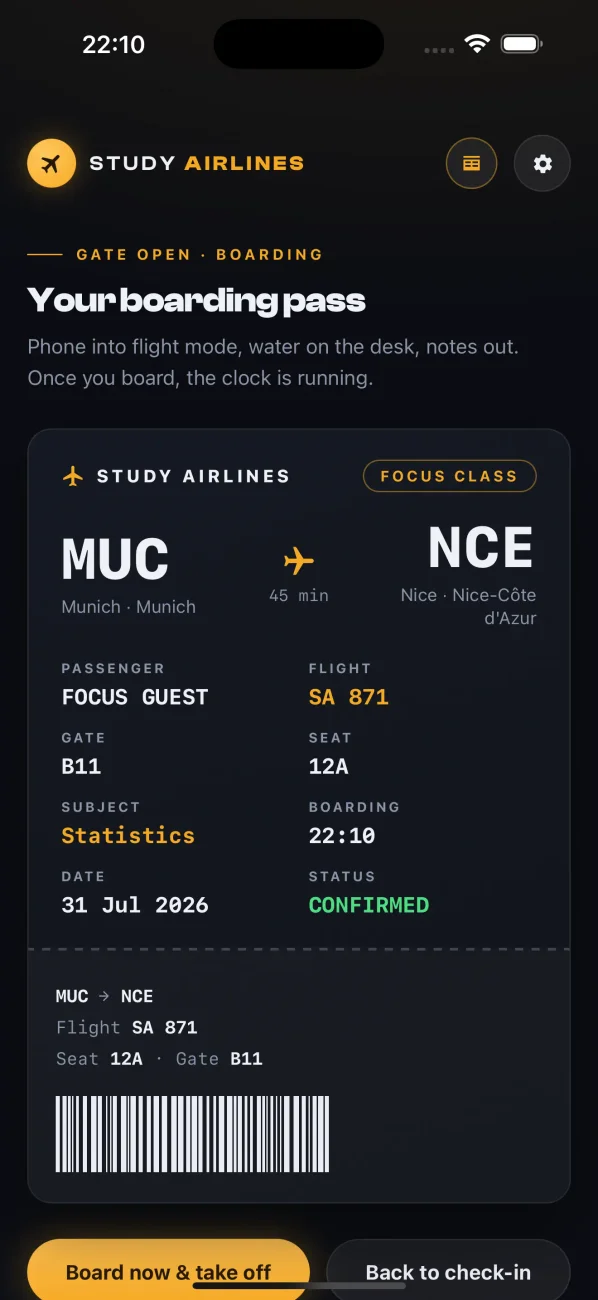
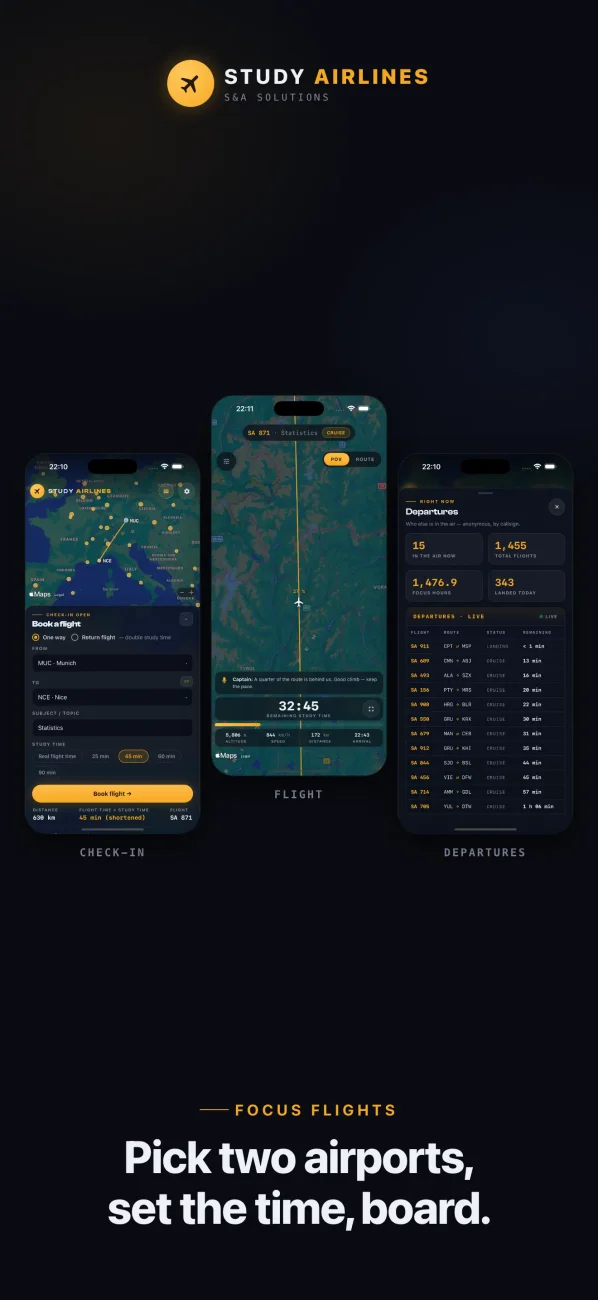
You check in at the gate: pick a departure and a destination from 350 real airports, enter the subject you are working on, and choose how long the session should be. Then a seat, a boarding pass with flight number, gate and barcode, and boarding.
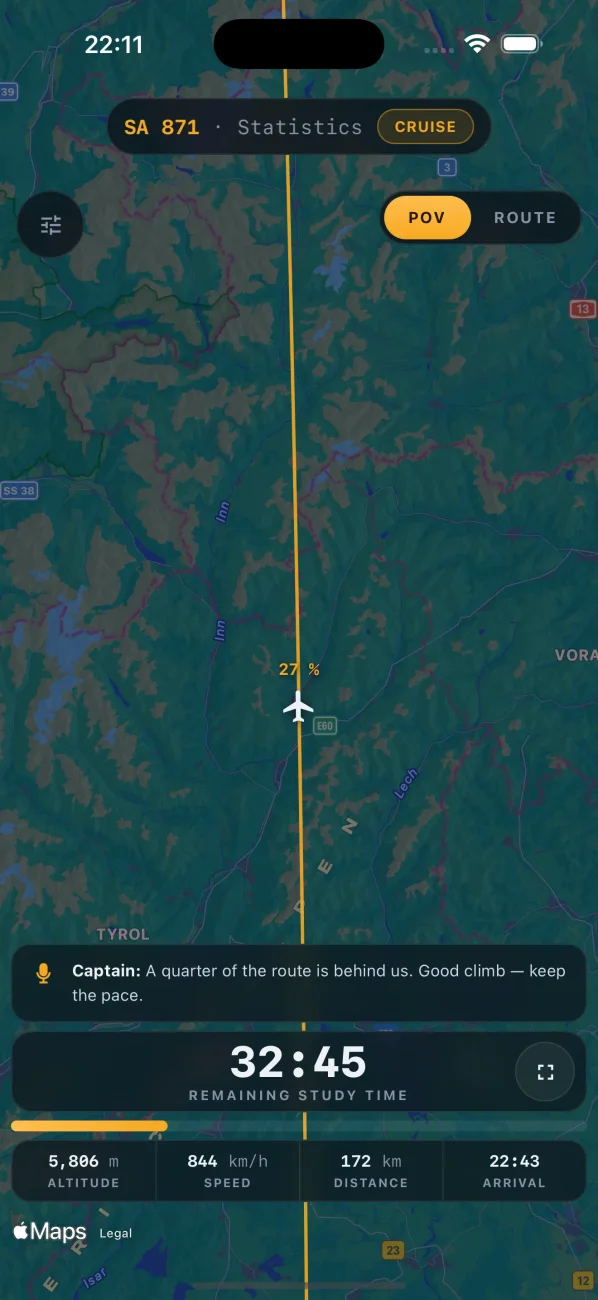
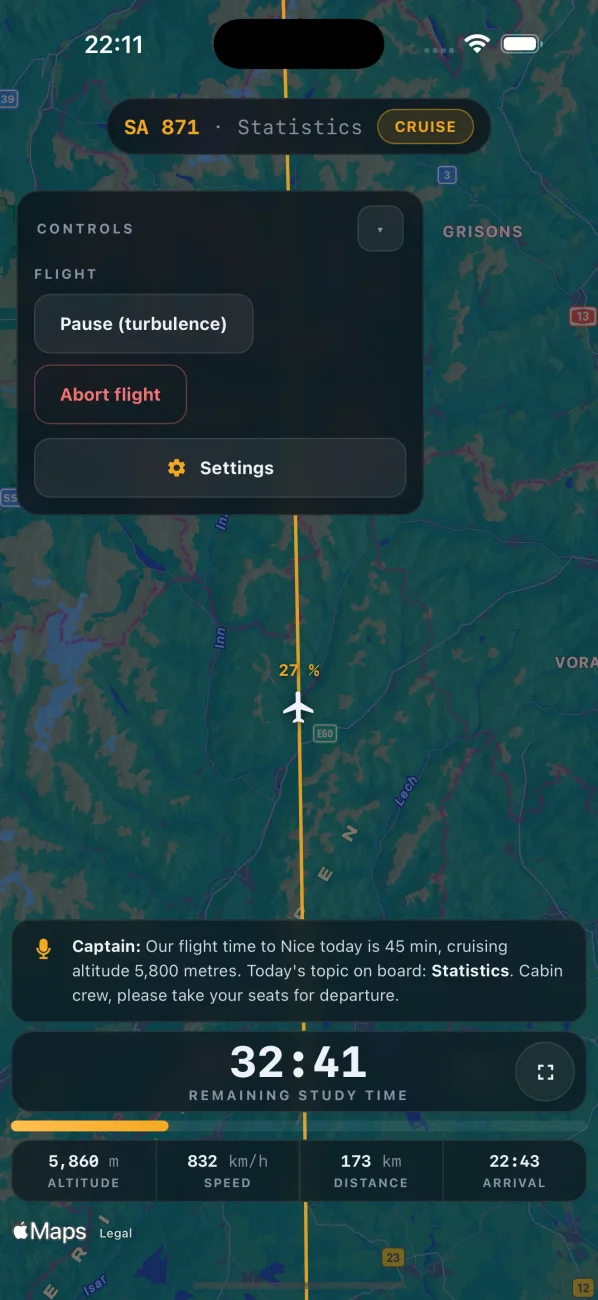
From take-off the map fills the screen. It flies the actual great circle between the two airports on Apple Maps, heading up, with the camera low over the terrain, so the country underneath you keeps moving. Altitude, ground speed, distance flown and estimated arrival run alongside it. You can pull the camera off the aircraft and look around, or switch to the route view and see the whole leg at once.
A cabin crew flies with you. Seventeen recorded announcements per language carry the flight: the welcome, the captain after take-off, the seatbelt sign, the service round, turbulence, descent, touchdown. The engines are not a looped audio file. They are synthesised on the device, and level and filter follow the phase of flight: loud and bright on the climb, quiet and dull at cruise. The sound mixes with whatever you are already listening to instead of cutting it off.
The flight continues when you put the phone down. On the lock screen and in the Dynamic Island a Live Activity shows the flight number, the route and the time remaining, and the timer runs on timestamps, so the aircraft lands at the right moment whatever else you are doing. When you land, a notification says so. The engine sound and the cabin announcements keep playing when you lock the screen, mixed with your music.
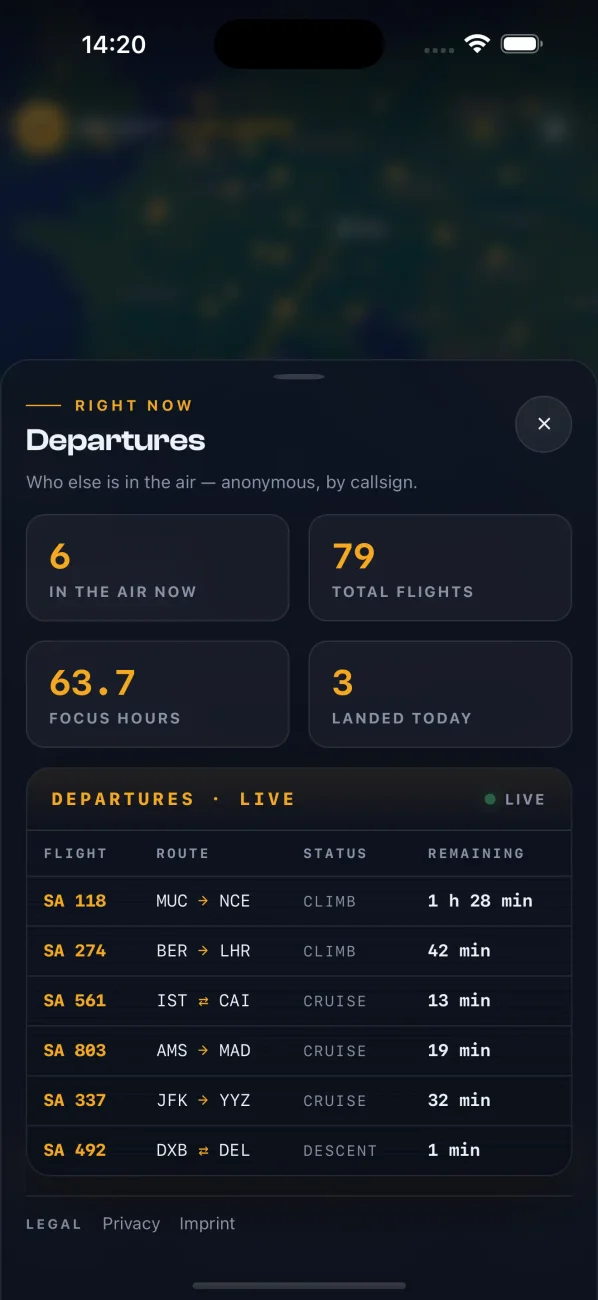
Your session is not private. Every flight is posted anonymously to a public departures board, and the board is in the app: it opens from the cockpit header before departure and from the arrival screen after landing. It is a live departures board: every flight on it with callsign, route, phase of flight and time remaining. No name, no account, no subject. During your own flight the board stays closed, because the flight is the point.
On arrival the flight is stamped: destination, minutes studied, distance flown. Book the return leg and the study time doubles.
Study Airlines is fully translated into English, German, Turkish and Arabic, including right to left layout. There are no accounts, no sign-up and no personal data. It works offline: without a connection the built in globe takes over from Apple Maps, and the announcements, the timer and the flight itself run unchanged from the device.
Có gì mới
Phiên bản 1.3 · 23/11/2026
• New: a short cabin chime when your study flight lands, even in the background or with your iPhone locked (Settings → Sound at landing)
• Fixed: the language you choose now stays after restarting the app
• The live counter shows how many flights are really in the air
Quyền riêng tư của ứng dụng
Những gì Yaser Abu Shaqra khai báo trên App Store về cách ứng dụng này xử lý dữ liệu.
-
Dữ liệu không liên kết với bạn
Có thể được thu thập nhưng không liên kết với danh tính của bạn.
- Dữ liệu sử dụng
Phương thức đảm bảo quyền riêng tư có thể khác nhau, chẳng hạn như tuỳ theo các tính năng bạn sử dụng hoặc độ tuổi của bạn.
Thông tin
- Người bán
- Yaser Abu Shaqra
- Danh mục
- Giáo Dục
- Phiên bản
- 1.3
- Cập nhật
- 23/11/2026
- Phát hành
- 13/10/2026
- Kích thước
- 25,9 MB
- Yêu cầu
- iOS 14.0 trở lên
- Độ tuổi
- 4+
- Giá
- Miễn phí
- Ngôn ngữ
- Tiếng Anh, Tiếng Ả Rập, Tiếng Đức, Tiếng Thổ Nhĩ Kỳ
- Bản quyền
- © 2026 Yaser Abu Shaqra