StudyCal: Study Planner
Exam countdown, timer & to-do
Được thiết kế cho iPhone, iPad, iPod touch
Miễn phí · Mua hàng trong ứng dụng
- Độ tuổi4+
- Danh mụcGiáo Dục
- Nhà phát triểnKazuaki Takahashi
- Ngôn ngữTiếng Anh+ 2 ngôn ngữ khác
- Kích thước74,5 MB
Liên kết đến trang App Store chính thức
Download.org không lưu trữ tệp nào của StudyCal: Study Planner. Nút này mở trang ứng dụng trên App Store, nơi Kazuaki Takahashi phát hành ứng dụng. Trang được kiểm tra lần cuối: 23/11/2026.
Ảnh chụp màn hình

Giới thiệu
Nhà phát triển chưa cung cấp nội dung này bằng ngôn ngữ của bạn.
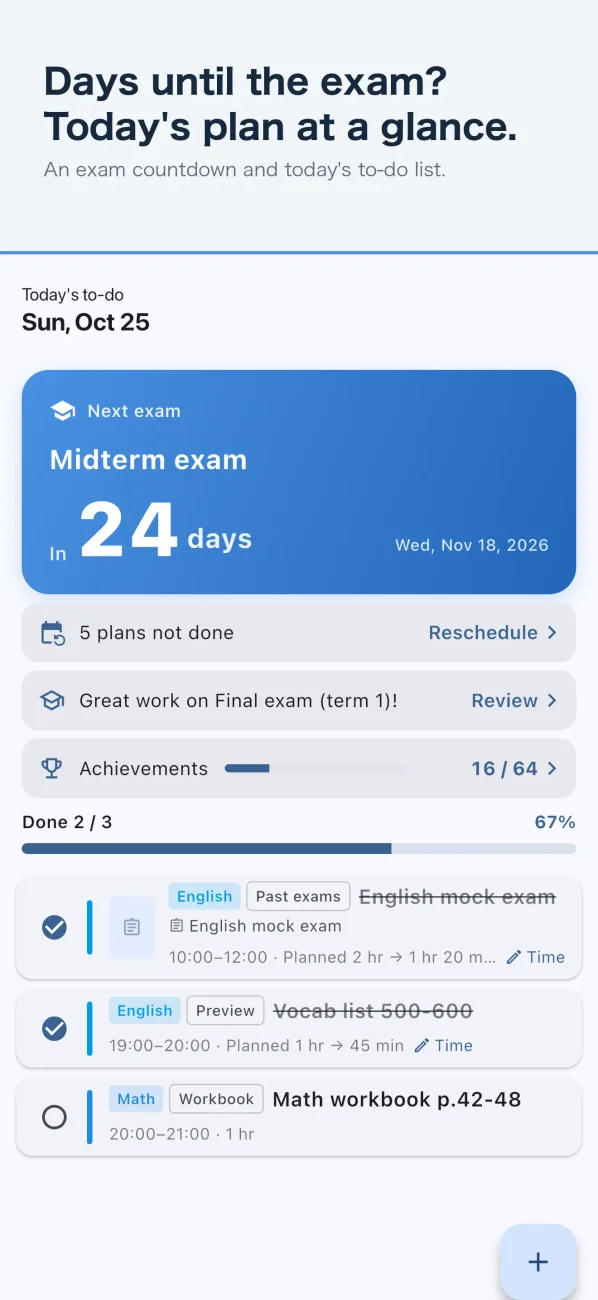
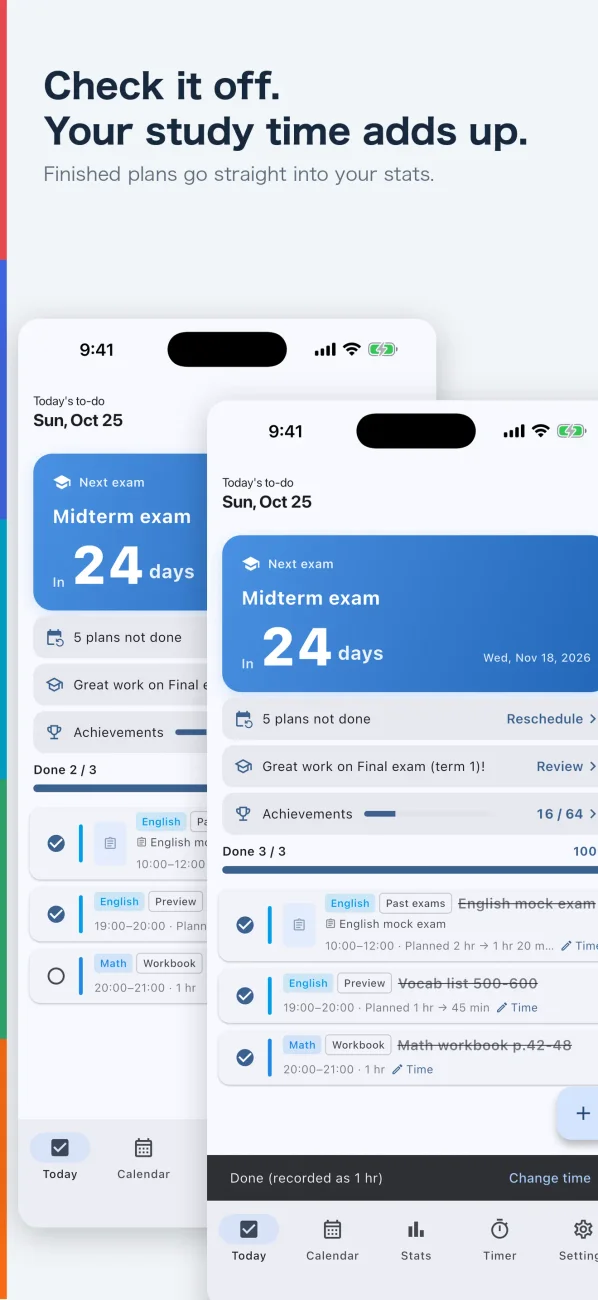
How many days until the exam? What should you study today? StudyCal is a study calendar that turns your plans into today's to-do list. Check a plan off and your study time adds up automatically.
Exam countdowns, home screen widgets, a streak heatmap, a focus timer and more than 50 achievement badges are all included. No sign-in needed.
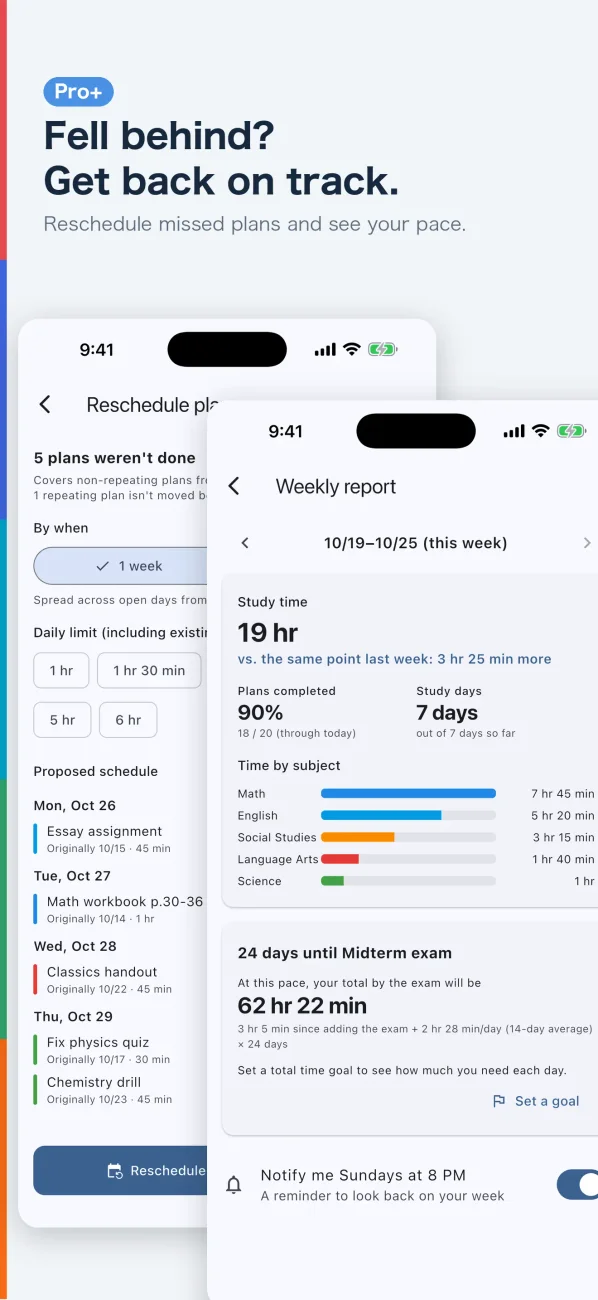
With Pro+, you can reschedule missed plans in one tap, see your pace toward exam day, sync between iPhone and iPad, and share your progress with a parent.
StudyCal brings your study plans, timetable, to-do list and study time tracking together in one simple app for middle school, high school and exam students. Plans you add appear on that day's to-do list, and a single tap marks them done. Subjects are color-coded, and your study time is shown in charts.
■ Made for
- Students who want to keep studying every day
- Anyone tired of using separate apps for a timetable and a to-do list
- Students preparing for exams who want to see time spent on each subject
- Anyone who wants to add weekly recurring classes in seconds
■ Main features
- Today's to-do: today's study plans in one list, with your completion rate at a glance
- Calendar: switch between month, week, day and list views in one tap. Color-coded subjects and recurring plans
- Timetable: the week view works as a timetable (any number of periods)
- Quick plans: pick a subject and a type, and the title fills in for you
- Recurring plans: every week on one or more days, with an end date. Automatic numbering such as "Lesson 1, Lesson 2, Lesson 3..."
- Check off: tap the circle to finish a plan; it goes straight into your totals
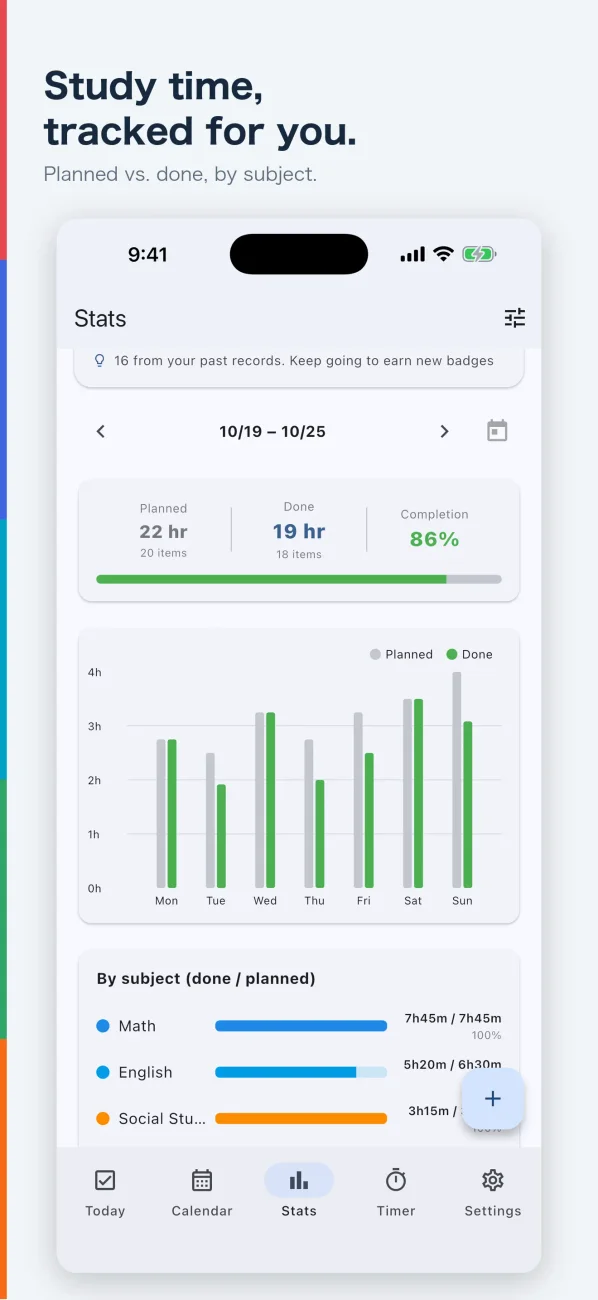
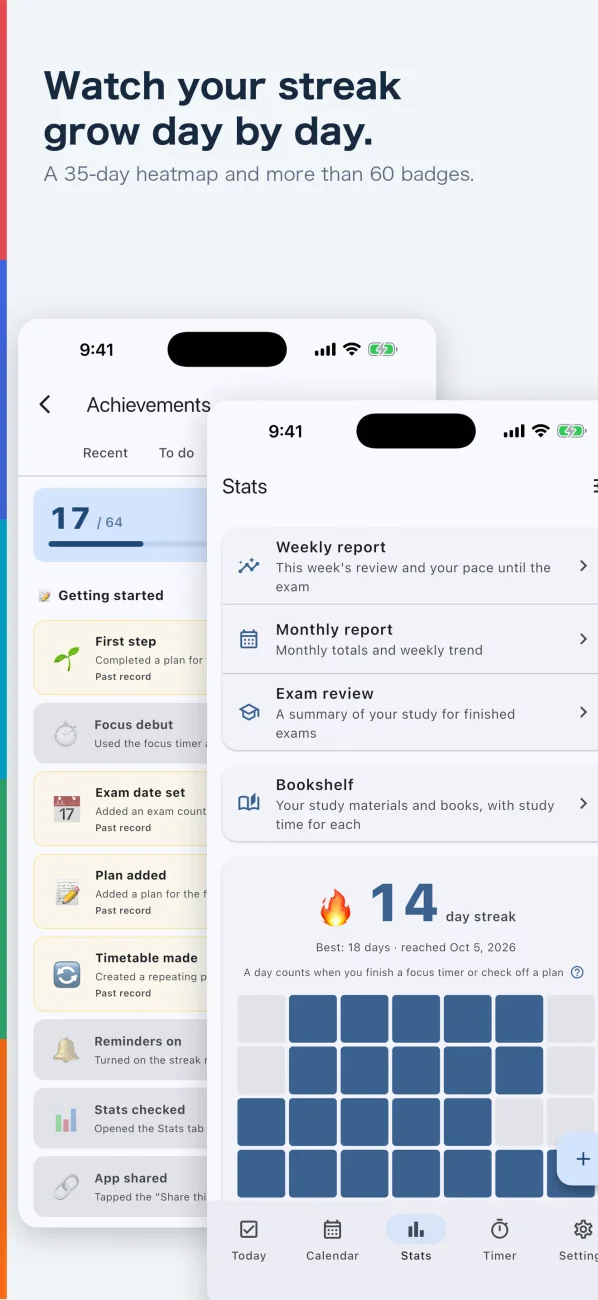
- Stats: weekly, monthly and yearly study time in stacked bar charts, with a breakdown by subject
- Materials and bookshelf: attach textbooks and workbooks to your plans and see the study time for each one (icon-only materials are unlimited; up to 5 with photos; unlimited with Pro)
- Plan types: homework, preview, review, past exams, drills, workbooks and more (add your own)
- Export to your iPhone calendar or Google Calendar
- Automatic backup: once a day, your plans, records, settings and photos are backed up, including to iCloud, so you can restore them on a new device (keeping several devices in sync is Pro+)
- Sharing with a parent (Pro+): once the student approves, a parent can see study time, time per subject, streak days and completion rate on their own phone. Plan names and notes are never sent. Parents can send stamps and short messages
- Exam countdown: add an exam date to see the days left on the home tab and on widgets
- Widgets: check today's to-do list and the days until your exam from the home screen
- Streaks and badges: see the days you studied on a heatmap and collect badges as you keep going
- Focus timer: a Pomodoro-style timer that alternates focus and breaks
- No sign-in needed
■ Easy to start
StudyCal needs no account and no sign-in. Your study records stay on your iPhone or iPad and in your own iCloud. Study totals are sent only when you use sharing with a parent.
■ Optional upgrades
- StudyCal Pro (one-time purchase): app colors, calendar background photos, unlimited material photos, widget colors and background images, rewards, focus timer styles and custom stamps
- StudyCal Pro+ (auto-renewing monthly or yearly subscription): reschedule missed plans, iPhone and iPad sync, pace toward exam day, past weekly reports, monthly reports, exam reviews and sharing with a parent (a parent can see up to 6 children if the parent subscribes). Includes everything in Pro
All the basic features, including plans, to-do lists and stats, work without upgrading.
Pro+ renews automatically unless canceled at least 24 hours before the end of the current period. You can cancel anytime from your subscription settings.
Terms of Use: https://kazutaka.biz/kiyaku/
Privacy Policy: https://kazutaka.biz/privacy/
Có gì mới
Phiên bản 1.2.22 · 20/11/2026
What's new in v1.2.22
- Fixed an issue where Share with a parent showed "Couldn't load the sharing info" and an invite code could not be created. We apologize for the inconvenience.
Quyền riêng tư của ứng dụng
Những gì Kazuaki Takahashi khai báo trên App Store về cách ứng dụng này xử lý dữ liệu.
-
Dữ liệu liên kết với bạn
Có thể được thu thập và liên kết với danh tính của bạn.
- Mục mua
- Nội dung của người dùng
- Mã định danh
-
Dữ liệu không liên kết với bạn
Có thể được thu thập nhưng không liên kết với danh tính của bạn.
- Nội dung của người dùng
- Mã định danh
- Dữ liệu sử dụng
- Chẩn đoán
Phương thức đảm bảo quyền riêng tư có thể khác nhau, chẳng hạn như tuỳ theo các tính năng bạn sử dụng hoặc độ tuổi của bạn.
Thông tin
- Người bán
- Kazuaki Takahashi
- Danh mục
- Giáo Dục
- Phiên bản
- 1.2.22
- Cập nhật
- 20/11/2026
- Phát hành
- 06/07/2026
- Kích thước
- 74,5 MB
- Yêu cầu
- iOS 15.0 trở lên
- Độ tuổi
- 4+
- Giá
- Miễn phí
- Mua hàng trong ứng dụng
- Có
- Ngôn ngữ
- Tiếng Anh, Tiếng Nhật, Tiếng Hàn
- Bản quyền
- © 2026 Kazuaki Takahashi