StudySets Flashcard
Flashcards & Study Tools
Được thiết kế cho iPhone, iPad
Miễn phí · Mua hàng trong ứng dụng
- Độ tuổi12+
- Danh mụcGiáo Dục
- Nhà phát triểnJOEL BACKLUND
- Ngôn ngữTiếng Anh+ 11 ngôn ngữ khác
- Kích thước4,1 MB
Liên kết đến trang App Store chính thức
Download.org không lưu trữ tệp nào của StudySets Flashcard. Nút này mở trang ứng dụng trên App Store, nơi JOEL BACKLUND phát hành ứng dụng. Trang được kiểm tra lần cuối: 16/11/2026.
Ảnh chụp màn hình
Giới thiệu
Nhà phát triển chưa cung cấp nội dung này bằng ngôn ngữ của bạn.
Transform Your Learning with StudySets
The ultimate flashcard and study tool designed to make memorization effortless and effective.
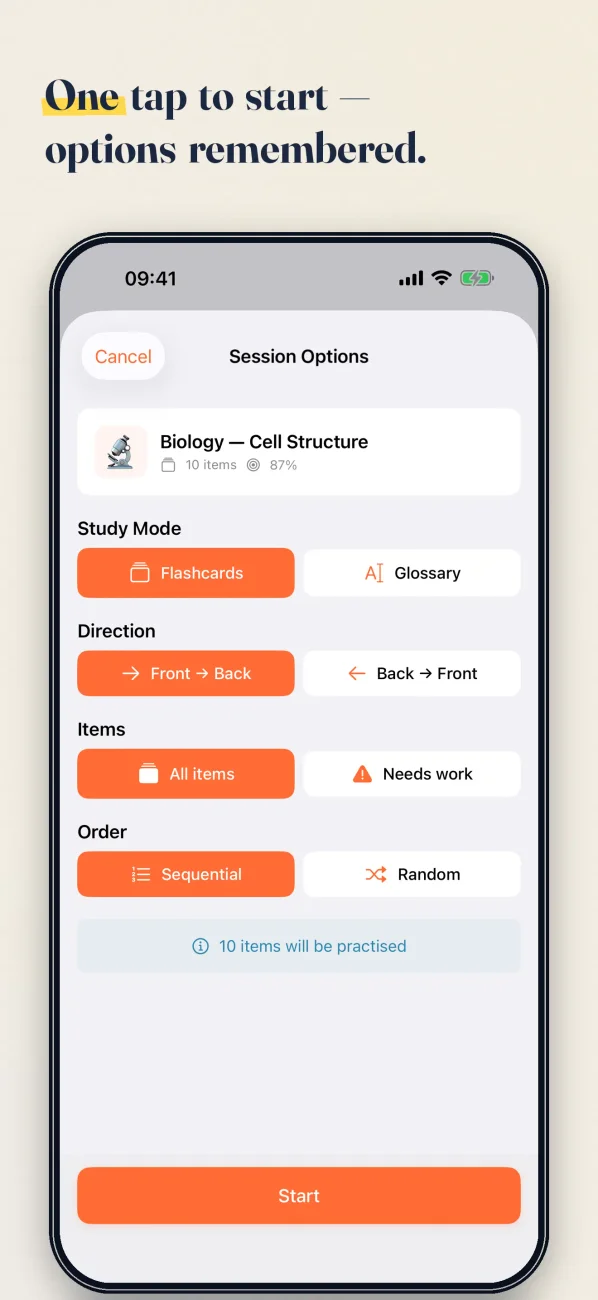
Dual Study Modes
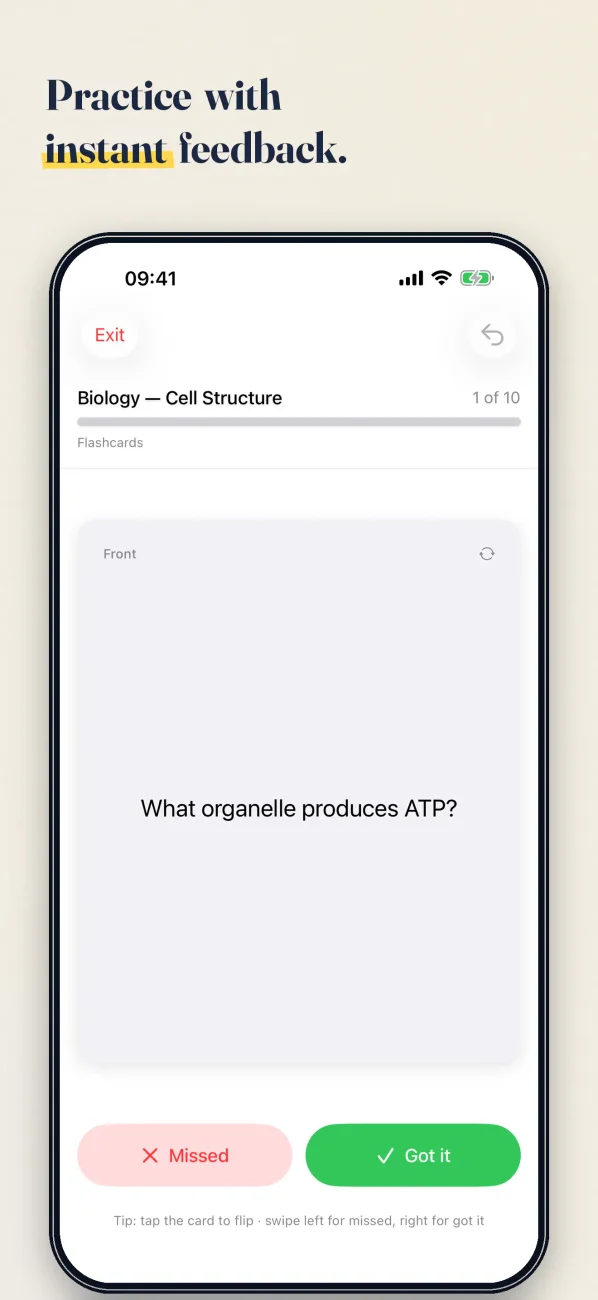
Flashcard Mode: Swipe through cards with intuitive gestures and instant visual feedback
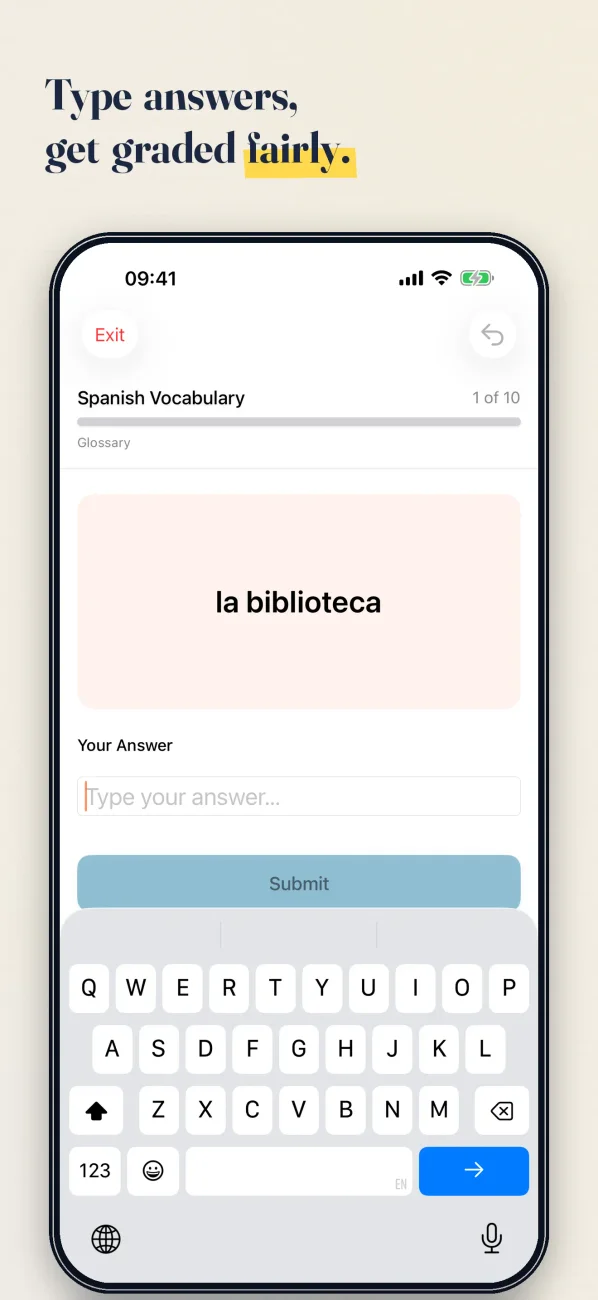
Glossary Mode: Test your knowledge with intelligent fuzzy matching that recognizes close answers and typos
Smart Learning Features
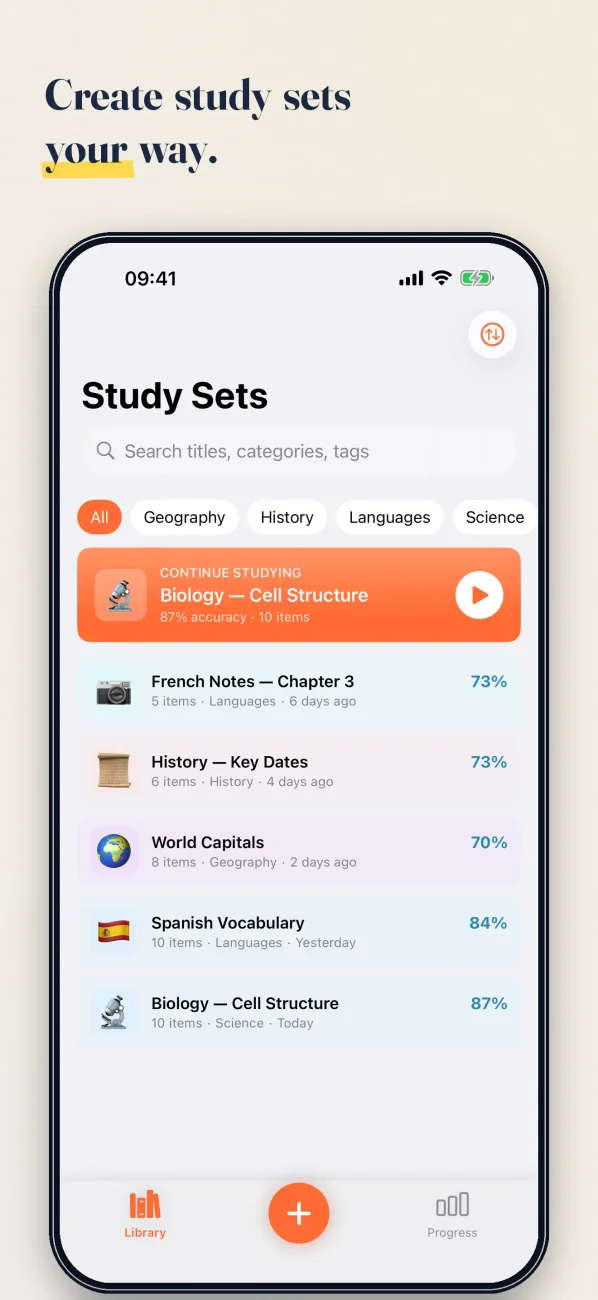
Create unlimited custom study sets for any subject
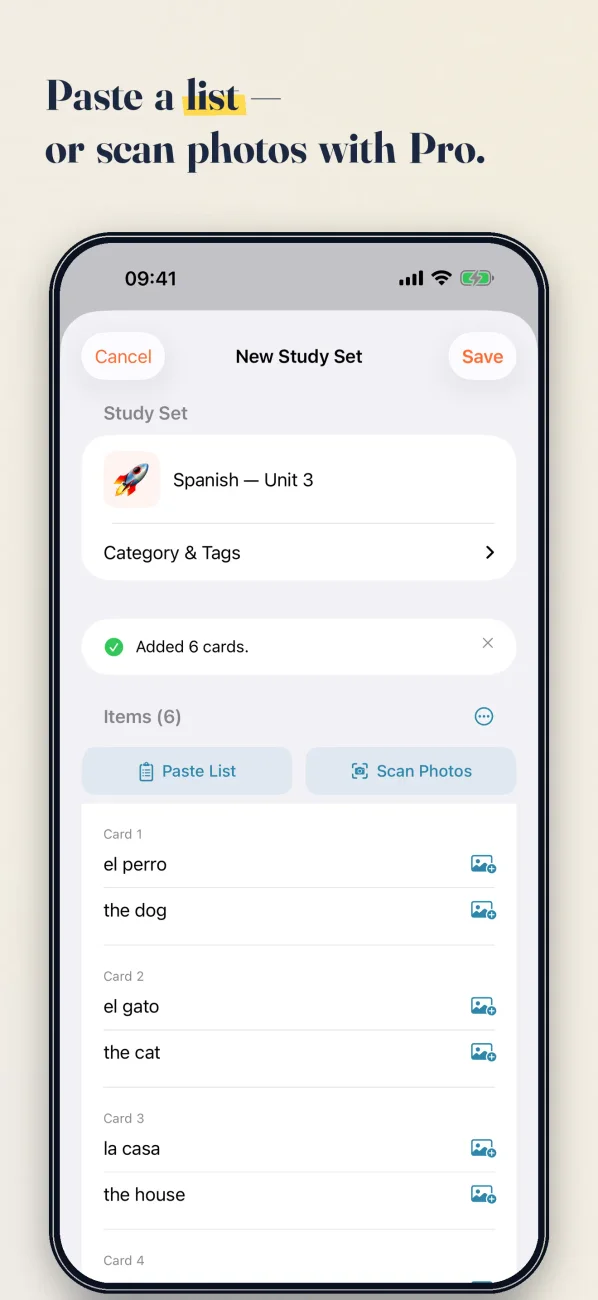
Paste List: paste a whole word list from your notes or a spreadsheet and get one card per line
Add detailed front and back content, including photos
Configurable grading strictness for personalized learning
Intelligent retake system focuses on items you missed
Comprehensive session results with performance analytics
Scan Photos with StudySets Pro
Point your camera at textbooks, notes, or vocabulary lists and let AI turn them into flashcards and glossary items. The cards appear in the editor, where you review and edit every one before saving. StudySets Pro is an optional auto-renewable monthly subscription with a one-week free trial. The subscription renews automatically until cancelled in your Apple Account settings.
Beautiful, Intuitive Design
Clean, distraction-free interface optimized for focused studying
Smooth animations and responsive touch controls
Universal app supporting both iPhone and iPad layouts
Automatic dark mode support for comfortable studying anytime
Accessibility features including VoiceOver and Dynamic Type support
Progress Tracking
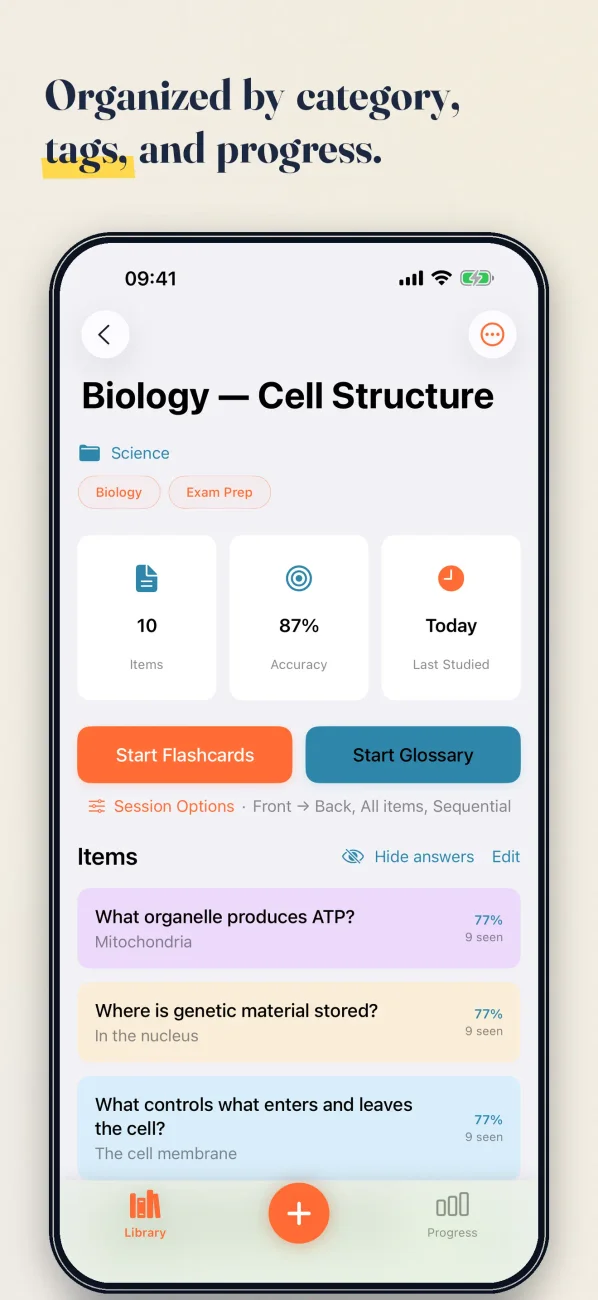
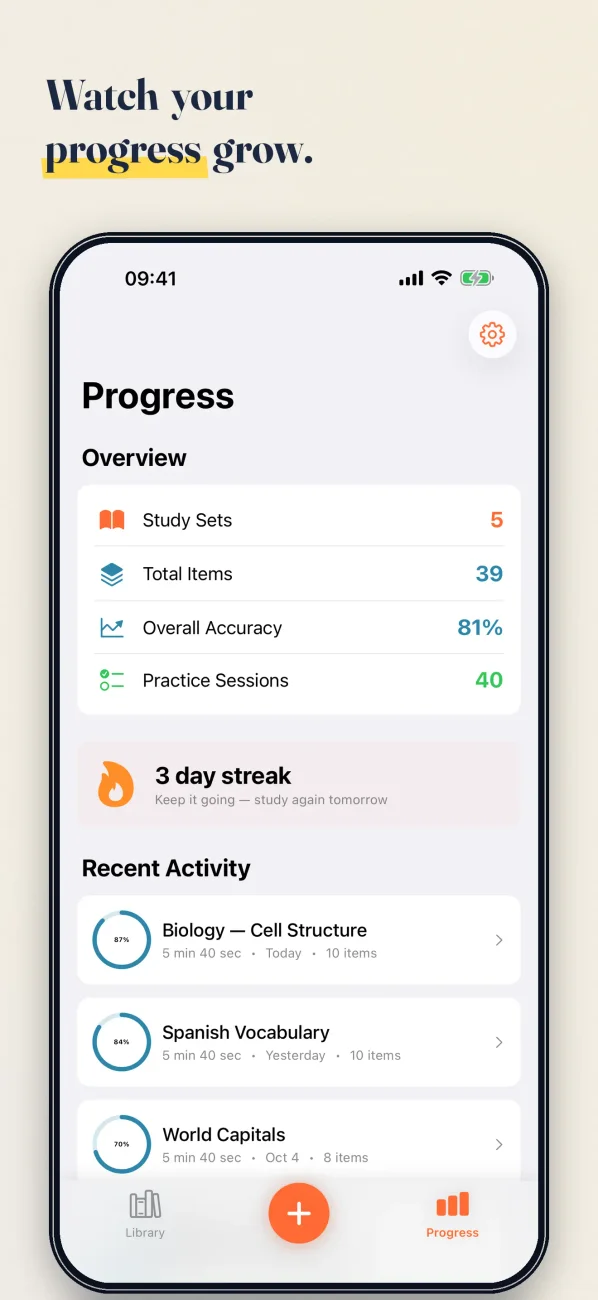
Detailed statistics track your improvement over time
Session histories show your learning patterns
Performance insights help identify areas needing more practice
Visual progress indicators keep you motivated
Privacy-First Approach
Your study sets, progress, and settings are stored locally on your device — no account required, no ads, no tracking, and everyday studying works completely offline. If you use Scan Photos, only the photos you explicitly choose are securely uploaded for one-time AI analysis, and StudySets does not store them after processing.
Perfect For
Students preparing for exams and quizzes
Language learners building vocabulary
Professionals studying for certifications
Medical students memorizing terminology
Anyone looking to master new information effectively
Technical Excellence
Built with the latest iOS technologies for optimal performance, StudySets provides a smooth, reliable experience that scales from a few cards to thousands of study items.
Terms of Use: https://www.apple.com/legal/internet-services/itunes/dev/stdeula/
Privacy Policy: https://www.studysets.app/privacy/
Có gì mới
Phiên bản 1.2 · 07/10/2026
Making a study set is now faster and simpler.
• Tap + and start typing — no extra steps in between
• Paste List: paste a word list from your notes or a spreadsheet and get one card per line
• Scan Photos (Pro): cards from your photos go straight into the editor so you can check them before saving
• Category and tags tucked away until you need them, and Return jumps straight to your cards
• Empty cards no longer block saving, and mistakes are pointed out only when you're done
• Unsaved work is protected — the editor won't close by accident
• A clear next step after creating a set, plus translation and layout improvements
Quyền riêng tư của ứng dụng
Những gì JOEL BACKLUND khai báo trên App Store về cách ứng dụng này xử lý dữ liệu.
-
Dữ liệu không liên kết với bạn
Có thể được thu thập nhưng không liên kết với danh tính của bạn.
- Nội dung của người dùng
Phương thức đảm bảo quyền riêng tư có thể khác nhau, chẳng hạn như tuỳ theo các tính năng bạn sử dụng hoặc độ tuổi của bạn.
Thông tin
- Người bán
- JOEL BACKLUND
- Danh mục
- Giáo Dục
- Phiên bản
- 1.2
- Cập nhật
- 07/10/2026
- Phát hành
- 18/07/2026
- Kích thước
- 4,1 MB
- Yêu cầu
- iOS 18.0 trở lên
- Độ tuổi
- 12+
- Giá
- Miễn phí
- Mua hàng trong ứng dụng
- Có
- Ngôn ngữ
- Tiếng Anh, Tiếng Pháp, Tiếng Đức, Tiếng Ý, Tiếng Nhật, Tiếng Hàn, Tiếng Bồ Đào Nha, Tiếng Nga, Tiếng Trung Giản thể, Tiếng Tây Ban Nha, Tiếng Thụy Điển, Tiếng Trung Phồn thể
- Bản quyền
- © 2026 Joel Backlund
Có thể bạn cũng thích
-
 Kinako — Study FlashcardsGiáo Dục
-
 FlashAI AI-Powered LearningGiáo Dục
-
 Truly Simple FlashcardsGiáo Dục
-
 City of LightsGiáo Dục
-
 iTutor Learn by teachingGiáo Dục
-
 Study SetsGiáo Dục
-
 Flashcards Master: AI StudyGiáo Dục
-
 JustFlip: FlashcardsGiáo Dục
-
 Worksheetzone: AI Quiz MakerGiáo Dục
-
 KIS By SkoleraGiáo Dục