Sungalizer
Live Audio Visualizer
Được thiết kế cho iPhone, iPad, iPod touch
119.000đ
- Độ tuổi4+
- Danh mụcNhạc
- Nhà phát triểnGeoffrey Graven
- Ngôn ngữTiếng Anh
- Kích thước3,8 MB
Liên kết đến trang App Store chính thức
Download.org không lưu trữ tệp nào của Sungalizer. Nút này mở trang ứng dụng trên App Store, nơi Geoffrey Graven phát hành ứng dụng. Trang được kiểm tra lần cuối: 25/11/2026.
Ảnh chụp màn hình


Giới thiệu
Nhà phát triển chưa cung cấp nội dung này bằng ngôn ngữ của bạn.
Sungalizer is a live audio visualizer inspired by classic scopes, studio displays, and retro signal screens.
Use it standalone with your microphone or a compatible connected audio interface, or load it as an AUv3 audio effect in a compatible iOS or iPadOS music host.
CHOOSE YOUR INPUTS
Select an individual input channel, use a stereo pair, or assign Left and Right channels with Custom Stereo. Custom Sum Mix combines only the input channels you select into one mono signal for visualization. The available channels depend on your connected interface and the inputs it exposes to iOS or iPadOS. In standalone mode, tap the refresh button beside INPUT to find a newly connected interface even before you start audio analysis.
FIVE LIVE VIEWS
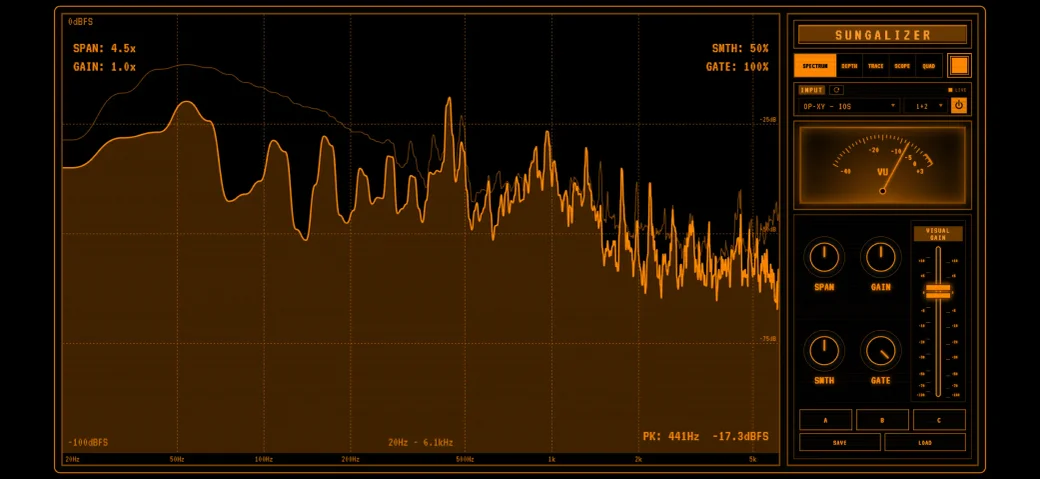
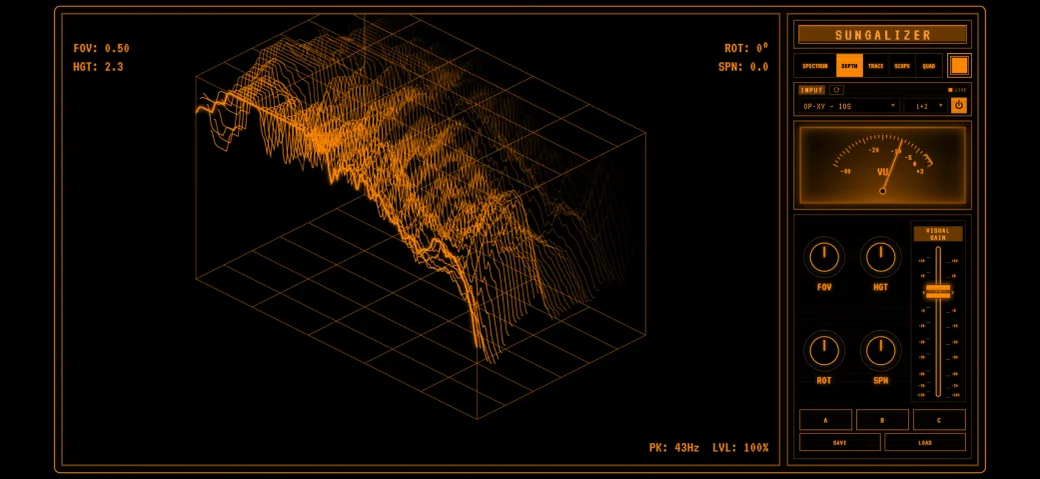
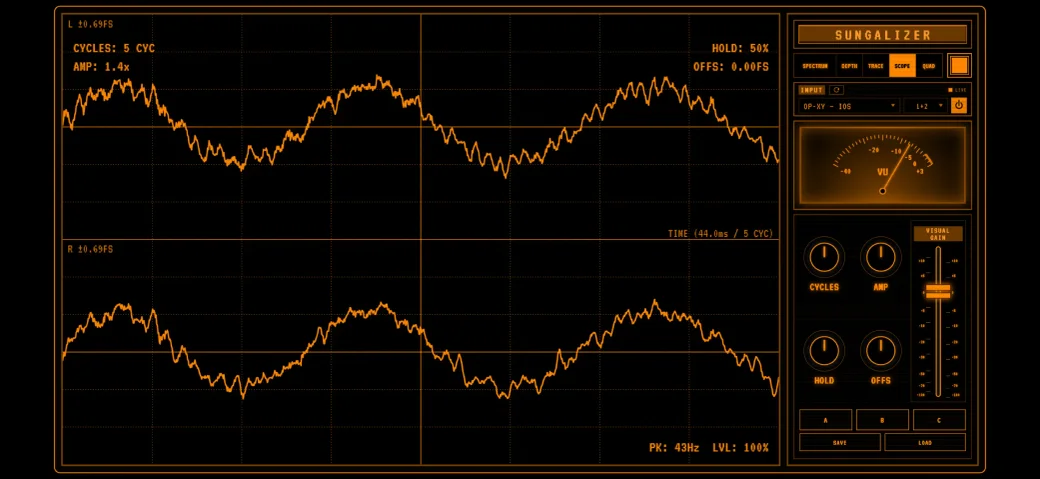
Spectrum displays frequency content, Depth builds dimensional landscapes, Trace shows scrolling spectral history, Scope displays waveforms with separate left and right traces for stereo sources, and Quad combines four views.
MAKE IT YOURS
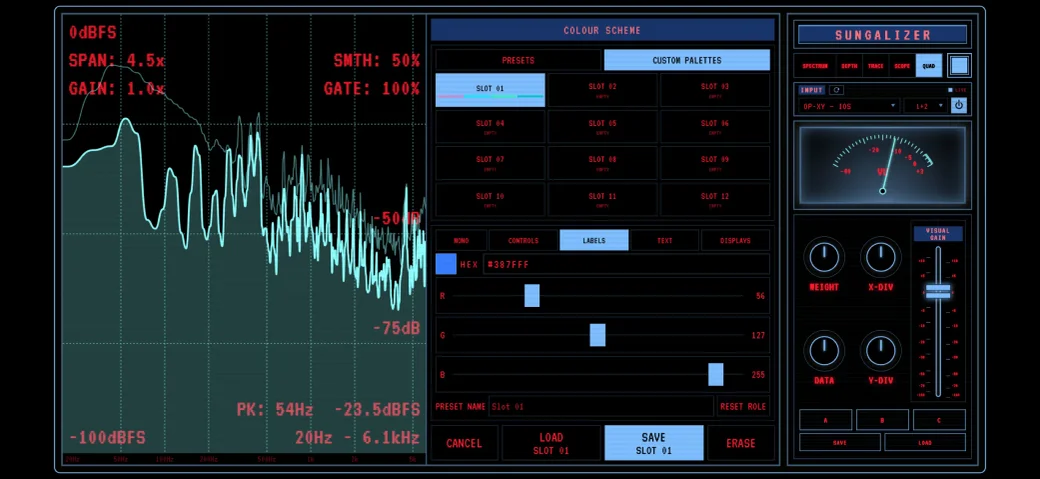
In Quad view, drag a divider with your finger to resize the panels side by side or above and below. Drag the point where the two dividers meet to resize all four views in one gesture. Double-tap the point where the dividers meet to restore four equal views. You can also adjust the layout with X-DIV and Y-DIV.
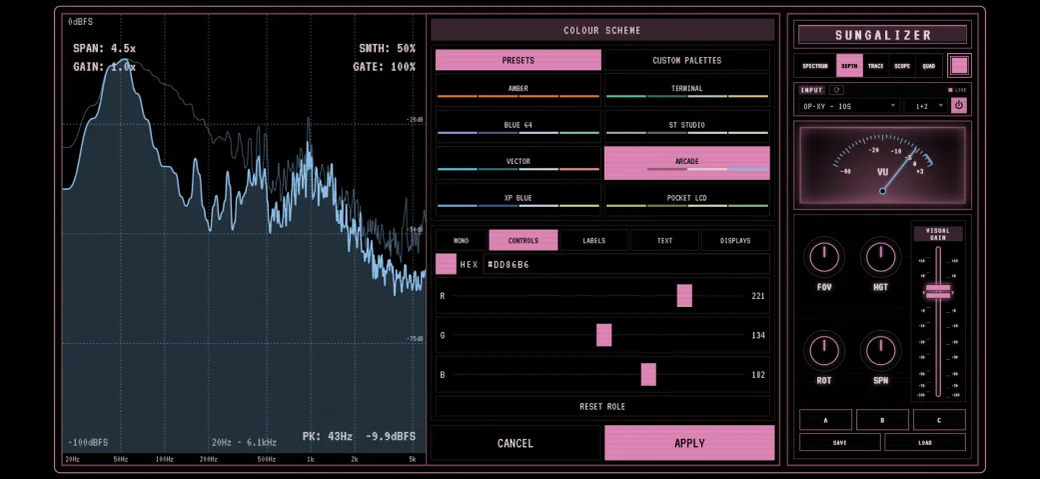
Choose Amber, Mint, Cyan or a coordinated colour palette. Use MONO to change the colour of the whole interface at once, or edit the colours of controls, labels, text and displays separately. Save up to 12 custom palettes. Give each one a name, then load, rename or erase it in Custom Palettes. Save your visualizer setups in three preset slots. Double-tap the visual display to hide the control rack, and double-tap again to bring it back.
USE IT IN YOUR MUSIC HOST
Load Sungalizer as an AUv3 effect on a track or bus in a compatible host. The host controls which mono or stereo audio reaches the extension. Each instance saves its visual settings with the host project, including the selected view, Quad layout, visual gain and colours.
Audio is analyzed locally on your device. Input selection and custom mixes control the visualizer; they do not change your interface's output mix. Standalone mode uses microphone or external input audio. Audio from other apps must be routed through a compatible AUv3 host.
Có gì mới
Phiên bản 1.2.2 · 16/11/2026
• Fixed colour editor placement on compact iPhone screens in landscape, including Display Zoom.
• Kept RGB sliders and palette actions accessible in small landscape and AUv3 windows.
• Opening the INPUT menu now preserves the gain fader and control layout; closing it restores the VU meter.
Quyền riêng tư của ứng dụng
Những gì Geoffrey Graven khai báo trên App Store về cách ứng dụng này xử lý dữ liệu.
-
Dữ liệu không được thu thập
Nhà phát triển không thu thập bất kỳ dữ liệu nào từ ứng dụng này.
Phương thức đảm bảo quyền riêng tư có thể khác nhau, chẳng hạn như tuỳ theo các tính năng bạn sử dụng hoặc độ tuổi của bạn.
Thông tin
- Người bán
- Geoffrey Graven
- Danh mục
- Nhạc
- Phiên bản
- 1.2.2
- Cập nhật
- 16/11/2026
- Phát hành
- 03/06/2026
- Kích thước
- 3,8 MB
- Yêu cầu
- iOS 15.0 trở lên
- Độ tuổi
- 4+
- Giá
- 119.000đ
- Ngôn ngữ
- Tiếng Anh
- Bản quyền
- © 2026 Geoffrey Graven