superTracker
Record & share your trips live
Được thiết kế cho iPhone, iPad, iPod touch
Miễn phí
- Độ tuổi4+
- Danh mụcDu Lịch
- Nhà phát triểnMOBILE SOFTWARE SRL
- Ngôn ngữTiếng Anh
- Kích thước13,0 MB
Liên kết đến trang App Store chính thức
Download.org không lưu trữ tệp nào của superTracker. Nút này mở trang ứng dụng trên App Store, nơi MOBILE SOFTWARE SRL phát hành ứng dụng. Trang được kiểm tra lần cuối: 16/11/2026.
Ảnh chụp màn hình

Giới thiệu
Nhà phát triển chưa cung cấp nội dung này bằng ngôn ngữ của bạn.
• This app is a tool that lets users record, manage, and view the device movements as tracking data localized in time and space.
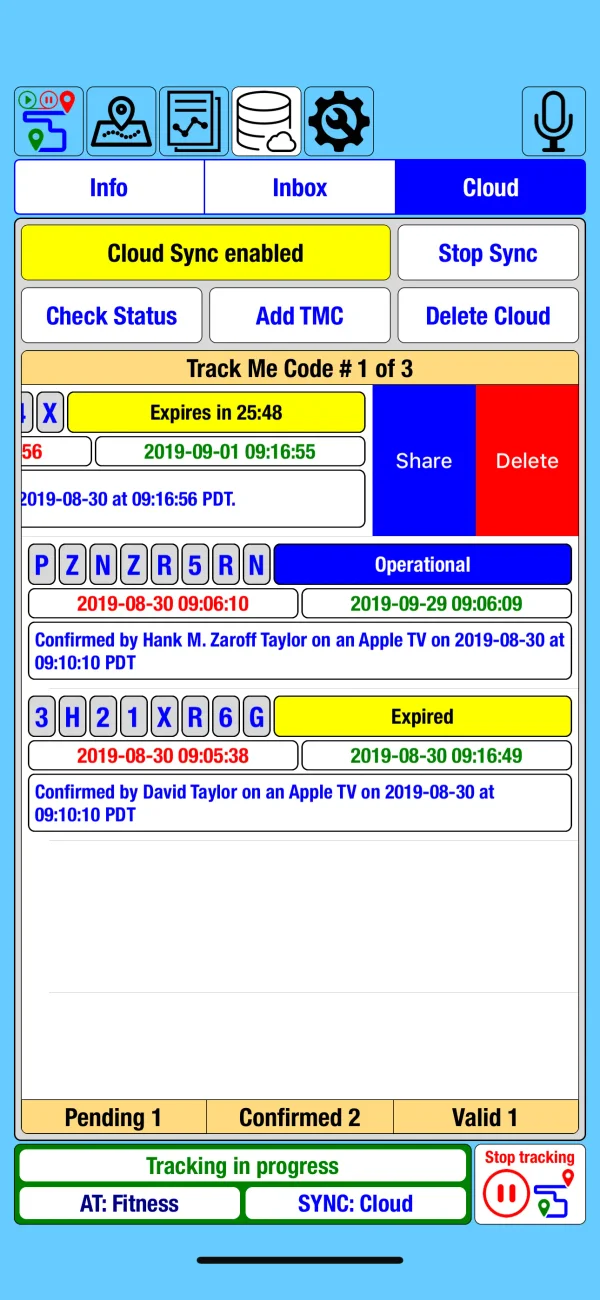
• It can allow only Apple devices for live viewing of recorded tracking data and their well-established history and done by creating a TMC (Track Me Code) that has a shelf life and is unique to each viewing device. Any TMC may be at any time prolonged, deleted, or expired. Also, at any time, Sync to iCloud can be disabled and synced tracking data deleted.
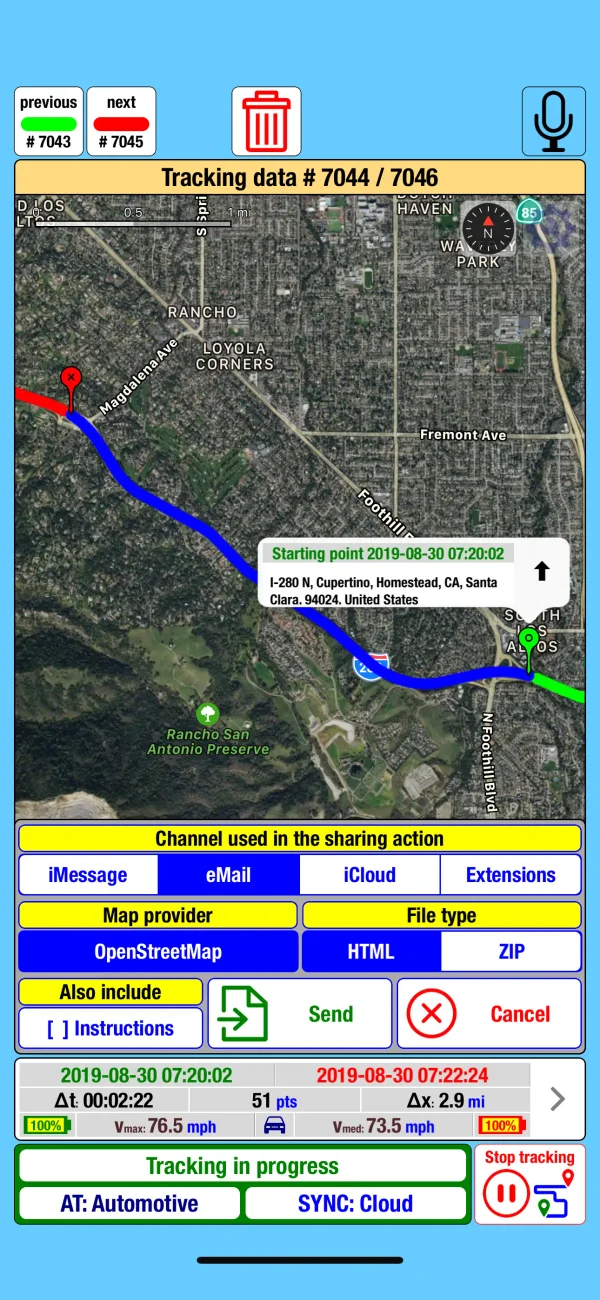
• Those who dislike live tracking sharing can choose that tracking data files can be manually shared with others. The recommendation is to use iMessage for easier, faster, and more secure TDF (Tracking Data File) exchange between iOS users. Sharing is also available via email with an attached file and viewed on another iOS device, other phones, tablets, or computers. The TDF (Tracking Data File) can be archived in zip format and shared via Share Extensions with apps that allow file transfer.
• By enabling speech recognition, the app can be used hands-free, only with voice commands, and is very useful in fitness activities or while driving. To know the available ones on each screen, the user only needs to say "voice commands" when the top right microphone is in red.
• The app developed into five sections, listed below, and can be accessed by tapping the buttons at the top of the screen or swiping left/right on the bottom status bar or with voice commands.
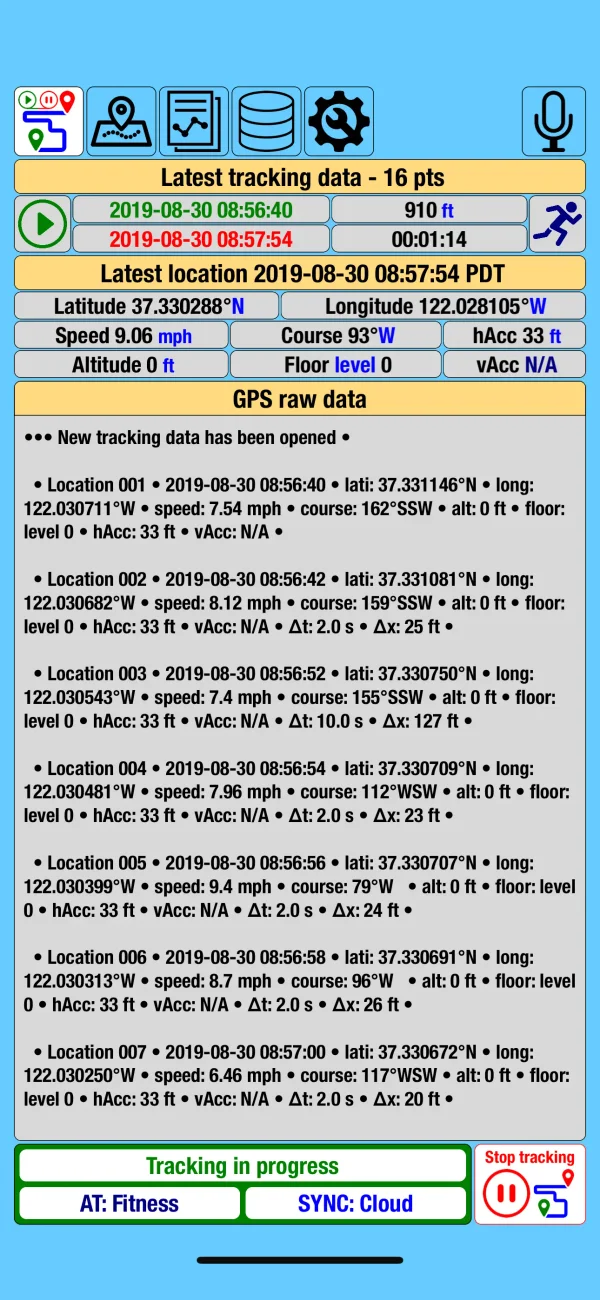
1) GPS raw data
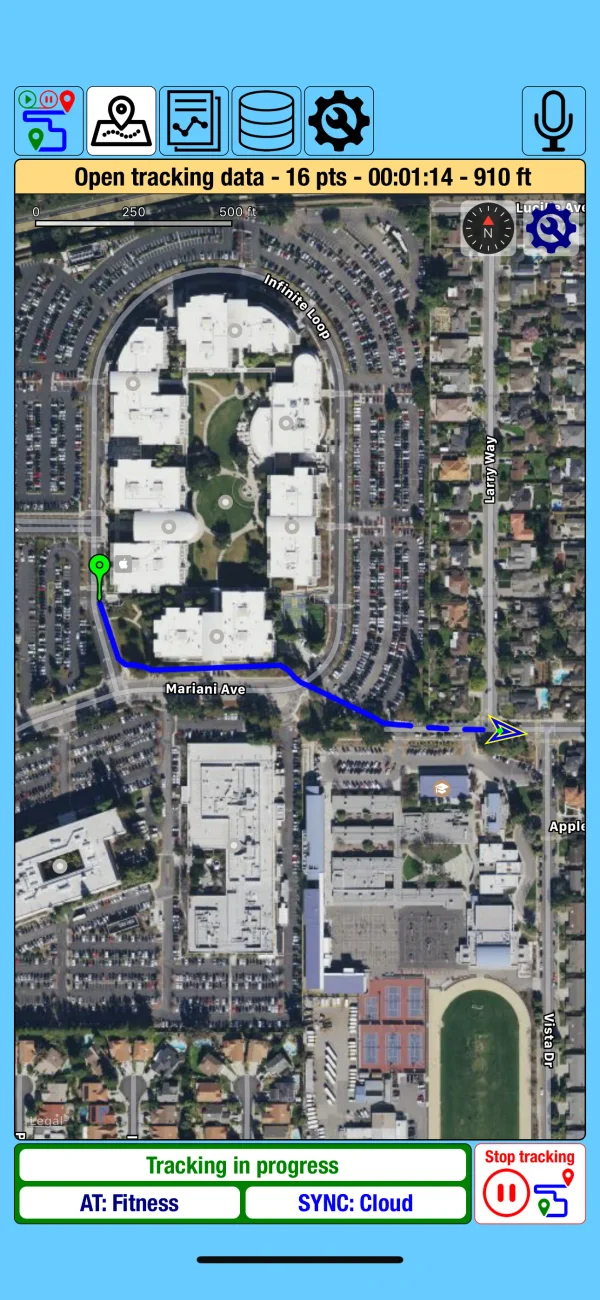
It shows information to the user about tracking status, activity type, last location, last tracking data, and raw GPS location data.
2) Location
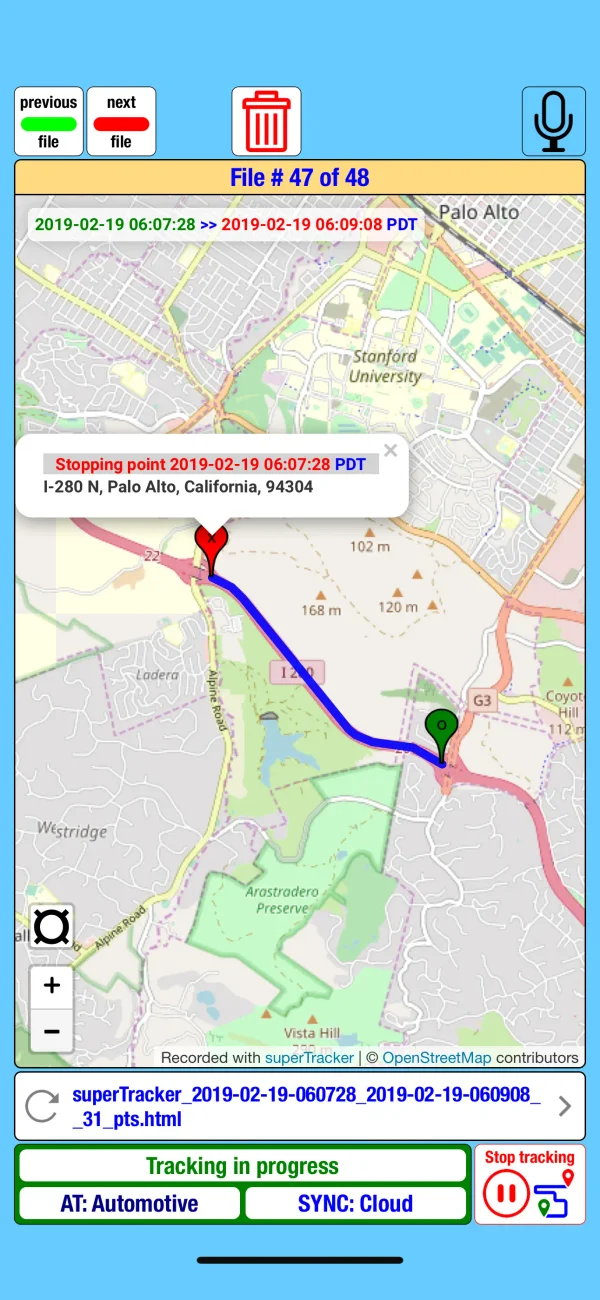
Shows the user the latest tracking data on the map. The user can select what to display: the entire track, the last 10th of it, or only the location.
If in the Database Inbox section are valid TMCs, they can be selected to operate live tracking of the devices that created them.
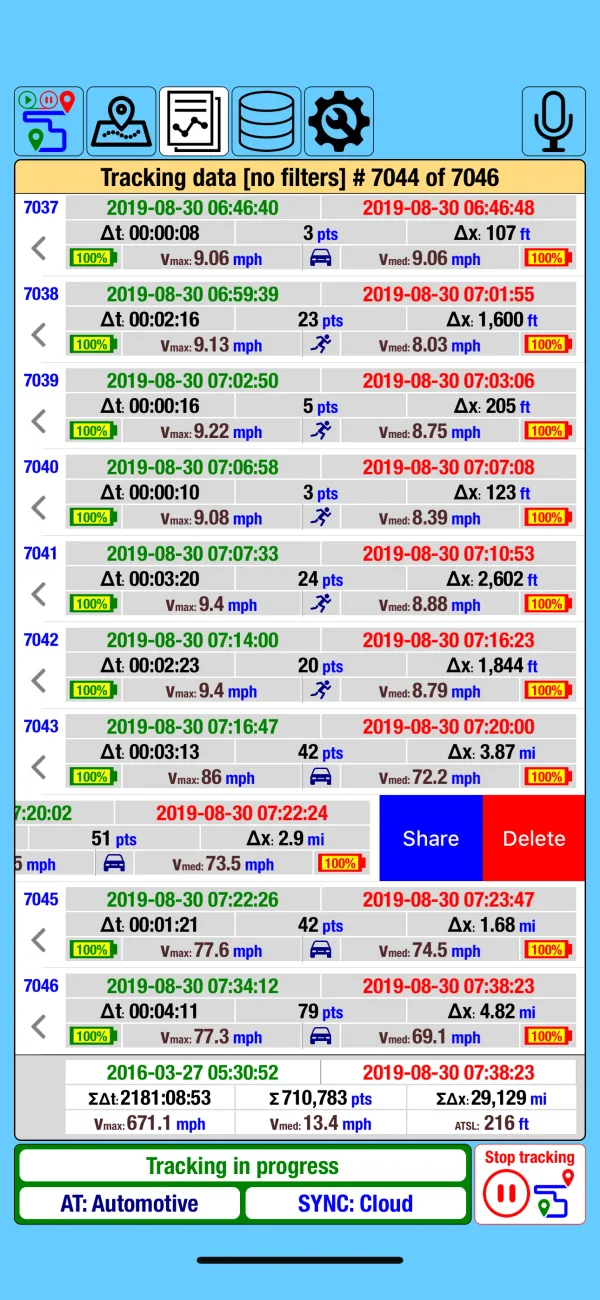
3) Reports
Provides users the tracking data list with information regarding:
- beginning and end of time and battery level;
- tracking duration, length, maximal and average (medium) speed;
- the type of activity used for recording;
Any tracking data from the list can be deleted or shared by simply swiping left. Also, users can display the selected record alongside the previous and next records. Display of the next/previous record on the map is available by simply swiping left/right on the tracking data information area.
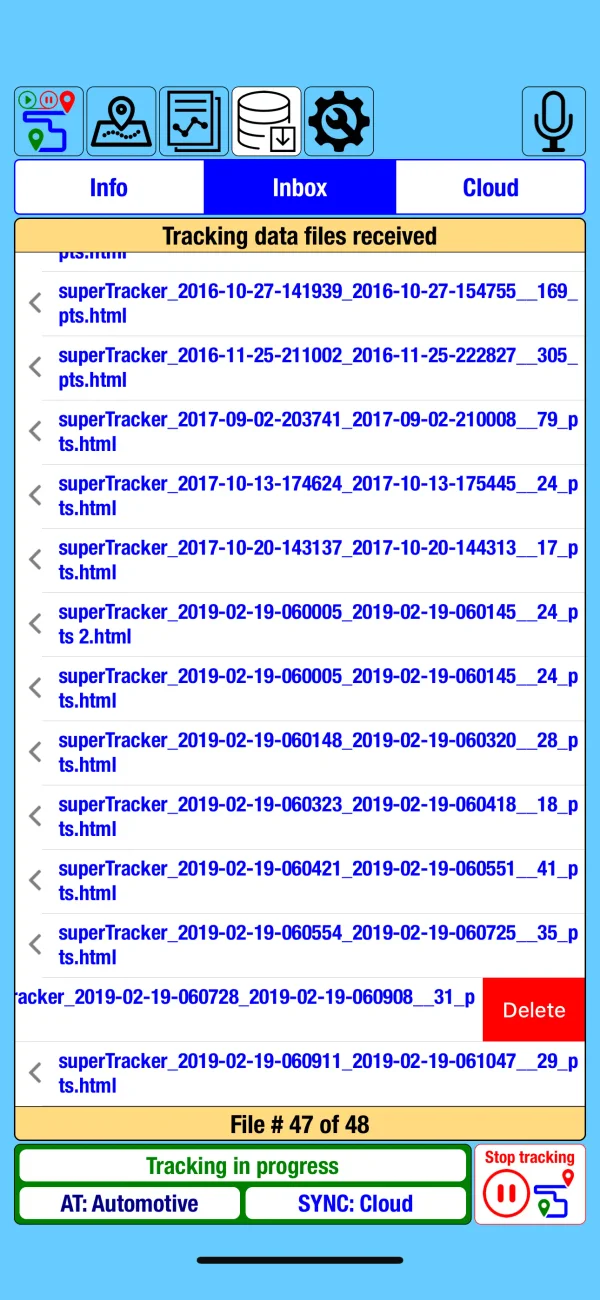
4) Database
Divided into three tabs (subsections):
- Info tab shows the user the device database information;
- Inbox tab keeps, shows, and manages records with the TDF (Tracking Data File) and TMC (Track Me Code) received from other "superTracker" users;
- Cloud tab lets users manage the TMCs (Track Me Code) and Cloud operations (Sync or Delete);
5) Settings
The user can select the units of measurement and how the tracking data will generate based:
- on the type of activity used;
- location frequency (in time and space), accuracy, and course changes;
- how to split the tracking data;
Users can also choose to:
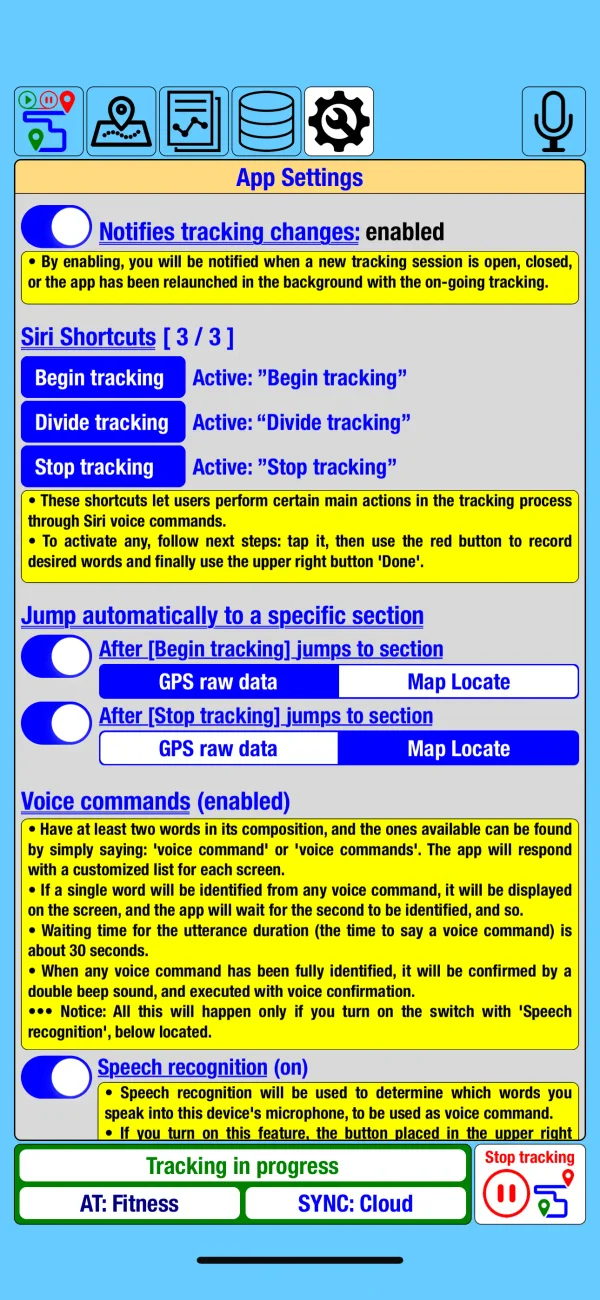
- jump to a specific section after "Begin / Stop tracking";
- enable notifications when the tracking status changes;
- set the Siri Shortcuts;
- enable and configure speech recognition to use as Voice Commands;
Bottom status bar:
Used to change sections (swiping left/right) and shows tracking and Cloud Sync status. Tapping on the "Begin tracking" button followed by your confirmation, the device begins to record location data and generates tracking reports, even if the app is in the background.
Resuming the app from the background and tapping the "Stop tracking" button, followed by your confirmation, will cancel the tracking process.
Notice:
• Continued use of GPS running in the background can dramatically decrease battery life.
At the end:
Love superTracker? Please rate us and tell others about your experience in the App Store. Your feedback counts, and we're constantly improving the app to provide you with the best possible experience.
Có gì mới
Phiên bản 6.0.4 · 04/03/2024
Bug fixes regarding opening new tracking data after pausing location updates.
Quyền riêng tư của ứng dụng
Những gì MOBILE SOFTWARE SRL khai báo trên App Store về cách ứng dụng này xử lý dữ liệu.
-
Dữ liệu không được thu thập
Nhà phát triển không thu thập bất kỳ dữ liệu nào từ ứng dụng này.
Phương thức đảm bảo quyền riêng tư có thể khác nhau, chẳng hạn như tuỳ theo các tính năng bạn sử dụng hoặc độ tuổi của bạn.
Thông tin
- Người bán
- MOBILE SOFTWARE SRL
- Danh mục
- Du Lịch
- Phiên bản
- 6.0.4
- Cập nhật
- 04/03/2024
- Phát hành
- 01/04/2016
- Kích thước
- 13,0 MB
- Yêu cầu
- iOS 14.0 trở lên
- Độ tuổi
- 4+
- Giá
- Miễn phí
- Ngôn ngữ
- Tiếng Anh
- Bản quyền
- © Mobile Software SRL