
- Độ tuổi4+
- Danh mụcDẫn Đường
- Nhà phát triểnKARL ULRICH W_BER
- Ngôn ngữTiếng Anh
- Kích thước890,0 KB
Liên kết đến trang App Store chính thức
Download.org không lưu trữ tệp nào của Take-off. Nút này mở trang ứng dụng trên App Store, nơi KARL ULRICH W_BER phát hành ứng dụng. Trang được kiểm tra lần cuối: 18/11/2026.
Ảnh chụp màn hình

Giới thiệu
Nhà phát triển chưa cung cấp nội dung này bằng ngôn ngữ của bạn.
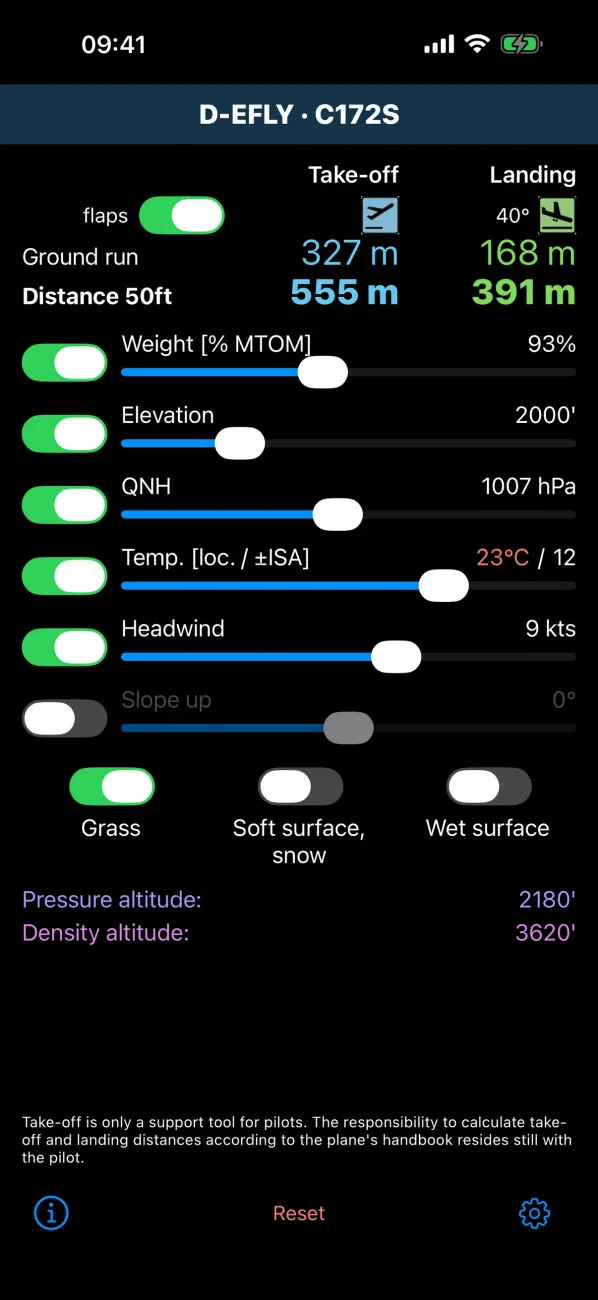
Is the runway long enough today? Find out in seconds.
Your flight manual gives take-off and landing distances for sea level, 15 °C, no wind and a dry, paved runway. take-off works them out for the conditions you actually fly in: a hot afternoon, a high strip, wet grass or a tailwind.
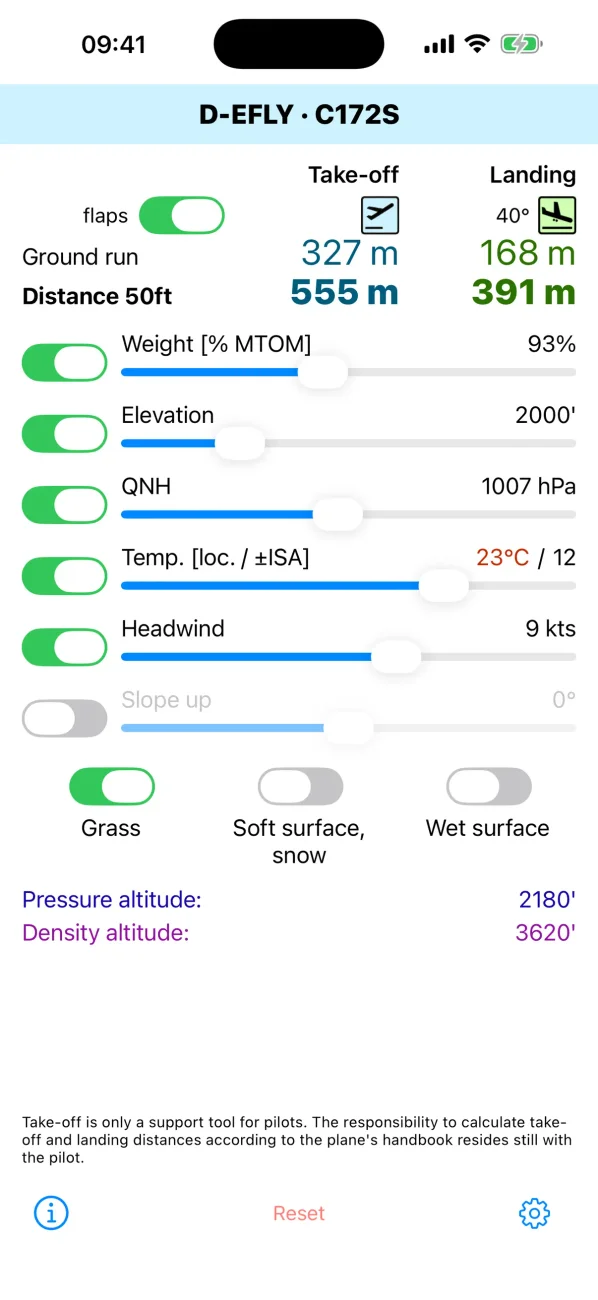
Set today’s conditions, see the distances:
• Set weight, elevation, QNH, temperature, wind and runway slope with a few slider moves.
• Add the surface: grass, wet grass, wet runway, soft ground or snow.
• Choose take-off with or without flaps at the flick of a switch.
• See the ground run and the distance over a 50 ft obstacle for take-off and landing, updated as you change each value.
• Pressure altitude and density altitude are shown on the same screen.
Built on your aircraft, not a generic one:
Every distance and correction factor that take-off uses can be changed in the settings. Enter the distances from your flight manual and fine-tune the corrections for weight, slope, wind and surface. The defaults follow the rules of thumb published by the UK Civil Aviation Authority (CAA), so you start from a well-founded base.
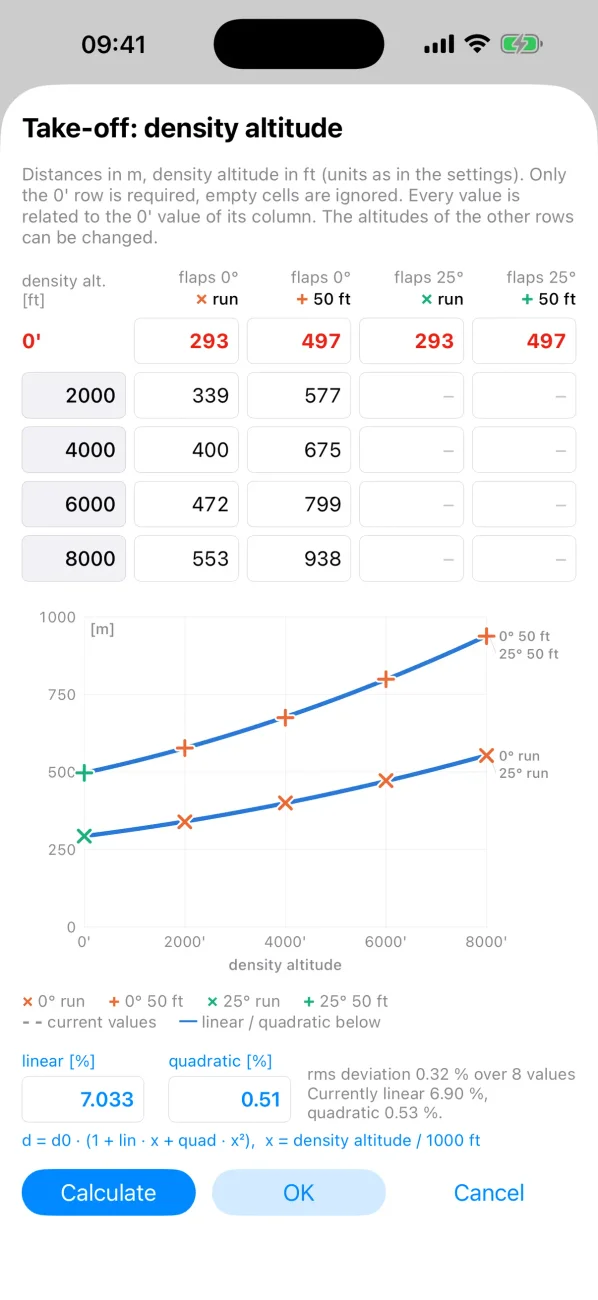
Density altitude has the biggest effect on performance, and it isn’t linear. take-off models it with a quadratic curve that you can fit directly to the altitude tables in your handbook. A graph shows how well the curve matches your figures.
Ready for the aircraft you fly:
• Save several aircraft under their callsigns, which suits clubs, rentals and shared ownership.
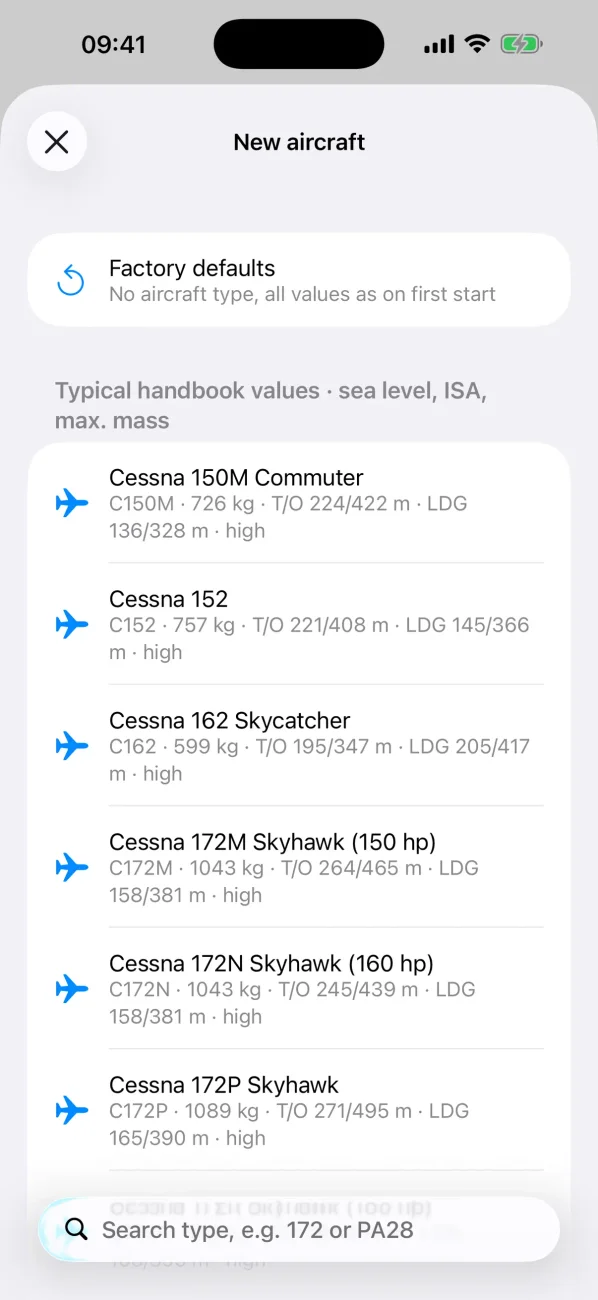
• Start from typical handbook values for more than 40 popular types, from the Cessna 172 to the Robin DR400. Each type shows how reliable its figures are.
• Choose your own units: m or ft, hPa, inHg or mmHg, °C or °F, kt, km/h or mph, weight in % of MTOM or kg.
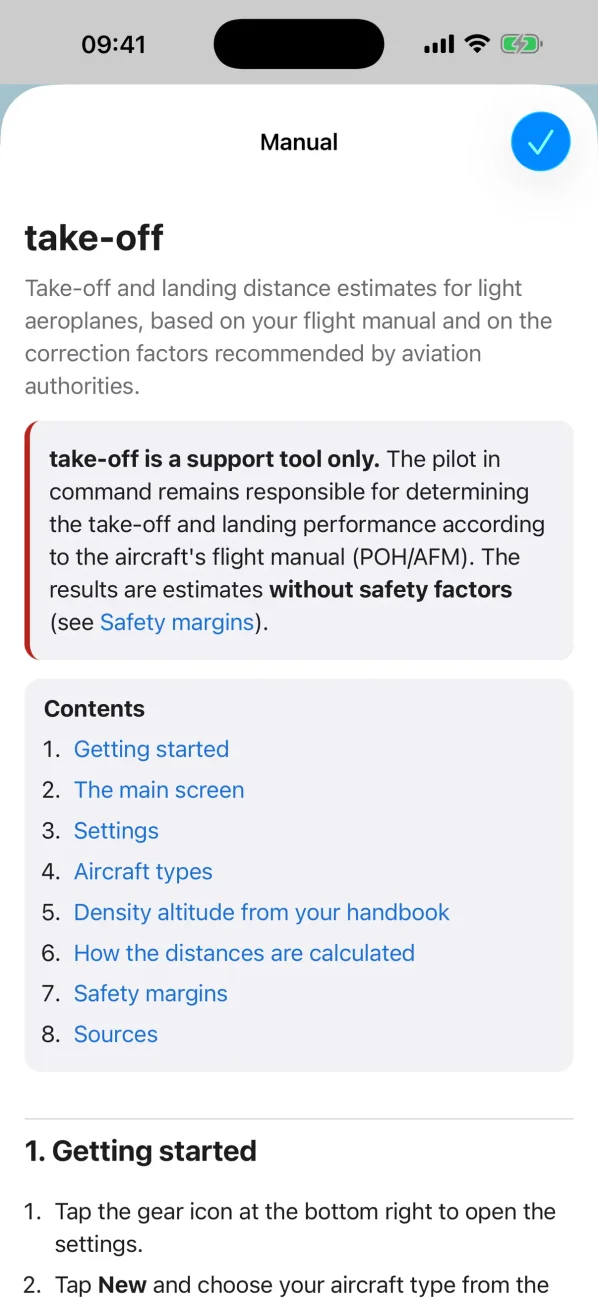
• A built-in manual explains how every number is calculated and lists its sources.
• Dark mode. Works offline, with no account, no ads and no tracking.
Made for the pre-flight check:
Use it at the kitchen table before you drive to the airfield, or at the holding point when the wind has turned. You get a quick, honest estimate of whether the runway is long enough today, or whether you need a lighter load, a cooler hour or another airfield.
(take-off is a planning aid. The pilot in command remains responsible for determining take-off and landing performance according to the aircraft’s flight manual. Results are unfactored, so apply your safety margins; the manual explains the factors recommended by the UK CAA.)
Có gì mới
Phiên bản 3.0 · 11/11/2026
This update makes take-off more personal, more flexible and easier to set up for your aircraft.
Your units, your choice
Choose the units you fly with:
• Distances in metres or feet
• Elevation in feet or metres
• QNH in hPa, inHg or mmHg
• Temperature in °C or °F
• Wind in knots, km/h or mph
• Weight as a percentage of MTOM or in kilograms
Switching units never changes your aircraft data. Everything is simply shown in the unit you picked.
Save several aircraft
Fly more than one aircraft? Save the settings of each one under its callsign and load them with a tap. Enter the aircraft type next to the callsign, e.g. “C172S”. The main screen shows both at the top, so you always know which aircraft you are calculating for.
Start with typical values for your type
Tap “New” and pick your aircraft from a list of more than 40 popular types, including Cessna, Piper, Cirrus, Diamond, Robin and Tecnam. take-off loads typical handbook values as a starting point: take-off and landing distances, maximum take-off mass and, where the handbook has altitude tables, how the distances grow with altitude. You can search the list, e.g. “PA28” or “172”, and each type shows how reliable its figures are.
These are starting values only. Always check them against the flight manual of your own aircraft.
Altitude performance from your handbook
A new page calculates how your take-off and landing distances grow with density altitude:
• In the settings, tap the gear icon above “linear” and “quadratic”.
• Enter the distances from your flight manual at sea level and at up to four altitudes.
• Tap “Calculate”.
take-off finds the best-fitting factors and shows your data and the result in a graph. You can still adjust the factors by hand. Tap OK to take the values over into your settings.
Built-in manual
Tap the info icon on the main screen to open the manual. It explains every setting and how the distances are calculated, describes the safety margins recommended by the UK CAA and lists its sources.
A cleaner look
• The main screen has a new layout that fits all iPhone sizes and works on iPad.
• The settings page is tidier: callsign and type at the top, the Save, Load and New buttons below.
• Dark mode.
• Up to date for the latest iOS.
Fixed
• An uphill runway now shortens the landing distance, as it should. Before, it made it longer.
As always: take-off is a planning aid. The pilot in command remains responsible for determining take-off and landing performance according to the aircraft’s flight manual.
Quyền riêng tư của ứng dụng
Những gì KARL ULRICH W_BER khai báo trên App Store về cách ứng dụng này xử lý dữ liệu.
-
Dữ liệu không được thu thập
Nhà phát triển không thu thập bất kỳ dữ liệu nào từ ứng dụng này.
Phương thức đảm bảo quyền riêng tư có thể khác nhau, chẳng hạn như tuỳ theo các tính năng bạn sử dụng hoặc độ tuổi của bạn.
Thông tin
- Người bán
- KARL ULRICH WEBER
- Danh mục
- Dẫn Đường
- Phiên bản
- 3.0
- Cập nhật
- 11/11/2026
- Phát hành
- 16/04/2023
- Kích thước
- 890,0 KB
- Yêu cầu
- iOS 15.0 trở lên
- Độ tuổi
- 4+
- Giá
- 119.000đ
- Ngôn ngữ
- Tiếng Anh
- Bản quyền
- © 2026 U. Weber
Có thể bạn cũng thích
-
 Stay90 - Schengen CalculatorDu Lịch
-
 SuperNeuroFlyDẫn Đường
-
 NeuroFlyDẫn Đường
-
 UKAB ReportsDu Lịch
-
 Du lịch ArgentinaBản đồ, lịch trình theo ý bạn
-
 San Francisco Subway mapSan Francisco Metro Map
-
 TourenUp: Motorcycle SkillsDẫn Đường
-
 Nomad Tracker: Schengen & 183Du Lịch
-
 Sporthotel AchenseeDu Lịch
-
 Yonder - Live Flight TrackerDu Lịch