- Độ tuổi4+
- Danh mụcNhạc
- Nhà phát triểnJohan Nieuwhoff
- Ngôn ngữTiếng Anh
- Kích thước13,3 MB
Liên kết đến trang App Store chính thức
Download.org không lưu trữ tệp nào của TD3 Studio. Nút này mở trang ứng dụng trên App Store, nơi Johan Nieuwhoff phát hành ứng dụng. Trang được kiểm tra lần cuối: 20/11/2026.
Ảnh chụp màn hình
Giới thiệu
Nhà phát triển chưa cung cấp nội dung này bằng ngôn ngữ của bạn.
TD3 Studio turns a MIDI file into a pattern for the Behringer TD-3 or TD-3-MO: drop a file in and the sixteen steps are cut for you, ready to edit, play and send to the device. Build a pattern from nothing too, step by step, from the on-screen keys or a MIDI keyboard plugged into your iPad or iPhone, with accents, slides, ties and rests one touch away.
No TD-3 within reach? The app plays through a built-in simulator on the device's own speakers, a 303 voice of its own, so every pattern can be built and heard before the hardware ever comes out. Patterns and edits sound the same either way.
One purchase covers iPhone, iPad and Mac: buy TD3 Studio once and it is yours on all three.
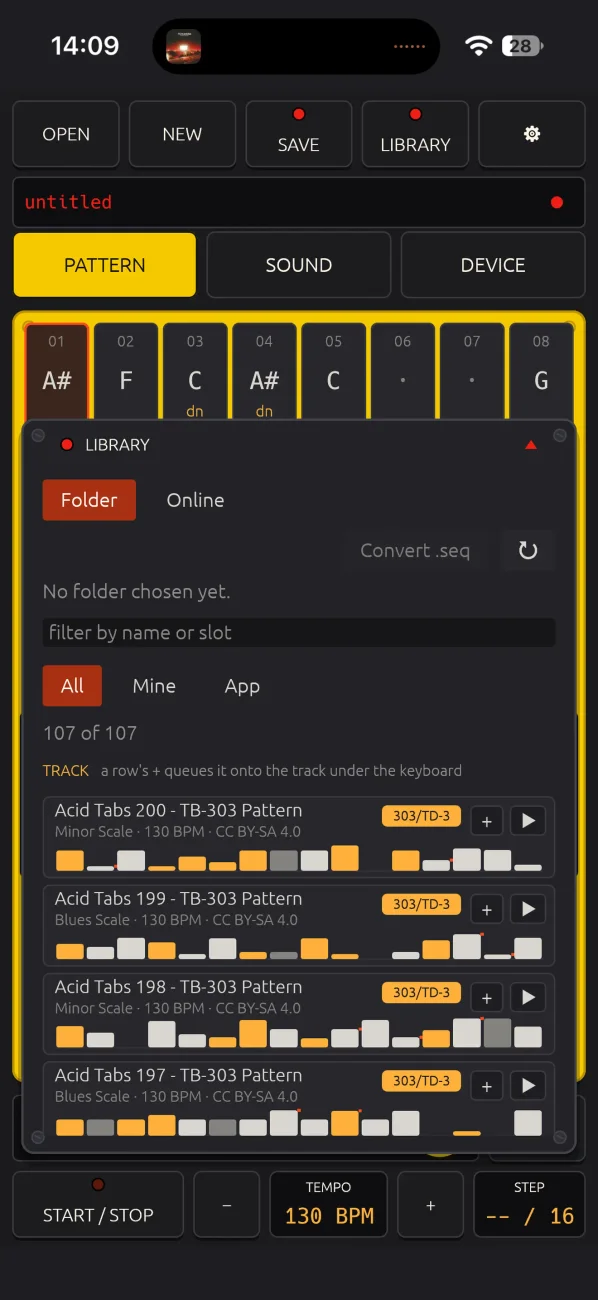
The library lives in the Files app, under "TD3 Studio": your own patterns, the 107 TB-303 patterns from the bundled Acid-Tabs collection, and search across free online MIDI archives, all from the one panel. Open a MIDI file from Files, and it goes straight through the converter, with a timeline for picking which sixteen steps become the pattern.
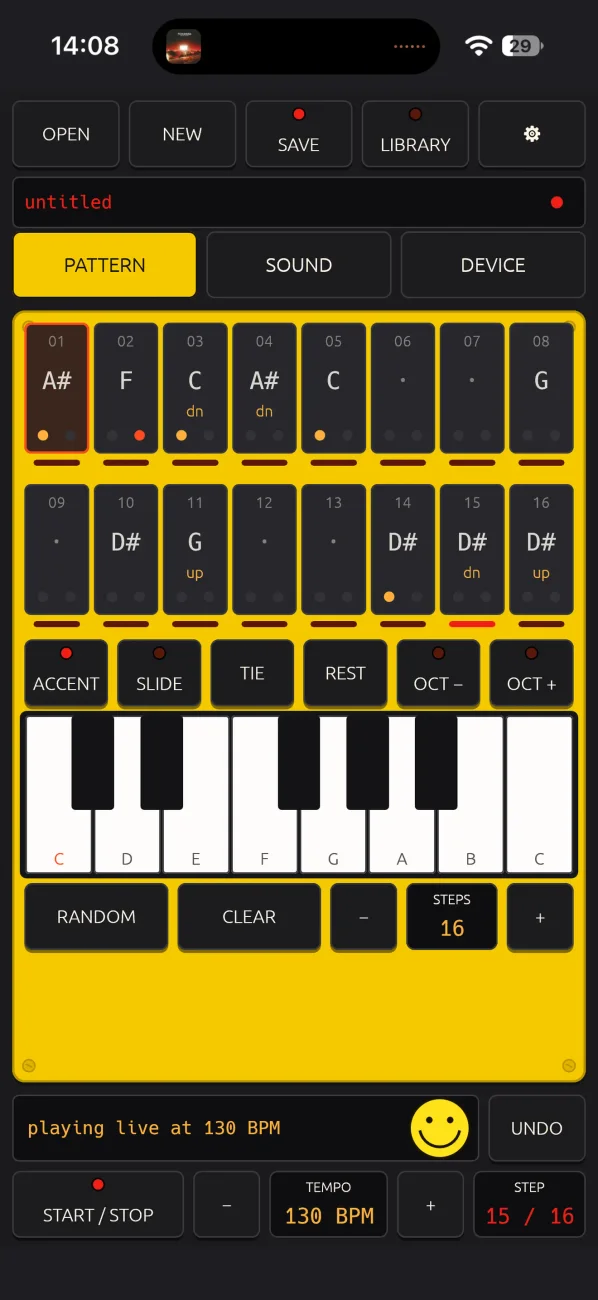
On iPad the whole instrument is one landscape plate: the step grid, the tone knobs, the transport and the library side by side. Below the grid sits an on-screen keyboard of one to three octaves, with accent and slide toggles and Tie and Rest buttons. Play it to edit the selected step, or press Record for 303-style step entry, one key filling one step, straight into the sequencer.
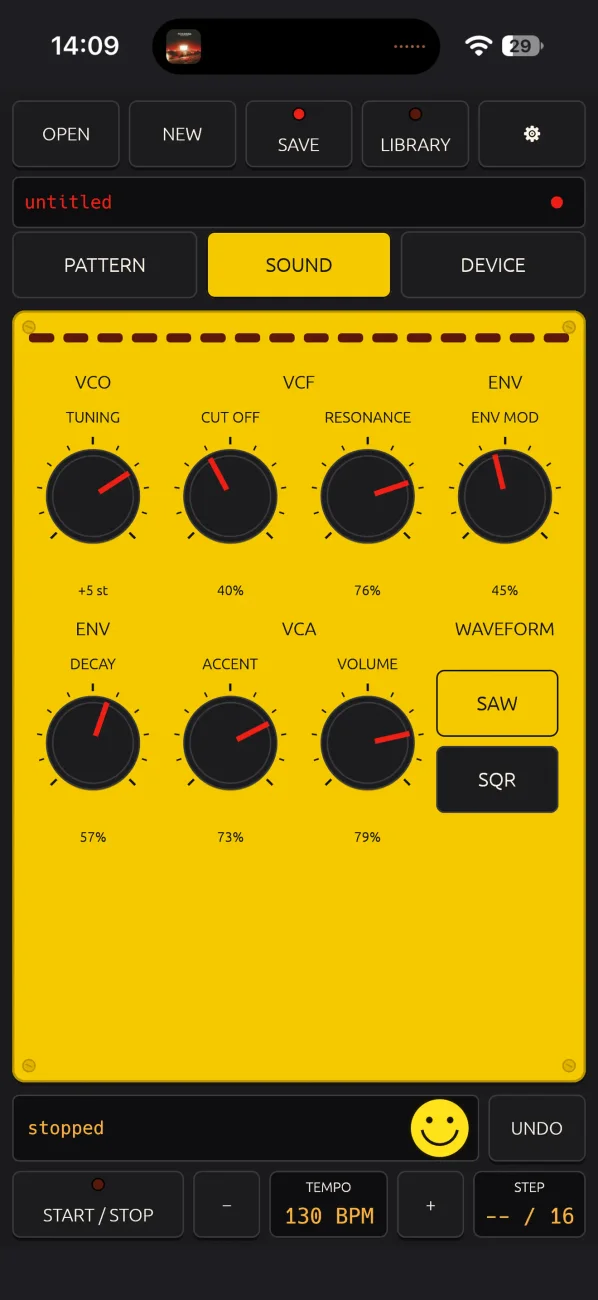
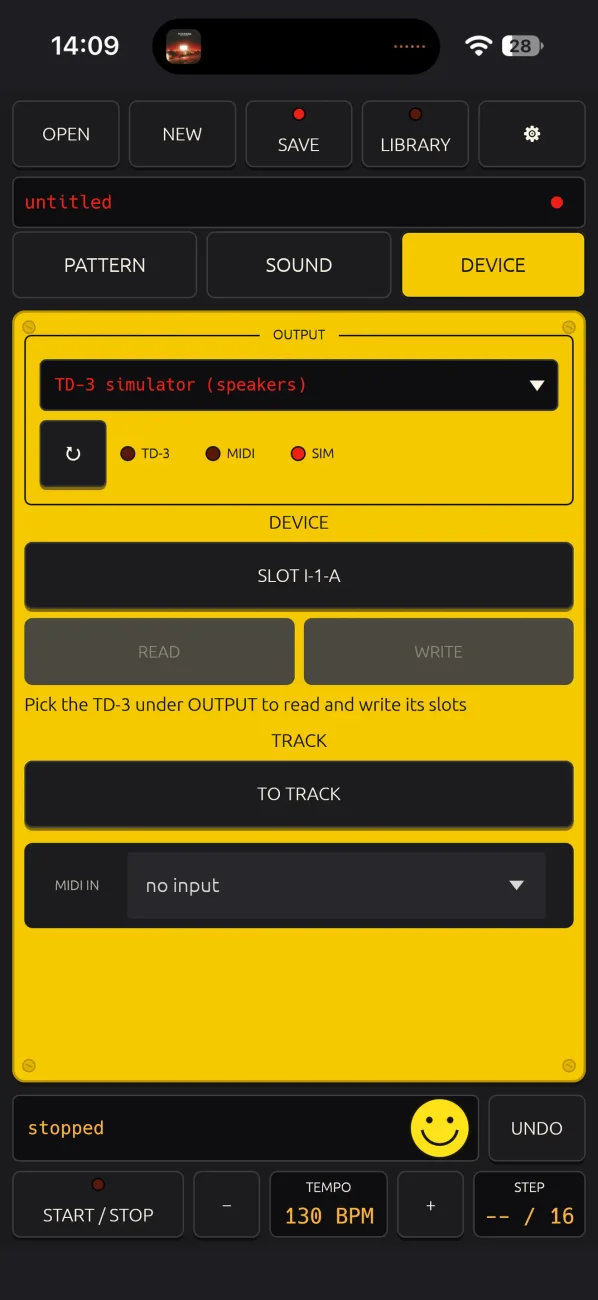
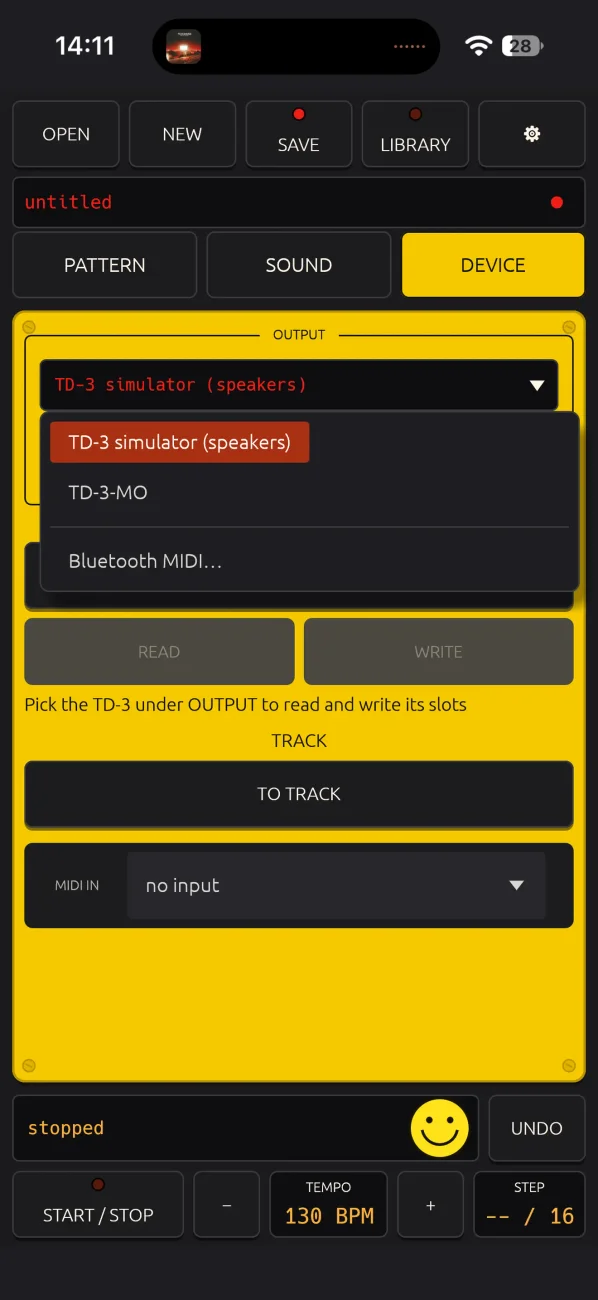
On iPhone the same tools are arranged across three screens: PATTERN for the step grid and keyboard, SOUND for the simulator's tone, and DEVICE for USB or Bluetooth output and the TD-3's read and write slots. A fixed header carries file and library access and the three tabs, and a fixed transport strip below carries start, stop, tempo and the step count, so both stay in view while the middle changes. A key, Tie or Rest enters the selected step and moves to the next one, so a full pattern is sixteen taps.
TD3 Studio needs a TD-3 or TD-3-MO to write or hear patterns on real hardware. On a USB-C iPad or iPhone, use Apple's USB-C to USB Adapter with the TD-3's own USB cable, or a USB-C to USB-B data cable that follows the USB-C standard (a branded USB-C printer cable; cheap ones lack the resistor that makes the phone the host and then work on a PC but not on a phone). A Lightning iPad needs an MFi Lightning to USB-B MIDI cable or Apple's Lightning to USB Camera Adapter. A Bluetooth MIDI adapter on the TD-3's MIDI IN works too. The TD-3 runs on its own power. Without the hardware, the simulator carries the whole app.
TD-3 and TD-3-MO are trademarks of Music Tribe. TD3 Studio is an independent app, not affiliated with or endorsed by Music Tribe or Behringer.
Có gì mới
Phiên bản 1.5.1 · 10/11/2026
Ableton Link: play in time with Live and other Link apps — tempo, beat and start/stop, on the same Wi-Fi. Off until you switch it on (iPhone: DEVICE screen; iPad and Mac: the Link button beside TEMPO).
EUCLID: build a line from euclidean note, accent and slide patterns, each with its own CLOCK. On the iPhone, the EUCLID key swaps it with the keyboard.
Smoother on iPad and Mac, with less work while idle.
Quyền riêng tư của ứng dụng
Những gì Johan Nieuwhoff khai báo trên App Store về cách ứng dụng này xử lý dữ liệu.
-
Dữ liệu không được thu thập
Nhà phát triển không thu thập bất kỳ dữ liệu nào từ ứng dụng này.
Phương thức đảm bảo quyền riêng tư có thể khác nhau, chẳng hạn như tuỳ theo các tính năng bạn sử dụng hoặc độ tuổi của bạn.
Thông tin
- Người bán
- Johan Nieuwhoff
- Danh mục
- Nhạc
- Phiên bản
- 1.5.1
- Cập nhật
- 10/11/2026
- Phát hành
- 22/09/2026
- Kích thước
- 13,3 MB
- Yêu cầu
- iOS 17.0 trở lên
- Độ tuổi
- 4+
- Giá
- 699.000đ
- Ngôn ngữ
- Tiếng Anh
- Bản quyền
- © 2026 50Hz Services