Team Maker: Team Generator
Random or balanced by skill
Được thiết kế cho iPhone, iPod touch
Miễn phí
- Độ tuổi4+
- Danh mụcThể Thao
- Nhà phát triểnHo Kyung Lee
- Ngôn ngữTiếng Anh+ 4 ngôn ngữ khác
- Kích thước31,3 MB
Liên kết đến trang App Store chính thức
Download.org không lưu trữ tệp nào của Team Maker: Team Generator. Nút này mở trang ứng dụng trên App Store, nơi Ho Kyung Lee phát hành ứng dụng. Trang được kiểm tra lần cuối: 20/11/2026.
Ảnh chụp màn hình

Giới thiệu
Nhà phát triển chưa cung cấp nội dung này bằng ngôn ngữ của bạn.
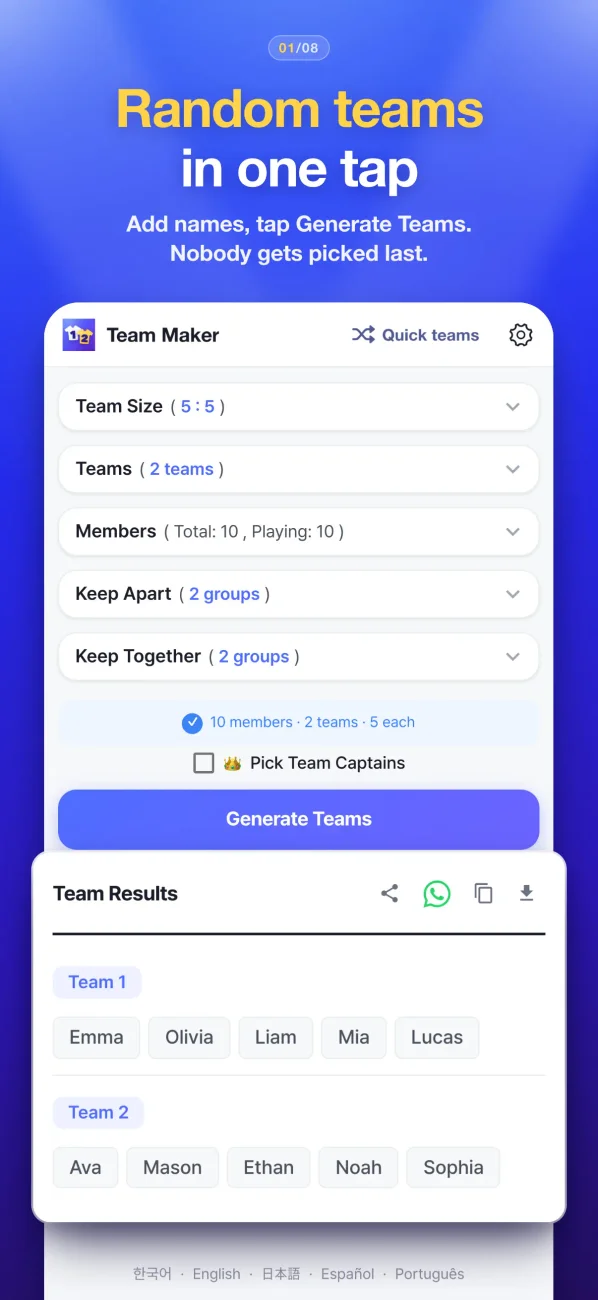
Team Maker is a random team generator and team picker that splits any group into fair teams in one tap, so nobody has to choose sides and nobody gets picked last.
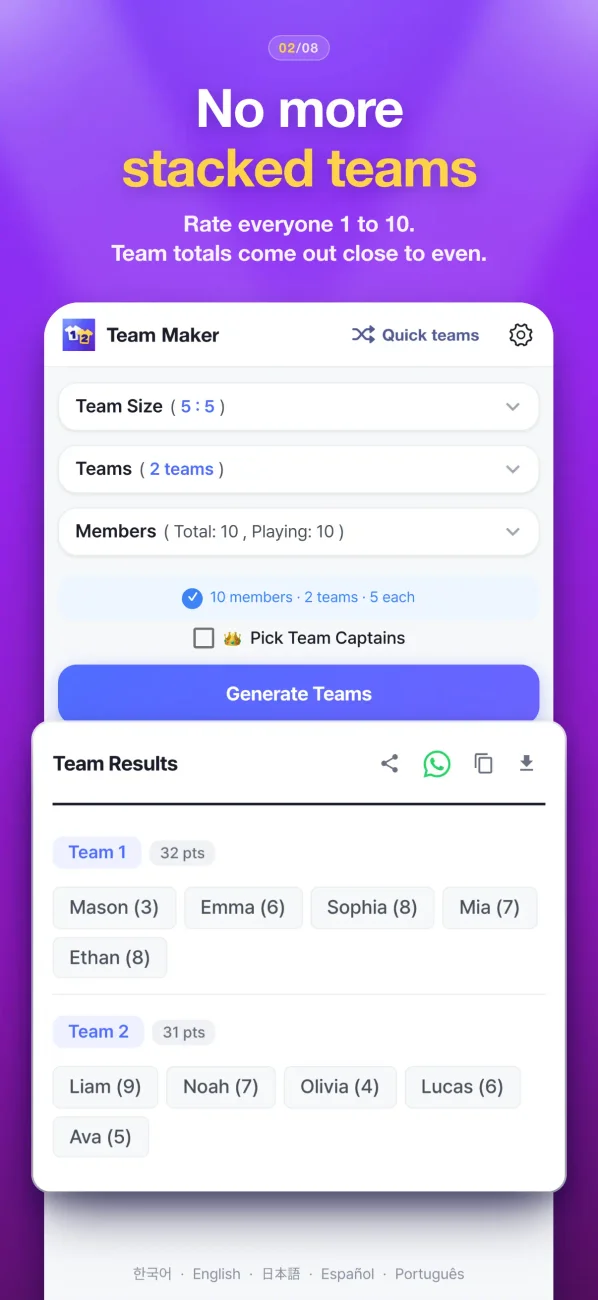
Draw teams at random, or rate everyone from 1 to 10 and let Ability Mode balance them by skill. No sign-up needed.
Who it's for
The friend who organizes pickup soccer, basketball or volleyball. The teacher who needs random groups for a class project before the bell. The coworker planning a workshop or team-building day. Whoever runs the 5v5 games on game night.
How it works
1. Add your people. Type names, or use Bulk Add to paste a list from a spreadsheet, your notes or a group chat. Bulk Add flags duplicate names.
2. Set Team Size and the number of Teams. Uneven numbers? The preview shows where the extra people go or which teams run short.
3. Tap Generate Teams, then share the result.
Two ways to draw
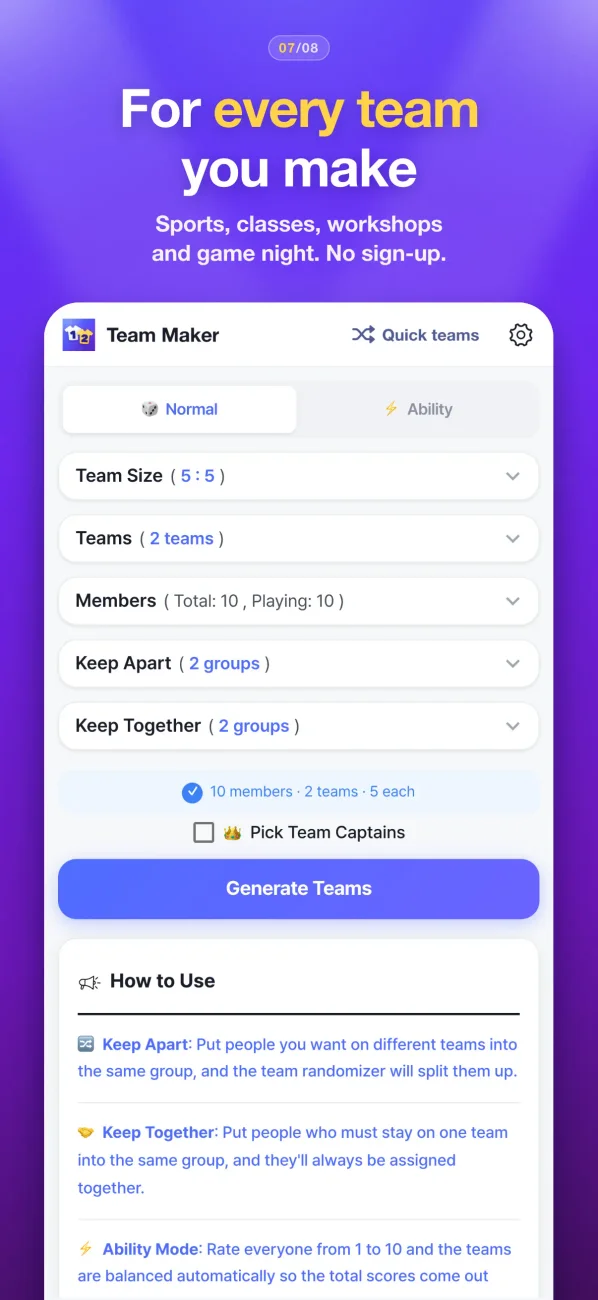
• Normal: pure random teams that follow your Keep Apart and Keep Together groups.
• Ability Mode: rate each person's skill level from 1 to 10, and Team Maker balances the teams so total scores are as close as possible. Team Results shows each team's total (and its average when team sizes differ), so everyone can see it's fair.
Group rules (Normal mode)
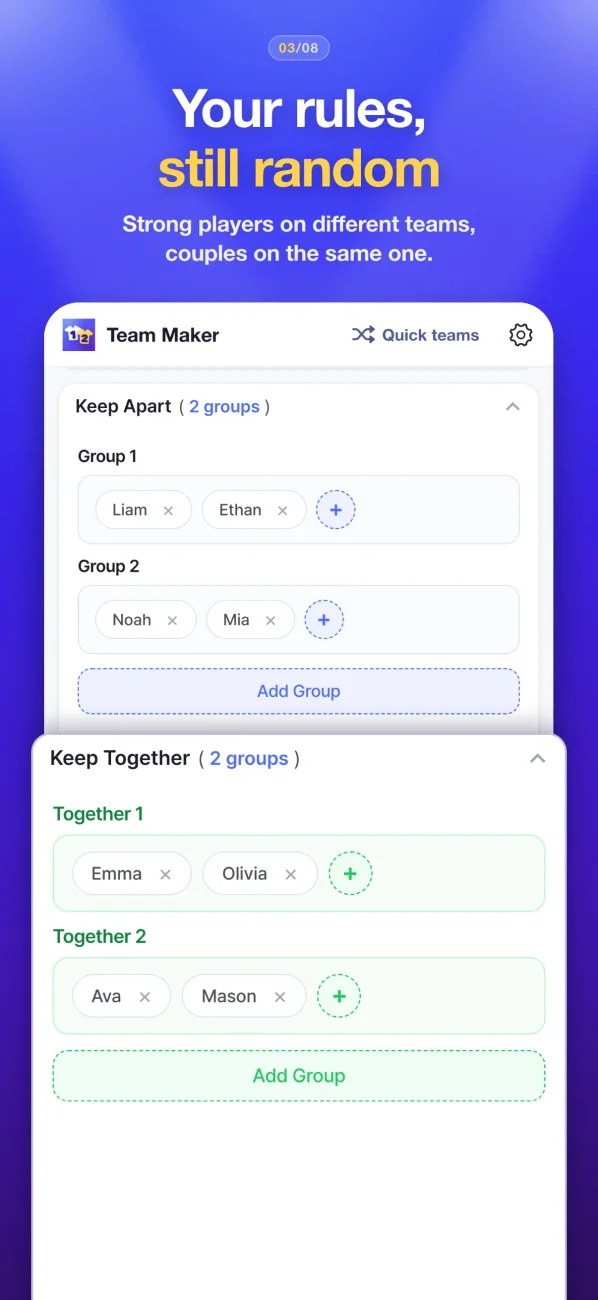
• Keep Apart: people in the same group go to different teams as long as there are enough teams. Spread out the strongest players or separate two who clash.
• Keep Together: people in the same group always land on the same team, like couples, a parent and child, or a beginner and a helper.
• If a Keep Together group can't fit, you get a warning before any teams are drawn.
Captains
Turn on Pick Team Captains and every team gets one: picked at random in Normal mode, or the top-rated player in Ability Mode. Tap any name in Team Results to make them captain.
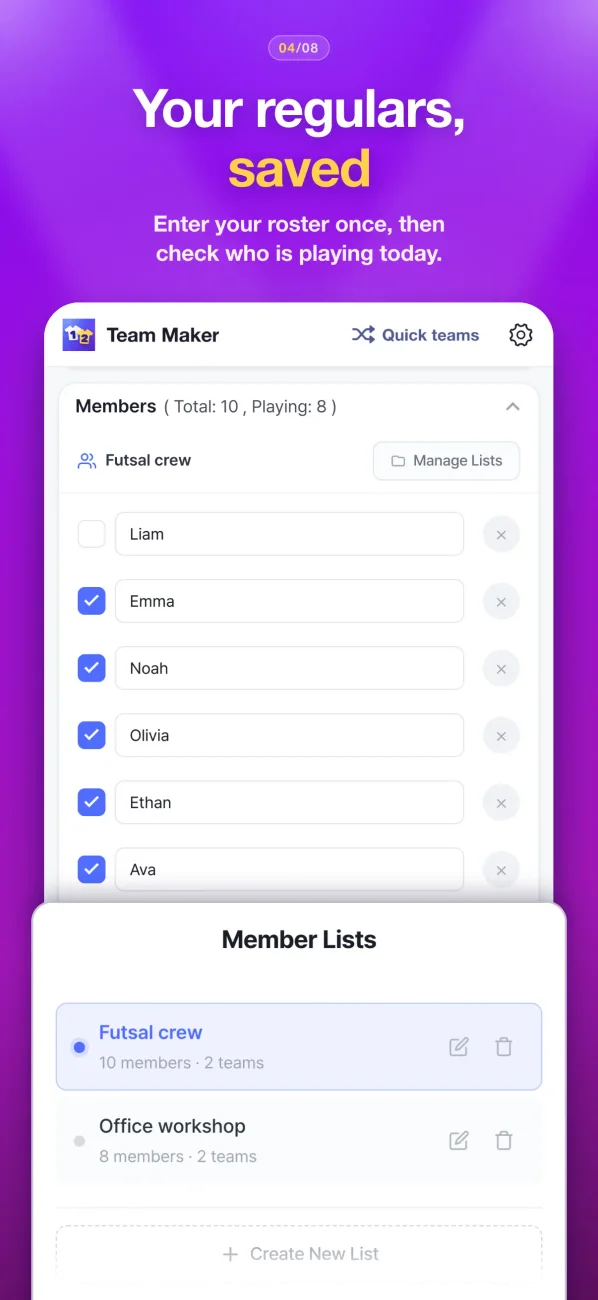
Your regulars, saved
• Member Lists: keep separate rosters (your futsal crew, a class, the office) and switch with one tap.
• Check who's playing today. Everyone else stays on the list for next time.
• No limit on the number of people.
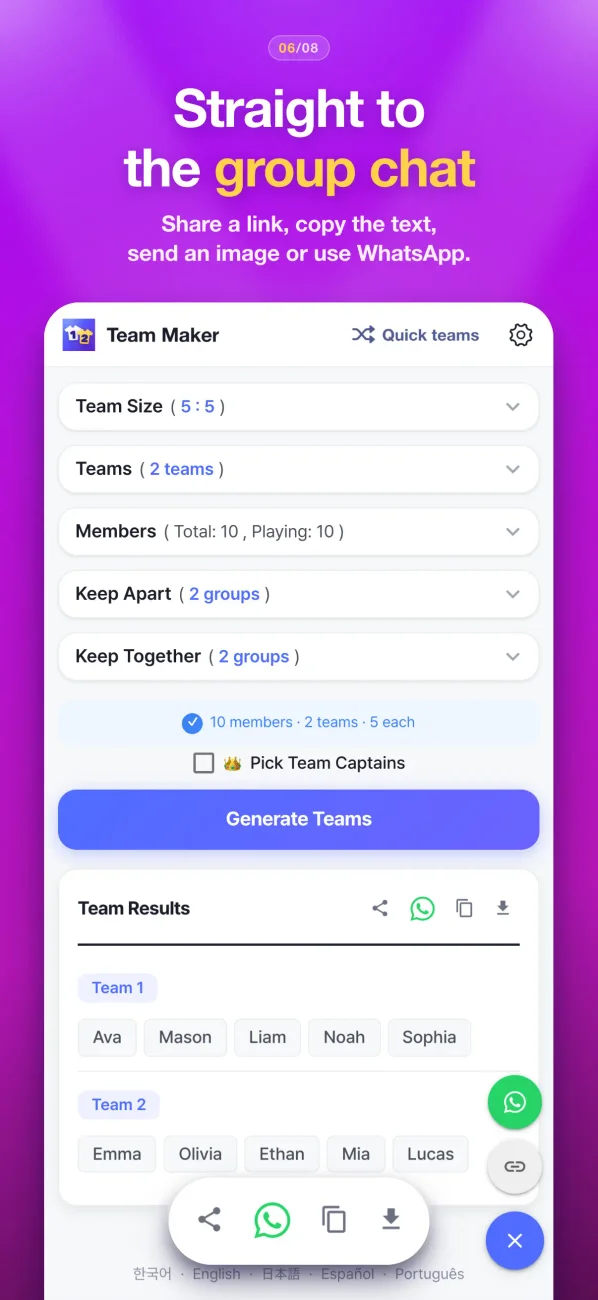
Sharing
• Tap the share icon next to Team Results to send the teams with a link anyone can open in a browser, no app needed.
• The icons beside it send the teams straight to WhatsApp, copy them as text, or turn them into a picture for any group chat.
Good for
• Pickup soccer, basketball, volleyball, futsal and 5-a-side football
• Random doubles partners for pickleball, tennis or badminton (set Team Size to 2 and Teams to half the number of players)
• Class project groups for teachers, and university study groups
• Workshops, breakout groups and team building
• Balanced 5v5 teams for custom games
• Party games and trivia nights
Only in the app
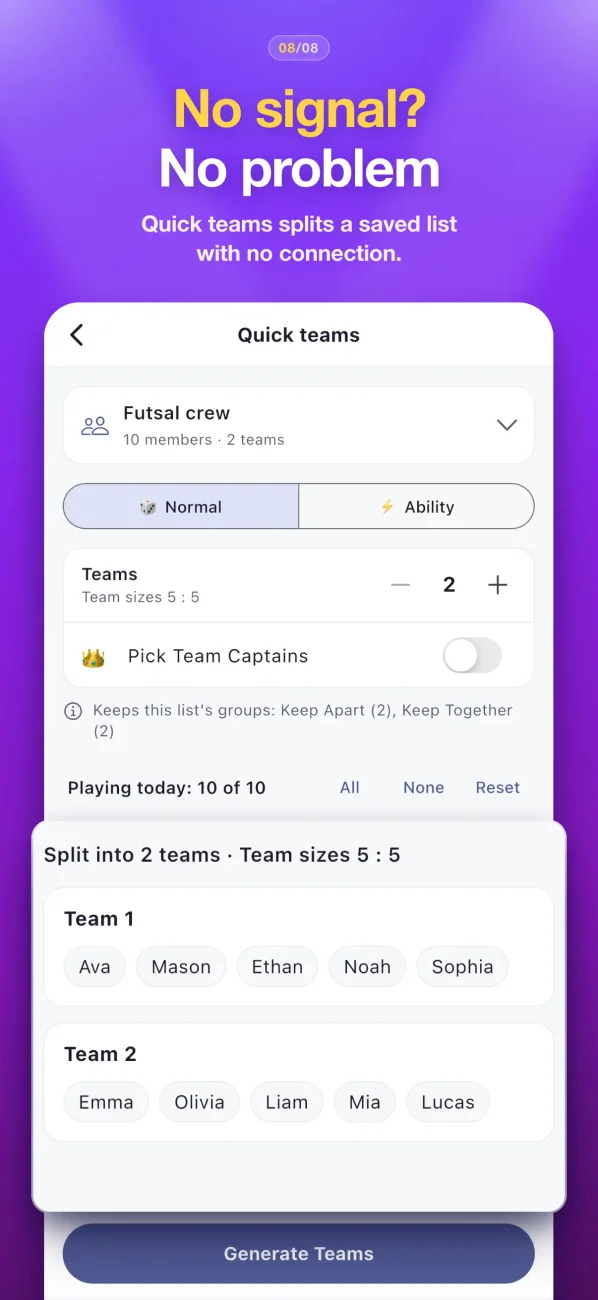
• Works offline: tap "Quick teams" at the top of the screen to split one of your Member Lists or names you type, with no connection needed.
• A light haptic tap tells you the teams are ready.
• Touch and hold the app icon for "Quick teams", "Paste names" or "Member Lists".
• In Settings, change the language, turn haptics on or off, read the privacy policy or report an ad.
Privacy
Your Member Lists stay on your device. Shared results (including copied text, which contains a link) are stored on our server in publicly readable storage, so anyone may be able to view them; use nicknames rather than real names. They are deleted automatically after 3 months. Policy: https://hobbada.github.io/privacy.html
One small banner ad at the bottom of the main screen. Available in English, Korean, Japanese, Spanish and Portuguese.
Less time picking teams, more time playing.
Có gì mới
Phiên bản 1.1.2 · 11/11/2026
• Fairer teams with Keep Apart: a Keep Apart group with more people than teams is now spread evenly across the teams, even when someone in it is also in a Keep Together group.
• Pasting names: names that start with a number, like "7 Dwarfs", are kept as they are. List numbers are still removed, whether they look like "1." and "2)" or count up plainly, as in "1 Kim", "2 Lee", "3 Park".
Quyền riêng tư của ứng dụng
Những gì Ho Kyung Lee khai báo trên App Store về cách ứng dụng này xử lý dữ liệu.
-
Dữ liệu liên kết với bạn
Có thể được thu thập và liên kết với danh tính của bạn.
- Vị trí
- Mã định danh
- Dữ liệu sử dụng
-
Dữ liệu không liên kết với bạn
Có thể được thu thập nhưng không liên kết với danh tính của bạn.
- Chẩn đoán
- Dữ liệu khác
Phương thức đảm bảo quyền riêng tư có thể khác nhau, chẳng hạn như tuỳ theo các tính năng bạn sử dụng hoặc độ tuổi của bạn.
Thông tin
- Người bán
- Ho Kyung Lee
- Danh mục
- Thể Thao
- Phiên bản
- 1.1.2
- Cập nhật
- 11/11/2026
- Phát hành
- 02/11/2026
- Kích thước
- 31,3 MB
- Yêu cầu
- iOS 15.0 trở lên
- Độ tuổi
- 4+
- Giá
- Miễn phí
- Ngôn ngữ
- Tiếng Anh, Tiếng Nhật, Tiếng Hàn, Tiếng Bồ Đào Nha, Tiếng Tây Ban Nha
- Bản quyền
- © 2026 HoKyung Lee
Có thể bạn cũng thích
-
 Sorteam: Sorteio de TimesThể Thao
-
 Rostara: Team Generator & RSVPThể Thao
-
 AreaPlay: Pickup SportsThể Thao
-
 team-plThể Thao
-
 Fair Teams: Team GeneratorThể Thao
-
 打率とOPSがわかる少年野球ノート キロクエストThể Thao
-
 FutRuaThể Thao
-
 TheScoreBoard: Up to 8 TeamsThể Thao
-
 Tira Time: Sorteio de TimesThể Thao
-
 Morena EsportesThể Thao