
TestPrep Pro
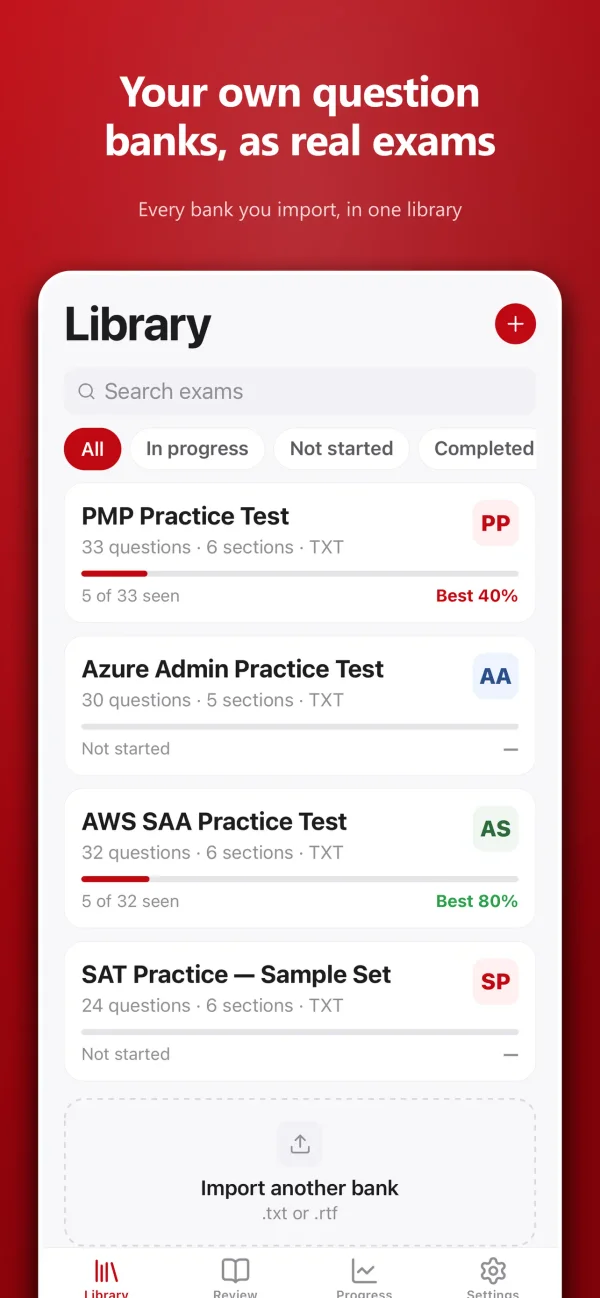
Practice from your own notes
Được thiết kế cho iPhone, iPod touch
Miễn phí
- Độ tuổi4+
- Danh mụcGiáo Dục
- Nhà phát triểnBikash Guragai
- Ngôn ngữTiếng Anh
- Kích thước31,8 MB
Liên kết đến trang App Store chính thức
Download.org không lưu trữ tệp nào của TestPrep Pro. Nút này mở trang ứng dụng trên App Store, nơi Bikash Guragai phát hành ứng dụng. Trang được kiểm tra lần cuối: 20/11/2026.
Ảnh chụp màn hình


Giới thiệu
Nhà phát triển chưa cung cấp nội dung này bằng ngôn ngữ của bạn.
TestPrep Pro turns your own question bank into a practisable exam.
Most study apps make you use their questions. This one uses yours. Point it at a
.txt or .rtf file of questions and answers and it parses them into a real exam you
can sit, with choices, correct answers and explanations.
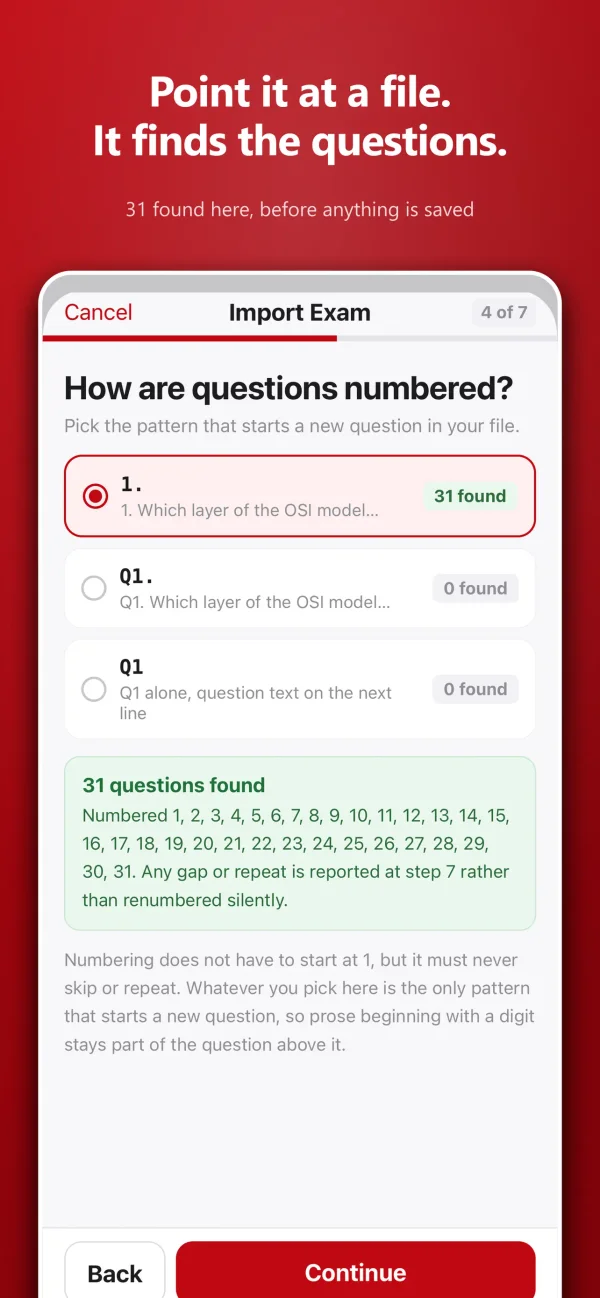
IMPORT YOUR OWN FILE
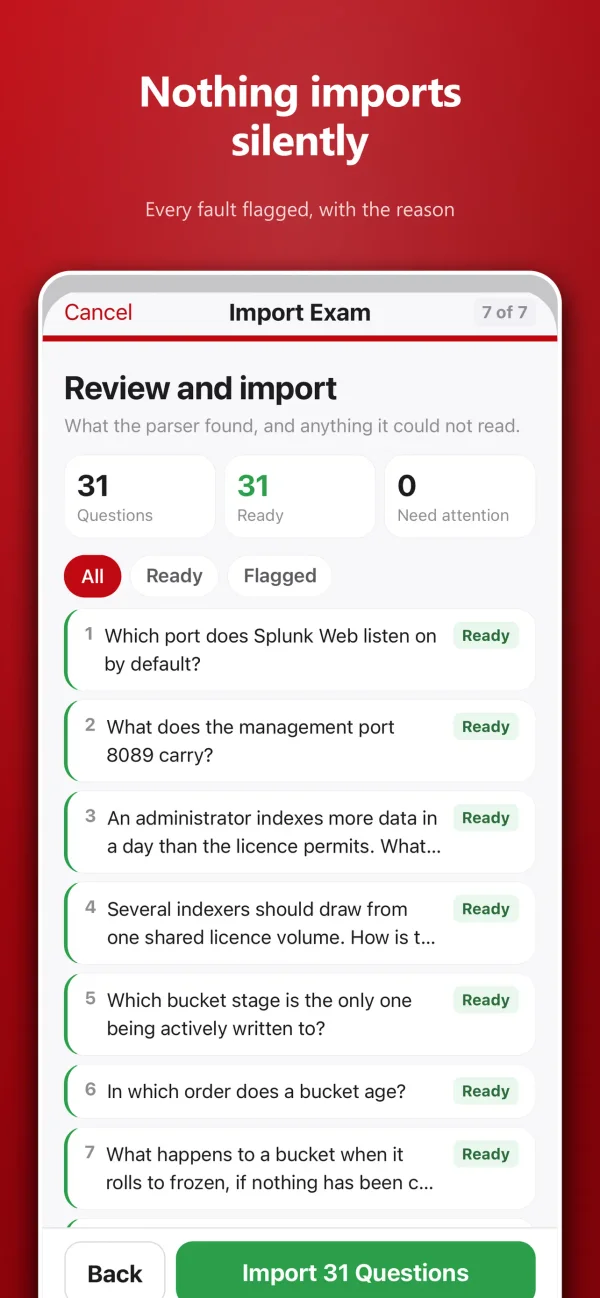
Pick a file and step through a seven-step wizard that shows you exactly what it
found before anything is saved. Questions that are malformed are flagged with the
reason, and can be repaired in the built-in editor.
SIT IT PROPERLY
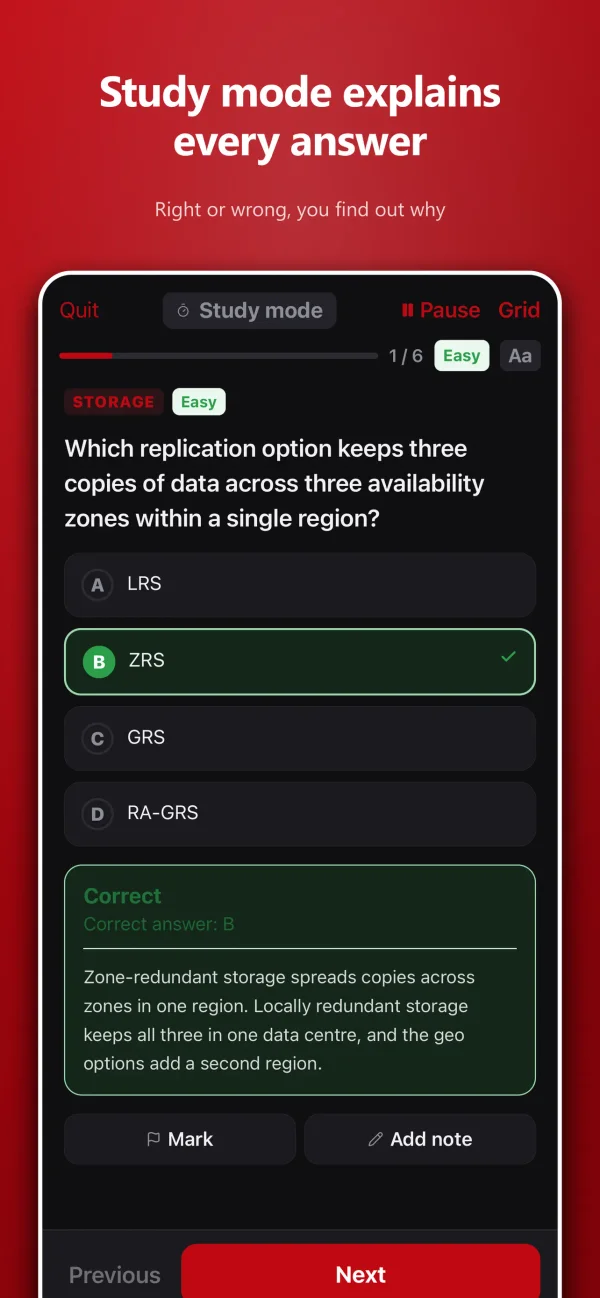
Study mode with explanations as you go, or exam mode against a clock. Jump between
questions, mark ones to revisit, and submit when ready.
LEARN FROM WHAT YOU MISSED
Review every question you got wrong, with the choices marked up so you can see what
the right answer actually said. Practise wrong answers only, or just the ones you
marked.
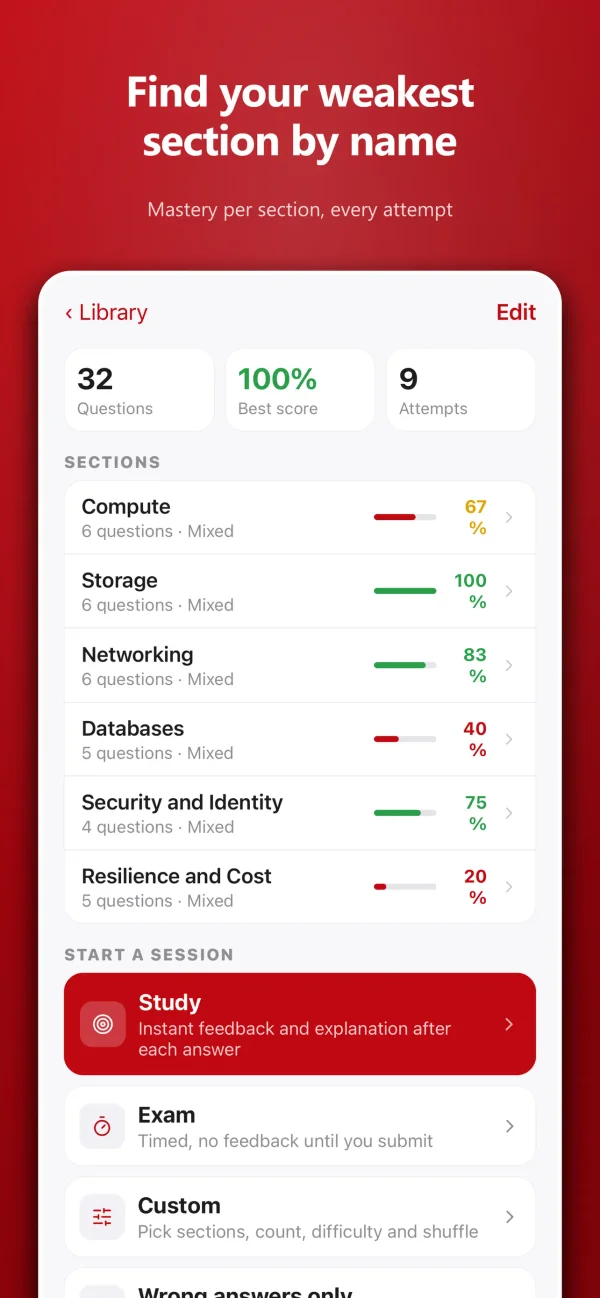
TRACK IT
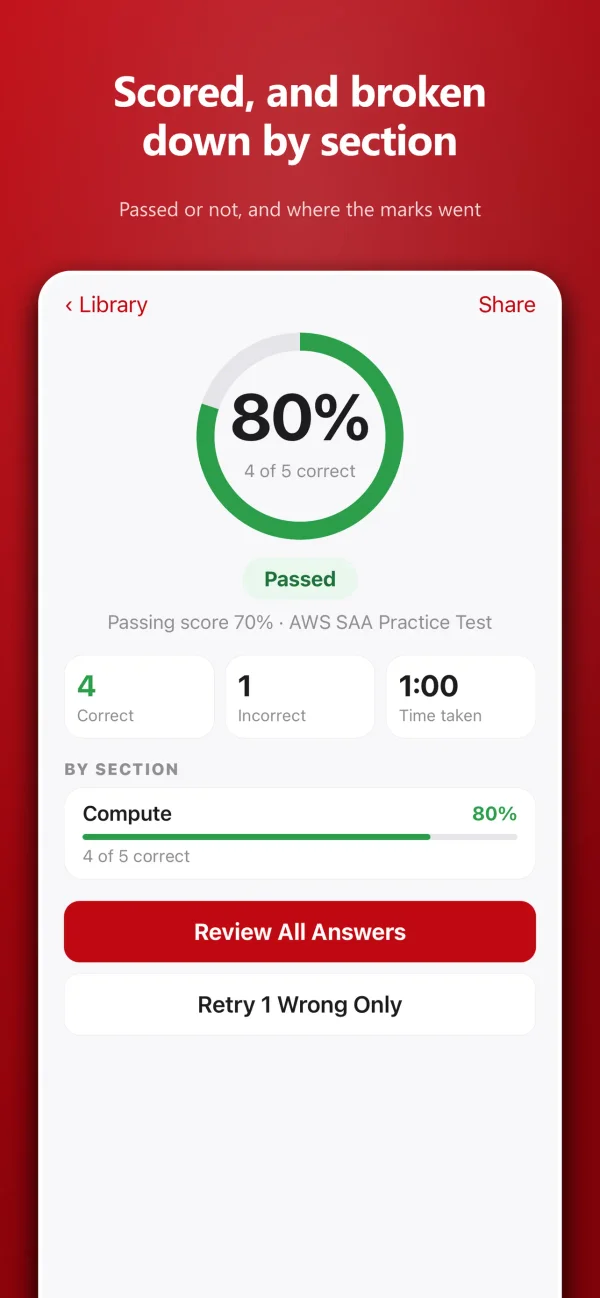
Scores over time, a day streak, and your weakest sections by name.
ALSO
- Flashcards with a real queue, not a carousel
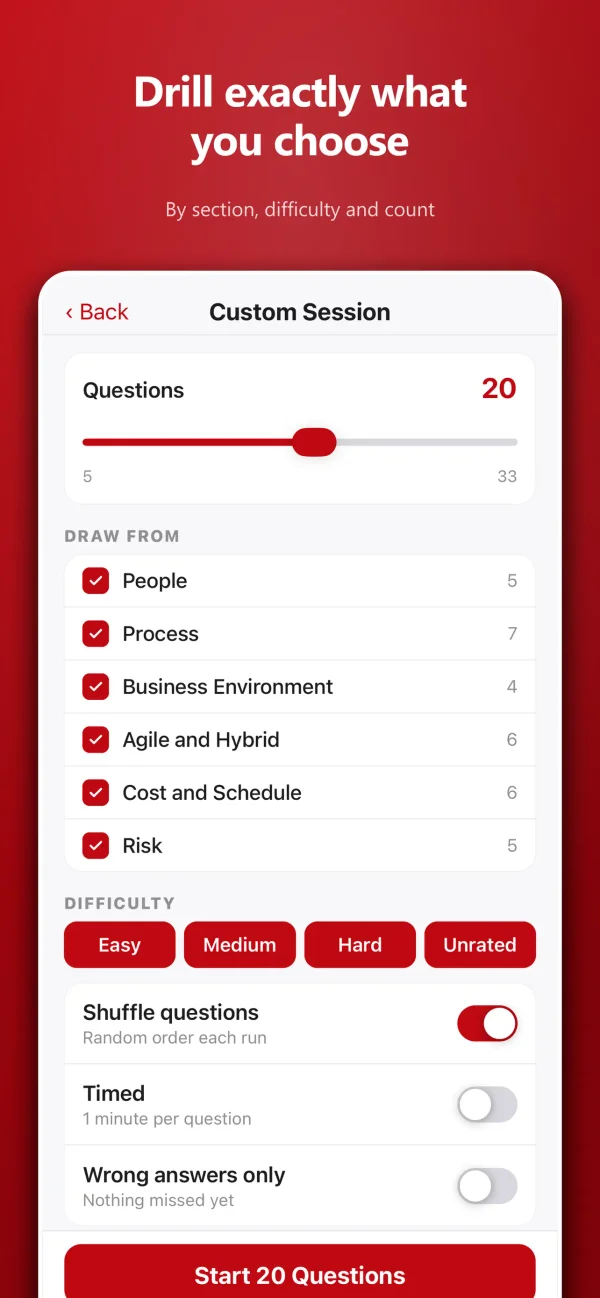
- Custom sessions filtered by section and difficulty
- Attach images to questions and explanations
- Dark mode, adjustable text size
- Export and restore your library
Everything is stored on your device. There is no account, no sign-in, and no
network connection.
Có gì mới
Phiên bản 1.1.0 · 06/10/2026
Pick up where you left off
Every test now saves as you go, in every mode. Close the app mid-exam and resume it later from your Library, with the timer where you left it. Quit before answering anything and you simply leave.
Listen to questions
Tap the speaker to hear the question and its choices read aloud, on your device with no internet needed. Choose Slow, Normal or Fast. For the most natural voice, download an Enhanced or Premium English voice in iOS Settings > Accessibility > Spoken Content > Voices.
More control in Custom Session
Draw from a range of question numbers, or only questions you haven't answered yet. Go through them in order, in reverse, or shuffled.
Review, organised by exam
Your wrong, marked and noted questions are now grouped under each exam.
A more useful Progress tab
See coverage, accuracy, last and best scores for every exam, whether you're on track to pass, and which sections to focus on next.
Also
- "Choose 2" questions now take exactly two answers
- Each question shows its number
- The Library shows how much of each exam you've completed
- Search works with or without hyphens, so "az104" finds "AZ-104"
Quyền riêng tư của ứng dụng
Những gì Bikash Guragai khai báo trên App Store về cách ứng dụng này xử lý dữ liệu.
-
Dữ liệu không được thu thập
Nhà phát triển không thu thập bất kỳ dữ liệu nào từ ứng dụng này.
Phương thức đảm bảo quyền riêng tư có thể khác nhau, chẳng hạn như tuỳ theo các tính năng bạn sử dụng hoặc độ tuổi của bạn.
Thông tin
- Người bán
- Bikash Guragai
- Danh mục
- Giáo Dục
- Phiên bản
- 1.1.0
- Cập nhật
- 06/10/2026
- Phát hành
- 02/09/2026
- Kích thước
- 31,8 MB
- Yêu cầu
- iOS 15.1 trở lên
- Độ tuổi
- 4+
- Giá
- Miễn phí
- Ngôn ngữ
- Tiếng Anh
- Bản quyền
- © 2026 Bikash Guragai
Có thể bạn cũng thích
-
 CompTIA Project+ Study GuideGiáo Dục
-
 Demonstratum: PDF Exam QuizGiáo Dục
-
 QuizDoorRush: учёба как играTạo đề, thẻ ghi nhớ, giọng nói
-
 PlanexAI: Smart Study PlannerGiáo Dục
-
 GradeScroll: AI Quiz MakerGiáo Dục
-
 Study Quiz MakerGiáo Dục
-
 Testory — Tests & Exam PrepGiáo Dục
-
 CompTIA Cert PrepGiáo Dục
-
 FMGE Previous Year PapersGiáo Dục
-
 Quizify AI: Quiz & FlashcardsGiáo Dục