
Texty Copy: Fields & OCR
Capture fields, not just text
Được thiết kế cho iPhone
Miễn phí
- Độ tuổi4+
- Danh mụcHiệu Suất
- Nhà phát triểnMichael Robinson
- Ngôn ngữTiếng Pháp+ 8 ngôn ngữ khác
- Kích thước4,3 MB
Liên kết đến trang App Store chính thức
Download.org không lưu trữ tệp nào của Texty Copy: Fields & OCR. Nút này mở trang ứng dụng trên App Store, nơi Michael Robinson phát hành ứng dụng. Trang được kiểm tra lần cuối: 16/11/2026.
Ảnh chụp màn hình
Giới thiệu
Nhà phát triển chưa cung cấp nội dung này bằng ngôn ngữ của bạn.
Snap. Tap. Structured.
Point your camera at text. Tap the words you want. They're on your clipboard. That's the whole app (apart from the rest of it).
Not just plain text — Texty Copy captures structured fields for books, business cards, addresses, quotes, receipts, or any mode you build yourself.
No sign-ups. No tutorials. No "upgrade to unlock." You open it, it works.
Quick mode
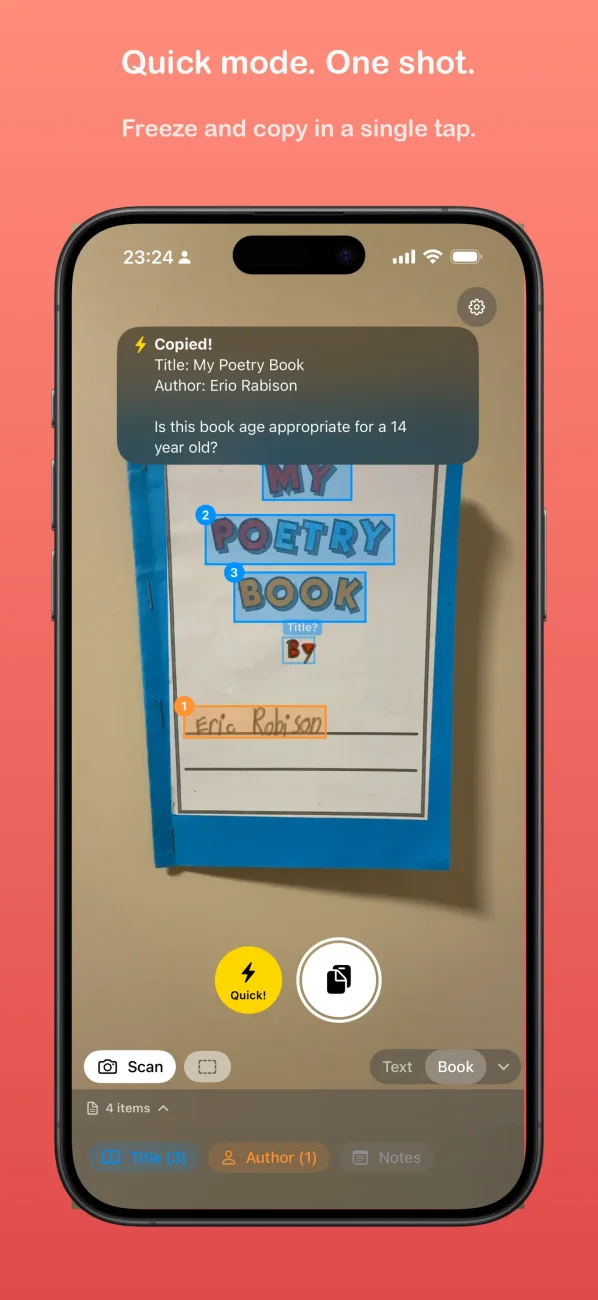
Quick mode freezes and copies in one shot — no tapping, no choosing. Sometimes it nails exactly what you wanted. Sometimes you get the barcode. Nailing the Snap → Tap → Copy combo never gets old.
Free selection
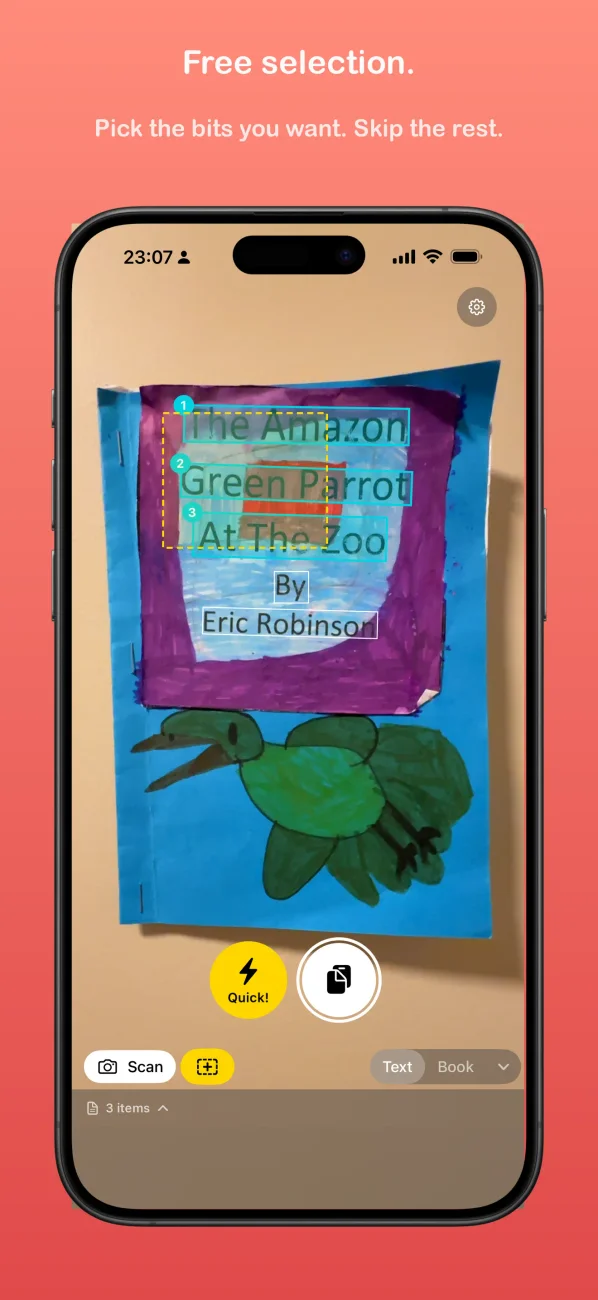
Don't want everything? Tap individual OCR blocks to pick exactly the text you need. Got a wall of blocks? Drag a dashed rectangle across them and grab them all at once. Long-press to select every block on screen. Cherry-pick, bulk-select, or mix the two — the whole frozen frame is yours.
Five built-in modes for real life:
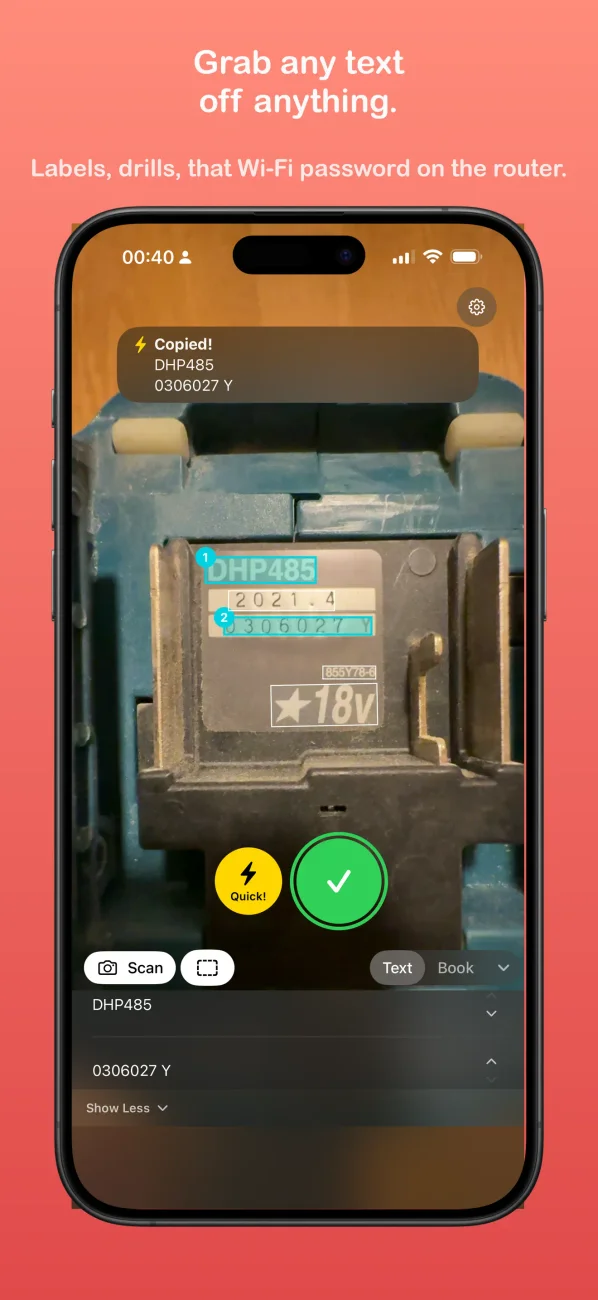
Text — Grab anything. Paragraphs, labels, serial numbers, that Wi-Fi password on the back of the router.
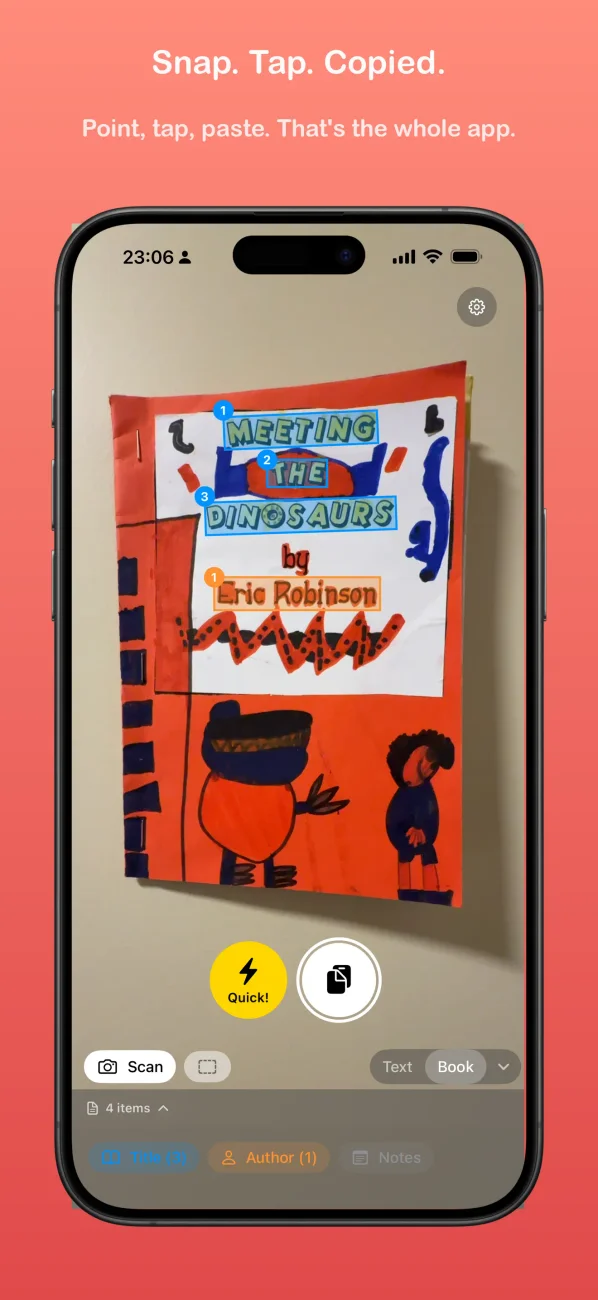
Book — Point at a book. Title and author drop into separate fields, ready to paste into your reading list.
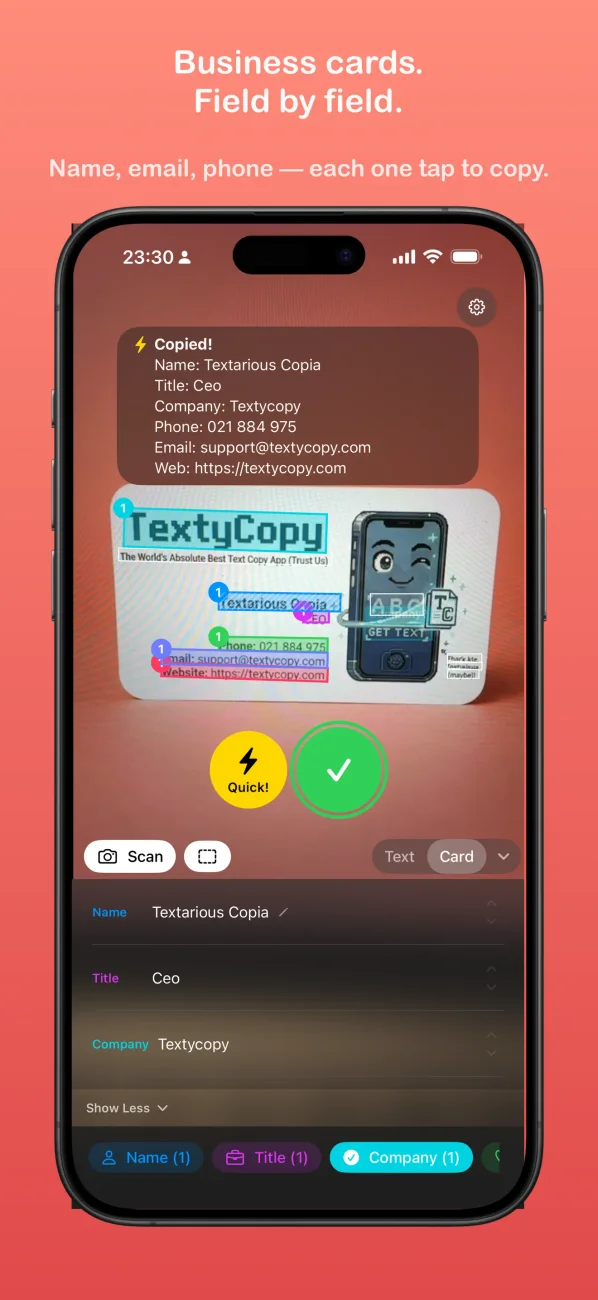
Card — Business cards become name, title, company, phone, email, and website. Each field, one tap to copy.
Quote — Capture a passage and its source. No more "I think it was from that one book."
Address — Street, city, state, zip. Sorted and formatted without you squinting at an envelope.
POWER MODE — Make your own
Create custom scan modes with exactly the fields you need. Newspaper? Recipe? Invoice? Pick from built-in fields, add smart detectors for dates, prices, phone numbers and links, or write your own regex patterns. Your scanner, your rules.
You can even add fields to the built-in modes — want Currency on your Card scanner? Just add it.
Smart detectors
Five ready-made extractors that find things automatically:
• Date — natural-language dates and times
• Currency — prices in any format ($1,234.56, €99, 1234 USD)
• Phone — phone numbers
• Link — URLs and web addresses
• Address — full postal addresses in one line
• Actually there are more than five
Add any of them to any mode with one tap.
Custom wraps
Add your own prefix and suffix to any copied text. Wrap in quotes, brackets, markdown — whatever your workflow needs.
Learn by doing
A built-in Learn tab walks you through every feature with hands-on demos you can tap and long-press — the lessons react like the real app. Three tiers: GO for the basics, GO HARDER for the power-user moves, and GO TO FULL POWER for custom modes, fields, and regex. Skim what you need, skip the rest.
Private by design
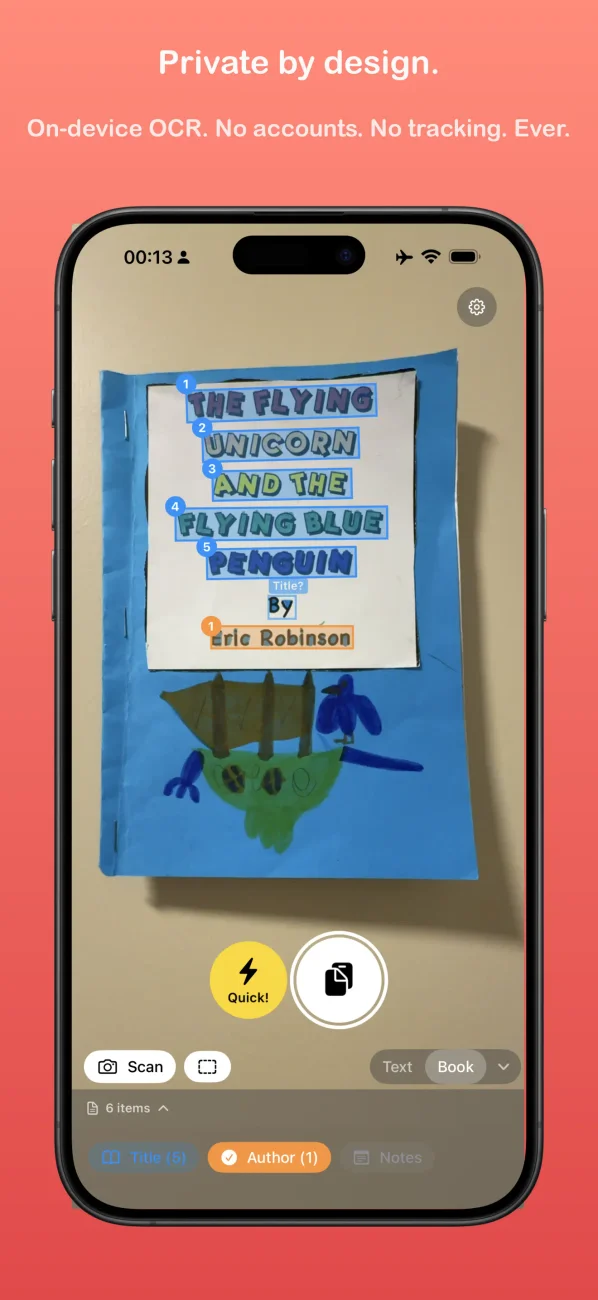
All text recognition and extraction happens on-device using Apple Vision. Custom fields, regex patterns, detector matching — everything runs locally. Nothing leaves your phone. No servers. No accounts. No analytics. No data to leak because there's no data to collect.
One price. No surprises.
Pay once. Use it forever. No subscriptions, no feature gates, no "premium tier." Every feature, every mode, every update — included.
Có gì mới
Phiên bản 1.1.1 · 23/04/2026
Translated into 9 languages
• Full UI translation: German, Spanish, French, Italian, Japanese, Korean, Portuguese (Brazil), Swedish, and Simplified Chinese
• Every label, button, tip, and tutorial lesson translated — not just the App Store listing
• App automatically uses your device language
Multilingual OCR
• Scan text in 20+ languages — Chinese, Japanese, Korean, Hindi, and more
• Pick which languages to recognise in Settings > Scanning Languages
• Device language enabled by default so it works out of the box
• English is always on; add or remove any other supported language with a tap
Power Mode
• Create custom scan modes with any combination of fields
• Add fields to built-in modes (want Currency on Card? Just add it)
• Five smart detectors: Date, Currency, Phone, Link, Address — add to any mode
• Custom fields with regex patterns and a live tester
• Dramatic Power Mode entrance animation because why not
Free selection
• Tap individual OCR blocks to cherry-pick exactly what you want
• Drag the dashed-rect marquee across a wall of blocks to grab them all at once
• Long-press the marquee button to select every block on screen
• Landscape: scan and marquee buttons always anchored to the shutter side
Learn tab
• Three-tier in-app tutorial: GO, GO HARDER, GO TO FULL POWER
• Hands-on demos react like the real app — tap and long-press, no reading required
• Every lesson has a Try it live shortcut that drops you into the real flow
Snappier than ever
• Quick! to copy-ready pipeline now runs in single-digit milliseconds
• Vision + NLTagger prewarmed at launch so first-capture lag is gone
• Shutter-to-overlays feedback is effectively instant
Settings overhaul
• Reorganised settings with labelled portrait/landscape picker controls
• Text Wrap previews now show the full applied result
• Camera pauses when settings is open (smoother text fields)
Under the hood
• Auto-suggest only runs on the high-quality frozen capture (quieter live preview, better accuracy)
• Tray bar flashes on copy so you know where to find what was captured
Quyền riêng tư của ứng dụng
Những gì Michael Robinson khai báo trên App Store về cách ứng dụng này xử lý dữ liệu.
-
Dữ liệu không được thu thập
Nhà phát triển không thu thập bất kỳ dữ liệu nào từ ứng dụng này.
Phương thức đảm bảo quyền riêng tư có thể khác nhau, chẳng hạn như tuỳ theo các tính năng bạn sử dụng hoặc độ tuổi của bạn.
Thông tin
- Người bán
- Michael Robinson
- Danh mục
- Hiệu Suất
- Phiên bản
- 1.1.1
- Cập nhật
- 23/04/2026
- Phát hành
- 20/04/2026
- Kích thước
- 4,3 MB
- Yêu cầu
- iOS 17.0 trở lên
- Độ tuổi
- 4+
- Giá
- Miễn phí
- Ngôn ngữ
- Tiếng Pháp, Tiếng Đức, Tiếng Ý, Tiếng Nhật, Tiếng Hàn, Tiếng Bồ Đào Nha, Tiếng Trung Giản thể, Tiếng Tây Ban Nha, Tiếng Thụy Điển
- Bản quyền
- © 2026 Michael Robinson
Có thể bạn cũng thích
-
 Resurface: Forget NothingHiệu Suất
-
 FindItLater - Photo notesHiệu Suất
-
 VibeMarkHiệu Suất
-
 ZenAion- AI Chat & PC RemoteHiệu Suất
-
 ScanMate-PDFHiệu Suất
-
 Awan – Smart RemindersHiệu Suất
-
 ArchiveLabHiệu Suất
-
 DayKit: Nhật ký cá nhânTheo dõi & sắp xếp hàng ngày
-
 Klippy - Clipboard ManagerHiệu Suất
-
 Video2SlidesHiệu Suất