
That Part Again
Repeat and Memorize: AB Loop
Được thiết kế cho iPhone, iPad, iPod touch
Miễn phí · Mua hàng trong ứng dụng
- Độ tuổi4+
- Danh mụcGiáo Dục
- Nhà phát triểnKenichi Ando
- Ngôn ngữTiếng Nhật+ 1 ngôn ngữ khác
- Kích thước31,4 MB
Liên kết đến trang App Store chính thức
Download.org không lưu trữ tệp nào của That Part Again. Nút này mở trang ứng dụng trên App Store, nơi Kenichi Ando phát hành ứng dụng. Trang được kiểm tra lần cuối: 12/11/2026.
Ảnh chụp màn hình

Giới thiệu
Nhà phát triển chưa cung cấp nội dung này bằng ngôn ngữ của bạn.
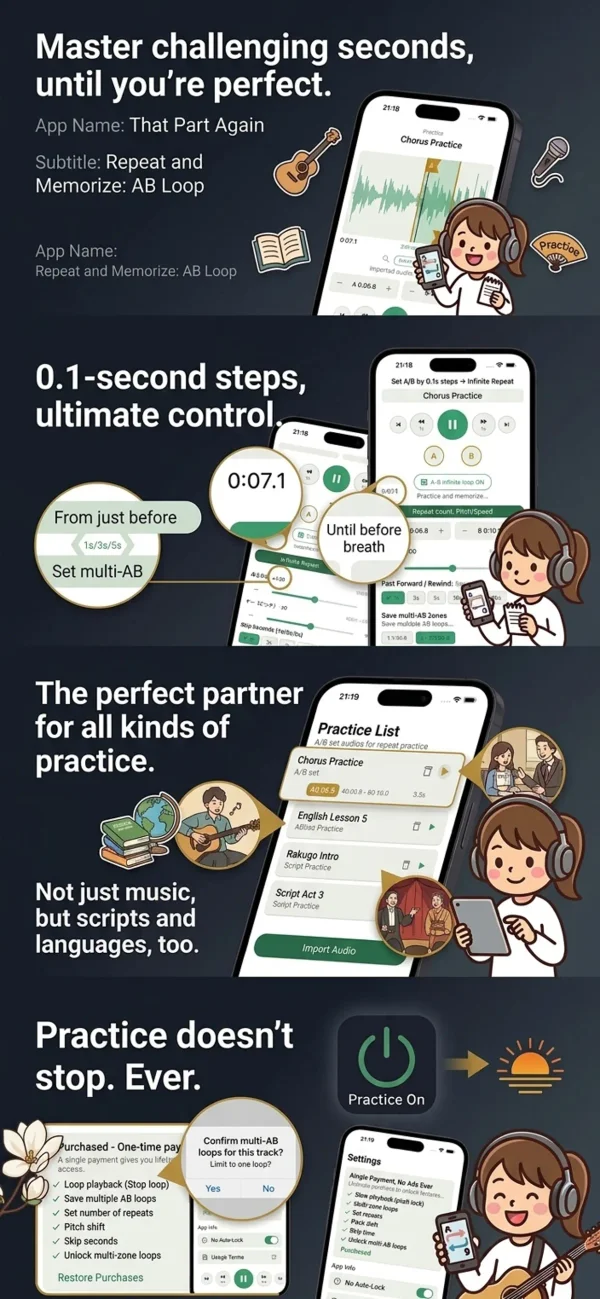
You rarely need to learn a whole track.
It is always the same few seconds that trip you up. That one phrase, that one line, that one run.
This app repeats exactly that part, for as long as you need.
WHAT YOU DO
1. Load an audio file
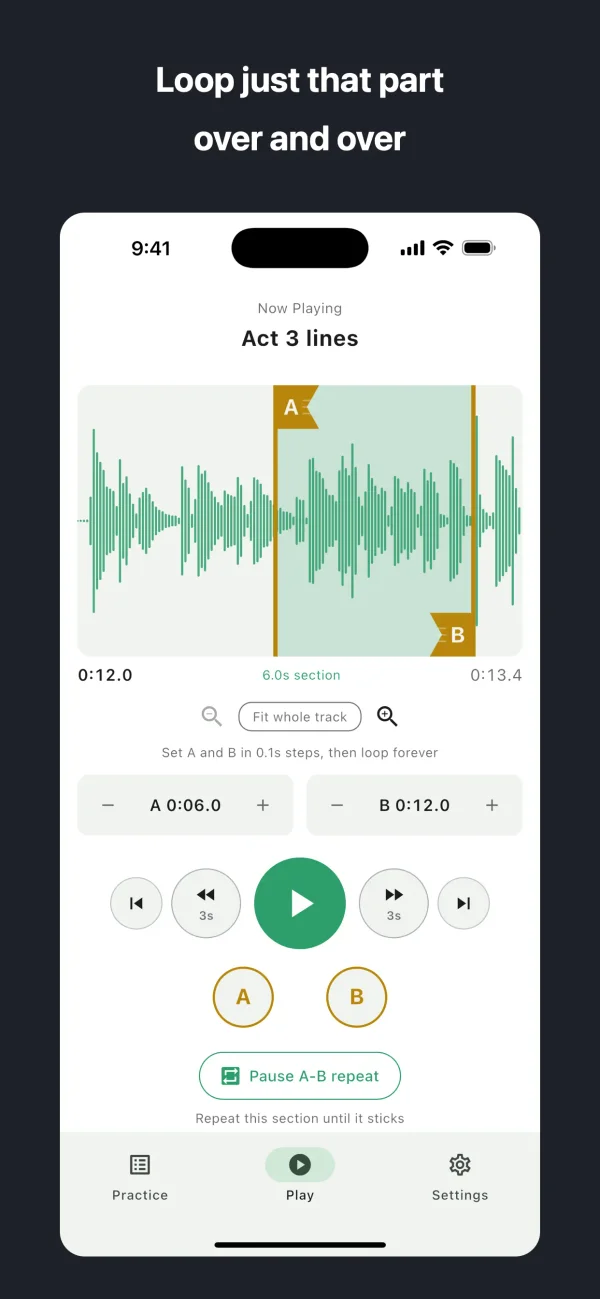
2. Set point A and point B on the waveform
3. Press play. That section loops until you stop it.
A and B can be nudged in 0.1 second steps, so "start a beat earlier" or "end before the breath" is a matter of two buttons, not guesswork.
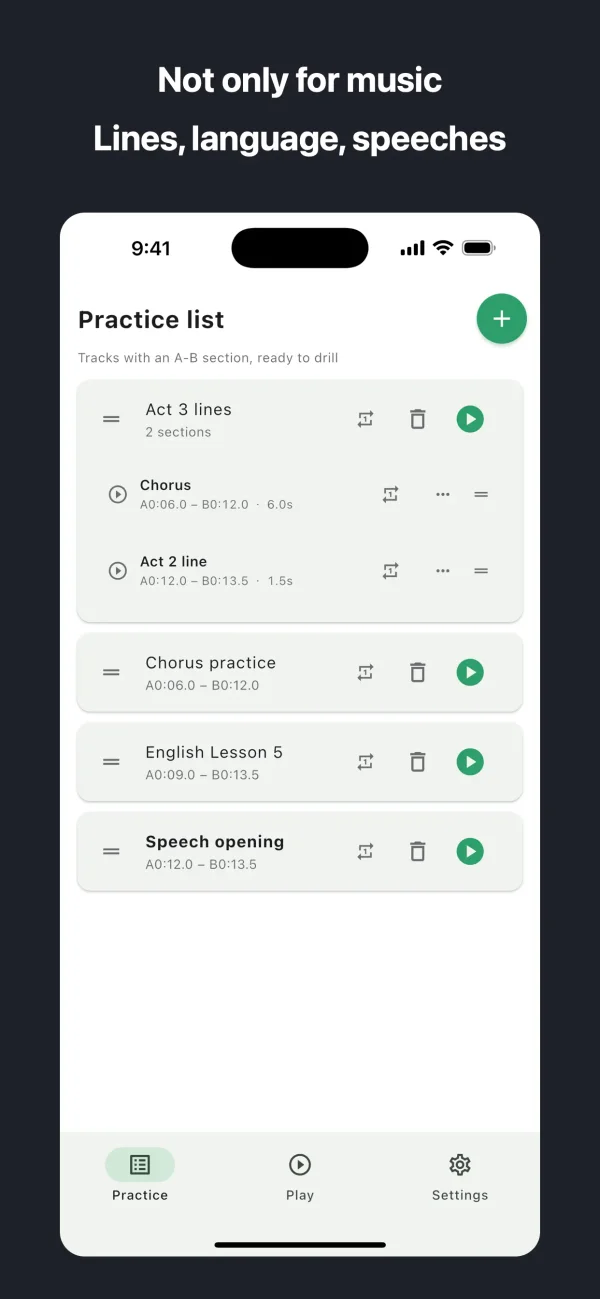
NOT ONLY FOR MUSIC
Drilling something until it is automatic is not a musician's problem alone.
- Instruments: pull out the bar you keep missing and go around it
- Language: shadow one sentence until you can hear every word
- Singing: the entry into the chorus, until the breath lands right
- Acting: from your cue to your first line, timing included
- Speeches and memorising: until the phrasing arrives on its own
Loaded tracks stay in your practice list. Open one again and you start straight from the section you set.
THE SCREEN STAYS ON
While you are playing or speaking, you are not touching the phone. Auto-lock is held off while a section is repeating, so practice is not interrupted.
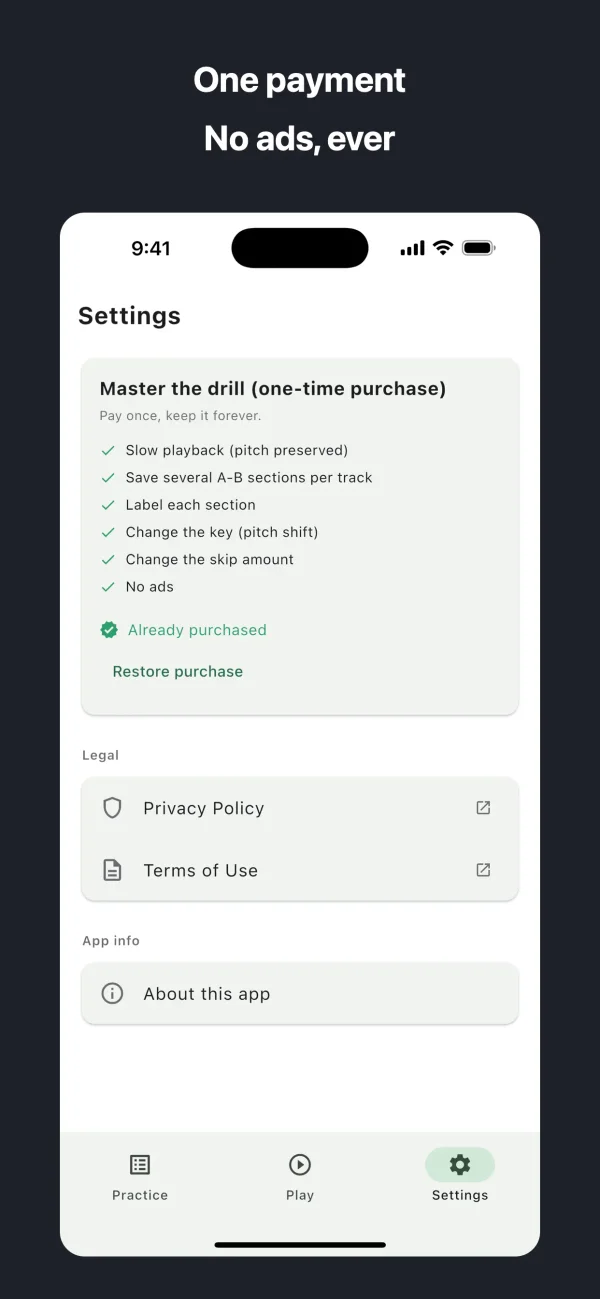
ONE-TIME PURCHASE (pay once, keep it)
- Slow playback with the pitch preserved
- Several A-B sections per track, switched with a tap
- A label on each section, so you know what it was
- Change the key, to suit your voice or instrument
- Choose the skip length, from 1 to 30 seconds
- Removes the ads
Without any purchase you still get: loading audio, setting A and B, endless repeat, one saved section per track, and the practice list. The repeating itself, which is the point of the app, is not behind the purchase.
WHAT YOU CAN LOAD
- mp3, wav, m4a and more from the Files app, including iCloud Drive
- Songs you purchased or synced from a computer
Protected Apple Music streaming tracks cannot be loaded. The app tells you so instead of failing quietly.
NO NETWORK
Everything happens on the device. Nothing is uploaded and there is no account.
Works on iPhone and iPad, in English and Japanese.
This app is the successor to "Easy Pick By Ear". The transcription tools (equalizer, reverb, 2D pad, playlist) live on in "Easy Pick By Ear PRO". An existing Premium purchase carries over.
Terms of Use (EULA)
https://www.apple.com/legal/internet-services/itunes/dev/stdeula/
Privacy Policy
https://tenmais.jp/privacy.php?lang=en
Support
https://tenmais.jp/contact/
Có gì mới
Phiên bản 2.0.0 · 23/09/2026
This app has become "That Part Again": a practice player that does one thing, repeating the few seconds you keep missing until they stick.
- Set A and B on the waveform and that section loops until you stop it
- Nudge either point in 0.1 second steps
- Loaded tracks stay in the practice list, and reopen at the section you set
- Auto-lock is held off while a section repeats
- Not only for music: shadowing, lines, singing and speeches
- One-time purchase adds slow playback with pitch preserved, several sections per track, section labels, key change, a custom skip length, and removes the ads
The transcription tools (equalizer, reverb, 2D pad, playlist) have been removed from this app. They live on in "Easy Pick By Ear PRO".
An existing Premium purchase carries over. If it does not show, use "Restore purchase" in Settings.
Quyền riêng tư của ứng dụng
Những gì Kenichi Ando khai báo trên App Store về cách ứng dụng này xử lý dữ liệu.
-
Dữ liệu được sử dụng để theo dõi bạn
Có thể được sử dụng để theo dõi bạn trên các ứng dụng và trang web do công ty khác sở hữu.
- Vị trí
- Mã định danh
- Dữ liệu sử dụng
-
Dữ liệu không liên kết với bạn
Có thể được thu thập nhưng không liên kết với danh tính của bạn.
- Vị trí
- Mã định danh
- Dữ liệu sử dụng
- Chẩn đoán
Phương thức đảm bảo quyền riêng tư có thể khác nhau, chẳng hạn như tuỳ theo các tính năng bạn sử dụng hoặc độ tuổi của bạn.
Thông tin
- Người bán
- Kenichi Ando
- Danh mục
- Giáo Dục
- Phiên bản
- 2.0.0
- Cập nhật
- 23/09/2026
- Phát hành
- 20/02/2026
- Kích thước
- 31,4 MB
- Yêu cầu
- iOS 15.0 trở lên
- Độ tuổi
- 4+
- Giá
- Miễn phí
- Mua hàng trong ứng dụng
- Có
- Ngôn ngữ
- Tiếng Nhật, Tiếng Anh
- Bản quyền
- © Kenichi Ando
Có thể bạn cũng thích
-
 台湾華語辞典 TANゴTham Khảo
-
 mimi - Dyslexia TTSGiáo Dục
-
 Từ vựng TOCFL tiếng Đài Loan7.500+ từ · Chú âm · SRS
-
 7日でできる!英検 必勝トレーニングGiáo Dục
-
 KULMS+ MobileGiáo Dục
-
 簿記3級 第2問対策|ボキラボ|勘定記入・補助簿・語句補充Giáo Dục
-
 SpeakEasy - English SpeakingGiáo Dục
-
 韓国語フレーズ -聞き流し・シャドーイング学習アプリ-Giáo Dục
-
 ネコタイマーGiáo Dục
-
 話せる英会話 - AI英会話アプリGiáo Dục