Timepie: Visual Routine Timer
ADHD Countdown & Transitions
Được thiết kế cho iPhone, iPad
Miễn phí · Mua hàng trong ứng dụng
- Độ tuổi4+
- Danh mụcHiệu Suất
- Nhà phát triểnSang Huynh
- Ngôn ngữTiếng Anh
- Kích thước14,4 MB
Liên kết đến trang App Store chính thức
Download.org không lưu trữ tệp nào của Timepie: Visual Routine Timer. Nút này mở trang ứng dụng trên App Store, nơi Sang Huynh phát hành ứng dụng. Trang được kiểm tra lần cuối: 12/11/2026.
Ảnh chụp màn hình
Giới thiệu
Nhà phát triển chưa cung cấp nội dung này bằng ngôn ngữ của bạn.
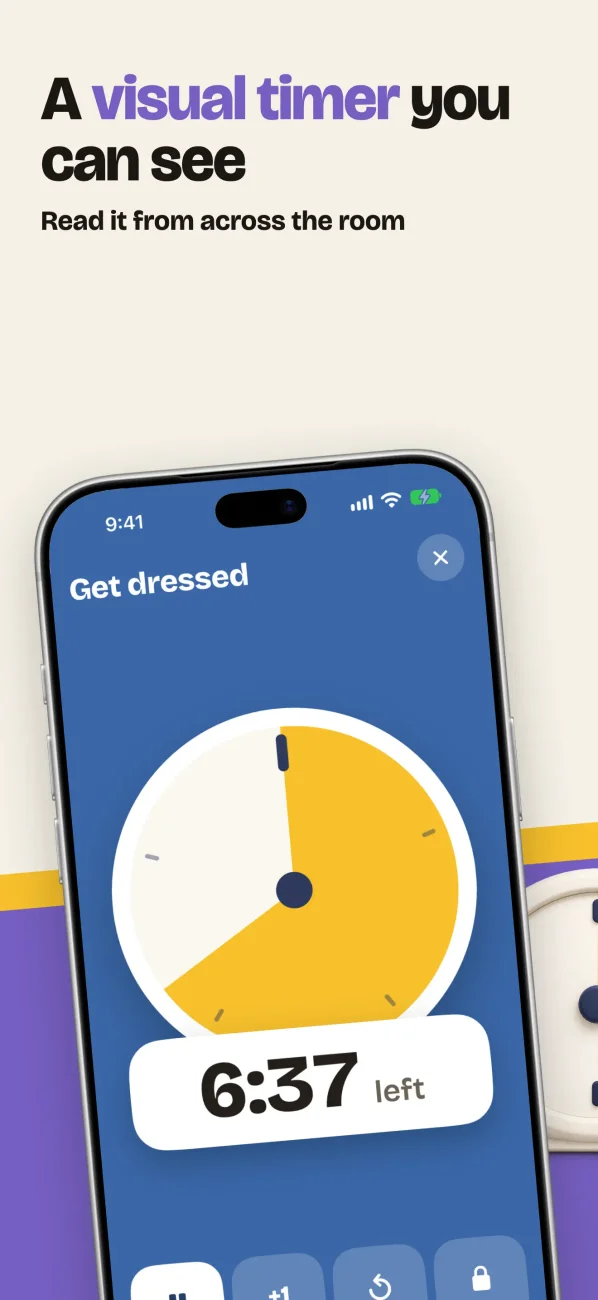
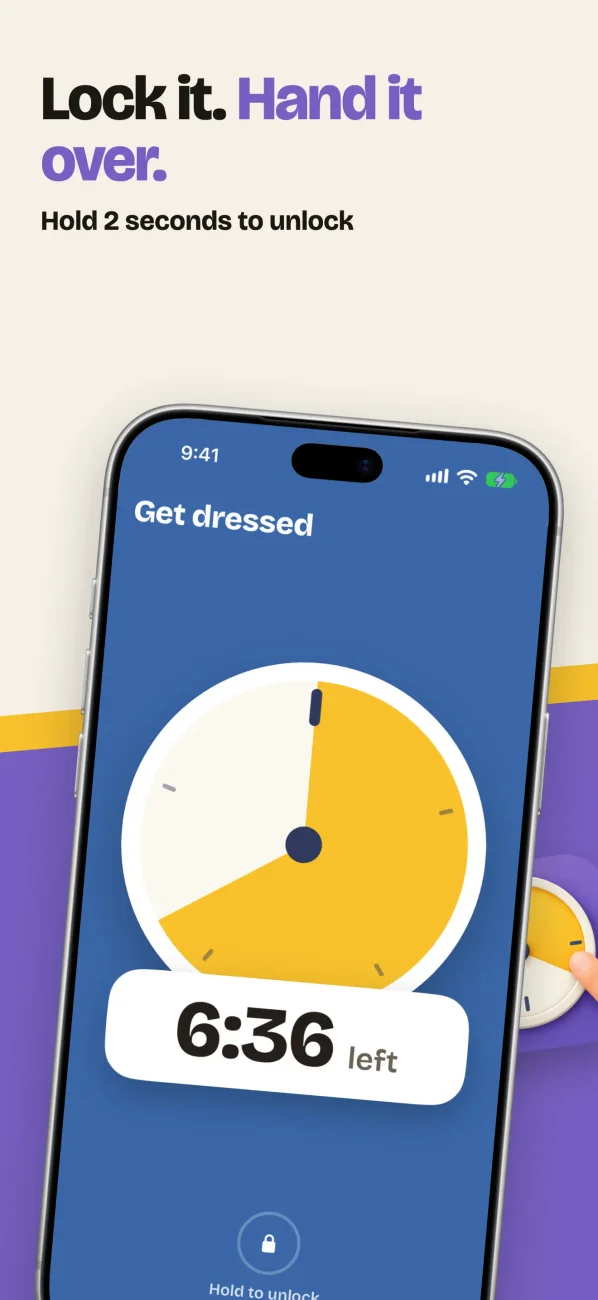
A visual timer you can read from across the room: a colored disc that shrinks as time runs out.
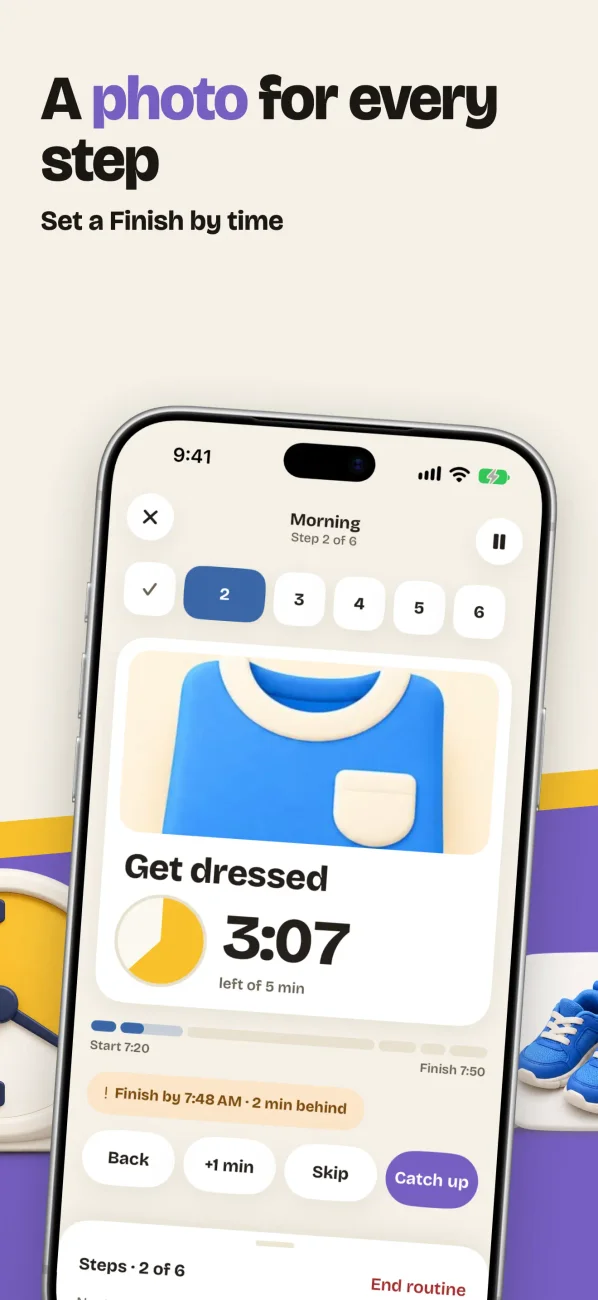
Build step-by-step routines with your own photos, and see if you are on track to finish by 7:45.
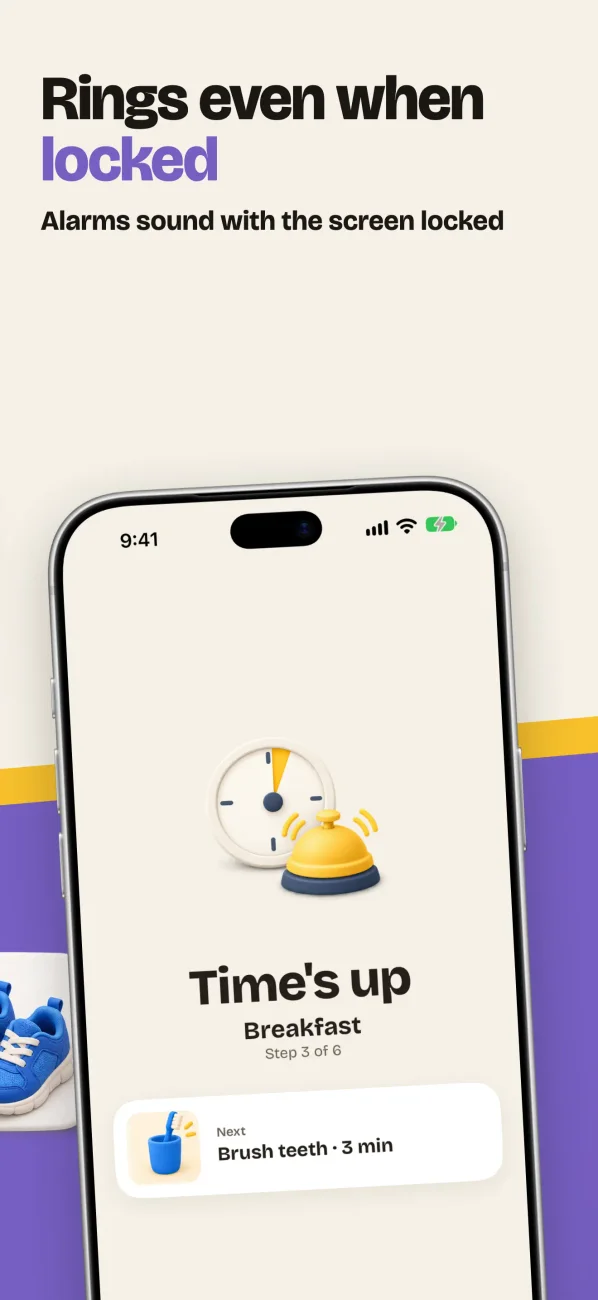
It rings when time is up, even if the app is closed or the phone is locked. Lock the screen so the timer can't be changed.
Use it at home, in the classroom, in therapy sessions, or for your own focus.
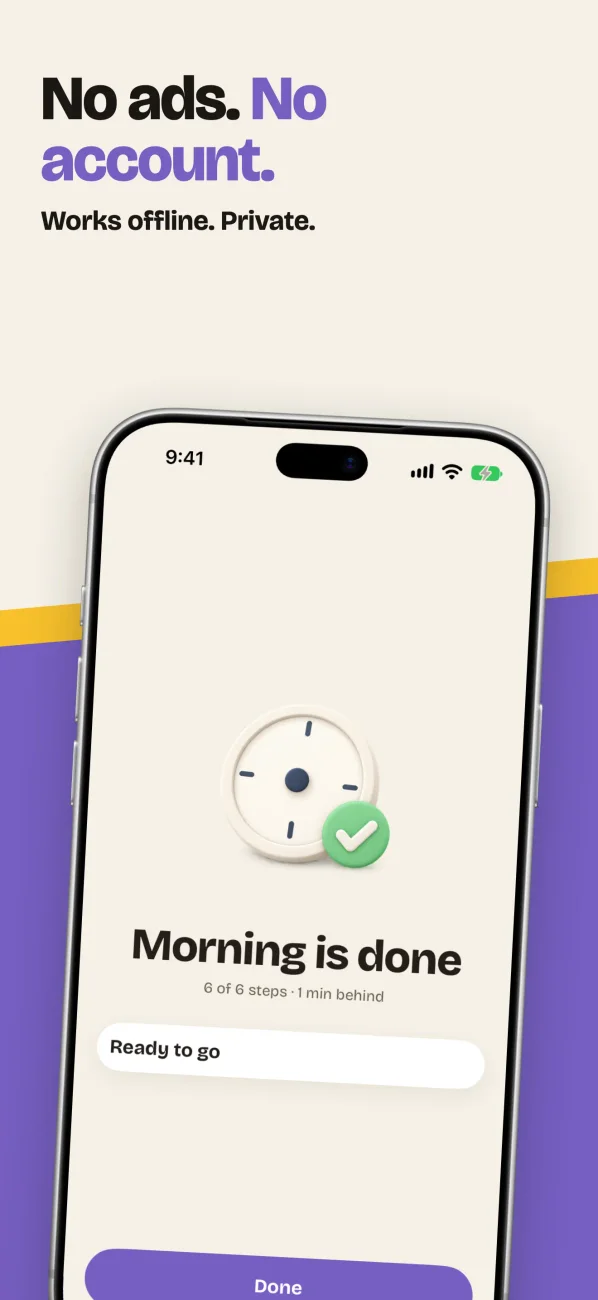
No ads. Ever. No account. Works offline.
SEE TIME PASSING
- A big disc fills the screen and shrinks as time runs out, so nobody has to read the numbers.
- Big "6:42 left" numbers you can read from 3 meters, or hide them.
- Fit to time (the full disc is the time you set) or a 60-minute face.
- Any time from 1 second to 24 hours. Quick picks start a timer with one tap.
- Pause, +1 min, reset. Change the color as time runs low, and get a 5-minute warning.
- The screen stays on while the timer runs, and it turns sideways for a counter or desk.
IT RINGS, EVERY TIME
- Uses iPhone alarms, so the timer rings even when Timepie is closed, the phone is locked or on silent.
- See the time left on the Lock Screen and in the Dynamic Island, and pause it from there.
- Ring until you stop it, or stop by itself after 5, 15, 30 or 60 seconds while Timepie is open.
- Choose the sound, ticking, vibration and a flashing screen.
ROUTINES THAT KEEP THE MORNING MOVING
- Steps like Wake up, Get dressed, Breakfast, Brush teeth, Shoes on, Pack bag, each with its own time.
- Set "Finish by 7:45 AM" and Timepie tells you when to start and whether you are on track or running behind.
- Running late? One tap shortens the steps that are left so you still finish on time.
- A step can go on by itself or wait for a tap. Skip or go back any time.
- Show a photo of what comes next, and a reward picture at the end that stays until you tap it.
- Ready-made Morning, Bedtime and Clean up routines to start from.
LOCK IT. NO SURPRISES.
- Lock the timer screen: every button hides and touches do nothing. Hold the lock for 2 seconds (or use Face ID) to unlock.
- Step-by-step help to turn on Guided Access, so nobody can leave the app.
- Nothing ever pops up over the timer. No ads, no sign-up, no rating pop-ups while it runs.
PRIVATE BY DESIGN
No account, no server, no analytics, no ads. Your routines and photos stay on your device, and in your own iCloud if you turn on sync.
FREE AND PRO
Free to use. Pro is a one-time purchase.
Free forever: every timer feature, alarms that ring when the phone is locked, the screen lock, and 3 routines of up to 6 steps.
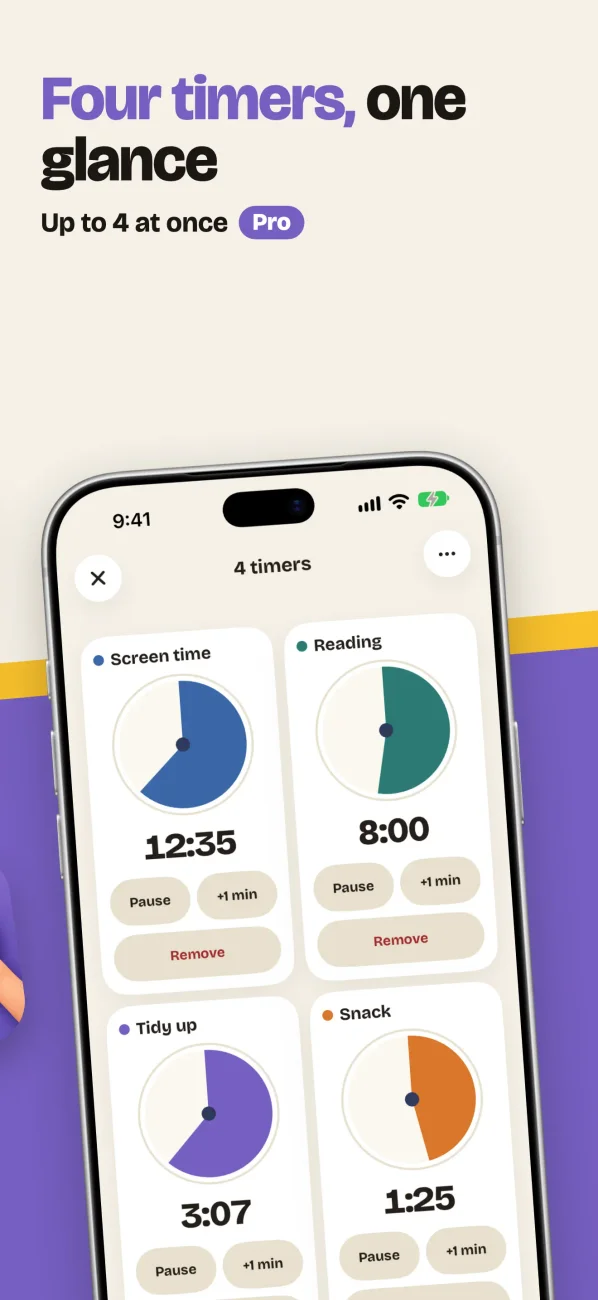
Timepie Pro (one-time, Family Sharing): unlimited routines and steps, your own photos for steps and rewards, record your own voice, all sounds and colors, up to 4 timers at once, widgets, and iCloud sync across iPhone and iPad.
Terms of Use: https://www.apple.com/legal/internet-services/itunes/dev/stdeula/
Có gì mới
Phiên bản 1.1 · 26/10/2026
A fresh new look for Timepie: a new icon, warmer screens and bigger, clearer timers you can read from across the room.
- Skip the welcome screens if you already know your way around.
- Delete a routine with a confirmation, so nothing goes by accident.
- Search your routines once you have more than 20.
- If a routine can't be saved, Timepie tells you and lets you try again.
- Works on iPhone Duo, with the timer and your routines side by side.
Quyền riêng tư của ứng dụng
Những gì Sang Huynh khai báo trên App Store về cách ứng dụng này xử lý dữ liệu.
-
Dữ liệu không được thu thập
Nhà phát triển không thu thập bất kỳ dữ liệu nào từ ứng dụng này.
Phương thức đảm bảo quyền riêng tư có thể khác nhau, chẳng hạn như tuỳ theo các tính năng bạn sử dụng hoặc độ tuổi của bạn.
Thông tin
- Người bán
- Sang Huynh
- Danh mục
- Hiệu Suất
- Phiên bản
- 1.1
- Cập nhật
- 26/10/2026
- Phát hành
- 21/10/2026
- Kích thước
- 14,4 MB
- Yêu cầu
- iOS 26.1 trở lên
- Độ tuổi
- 4+
- Giá
- Miễn phí
- Mua hàng trong ứng dụng
- Có
- Ngôn ngữ
- Tiếng Anh
- Bản quyền
- © 2026 Sang Huynh Xuan
Có thể bạn cũng thích
-
 Metronome: Daily Planner TimerHiệu Suất
-
 Clareo: GTD Task ManagerHiệu Suất
-
 FeltimeHiệu Suất
-
 ProgressTimer - Bar TimerHiệu Suất
-
 Primalist: A Short ListHiệu Suất
-
 MemoSnap: Màn hình khóaGhi chú, việc cần làm
-
 Price of PokerHiệu Suất
-
 Prime Timer: Just One ButtonHiệu Suất
-
 ThisDay: Planner & RemindersHiệu Suất
-
 Countdown Timer Nano (Legacy)Hiệu Suất