Timer.Coffee
Coffee Recipes & Bean Tracker
Được thiết kế cho iPhone, iPad, iPod touch
Miễn phí · Mua hàng trong ứng dụng
- Độ tuổi4+
- Danh mụcẨm Thực
- Nhà phát triểnAnton Karliner
- Ngôn ngữTiếng Anh+ 21 ngôn ngữ khác
- Kích thước57,0 MB
Liên kết đến trang App Store chính thức
Download.org không lưu trữ tệp nào của Timer.Coffee. Nút này mở trang ứng dụng trên App Store, nơi Anton Karliner phát hành ứng dụng. Trang được kiểm tra lần cuối: 23/11/2026.
Ảnh chụp màn hình



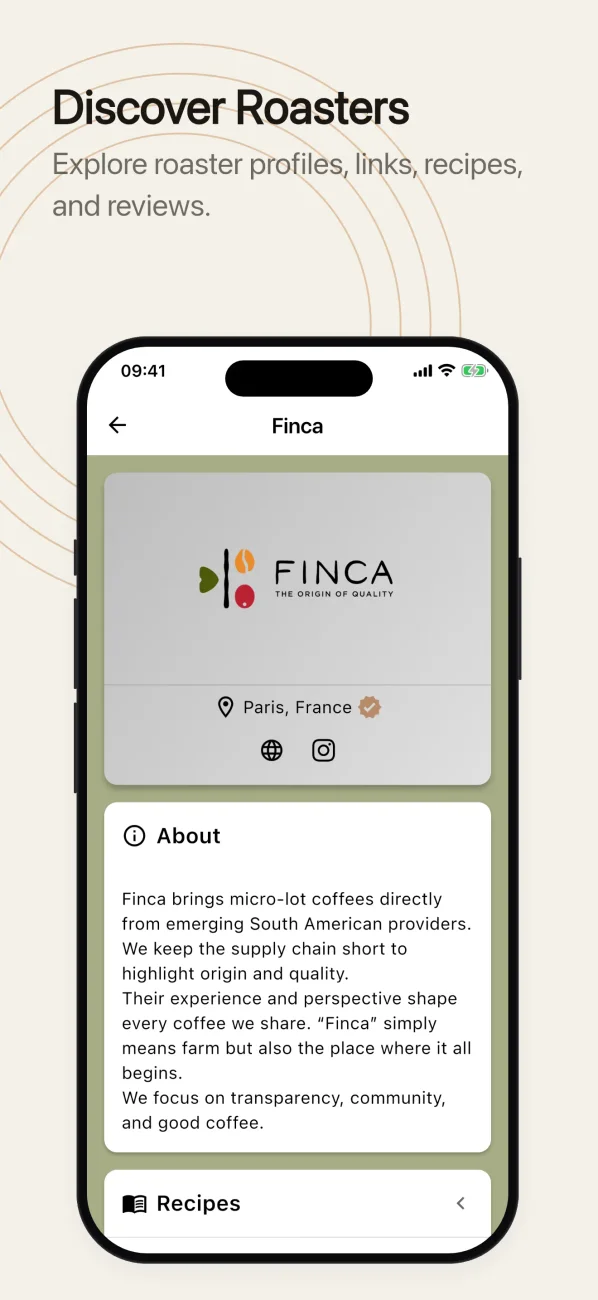
Giới thiệu
Nhà phát triển chưa cung cấp nội dung này bằng ngôn ngữ của bạn.
Timer.Coffee is a free, open-source coffee brewing timer and calculator designed to enhance your brewing experience. The app is completely free. Optional in-app donations support ongoing development and never affect access to features.
Key Features
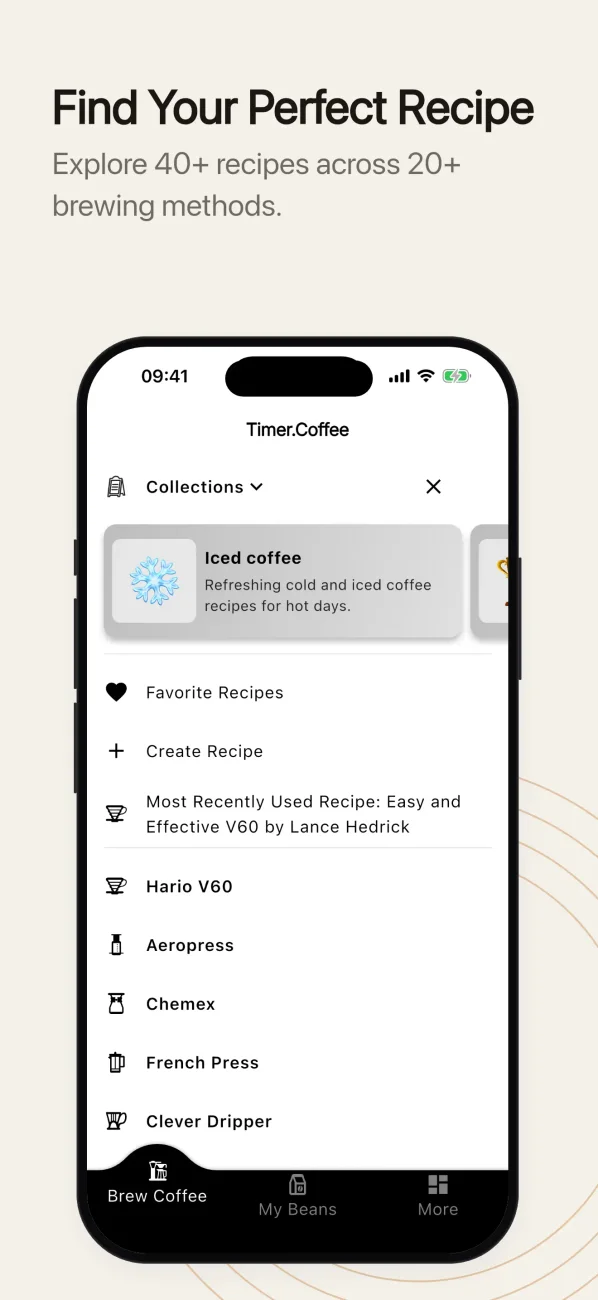
- 27 Brewing Methods: Step-by-step instructions for Hario V60, AeroPress, Chemex, French Press, Clever Dripper, Kalita Wave, Wilfa Svart Pour Over, Origami Dripper, Hario Switch, and more.
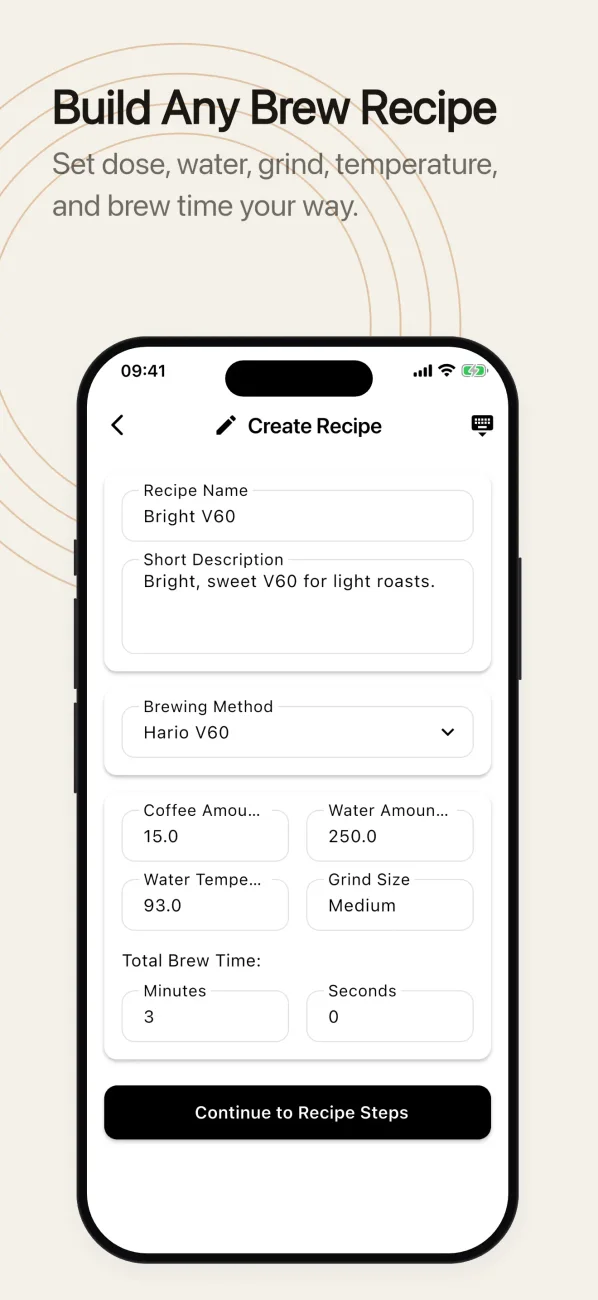
- Coffee Calculator: Adjust coffee and water quantities on the fly.
- Custom Grind Size: Save your grind settings per recipe — never forget your Comandante clicks again.
- Background Brewing: The timer keeps running accurately when you minimize the app — switch apps or check a message without losing your place.
- Live Activities: Follow your brew step-by-step on the Lock Screen and in the Dynamic Island without unlocking your phone.
- Pulse: See what coffee lovers around the world are brewing right now, in real time.
- Create & Share Recipes: Build your own brewing recipes and share them with the community.
- Brew Diary: Automatically save timer-guided brews or add entries manually, with notes, ratings, taste, tags, grind, water temperature, and extraction.
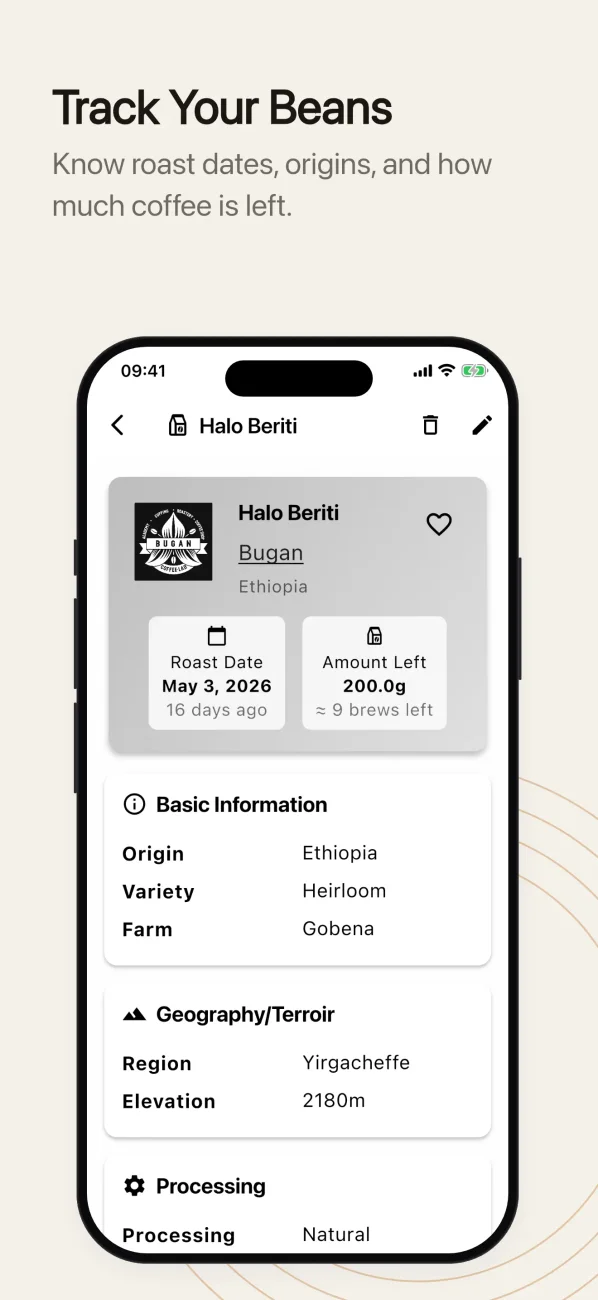
- Bean Tracking: Manage your coffee bean inventory with AI-powered label recognition.
- Favorites: Quick access to your most-used recipes.
- Audio Chime: Audio alerts for every brewing step.
- Dial In Your Beans: Search and filter your history, bookmark best cups, compare attempts, follow bean journeys, and review monthly progress.
- Device Sync: Recipes, beans, and brews synced across all your devices.
- 22 Languages: Fully localized for a global audience.
- Dark Mode: Easy on the eyes at any hour.
Có gì mới
Phiên bản 3.10.3 · 21/11/2026
What’s New:
• A design pass across the app: every screen title now has a matching icon, cards look the same everywhere, and text that used to be faded is easier to read.
• Brew Stats is easier to scan. Pick the period with one switch at the top, and your stats and the global stats are now laid out as simple rows.
• Choosing beans for a recipe now opens a sheet from the bottom of the screen. The extraction calculator’s history picker works the same way.
• If you use more than one account on this device, each account now keeps its own beans, brew diary and recipes. Your existing beans and brew diary stay with the account you’re signed in to when you update.
• Recipes adapted from someone else’s recipe now credit the original author.
Improvements:
• On the Preparation screen, the step alerts switch has moved to the top bar, and the Play button stays at the bottom, just like on the recipe page.
• On the recipe page, the arrow and “Brew later” stay at the bottom of the screen while you scroll.
• The “Select Beans” button on a recipe no longer looks disabled.
• The Apple and Google sign-in buttons now follow Apple’s and Google’s current designs, and the Apple button grows with your text size.
• The top bar keeps its colour when you scroll under it.
• Bean photos, roaster logos and collection cards no longer sit on a grey gradient.
• Brew diary cards fit their content, and the empty diary looks calmer.
• Quick-action rows now respond visibly when you tap them.
• When you scan a coffee label, location data stored in the photo is removed before the photo is sent for recognition.
• Removing your profile picture now also deletes the stored image.
Bug Fixes:
• Fixed a recipe’s coffee-to-water ratio drifting slightly after you saved custom amounts (for example, 30 g of coffee giving 499.9 ml of water instead of 500 ml).
• Fixed the empty My Beans screen showing two add buttons.
• Fixed the arrow on collapsible sections turning only part of the way.
• Fixed some links into the app opening the home screen instead of the right page.
Quyền riêng tư của ứng dụng
Những gì Anton Karliner khai báo trên App Store về cách ứng dụng này xử lý dữ liệu.
-
Dữ liệu liên kết với bạn
Có thể được thu thập và liên kết với danh tính của bạn.
- Thông tin liên hệ
- Mã định danh
- Dữ liệu sử dụng
Phương thức đảm bảo quyền riêng tư có thể khác nhau, chẳng hạn như tuỳ theo các tính năng bạn sử dụng hoặc độ tuổi của bạn.
Thông tin
- Người bán
- Anton Karliner
- Danh mục
- Ẩm Thực
- Phiên bản
- 3.10.3
- Cập nhật
- 21/11/2026
- Phát hành
- 21/05/2023
- Kích thước
- 57,0 MB
- Yêu cầu
- iOS 15.0 trở lên
- Độ tuổi
- 4+
- Giá
- Miễn phí
- Mua hàng trong ứng dụng
- Có
- Ngôn ngữ
- Tiếng Anh, Tiếng Ả Rập, Tiếng Croatia, Tiếng Hà Lan, Tiếng Phần Lan, Tiếng Pháp, Tiếng Đức, Tiếng Hy Lạp, Tiếng Indonesia, Tiếng Ý, Tiếng Nhật, Tiếng Hàn + 10 ngôn ngữ khác
- Bản quyền
- © 2026 Anton Karliner
Có thể bạn cũng thích
-
 Brew Timer : Make Great CoffeeẨm Thực
-
 FourSix Coffee TimerẨm Thực
-
 iBrewCoffee - Coffee JournalẨm Thực
-
 BeanBook - Coffee JournalẨm Thực
-
 Single Origin - Coffee TimerẨm Thực
-
 BeanconquerorẨm Thực
-
 Coffee Book: Brew JournalẨm Thực
-
 Hẹn giờ rót cà phêHướng dẫn từng bước một
-
 AeromaticẨm Thực
-
 Best Brew Guide: Filtru CoffeeẨm Thực