
- Độ tuổi4+
- Danh mụcTiện Ích
- Nhà phát triểnServislet LLC
- Ngôn ngữTiếng Anh
- Kích thước56,9 MB
Liên kết đến trang App Store chính thức
Download.org không lưu trữ tệp nào của TireOptic. Nút này mở trang ứng dụng trên App Store, nơi Servislet LLC phát hành ứng dụng. Trang được kiểm tra lần cuối: 15/11/2026.
Ảnh chụp màn hình




Giới thiệu
Nhà phát triển chưa cung cấp nội dung này bằng ngôn ngữ của bạn.
TireOptic turns your phone camera into a tire inspection tool. Scan a tire and see, in plain numbers, how much tread is left, how old the tire is and whether it needs to be replaced — no gauge, no guesswork, no appointment.
WHAT YOU CAN SCAN
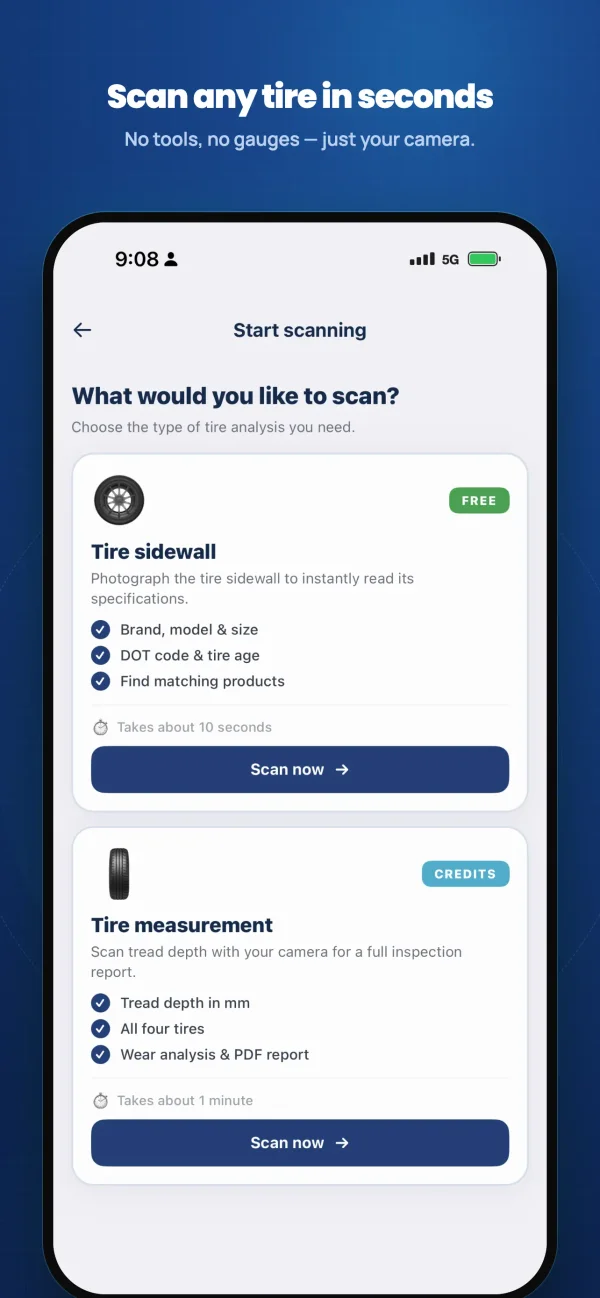
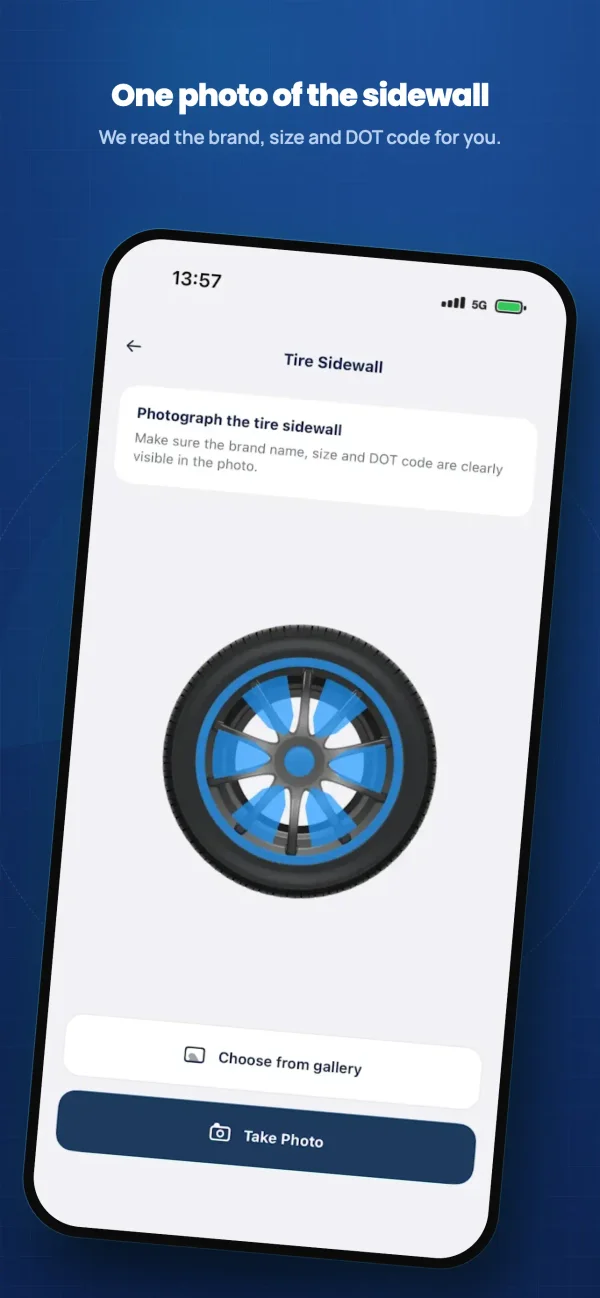
Tire sidewall — about 10 seconds
Read the tire's brand, model and size straight off the sidewall, plus the DOT code and the production date it encodes, so you know exactly how old the tire is. Uses no scan from your balance.
Tire measurement — about a minute
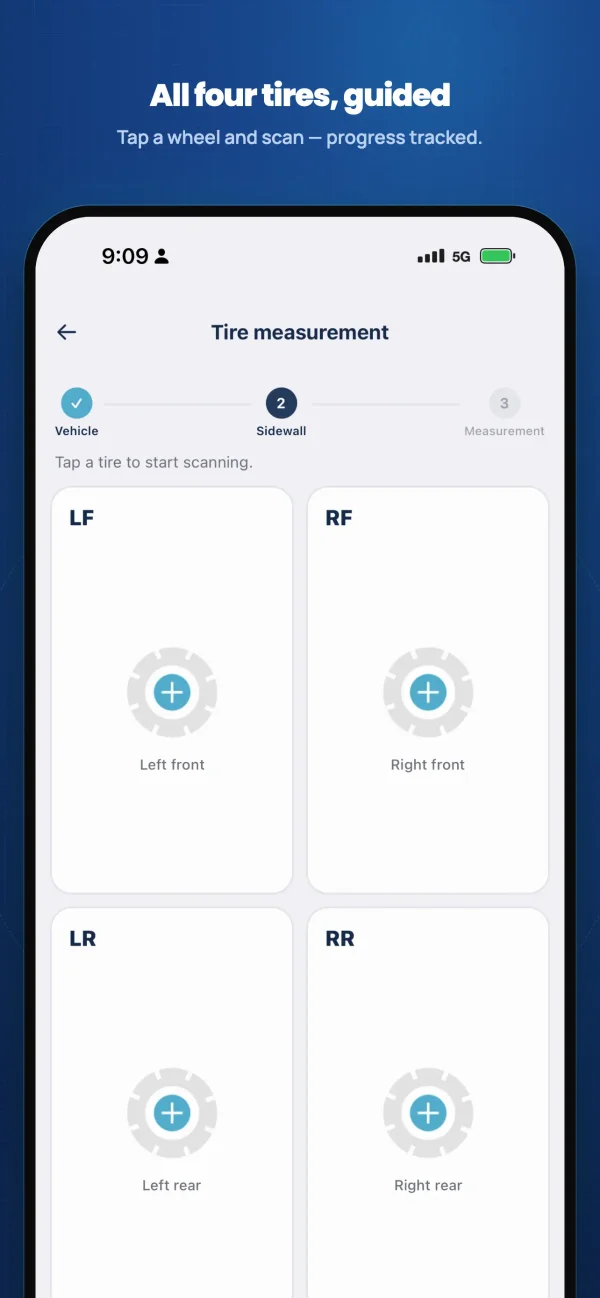
Measure tread depth in millimeters on all four tires, left front to right rear. TireOptic analyzes the wear across the tread and turns it into a report you can keep, share or download as a PDF.
WHY IT MATTERS
Tread depth is what keeps your car connected to a wet road. As it wears down, braking distance grows and grip in rain drops sharply. TireOptic makes that invisible number visible:
• Depth per tire in millimeters, measured across the tread
• Color-coded condition — healthy, wearing low, or critical
• Clear warnings such as "tread critically low — replace this tire"
• Uneven wear across the tread surface, so you can catch alignment and pressure problems early
• Tire age from the DOT code, because rubber ages even on a car that barely moves
EVERYTHING IN ONE PLACE
• Reports — every scan is saved with its date and vehicle. Open a past report any time, share it, or download the PDF.
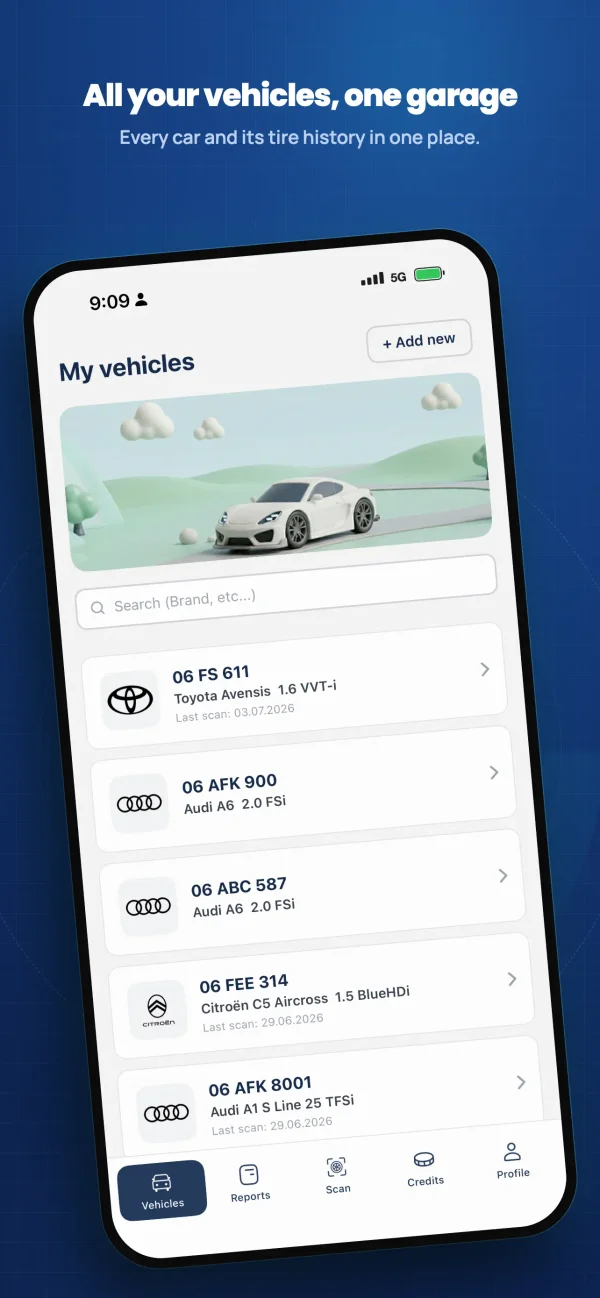
• My vehicles — add your cars, keep each vehicle's scan history separate, and see at a glance which one needs attention.
• Matching tires — once TireOptic knows your tire size, it shows you tires that fit, so replacing them doesn't start with a size lookup.
• Help center — short, practical answers on scanning in low light, camera positioning, retaking a failed scan, and reading your report.
MADE FOR DRIVERS AND FOR TEAMS
Use it on your own car, or on a fleet: taxi and rental operators, dealerships, service shops and tire retailers can scan vehicle after vehicle and keep a documented, shareable record of tire condition for each one. Business accounts are supported.
SIGN IN THE WAY YOU PREFER
Phone number with a one-time code, Google, or Apple. Your account keeps your vehicles and reports in sync.
HOW IT WORKS
1. Choose what you want to scan — sidewall or full measurement.
2. Follow the on-screen guide and move the camera slowly along the tread.
3. Get your result in seconds, with a summary of what to do next.
Best results come from a clean, dry tire in reasonable light, with the camera held at the distance the on-screen guide shows.
GOOD TO KNOW
TireOptic gives you an indicative measurement to help you decide when to have your tires looked at. It is not a legal-metrology instrument and does not replace inspection by a qualified tire professional. Always follow the tire and load recommendations in your vehicle's manual and the legal minimum tread depth in your country.
Camera access is required to scan. Location is used only to show tire options and prices available in your country.
Questions or feedback? Reach us from Profile → Support inside the app.
Quyền riêng tư của ứng dụng
Những gì Servislet LLC khai báo trên App Store về cách ứng dụng này xử lý dữ liệu.
-
Dữ liệu không được thu thập
Nhà phát triển không thu thập bất kỳ dữ liệu nào từ ứng dụng này.
Phương thức đảm bảo quyền riêng tư có thể khác nhau, chẳng hạn như tuỳ theo các tính năng bạn sử dụng hoặc độ tuổi của bạn.
Thông tin
- Người bán
- Servislet LLC
- Danh mục
- Tiện Ích
- Phiên bản
- 1.0
- Cập nhật
- 31/08/2026
- Phát hành
- 31/08/2026
- Kích thước
- 56,9 MB
- Yêu cầu
- iOS 16.4 trở lên
- Độ tuổi
- 4+
- Giá
- Miễn phí
- Ngôn ngữ
- Tiếng Anh
- Bản quyền
- © Servislet LLC
Có thể bạn cũng thích
-
 TreadView — Tire Tread CheckTiện Ích
-
 TireScan:AI Tread & Wear CheckTiện Ích
-
 TreadEyeTiện Ích
-
 Tread – Tire Health TrackerTiện Ích
-
 Tire Ai Scan 2025 LiteTiện Ích
-
 TireBuddyTiện Ích
-
 PitStop AI ScannerTiện Ích
-
 TireScan AI: Tire InspectorTiện Ích
-
 kbd: swipe, emoji, symbolsTiện Ích
-
 TireWise: Pressure & TreadTiện Ích