TONT: To Do List & Task Timer
Time Tracker on Lock Screen
Được thiết kế cho iPhone, iPad
Miễn phí · Mua hàng trong ứng dụng
- Độ tuổi4+
- Danh mụcHiệu Suất
- Nhà phát triểnBing Cheng Toh
- Ngôn ngữTiếng Anh+ 10 ngôn ngữ khác
- Kích thước20,8 MB
Liên kết đến trang App Store chính thức
Download.org không lưu trữ tệp nào của TONT: To Do List & Task Timer. Nút này mở trang ứng dụng trên App Store, nơi Bing Cheng Toh phát hành ứng dụng. Trang được kiểm tra lần cuối: 23/11/2026.
Ảnh chụp màn hình


Giới thiệu
Nhà phát triển chưa cung cấp nội dung này bằng ngôn ngữ của bạn.
todo or not todo. That is the question.
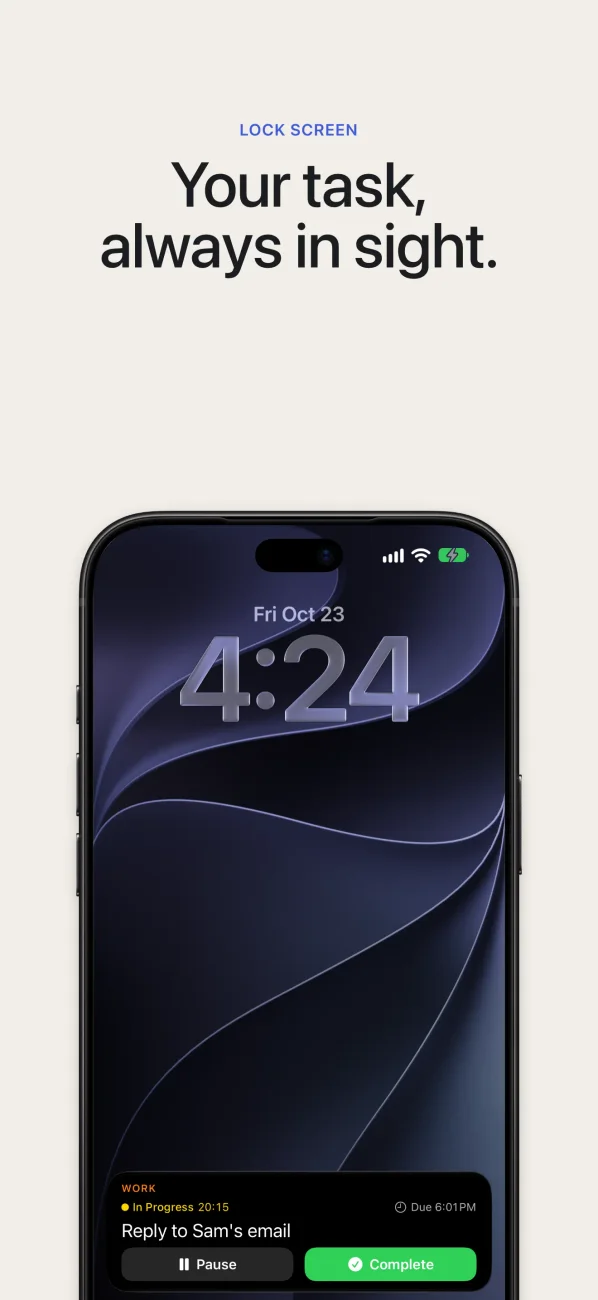
Most to-do apps want you to open them. TONT would rather you did not. Start a task and it follows you to the Lock Screen and Dynamic Island, timer ticking, until you pause it or finish it. Free to start. One purchase unlocks the rest.
LIVE ON YOUR LOCK SCREEN
Swipe a task right and it gets a card on your Lock Screen and in the Dynamic Island, with a live timer. Pause, resume or finish it from the card. Free runs one task at a time, with its subtasks. Pro times more than one task at once.
THE TIMER
The timer runs in the background. Pause it, come back an hour later, resume, and it adds up only the time you actually worked. Keep a task running for days and it counts the days.
FOUR BUCKETS, NO FOLDERS
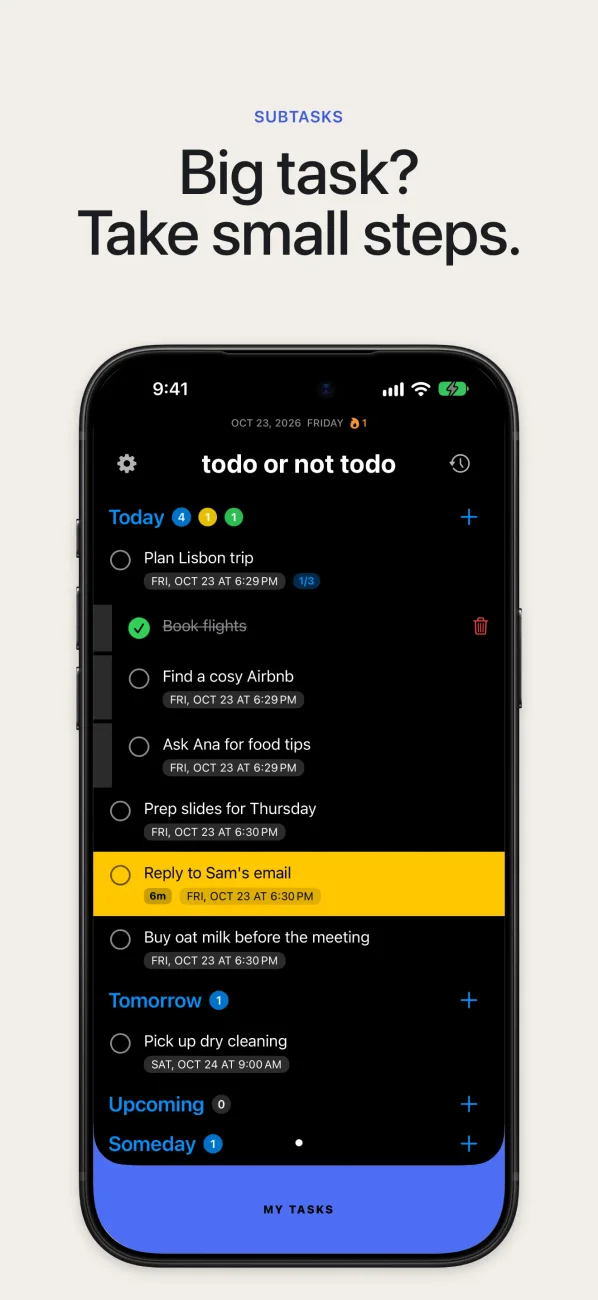
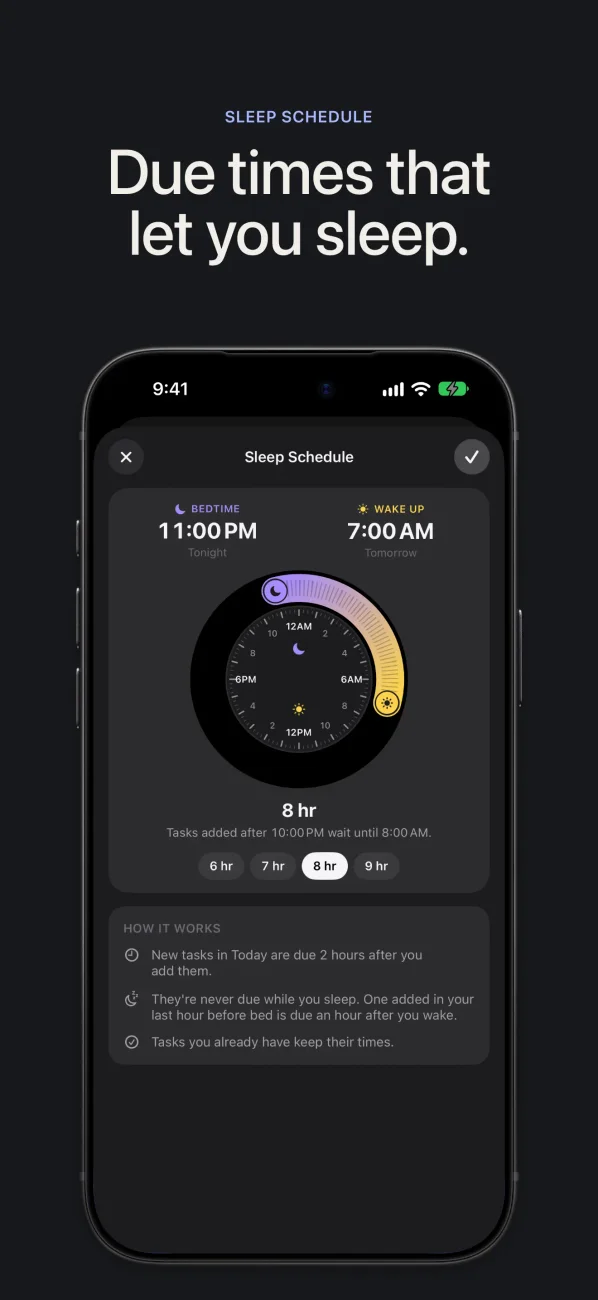
Today, Tomorrow, Upcoming, Someday. That is the whole filing system. A task made in Today is due two hours from now, unless it is late at night, in which case it waits for 8 AM. Tomorrow means 9 AM. Upcoming means a week out. Someday has no date and no pressure.
Need Work and Home kept apart? Swipe past your last group to make a new one. Each group gets a name, a colour and its own four buckets. Free keeps two groups. Pro keeps as many as you like.
SUBTASKS
Long press a task to break it into steps. The parent shows how many are done. Finish the parent and the steps go with it.
APPLE REMINDERS, BOTH WAYS (PRO)
One switch in Settings. Your tasks appear in a TONT list in Apple Reminders with their group name in front, and anything you add there comes back into the app.
REMINDERS THAT HELP YOU START
Five kinds, each with its own switch. Time to Start is timed from how long the task takes. Daily Plan is one calm note each morning. Rescue nudges you once when a task slips, then follows up after a day, three days and a week. Deadlines ring at the due time. Fresh Start welcomes you back after time away.
Act from the notification: start now, snooze, mark it done, or move it to today, tomorrow or Someday.
GET GOING IN A MINUTE
A few quick questions on first launch, every one skippable. Then you type your first task and watch it land on your Lock Screen. A two-step tour shows how to start it and where it lives. The full tour is in Settings.
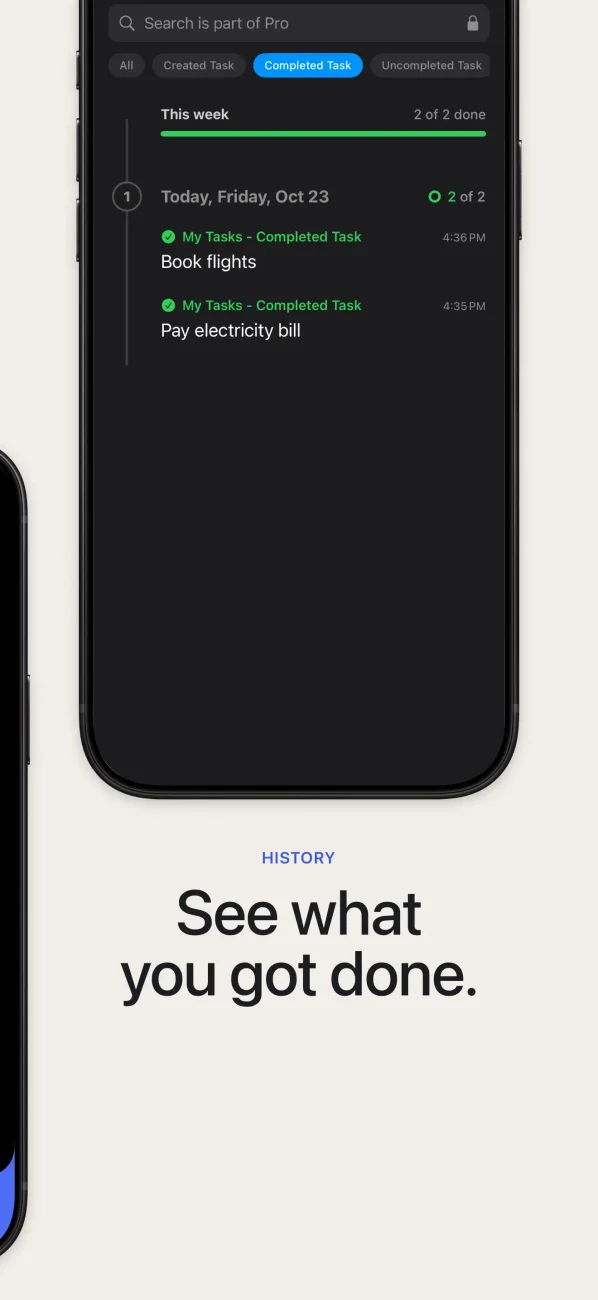
HISTORY
Tap the clock to see what you finished, when you started and how long it took. A calendar view shows the pattern by day. Groups show up there too. Free shows the last seven days. Pro shows all of it and adds search.
NOTHING IN THE WAY
Black screen, dark mode only. No ads, no accounts, no sign-up. The first time you open it, a short setup gets you to your first running task. After that, open the app, see your tasks, get to work.
FEATURES AT A GLANCE
- Live Activities on the Lock Screen and Dynamic Island
- Time more than one task at once (Pro)
- A timer that survives pause and resume
- Today, Tomorrow, Upcoming, Someday
- Groups, each with a name and a colour (two on Free, as many as you like with Pro)
- One-level subtasks with a progress badge
- Apple Reminders two-way sync (Pro)
- Five kinds of reminder, each with its own switch
- History with a calendar view (the last seven days on Free)
- Full history with search (Pro)
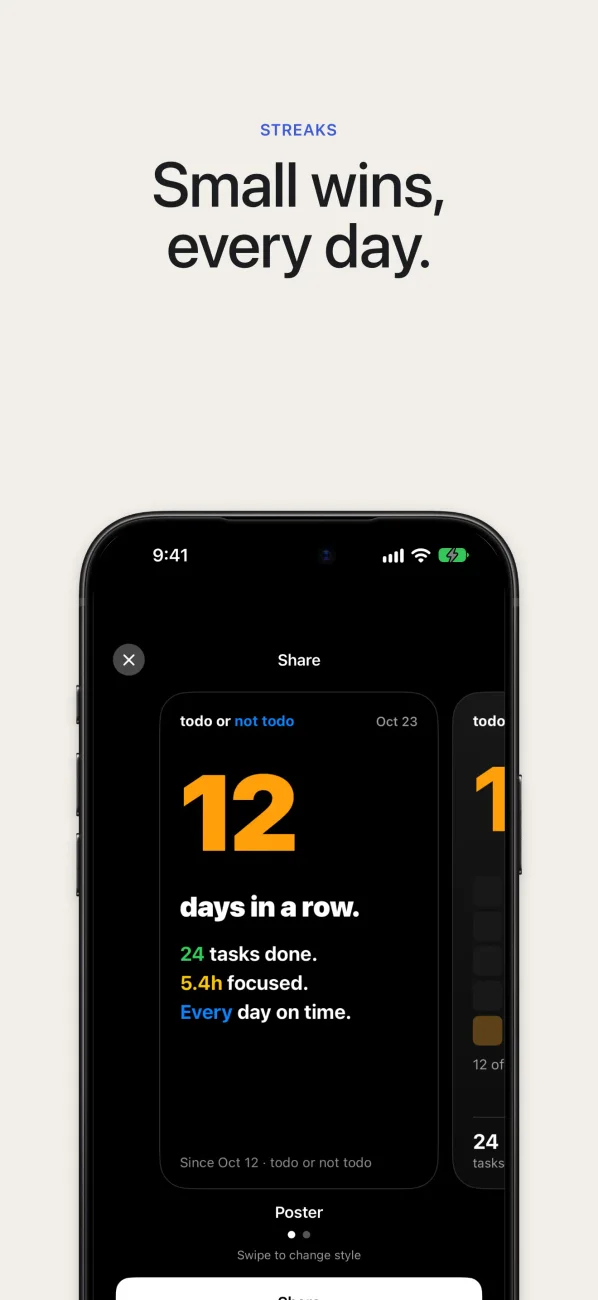
- Streaks, with cards you can share
No ads. No subscription. TONT is free. Todo or Not Todo Pro is one purchase.
Pull the title down. Hard. It will tell you whether you are todo or not todo.
Có gì mới
Phiên bản 4.1.6 · 20/11/2026
Been away for a while? Tapping the Fresh Start reminder now opens a short screen, not your whole list. It shows a few of your oldest tasks. Keep one for today, move it to Someday or mark it done. Or write one new thing to do.
FEWER NUDGES
• The Daily Plan reminder pauses after you ignore it three times in a row.
• Rescue stops nudging you about a task after you ignore it twice.
• Opening TONT within two hours after one of these reminders counts as answering it.
• Open TONT before your morning Daily Plan, and that day's reminder is skipped.
• To bring a paused reminder back, turn it off and on again in Settings.
Quyền riêng tư của ứng dụng
Những gì Bing Cheng Toh khai báo trên App Store về cách ứng dụng này xử lý dữ liệu.
-
Dữ liệu liên kết với bạn
Có thể được thu thập và liên kết với danh tính của bạn.
- Mục mua
- Vị trí
- Mã định danh
- Dữ liệu sử dụng
- Chẩn đoán
- Dữ liệu khác
Phương thức đảm bảo quyền riêng tư có thể khác nhau, chẳng hạn như tuỳ theo các tính năng bạn sử dụng hoặc độ tuổi của bạn.
Thông tin
- Người bán
- Bing Cheng Toh
- Danh mục
- Hiệu Suất
- Phiên bản
- 4.1.6
- Cập nhật
- 20/11/2026
- Phát hành
- 20/02/2026
- Kích thước
- 20,8 MB
- Yêu cầu
- iOS 17.0 trở lên
- Độ tuổi
- 4+
- Giá
- Miễn phí
- Mua hàng trong ứng dụng
- Có
- Ngôn ngữ
- Tiếng Anh, Tiếng Pháp, Tiếng Đức, Tiếng Ý, Tiếng Nhật, Tiếng Hàn, Tiếng Bồ Đào Nha, Tiếng Nga, Tiếng Trung Giản thể, Tiếng Tây Ban Nha, Tiếng Trung Phồn thể
- Bản quyền
- © 2026 Gatalong