
Traskio
Lists, tasks, notes and trips
Được thiết kế cho iPhone, iPad, iPod touch
Miễn phí · Mua hàng trong ứng dụng
- Độ tuổi4+
- Danh mụcHiệu Suất
- Nhà phát triểnMaxly Ltd
- Ngôn ngữTiếng Anh
- Kích thước85,5 MB
Liên kết đến trang App Store chính thức
Download.org không lưu trữ tệp nào của Traskio. Nút này mở trang ứng dụng trên App Store, nơi Maxly Ltd phát hành ứng dụng. Trang được kiểm tra lần cuối: 23/11/2026.
Ảnh chụp màn hình

Giới thiệu
Nhà phát triển chưa cung cấp nội dung này bằng ngôn ngữ của bạn.
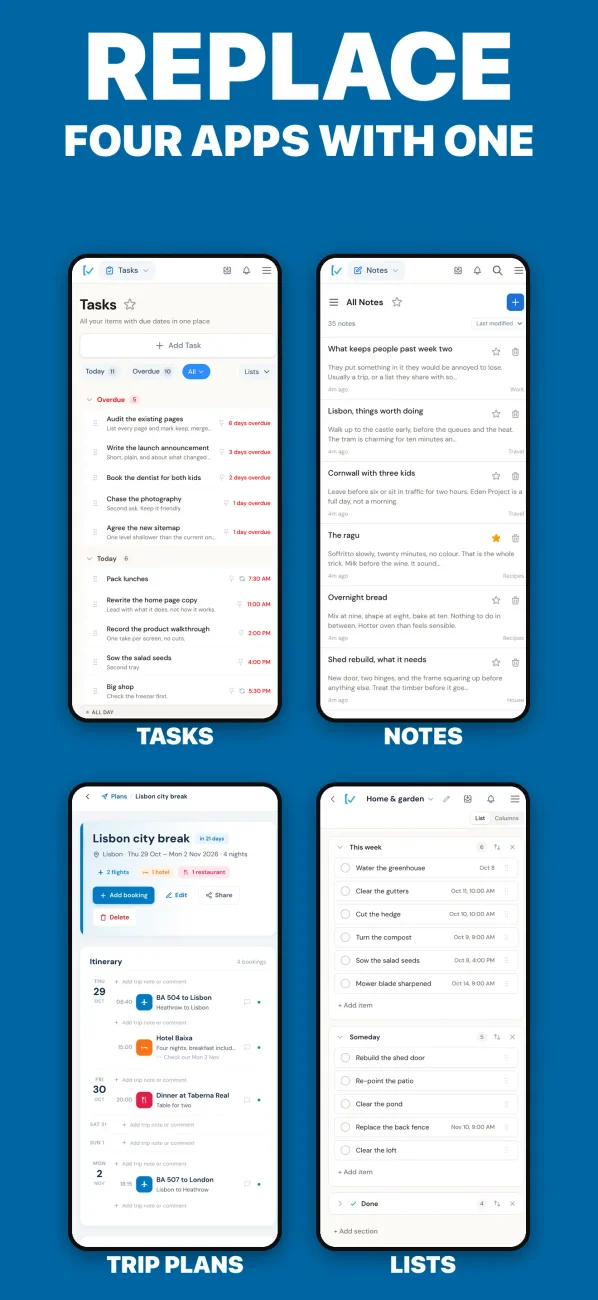
Traskio brings your tasks, notes, trips, documents and projects together in one place, so you stop scattering your thinking across half a dozen apps.
TASKS
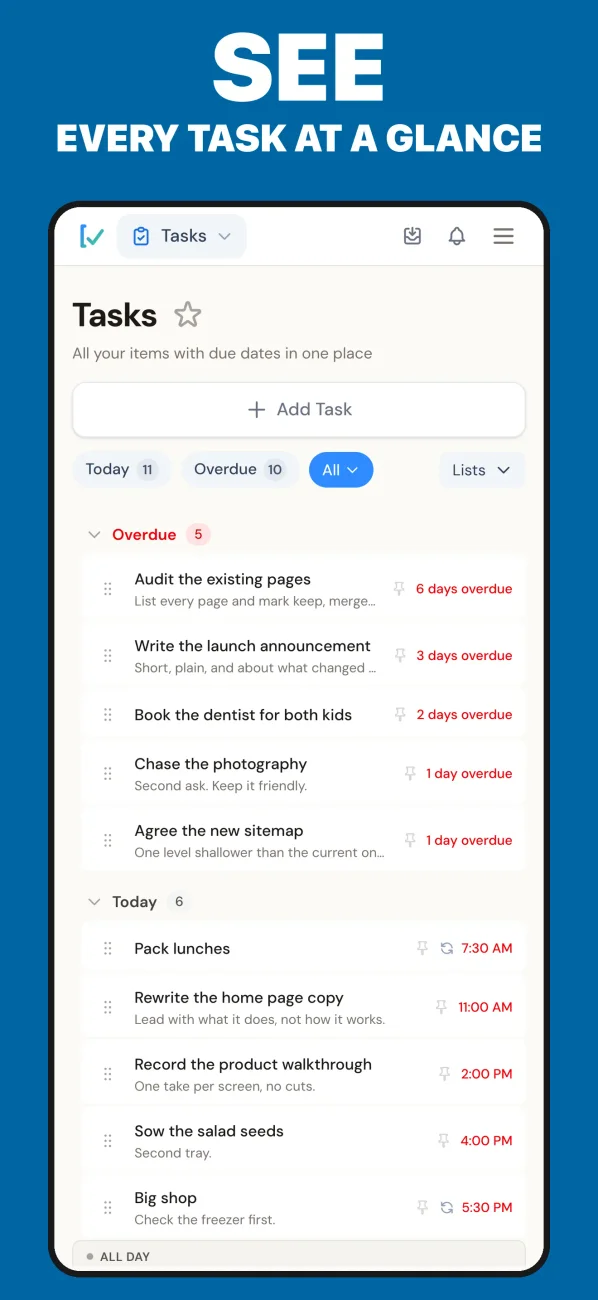
Capture what needs doing, set recurring tasks, see everything on a calendar, and add tasks with your voice.
NOTES
Write in rich text, organise into notebooks, and tag anything so you can find it again in seconds.
PLANS
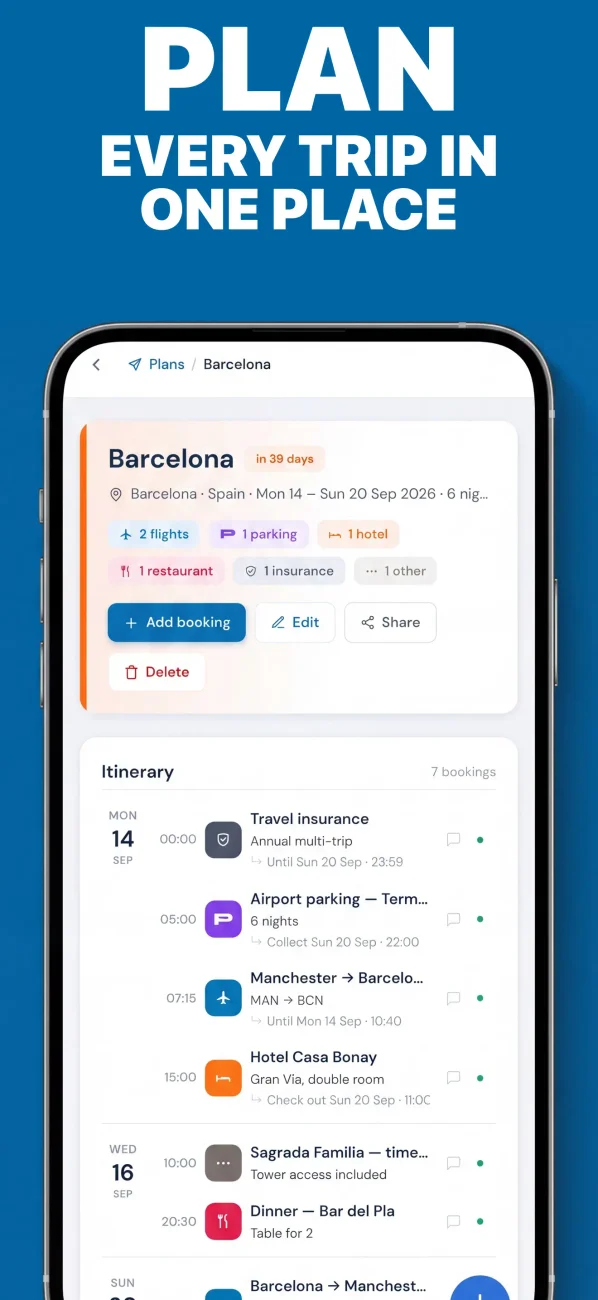
Keep every trip in one place. Flights, hotels, trains, car hire, parking and restaurants, laid out as a day-by-day itinerary you can share with whoever is coming with you.
DOCUMENTS
Keep your insurance certificates, MOT certificates, passports, driving licences and warranties in one place. Take a photo, choose a file or use the scanner, and Traskio reads the document for you: what it is, who or what it belongs to, and when it needs renewing. You check it, and a renewal reminder lands in your task list ahead of time. When you add next year's policy, the old one is kept in the archive. Free for everyone.
CALENDAR
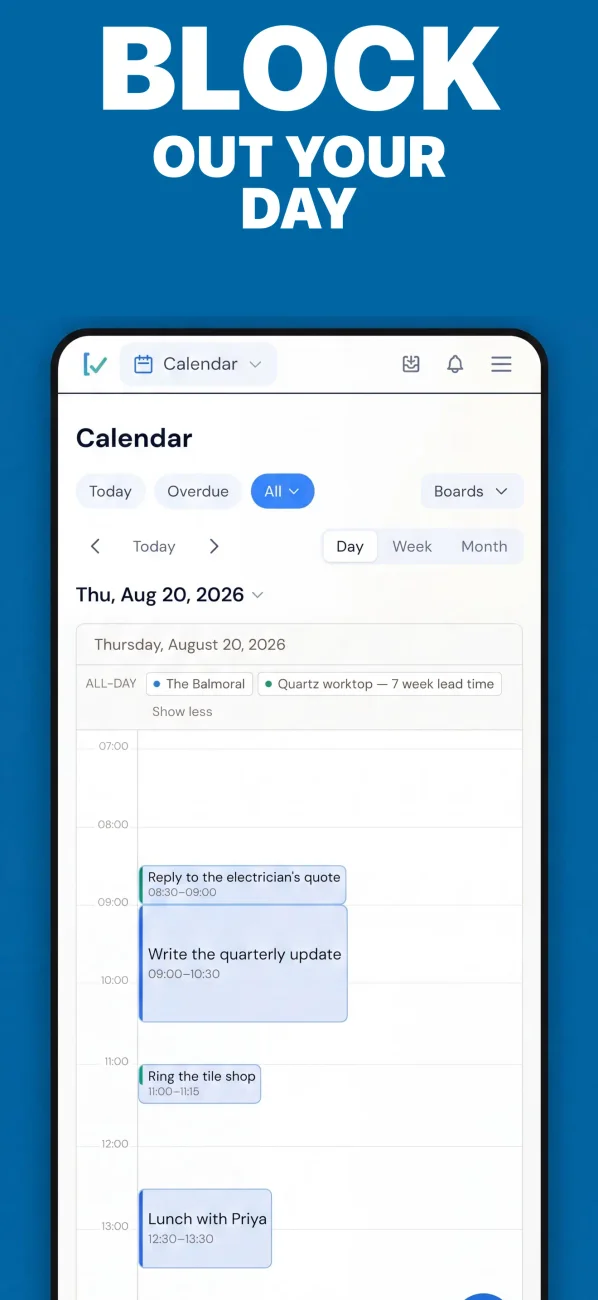
A calendar of its own, with day, week and month views, so you can see what is coming without leaving Traskio. Your trip bookings turn up here on their own.
If you like to block out your day, switch on Block out time in your calendar (Settings > Tasks). Tasks can then say how long they take, and day and week become an hour-by-hour grid where each one is drawn as a block as tall as it is long — so a morning with two meetings and a report to write looks like one. Drag a block to move it, or drag its bottom edge to make it longer. Free on every plan.
LISTS
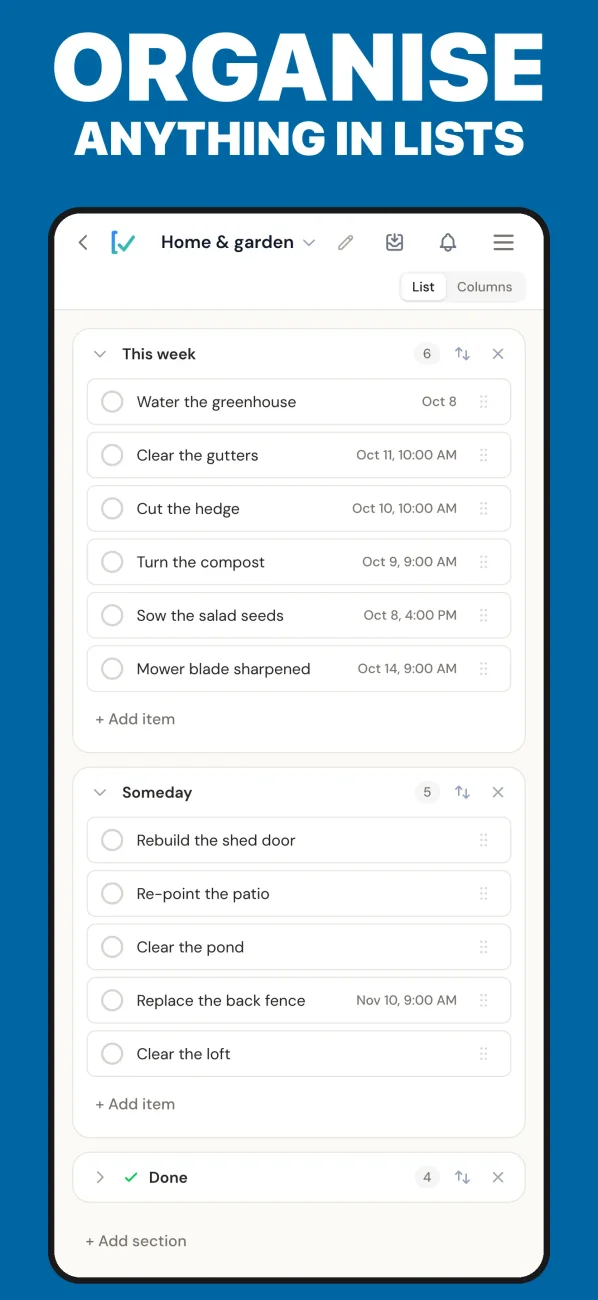
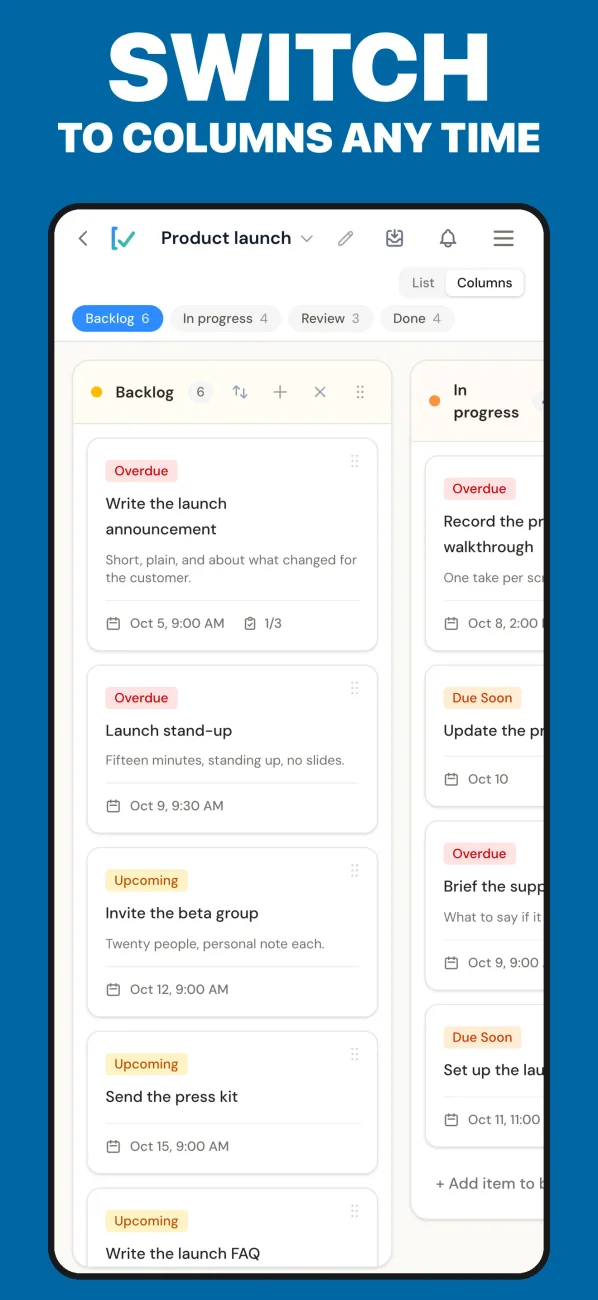
Shopping, packing, projects, anything. View a list as one long checklist you tick off as you go, or as columns you drag items between. Add sections, due dates, checklists and attachments.
WORKS TOGETHER, SYNCS EVERYWHERE
Everything stays in step across iPhone, iPad, Apple Watch and the web. Share a list or a note with someone and you will both see changes as they happen.
ALSO IN TRASKIO
Works offline and catches up when you are back. Search across everything you have written. Checklists on any task. An Apple Watch complication showing what is due today. Two-factor sign-in if you want it. Import from Trello and Evernote, and export whenever you like.
AI, WITHOUT THE AI SUBSCRIPTION
Writing help, voice capture and booking scanning, with no AI tier to subscribe to. Add your own key from OpenAI, Anthropic, Google Gemini or OpenRouter and it costs you nothing extra — your key is encrypted and you pay your provider directly. Or buy a one-off AI top-up in the app if you would rather not deal with keys at all.
TRASKIO PRO
Traskio is free to use, forever. Pro adds four things:
- Email straight into Traskio. Forward anything to your own Traskio address and it arrives as a task, a note, a trip booking or a document.
- Capture with Siri. Say "Hey Siri, remind me to..." and it turns up in Traskio, along with anything else you put in Apple Reminders.
- No adverts.
- Priority support, answered by the people who build Traskio.
Pro comes with a 30-day free trial.
Traskio Pro is available as a monthly or annual subscription. Payment is charged to your Apple Account at confirmation of purchase. Your subscription renews automatically unless it is cancelled at least 24 hours before the end of the current period, and you can manage or cancel it at any time in your Apple Account settings.
Terms of Use (EULA): https://www.apple.com/legal/internet-services/itunes/dev/stdeula/
Privacy Policy: https://traskio.com/privacy
Có gì mới
Phiên bản 1.4.19 · 22/11/2026
• Documents now show an icon for each type of document, and groups have their own icons (car, home, personal and more) that you can change. PDFs and scans show a small preview of their first page.
• Lists and trips shared with you now show up as soon as you come back to the app.
• Tasks you share from another app into a shared list now reach everyone on the list, and Traskio explains when a file can't be added to a shared list.
• Quick add to inbox has moved to the bottom of the + menu.
• Fixed an issue where the last options in Settings could sit behind the + and microphone buttons.
Quyền riêng tư của ứng dụng
Những gì Maxly Ltd khai báo trên App Store về cách ứng dụng này xử lý dữ liệu.
-
Dữ liệu liên kết với bạn
Có thể được thu thập và liên kết với danh tính của bạn.
- Mục mua
- Thông tin liên hệ
- Nội dung của người dùng
- Mã định danh
- Dữ liệu sử dụng
Phương thức đảm bảo quyền riêng tư có thể khác nhau, chẳng hạn như tuỳ theo các tính năng bạn sử dụng hoặc độ tuổi của bạn.
Thông tin
- Người bán
- Maxly Ltd
- Danh mục
- Hiệu Suất
- Phiên bản
- 1.4.19
- Cập nhật
- 22/11/2026
- Phát hành
- 18/08/2026
- Kích thước
- 85,5 MB
- Yêu cầu
- iOS 15.0 trở lên
- Độ tuổi
- 4+
- Giá
- Miễn phí
- Mua hàng trong ứng dụng
- Có
- Ngôn ngữ
- Tiếng Anh
- Bản quyền
- © 2026 Maxly Ltd
Có thể bạn cũng thích
-
 PDFiles: PDF Scanner & OCRHiệu Suất
-
 Flourish: Your personal coachHiệu Suất
-
 DOQIT - Life Admin, OrganisedHiệu Suất
-
 Obair WorkerHiệu Suất
-
 Booost: Tasks & PlanningHiệu Suất
-
 Due - Reminders & TimersHiệu Suất
-
 Checklist: Get things doneHiệu Suất
-
 Shared Grocery List OrganizerHiệu Suất
-
 AI Meeting Note Taker - JamieHiệu Suất
-
 Superlist: To-Do & Ghi ChúCông việc, Danh sách & Dự án