
- Độ tuổi4+
- Danh mụcHiệu Suất
- Nhà phát triểnVero Fide LLC
- Ngôn ngữTiếng Anh+ 10 ngôn ngữ khác
- Kích thước75,6 MB
Liên kết đến trang App Store chính thức
Download.org không lưu trữ tệp nào của Trinote. Nút này mở trang ứng dụng trên App Store, nơi Vero Fide LLC phát hành ứng dụng. Trang được kiểm tra lần cuối: 25/11/2026.
Ảnh chụp màn hình


Giới thiệu
Nhà phát triển chưa cung cấp nội dung này bằng ngôn ngữ của bạn.
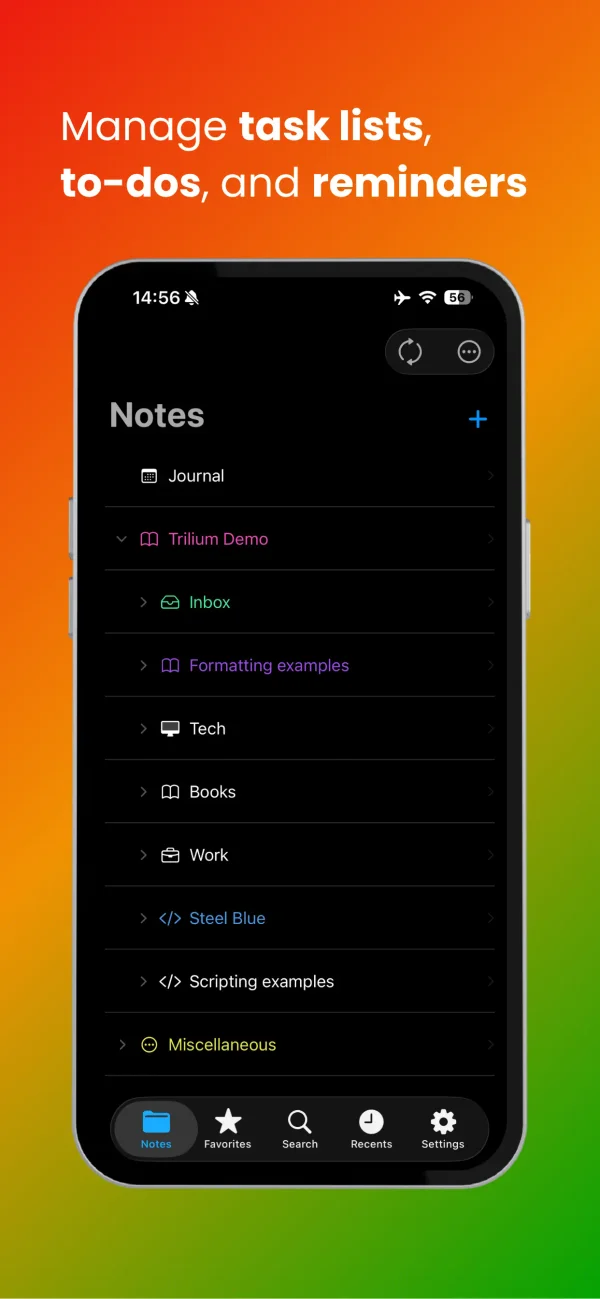
Trinote is a native, open-source iOS client for your self-hosted Trilium (TriliumNext) note server. Your notes stay on your server and your device — Trinote is a client only.
Browse & organize
Explore your full note tree with lazy loading, clones, and branches — the way Trilium models your workspace. Create, move, duplicate, and delete notes; keep favorites and recents at hand; optionally work with open-note tabs.
Find anything
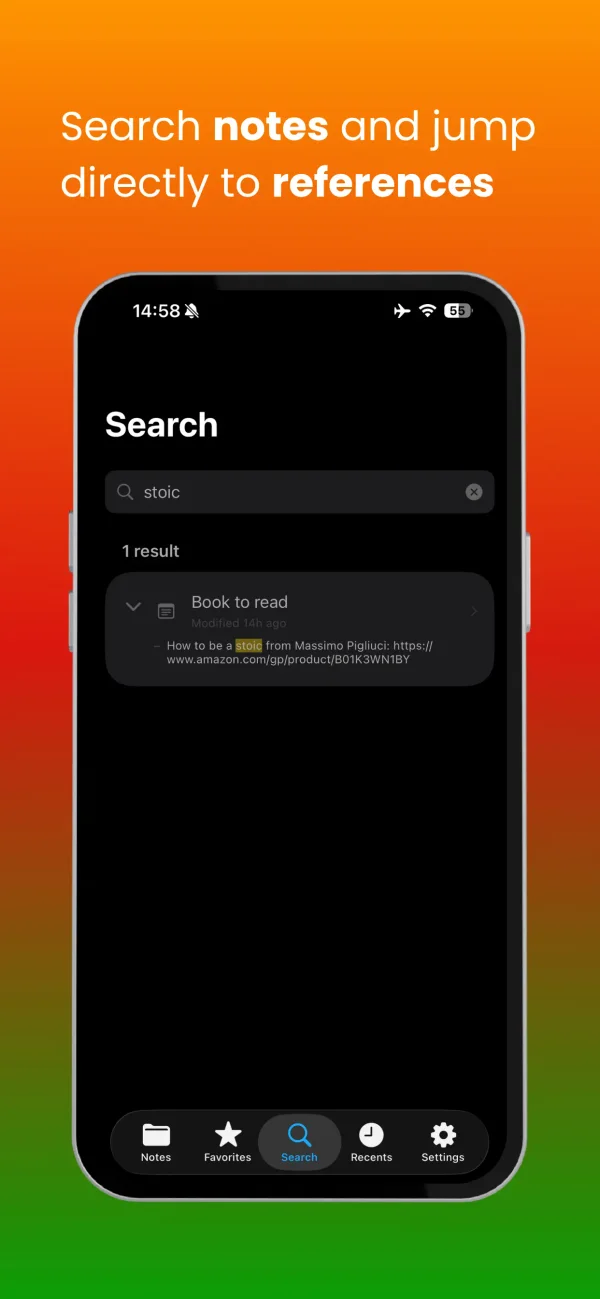
Run full-text search on the server to jump to the right note fast. Offline, search titles in your cached notes. Use find-on-page once a note is open.
Read & edit
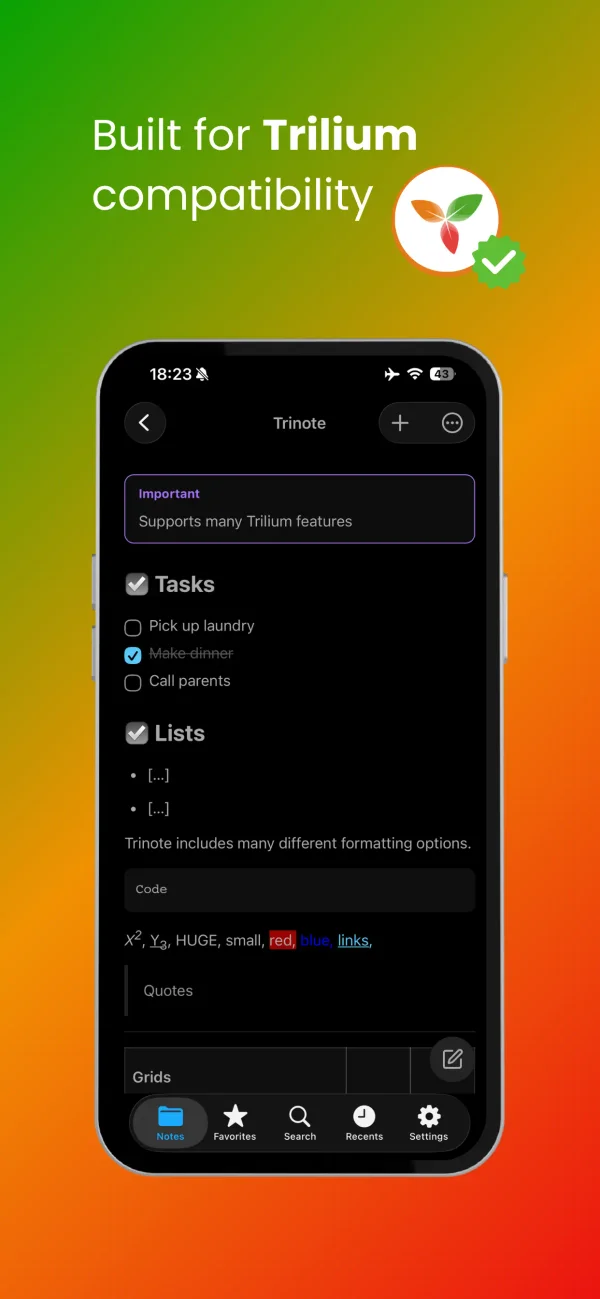
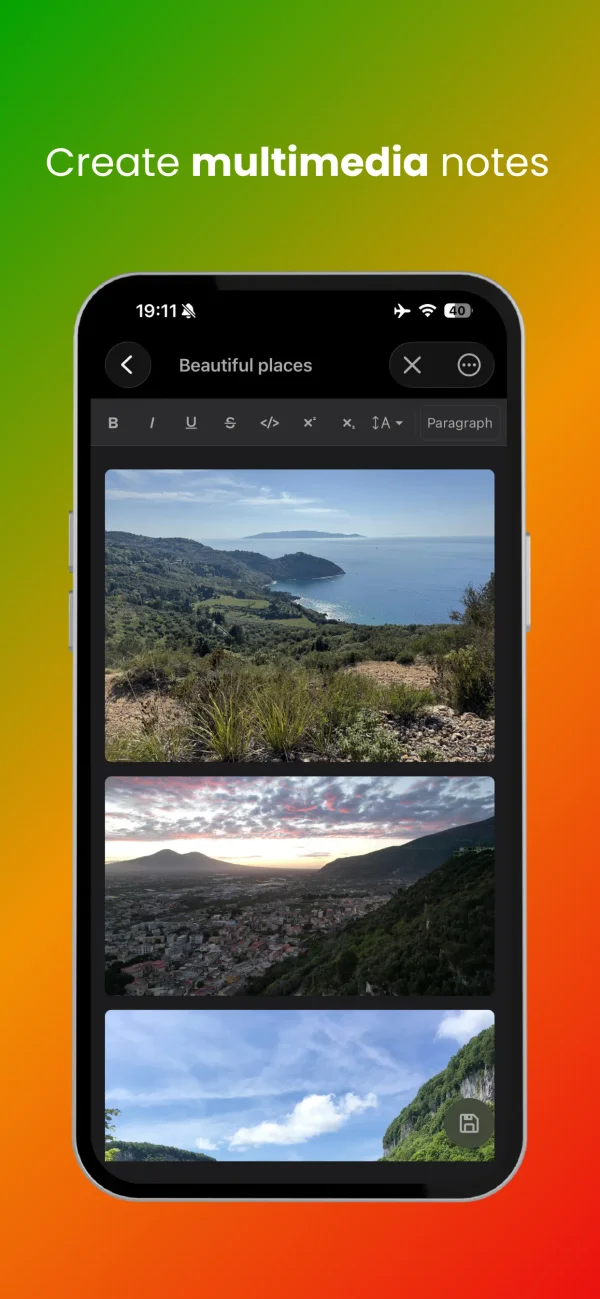
Open and edit text notes with a rich editor — formatting, lists, task lists, tables, callouts, code blocks, images, links, and math. Work with code, images, and files too.
Also supported: canvas, Mermaid diagrams, mind maps, spreadsheets, geo maps, calendars, kanban boards, and presentations (availability can depend on your Trilium version).
Attachments
Add from Camera, Photos, or Files. Preview, download, rename, and share.
Share & capture
Save text, links, images, and files into Trinote via the iOS Share extension (Markdown becomes HTML). Manage public Trilium share links, or send notes to a nearby device over your local network.
Stays useful offline
Caches tree structure and note content so you can keep browsing and editing when the network drops. Changes sync when you’re back online. Full-text search and some live actions still need the server.
Connect your way
Sign in with your Trilium password (TOTP supported). Use multiple server profiles, and optional Cloudflare Access for protected setups.
Appearance & security
Choose light, dark, or system appearance, plus color themes and custom accents. Lock the app with a PIN and Face ID / Touch ID.
Privacy
Trinote does not host your notes. Your data lives on your Trilium server and your local device.
Có gì mới
Phiên bản 1.24.2 · 24/11/2026
New on Trinote 1.24.2
Better offline use when your server is out of reach
• If your Trilium server is only reachable over a VPN or your home network, Trinote now notices when it can't be reached and works from the notes saved on your device, just as it does in Airplane Mode.
• Changes you make while the server is out of reach are kept on your device and uploaded once it's back. Trinote reconnects by itself, usually within a minute. Pull to refresh to try straight away.
• Notes in the tree now open their sub-notes at once. Fixed the spinner that never finished when the server couldn't be reached.
• Fixed checkboxes in the editor sometimes showing their old state after a tap.
Previously on Trinote 1.24.1
• Tap to call, map or track: phone numbers, addresses and package tracking numbers in your notes are now underlined when you read them. Tap a phone number to call it, an address to open it in Apple Maps or Google Maps, or a tracking number to open the carrier's tracking page. You can turn this off or pick your maps app in Settings → Appearance → Detected Details.
• More room when typing sideways: on an iPhone in landscape, the top bar steps aside and the insert tools fold into a single row while the keyboard is up, so more of your note stays in view. A new Hide Keyboard button puts everything back.
• Denser note tree: choose Dense under Settings → Tree View → Display Density for tighter rows without divider lines. Relaxed stays the default.
• Images from your own server: pictures in notes that point to files on your Trilium server's domain outside Trilium (for example /media/photo.png behind a reverse proxy or Cloudflare Access) now load with your sign-in and are kept for offline reading. Pull down on a note to download them again.
• Breadcrumb paths on note details view are clickable to navigate to that note.
Previously:
Trinote 1.24 is ready for Trilium v0.107
WORKS WITH TRILIUM v0.107
• Notes made in Trilium's new editor keep everything when you edit them on your phone: included notes, excerpts, columns, tabs and embedded files.
• Columns and tabs show as columns and tabs, and included notes, excerpts, videos and audio show right in the note.
• Links to a heading, a paragraph or a PDF page take you straight there.
• Insert columns, tabs, note excerpts, links to a paragraph and videos from the editor.
• If your password changes on the server, Trinote asks you to sign in again.
INCLUDED NOTES AND EXCERPTS
• Each one has a ⋮ menu: size, position, title, caption, delete, or turn it into a link and back.
• Editable mode lets you edit an included note or excerpt where it sits. Changes save to the original note.
SPREADSHEETS
• New cell bar: tap a cell and type. What you type shows in the cell as you go and is kept when you move to another cell.
• A function menu and symbol keys, and tapping cells adds them to the formula you're writing.
• Clear, Undo and Redo buttons.
MARKDOWN
• Source, Split and Preview views when reading, and Source or Split while editing.
• In Split view, both halves stay lined up as you scroll.
MAPS
• Maps show pins, shapes and GPX tracks from all their sub-notes, as in Trilium.
• Search from the map's corner for its notes, coordinates, map links and places, and add a pin where you land.
• A refresh button, and sub-notes listed as a tree.
ALSO NEW
• Boards include cards from nested notes, and saved searches open with their results.
• Image maps, Duplicate with or without sub-notes, a table of contents on iPhone, and sorting tables or adding several rows at once.
• Presentations show web page, board and table slides.
• AI chat uses your web search provider, opens images full screen and formats its thinking.
• Back from the editor saves your changes (with Autosave or Back Button Saves) and shows the note.
• Canvas notes show your latest drawing as soon as you leave the editor.
• The split editor toolbar is now the default.
• Updated diagram, math, map, drawing and spreadsheet engines.
Quyền riêng tư của ứng dụng
Những gì Vero Fide LLC khai báo trên App Store về cách ứng dụng này xử lý dữ liệu.
-
Dữ liệu không được thu thập
Nhà phát triển không thu thập bất kỳ dữ liệu nào từ ứng dụng này.
Phương thức đảm bảo quyền riêng tư có thể khác nhau, chẳng hạn như tuỳ theo các tính năng bạn sử dụng hoặc độ tuổi của bạn.
Thông tin
- Người bán
- Vero Fide LLC
- Danh mục
- Hiệu Suất
- Phiên bản
- 1.24.2
- Cập nhật
- 24/11/2026
- Phát hành
- 28/03/2026
- Kích thước
- 75,6 MB
- Yêu cầu
- iOS 18.0 trở lên
- Độ tuổi
- 4+
- Giá
- Miễn phí
- Ngôn ngữ
- Tiếng Anh, Tiếng Ả Rập, Tiếng Séc, Tiếng Pháp, Tiếng Đức, Hindi, Tiếng Hungary, Tiếng Ý, Tiếng Ba Lan, Tiếng Nga, Tiếng Tây Ban Nha
- Bản quyền
- © 2026 Vero Fide LLC
Có thể bạn cũng thích
-
 LinkwardenHiệu Suất
-
 Tiny Tools - All-in-OneHiệu Suất
-
 Evoveo AI-Offline AI AssistantHiệu Suất
-
 Clastly — Personal DatabaseHiệu Suất
-
 Snippety - Snippets ManagerHiệu Suất
-
 Moe MemosHiệu Suất
-
 Notestream: Fast Notes to SelfHiệu Suất
-
 Clover: Notes for TriliumHiệu Suất
-
 Caliu - Markdown NotesHiệu Suất
-
 Idea Tiles: Connect ThoughtsHiệu Suất